
ULAK Compatible with iPod Touch 7/6/5 Case
4.7Editor score
Clear slim design shows original device
Anti-yellowing coating for durability
Lightweight and easy to install
Explore our expert guide comparing the top iPod Touch cases for protection and style. We review rugged, slim, and magnetic options for every need today.
Protecting your Apple iPod Touch is essential for maintaining its value and functionality over time. A good case should offer robust defense against drops and scratches while preserving the device’s sleek design and button accessibility for daily use.
We compared ten highly rated cases based on material quality, protection levels, and user feedback. This list covers hybrid designs, clear options, and heavy-duty covers suitable for various lifestyles and usage patterns.
Each pick highlights specific strengths like screen protection, kickstands, or wireless charging support. Please note that availability and pricing may fluctuate, so check current details before making your final purchase decision online.
4.7Editor score

4.6Editor score

4.4Editor score
This side-by-side comparison highlights the key specifications and strengths of each selected case to help you find the perfect match for your iPod Touch model.




This ULAK case stands out as the top pick for its balanced mix of heavy duty protection and practical features. It holds a strong rating from users who value the included screen protectors and the rotating kickstand for hands-free viewing.
We may earn a commission when you buy through this link, at no additional cost to you.
The construction combines a hard PC back with a soft TPU edge to absorb impacts effectively. The kickstand rotates fully allowing you to position your device at any angle for movies or reading without holding it.
While it offers excellent protection the design does add some bulk to the device compared to ultra-slim options. The kickstand is sturdy but adds a small amount of weight which might matter for some users.
It is ideal for anyone who needs reliable protection and wants to use their iPod as a media player frequently. The extra value of two screen protectors makes this a smart buy for new device owners.
The 360 degree kickstand lets you watch videos or follow recipes without holding the device manually.
Two HD screen protectors are included ensuring your display stays clear and scratch-free from the start.
We may earn a commission when you buy through this link, at no additional cost to you.
This clear case offers an affordable way to protect your iPod while keeping its original look visible. Users praise its slim fit and the anti-yellowing technology that keeps the case looking new longer than standard clear options.
We may earn a commission when you buy through this link, at no additional cost to you.
The TPU bumper provides a soft grip while the hard PC back resists scratches on the rear surface. The corners are slightly raised to protect the screen and camera when the device lies flat on a table.
Because it is so slim it may not absorb heavy impacts as well as thicker rugged covers. Also clear materials can show fingerprints or dust more than colored cases which some users find distracting.
Choose this if you want minimal bulk and want to showcase your device color without spending much. It is a great budget choice for everyday protection that does not hide the device’s design.
The intense transparency allows the original phone design to shine through clearly without cloudiness.
Special coatings help the clear material resist turning yellow over time from UV exposure or handling.
We may earn a commission when you buy through this link, at no additional cost to you.
This magnetic case is designed for users who want to expand their device capabilities with MagSafe-style accessories. It features a built-in ring that allows secure attachment to wireless chargers and car mounts without extra adapters.
We may earn a commission when you buy through this link, at no additional cost to you.
The double layer construction provides robust protection for the entire device including the front screen which has a built-in protector. The materials are tested to be odor-free and safe for extended daily handling.
While the magnetic feature is convenient it might add a slight amount of thickness to the profile. It is also priced higher than standard cases which may not fit strict budgets for simple protection needs.
This is the ideal pick for tech enthusiasts who value modern conveniences like wireless charging. It combines safety with functionality making it a premium choice for modern usage patterns.
The built-in magnetic ring supports magnetic wireless charging and car mounts for seamless connectivity.
Imported Bayer TPU gel is rigorously tested to ensure it is safe and odor-free for health.
We may earn a commission when you buy through this link, at no additional cost to you.
ZoneFoker provides a rugged option that balances protection with usability through its sliding kickstand feature. It is built to withstand accidental drops and bumps while maintaining a relatively lightweight feel in the hand.
We may earn a commission when you buy through this link, at no additional cost to you.
The combination of soft TPU and hard PC ensures that shocks are absorbed effectively. The kickstand slides out easily allowing you to use the device for typing or gaming without holding it.
Some users note that the kickstand legs can leave marks on smooth surfaces if not careful. Also the black color though classic can show dust or lint more than lighter shades.
If you need a case that can handle outdoor activities or frequent travel this is a strong contender. The added utility of the kickstand makes it stand out among other rugged designs.
The sliding kickstand lets you type or watch videos hands-free anywhere you go.
Despite its rugged look the case remains lightweight so it does not weigh down your pocket.
We may earn a commission when you buy through this link, at no additional cost to you.
This hybrid case from IDYStar uses a two-part design to provide solid protection without unnecessary bulk. The hard PC inner frame keeps the shape while the TPU backplate absorbs shocks and resists scratches.
We may earn a commission when you buy through this link, at no additional cost to you.
It includes two HD screen protectors which adds significant value to the package. The cutouts are precisely engineered so all buttons and ports remain fully accessible without removing the case.
Installing the two pieces together can take a bit more effort than a single piece case. Additionally the sky blue color is distinct and might not match every user's style preferences.
This is a great choice for those who want a slim but protective case with added screen protection. The value and design make it a practical option for daily use.
The hybrid design keeps the profile thin while still offering dual layer drop protection.
Two HD protectors are included to keep your display safe from scratches and cracks.
We may earn a commission when you buy through this link, at no additional cost to you.
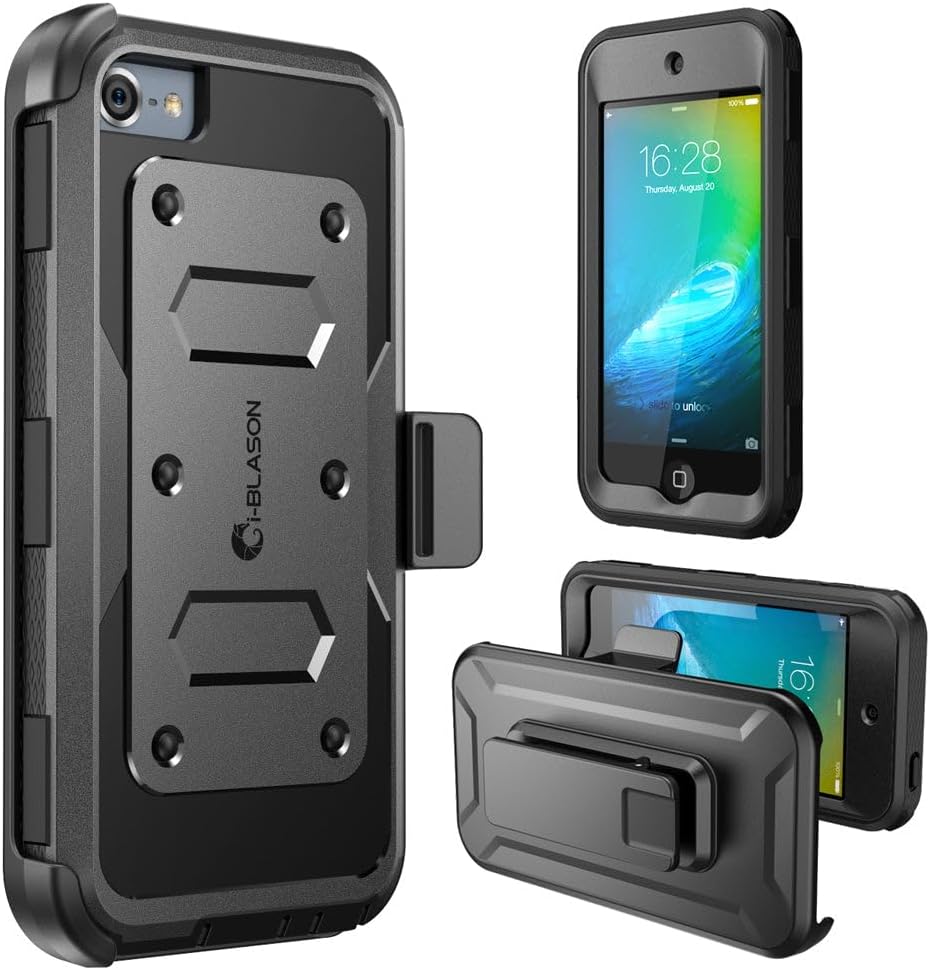
The i-Blason case is unique because it comes with a belt clip for easy carrying on the go. It uses a polycarbonate hard shell with a soft TPU core to protect against drops and impacts efficiently.
We may earn a commission when you buy through this link, at no additional cost to you.
The front protective cover and screen protector ensure your display stays clean even when clipped to a belt. The dotted pattern inside the case helps to absorb shocks when the device is dropped suddenly.
Some users find the belt clip can be a bit bulky or may snag on pockets. It is designed more for active use than for pocket carry which can be a limitation for some.
Choose this if you need a case that allows you to carry your device securely while moving around. The clip functionality sets it apart from standard protective cases on the market.
The included belt clip lets you attach your device to your waist for easy access.
A dotted-pattern TPU core maximizes shock absorption to prevent internal damage.
We may earn a commission when you buy through this link, at no additional cost to you.
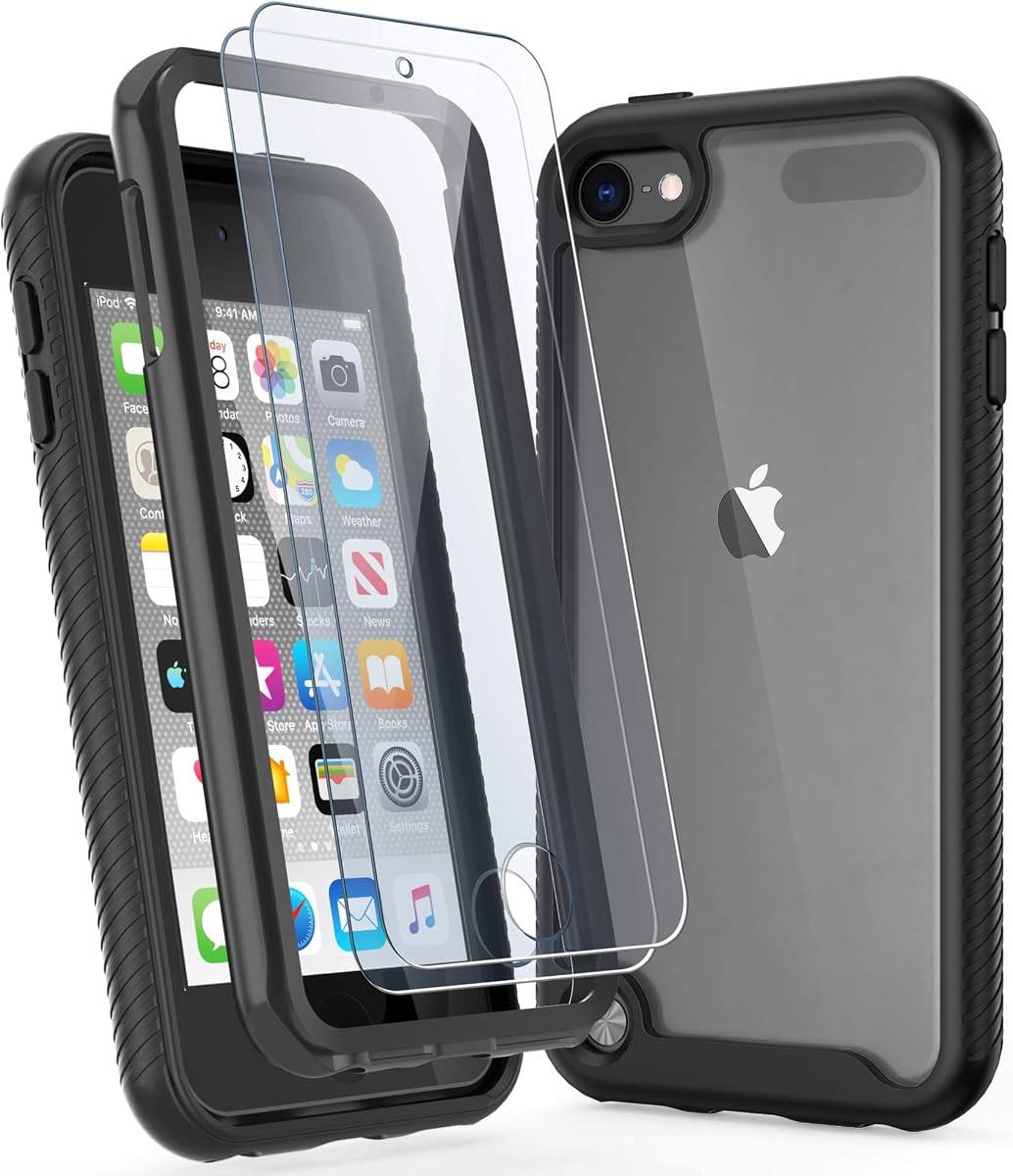
This ULAK case offers a slim fit that slides easily in and out of pockets without adding too much bulk. The transparent back cover maintains the original look while the clear PC protects against scratches.
We may earn a commission when you buy through this link, at no additional cost to you.
Four bumper corners provide extra drop protection where it is needed most. The camera hole is designed to be higher than the surface to prevent scratches when the device is set down.
While the slim design is convenient it may not offer as much cushioning as heavier cases. Some users might find the black color shows dust easily compared to clear options.
It is perfect for users who prioritize pocketability and sleek looks while still wanting screen protection. The included protectors add value for those who want full front and back care.
The raised camera hole design helps avoid potential cracks and scratches on the lens.
Slim fit design makes it easy to slide in and out of pockets smoothly.
We may earn a commission when you buy through this link, at no additional cost to you.
The OtterBox Defender is known for providing some of the most robust protection available for the iPod. It uses a three-layer design that effectively withstands scratches drops and bumps during tough use.
We may earn a commission when you buy through this link, at no additional cost to you.
Port covers are included to keep dust and debris out of the charging ports. A built-in screen protector ensures the display stays safe without needing an extra purchase.
The protection comes at the cost of extra weight and bulk which can be a drawback for some. Also note that it may not be compatible with older 30-pin adapters depending on the model.
This is the best choice for children or anyone who needs a case that can survive serious impacts. The brand reputation and build quality justify the extra size and weight.
Port covers keep out dust and debris to maintain device functionality over time.
Three protective layers work together to withstand scratches drops and shock effectively.
We may earn a commission when you buy through this link, at no additional cost to you.
The kwmobile case is a flexible TPU silicone option that provides a soft and comfortable grip for users. It is specifically designed for the 6th and 7th generation models with precise cutouts for easy access.
We may earn a commission when you buy through this link, at no additional cost to you.
The non-slip coating ensures the device stays securely in your hand during use. The light pink color adds a subtle elegant touch that stands out from basic black or clear cases.
While the silicone is durable it may stretch slightly over time with frequent removal. Also it does not fit the 5th generation so check your model before buying to avoid returns.
This is ideal for those who prefer a soft feel and a stylish light pink look. It offers a good balance of protection and design for casual everyday use.
The durable TPU silicone coating provides a soft non-slip grip that feels great to touch.
Light pink gives the media player a classic and elegant aesthetic compared to others.
We may earn a commission when you buy through this link, at no additional cost to you.
This IDweel case uses a hybrid three-in-one design to offer protection that is both sturdy and slim. The soft TPU bumper pairs with a hard PC back panel to resist scratches and impacts efficiently.
We may earn a commission when you buy through this link, at no additional cost to you.
It comes with two screen protectors which is a common value-add for these budget-friendly cases. The raised TPU corners ensure the device lies flat without the screen touching surfaces directly.
Some users report that the colors like blue or gray may vary slightly from the photos. The design is fairly basic so those looking for unique features may find it limited.
For a reliable affordable option that covers basics like screen and drop protection this is a solid choice. The high rating suggests it meets expectations for most daily users.
A hard PC outer shell and soft inner TPU offer hybrid protection for the device.
Two screen protectors are included to prevent scratches and keep the display clear.
We may earn a commission when you buy through this link, at no additional cost to you.
Choosing the right case depends on your lifestyle and how much protection you need.
Ensure the case is specifically designed for your iPod Touch generation such as 5th 6th or 7th. Some cases may fit multiple generations but others are specific to a model size.
Always verify the model number before purchasing to guarantee proper button and port alignment.
Look for cases made from durable materials like TPU PC or silicone. TPU offers flexibility while PC provides a hard shield against scratches.
High-quality materials ensure the case does not yellow or crack easily over time.
Decide between slim profiles and heavy-duty protection. Heavy-duty cases with rubber bumpers absorb more shock but add weight.
If you drop your device often choose a case with reinforced corners or air cushions.
Some cases come with built-in screen protectors or include them in the package. This saves extra cost and ensures full coverage.
Check if the case covers the entire screen or just the edges for maximum safety.
Consider if you need features like kickstands for media viewing or clips for carrying. Some cases support wireless charging via magnetic rings.
Ensure any added functionality does not interfere with daily usage or charging ports.
Choose a color or finish that matches your personal style. Clear cases show off the device while colored ones hide scratches.
Aesthetic preference matters if you want the case to look good on display.
Check that all buttons and ports are easily accessible without removing the case. Poor cutouts can make charging difficult.
Precision engineering ensures you can use all features without hassle.
Budget-friendly cases often include extras like screen protectors which increase overall value. Higher prices may reflect better durability or brands.
Compare what is included in the package to find the best deal.
To install your case properly clean the device surface first to remove dust. Align the case carefully so all buttons and ports match before pressing down to snap it into place.
Clean the case regularly with a soft dry cloth to prevent dirt buildup. Avoid harsh chemicals that might degrade the TPU or PC materials over time.
Inspect the case for wear regularly and replace it if you notice cracks or loose edges. Proper care ensures the protection lasts as long as the case is in use.
Most cases in this guide are compatible with the 5th 6th and 7th generations of the iPod Touch. Always check the product description to confirm it fits your specific model number before purchasing.
Only specific magnetic cases with built-in rings support wireless charging. Standard TPU and PC cases typically do not support this feature unless stated explicitly in the product details.
Choose a case with anti-yellowing technology and avoid direct sunlight exposure for long periods. Clean the case gently with a soft cloth to maintain its clear appearance over time.
Many of the cases listed include two HD screen protectors in the package. However some slim designs do not come with protectors so verify the package contents before buying.
Most cases are designed for Lightning adapters which are standard for newer iPods. Some heavy-duty covers may block older 30-pin adapters so check port compatibility if using legacy accessories.
TPU is soft and flexible offering shock absorption while PC is hard and rigid offering scratch resistance. Hybrid cases use both to combine flexibility with a strong outer shell.
We reviewed ten top cases ranging from rugged protection to slim clear designs. Each option offers distinct benefits whether you need a kickstand magnetic support or simple defense.
Prioritize the features that matter most to you such as screen protection or port access. A good case should blend durability with usability to enhance your daily experience.
Prices and availability can change so verify current listings before making your purchase. Finding the right fit ensures your iPod stays protected and stylish for years to come.