
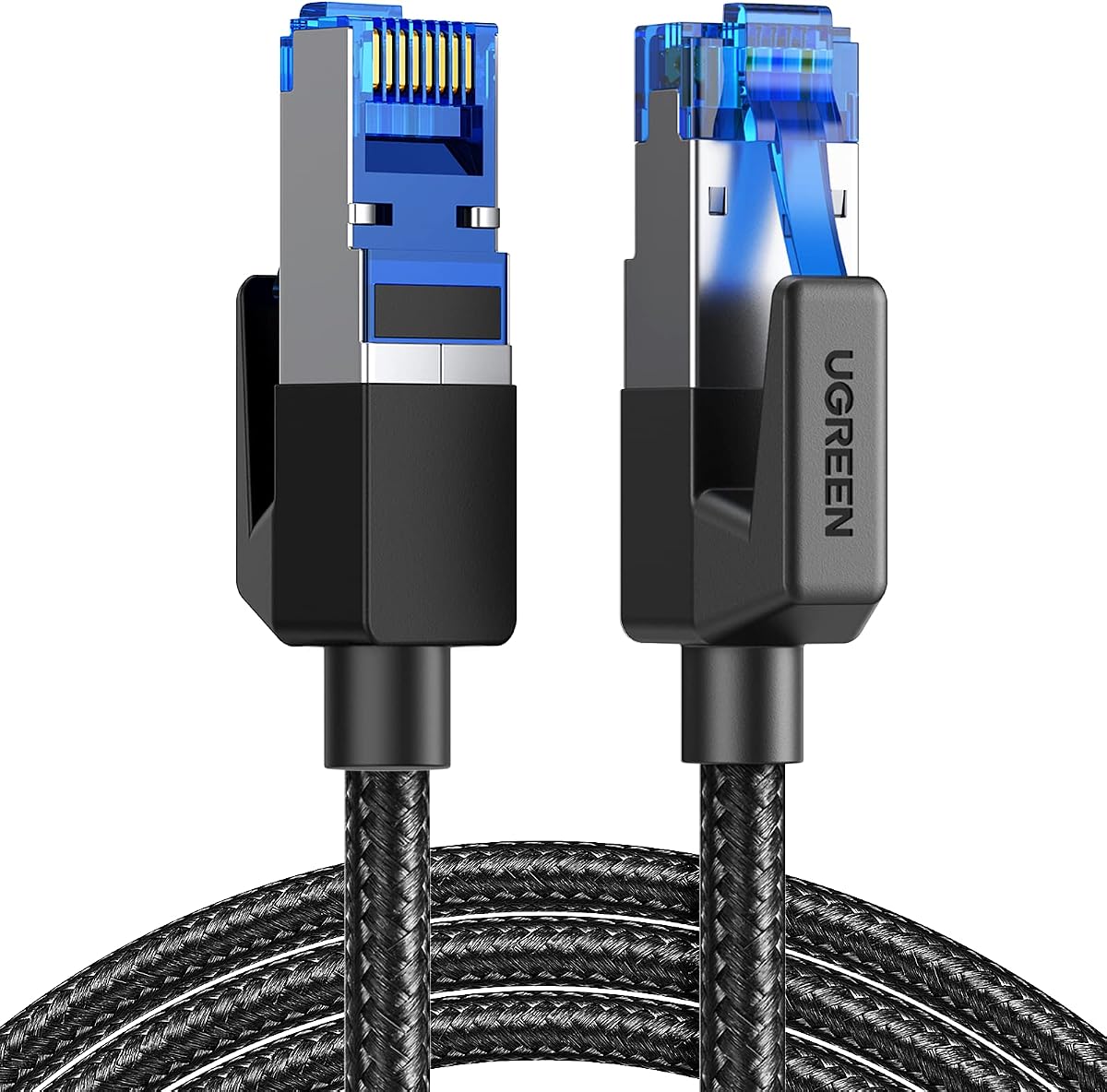
UGREEN Cat 8 Ethernet Cable 3FT
4.7Editor score
Flat flexible design
High speed data transfer
Durable cotton braided
This guide compares the best Ethernet cables for Mac to help you find reliable high speed wired connectivity for your MacBook or iMac setup today.
Finding the right Ethernet cable for Mac ensures stable high speed internet for work and gaming. Modern Macs often lack built in ports requiring adapters plus quality cabling for reliable performance.
We evaluated ten top rated network cables based on speed shielding durability and compatibility with USB C adapters. Each option supports Gigabit or faster speeds suitable for MacBooks iMacs and Mac Pros.
Every pick highlights key features pros and cons to simplify your decision. Prices and availability change so check current listings before buying to ensure you get the best value for your needs.
4.7Editor score
4.7Editor score

4.7Editor score
This side by side comparison highlights key specifications and use cases for each Ethernet cable option tailored for Mac users requiring reliable wired network connections.


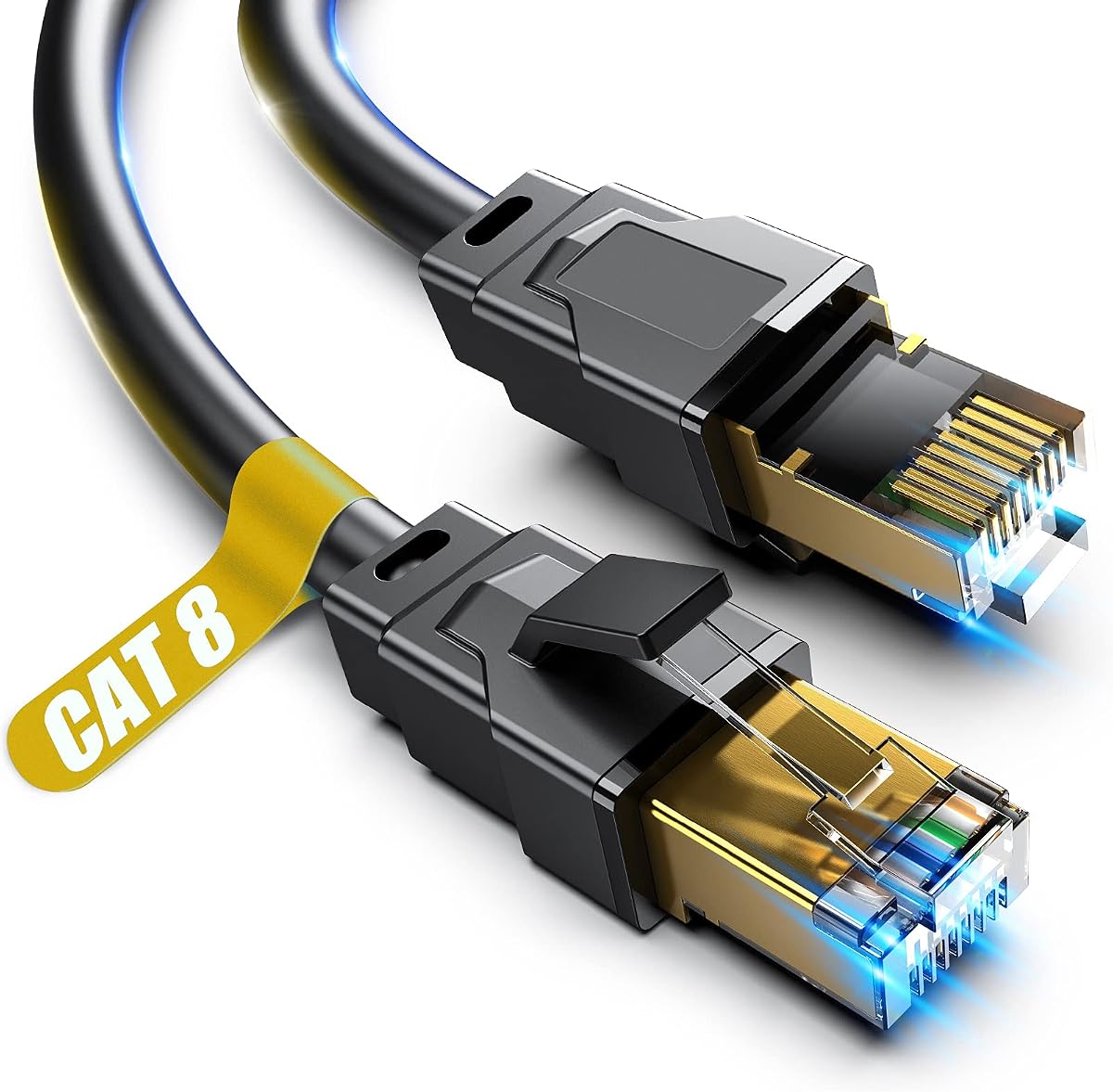

This UGREEN Cat 8 cable delivers top tier network performance with 40Gbps speeds and 2000MHz bandwidth. Its robust shielding and braided jacket make it ideal for demanding Mac setups requiring stable wired connections.
We may earn a commission when you buy through this link, at no additional cost to you.
The F/FTP shielding ensures minimal signal loss and crosstalk even in crowded network environments. Pure copper conductors and gold plated connectors maintain integrity and reliable performance over years of use.
While the braided design offers excellent durability it can be slightly stiffer than flat options which may complicate routing under desks. The cost is higher than basic cables but justified by the premium build quality.
Mac users needing high speed reliable internet for streaming or work will appreciate this cable. It pairs perfectly with USB C to Ethernet adapters and guarantees consistent performance without drops.
Delivers up to 40Gbps data transfer speeds perfect for large file backups and 8K streaming on Mac devices.
The cotton braided jacket withstands over 10000 bend tests ensuring longevity in busy office or home environments.
We may earn a commission when you buy through this link, at no additional cost to you.
The Smolink Cat 8 cable provides an impressive 50ft reach enabling Mac users to connect devices across rooms without signal loss. It maintains high speed 40Gbps performance throughout the entire length.
We may earn a commission when you buy through this link, at no additional cost to you.
Nylon braiding adds flexibility and resistance to tangling making it easier to route along walls or under carpets. The U/FTP shielding keeps interference low ensuring stable connections for gaming or video calls.
The length is great for large setups but may create excess cable clutter if not managed properly. Weight is slightly higher than shorter cables which might affect flexibility in tight bends.
Ideal for Mac users with large desks or home offices where router proximity is limited. This cable bridges the gap without compromising on speed or reliability for professional workloads.
At 50ft it reaches distant rooms or desks ensuring your Mac stays wired without sacrificing speed or stability.
Nylon braided jacket resists daily wear and tear keeping the cable flexible and tangle free for years.
We may earn a commission when you buy through this link, at no additional cost to you.
This compact UGREEN Cat 8 cable offers high speed 40Gbps performance at a budget friendly price point. Its flat design makes it easy to hide under carpets or run along door frames discreetly.
We may earn a commission when you buy through this link, at no additional cost to you.
The braided reinforcement ensures the cable resists breakage despite its slim profile. Gold plated connectors and shielding maintain strong signals even when plugged into USB C adapters for MacBooks.
At 3ft it is best suited for short distance connections near desks or routers. Longer runs may require a different option which limits flexibility in larger setups.
Perfect for Mac users needing a quick reliable short connection without breaking the bank. It balances performance and cost effectively for everyday home or office use.
The flat profile allows seamless installation under furniture or along baseboards without creating visible clutter.
Delivers premium Cat 8 speeds at a fraction of the cost making it accessible for budget conscious buyers.
We may earn a commission when you buy through this link, at no additional cost to you.
The DbillionDa Cat 8 cable is designed for outdoor and direct burial use with a weatherproof PVC jacket. It maintains 40Gbps speeds even in harsh conditions making it great for outdoor Mac setups.
We may earn a commission when you buy through this link, at no additional cost to you.
Thicker 26AWG conductors ensure stable data transmission over distance without signal degradation. Double shielding minimizes interference from external sources like power lines or weather fluctuations.
For indoor only use this cable is overbuilt and stiffer than typical indoor options. The extra durability adds weight and reduces flexibility which may complicate indoor routing.
Ideal for Mac users needing connections to outdoor access points or sheds. It provides reliable performance regardless of weather ensuring consistent connectivity for remote work.
The UV resistant jacket withstands sunlight and rain allowing safe use in outdoor network environments.
Thicker conductors and double shielding ensure stable performance under heavy load or environmental stress.
We may earn a commission when you buy through this link, at no additional cost to you.
This Jadaol Cat8 cable features a sleek white flat design that blends well with modern Mac setups. At 25ft it offers a balanced reach for most desk and living room configurations.
We may earn a commission when you buy through this link, at no additional cost to you.
S/FTP shielding protects against interference while the flat shape keeps cables hidden along baseboards or under rugs. Gold plated connectors ensure secure fits with USB C adapters or routers.
The white color can show dirt over time requiring occasional cleaning to maintain appearance. Flat cables may not bend as tightly as round ones which could limit routing options in tight corners.
Perfect for home offices needing a clean look without exposed wires. The medium length and flat design make it ideal for professional Mac environments prioritizing aesthetics.
The white flat profile matches light furniture and walls keeping visible cables discreet and professional.
Flat shape allows smooth sliding under doors or carpets for hassle free cable management.
We may earn a commission when you buy through this link, at no additional cost to you.
This Ltemziiy Cat 8 cable features a sturdy braided design with pure copper conductors for reliable Mac connectivity. The 8ft length offers flexibility for most desktop setups without excess slack.
We may earn a commission when you buy through this link, at no additional cost to you.
Gold plated pins and shielding ensure stable signal transmission reducing drop outs. The cotton yarn braid resists daily wear and keeps the cable neat and organized on desks.
While durable the braid adds weight and stiffness making it less flexible than thin flat cables. Medium length may not suit all setups requiring longer runs to distant routers.
Ideal for Mac users prioritizing build quality and stable connections. It delivers consistent performance for daily tasks like streaming and browsing without interruption.
Solid pure copper cores provide low resistance and minimal signal loss for high speed Mac data transfer.
The 48 strand cotton braid adds strength and flexibility ensuring the cable lasts through frequent handling.
We may earn a commission when you buy through this link, at no additional cost to you.
This Jadaol Cat6 cable offers a budget friendly solution for Mac users needing long reach. At 50ft it connects distant devices while maintaining Gigabit speeds suitable for general internet use.
We may earn a commission when you buy through this link, at no additional cost to you.
The flat design includes built in clips to secure the cable along edges preventing tripping or tangles. Unshielded twisted pair keeps costs low while delivering solid performance for everyday tasks.
Cat6 limits max speeds to 10Gbps compared to Cat8 which may matter for future proofing. Unshielded design could pick up interference in electrically noisy environments affecting stability.
Great for Mac users needing affordable long cables for home networks. It meets basic needs effectively without extra cost for premium speed features.
Provides Cat6 performance at a lower price point making it ideal for standard home and office setups.
Integrated clips allow easy attachment to baseboards and desks keeping cables out of the way.
We may earn a commission when you buy through this link, at no additional cost to you.
Cable Matters delivers a proven Cat6 cable with snagless connectors preventing damage during plugging. The 25ft length suits most desk setups while supporting future 10Gbps network upgrades.
We may earn a commission when you buy through this link, at no additional cost to you.
24 AWG conductors provide lower resistance and better performance than thinner wires. The snagless design protects the connector tabs ensuring a long lifespan and reliable physical connection.
As Cat6 it lacks the 40Gbps potential of Cat8 options which could limit future bandwidth needs. Black color may not match lighter decor in some setups requiring extra effort to hide.
Ideal for Mac users wanting a dependable high rated cable. It balances durability and performance well for professional use without premium pricing.
Snagless strain relief boots prevent connector tabs from breaking during frequent plugging and unplugging.
Supports 10Gbps speeds ensuring compatibility with newer network equipment and faster internet plans.
We may earn a commission when you buy through this link, at no additional cost to you.
Vabogu offers a versatile Cat8 cable available in many lengths for diverse Mac setups. The 6ft version provides high speed connectivity with heavy duty construction for daily use.
We may earn a commission when you buy through this link, at no additional cost to you.
Double shielding and UV resistant jackets allow both indoor and outdoor use. 26AWG conductors deliver stable data transfer suitable for streaming and large file backups without lag.
The heavy duty design makes the cable thicker and stiffer than lightweight options affecting routing flexibility. Higher cost may deter budget focused buyers seeking basic connectivity.
Great for Mac users needing adaptable solutions for various environments. It combines speed and durability for consistent performance across different use cases.
Available in sizes from 1.5ft to 100ft ensuring you find the perfect fit for any setup.
Weatherproof jacket enables safe outdoor installation connecting Mac devices to external access points.
We may earn a commission when you buy through this link, at no additional cost to you.
Modern Macs lack built in Ethernet ports so the TP-Link USB C adapter bridges that gap efficiently. It delivers Gigabit speeds compatible with Cat6 cables for reliable wired internet.
We may earn a commission when you buy through this link, at no additional cost to you.
Plug and play functionality ensures instant connectivity without driver installation on macOS. The compact design fits easily in laptop bags making it ideal for travel and remote work.
It requires a separate Ethernet cable which adds extra bulk to your setup. The adapter is slightly larger than some competitors which may affect port availability on hubs.
Essential for Mac users needing wired internet stability for work or gaming. It offers a simple reliable solution to enhance connectivity on USB C only devices.
No driver installation required on macOS ensuring instant wired internet access out of the box.
Ultra compact dimensions make it easy to carry for business trips or remote work setups.
We may earn a commission when you buy through this link, at no additional cost to you.
Choosing the right Ethernet cable for Mac depends on several factors including speed needs cable length and environmental conditions. This guide breaks down the key considerations.
Select a category that supports your internet plan and Mac capabilities. Cat8 supports up to 40Gbps while Cat6 supports 10Gbps. Ensure the cable matches your network hardware to avoid bottlenecks.
For most Mac users Cat6 or Cat6a offers sufficient speed. Cat8 is ideal for future proofing or high throughput tasks like video production.
Shielded cables like F/FTP or S/FTP protect against electromagnetic interference. This ensures stable connections especially in homes with many electronic devices or industrial settings.
Unshielded cables are cheaper but may suffer from signal degradation in noisy environments. Choose shielded for reliability in critical work setups.
Measure the distance from your Mac to the router before purchasing. Short cables reduce signal loss but long runs may require thicker gauges like 26AWG for stability.
Choose a length that reaches comfortably without excess slack. Flat cables are better for running under carpets while round cables offer more flexibility.
Gold plated RJ45 connectors ensure secure fits and resist corrosion. Snagless boots protect connector tabs from breaking during plugging.
Check connector compatibility with your Mac adapter. Standard RJ45 works with most USB C Ethernet adapters on MacBooks.
Braided or nylon jackets add strength and resistance to wear. Outdoor rated cables need UV resistant waterproof jackets for exposure to elements.
For indoor desks a braided cable adds aesthetics and protection. Outdoor cables should be labeled for direct burial or weather resistance.
Prices vary by brand and features. Budget cables offer basic functionality while premium ones add durability and shielding.
Invest in a higher quality cable if you need long term reliability. Cheaper cables may save money initially but fail faster under heavy use.
Modern Macs require USB C to Ethernet adapters since they lack built in ports. Ensure the cable ends match standard RJ45 connectors used by these adapters.
Test connectivity with your adapter before committing to a purchase. Some adapters have specific length or speed requirements for optimal performance.
Indoor cables are designed for safe dry environments. Outdoor cables have weatherproof PVC jackets to handle sunlight and rain.
Using indoor cables outdoors can lead to premature failure. Always check ratings if you plan to run cables outside or in damp areas.
Connect one end of the Ethernet cable to your router or modem and the other to your USB C to Ethernet adapter attached to your Mac. Ensure both ends click securely into place for optimal contact.
Route cables carefully to avoid pinching or bending sharply. Use clips or ties to manage slack and prevent tripping hazards near desks and work areas.
Inspect connectors periodically for dust or damage. Keep cables away from heat sources and direct sunlight to preserve the jacket and internal conductors over time.
Modern Macs like MacBook Pro and Air do not have built in Ethernet ports. You need a USB C Ethernet adapter plus a cable for wired internet. Wired connections offer more stability than Wi Fi.
Cat8 supports higher speeds than typical home networks but future proofs your setup. Most Mac tasks work fine with Cat6 but Cat8 ensures reliability for heavy data transfer tasks.
Quality Ethernet cables maintain signal up to 100 meters without loss. Shorter cables reduce resistance but length alone rarely impacts speed on home setups.
The TP-Link USB C adapter is reliable and compact. It supports Gigabit speeds and requires no drivers on macOS ensuring plug and play use with any Ethernet cable.
Old Cat5 or Cat5e cables work but limit speeds to 1Gbps. For optimal Mac performance upgrade to Cat6 or higher to support faster internet plans and file transfers.
Use flat cables to slide under carpets or along baseboards. Cable raceways or clips help secure cables along walls for a clean professional look in home offices.
Shielding reduces interference in electrically noisy environments. For most home setups unshielded cables are fine but shielded is safer for stable connections.
High quality cables last many years with proper care. Avoid sharp bends and keep them away from moisture to prevent internal wire damage over time.
This guide reviewed ten top Ethernet cables and adapters tailored for Mac users seeking reliable wired connections. The UGREEN Cat 8 leads for overall performance while Smolink offers long reach.
Prioritize shielding and durability for consistent speeds in busy environments. Budget users may prefer the UGREEN 3ft flat cable or Jadaol Cat6 for basic needs.
Prices and stock vary so check current listings before purchasing. Ensure compatibility with your adapter and Mac model to avoid any connectivity issues during setup.