
Rongta Bluetooth Shipping Label Printer
4.0Editor score
Affordable price point
Wireless Bluetooth connectivity
Compact and portable design
Compare the top 10 Dhl Label Printer options for shipping efficiency, connectivity, and print quality in our expert roundup guide.
Finding the right Dhl Label Printer can transform your shipping workflow significantly. Modern thermal printers offer speed and clarity that traditional ink systems simply cannot match for high volume tasks.
We compared ten leading models based on connectivity options, print resolution, and platform compatibility. Each entry was evaluated for reliability and ease of setup in small business environments.
This list shows key features and ratings for every product included. Please note that prices and availability change frequently so verify details before making your final purchase decision today.
4.0Editor score

4.6Editor score

4.1Editor score
This side-by-side comparison highlights the core specifications of each model to help you decide which thermal printer fits your specific shipping needs and budget constraints effectively.






The Rollo USB Shipping Label Printer stands out as a top choice for businesses requiring reliable high volume shipping solutions. It holds a strong rating for consistent performance across various e-commerce platforms and shipping software systems.
We may earn a commission when you buy through this link, at no additional cost to you.
Its key strength lies in the advanced direct thermal technology that delivers crisp labels at one per second. This speed significantly reduces downtime during peak shipping hours and ensures barcodes scan easily every time.
While the USB only connection limits wireless options it provides a stable interference-free link for office environments. The initial cost is higher than budget models but the durability justifies the investment for daily heavy use.
Buy this if you need a robust machine that integrates seamlessly with ShipStation or Amazon. It remains the best overall pick for sellers prioritizing speed and reliability over wireless flexibility.
Prints one 4×6 label per second to keep order processing moving quickly during busy periods.
Works effortlessly with major marketplaces and shipping aggregators to streamline your workflow.
We may earn a commission when you buy through this link, at no additional cost to you.
The JADENS Bluetooth Thermal Shipping Label Printer offers a versatile wireless solution for small businesses needing flexibility. It combines reliable thermal printing with connectivity options that suit various operating systems and devices.
We may earn a commission when you buy through this link, at no additional cost to you.
Its Japanese high tech print head ensures 203 DPI quality that makes addresses and barcodes clear. You can connect via Bluetooth or USB depending on your device setup to maintain workflow efficiency.
Note that mobile users need to download the specific app for Bluetooth printing which adds a step. Calibration is required when changing labels but the included U-Disk helps simplify the setup process.
This model fits well for online sellers who want wireless capability without a high price tag. It balances cost and performance effectively for moderate shipping volumes.
Supports Bluetooth for wireless ease and USB for a stable connection to computers.
Handles both fanfold and roll labels to accommodate different storage preferences.
We may earn a commission when you buy through this link, at no additional cost to you.
This Thermal Shipping Label Printer provides exceptional value by including initial labels and offering robust connectivity features. It is designed to handle high volume tasks efficiently while maintaining low operational costs for small businesses.
We may earn a commission when you buy through this link, at no additional cost to you.
The direct thermal technology eliminates ink needs and delivers 72 labels per minute at 203 DPI. You can connect via Bluetooth using the free app or use USB for a steadier office workflow.
While Bluetooth pairing requires the app it offers offline capabilities that prevent downtime. The package includes everything to start printing right away making it a convenient choice for new sellers.
Choose this if you want a ready to use system with strong platform support. It is ideal for those who need fast reliable printing without complex setup steps.
Comes with power cord USB cable and 25 sheets of labels to begin immediately.
Provides thousands of templates and fonts for personalized labeling needs beyond shipping.
We may earn a commission when you buy through this link, at no additional cost to you.
The KNAON Bluetooth Thermal Shipping Label Printer is designed for portability and speed in mobile or home office settings. It offers a compact footprint without sacrificing the high speed performance needed for efficient shipping.
We may earn a commission when you buy through this link, at no additional cost to you.
With speeds up to 180 mm/s and wide platform compatibility it handles diverse labeling tasks easily. The app provides a vast selection of templates and icons to customize your prints quickly.
Bluetooth requires the app for connection which adds a dependency factor. Its small size makes it easy to store on a desk or in a drawer though it does not support high volume bulk rolls.
This printer suits sellers who move between locations or need a secondary unit for occasional shipments. It balances speed and size well for personal and light commercial use.
Compact dimensions allow easy storage in tight spaces or transport for on the go use.
Access to thousands of templates and fonts to create unique branded labels easily.
We may earn a commission when you buy through this link, at no additional cost to you.
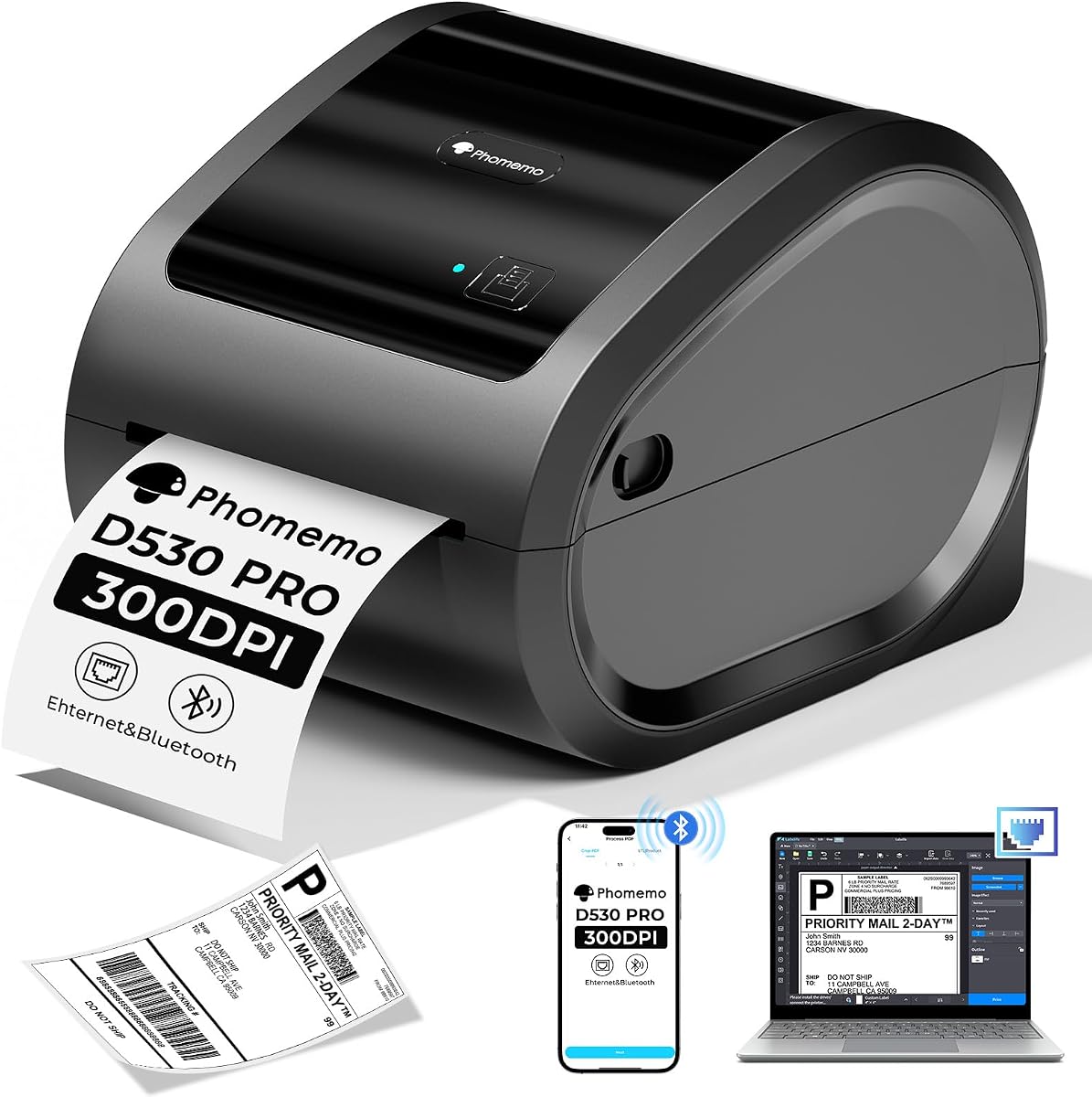
The Phomemo 300DPI Ethernet Thermal Label Printer delivers exceptional print quality for detailed barcodes and graphics. It supports Ethernet Bluetooth and USB connections to fit various network environments and device setups.
We may earn a commission when you buy through this link, at no additional cost to you.
Its 300 DPI resolution ensures clarity that exceeds standard 203 DPI printers. The built-in bin holds hundreds of labels to save space while the return feature helps minimize waste during operation.
The multiple connectivity options add complexity to setup but provide flexibility for different use cases. It is a premium choice for those needing high definition labels and network capability.
Select this model if print quality and network integration are top priorities for your business. It serves well in retail or enterprise settings where detail matters.
High precision head produces ultra HD labels that ensure clear scanning every time.
Built-in paper bin holds rolls and reduces clutter on your desktop workspace.
We may earn a commission when you buy through this link, at no additional cost to you.
The MUNBYN Bluetooth Thermal Label Printer introduces unique features like DAC chip technology for auto-calibration. This reduces misalignment issues and ensures consistent high quality output for shipping and inventory labels.
We may earn a commission when you buy through this link, at no additional cost to you.
It operates at just 60 dB which is quieter than typing and ideal for shared workspaces. The printhead is built to last up to 970,000 labels reducing long term replacement costs.
Bluetooth behavior with Macs or Windows may confuse users since the indicator light changes state. However the calibration accuracy and quiet performance make it a strong choice for precision tasks.
This printer is best for offices where noise levels matter and label accuracy is critical. It combines durability with smart tech for a reliable daily companion.
Whisper-quiet operation maintains a focused environment even in shared office spaces.
Dynamic algorithm reduces misalignment to ensure perfect label placement every time.
We may earn a commission when you buy through this link, at no additional cost to you.
The Rollo Wireless Shipping Label Printer removes driver hassles with direct Wi-Fi and AirPrint support. It allows multiple devices to print without Bluetooth pairing or complex software installations.
We may earn a commission when you buy through this link, at no additional cost to you.
Its printhead life is rated for 650,000 labels which is four times longer than standard models. This durability ensures consistent performance and lower maintenance costs over time.
The premium price reflects the advanced connectivity and longevity features it offers. While setup is simple users should ensure stable Wi-Fi coverage for reliable operation in all areas.
This printer is ideal for teams needing shared access or mobile printing capabilities. It stands as the premium choice for those prioritizing convenience and uptime.
Direct Wi-Fi connection allows any device on the network to print instantly.
Extended life design reduces replacement frequency and improves long-term value.
We may earn a commission when you buy through this link, at no additional cost to you.
The Nelko Bluetooth Thermal Shipping Label Printer offers dedicated support for newer Mac devices like M1 and M2. It balances speed with ease of setup using provided U-Disk materials for guidance.
We may earn a commission when you buy through this link, at no additional cost to you.
Its 150 mm/s speed ensures quick label production and the app handles connectivity across iOS and Android. Users benefit from clear instructions and videos that simplify the initial configuration process.
Mac users must rely on USB or the specific app for Bluetooth due to system restrictions. This minor limitation is offset by strong platform compatibility and compact desktop design.
Choose this if you use Apple Silicon and need a reliable printer with good documentation. It serves well for home and small business shipping needs.
Designed to work seamlessly with M1 and M2 Mac processors for modern users.
Includes U-Disk with drivers and videos to help users set up quickly.
We may earn a commission when you buy through this link, at no additional cost to you.
The Rongta Bluetooth Shipping Label Printer focuses on simplicity and cost effectiveness for small businesses. Its auto label detection feature eliminates manual adjustment and simplifies daily workflows significantly.
We may earn a commission when you buy through this link, at no additional cost to you.
It supports a wide range of label sizes including circular QR and standard shipping labels. Setup is straightforward with drivers available online and compact dimensions for easy storage.
While features are basic the price point makes it accessible for those just starting out. It may lack advanced customization options but covers essential shipping tasks reliably.
This printer is perfect for low budget buyers needing a quick reliable solution. It handles standard printing needs without unnecessary complexity.
Automatically detects label type to save time on manual settings adjustments.
Offers solid functionality at a very competitive price point for new sellers.
We may earn a commission when you buy through this link, at no additional cost to you.
The DYMO LabelWriter 550 Series offers automatic label recognition for a streamlined user experience. It prints precise quantities to eliminate waste and uses direct thermal technology to avoid ink.
We may earn a commission when you buy through this link, at no additional cost to you.
However it works only with branded labels which can be costly over time. The packaging is plastic-free aligning with eco-friendly values and the interface remains intuitive for basic use.
Its resolution is lower than competitors and limits barcode clarity for some needs. While simple the proprietary consumable issue makes it less ideal for high volume shipping.
This printer suits those prioritizing ease of use and brand loyalty over cost. It works well for office labels but may not suit heavy shipping loads.
Automatically identifies labels to adjust settings instantly for accurate printing.
Uses plastic-free packaging to reduce environmental impact of product delivery.
We may earn a commission when you buy through this link, at no additional cost to you.
Selecting the right thermal printer requires understanding connectivity, resolution, and compatibility with your shipping platforms.
Determine whether you need Bluetooth, USB, Wi-Fi, or Ethernet based on your workspace. Bluetooth and USB are common for small setups while Wi-Fi allows multi-device access.
Prioritize wireless features if you manage orders from mobile devices or multiple computers.
Look for 203 DPI as a standard minimum for clear barcodes and text. Higher resolution like 300 DPI ensures sharper details for custom designs and small fonts.
Choose higher DPI if your labels include complex graphics or QR codes.
Ensure the printer works with your e-commerce platform and shipping software such as ShipStation or Amazon. Some models offer dedicated apps that simplify integration directly.
Verify support for DHL, UPS, and USPS if you use multiple carriers regularly.
Printing speed measured in millimeters per second affects your daily output capacity. Models offering 150 mm/s or more reduce wait times during peak hours.
Faster speeds are essential for businesses processing large order volumes daily.
Check the width range supported by the printer to ensure it handles standard 4×6 labels. Some models also support narrower labels for smaller products or branding.
Select a unit that accommodates all label types you use regularly.
Printhead lifespan varies by model and impacts long-term costs. Look for ratings indicating millions of prints or extended life features for heavy use.
Invest in durable units if your business plans to scale printing volume.
Consider how easy the driver installation and app setup are. Some printers include U-Disks or online guides to simplify configuration.
Choose models with intuitive software to reduce initial setup time.
Factor in the cost of labels and maintenance when comparing models. Some printers use proprietary labels that increase ongoing expenses.
Prioritize models with affordable label options to control total cost of ownership.
Install the necessary drivers or app on your device and connect via USB or Bluetooth. Ensure the printer is powered on and loaded with the correct label type.
Calibrate the printer before first use or when changing label sizes. This ensures the sensor detects gaps or marks properly for accurate printing.
Keep the printhead clean by periodically wiping it with a soft cloth. Avoid touching the print head directly to prevent oil buildup that affects quality.
No, these thermal printers use direct heat to create images on special paper. This eliminates the need for cartridges and reduces ongoing costs significantly.
Yes, most models support Bluetooth printing through a dedicated app. You can download the app on iOS or Android and pair the printer wirelessly.
This is often due to a missing calibration step. Press the feed button or use the driver utility to reset the sensor for proper alignment.
Most models support macOS via USB or specific apps. Some may require driver downloads while others work with AirPrint for easier setup.
Lifespan varies by model but many are rated for hundreds of thousands of labels. High-end units often last longer and reduce replacement frequency.
They typically support standard 4×6 shipping labels plus narrower widths. Check the model specs to ensure it handles the sizes you need.
Yes, most thermal printers work with any direct thermal labels of the right size. Avoid brands that require proprietary chips or software.
You need access to shipping software to generate the PDF labels first. The printer then prints these files directly without needing built-in software.
The Rollo USB and Wireless models offer reliable performance for serious sellers needing speed. Budget options like the Rongta provide entry-level accessibility for new businesses.
Prioritize connectivity and platform compatibility to ensure seamless workflow integration. High resolution and printhead lifespan should guide choices for heavy use.
Always check current pricing and availability before purchasing since these change often. The right printer will save time and improve shipping accuracy for your business.