
GLOTRENDS 2-Pack M.2 SSD Heatsink
4.5Editor score
Passive aluminum fins
Tool-less installation
Wide compatibility
Includes thermal pads
This guide compares the top low profile SSD heatsinks for performance and compatibility to help you choose the right cooling solution for your drive.
Modern computing demands reliable storage solutions that perform consistently under heavy workloads. Low profile SSD heatsinks play a crucial role in maintaining optimal operating temperatures. They prevent thermal throttling and extend the lifespan of your valuable storage investment effectively.
We evaluated ten leading models based on cooling efficiency, material quality, and ease of installation. Each product offers unique benefits tailored to specific use cases ranging from desktop PCs to compact laptops. Our analysis ensures you find the perfect fit for your setup.
Every selection highlights key specifications and real-world performance expectations derived from manufacturer data. Prices and availability may fluctuate over time so verify current details before purchasing. This guide serves as your trusted resource for making an informed decision today.
4.5Editor score

4.4Editor score

4.7Editor score
Compare the top ten low profile SSD heatsinks side by side to identify the best fit for your specific storage needs and budget constraints quickly.

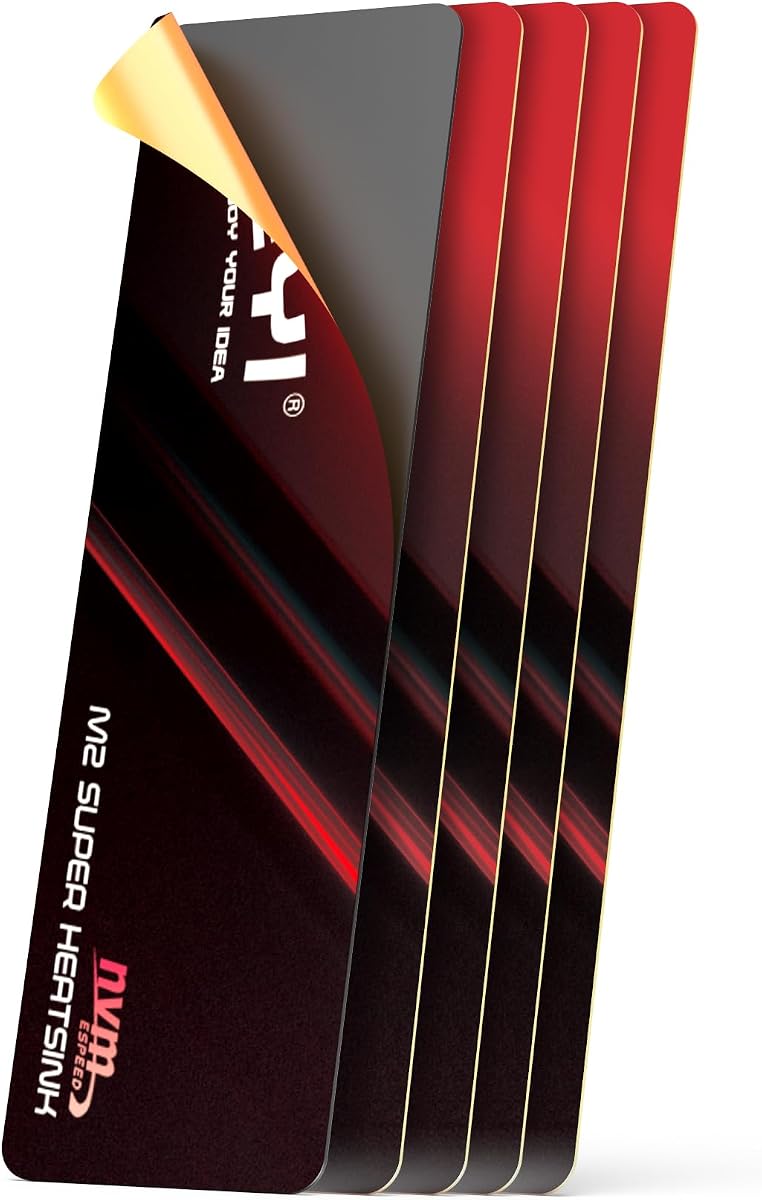


This two-pack heatsink delivers exceptional value for users needing multiple cooling solutions. With a rating of 4.5 stars it stands out as a reliable budget option for various builds. Its low profile design ensures it fits within tight spaces without compromising performance or stability.
We may earn a commission when you buy through this link, at no additional cost to you.
The passive aluminum fins effectively pull heat off the controller reducing peak temperatures significantly under load. Users report that NVMe drives stop throttling mid-transfer which maintains steady write speeds during intensive tasks. The kit includes everything needed for installation without requiring additional tools or adhesives.
While the aluminum construction is basic it provides adequate cooling for most standard use cases. The lack of fan noise keeps your system silent which is ideal for home offices or living rooms. Installation takes under a minute making it accessible even for novice builders.
Budget conscious buyers should consider this kit especially if you need to cool multiple drives. It protects your investment by keeping controllers in their comfort zone during game installs or file transfers. Verify clearance in your case before purchasing to ensure a perfect fit.
It fits every 2280 M.2 SSD including Gen3 to Gen5 models for broad utility.
Passive cooling means no noise or power consumption while maintaining drive safety.
We may earn a commission when you buy through this link, at no additional cost to you.
This graphene-coated heatsink offers superior thermal conductivity compared to standard metal options. Rated at 4.4 stars it appeals to enthusiasts seeking maximum cooling efficiency in compact designs. The unique stripe pattern adds a stylish touch to your internal build or external setup.
We may earn a commission when you buy through this link, at no additional cost to you.
Graphene materials conduct heat more efficiently than pure copper or aluminum allowing faster dissipation. The professional air duct design increases contact area with air ensuring quick heat exchange. Users can test temperature differences before and after installation to validate its performance claims.
Installation requires placing a silicone thermal pad to prevent damage to the SSD surface. While effective this extra step might be slightly more involved than adhesive-only options. The slanted slot design provides an aesthetically pleasing look once installed in your system.
Tech enthusiasts should choose this model for its advanced materials and efficient cooling capabilities. It is particularly suitable for narrow spaces like laptops where every degree matters. Ensure you have the correct clearance height before finalizing your purchase decision.
Graphene conducts heat up to 5300W/mK surpassing traditional metal conductors.
The stripe pattern design offers an aesthetic advantage over standard cooling solutions.
We may earn a commission when you buy through this link, at no additional cost to you.
The be quiet! MC1 heatsink is designed to deliver maximum read and write speeds by managing heat effectively. With a high 4.7 star rating it stands as a top choice for users prioritizing performance stability. Its dimensions are ideal for extending PlayStation 5 memory with reliable cooling power.
We may earn a commission when you buy through this link, at no additional cost to you.
This model enables lower temperatures allowing your SSD to run at full performance for longer periods. It supports both single and double sided modules providing versatility across different hardware configurations. The brand reputation ensures quality engineering and durability over time.
While the price is higher than budget options the performance reliability justifies the investment for critical builds. Users seeking silent efficient cooling will appreciate the brand's focus on thermal management. It fits perfectly in PS5 expansion slots without interference or fit issues.
Premium users and PS5 owners should prioritize this model for its proven track record and efficiency. It ensures your extended memory runs cool and fast during demanding gaming sessions. Always verify your motherboard or console clearance before purchasing this specific unit.
Works with both single and double sided M.2 modules for maximum compatibility.
Ideal dimensions make it perfect for PlayStation 5 memory expansion cooling needs.
We may earn a commission when you buy through this link, at no additional cost to you.
Designed specifically for the compact space of laptops this copper heatsink offers significant cooling benefits. It carries a 4.6 star rating reflecting high user satisfaction with its performance in tight environments. The minimum installation height is just 1.5mm ensuring it fits under many standard laptop covers.
We may earn a commission when you buy through this link, at no additional cost to you.
Copper materials dissipate heat more efficiently than aluminum which helps prevent overheating during heavy tasks. The cooling effect ranges from 10 to 20 degrees depending on your environment. Thermal pads are included to ensure a secure fit without risking damage to the drive.
Two mounting methods provide flexibility for different laptop internal configurations. While effective some users might find the thickness challenging in extremely slim ultrabooks. The polished finish is functional but lacks the aesthetic appeal of premium coated models.
Laptop users needing extra cooling should look for this model to maintain safe operating temperatures. It effectively avoids overheating and throttling to extend the life of your device. Check your laptop chassis clearance carefully before purchasing to ensure a proper fit.
Requires only 1.5mm height making it suitable for slim laptop enclosures.
Constructed from 100% copper for maximum thermal conductivity and efficiency.
We may earn a commission when you buy through this link, at no additional cost to you.
This ultra-thin film heatsink uses graphene and copper foil materials to provide exceptional cooling in a tiny package. Rated at 4.4 stars it is perfect for tight spaces like ultra-thin laptops or console upgrades. Its 0.5mm design ensures it fits where rigid metal options cannot.
We may earn a commission when you buy through this link, at no additional cost to you.
Thermal conductivity reaches 1500W/mK cutting peak temperatures significantly during sustained usage. Applying thermal pads to both sides doubles heat dissipation preventing throttling effectively. The adhesive resistance ensures permanent bonding without falling off over time.
Handling the film requires care to avoid bending which might affect contact quality. If bent it can be gently bent back flat but precision is key for results. It is ideal for scenarios where even millimeters of height difference matter greatly.
Users with extremely tight clearance should choose this flexible thermal film for best results. It maintains peak speeds by effectively managing heat in cramped internal environments. Handle with care during installation to ensure optimal thermal transfer across the surface.
0.5mm film design fits in spaces where rigid coolers simply will not work.
Graphene copper combo offers ultra-high thermal conductivity for rapid cooling.
We may earn a commission when you buy through this link, at no additional cost to you.
This heatsink features a double-sided clip design that ensures stable installation across various SSD heights. With a 4.6 star rating it offers reliable cooling for both PC and PS5 applications. The body is made of aluminum alloy with silver plating to help eliminate static electricity safely.
We may earn a commission when you buy through this link, at no additional cost to you.
Low viscosity thermal pads prevent damage to the SSD while enhancing heat transfer. It provides a 10 to 20 degree cooling effect depending on your environment conditions. The design is perfect for single-sided types making it versatile for common drive configurations.
Installation is straightforward and the clips offer better protection than adhesive methods alone. The finish is functional and durable though it may not appeal to those seeking premium aesthetics. It effectively improves computer performance by keeping drives at safe temperatures.
Users looking for a secure mounting solution without soldering should consider this clip model. It offers good protection for your M.2 SSD while maintaining stable performance. Verify your drive height matches the clip range before finalizing your purchase.
Double-sided clips provide stable installation that protects the drive effectively.
Silver plating helps eliminate static electricity to protect sensitive components.
We may earn a commission when you buy through this link, at no additional cost to you.
Constructed from 100% copper this heatsink offers better thermal conductivity than standard aluminum alloys. It holds a 4.5 star rating for its reliability in notebook PCs and desktop computers. The groove design significantly increases the heat dissipation area for faster heat release into the air.
We may earn a commission when you buy through this link, at no additional cost to you.
At only 1.5mm thick it fits on most computers without interfering with other components. The included silicone thermal pad enhances installation flexibility and cooling effectiveness. It maintains reliable data transfer speeds by keeping the M.2 SSD at safe temperatures.
Users seeking pure metal quality will appreciate the performance benefits copper provides. The package includes all necessary components for immediate use upon arrival. However always check space constraints to ensure it fits your specific build layout.
This model is ideal for users prioritizing material performance in compact spaces. It helps maintain system stability and improves overall device performance significantly. Verify your dimensions before buying to avoid any fit issues.
Groove pattern increases surface area to release accumulated heat faster.
Only 1.5mm thin ensuring compatibility with tight internal spaces.
We may earn a commission when you buy through this link, at no additional cost to you.
This radiator offers high performance cooling with graphene coating for maximum efficiency. It carries a 4.7 star rating reflecting strong user satisfaction with its thermal management. The professional air duct design increases contact area with air to dissipate heat quickly.
We may earn a commission when you buy through this link, at no additional cost to you.
Suitable for laptops and narrow spaces it provides effective cooling for various SSD models. The slanted slot design offers an aesthetically pleasing look when installed inside your system. Silicone thermal pads enable easy fixing without tools while protecting SSD particles.
At 4mm thick it may not fit every compact chassis so verification is key. The coating ensures efficient heat transfer surpassing standard metal radiators in many tests. Users appreciate the balance of performance and style in this model.
Console and PC users needing a sleek high-performance solution should consider this model. It extends SSD life by preventing overheating during intensive gaming or workloads. Check your height clearance carefully before purchasing to ensure a proper fit.
Graphene coating ensures efficient heat conduction surpassing standard metal options.
Silicone pads protect particles while enabling tool-free fixing on drives.
We may earn a commission when you buy through this link, at no additional cost to you.
This pure copper heatsink is engineered with exact dimensions to prevent installation misalignment. Rated at 4.4 stars it offers a reliable cooling solution for laptops and desktop PCs. The 0.5mm slim height ensures it fits into tight internal spaces effectively without interference.
We may earn a commission when you buy through this link, at no additional cost to you.
Included tools like a screwdriver and spudger make installation straightforward for users. The thermal pad is chemically polished to ensure a smooth surface and prevent short circuits. Copper material dissipates heat efficiently improving overall system stability and performance.
While the finish is durable users must ensure the pad surface is clean for best results. The package includes everything needed for mounting making it convenient for first-time installers. Always check physical clearance before finalizing your purchase decision.
Users needing a complete kit for easy setup should choose this model. It prevents short circuits and extends device life through precise engineering. Ensure your drive size matches the recommended 2280 dimensions for optimal results.
Includes screwdriver spudger and screws for hassle-free installation setup.
Exact dimensions prevent misalignment and short circuits during installation.
We may earn a commission when you buy through this link, at no additional cost to you.
This low-profile heatsink features cross-cut aluminum fins for optimal heat dissipation in tight spots. With a 4.6 star rating it works effectively on motherboards or M.2 adapters. The 5mm height ensures compatibility with PS5 and standard PC storage upgrade needs.
We may earn a commission when you buy through this link, at no additional cost to you.
Heat resistant silicone rings are included to secure the heatsink safely during operation. It is easy to install with provided thermal pads and fits well in various enclosures. The aluminum fins increase surface area to maintain cool operating temperatures.
Users upgrading storage on consoles or PCs will find this model reliable and secure. The black finish is functional and blends well inside cases. Always verify your height clearance before finalizing your purchase decision.
This model is ideal for compact setups needing efficient heat management. It supports 2280 length SSDs and ensures reliable performance during use. Check your clearance requirements carefully to avoid fit issues inside your case.
Cross-cut fins optimize heat dissipation in compact and tight spaces.
Heat resistant silicone rings include secure the heatsink safely during operation.
We may earn a commission when you buy through this link, at no additional cost to you.
Selecting the right heatsink involves understanding your specific constraints and cooling needs for reliable performance.
Look for copper or graphene materials if you need maximum thermal conductivity for high-speed drives. Aluminum is lighter and often cheaper but may not dissipate heat as efficiently as copper under heavy loads.
Prioritize materials that match your specific cooling requirements to ensure longevity and stability.
Measure your internal space carefully to ensure the heatsink fits under your laptop lid or motherboard cover. Ultra-thin models under 1mm are available for tight spaces while thicker options provide better airflow.
Always verify dimensions before buying to avoid installation issues or hardware damage.
Ensure the model supports your specific SSD length usually 2280 for most desktop and console drives. Check if it fits your laptop chassis or PS5 expansion slot specifically before purchasing.
Universal compatibility saves you from needing custom solutions or returning products.
Choose between adhesive thermal pads and clips based on your preference for permanent or removable mounting. Clips offer flexibility while adhesives provide a cleaner look inside tight enclosures.
Simple tool-less designs save time and reduce the risk of damaging components.
Quality pads ensure even heat transfer without damaging the SSD surface particles. Look for low viscosity pads that are pre-cut to the correct thickness for your setup.
Included pads simplify setup and prevent short circuits or uneven cooling.
Some users prefer visible cooling solutions with unique patterns or finishes to match their build theme. Others prioritize function over form for completely hidden internal storage upgrades.
Balance visual appeal with your performance needs to find the right model.
Review manufacturer claims regarding temperature reductions to ensure the model meets your workload needs. Higher efficiency models typically use advanced materials like graphene or copper foils.
Efficient cooling prevents throttling and maintains steady data transfer speeds.
Check the manufacturer policy to understand what is covered in case of defects or issues. Good support ensures you can resolve installation or performance concerns quickly.
A reliable brand offers peace of mind for long-term hardware investment.
Clean the SSD surface thoroughly before applying any thermal pads or adhesives to ensure optimal contact. Dust or debris can reduce thermal transfer efficiency and lead to higher operating temperatures.
Apply even pressure when securing the heatsink to avoid bending thin materials or misaligning pads. This ensures consistent cooling across the entire drive surface during heavy usage.
Periodically check connections and pad condition especially if you move your system frequently. Proper care extends the life of both the heatsink and your storage drive significantly.
Not all fits fit laptops as internal clearance varies by chassis model. Always check the minimum installation height requirement for your specific device before purchasing to avoid fit issues.
Typical models reduce temperatures by 5 to 20 degrees depending on ambient conditions. High efficiency materials like graphene may provide slightly better results under sustained loads.
Yes low viscosity thermal pads are designed to protect the surface without damaging components. Ensure they are applied cleanly to prevent short circuits or uneven contact.
Many models are designed specifically to fit PS5 expansion slots and meet height requirements. Always verify dimensions before buying to ensure full compatibility with your console.
Most options come with tool-less installation features using clips or pre-cut adhesive pads. Some premium models may include simple tools for a more secure fit inside your case.
Copper and graphene offer higher thermal conductivity than standard aluminum for extreme needs. Choose these materials if you run heavy workloads or live in hotter climates.
We reviewed ten top models ranging from budget-friendly two-packs to premium graphene-coated solutions for various needs. Each option offers unique benefits tailored to specific setups from PS5 upgrades to laptop storage.
Prioritize material quality and exact dimensions to ensure your heatsink fits and performs as expected over time. Reliable cooling protects your data and maintains performance stability during intensive tasks.
Always check current availability and specific requirements before finalizing your purchase decision. Prices may change so verify details to ensure you get the best value for your build today.