
GIGABYTE X470 AORUS Gaming 7 WIFI
4.3Editor score
10+2 Phase IR Digital PWM Design
Fins-Array Heatsink & Direct Touch Heatpipe
Intel Wave 2 WIFI & ESS 9018 Audio
This guide compares the top Amd Ryzen Gen 2 X470 Motherboards for performance, connectivity, and reliability to help you choose the right AM4 platform for your
Selecting the right motherboard is crucial for any AMD Ryzen system build. The X470 chipset offers robust features for second-generation Ryzen processors, providing excellent value and performance for gamers and creators alike.
We have carefully analyzed ten top-rated motherboards to find the best options for your needs. Our comparison looks at power delivery, connectivity options, cooling solutions, and overall build quality to ensure you get the most reliable platform available.
Each pick in this guide highlights specific strengths like gaming features, budget-friendly pricing, or premium connectivity. Please note that product availability and pricing can change frequently, so always check current listings before making your final purchase decision.
4.3Editor score

4.4Editor score

4.6Editor score
The following comparison table provides a side-by-side look at the key specifications and features of each motherboard listed in this guide to help you quickly identify the best fit for your system requirements.


This motherboard is technically a B550 model but is included here for its backward compatibility and superior feature set compared to older X470 boards. It holds a strong 4.6 rating from users who value future proofing and high speed connectivity features.
We may earn a commission when you buy through this link, at no additional cost to you.
Its standout qualities include the ability to support Ryzen 5000 series processors out of the box with updates, which older X470 boards cannot do. The 12+2 teamed power stages ensure stable power delivery for demanding CPUs, while the PCIe 4.0 support unlocks full SSD speeds.
While the higher price point might be a trade-off for budget focused builders, the long term value is significant. You get modern connectivity like WiFi 6E and 2.5Gb LAN that older chipsets lack, making it a superior choice for new builds.
Buyers looking for a board that grows with their system should choose this model. It is highly recommended for anyone willing to invest slightly more for better performance and longevity in the AM4 platform.
With WiFi 6E and PCIe 4.0 this board offers bandwidth that older X470 models cannot match for gaming and file transfers.
The 12+2 power stages with ProCool connectors provide the stability needed for high core count processors.
We may earn a commission when you buy through this link, at no additional cost to you.
This X470 flagship offers high-end features that make it a top contender for premium builds. With a solid 4.3 rating it is praised for its robust construction and comprehensive feature set tailored for serious gamers.
We may earn a commission when you buy through this link, at no additional cost to you.
The board stands out with its 10+2 Phase IR Digital PWM design which ensures efficient power delivery to the CPU. Additionally, the integrated ESS 9018 audio DAC provides studio grade sound quality that surpasses most onboard codecs.
One trade-off is the price, which is higher than average for the X470 chipset. However for users seeking the best thermal performance and audio quality this board justifies the cost with its premium components.
This board is ideal for enthusiasts who want the best possible experience on the X470 platform. It remains a strong recommendation for those prioritizing quality and performance over cost savings.
The ESS 9018 SABRE HiFi DAC delivers precise sound reproduction perfect for immersive gaming and music.
Fins-Array heatsinks and direct touch heatpipes keep VRMs cool even under heavy load.
We may earn a commission when you buy through this link, at no additional cost to you.
This board strikes a great balance between price and performance earning it the Editor's Choice badge. It is a versatile option for builders looking for a solid foundation without the extra cost of flagship features.
We may earn a commission when you buy through this link, at no additional cost to you.
Key strengths include the 8+3 Phase Hybrid Digital PWM design which handles Ryzen 2nd Gen processors well. The inclusion of a front USB Type-C header also adds modern connectivity that was often missing on older boards.
The main trade-off is that it lacks some of the premium audio and extra slots found on the Gaming 7. However for most users this does not impact real world performance significantly.
We recommend this board for mid-range builds that need reliability and essential features. It is a smart choice for anyone wanting a no-nonsense X470 experience.
Front USB 3.1 Gen 2 Type-C makes connecting modern devices easy and convenient.
2-Way CrossFire and SLI support allows for expanded graphics performance if needed.
We may earn a commission when you buy through this link, at no additional cost to you.
The Prime X470-Pro is a highly rated budget option that delivers reliable performance without breaking the bank. Its 4.6 rating reflects high user satisfaction with its stability and build quality.
We may earn a commission when you buy through this link, at no additional cost to you.
It features ASUS SafeSlot technology which reinforces the PCIe slot for better durability with heavy graphics cards. The Realtek S1220A codec also provides excellent audio quality that is rare in this price range.
While it has fewer ports than premium boards the essential features are all present for a solid build. The trade-off is simpler cooling which is sufficient for non-overclocked or moderate overclocking use.
This board is perfect for builders on a tight budget who still want quality. It is our top budget recommendation for X470 systems.
SafeSlot uses injection molding to integrate metal framing for better PCIe slot strength.
The S1220A codec supports 8-channel HD audio for immersive sound experiences.
We may earn a commission when you buy through this link, at no additional cost to you.
For smaller cases this Micro-ATX board offers a compact solution with modern features. It is a popular choice for mini PC builds that need AM4 compatibility and decent performance.
We may earn a commission when you buy through this link, at no additional cost to you.
Key strengths include support for Ryzen 5000 series and PCIe 4.0 which makes it more future proof than many X470 options. The price is very affordable for what you get.
The trade-off is limited expansion slots and a simpler power design. This makes it best suited for mid-range CPUs rather than high-end overclocking.
Buyers needing a small build with modern support should consider this board. It offers great value for budget friendly small form factor systems.
Support for Ryzen 5000 series ensures compatibility with latest AM4 processors.
Micro-ATX form factor fits in smaller cases while keeping key features.
We may earn a commission when you buy through this link, at no additional cost to you.
This board focuses on connectivity with dual M.2 slots and USB Type-C ports at front and rear. It is well rated for users who need many storage and connection options.
We may earn a commission when you buy through this link, at no additional cost to you.
The 8+1 DrMOS power stages provide reliable power for Ryzen processors. The inclusion of front USB Type-C is a convenience feature many builders appreciate.
The main trade-off is the slower 1Gb LAN and WiFi 5 instead of newer standards. For most home users this is acceptable but power users may want faster networking.
We recommend this for builders needing versatile connectivity. It is a solid choice for general use and storage heavy setups.
Dual M.2 slots allow for fast NVMe drives and expansion.
Front and rear Type-C ports make connecting modern devices simple.
We may earn a commission when you buy through this link, at no additional cost to you.
This board offers a robust feature set with strong power delivery and easy updates. It is a top pick for gamers wanting performance without extra cost.
We may earn a commission when you buy through this link, at no additional cost to you.
The 10+3 power phase design ensures stability for high performance CPUs. Q-Flash Plus allows BIOS updates without a CPU which is a huge convenience for builders.
The trade-off is lack of onboard WiFi and standard networking speed. For wired setups this is not a concern and the price remains very competitive.
Ideal for gamers wanting a reliable board with modern features. It is highly recommended for performance builds.
Q-Flash Plus lets you update BIOS without installing CPU or RAM.
RGB Fusion supports customizable lighting across compatible devices.
We may earn a commission when you buy through this link, at no additional cost to you.
This Micro-ATX board brings WiFi 6 and HDMI 2.1 to a compact build. It is excellent for those needing modern connectivity in a smaller case.
We may earn a commission when you buy through this link, at no additional cost to you.
The HDMI 2.1 port supports 4K at 60Hz making it great for media PCs. The OptiMem layout also boosts memory performance which benefits Ryzen CPUs.
Trade-offs include limited slots due to size. However for compact builds this is a reasonable exchange for the features provided.
Recommended for media or small gaming PCs needing wireless speed. It is a great compact choice.
WiFi 6 offers higher speeds and better connection stability than older standards.
HDMI 2.1 supports high resolution video output for 4K displays.
We may earn a commission when you buy through this link, at no additional cost to you.
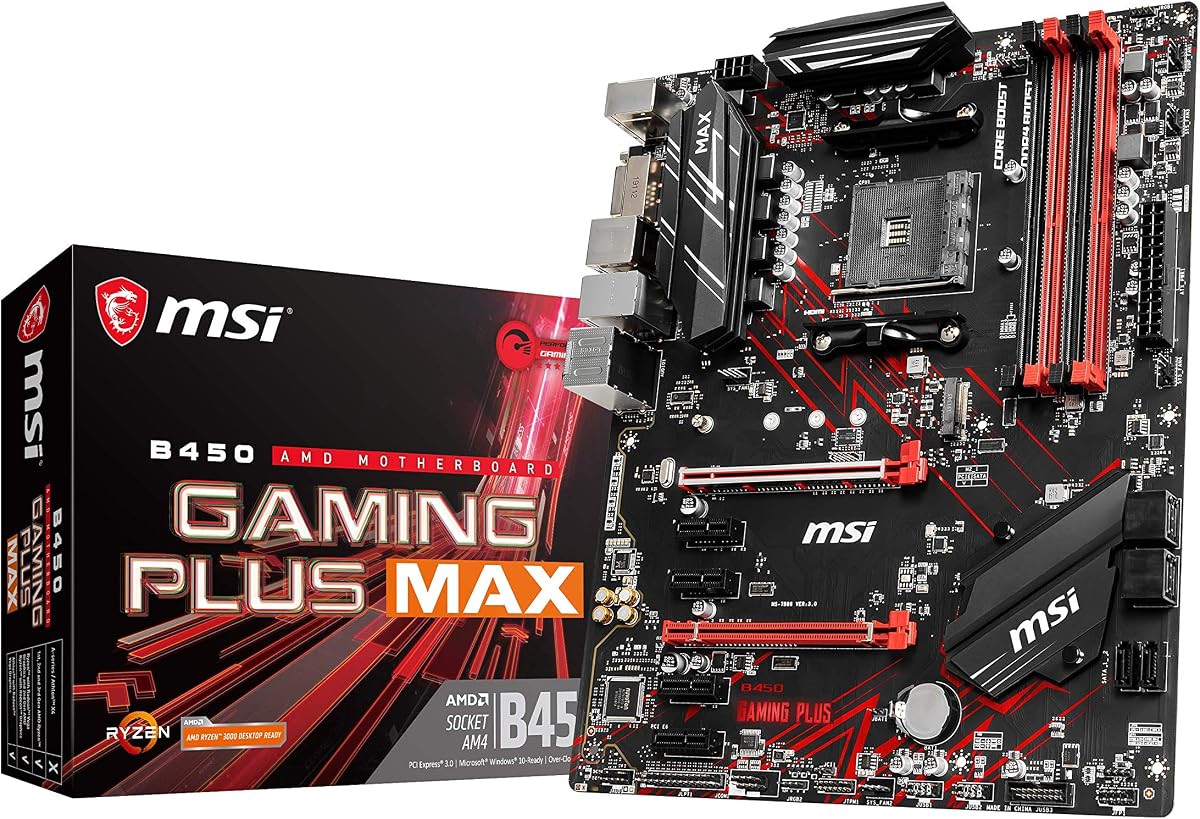
While not X470 this board is included for its strong value and features. It is a top option for budget gamers who do not need PCIe 4.0.
We may earn a commission when you buy through this link, at no additional cost to you.
It supports Ryzen 2nd and 3rd Gen well with Storemi technology for storage. The Audio Boost feature provides good sound for gaming.
The trade-off is older chipset features compared to X470 but it remains stable and affordable. It is a smart choice for tight budgets.
We recommend this for those prioritizing cost over raw features. It delivers good performance for the price.
Storemi technology speeds up storage by using SSD cache.
Studio grade sound quality enhances immersion during gameplay.
We may earn a commission when you buy through this link, at no additional cost to you.
This board provides a reliable platform for standard Ryzen builds. It is rated highly for its consistency and ease of use for general purposes.
We may earn a commission when you buy through this link, at no additional cost to you.
It offers standard ATX features like multiple SATA ports and USB. The Crossfire support allows for multi GPU setups if desired.
The trade-off is that it lacks the newer features of B550 or X470 boards. However it remains a solid choice for basic needs.
Recommended for budget builders needing a stable board. It is a safe pick for standard systems.
Multiple slots allow for added hardware like sound cards or capture cards.
User friendly layout makes installation straightforward for first time builders.
We may earn a commission when you buy through this link, at no additional cost to you.
Choosing the right motherboard involves considering several factors that affect performance compatibility and upgrade potential.
The X470 chipset offers features like multi GPU support and robust power delivery that older chipsets lack. It is ideal for gamers wanting to scale their graphics.
Look for motherboards with VRM designs that match your CPU core count. Higher phase counts ensure stable power for performance Ryzen processors.
Check for USB ports especially Type-C options on the rear and front. Modern builds often require fast data transfer and device charging capabilities.
Ensure the board size fits your PC case. ATX boards offer more slots while Micro-ATX saves space but limits expansion options.
If you do not use external speakers look for boards with high quality audio codecs like Realtek S1220A or DACs like ESS.
Verify that the board supports the RAM speeds you plan to use. Most X470 boards support high frequency DDR4 but check compatibility lists.
Modern BIOS interfaces like UEFI make tuning easier. Features like BIOS Flashback help update without installing components which is useful for upgrades.
Consider whether you need future support like Ryzen 5000 series. Newer chipsets often offer better compatibility with updated processors.
When installing the motherboard always place it on an anti-static mat and connect all power cables before turning on the system. Ensure all components are seated firmly in their slots to prevent connection issues.
Update the BIOS to the latest version using the manufacturer website or USB flash drive tools. This ensures compatibility with your processor and provides important stability patches.
Regularly clean dust from heatsinks and fans to maintain proper airflow. Over time dust can accumulate and cause overheating which may reduce system performance.
Most X470 motherboards can support Ryzen 5000 series with a BIOS update but this depends on the manufacturer. It is always best to check with the vendor before purchasing if you plan to upgrade later.
No the X470 chipset supports PCIe 3.0 only. To get PCIe 4.0 speeds you will need to look at B550 or X570 motherboards instead.
Some X470 boards support ECC memory but it depends on the specific model and CPU. Check your motherboard manual to verify compatibility with ECC RAM.
No WiFi is only included on specific models with wireless cards. If you need WiFi ensure you choose a board that lists it in the features or buy an add-in card.
Some boards have BIOS Flashback which allows updates via a USB stick. Check if your board has this feature before attempting to update without a processor installed.
Storemi is a feature on some MSI boards that uses SSD space to accelerate HDDs. It is designed to speed up older storage devices without replacing them.
This guide has highlighted the top ten options for AMD Ryzen Gen 2 X470 motherboards. The GIGABYTE X470 AORUS Gaming 7 WIFI leads for premium features while the ASUS Prime X470-Pro offers great budget value.
When choosing prioritize power delivery and connectivity options that match your CPU and peripherals. Investing in a solid board ensures stability and longevity for your entire system.
Remember that prices and availability change often so always check current listings before purchasing. We hope this guide helps you find the perfect motherboard for your build.