
Canon PIXMA TR4720
3.9Editor score
Wireless 4-in-1 functions
Auto document feeder included
Alexa smart reordering support
Discover the top-rated all in one printer with fax for home and office use. This guide compares features, speed, ink costs, and reliability to help you choose.
Finding the right all in one printer with fax can streamline your workflow significantly. These devices combine printing, scanning, copying, and faxing into a single unit, saving space and reducing clutter on your desk.
We evaluated ten top models based on print quality, connectivity options, and overall value. Our analysis focuses on reliability, ease of use, and specific features that matter most for business and home office environments.
Each pick highlights unique strengths to help you find your perfect match. Keep in mind that prices and availability can change frequently, so verify current details before making your final purchase decision.
3.9Editor score

3.9Editor score

4.0Editor score
This side-by-side comparison highlights the key differences between the top ten models available this month. Reviewing specifications helps identify the right fit for your specific printing needs.






The HP OfficeJet Pro 9125 stands out as a powerful solution for professional environments requiring high-quality color documents. With a rating reflecting its robust capabilities, this printer delivers speed and precision for presentations and marketing materials.
We may earn a commission when you buy through this link, at no additional cost to you.
Its standout feature is the AI optimization that ensures web pages and emails print without wasted space or awkward layouts. This efficiency, combined with fast speeds of up to 22 ppm for black text, makes it ideal for busy offices.
While the reliance on original HP chips ensures security, it limits third-party cartridge options. Additionally, the initial investment is higher than some competitors, but the speed and print quality justify the expense for demanding users.
This model is best for small businesses that need reliable, fast color printing with strong security features. If you value professional output and connectivity, this is a top-tier choice for your office.
The automatic document feeder and duplex capabilities streamline multi-page tasks significantly for high-volume users.
Secure connections protect sensitive data while allowing seamless wireless printing from mobile devices.
We may earn a commission when you buy through this link, at no additional cost to you.
The Canon PIXMA TR4720 offers an entry point for users needing all-in-one functionality without breaking the bank. Its rating reflects solid performance for light home use and occasional document processing tasks.
We may earn a commission when you buy through this link, at no additional cost to you.
A key advantage is the integration with Alexa for smart reorders, ensuring you never run out of ink unexpectedly. This convenience, paired with borderless printing up to 8.5 by 11 inches, supports both documents and photos.
The trade-off involves slower speeds compared to office models and a smaller 100-sheet tray. However, for low-volume users, these limitations are acceptable given the compact footprint and user-friendly setup process.
This printer is perfect for home offices or students needing fax capabilities on a budget. If you prioritize cost savings and ease of use over high-speed output, this is a reliable choice.
Connecting to Alexa provides automatic notifications and easy ordering of supplies when levels get low.
Despite being budget-friendly, it handles photos and documents with decent quality for general home tasks.
We may earn a commission when you buy through this link, at no additional cost to you.
For those demanding the highest performance, the HP OfficeJet Pro 9135 delivers top-tier capabilities with a strong rating. It is engineered for heavy use, offering faster speeds and larger capacity than standard models.
We may earn a commission when you buy through this link, at no additional cost to you.
The single-pass duplex scanning and dual 250-sheet trays drastically reduce downtime during large jobs. Its large 4.3-inch touchscreen makes navigation intuitive, while AI features ensure optimized print layouts for professional results.
The premium price reflects these capabilities, and the reliance on specific cartridges can increase long-term costs. However, for offices where time and efficiency are critical, the investment pays off quickly.
This model is ideal for busy small businesses needing rapid document processing. If you require robust security and high volume handling, the 9135 is the ultimate tool.
Multiple paper trays and fast speeds allow continuous printing without frequent refills or pauses.
The large touchscreen simplifies complex tasks like setting up faxes or custom scan jobs.
We may earn a commission when you buy through this link, at no additional cost to you.
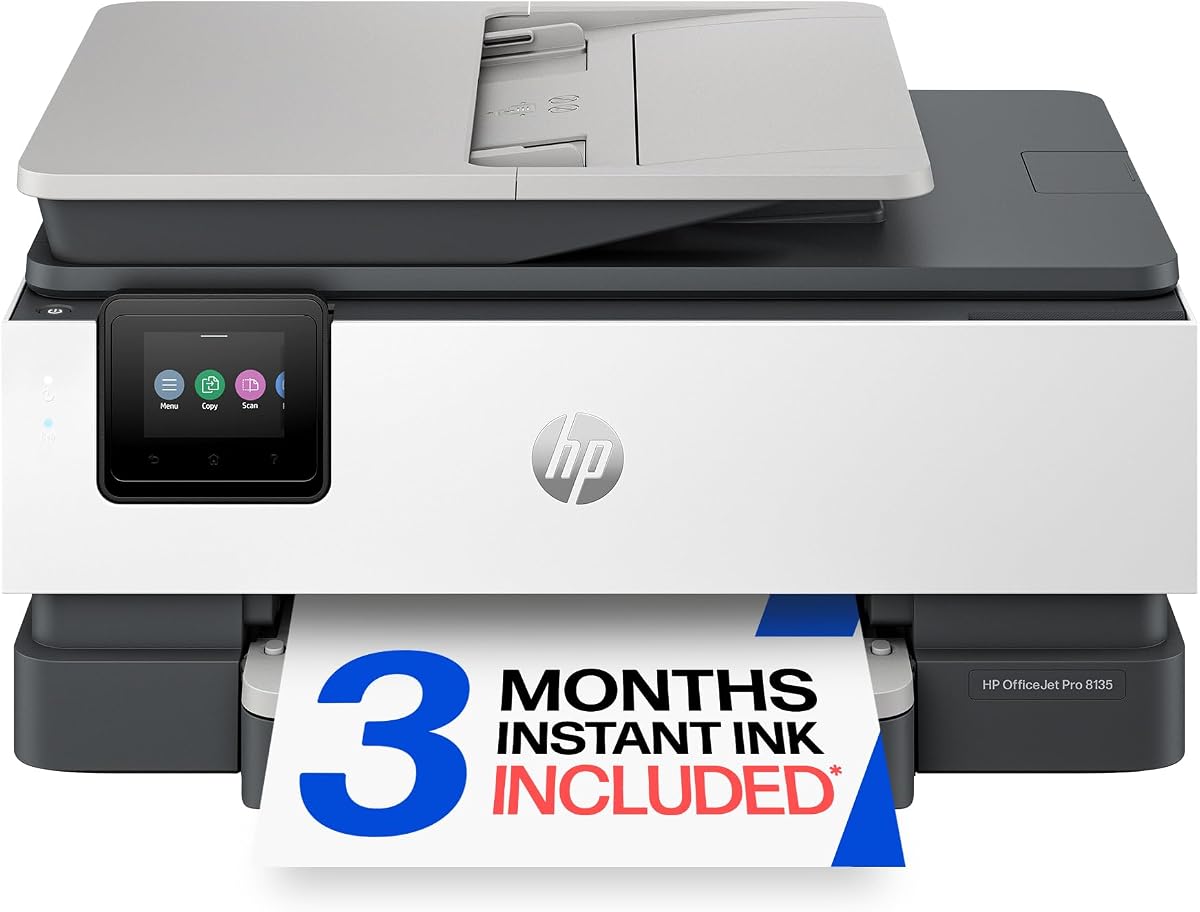
The HP OfficeJet Pro 8135 balances performance and price effectively for home offices. With a rating indicating reliable functionality, it offers features similar to higher-end models at a more accessible price point.
We may earn a commission when you buy through this link, at no additional cost to you.
Its 20 ppm speed and 225-sheet tray support moderate workloads efficiently. AI features help optimize web layouts, while the dual-band Wi-Fi ensures stable connectivity for mobile and desktop users alike.
The build feels somewhat lighter than office-grade models, and ink costs remain a factor for high-volume use. However, for most home professionals, the trade-off in quality is minimal compared to the cost savings.
This printer is best for home offices needing professional results without premium costs. If you value a balance of speed and reliability, this model serves well.
Dual-band Wi-Fi reduces interference issues, ensuring consistent connection for remote work.
The auto document feeder simplifies multi-page scanning and faxing tasks quickly.
We may earn a commission when you buy through this link, at no additional cost to you.
The Epson EcoTank ET-4800 revolutionizes ink costs by using tanks instead of cartridges. While its rating reflects a learning curve, the long-term savings are significant for users printing hundreds of pages monthly.
We may earn a commission when you buy through this link, at no additional cost to you.
Ink bottles are easy to fill, eliminating the waste of small cartridges. The Micro Piezo technology ensures sharp text and vibrant colors on various paper types, making it versatile for mixed document needs.
The initial cost is higher, and speeds are lower than laser or high-end inkjet options. However, if you print frequently, the per-page savings quickly offset the initial purchase price.
This printer is ideal for users wanting to eliminate recurring cartridge purchases. If you prioritize value over raw speed, the EcoTank system is a smart investment.
Refillable tanks drastically reduce the cost per page compared to traditional cartridge-based printers.
Unique heat-free technology ensures sharp text without high energy consumption.
We may earn a commission when you buy through this link, at no additional cost to you.
The HP OfficeJet Pro 8125 is designed specifically for home office environments needing reliability. Its rating indicates consistent performance, making it a dependable choice for daily business documents.
We may earn a commission when you buy through this link, at no additional cost to you.
Features like auto duplex printing save paper and help reduce costs over time. The mobile app allows easy management from smartphones, while HP Wolf Security protects your network from potential threats.
The touchscreen is smaller than higher-end models, and scanning requires multiple passes. For most home users, these are minor inconveniences compared to the value and functionality provided.
This printer suits home offices seeking reliable printing with fax capabilities. If you need a balance of price and features, it is a solid option.
The 225-sheet tray and duplexing support reduce manual intervention and waste.
While basic, the touchscreen provides easy navigation for essential tasks.
We may earn a commission when you buy through this link, at no additional cost to you.
The HP Smart Tank 7603 offers substantial ink capacity right out of the box. With a rating highlighting reliability, it supports high-volume printing without the constant interruption of refilling cartridges.
We may earn a commission when you buy through this link, at no additional cost to you.
The mess-free refill system allows easy replenishment of ink bottles. Borderless printing supports creative tasks, while the mobile app ensures you can manage jobs remotely without hassle.
Its size is larger than compact models, and speeds are moderate for home office use. However, the convenience of not worrying about ink levels makes it a strong contender.
This printer is best for users who print frequently and want uninterrupted workflow. If convenience and cost savings are priorities, this model delivers well.
Refillable tanks eliminate the need for frequent cartridge replacements and reduce waste.
Print and manage jobs from anywhere using the dedicated mobile application.
We may earn a commission when you buy through this link, at no additional cost to you.
The Canon PIXMA TR8620a offers a feature-rich experience with a strong rating. It provides solid performance for home offices needing both document and photo printing capabilities.
We may earn a commission when you buy through this link, at no additional cost to you.
Its 200-sheet capacity and Micro SD slot add versatility for handling various media types. Alexa integration allows for voice commands and smart reordering, streamlining the printing process significantly.
Ink costs can add up with high-volume use, and the initial setup may feel complex. However, the flexibility and connectivity options make it a versatile tool.
This printer suits users needing flexible printing options. If you value connectivity and capacity, it is a strong contender for your office.
SD card slots allow direct printing from cameras without needing a computer.
Alexa support enables hands-free printing and easy supply management.
We may earn a commission when you buy through this link, at no additional cost to you.
The HP OfficeJet Pro 8139 stands out with a one-year ink trial included. Its rating reflects reliability, making it a practical choice for home offices needing consistent output.
We may earn a commission when you buy through this link, at no additional cost to you.
Features like duplexing and a 225-sheet tray handle moderate workloads effectively. The trial helps reduce early costs, while security features keep your network safe from external threats.
Once the trial ends, ink costs may increase, and the build is standard plastic. However, the initial savings make it an attractive option for new office setups.
This printer is ideal for users wanting to offset initial costs. If you need reliable printing with extended support, it is a solid choice.
A one-year ink subscription trial helps reduce upfront maintenance expenses significantly.
AI features ensure professional layouts for digital documents printed.
We may earn a commission when you buy through this link, at no additional cost to you.
The Brother MFC-L2820DW offers the fastest speed among the options with a high rating. Its monochrome design is ideal for offices focusing on text documents and high-volume faxing tasks.
We may earn a commission when you buy through this link, at no additional cost to you.
Laser technology ensures crisp text and rapid output of 36 ppm. The compact footprint saves desk space, while Alexa support enhances connectivity and smart reordering capabilities.
It lacks color printing, making it unsuitable for photos. However, for text-heavy tasks, the speed and efficiency are unmatched at this price point.
This printer suits users prioritizing speed and text quality over color. If you need a compact workhorse for documents, it is a top choice.
Laser technology delivers rapid print speeds suitable for busy workflows.
Compact dimensions fit well in smaller home office environments.
We may earn a commission when you buy through this link, at no additional cost to you.
Selecting the right printer requires understanding your specific needs. This guide outlines the most critical factors to ensure you choose a device that matches your workflow and budget.
Print speed is measured in pages per minute (ppm). For high-volume offices, look for speeds above 20 ppm to ensure efficiency. Consider duty cycles if you print thousands of pages monthly to avoid wear.
Evaluate your monthly page count against the printer's recommended duty cycle to ensure reliability.
Inkjet printers offer better color quality but can be costly with cartridges. Laser printers are faster and cheaper for black text. Tank systems provide long-term savings but have higher upfront costs.
Choose based on your color needs and long-term cost sensitivity.
Modern printers require robust connectivity. Dual-band Wi-Fi ensures stability. Ethernet offers wired security, while USB connects locally. Cloud features allow remote access without local setups.
Ensure the connectivity matches your network environment.
Higher capacity trays reduce frequent refills. Look for inputs over 200 sheets for convenience. Multi-tray setups support different paper sizes simultaneously for flexibility.
Select a model that minimizes manual interruptions.
Business devices need data protection. Look for features like secure Wi-Fi protocols and malware protection. These prevent unauthorized access to sensitive network resources.
Prioritize models with built-in security suites.
A larger touchscreen simplifies navigation. Touch interfaces offer intuitive setup for faxes and scans. Smaller screens work for basic tasks but lack advanced settings.
Choose a user interface that matches your technical comfort.
Many models offer ink subscription trials. Calculate the cost after the trial period ends. Some models restrict cartridges, while others allow generics.
Factor in total ownership costs beyond the initial price.
Measure your available desk space. Compact models fit small offices but may have smaller trays. Larger models offer more features but require dedicated space.
Balance functionality with physical constraints.
Start by connecting your device to your network using the on-screen instructions. Download the manufacturer's app for mobile printing capabilities. Ensure your fax settings are configured with the correct phone number for outgoing documents.
Regularly clean the scanner glass and print heads to maintain quality. Use genuine or approved supplies to prevent clogs and hardware issues. Keep firmware updated to ensure security patches and performance improvements are applied.
Schedule routine maintenance like alignment and nozzle checks. If not in use, print a test page weekly to keep cartridges active. Proper care extends the lifespan and reliability of your printing investment.
Yes, combining printing, scanning, copying, and faxing into one unit significantly reduces desk clutter. Instead of four devices, you have one footprint that connects to all devices easily.
Yes, faxing remains necessary for specific industries like healthcare and legal sectors due to compliance requirements. All-in-one printers make traditional faxing convenient without dedicated phone lines.
Some models support email faxing or mobile app fax services. This allows you to send and receive faxes over the internet, bypassing the need for physical phone wiring.
Laser or tank-based printers generally have lower costs per page for high volumes. Traditional cartridge models offer better upfront prices but may cost more over time.
Most modern models support both Mac and PC. Drivers are available for macOS and Windows, and mobile apps support iOS and Android platforms seamlessly.
The printer dashboard or mobile app sends alerts when ink is low. You can also set up automatic reordering through Alexa or manufacturer apps to avoid interruptions.
Choosing the right all in one printer with fax depends on balancing speed, cost, and specific needs. The HP OfficeJet Pro 9125 stands out for its balance of features and performance, while the Canon TR4720 offers excellent budget value.
Prioritize models that align with your monthly print volume and connectivity requirements. Security and paper capacity should also drive your decision if you manage sensitive or high-volume workflows regularly.
Prices and availability fluctuate, so verify current details before purchasing. By following this guide, you can confidently select a device that improves your daily efficiency.