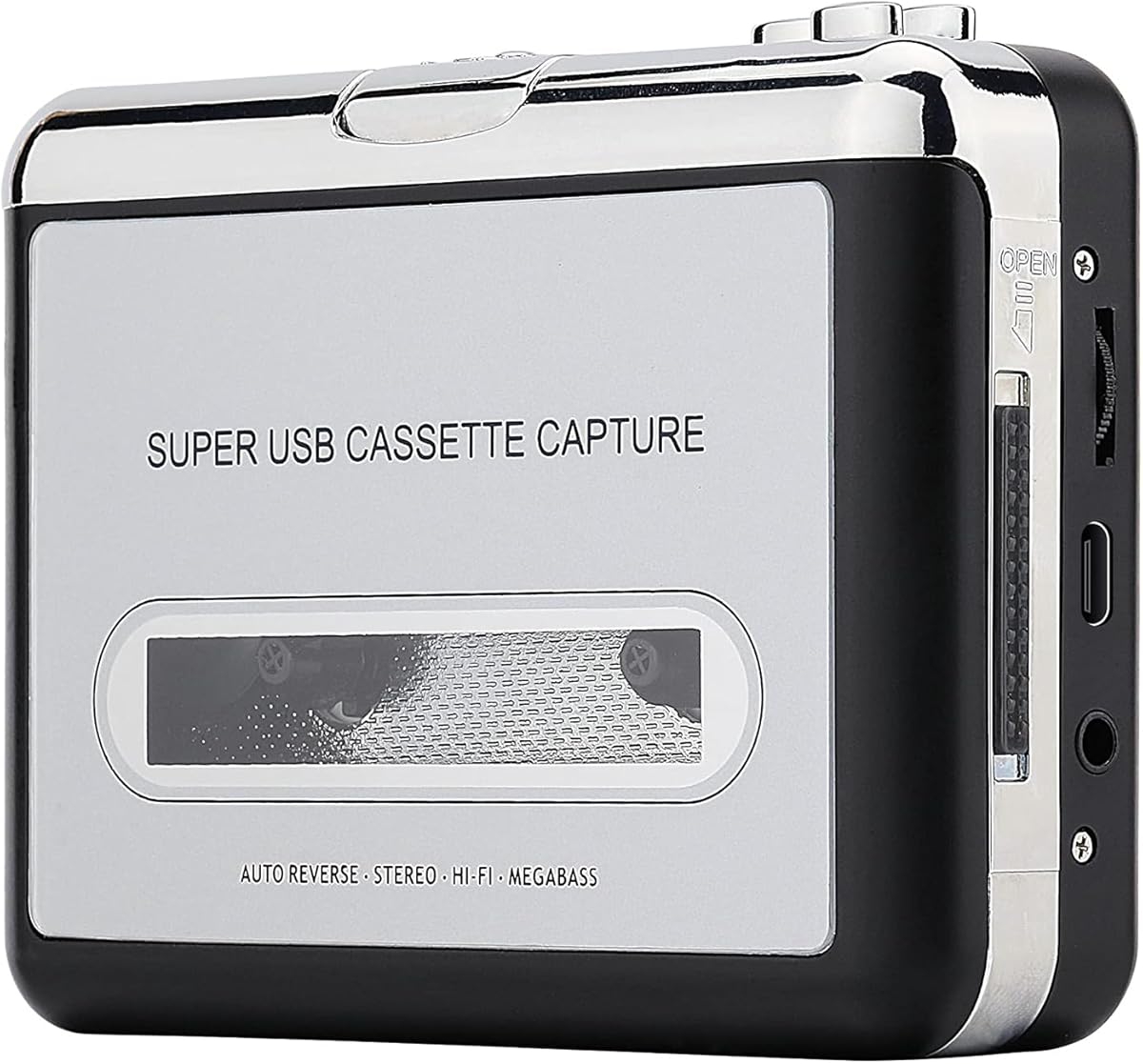
Reshow Cassette Tape Player
3.8Editor score
Simple USB connection setup
Compact vintage design style
Includes converter software kit
This guide compares the top cassette to MP3 converter models for 2026, evaluating conversion quality, portability, and ease of use for preserving your audio
Preserving your favorite cassette tapes is easier than ever with modern cassette to MP3 converter devices. These tools let you digitize old recordings without needing a computer or complex software. Whether you have childhood mixtapes or interview recordings, the right converter makes the process simple and accessible.
We evaluated ten top-rated models based on build quality, sound fidelity, and conversion features. Our analysis includes devices that support SD cards, USB drives, and direct digital output. We also considered battery life, portability, and additional functions like built-in microphones or Bluetooth connectivity.
Each pick below highlights a specific strength, from budget-friendly options to premium all-in-one players. The details show what matters most for your needs, including track splitting and storage capacity. Prices and availability change frequently, so check current listings before purchasing any model.
3.8Editor score

4.2Editor score

4.3Editor score
This side-by-side comparison shows how each model handles audio conversion and playback features. We highlight key specifications like storage options, power sources, and special functions to help you find the right fit.


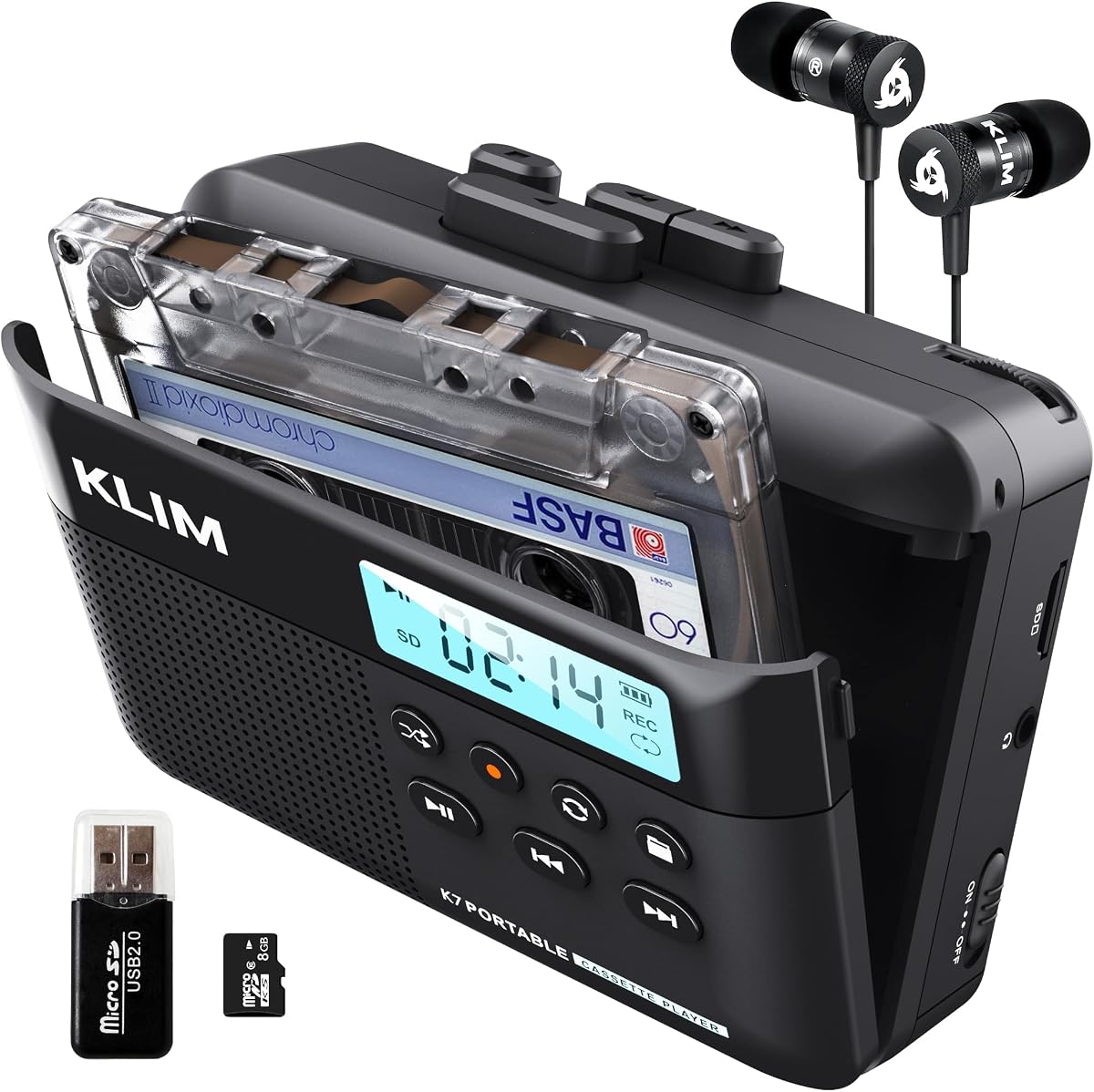


The K7 Cassette Player stands out as the most reliable solution for converting analog tapes to digital MP3 files. With a rating of 4.2 stars, it balances portability and function effectively. The included 16GB SD card and reader make storage seamless without extra purchases.
We may earn a commission when you buy through this link, at no additional cost to you.
Its built-in microphone and speaker add versatility beyond simple conversion. You can record meetings or music directly to the card. The device acts as a full music player afterward, playing files from the SD card with earphones.
While it lacks the ability to record onto blank cassette tapes, this limitation is acceptable for most digital archivists. The rechargeable battery charges quickly, though frequent use may require top-ups. It is lightweight enough for travel.
Buyers looking for a hassle-free, no-computer conversion path should choose this model. It is ideal for preserving old collections quickly. The assurance coverage adds confidence to the purchase decision.
The included 16GB SD card and reader allow immediate storage of converted tracks without needing a PC connection or extra accessories.
Beyond conversion, the unit functions as a standalone MP3 player, letting you enjoy your digitized collection anywhere with included earphones.
We may earn a commission when you buy through this link, at no additional cost to you.
The SEMIER Small Cassette Tape Player offers unique flexibility with two distinct digital conversion methods. It supports SD card storage directly or USB transfer via included software. This dual approach suits users with different workflow preferences.
We may earn a commission when you buy through this link, at no additional cost to you.
Its compact design and LCD screen simplify navigation and recording control. You can manage files on the device itself. The speaker is loud enough for casual listening, and the headphone jack ensures privacy.
The main limitation is its incompatibility with Type IV or metal tapes. This restricts use for collectors with high-fidelity recordings. Software-based conversion also requires a computer, unlike SD-only models.
If you need both direct and PC-based options, this unit fits well. It is great for users who want backup strategies for archiving. The build quality is sturdy for its price.
Users can choose between direct SD card storage or USB software transfer, providing redundancy if one method fails.
The built-in LCD screen allows for easy track management and recording setup without needing external software interfaces.
We may earn a commission when you buy through this link, at no additional cost to you.
The ClearClick Cassette Tape USB excels at simplifying the digitization process with automatic track splitting. Users do not need to manually split files later. The included 16GB USB drive stores your files ready for transfer.
We may earn a commission when you buy through this link, at no additional cost to you.
Setup is instant without drivers or complex software installation. This makes it accessible for non-technical users. The unit also doubles as a personal player, allowing direct listening via earbuds.
However, it does not feature a built-in microphone for voice recording. It focuses solely on tape playback conversion. Storage is limited to the USB drive unless you have additional capacity.
For those prioritizing convenience and clean file organization, this is a top choice. It eliminates the need for audio editing software. The warranty support adds reliability to the purchase.
Automatic track splitting ensures each song becomes an individual MP3 file, saving hours of manual editing work later.
The device requires no drivers or drivers, allowing you to start converting tapes immediately upon connecting to a computer.
We may earn a commission when you buy through this link, at no additional cost to you.
The Reshow Cassette Tape Player provides an entry-level solution for converting tapes to digital format without high costs. It connects via USB to laptops or personal computers, supporting various audio formats. The silver finish gives it a retro aesthetic appeal.
We may earn a commission when you buy through this link, at no additional cost to you.
It works with standard headphones and includes software to manage conversion. This makes it compatible with existing setups. The sound quality is clear when used in a quiet environment.
Its main drawback is dependence on external software for file management. The build feels basic compared to higher-end models. It is best for occasional use rather than daily archiving.
For budget-conscious users with old tapes, this offers a functional path forward. It is simple and effective for basic conversion tasks. The lightweight design adds portability for travel.
This model brings cassette digitization to a lower price point, making it accessible for casual users on a tight budget.
The sleek silver design mimics vintage aesthetics, blending modern technology with a classic look for your home.
We may earn a commission when you buy through this link, at no additional cost to you.
The K7 Cassette Player with 8GB SD card delivers high satisfaction with its straightforward operation. It converts tapes to MP3 files without needing a computer, saving time. The 8GB card holds a decent amount of audio for most collectors.
We may earn a commission when you buy through this link, at no additional cost to you.
Its built-in microphone allows recording notes directly onto the SD card. This feature supports more than just music preservation. The battery charges quickly for travel.
Users may find the storage limit restrictive for large libraries. The device is not designed for recording onto cassettes. It focuses strictly on digital output.
This version is ideal for those wanting portability and simplicity. The rating reflects reliability in daily use. It is a practical choice for medium collections.
With a 4.3-star rating, users consistently praise its ease of use and reliable conversion performance in real-world scenarios.
The built-in microphone enables direct recording of thoughts or meetings onto the SD card for mixed audio archives.
We may earn a commission when you buy through this link, at no additional cost to you.
This variant of the K7 Player includes a 32GB SD card, offering ample storage for extensive libraries. It maintains the same easy workflow without computer dependency. The unit is ideal for those with dozens of tapes.
We may earn a commission when you buy through this link, at no additional cost to you.
The built-in microphone and speaker support flexible use cases. You can record meetings alongside converting music. It works as a standalone player with earphones.
It does not record onto physical cassette tapes. The battery capacity is modest for long sessions. However, charging is quick for intermittent use.
Archivists needing high capacity should prioritize this model. It simplifies managing large collections with a single device. The assurance coverage adds value to the purchase.
The included 32GB SD card allows storing hundreds of hours of audio without needing to swap cards frequently.
Combining playback, conversion, and recording in one device reduces the need for multiple tools in your workflow.
We may earn a commission when you buy through this link, at no additional cost to you.
The Reshow Black Cassette Tape Player offers similar functionality to the silver variant but in a darker finish. It connects to laptops and personal computers for conversion. The design is compact and fits easily into bags.
We may earn a commission when you buy through this link, at no additional cost to you.
It supports standard headphones and includes software for management. This makes it compatible with existing setups. The sound quality is clear for basic transfers.
Its main drawback is dependence on external software for file management. The build feels basic compared to higher-end models. It is best for occasional use rather than daily archiving.
For budget-conscious users with old tapes, this offers a functional path forward. It is simple and effective for basic conversion tasks. The lightweight design adds portability for travel.
The black finish provides a modern contrast to vintage devices, fitting well with contemporary home offices.
Its straightforward interface requires minimal setup, making it accessible even for users with limited technical skills.
We may earn a commission when you buy through this link, at no additional cost to you.
This converter automates side switching during conversion, saving manual flipping. It records directly to a USB flash drive without a computer. You can adjust volume during playback for better quality.
We may earn a commission when you buy through this link, at no additional cost to you.
It supports FAT32 formatted drives and includes headphones for monitoring. Auto mode can split tracks per sentence. This is useful for audiobooks or interviews.
Performance depends heavily on USB speed. Slower drives may cause skipping. The unit relies on batteries which may need replacement.
Users valuing automation should consider this device. It simplifies the process significantly for long recordings. Just ensure a fast USB drive is used for best results.
Auto reverse capability allows continuous conversion without manually flipping the tape, saving time for full-length albums.
Manual or auto mode lets you split recordings into individual files, keeping your library organized.
We may earn a commission when you buy through this link, at no additional cost to you.
The Gracioso Bluetooth Cassette Converter offers advanced wireless capabilities alongside standard conversion. Its dual Bluetooth modes allow streaming to speakers or playing phone music through the player. The 2000mAh battery supports long listening sessions.
We may earn a commission when you buy through this link, at no additional cost to you.
The 6W speaker delivers high-quality sound without external equipment. Direct USB recording is supported without software. This makes it versatile for both archiving and playback.
It is heavier and more expensive than standard models. The extra features justify the cost for power users. It bridges analog tapes with modern digital wireless tech.
Buyers seeking a high-end, feature-rich device should choose this model. It is ideal for tech-savvy collectors wanting a premium experience. The battery life supports outdoor use.
Transmitter mode streams audio from tapes to Bluetooth speakers, eliminating the need for physical cables during playback.
The powerful 6W speaker provides rich, clear audio that preserves the warmth of analog recordings better than standard models.
We may earn a commission when you buy through this link, at no additional cost to you.
The K7 Cassette Tape Player offers consistent value with its included 16GB SD card. It converts tapes directly to digital files without a computer. The microphone and speaker add extra utility for recording.
We may earn a commission when you buy through this link, at no additional cost to you.
It supports playback via headphones and includes all necessary cables. The rechargeable battery is convenient for travel. It is reliable and straightforward for most users.
It lacks the ability to record onto blank cassette tapes. The battery life is modest compared to premium units. However, charging is quick for daily use.
This model is excellent for standard digitization needs. It balances cost and features effectively. For most users, it provides everything required to preserve audio collections.
No software or PC is required to convert tapes, making the process simple and accessible for everyone.
The package comes complete with a card reader and cables, ensuring you can start converting immediately upon unboxing.
We may earn a commission when you buy through this link, at no additional cost to you.
Choosing the right converter depends on how you plan to use it. Consider storage, software needs, and connectivity options before purchasing.
Some converters save directly to SD cards while others require USB drives. SD cards are more portable, but USB drives offer easy computer access. Check which media the device supports and if it is included.
Always verify the storage capacity and compatibility with your files.
Many devices work without a computer, letting you convert tapes directly. Others need software installed on a PC to process files. If you want a simple workflow, choose a standalone model.
Standalone devices reduce steps in your conversion process significantly.
Converters may run on batteries, USB power, or rechargeable internal batteries. Rechargeable models offer portability, but battery life varies. AA batteries are easy to replace but require constant replacement.
Prioritize rechargeable options if you travel or use the device frequently.
Sound quality depends on the internal tape head quality and bitrate settings. Some models let you adjust audio rates for better fidelity. Look for devices with 16-bit or higher quality output.
Higher quality output ensures better audio preservation over time.
Some units include microphones for voice recording or Bluetooth for streaming. Others have track splitting to separate songs automatically. Decide if these extra features add value for your workflow.
Track splitting saves hours of manual editing after conversion.
Check for 3.5mm headphone jacks, USB ports, or Bluetooth. Connectivity affects how you listen to converted files or connect external speakers. Some devices support both playback and recording modes.
Multiple connectivity options ensure compatibility with your existing equipment.
Look for models with solid builds and warranty coverage. Some manufacturers offer years of assurance against defects. This is important for long-term use of analog equipment.
A solid warranty protects your investment in digital archiving.
Converters vary in cost based on features. Budget models lack extra capabilities but work for basic needs. Premium models cost more but offer better sound and convenience.
Choose a model that matches your specific needs and budget constraints.
Start by fully charging the device if it has a rechargeable battery. Insert your SD card or USB drive into the slot before powering on. Ensure the card is formatted correctly as FAT32 for compatibility.
Insert a clean cassette tape and press record or convert. Wait for the tape to finish playing before ejecting. If using auto mode, the device will split tracks automatically after conversion.
Clean the tape head with alcohol swabs periodically to maintain sound quality. Store your devices in dry places to avoid damage from humidity. Always use the included cables to prevent charging issues.
Many modern converters work independently without a computer. You can plug in a USB drive or SD card and start recording directly. However, some models require software for advanced file management. Check product details for standalone capabilities.
SD card converters save files directly to a removable card, which is easy to transfer later. USB converters write directly to a drive connected to the device. Both methods work well, but SD cards are often more portable for travel.
Most standard converters only play tapes and digitize them. They do not support recording onto blank tapes. Only specific models with recording capabilities allow this reverse function. Check specs if you need tape recording.
Automatic track splitting uses pauses between songs to create separate files. Devices with this feature detect silence to mark track boundaries. Ensure your tape has enough silence between songs for best results.
Most converters support FAT32 for USB and SD cards. Some may support exFAT or NTFS depending on firmware. Always format your drive before use to avoid compatibility errors. This ensures smooth data transfer.
Most devices work with Type I normal tapes. Some do not support metal or chromium tapes. Check specifications to see supported tape types for best results. Using unsupported types may damage the playback head.
Conversion speed usually matches tape playback speed. A 60-minute tape takes 60 minutes to convert. Some units offer faster transfer but may reduce quality. Plan accordingly for large collections.
The K7 Cassette Player leads the list for its balance of features and ease of use. For premium needs, the Gracioso Bluetooth model offers unmatched versatility. Budget seekers will appreciate the affordable options from Reshow.
Prioritize standalone operation and sufficient storage capacity when making your choice. Devices that do not require software save time. Track splitting adds value for large collections.
Always check current product listings for availability and latest updates. Prices change frequently as new models release. Select the tool that best fits your specific archiving goals.