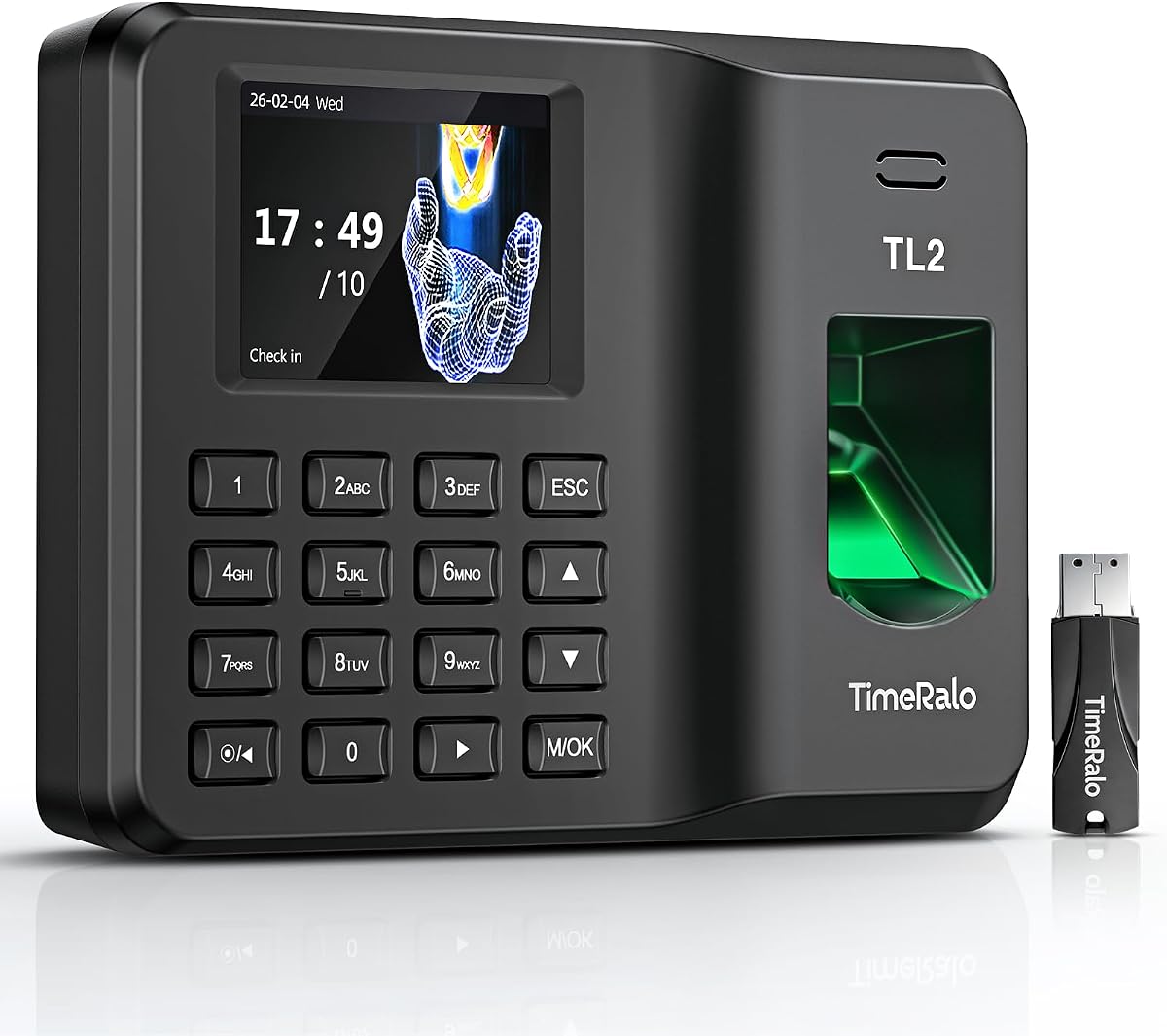
Standalone Time Clock Punch
4.4Editor score
Affordable upfront cost
USB export for payroll
500 fingerprint storage capacity
This guide compares the top fingerprint time clocks for employees, evaluating accuracy, security, and features to help you choose the best system for your
Finding the right time tracking system is essential for modern businesses seeking accuracy and efficiency. Fingerprint time clocks eliminate buddy punching and ensure employees clock in correctly every time.
We compared ten leading models based on recognition speed, storage capacity, and ease of use. Our analysis covers standalone devices, cloud solutions, and hybrid systems for various business sizes.
Each pick highlights specific strengths like budget-friendly options or advanced cloud features. Prices and availability change frequently, so verify current details before making your final purchasing decision today.
4.4Editor score

4.8Editor score

4.4Editor score
The following table provides a side-by-side comparison of all ten featured time clocks, highlighting their core specifications to help you quickly identify the model that fits your operational requirements.


The HapAttend H4 Time Clock stands out as the best overall option for businesses seeking reliability without recurring costs. With a high customer rating and versatile verification methods, it ensures accurate time tracking for teams up to 500 employees.
We may earn a commission when you buy through this link, at no additional cost to you.
Its standout quality is the automatic hours calculation which eliminates manual entry errors. The device supports fingerprint, RFID, and PIN methods to prevent buddy punching. It operates entirely offline, ensuring data privacy and security without needing an internet connection.
While it lacks cloud access for remote monitoring, the local storage is robust and secure. The USB export feature is straightforward, generating Excel reports ready for payroll software. This trade-off is acceptable for businesses prioritizing data control and budget savings.
Small to medium businesses with stable networks will find this device ideal. It offers a perfect balance of modern features and traditional simplicity. For those wanting a no-hassle upgrade from paper cards, this is the top recommendation.
Local data storage ensures your employee records remain private and secure from external threats. This feature is crucial for businesses handling sensitive workforce information.
Exporting data to Excel via USB allows seamless integration with existing payroll systems. This saves hours of manual data entry and reduces administrative overhead significantly.
We may earn a commission when you buy through this link, at no additional cost to you.
This standalone model offers an unbeatable entry price for small businesses needing accurate time tracking. It supports up to 500 employees and handles 50,000 punch records efficiently. The design focuses on core functionality without unnecessary features that drive up costs.
We may earn a commission when you buy through this link, at no additional cost to you.
Key strengths include its robust data backup system which protects records during power outages. Users can export attendance data easily via USB for quick payroll processing. The machine is built with industrial-grade ABS plastic to withstand harsh daily environments.
The interface is simple, which reduces training time for staff but limits customization. It does not offer cloud features or app control, which might be a downside for remote managers. However, for on-site teams, this is a practical and cost-effective solution.
If you need a basic, reliable clock without monthly fees, this is the best choice. It effectively reduces paper waste and eliminates manual tracking errors. This device is perfect for retail or warehouse settings with straightforward shift patterns.
By avoiding subscription fees and reducing paper costs, this device pays for itself quickly. It is an excellent choice for businesses watching their bottom line closely.
The USB export feature ensures you can manage attendance records without complex software. This simplicity keeps administrative tasks low and error rates minimal.
We may earn a commission when you buy through this link, at no additional cost to you.
The NGTeco Cloud Time Clock brings premium features to small business time tracking. With a 4.3-inch touchscreen and facial recognition, it offers a modern user experience. Cloud connectivity allows managers to monitor attendance from anywhere, adding significant flexibility.
We may earn a commission when you buy through this link, at no additional cost to you.
Standout features include customizable shift rules and robust security via AWS servers. The dual-band WiFi ensures stable connections even in busy environments. It handles complex schedules with ease, making it suitable for companies with rotating shifts or multiple departments.
The higher price point reflects its advanced capabilities and security features. Businesses needing remote oversight and detailed reporting will find the investment worthwhile. While it depends on internet connectivity, the offline sync capabilities mitigate most connection issues.
For growing businesses seeking a high-end solution, this clock is unmatched. It balances luxury features with practical utility. If you want a system that scales with your company, this model is the top premium recommendation.
End-to-end encryption and AWS storage ensure sensitive data remains protected. This level of security is vital for businesses complying with strict data privacy regulations.
Customizable shift rules allow you to match the system exactly to your operational needs. This flexibility reduces administrative workload and ensures accurate payroll processing every time.
We may earn a commission when you buy through this link, at no additional cost to you.
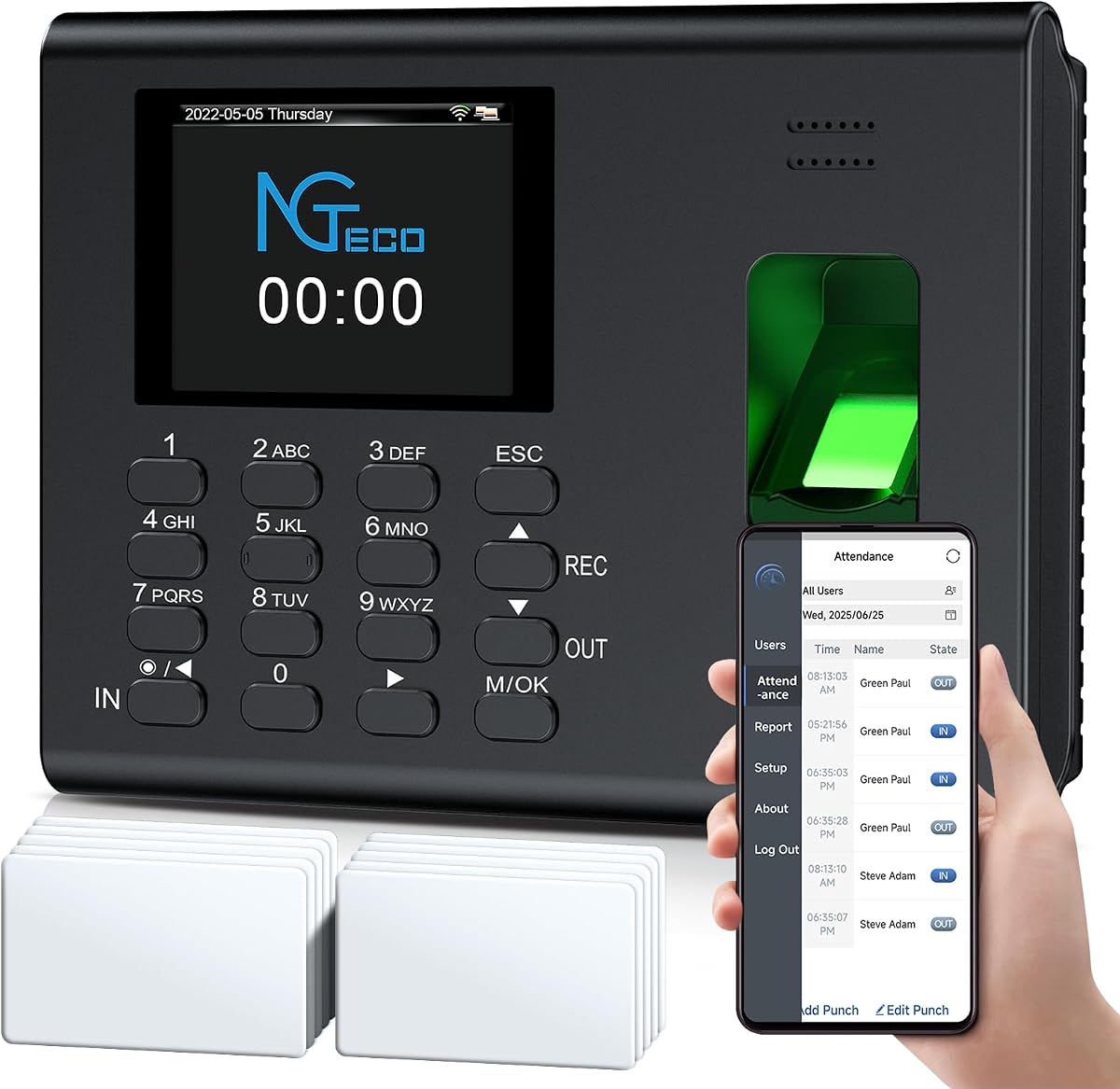
This NGTeco model balances app control with standalone reliability. The fast fingerprint sensor handles wet or dry fingers quickly. It manages shifts effectively including overnight schedules with automated hour calculations for precise records.
We may earn a commission when you buy through this link, at no additional cost to you.
Key strengths include seamless payroll syncing via email or USB. The app allows editing punches in seconds ensuring hours are accurate. Backup protection keeps data safe during power outages. U.S. support ensures you get help when needed.
The system requires a local network for full app functionality. This may limit remote management options compared to cloud systems. However, for on-premise teams, the speed and reliability are excellent. It simplifies admin tasks without complex setup.
Ideal for small businesses needing reliable tracking and flexible scheduling. It prevents errors and streamlines payroll efficiently. If you want app control without full cloud dependence, this is a strong choice for your team.
Automated calculations and easy edits save managers significant time daily. This efficiency reduces the administrative burden of tracking employee hours accurately.
Built-in backups ensure records survive power failures without loss. This reliability gives peace of mind regarding the integrity of your attendance data.
We may earn a commission when you buy through this link, at no additional cost to you.
Designed for businesses wanting simplicity this standalone clock requires zero setup hassle. It uses a USB drive to export data instantly. Memory supports 500 profiles and 50,000 punch records reliably without maintenance for long-term use.
We may earn a commission when you buy through this link, at no additional cost to you.
Key strengths are paperless tracking and durable materials. It cuts supply costs and provides precise records. Data backups protect against power loss. Its compact design installs easily anywhere for consistent performance.
It lacks cloud features so remote access is unavailable. This limits it to on-site operations. However, for growing businesses needing a reliable base it fits well. It is affordable and handles daily shifts efficiently.
Best for small businesses prioritizing durability and low cost. It offers solid performance without complexity. If you need a no-frills clock that gets the job done, this model is highly recommended.
Eliminating paper cards reduces waste and streamlines records. This eco-friendly approach saves money while maintaining accurate attendance tracking daily.
Supporting up to 500 users ensures the device grows with your team. This scalability prevents the need for early upgrades as your workforce expands.
We may earn a commission when you buy through this link, at no additional cost to you.
This NGTeco cloud clock provides remote access for busy managers. The dual-band WiFi ensures fast stable connections. It handles shifts with auto-generated reports to simplify payroll work. Backup keeps tracking active during power cuts.
We may earn a commission when you buy through this link, at no additional cost to you.
Key strengths include flexible overtime configuration and AWS security. Data is encrypted and private. The free app helps manage basic affairs. Support is lifetime and U.S. based for ongoing help.
Full features require a separate subscription which may add cost. This is a trade-off for cloud access. It is ideal for businesses needing remote oversight. The device is easy to manage remotely.
Choose this if you prioritize remote visibility. It automates reporting and secures data. For businesses with distributed teams this cloud model is an excellent solution for attendance.
Accessing data from anywhere helps manage shifts effectively. This freedom allows managers to maintain control without being physically present daily.
Auto reports reduce manual work and errors significantly. This automation ensures your payroll data is accurate and ready for processing quickly.
We may earn a commission when you buy through this link, at no additional cost to you.
The uAttend JR2000 combines cloud tracking with payroll tools. It automates tax filings and data collection for efficiency. Access is real-time from any device. The interface is user-friendly for all teams.
We may earn a commission when you buy through this link, at no additional cost to you.
Key strengths are in-depth reporting and automatic backups. You gain insights into productivity and costs. Switching systems is easy with their tools. Security ensures data is always available for audits.
It relies on a subscription service for features. This adds a recurring cost not present in standalone units. But for businesses wanting integrated payroll it is a strong solution. The cloud access is a major benefit.
Best for businesses needing full cloud integration. It simplifies payroll significantly. If you want a system that manages taxes and attendance this model is worth considering.
Automating tax and payroll data saves time and prevents errors. This integration reduces the HR workload by handling complex calculations automatically.
Automatic cloud backups ensure your employee data is never lost. This security measure guarantees reliable access to records whenever they are needed.
We may earn a commission when you buy through this link, at no additional cost to you.
This TC1 Cloud Connect offers free cloud service with no fees. It supports 200 users and syncs when network is restored. Multi-language support aids global teams. Security meets compliance standards reliably.
We may earn a commission when you buy through this link, at no additional cost to you.
Key strengths include flexible shift configurations and auto calculations. You can set custom rules easily. Offline functionality prevents data loss. It is cost-effective for growing businesses with limited budgets.
Offline sync requires reconnection to upload data fully. This is a minor delay compared to cloud benefits. For businesses needing global language support this model fits well. It simplifies tracking without ongoing costs.
Ideal for budget-conscious businesses needing global tools. It offers solid security and flexibility. If you want free cloud access with offline capability this device is a strong recommendation.
Offline capture ensures you never lose punch data. This reliability keeps your records intact even during temporary network failures.
Multi-language options simplify use for international teams. This feature ensures everyone can interact with the system effortlessly.
We may earn a commission when you buy through this link, at no additional cost to you.
This clock provides self-service apps for employees to check hours. It uses mobile app management without web portals. Smart scheduling handles shifts and auto-deducts breaks. Reports are visual and payroll-ready.
We may earn a commission when you buy through this link, at no additional cost to you.
Key strengths are remote access and offline tracking. You can correct data in real time. No monthly fees make it affordable. Setup is easy with three simple steps for quick deployment.
Employees can scan QR codes to view logs easily. This transparency reduces disputes. While app dependency is high, it simplifies management. The device works well for fast-paced environments.
Best for businesses needing employee transparency. It cuts admin hassle effectively. If you want an intuitive mobile-based clock this model is highly effective for daily use.
Allowing staff to view timesheets directly boosts transparency. This feature reduces queries and streamlines communication between managers and teams.
Visual reports simplify data review for payroll teams. This clarity ensures accurate processing and minimizes human error significantly.
We may earn a commission when you buy through this link, at no additional cost to you.
This APP Time Clock features 3-in-1 modes including cards. It prevents buddy punching effectively. Remote control via local app allows editing easily. Auto reports save HR time significantly.
We may earn a commission when you buy through this link, at no additional cost to you.
Key strengths include flexible shift settings and large storage. You can adjust rules for diverse modes. Backup battery handles power outages well. It supports up to 500 staff members seamlessly.
It needs local network sync which restricts remote use. However, the battery backup ensures continuity. For small businesses with stable internet this clock works well. It is easy to use and set up.
Ideal for teams needing card and PIN support. It balances durability and features. If you want a local app-based clock this device offers solid performance and value.
Supporting 100,000 records ensures long-term reliability. This capacity prevents data issues even for large teams over extended periods.
Wear-resistant ABS materials withstand daily wear and tear. This durability ensures the device remains functional in active work environments.
We may earn a commission when you buy through this link, at no additional cost to you.
Selecting the right time clock depends on your business size, budget, and security needs. This guide breaks down the essential factors to help you make an informed decision.
Most modern clocks offer fingerprint, PIN, and RFID card options. Choose fingerprint for high security or add cards if employees have gloves. Multiple methods reduce errors and ensure accurate records.
Prioritize multi-method verification to prevent buddy punching effectively.
Standalone devices store data locally and do not need internet. Cloud options allow remote access and automated backups. Consider your internet stability and need for remote monitoring before choosing.
Select standalone for privacy or cloud for remote management flexibility.
Exporting data via USB or email is vital for payroll integration. Look for models that generate Excel reports automatically. This ensures your data is ready for software without manual entry.
Choose systems with seamless export to save admin time.
Ensure the clock supports your current employee count with room to grow. Most models handle up to 500 users. This capacity prevents the need for frequent hardware upgrades as you expand.
Opt for sufficient user profiles to accommodate growth.
Data encryption and backup systems are non-negotiable for sensitive records. Look for battery backups that protect records during power outages. Secure storage ensures compliance with privacy standards.
Prioritize security features to protect employee information.
Some systems require monthly subscriptions while others are one-time purchases. Calculate the total cost of ownership including hardware and fees. Avoid hidden costs that may strain your budget later.
Choose one-time purchase models for long-term savings.
Quick setup ensures your team starts tracking time immediately. Look for plug-and-play designs that do not need IT support. User-friendly interfaces reduce training time for new employees.
Select user-friendly devices for fast deployment.
Customizable shift rules handle complex schedules like nights and rotations. The right clock will automate hours and overtime calculations accurately. This feature prevents disputes and ensures fair pay.
Prioritize flexible scheduling to match your operations.
To set up your device, plug it into a power outlet and connect to your local network if applicable. Use the admin mode to register employee fingerprints and PINs securely.
Keep the fingerprint sensor clean from dust and moisture. Regular cleaning with a soft dry cloth ensures accurate recognition speed and prevents errors during clock-ins.
Perform regular data backups via USB or cloud sync. This habit ensures you never lose critical records due to unexpected technical issues or power failures.
A fingerprint time clock is a device that uses biometric scanning to verify an employee's identity when clocking in. This method ensures accuracy by preventing buddy punching and creating precise digital records.
Some models work offline without internet while others require a connection for cloud features. Standalone units store data locally but cloud models offer remote access to attendance records.
Most devices allow you to export data via USB drive or email. The exported files are usually in Excel format ready to be imported into payroll software.
Many clocks have built-in battery backups that keep the device running for hours. Your records are saved automatically so you do not lose data when power returns.
Yes, most modern clocks allow fingerprint, PIN, and card entries. You can choose which methods to enable based on your specific workforce needs.
Prices vary from budget-friendly standalone units to higher-end cloud systems. Generally, one-time purchase models are cost-effective since they do not charge monthly subscription fees.
You typically enter admin mode using a code or key to register new prints. Follow the screen prompts to scan each finger for accurate future recognition.
Reputable providers use encryption and secure servers to protect data. Always verify the vendor's security standards before trusting them with sensitive employee records.
We found the HapAttend H4 and NGTeco Cloud models to be top contenders. These clocks offer the best balance of security, ease of use, and reliability for most businesses.
Prioritize the method that fits your workflow. Cloud systems suit remote teams while standalone units work best for localized offices with strict privacy needs.
Always check current pricing and availability before buying. Ensure your choice includes enough user capacity to accommodate your future growth comfortably.