
CORSAIR Vengeance 16GB SODIMM
4.8Editor score
16GB single module
Up to 5600MHz
Easy installation process
This guide compares the top DDR5 Laptop RAM kits for performance laptops focusing on speed capacity compatibility and reliability to help you upgrade your
Choosing the right memory upgrade is crucial for modern laptops. DDR5 Laptop RAM offers significantly faster speeds and improved efficiency compared to older standards. This ensures your system handles demanding tasks with ease and remains future ready for upcoming software demands.
We evaluated ten leading DDR5 Laptop RAM kits based on performance specifications brand reputation and user feedback. Our analysis focuses on compatibility with Intel and AMD processors along with real world benefits for gaming and creative work. We also consider build quality and warranty support.
Each pick highlights key strengths and ideal use cases to help you decide. Prices fluctuate regularly so check current listings before purchasing. Our goal is to provide clear actionable insights for upgrading your laptop memory without confusion or unnecessary expense.
4.8Editor score

4.8Editor score

4.5Editor score
Here is a side by side comparison of all ten selected DDR5 Laptop RAM kits. This table helps you quickly identify differences in capacity speed and key features across brands.




The Crucial 32GB DDR5 RAM Kit stands out as a top choice for laptop users needing reliable high capacity memory. With a solid rating and strong user feedback this kit delivers consistent performance across various workloads. It is designed to handle modern demands efficiently.
We may earn a commission when you buy through this link, at no additional cost to you.
Its standout qualities include support for Intel XMP 3.0 and AMD EXPO which allows for optimized performance on compatible systems. The 32GB capacity ensures smooth multitasking while the 5600MHz speed boosts responsiveness. Backed by 42 years of memory expertise it offers peace of mind regarding quality.
While the price point is higher than some alternatives the reliability and performance justify the cost for many users. It requires a DDR5 laptop which limits compatibility with older systems but that is expected for this generation of hardware.
This kit is ideal for gamers and professionals who need stability and speed. It is recommended for those looking to future proof their laptop and avoid bottlenecks in demanding applications.
The 32GB capacity allows multiple applications to run smoothly without slowdowns. Users experience faster load times and improved system responsiveness during heavy usage.
Tested at both component and module levels this RAM ensures top performance. It is optimized for 12th Gen Intel Core and AMD Ryzen 7000 Series processors.
We may earn a commission when you buy through this link, at no additional cost to you.
The CORSAIR Vengeance 16GB SODIMM is an excellent option for users seeking cost effective DDR5 Laptop RAM. It offers significant speed improvements and handles demanding tasks well. Its popularity and high rating reflect user satisfaction with its performance.
We may earn a commission when you buy through this link, at no additional cost to you.
Key strengths include compatibility with nearly any Intel and AMD system. The module delivers faster frequencies and lower power consumption. Installation is simple requiring only a screwdriver for most laptops. It automatically sets to maximum speed on compatible systems.
The main trade-off is the single module capacity which may limit dual channel performance compared to kits. Maximum speed also requires overclocking or BIOS adjustments which might challenge less experienced users.
This module is perfect for casual users or those on a budget. It is recommended for upgrading existing laptops to handle basic gaming and productivity tasks efficiently.
Users get substantial speed improvements without breaking the bank. This makes DDR5 technology accessible to more laptop owners.
Industry standard SODIMM form factor ensures it fits most gaming laptops and small PCs. It works well with Intel NUC kits as well.
We may earn a commission when you buy through this link, at no additional cost to you.
The G.SKILL Ripjaws DDR5 SO-DIMM Series offers premium performance for power users. With a rating of 4.5 it provides a robust solution for demanding tasks. The kit emphasizes speed and low latency for competitive advantage.
We may earn a commission when you buy through this link, at no additional cost to you.
Its standout qualities include up to 5600MT/s speeds and CL40 timings. It supports Intel XMP 3.0 for easy overclocking and includes a JEDEC default profile. Memory kits are sold matched to ensure stability and optimal performance.
The price is a factor for budget conscious buyers. Mixing memory kits can result in stability issues so users must stick with the provided set. Verification with the QVL tool is recommended for compatibility.
This kit suits enthusiasts and professionals needing top tier performance. It is recommended for laptops where speed and stability are critical for workloads like video editing or gaming.
The combination of high MT/s and low CL values ensures rapid data access. This is vital for frame rates and application responsiveness.
G SKILL provides tools to check validated motherboards and hardware. This reduces risk when selecting memory for specific laptop models.
We may earn a commission when you buy through this link, at no additional cost to you.
The TEAMGROUP Elite SODIMM DDR5 is a solid choice for those prioritizing stability and efficiency. Its rating of 4.6 reflects consistent performance. The focus on energy efficiency and ECC support adds value for reliability focused users.
We may earn a commission when you buy through this link, at no additional cost to you.
Standout qualities include on die ECC for stable systems and 1.1V working voltage to conserve energy. The structural composition is upgraded for better performance. A lifetime warranty provides long term peace of mind.
Users should note that warranty terms may vary based on the latest version on the official website. The price is competitive but not the lowest in the market.
This RAM is ideal for users needing stable multitasking capabilities. It is recommended for workstations or laptops used for intensive tasks requiring reliable memory performance.
On die ECC reduces errors ensuring consistent operation. Low voltage design helps save power on mobile devices.
The lifetime warranty indicates confidence in product durability. Users benefit from extended support for their investment.
We may earn a commission when you buy through this link, at no additional cost to you.
The GIGASTONE 32GB Kit DDR5 offers high performance for notebooks and all-in-one computers. With a rating of 4.7 it has gained traction among users. Its focus on PMIC efficiency is a key differentiator.
We may earn a commission when you buy through this link, at no additional cost to you.
Key strengths include the power management integrated circuit which provides better power efficiency. It operates at 5600MHz speed and fits standard SODIMM slots. It is designed for DDR5 laptops and AIO systems.
The brand is less known compared to major players which may affect user confidence. Compatibility should be verified with specific laptop models before purchase.
This kit is suitable for users seeking efficient memory solutions. It is recommended for notebooks needing balanced performance and power management without compromising speed.
PMIC helps optimize power delivery and reduces heat. This contributes to better thermal performance in tight laptop chassis.
5600MHz frequency ensures quick data transfer rates. This supports faster application loads and gaming performance.
We may earn a commission when you buy through this link, at no additional cost to you.
The CORSAIR Vengeance DDR5 SODIMM 32GB kit is designed for demanding laptops and gaming systems. A rating of 4.7 highlights user trust in its reliability. It supports high capacities and speeds for improved performance.
We may earn a commission when you buy through this link, at no additional cost to you.
Standout features include compatibility with nearly any Intel and AMD system. It automatically sets to maximum speed on compatible systems for faster load times. The SODIMM form factor ensures it fits standard laptops easily.
Maximum speed may require BIOS adjustments and depends on the motherboard and CPU. This variability means results may differ based on specific hardware configurations.
This kit is ideal for gamers and power users. It is recommended for laptops where multitasking and speed are priorities for seamless operation.
Works with a wide range of popular Intel and AMD gaming laptops. It is also compatible with Intel NUC kits and small PCs.
DDR5 modules deliver greater capacities and lower power consumption. This enables tackling demanding workloads more effectively.
We may earn a commission when you buy through this link, at no additional cost to you.
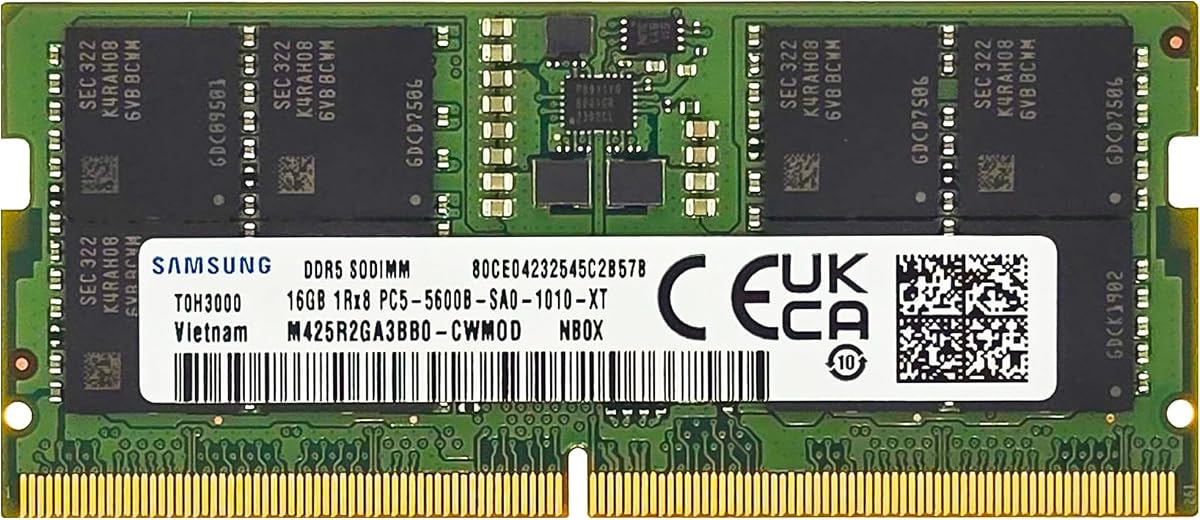
The Samsung 16GB DDR5 5600MHz module is a straightforward upgrade option for compatible laptops. Its rating of 4.5 reflects consistent performance. Samsung is a trusted name in memory production.
We may earn a commission when you buy through this link, at no additional cost to you.
Key strengths include JEDEC DDR5 standard compliance and 5600MHz speeds. It is designed to expand memory resources and increase workload capacity. Non ECC Unbuffered design suits most consumer laptops.
The single rank configuration may limit performance compared to dual channel kits. Compatibility is restricted to select laptops which requires verification before purchase.
This module is perfect for users needing a simple memory boost. It is recommended for laptops where reliability and standard compliance are key requirements.
Adhering to JEDEC standards ensures broad compatibility and stability. This reduces risks associated with third-party specifications.
Increases available memory to improve performance and reduce bottlenecks. This helps manage multiple applications more efficiently.
We may earn a commission when you buy through this link, at no additional cost to you.
The Samsung 32GB 2x16GB DDR5 kit provides expanded capacity for notebooks and all-in-one computers. It uses trusted Samsung components and delivers solid speeds. This dual kit setup supports faster data access.
We may earn a commission when you buy through this link, at no additional cost to you.
Key strengths include 5600MHz speeds and JEDEC standard compliance. It helps expand system memory resources and reduce bottlenecks. The modules are designed to increase workload capacity effectively.
Lack of a specific rating in data makes it hard to gauge user satisfaction compared to other models. Users should verify compatibility with their specific laptop before purchasing.
This kit is suitable for users needing reliable memory expansion. It is recommended for laptops where capacity and standard performance are essential.
Two modules enable dual channel configuration for better throughput. This ensures faster memory access than single sticks.
32GB capacity helps manage larger workloads. This is beneficial for multitasking and memory intensive apps.
We may earn a commission when you buy through this link, at no additional cost to you.
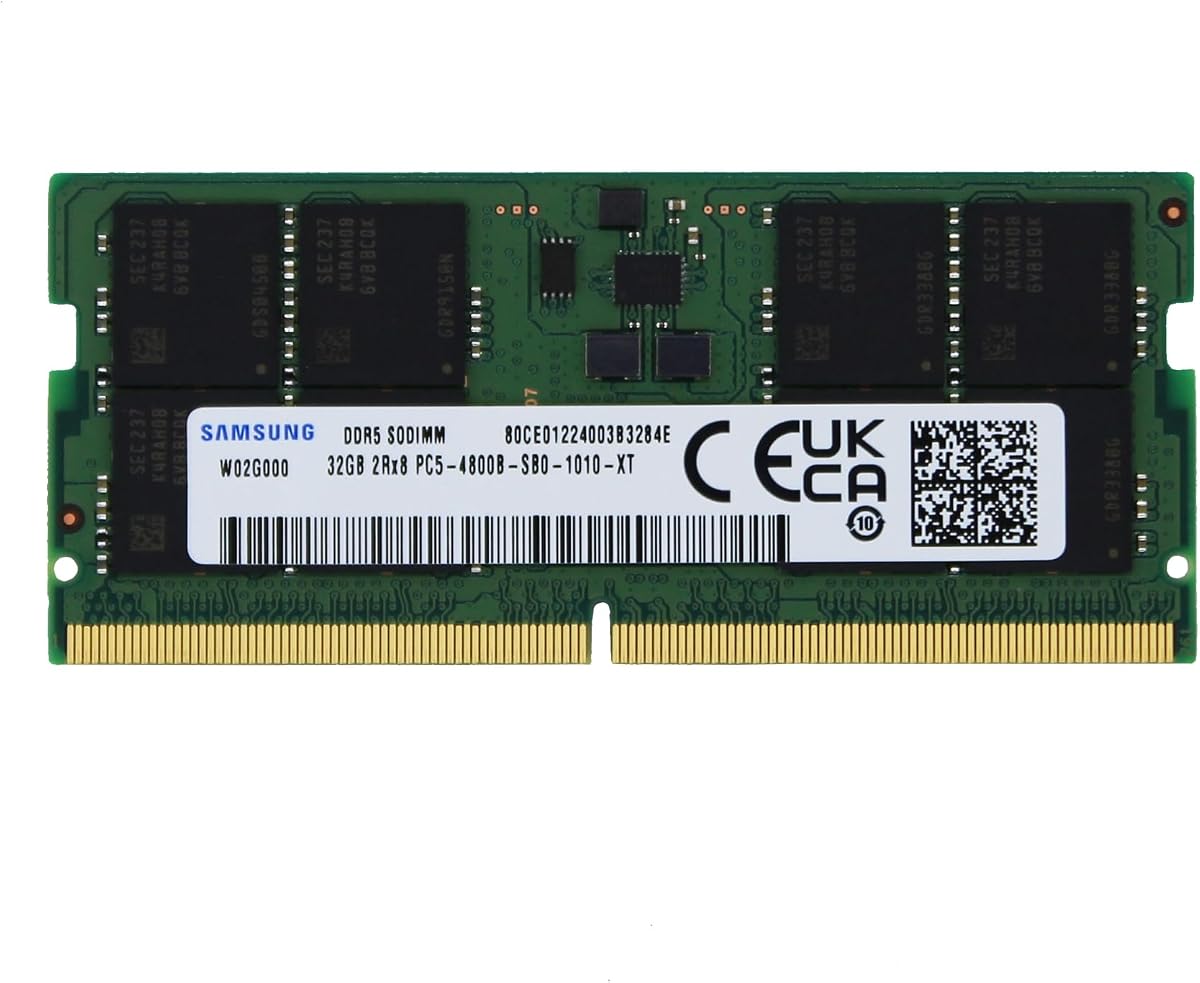
The Samsung 32GB DDR5 4800MHz module is a high capacity option for compatible laptops. It holds a perfect 5.0 rating from limited data. Samsung's reputation ensures quality and stability for this memory stick.
We may earn a commission when you buy through this link, at no additional cost to you.
Key strengths include 32GB capacity and dual rank design. It is designed to expand system resources and reduce bottlenecks. The JEDEC standard compliance helps with compatibility in select laptops.
The speed is lower than 5600MHz options which may affect performance in speed critical tasks. Single module setup limits dual channel benefits.
This module is suitable for users needing capacity over peak speed. It is recommended for systems where workload capacity is the main concern.
32GB in a single module maximizes capacity flexibility. This allows room for future upgrades on other slots.
Expands memory resources to handle more data efficiently. This reduces bottlenecks in memory intensive tasks.
We may earn a commission when you buy through this link, at no additional cost to you.
The Samsung 16GB 2x8GB DDR5 kit offers flexibility for laptop upgrades. It includes two modules for dual channel performance. This setup is designed to improve system responsiveness.
We may earn a commission when you buy through this link, at no additional cost to you.
Key strengths include 5600MHz speeds and standard JEDEC compliance. It is compatible with select laptops and all-in-one systems. The dual kit configuration helps increase memory capacity efficiently.
Lack of a specific rating makes comparison harder for users. The rank configuration may vary which could impact compatibility on some boards.
This kit is suitable for users needing balanced performance. It is recommended for laptops where speed and standard compliance are important for daily tasks.
Two 8GB modules enable dual channel mode. This enhances memory bandwidth for better performance.
Genuine Samsung memory ensures consistent quality. This reduces risks of hardware failures during use.
We may earn a commission when you buy through this link, at no additional cost to you.
Choosing the right DDR5 Laptop RAM requires attention to speed capacity and compatibility. Here are key factors to consider before making a purchase.
DDR5 Laptop RAM is available in speeds like 4800MHz and 5600MHz. Higher speeds offer faster data transfer rates which improve overall system responsiveness and application load times. However your laptop motherboard and CPU must support the chosen frequency.
Always verify that your laptop supports the desired speed before buying to avoid throttling or compatibility issues.
Common options range from 16GB to 32GB kits. Gamers and creative professionals benefit from 32GB to handle multiple applications and large files. Casual users may find 16GB sufficient for daily tasks and web browsing.
Select capacity based on your workload needs to ensure smooth multitasking without slowdowns.
DDR5 modules are specific to laptops with DDR5 slots. Check if your laptop supports Intel XMP 3.0 or AMD EXPO profiles for optimal performance. Some RAMs are designed for 12th Gen Intel or AMD Ryzen 7000 Series.
Review your laptop specifications to confirm supported memory types and maximum capacity limits.
CL values indicate latency such as CL40 or CL46. Lower latency means faster response times which is valuable for gaming and real time applications. Higher speeds often come with higher CL numbers but still perform well overall.
Prioritize lower latency for competitive gaming but consider speed balance for general use.
Reputable brands like Samsung Crucial and CORSAIR offer rigorous testing and reliability. Quality modules ensure long term stability and fewer errors during use. Some include ECC or PMIC for better efficiency.
Choose well reviewed brands to minimize risk and ensure consistent performance over time.
Prices vary based on capacity and speed. Higher capacities and lower latencies cost more. Compare value across different kits to find the best balance for your needs.
Set a clear budget to narrow down options that offer the best performance per dollar.
Some manufacturers provide lifetime warranties which protect your investment. Check warranty terms to understand coverage for defects or failures. Reliable support ensures peace of mind if issues arise.
Look for strong warranty policies when selecting your DDR5 Laptop RAM.
Installing DDR5 SODIMM RAM requires opening the laptop and handling components. Some modules are easier to install due to design. Tools like screwdrivers are needed for most laptops.
Ensure you are comfortable with physical installation or seek professional help if needed.
Install your DDR5 Laptop RAM in a static free environment. Turn off the laptop and remove the battery before opening the access panel. Gently insert the module into the slot until it clicks into place.
After installation boot the system and check if the memory is recognized. Use task manager or system settings to verify the installed capacity and speed. Ensure the laptop BIOS is updated to support DDR5 features.
Avoid physical stress on the laptop during use to protect memory components. Keep the laptop cool and free of dust to maintain optimal performance. Periodically check for BIOS updates to ensure compatibility and stability.
No DDR4 and DDR5 modules have different physical slot designs. They are not interchangeable. You must use DDR5 Laptop RAM for DDR5 compatible laptops to ensure proper function.
DDR5 modules are designed for lower voltage and better power efficiency. They consume less power than DDR4 when running at equivalent loads. This helps extend battery life in laptops.
Check your laptop model specifications on the manufacturer website. Look for memory type and generation details. If it supports DDR5 it will explicitly state this in the hardware specs.
16GB is sufficient for most modern games and general use. However 32GB provides headroom for heavy multitasking or high fidelity titles. Choose based on your typical usage patterns.
XMP 3.0 is a profile for Intel CPUs that allows RAM to run at higher speeds. It simplifies overclocking by automating memory settings. It ensures faster performance when enabled in BIOS.
It is recommended to replace both sticks in a kit for dual channel performance. Mixing sticks can cause stability issues or speed reductions. Using matched pairs ensures optimal compatibility.
Many laptops allow memory upgrades if they have user accessible slots. Check if your laptop model supports expansion before purchasing. Some have soldered memory that cannot be replaced.
We have reviewed ten top DDR5 Laptop RAM kits ranging from budget options to premium choices. Each offers unique strengths in speed capacity and reliability to suit different needs.
Prioritize compatibility and speed requirements based on your specific laptop model. Select capacity that supports your daily tasks and future growth.
Prices change regularly so check current listings before buying. This guide provides a solid foundation for making an informed upgrade decision.