
Philips 241V8LB
4.6Editor score
100Hz refresh rate for smooth motion
VA panel for deep blacks
Bezel-free design for multi-screen setups
Finding the right HDMI LED monitor is essential for modern computing needs. Whether you need crisp visuals for work or smooth motion for gaming, an LED display offers bright images and energy efficiency. These monitors connect easily to most devices using standard HDMI ports for immediate setup.
We evaluated ten popular models based on refresh rates, panel types, and eye care features. Each product was reviewed for build quality, connectivity options, and overall value. Our comparison highlights key differences to help you find a screen that matches your specific workflow and budget requirements.
Each pick shows detailed specs and real-world performance insights to guide your decision. We focus on features like response time, color gamut, and ergonomics. Remember that prices and availability can change frequently, so verify current details before making your final purchase decision online.
4.6Editor score

4.7Editor score

4.6Editor score
As an Amazon Associate we earn from qualifying purchases.
This side-by-side comparison lists all ten models with key specifications to help you compare features at a glance.




The Dell SE2426H stands out as a top performer in this category. Rated highly for its balance of speed and clarity, it delivers fluid visuals for both work and play. The IPS panel ensures colors remain consistent even when viewed from the side.
We may earn a commission when you buy through this link, at no additional cost to you.
Its 144Hz refresh rate and 1ms MPRT make it ideal for fast-paced tasks. You get smooth motion in gaming or scrolling without stuttering. The TÜV certification ensures that blue light is minimized, reducing eye strain during long hours of use.
While it lacks height adjustment or speakers, these trade-offs are acceptable given the price point. The thin bezels maximize screen real estate, making it a great choice for multi-monitor setups where seamless integration is key to productivity.
This model is best suited for users who want high refresh rates without breaking the bank. It is an excellent recommendation for gamers on a budget or professionals needing accurate colors. We recommend it for anyone prioritizing visual quality and performance.
In-plane switching technology provides wide viewing angles and consistent color reproduction across the entire display surface.
TÜV Rheinland certification confirms that blue light emission is reduced to protect your eyes during extended viewing sessions.
We may earn a commission when you buy through this link, at no additional cost to you.
The Philips 241V8LB offers excellent value for those on a tight budget. It brings a 100Hz refresh rate to the table, which is smooth for everyday tasks. The VA panel delivers deeper blacks than IPS, adding contrast to your content.
We may earn a commission when you buy through this link, at no additional cost to you.
Its design is sleek with virtually bezel-free sides on three sides. This makes it great for multi-monitor setups where you want to minimize gaps between screens. The EasyRead mode helps reduce glare and eye fatigue when reading long documents.
While it may not be the fastest for competitive gaming, it handles general use with ease. The trade-off is that it lacks some modern connectivity ports. However, for office work or casual media consumption, it performs admirably.
We recommend this monitor for students or home office workers who need reliability without high cost. It is a solid choice for anyone wanting an affordable upgrade to their current setup. Consider it if you prioritize cost efficiency.
VA panels offer higher contrast ratios than IPS, resulting in richer blacks and more vibrant images in dark environments.
This feature transforms the screen to look like paper, reducing strain during extended text reading sessions in the office.
We may earn a commission when you buy through this link, at no additional cost to you.
The LG 24U411A-B combines premium features with a sleek design. Its 120Hz refresh rate and HDR10 support provide a rich visual experience. The Motion Blur Reduction feature keeps fast action crisp, which is ideal for gaming and dynamic videos.
We may earn a commission when you buy through this link, at no additional cost to you.
The virtually borderless design offers a clean look that blends well in modern workspaces. You get vibrant colors thanks to IPS technology and wide viewing angles. The Switch App allows for easy multitasking, splitting the screen into multiple sections seamlessly.
While the stand is fixed, the visual experience makes up for it. Dynamic Action Sync reduces input lag, keeping your reactions sharp. However, the price is higher than budget options. This is best for users who want the best possible image quality.
We suggest this model for creative professionals or gamers who value color and clarity. It is an excellent choice if you want a monitor that looks as good as it performs. Invest in it if you need high-end specs.
This technology minimizes blur in fast scenes by adjusting how pixels respond, ensuring every frame stays sharp and clear.
The Switch App lets you split the screen into sections, making it easy to manage multiple windows and tasks at once.
We may earn a commission when you buy through this link, at no additional cost to you.
The Sceptre E248W offers robust connectivity for its price. With dual HDMI ports and built-in speakers, you can connect multiple devices without extra hubs. This makes it a practical choice for users who switch between a laptop and a console.
We may earn a commission when you buy through this link, at no additional cost to you.
Its 99% sRGB color gamut ensures that images look vivid and true to life. The 100Hz refresh rate keeps action smooth for gaming. Custom game modes for FPS and RTS help optimize the display for specific genres without extra tweaking.
While the stand is basic, the functional features outweigh the aesthetics. Built-in speakers save desk space, which is great for smaller setups. However, audio quality is decent but not exceptional. It serves well for casual listening.
We recommend this for budget-conscious users needing versatility. It is perfect for small offices or gaming corners where simplicity is key. Choose it if you want ready-to-use audio and multiple connections right out of the box.
Having two HDMI ports lets you connect two devices simultaneously, allowing quick switching between work and entertainment setups.
These settings adjust color and sharpness for specific games, enhancing visibility in dark or fast-paced scenarios.
We may earn a commission when you buy through this link, at no additional cost to you.
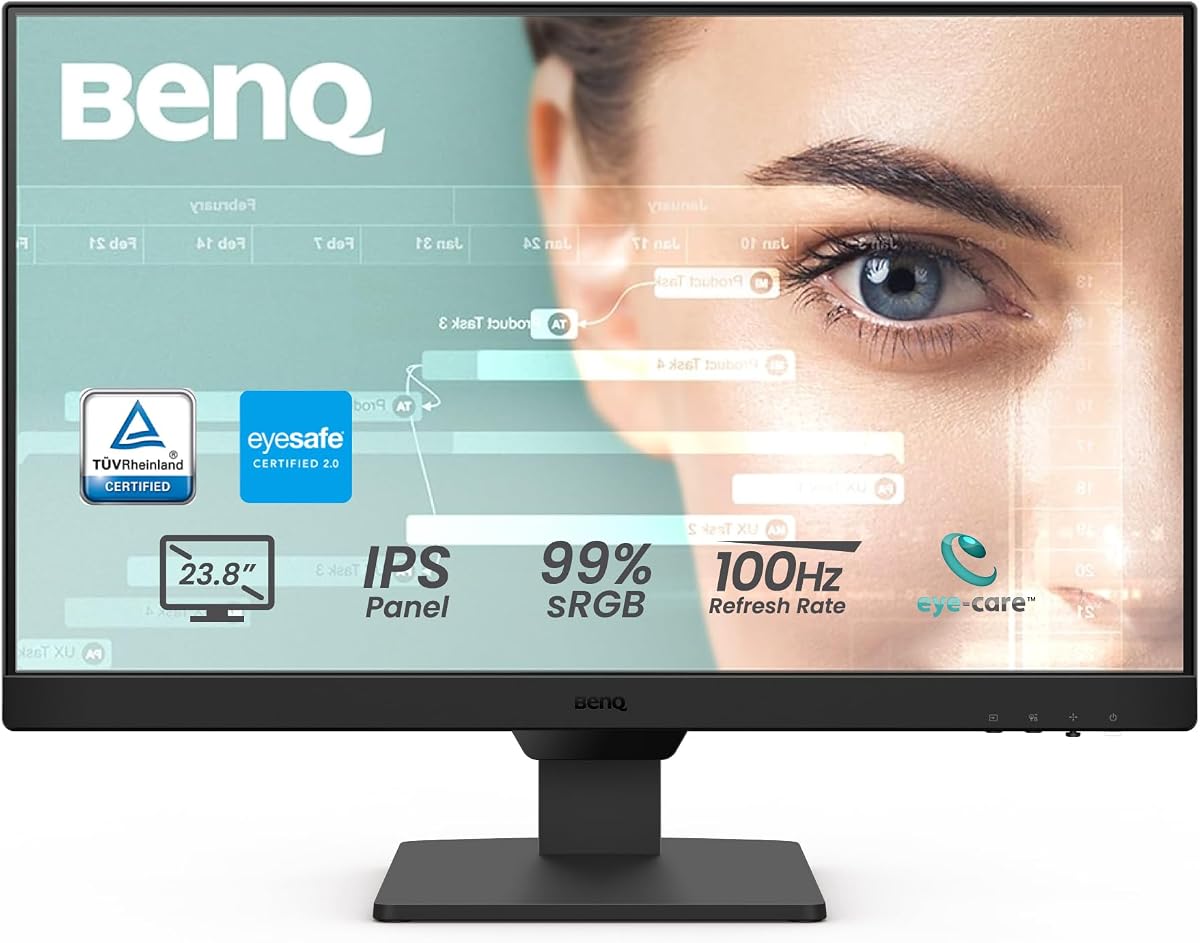
The BenQ GW2490 focuses heavily on user comfort. Its Eye Care Tech filters harmful blue-violet radiation while maintaining color quality. This makes it a top choice for people who spend long hours reading or working on spreadsheets daily.
We may earn a commission when you buy through this link, at no additional cost to you.
Adaptive brightness adjusts the screen based on ambient light to reduce strain. The Input Hotkey makes switching between devices seamless. With both HDMI and DisplayPort, you have flexibility for connecting older or newer PCs efficiently.
While the speakers are average, the visual quality is strong. The thin bezels make it look modern. However, the price is slightly higher than similar models. It is worth the investment if eye health is your priority.
We suggest this for professionals in healthcare or education. It is an ideal choice for those who want to minimize eye fatigue. Prioritize this model if you are sensitive to light and need a reliable workhorse.
This tech reduces harmful wavelengths without washing out colors, ensuring your vision stays healthy during long workdays.
The screen automatically adjusts brightness to match room lighting, keeping the display comfortable in changing environments.
We may earn a commission when you buy through this link, at no additional cost to you.
The Sceptre E275W provides a bigger viewing experience at a reasonable price. A 27-inch screen gives you more space to multitask or view media. It is perfect for users who want extra desktop space without moving to a 4K panel.
We may earn a commission when you buy through this link, at no additional cost to you.
It features built-in speakers and multiple ports including HDMI and VGA. The 75Hz refresh rate is smooth enough for casual gaming. Tiltable stand allows you to find a comfortable angle easily. Wall mount support helps when desk space is tight.
While it lacks high refresh rates, the size makes up for it. It is great for watching movies or managing large documents. However, competitive gamers might find the speed lacking. It is best suited for general use.
We recommend this for small offices or home users. It is a solid choice for anyone needing more screen space. Choose it if you value size over cutting-edge gaming performance.
A larger screen improves productivity by allowing more windows to stay open simultaneously without cluttering your workflow.
Mounting the monitor frees up desk space, allowing you to clean your workspace and improve ergonomics significantly.
We may earn a commission when you buy through this link, at no additional cost to you.
The BenQ BL2490 is a reliable workhorse for office environments. Its anti-glare coating reduces reflections effectively, making it comfortable even in bright rooms. The 100Hz refresh rate ensures that motion stays smooth during scrolling or video playback.
We may earn a commission when you buy through this link, at no additional cost to you.
With a contrast of 1300:1, images look clear and crisp. The bright panel ensures details are visible even in lit areas. It lacks height adjustment and speakers, but its simplicity makes it easy to set up quickly.
While the stand is limited to tilt, the image quality is strong. It is perfect for users who prioritize screen clarity over fancy features. This is a good choice for budget setups where reliability matters most.
We recommend this for standard office desks with overhead lighting. It is ideal for those who want to avoid glare during the day. Choose it if you need a simple, functional screen.
This surface treatment scatters reflections, preventing distractions and keeping the screen clear in bright office environments.
Having DisplayPort gives you a choice of connection that supports high refresh rates and modern digital video standards.
We may earn a commission when you buy through this link, at no additional cost to you.
The Acer KB220Q is perfect for users who want a modern look. Its ZeroFrame design gives the illusion of a larger screen by minimizing bezels. This makes it great for multi-monitor setups where you want to reduce visual interruptions.
We may earn a commission when you buy through this link, at no additional cost to you.
With a 1ms response time and 100Hz refresh rate, it handles fast action well. Adaptive-Sync helps eliminate screen tearing during gaming. The compact size fits well on small desks where space is a concern.
While the screen is small, the features are impressive for the price. It is a solid choice for students or tight workspaces. However, users needing more real estate might find it limiting. Consider your desk size carefully.
We recommend this for compact setups or secondary screens. It is ideal for those needing a secondary display. Choose it if you prioritize a clean aesthetic and responsive performance.
Thin borders make the screen feel larger, which is beneficial when you are using multiple monitors side by side.
This feature syncs the monitor with your graphics card to remove screen tearing and provide smooth visuals.
We may earn a commission when you buy through this link, at no additional cost to you.
The Dell P2425H stands out for its ergonomic flexibility. Height, swivel, and tilt adjustments let you find the perfect angle for your posture. This makes it a great long-term investment for office workers who sit at desks all day.
We may earn a commission when you buy through this link, at no additional cost to you.
Its high contrast ratio ensures clear images. The build quality is solid, reflecting Dell's reputation for durability. While it lacks high refresh rates, the stability and comfort make it a reliable choice for general tasks.
While the price is higher, the physical comfort is worth it. You avoid neck pain thanks to the adjustability. However, gamers might look elsewhere for speed. It is best suited for office productivity.
We suggest this for professionals focused on comfort. It is an ideal choice for those who want a stable and adjustable screen. Prioritize this if ergonomics matter most.
Adjusting height and tilt helps maintain a neutral posture, which can reduce neck strain over long periods.
A high contrast ratio ensures that dark and bright details are distinct, improving readability of text and images.
We may earn a commission when you buy through this link, at no additional cost to you.
The Dell S2425HSM offers a unique blend of gaming specs and productivity features. With 144Hz and 1ms response, it is fast for games. Dual 3W speakers deliver better audio than typical budget monitors, saving you from buying external speakers.
We may earn a commission when you buy through this link, at no additional cost to you.
Full adjustability including pivot and swivel means you can rotate the screen for vertical tasks. This is great for coding or document editing. The TÜV eye comfort rating adds a layer of safety for long work sessions.
While the price is higher, the feature set is unmatched. It combines speed, sound, and comfort in one package. However, it comes in white only. This is best for users wanting a premium all-in-one monitor.
We recommend this for hybrid users who game and work. It is an ideal choice for those who want sound and speed. Choose it if you value convenience and high specs.
Built-in speakers eliminate the need for external hardware, keeping your desk tidy while delivering clear sound for calls.
Pivot and swivel functions allow you to change the orientation of the screen easily, adapting to different tasks.
We may earn a commission when you buy through this link, at no additional cost to you.
Selecting the right monitor involves evaluating several key factors beyond just size.
Refresh rate determines how many frames per second the screen displays, measured in Hz. A higher refresh rate like 144Hz makes motion appear smoother and reduces blur in fast videos or games. Response time measures how quickly a pixel changes color, which helps prevent ghosting. For gaming or smooth scrolling, look for at least 100Hz and 1ms response times.
Prioritize higher refresh rates if you play games or watch action videos.
Panel type affects color accuracy and viewing angles. IPS panels offer wide angles and vibrant colors suitable for design work. VA panels provide better contrast and deeper blacks for media consumption. TN panels are fast but have poor color. Look for sRGB coverage if you need accurate colors for work or photography.
Choose IPS for color work or VA for better contrast in dark rooms.
Connectivity ensures you can plug in your devices easily. HDMI is standard for most modern devices, but having multiple ports helps if you switch between a laptop and console. DisplayPort offers higher bandwidth for high refresh rates. Check if the monitor supports audio outputs if you do not use speakers.
Verify you have enough ports for your current devices before buying.
Eye care tech is vital for long work sessions. Features like Low Blue Light and Flicker-Free help reduce strain and headaches. TÜV certification validates that the display meets safety standards for eye comfort. Adaptive brightness adjusts the screen to your environment, which is helpful if lighting changes during the day.
Prioritize eye care features if you spend more than four hours daily on the screen.
A comfortable stand helps prevent physical strain. Look for stands with height adjustment, tilt, and swivel. Pivot is useful for reading vertical documents. Some monitors are VESA mountable, allowing you to use a third-party arm. Check the base size to ensure it fits your desk comfortably.
Ensure the stand adjusts to your viewing height to maintain good posture.
Build quality affects how long the monitor lasts. Brands like Dell and BenQ often have better build standards. Check for warranties that cover defects. A solid base prevents the screen from tipping. Bezel thickness matters for multi-monitor setups to reduce visual gaps between screens.
Check the warranty terms to ensure peace of mind for your investment.
Budget determines which features you can prioritize. Lower cost models often skip features like height adjustment or high refresh rates. Balance what you need with what you are willing to spend. Sometimes paying more saves you money in the long run due to better durability.
Find a balance between cost and the features that matter most to your daily workflow.
Connect the HDMI cable securely to your computer and monitor. Turn on the computer first and then the monitor to ensure it detects the signal correctly. Adjust the display settings in your operating system to match the monitor resolution.
Keep the screen clean with a soft microfiber cloth. Avoid using harsh chemicals that can damage the coating. Regularly dust the stand and base to prevent buildup. This extends the life of your device significantly.
Use built-in eye care settings when possible to protect your vision. Lower brightness if it feels too harsh. Take regular breaks every hour to rest your eyes. Proper placement at eye level also helps with posture and long-term comfort.
HDMI is common for consumer electronics like consoles, while DisplayPort is more common for PCs and higher refresh rates. DisplayPort supports higher resolutions and faster speeds, which is useful for gaming. Both connect easily to LED monitors for video and audio.
It can be smoother for scrolling through long documents or web pages. While not critical for basic typing, it reduces motion blur which helps with eye comfort. If you can afford it, it is a nice upgrade for general productivity tasks.
Use available HDMI or DisplayPort slots on your computer. If your PC has only one port, use a hub or split your video outputs. Ensure your PC supports multi-monitor setups to avoid performance issues.
It means the monitor can display 99% of the standard color range used in web design and photos. This ensures your images look accurate and vibrant. It is important for creative work where color consistency matters.
No, many models omit speakers to save space or reduce cost. Always check the product specifications before buying if audio is important to you. Using external speakers might be necessary if your monitor lacks them.
Most modern monitors support VESA mounting for wall or arm attachment. Check the back of the screen for standard screw holes. This frees up desk space and improves ergonomics significantly for users.
We reviewed ten models ranging from budget options to premium picks. The Dell SE2426H leads for performance while the Philips 241V8LB offers great value for less. The LG 24U411A-B is ideal for those wanting high-end color.
Consider your primary use case when choosing a model. Gamers should prioritize refresh rates, while office workers might value eye care and ergonomics. Balance your budget with the features that actually help your daily tasks.
Remember to check current prices before making a final decision. Deals change often and stock can vary. Use our guide to narrow down your options and find the perfect monitor for your needs in 2026.