
GOLDENMATE 2000VA
4.4Editor score
Long life lithium battery
High wattage capacity
Advanced safety certifications
We compare the top ten Battery Backup for Workstation PC models based on power output, battery technology, and protective features to help you choose the right
Modern workstations demand reliable power protection to prevent data loss and hardware damage during outages. A quality battery backup ensures your system stays online or shuts down safely when the grid fails unexpectedly.
We evaluated ten leading UPS models focusing on runtime, outlet configuration, and waveform quality. Each entry balances performance with value to suit diverse professional and home office setups effectively.
Every pick below shows key specs and real-world benefits verified by user feedback. Note that prices fluctuate frequently so check current listings before finalizing your purchase decision today.
4.4Editor score

4.5Editor score

4.7Editor score
This side-by-side comparison highlights the essential specifications and unique strengths of each unit to help you find the ideal match for your workstation power needs.


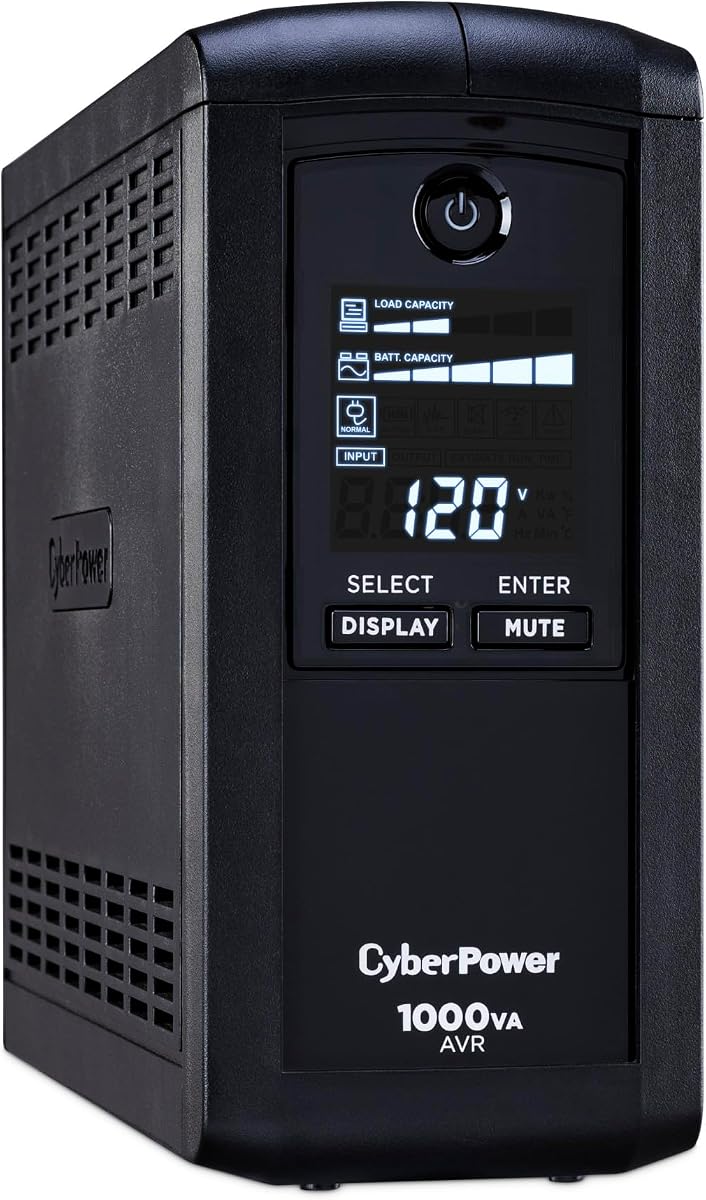


This unit stands out as a top choice for professional workstations needing clean power. It delivers a pure sine wave output which is critical for active PFC power supplies found in modern high end PCs.
We may earn a commission when you buy through this link, at no additional cost to you.
Its color LCD provides instant visibility into battery health and load status. The twelve outlets allow you to connect your computer, monitor, and peripherals all in one place safely.
While the price is higher than entry level models the reliability justifies the investment. The pure sine wave ensures no unexpected shutdowns during critical work sessions.
You should buy this if you run demanding software or need uninterrupted service. It offers peace of mind with its robust build and comprehensive protection features.
The PFC sinewave technology ensures compatibility with sensitive electronics that standard waveforms might damage.
Free PowerPanel software lets you monitor status and automate shutdowns via network connection easily.
We may earn a commission when you buy through this link, at no additional cost to you.
This model offers a large capacity at a competitive price point for small offices. It uses simulated sine wave which works well for most conventional power supplies.
We may earn a commission when you buy through this link, at no additional cost to you.
The color LCD gives you clear alerts about power conditions so you know when to save your work. Twelve outlets provide plenty of room for your desk setup.
It lacks pure sine wave technology which limits use with high end workstations. However for general office tasks it delivers solid performance and protection.
Consider this if you need volume of outlets without a high budget. It balances essential features with affordability effectively for standard computing needs.
The color display shows detailed battery and power conditions to keep you informed instantly.
Two USB ports allow quick charging of mobile devices during power outages.
We may earn a commission when you buy through this link, at no additional cost to you.
This UPS focuses on energy efficiency with its unique ECO mode feature. It automatically cuts power to peripherals when your computer is off to reduce waste.
We may earn a commission when you buy through this link, at no additional cost to you.
The LCD panel provides necessary status updates while you work. It includes twelve outlets which is generous for its size and price category.
ECO wattage may be limiting for high performance workstations. But for standard setups it offers good value and helps lower your monthly energy bills.
Choose this if energy savings are a priority for your office. It provides essential protection while promoting sustainable energy usage habits.
ECO mode turns off peripherals when the PC is off to save power naturally.
It includes surge protection and battery backup for your essential devices.
We may earn a commission when you buy through this link, at no additional cost to you.
This unit brings pure sine wave technology to a smaller form factor. It supports Active PFC supplies which is great for modern PCs with efficient power designs.
We may earn a commission when you buy through this link, at no additional cost to you.
It has ten outlets and a color screen to show you exactly what is happening with your power supply. This helps you react quickly during unstable power events.
The wattage is lower than larger models so it might not handle heavy loads well. You should match your load carefully to avoid overtaxing the battery.
Opt for this if you need sine wave compatibility but have less space. It balances performance and size effectively for typical workstation desks.
The sine wave output ensures safe operation with computers that use active PFC power supplies.
A color LCD panel displays immediate details on power conditions and battery status.
We may earn a commission when you buy through this link, at no additional cost to you.
This model protects your computer and your phone line or cable modem too. It includes data line protection which is often overlooked but vital for network gear.
We may earn a commission when you buy through this link, at no additional cost to you.
The intelligent LCD keeps you updated on battery capacity and estimated runtime. It uses AVR to fix minor power issues without draining the battery unnecessarily.
It lacks USB charging ports which modern users might expect today. But the solid performance and network protection make it a strong contender for home offices.
Pick this if you have legacy network gear that needs protection. The data line feature adds significant value for internet dependent workstations.
Protects telephone and data lines from surges that could damage modems.
AVR corrects voltage swings without switching to battery to extend life.
We may earn a commission when you buy through this link, at no additional cost to you.
This unit offers a solid balance of features for general workstation use. It provides ten outlets and a display that shows battery capacity and runtime estimates clearly.
We may earn a commission when you buy through this link, at no additional cost to you.
The AVR system helps maintain stable voltage to prevent battery drain from small fluctuations. This ensures longer battery life over the years of usage.
The simulated sine wave is fine for standard power supplies but not high end ones. Most office PCs will run just fine without issues on this model.
You should consider this if you need multiple outlets and stable power. It is a dependable choice for standard desktop environments without extra costs.
AVR corrects minor fluctuations without switching to battery so the battery lasts longer.
The LCD shows estimated runtime and load capacity so you know where you stand.
We may earn a commission when you buy through this link, at no additional cost to you.
This model stands out for its lithium iron phosphate battery which lasts way longer than lead acid ones. It can handle high wattage loads and gives you pure sine wave output.
We may earn a commission when you buy through this link, at no additional cost to you.
You get eight outlets with surge and battery backup. The USB ports are handy for keeping phones charged while you work through an outage.
The unit is heavier due to the advanced transformer and battery technology. But the ten year lifespan means you save money on replacements over time.
Buy this if you want a long term solution without swapping batteries often. It is a great investment for critical workstation setups needing durability.
The LiFePO4 battery lasts over ten years which beats lead acid alternatives significantly.
Supports up to 1600 watts which is plenty for large workstation rigs.
We may earn a commission when you buy through this link, at no additional cost to you.
This UPS is designed to be slim so it fits easily under a desk or tower. It provides twelve outlets which is excellent for managing cables in tight spaces.
We may earn a commission when you buy through this link, at no additional cost to you.
The green power design reduces energy consumption during idle times to save you money. It is a great choice for home entertainment setups as well.
It lacks USB charging ports which modern users often look for. But the form factor and outlet count make up for it in many scenarios.
Choose this if you have limited desk space or need a clean look. It combines style with essential power backup features effectively.
The slim profile fits neatly under desks or towers without taking up room.
Green power design uses less electricity even when not in active backup mode.
We may earn a commission when you buy through this link, at no additional cost to you.
This unit is a great entry point for those new to battery backups. It offers basic protection with a clear LCD to show you your battery status.
We may earn a commission when you buy through this link, at no additional cost to you.
Nine outlets are enough for most home office setups. The AVR helps keep your voltage stable without using up the battery too quickly.
The wattage is lower so it might not suit high power PCs. But it is reliable for standard office tasks and keeps your data safe.
Consider this if you need a simple backup without extra features. It works well for basic PCs and home office gear needs.
Surge protection and battery backup keep your equipment safe from sudden power losses.
A smaller footprint makes it easy to place under a desk without hassle.
We may earn a commission when you buy through this link, at no additional cost to you.
This unit offers a rare five year warranty which is great for long term planning. It features a color LCD and supports remote management cards for network monitoring.
We may earn a commission when you buy through this link, at no additional cost to you.
The USB ports and high wattage make it versatile for heavy workloads. It also provides a huge equipment guarantee to protect your investments.
Remote cards cost extra so budget for that if you need network monitoring. The higher price reflects the premium service and extended coverage period.
Buy this if you need maximum peace of mind for your business gear. The warranty and support levels are unmatched in this list.
The five year warranty covers the battery and unit which reduces future maintenance costs.
Optional cards allow you to manage the UPS remotely over a network connection.
We may earn a commission when you buy through this link, at no additional cost to you.
Selecting the right UPS requires understanding your power needs and environment. This guide breaks down the key factors to ensure you pick a model that protects your workstation effectively.
Look for a UPS with enough VA and wattage to handle your PC and monitor load. Check your power supply rating to ensure the UPS can run it without overloading during an outage.
Choose a unit that can handle your current load plus room for expansion.
Lead acid batteries are common but lithium options offer longer life and less maintenance. Lithium is better for frequent outages or long term use due to higher cycle counts.
Prioritize lithium if you want fewer replacements over the lifespan of the unit.
Active PFC power supplies need a pure sine wave to run correctly without issues. Simulated sine wave works for standard PCs but may cause problems with high end workstation gear.
Ensure the UPS offers pure sine wave if your hardware requires it for safe operation.
Count the number of devices you need to plug in including monitors and routers. Choose a model with enough battery backed outlets for critical devices and surge protected ones for peripherals.
A model with spaced outlets prevents plug blockers from blocking adjacent ports.
AVR adjusts voltage levels to stay stable without using the battery during brownouts. This extends battery life and keeps your system running smoothly during minor power dips.
Select a UPS with AVR to avoid draining the battery during minor fluctuations.
An LCD panel helps you see battery health and runtime estimates at a glance. Color displays often provide more intuitive alerts and status updates than basic LED indicators.
Choose a unit with clear visual feedback to stay informed about power conditions.
A longer warranty period protects your investment against battery failures and defects. High equipment guarantees add an extra layer of security for your connected gear.
Look for a warranty of at least three years to cover the battery lifespan.
Software allows you to automate safe shutdowns when the battery is low. USB or network ports let you integrate the UPS with your operating system for better control.
Ensure the model offers compatible software for your specific operating system.
Plug the UPS into a wall outlet before connecting your devices to ensure it initializes correctly. Avoid using power strips between the UPS and the wall to maintain protection integrity.
Run a self test periodically using the built-in button to verify battery health and alarm function. This ensures you know the unit is working before a real power outage occurs.
Keep the unit in a cool dry place away from direct sunlight to prolong battery life. Avoid placing heavy items on top of the UPS to prevent damage to vents and components.
Runtime depends on your load and battery capacity. A unit might offer 10 to 20 minutes for a full PC setup giving you time to save work and shut down safely.
If your PC has an active PFC power supply you need pure sine wave to avoid damage or shutdowns. Standard PCs can usually handle simulated sine wave but pure is safer.
Most units are designed for utility power and may not recognize generator output. Check your manual to see if it supports generator input before connecting it to a portable generator.
Lead acid batteries usually last 3 to 5 years depending on usage. Lithium batteries can last 10 years. If runtime drops significantly it is time to replace the battery pack.
A surge protector only guards against spikes. A battery backup provides power during an outage and also includes surge protection. For workstations always choose a full UPS system.
Yes it is safe to leave your PC plugged in. The UPS will pass utility power through and switch to battery only when the power goes out automatically.
Most UPS models work with any device that uses standard power plugs. Software may vary so check compatibility with macOS or Linux versions before purchasing for automated shutdown features.
Yes but ensure the wattage matches your high power GPU and CPU. A higher VA rating ensures the battery lasts long enough for you to save your game and shut down.
You now have a clear picture of the top models for protecting your workstation. Whether you need pure sine wave or long battery life there is a pick here for you.
Prioritize capacity and waveform quality when matching the unit to your PC hardware. Safety and reliability should always be at the top of your list when investing.
Remember that prices change often so verify the current listings before making your decision. Checking current offers ensures you get the best deal for your setup.