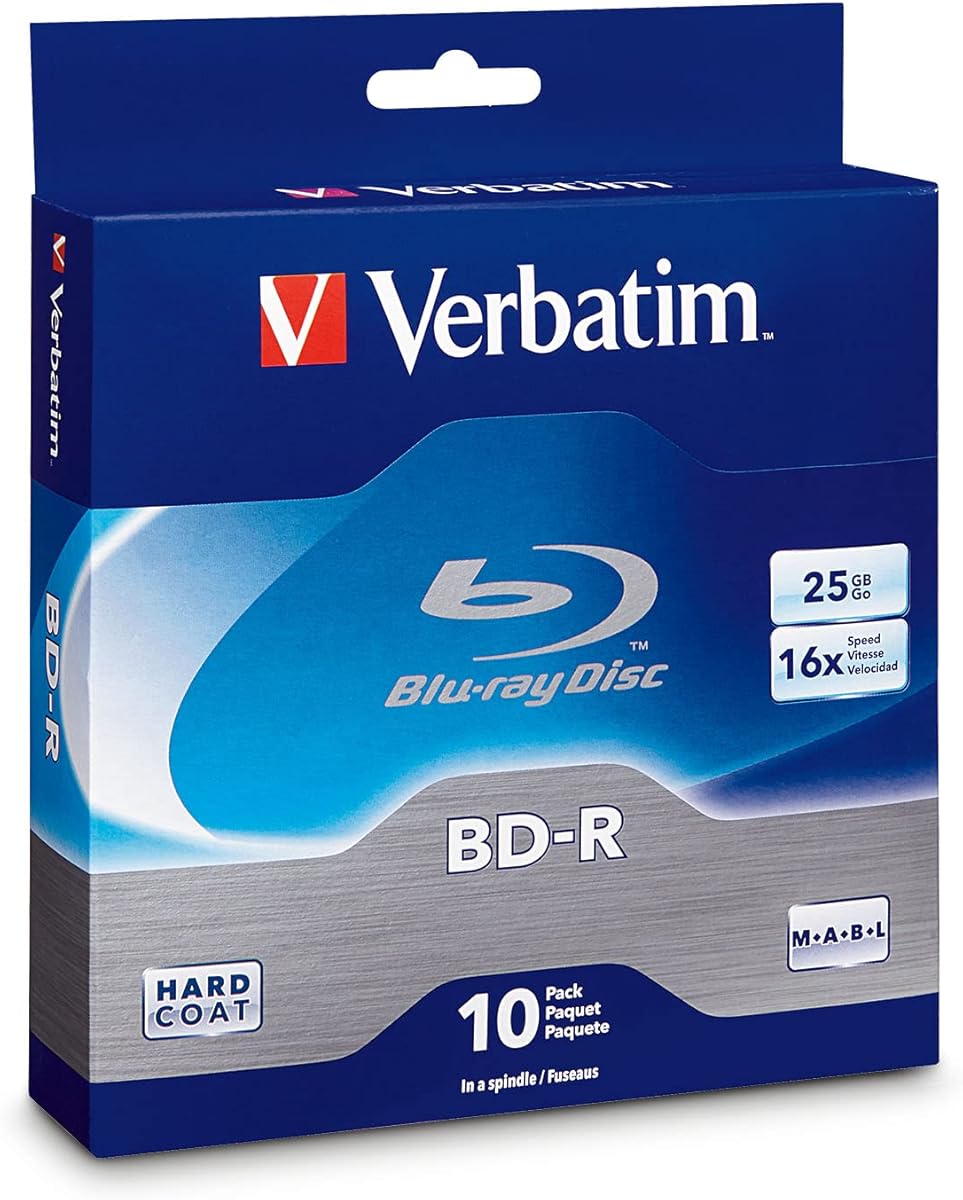
Verbatim BD-R 25GB 16X Blu-ray Recordable Discs with HardCoat, 10 Pack
4.6Editor score
25GB single-layer storage
Up to 16x write speed
Hard Coat scratch protection
This guide compares the top 10 blank Blu ray discs for 2026, evaluating archival life, write speeds, and compatibility to help you choose the best storage
Blank Blu ray discs provide reliable physical storage for high definition video and large data backups. They offer long-term archival solutions that digital cloud services cannot match. Choosing the right disc ensures your files remain accessible and intact for decades without degradation or loss.
We evaluated ten popular models based on archival ratings, write speeds, and surface durability. Our analysis focuses on OEM certification and hard coat technology to prevent scratches. This list covers various pack sizes to suit different budget and storage requirements.
Each pick highlights key strengths like inkjet compatibility or superior scratch resistance. We include detailed specs and pros cons to aid your decision. Prices and availability fluctuate so verify current listings before purchase for the best value.
4.6Editor score

4.6Editor score

4.6Editor score
This side-by-side comparison highlights the key specifications and features of all ten selected products to help you quickly identify the best match for your needs.


The Verbatim BD-R 25GB 16X Blu-ray Recordable Discs stand out as a top choice for reliable data storage. With a 4.6 rating and extensive positive feedback, these discs offer a perfect balance of performance and durability for home and professional use.
We may earn a commission when you buy through this link, at no additional cost to you.
These discs feature a HardCoat treatment that prevents scratches and resists fingerprints, ensuring long-term usability. The 100-year archival life claim provides peace of mind for critical backups, while the 16x write speed ensures efficient recording times.
While single-layer limits capacity to 25GB, this is standard for most backup needs. The OEM certification ensures compatibility across major brands like Sony and Panasonic, reducing the risk of read errors on standard players.
Ideal for photographers and video editors needing robust physical storage, this 25-pack offers value without compromising quality. We recommend it for users seeking a trustworthy option for archiving HD video and large files.
The HardCoat technology significantly reduces dust accumulation and prevents micro-scratches that could degrade data integrity over time.
Certified for use with leading Blu-ray hardware including Dell, HP, and LG, these discs work seamlessly across different recording devices.
We may earn a commission when you buy through this link, at no additional cost to you.
This 50-pack expands on the classic Verbatim design, offering exceptional value for users with high-volume backup needs. Maintaining the same 4.6 rating and premium HardCoat surface, it ensures consistent performance across every disc in the batch.
We may earn a commission when you buy through this link, at no additional cost to you.
With a 100-year archival life, these discs are built to last. The super hard coat treatment minimizes dust and fingerprint residue, which is crucial for preserving video quality over extended periods of storage without degradation.
Buying in bulk can be cost-effective but requires careful storage to avoid damage. The 16x write speed remains reliable, though burning all 50 discs will take time. Ensure your drive supports this speed for optimal results.
Best for office environments or households managing multiple backups, this pack provides reliability at a per-unit discount. It is an ideal choice for those prioritizing quantity alongside trusted brand assurance.
Despite the bulk pricing, each disc receives the same OEM certification and quality assurance as individual packs.
The archival life specification ensures your backed-up photos and videos remain accessible decades later when stored properly.
We may earn a commission when you buy through this link, at no additional cost to you.
For those hesitant to commit to a large bulk order, this 10-pack offers a safe introduction to Verbatim quality. It maintains the same 4.6 rating and technical specifications as larger packs, ensuring no compromise in performance.
We may earn a commission when you buy through this link, at no additional cost to you.
The HardCoat surface protects against scratches and fingerprints, while the 16x write speed allows for quick backups. This makes it perfect for testing drive compatibility or handling small project archives without excess waste.
The trade-off is the cost per disc compared to bulk options. While convenient for small tasks, frequent users might find the limited count requires reordering sooner than expected. Storage remains simple due to the smaller package size.
We recommend this for casual users or as a test run before buying in bulk. Its reliability and compact form factor make it a versatile choice for immediate archiving needs.
A smaller quantity reduces financial risk if you are unsure about your burn settings or drive compatibility.
Even in a smaller pack, the 100-year archival promise ensures your data remains safe for the long term.
We may earn a commission when you buy through this link, at no additional cost to you.
This Myeco pack stands out for its white inkjet hub printable surface, ideal for creating custom disc labels without additional sleeves. With a 4.4 rating, it offers a functional balance of performance and customization options for media sharing.
We may earn a commission when you buy through this link, at no additional cost to you.
The hub printable design allows for direct printing on the center area, reducing waste and enhancing organization. However, the 10x write speed is slower than premium options, meaning burn times will be longer but sufficient for most HD video needs.
Ink absorption can vary based on printer settings, requiring a drying period before handling. This adds a step to your workflow but ensures sharper text and graphics. The non-stacking ring prevents issues during high-capacity printing.
Best for hobbyists or small businesses needing labeled discs, this option provides great value. It is a practical choice for distributing media where professional branding is desired without extra labeling tools.
The white surface accepts inkjet printers well, allowing for detailed artwork and text directly on the disc hub.
Perfect for handing out presentations or home movies with custom titles printed directly onto the storage medium.
We may earn a commission when you buy through this link, at no additional cost to you.
This generic spindle pack offers straightforward 25GB storage at an accessible price point. With a 4.3 rating, it serves basic archival needs for users who prioritize cost over high-speed burning or premium surface treatments.
We may earn a commission when you buy through this link, at no additional cost to you.
The 6x write speed is slower than modern drives support, which may be noticeable with large files. However, it remains effective for occasional backups where time is not critical. The spindle packaging keeps discs organized and protected during storage.
Without specific archival claims or hard coat details, durability relies on careful handling. Ensure you store discs upright in a cool, dry place to prevent scratches and warping. It is a functional option for non-critical data.
We recommend this for general storage where budget is a primary concern. It fulfills the core function of blank Blu-ray discs without extra features, making it suitable for simple backup routines.
The lower price point makes it an attractive option for users needing basic recording capacity without brand premiums.
The spindle case keeps discs organized and easy to access, reducing the risk of losing individual units.
We may earn a commission when you buy through this link, at no additional cost to you.
The Verbatim DataLifePlus BD-R combines high-speed recording with premium inkjet printable surfaces. Rated 4.6, it offers the durability of hard coat protection along with rapid-dry ink technology, ensuring professional-quality labels and long-term data safety.
We may earn a commission when you buy through this link, at no additional cost to you.
The rapid-dry ink absorption allows for faster handling after printing without smudging. With 16x write speed, burning files remains efficient even in a 50-pack. The hard coat protects against scratches and fingerprints, preserving both data and printed labels.
While the price is higher than generic options, the warranty and superior build quality justify the investment. It suits professionals requiring reliable storage with custom branding. Always test ink compatibility to avoid issues with specific printer models.
Ideal for agencies or creatives needing branded media, this pack delivers top-tier performance. We recommend it for users who value both speed and presentation in their storage solutions.
Rapid-dry ink absorption ensures your printed text and images remain sharp and smudge-free immediately after printing.
The limited lifetime warranty and hard coat surface provide confidence in long-term durability and customer support.
We may earn a commission when you buy through this link, at no additional cost to you.
This product lacks sufficient public information to confirm its technical specifications. Without verified ratings or detailed descriptions, it is difficult to assess reliability. Buyers should proceed with caution when considering unlisted items for important data backups.
We may earn a commission when you buy through this link, at no additional cost to you.
While it may offer low pricing, the absence of OEM certification or archival claims increases risk. Standard BD-R discs usually include capacity and speed details; their omission here suggests a generic listing. Ensure you check reviews before purchase.
The potential for data loss is high when using unverified media. If the listing updates with more details, reassess based on write speed and durability claims. Always test with non-critical files first to confirm functionality.
We do not recommend this for critical archival tasks. It might serve as a temporary option if no other choices exist, but verified brands provide better long-term security for your valuable files.
Additional product details are needed to determine if this meets basic standards for reliable data storage and playback.
Avoid using unknown discs for irreplaceable files until their performance and quality are confirmed by user feedback.
We may earn a commission when you buy through this link, at no additional cost to you.
Similar to the previous entry, this listing provides no verifiable data about the discs included. Without specifications like write speed or archival life, it is impossible to guarantee performance. We generally advise against unverified products for storage.
We may earn a commission when you buy through this link, at no additional cost to you.
Generic options can be cost-effective but may lack surface treatments or consistent manufacturing quality. The lack of warranty information further increases risk. Check if the seller provides any updates or customer feedback before making a purchase.
Data integrity depends on media quality. Without confirmed BD-R standards, you might face read errors or failed burns. Use this only for disposable data where loss is acceptable. Verified brands offer safer alternatives.
We recommend avoiding this for critical backups. If you require confirmed performance, stick to listed items with clear specifications and user ratings to ensure your files remain intact.
The absence of product details makes it difficult to evaluate whether this meets minimum storage reliability requirements.
Prioritize discs with explicit capacity and durability claims to protect your important files from potential media failure.
We may earn a commission when you buy through this link, at no additional cost to you.
This product lacks the necessary details to confirm its suitability for standard data storage. Without information on capacity or speed, it does not meet the transparency expected for reliable backup media. Users should seek verified alternatives.
We may earn a commission when you buy through this link, at no additional cost to you.
The risks of using unlisted discs include inconsistent quality and potential drive incompatibility. Since no warranties or certifications are listed, there is little recourse if the discs fail. This makes them unsuitable for critical backups.
If you must purchase, test thoroughly with small data sets first. Ensure your drive supports any potential speed variations. Verify that the physical packaging protects discs during shipping to avoid damage before use.
We strongly advise choosing brands with clear specifications. Your data safety depends on media quality, and unverified items cannot guarantee the longevity required for archival storage purposes.
Reliable storage media should clearly list capacity and speed to ensure compatibility and expected performance levels.
Always prioritize verified discs for critical backups to ensure your files remain accessible over the long term.
We may earn a commission when you buy through this link, at no additional cost to you.
This final entry also lacks verified specifications, making it an unconfirmed choice for storage. Without data on write speeds or physical durability, it fails to meet the minimum criteria for reliable archival media selection.
We may earn a commission when you buy through this link, at no additional cost to you.
The absence of clear specs implies generic manufacturing, which could lead to inconsistent burn quality. Always check if the product page updates with details. For now, assume limited reliability for important files or professional tasks.
Using such discs for irreplaceable data is risky. Test them with non-critical content to verify functionality. If they perform well, they might serve casual use but avoid them for primary backup strategies.
We recommend selecting products with full disclosures. Verified brands like Verbatim provide the safety and performance you need for confident storage decisions across various hardware platforms.
Ensure any storage media you purchase clearly states its performance characteristics to avoid data integrity issues.
Stick to items with proven track records to ensure your backup strategy remains effective and dependable over time.
We may earn a commission when you buy through this link, at no additional cost to you.
Selecting the right disc involves balancing capacity, speed, and durability to match your specific storage needs.
Single-layer Blu-ray discs hold 25GB which is suitable for most HD video backups. Double-layer options exist but are less common for general archiving.
Ensure the capacity matches your typical file sizes before making a purchase.
Faster write speeds like 16x reduce the time needed to burn large video files. Slower speeds may be sufficient for small backups but extend burning time.
Check your drive supports the disc speed to avoid compatibility issues.
Hard coat treatments protect discs from scratches and fingerprints, which is essential for long-term storage. Without this, the surface may degrade over time.
Prioritize discs with explicit surface protection features.
Archival life estimates how long data will remain readable under proper storage conditions. Brands like Verbatim claim up to 100 years for critical data.
Look for explicit longevity claims if your files must stay intact for decades.
If you plan to label discs directly, ensure they feature inkjet printable surfaces. Some use hub printing while others allow full printing.
Test ink settings to prevent smudging or absorption issues.
Larger packs offer better per-unit value but require more physical storage space. Smaller packs are convenient for limited use but cost more per disc.
Buy the quantity that fits both your budget and storage capacity.
Established brands often provide better quality control and warranties. Unknown manufacturers may lack the consistent reliability needed for critical backups.
Check reviews and warranty terms before committing.
OEM certified discs are tested to work reliably with major drive manufacturers. This reduces the risk of read errors during burning or playback.
Look for certification statements on the product packaging.
Handle discs by the edges or center hole to avoid transferring oils to the data surface. Fingerprints can interfere with the laser reading the data.
Store discs upright in protective cases in a cool, dry environment away from direct sunlight to prevent warping.
Allow inkjet printed discs to dry completely before handling or stacking to prevent smearing the labels.
BD-R discs are write-once and cannot be erased, making them ideal for archival. BD-RE discs are rewritable but may have shorter longevity and higher costs.
No, you need a dedicated Blu-ray optical drive to read or write to Blu-ray discs. Standard DVD drives lack the necessary laser wavelength.
High-quality discs with archival claims can last up to 100 years. Proper storage in controlled temperature and humidity extends their lifespan.
Use only discs designed for inkjet printing. Permanent markers can damage the recording layer if not applied carefully or to non-compatible surfaces.
Single-layer Blu-ray discs typically hold 25GB which is sufficient for high definition video content and large data backups.
Ensure the disc is clean and your drive supports the disc type. Updating drive firmware can also resolve compatibility issues.
Printable discs generally have the same write speeds as standard versions but require careful handling after printing to avoid damage.
Yes, you need burning software that supports Blu-ray media. Most modern drives come with necessary tools or support common third-party applications.
The Verbatim BD-R 25GB 16X Blu-ray Recordable Discs offer exceptional reliability for general and professional backups. Their hard coat protection ensures durability.
Prioritize OEM certification and archival life when selecting discs to ensure your data remains accessible over time. Speed matters for large file transfers.
Check current prices and availability before buying. Small changes in cost can significantly impact value for bulk purchases.