
Apple 2026 MacBook Air 13-inch
4.7Editor score
Apple M5 Chip
16GB Unified Memory
Up to 18h Battery
Modern computing demands lightning-fast wireless connectivity to keep pace with cloud services and streaming. Laptops featuring the latest WiFi 7 technology deliver unmatched speeds and lower latency for seamless multitasking and professional workflows.
We evaluated ten leading models across various budgets and use cases to find the most capable devices. Our analysis considers processor power, display quality, battery endurance, and specific WiFi 7 implementation details to ensure you get the most reliable hardware.
Each selection highlights unique strengths whether you need portability or a desktop replacement. Note that product specifications and availability can shift frequently so always verify current details before making a final purchasing decision for your needs.
4.7Editor score

5.0Editor score

5.0Editor score
As an Amazon Associate we earn from qualifying purchases.
This table provides a side by side overview of technical specifications and key features for all ten models reviewed in this guide to help you compare hardware capabilities at a glance.




This model stands out as a powerhouse for productivity and AI tasks with its robust hardware configuration. It features a large 17.3 inch touchscreen that enhances interaction and workspace efficiency significantly.
We may earn a commission when you buy through this link, at no additional cost to you.
The inclusion of Intel Core Ultra 7 258V ensures high performance for demanding workloads while WiFi 7 connectivity guarantees ultra fast speeds. The 32GB RAM allows for heavy multitasking without slowdowns even with many applications open.
While it is not the lightest option available the tradeoff is worth the increased screen real estate and performance capabilities. The battery life supports long workdays reducing the need to hunt for power outlets constantly.
It is the ideal choice for professionals who need desktop replacement power in a portable form factor. This device combines speed storage and modern connectivity standards to deliver a top tier computing experience.
The NPU delivers up to 47 TOPS enabling on device AI assistance that speeds up creative and productivity tasks significantly.
Thunderbolt 4 support allows for ultra fast data transfers and docking capabilities making it easy to connect external peripherals.
We may earn a commission when you buy through this link, at no additional cost to you.
The MacBook Air continues to redefine portable computing with the new M5 chip bringing advanced AI capabilities to a slim chassis. Its design focuses on efficiency and longevity allowing users to work all day without charging.
We may earn a commission when you buy through this link, at no additional cost to you.
WiFi 7 support ensures that wireless performance matches the speed of wired connections reducing latency during video calls or file transfers. The display quality is stunning making it perfect for media consumption and detailed creative work.
Users must accept the lack of multiple ports but the MagSafe charging helps offset this by freeing up USB-C options for other peripherals. The build quality and ecosystem integration remain unmatched for those already invested in Apple devices.
This laptop is best for students and creatives who prioritize portability and battery life over raw hardware expansion. It represents the peak of wireless efficiency and AI integration in the consumer laptop market today.
With up to 18 hours of battery life this device is designed for all day use without needing a power adapter nearby.
The Neural Engine powers Apple Intelligence features that help with writing and image generation locally for enhanced privacy.
We may earn a commission when you buy through this link, at no additional cost to you.
This model brings next generation connectivity to a more accessible price range making WiFi 7 available to a broader audience. It offers a large 17.3 inch display which is rare in budget segments providing ample workspace for multitasking.
We may earn a commission when you buy through this link, at no additional cost to you.
The Ryzen 5 processor handles daily tasks efficiently while the integrated AI Copilot assists with productivity enhancements. Although RAM is 8GB the SSD ensures quick boot times and responsive file access for general use scenarios.
It does not offer the high end specs of pricier models but it serves students and casual users well. The port selection is comprehensive allowing connections to external monitors and storage devices without needing dongles.
Those looking for an entry level option with modern wireless standards will find this laptop delivers excellent value. It balances cost and features effectively ensuring you get the latest tech without breaking the budget.
The 17.3 inch Full HD display offers wide viewing angles and enough screen real estate to run multiple windows comfortably.
With HDMI 2.1 and multiple USB ports this device supports external displays and peripherals easily for expanded productivity.
We may earn a commission when you buy through this link, at no additional cost to you.
This HP model focuses on business productivity with solid memory and storage configurations that handle large datasets efficiently. The Intel Core Ultra 7 processor provides the necessary speed for virtualization and heavy multitasking tasks.
We may earn a commission when you buy through this link, at no additional cost to you.
WiFi 7 ensures that cloud based applications run smoothly without lag which is critical for remote workers. The 1TB SSD offers plenty of space for files and projects reducing the need for external drives.
The lack of a touchscreen is a minor tradeoff given the strong internal specs. The keyboard includes a numeric keypad which is helpful for data entry tasks and financial applications.
It is well suited for professionals who need reliable performance and storage without needing a touch screen. The combination of DDR5 RAM and WiFi 7 makes it a capable machine for demanding work environments.
The 16GB DDR5 RAM paired with a 1TB SSD ensures that applications launch quickly and files are stored locally.
Features like the privacy shutter and noise reduction help maintain security and focus during professional video meetings.
We may earn a commission when you buy through this link, at no additional cost to you.
The Acer Aspire 14 is a strong contender for those who prefer a smaller form factor without sacrificing performance. It features an Intel Core Ultra 7 processor that supports advanced AI workloads and efficient power management.
We may earn a commission when you buy through this link, at no additional cost to you.
While it uses WiFi 6E instead of WiFi 7 the speeds are still impressive for most users. The 14 inch WUXGA display is crisp and vibrant making it suitable for both media and work applications.
The GPU capabilities are a highlight allowing for light content creation tasks beyond basic word processing. Its lightweight build makes it easy to carry in a backpack for daily commutes.
This device is a good choice for students who need portability and AI features. Although it lacks WiFi 7 the overall package delivers solid performance and modern connectivity options for the price.
The sleek aluminum chassis is lightweight and durable making it easy to transport between classes or work meetings.
The WUXGA resolution provides extra vertical space for reading and writing which improves productivity on a smaller screen.
We may earn a commission when you buy through this link, at no additional cost to you.
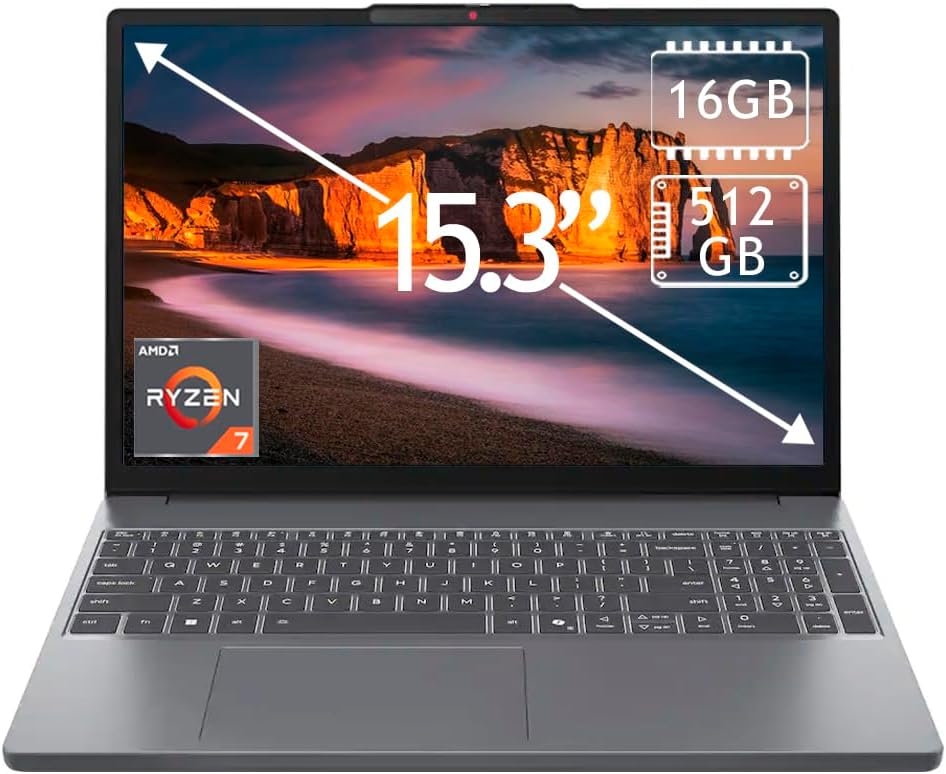
This Lenovo laptop stands out with a 2K touchscreen that adds versatility to the user experience. It is powered by an AMD Ryzen 7 processor which ensures smooth multitasking for everyday tasks and applications.
We may earn a commission when you buy through this link, at no additional cost to you.
While it uses WiFi 6 the performance remains stable and sufficient for streaming and conferencing. The DDR5 RAM helps in quick application switching keeping the system responsive during heavy usage.
The 512GB SSD provides a balance of speed and storage for a budget friendly model. It includes a Full HD webcam which improves video call quality compared to standard HD sensors.
It is an excellent option for students who want a touchscreen experience without paying premium prices. The combination of screen quality and processor power makes it a reliable daily driver.
The 2K resolution on the touchscreen offers sharp text and vibrant colors enhancing the visual experience significantly.
The Ryzen 7 processor handles multitasking well allowing users to run multiple apps without slowdowns.
We may earn a commission when you buy through this link, at no additional cost to you.
This Dell model brings high end business features to a consumer focused design with strong security and manageability. It includes an Intel Core Ultra 9 processor which is top tier for performance and AI tasks.
We may earn a commission when you buy through this link, at no additional cost to you.
The 32GB of LPDDR5X memory ensures that even heavy workloads run smoothly. WiFi 7 is included for the fastest possible wireless speeds making it ideal for cloud heavy workflows.
The 16 inch screen offers a good balance of portability and workspace. It supports external displays easily allowing for a multi monitor setup when docked at a desk.
For professionals needing a robust device that can handle demanding software this is a great choice. The build quality is solid and the specs are future proof for years of reliable service.
The 32GB LPDDR5X memory allows for extensive multitasking without any bottlenecks or latency issues.
WiFi 7 support ensures that wireless transfers are as fast as wired connections for maximum efficiency.
We may earn a commission when you buy through this link, at no additional cost to you.
This HP model offers significant hardware value by including 32GB of RAM at a competitive price point. The Ryzen 7 7730U processor handles daily tasks with ease ensuring a smooth experience for most users.
We may earn a commission when you buy through this link, at no additional cost to you.
While it does not have WiFi 7 the WiFi 6 technology still provides reliable and fast internet speeds. The large storage capacity means you can keep all your files and applications on the device.
The touchscreen adds a layer of interaction that is useful for navigation and viewing content. The build is functional and durable for everyday office or home use scenarios.
It is a practical choice for those who need RAM for multitasking but do not require the absolute latest wireless tech. The price to performance ratio makes it a compelling option in the market.
With 32GB of RAM this machine can handle many open tabs and applications without slowing down.
The 1TB NVMe SSD ensures that the system boots up quickly and files are accessed instantly.
We may earn a commission when you buy through this link, at no additional cost to you.
The Acer Aspire Go 15 is a dependable laptop for standard computing needs and general productivity. It features a Ryzen 7 processor which ensures that multitasking is smooth and responsive for daily tasks.
We may earn a commission when you buy through this link, at no additional cost to you.
WiFi 6 keeps you connected reliably even if you do not have WiFi 7 infrastructure available. The design is simple and clean making it suitable for both home and office environments.
The battery life supports moving around the house or office without carrying a charger. The keyboard and trackpad are comfortable for typing documents or managing emails throughout the day.
This device is best for users who need a no fuss machine for browsing and documents. It offers good reliability and battery performance at a reasonable price point for general use.
The processor efficiency allows for long runtimes making it suitable for all day work sessions away from a plug.
The silver chassis is lightweight and stylish providing a professional look without adding bulk to your bag.
We may earn a commission when you buy through this link, at no additional cost to you.
This model emphasizes AI readiness with Copilot features integrated into the system. The Ryzen 7 processor ensures that general computing tasks remain fast and reliable for students and home users.
We may earn a commission when you buy through this link, at no additional cost to you.
The Gen4 SSD provides fast data access which speeds up file loading and system responsiveness. It is a cost effective option for those looking to leverage basic AI features without a premium cost.
The display includes a blue light filter which reduces eye strain during long reading sessions. It is a practical laptop for everyday browsing and light productivity work.
It is suitable for users who want a modern interface and fast storage without paying for high end specs. The battery life and design make it a solid companion for daily use at home.
With Copilot in Windows this laptop offers AI assistance for writing and summarizing content directly within the system.
The BlueLightShield technology helps reduce blue light exposure making it easier on the eyes during long use.
We may earn a commission when you buy through this link, at no additional cost to you.
Selecting the right laptop involves balancing several factors to ensure you get the performance and connectivity you need.
The processor is the brain of your laptop and dictates how fast it can run applications. Look for modern chips like Intel Core Ultra or AMD Ryzen 7 and Ryzen 9 series to handle multitasking and AI features efficiently.
A stronger processor ensures longevity and better performance for demanding software over time.
RAM capacity determines how many applications you can run simultaneously without lag. Aim for at least 16GB of DDR5 or LPDDR5X memory for smooth multitasking and future proofing your device.
A solid state drive is essential for fast boot times and quick file access. Ideally look for at least 512GB of storage to accommodate your files and system updates.
The screen is where you spend most of your time so resolution and size matter greatly. A 15 inch or larger screen is comfortable for work while 13 to 14 inches are better for portability.
Look for IPS panels with good brightness levels to ensure visibility in various lighting conditions and accurate colors for media.
WiFi 7 is the latest wireless standard offering faster speeds and lower latency for seamless browsing and conferencing. Ensure the laptop has this feature if you want the best possible wireless performance.
USB ports and Thunderbolt support are also important for connecting peripherals and external displays easily without adapters.
Battery endurance is crucial if you plan to use the laptop away from a power source frequently. Aim for a device that offers at least 10 hours of real world usage to last through a workday.
A good battery reduces the stress of hunting for outlets and ensures productivity when on the move.
A comfortable keyboard and touchpad are essential for long typing sessions and navigation. Look for a backlit keyboard for usability in low light environments and a durable chassis.
The build quality should be solid enough to withstand daily travel and use without feeling fragile or cheap.
High quality video and audio are key for remote meetings and classes. A Full HD camera with a privacy shutter helps maintain security and professionalism during calls.
Noise cancelling microphones ensure your voice is heard clearly by others even in noisy environments.
Consider the operating system and pre installed software that comes with the device. Windows 11 offers great integration with AI tools while macOS provides a seamless experience for Apple users.
Check for AI capabilities like Copilot which can enhance productivity through automated tasks and smart suggestions.
Keep your laptop cool by using it on hard flat surfaces and avoid blocking the air vents. Overheating can reduce performance and shorten the lifespan of internal components over time.
Manage your battery health by avoiding draining it to zero regularly and not leaving it plugged in at 100 percent constantly. Modern batteries are smart but moderate usage patterns extend their life significantly.
Protect your device physically with a protective sleeve and avoid placing heavy objects on top of it. Keeping the screen clean with a microfiber cloth also maintains display quality for better visuals.
WiFi 7 is beneficial if you have a compatible router and want the fastest speeds. It reduces latency for video calls and gaming which improves your experience on supported networks.
For most users 16GB of RAM is sufficient for smooth multitasking and everyday productivity. Power users might prefer 32GB to ensure the system remains fast with heavy workloads.
SSDs are much faster than traditional hard drives and provide quicker boot and load times. They are more durable and use less power making them the standard for modern laptops.
Many modern laptops have soldered RAM which cannot be upgraded. Storage is often upgradable but check the specific model details before purchasing to confirm your options.
A touchscreen adds versatility for navigation and media consumption but is not essential for everyone. It can make interacting with certain apps easier but may drain battery slightly faster.
AI features in laptops include smart assistants and background optimization for performance. They help manage tasks efficiently and offer tools like voice transcription or image generation.
We reviewed ten top laptops with WiFi 7 to help you find the right device for your needs and budget. Each model offers unique strengths from premium performance to affordable modern connectivity options.
Prioritize processor power and memory if you need speed for work or AI tasks. Choose a screen size that fits your lifestyle whether you need portability or a large workspace.
Prices and specs can change quickly so check current availability before purchasing. Always review the latest details to ensure the laptop meets your expectations for performance and features.