
Canon MegaTank G3270 All-in-One Wireless Color Printer
4.1Editor score
Wireless Print Copy Scan
Up to 2 years ink included
Save up to 1000 on ink
Finding the right Ink Tank Printer can save you significant money on supplies over time. These devices use refillable tanks instead of cartridges, offering high volume printing for families and offices alike.
We compared ten top models based on ink capacity, print speed, connectivity options, and user ratings. Our analysis highlights which printers deliver the best value for different printing needs today.
Each pick shows key specs, pros, and cons to help you decide quickly. Keep in mind that prices and availability change often, so check current listings before you buy.
4.1Editor score

4.2Editor score

4.2Editor score
As an Amazon Associate we earn from qualifying purchases.
This side-by-side comparison shows key specs for all ten Ink Tank Printer models. Look at ink capacity, print speeds, and extra features like touchscreens or auto duplex to find your match.





The Canon MegaTank G3270 stands out as a leading Ink Tank Printer for home users needing reliability. With a rating of 4.1 stars, it delivers quality output while keeping ink costs low through its large refillable tanks.
We may earn a commission when you buy through this link, at no additional cost to you.
Its standout quality lies in the included ink supply, which can last up to two years for typical usage. This means fewer interruptions for refills and significant savings compared to traditional cartridge-based printers over time.
However, it lacks auto duplexing which means you print one side at a time. This trade-off is acceptable for most casual users since the initial cost and ongoing savings make up for the manual flipping.
It suits families or home offices printing documents and photos regularly. The wireless features allow easy access from phones or laptops, making it a versatile choice for modern workspaces without clutter.
The included ink lets you print thousands of pages before needing a refill, dramatically lowering the cost per page compared to standard cartridges.
Connect via Wi-Fi to print from multiple devices effortlessly, supported by Canon apps that streamline mobile printing tasks.
We may earn a commission when you buy through this link, at no additional cost to you.
The HP Smart Tank 5003 offers exceptional value with its budget-friendly price point and generous ink supply. Rated 4.1 stars, it promises the last printer you need by combining ease of use with durable performance.
We may earn a commission when you buy through this link, at no additional cost to you.
Its key strength is the mess-free refill system that prevents spills when adding ink. Users get up to 3 years of ink right out of the box, covering thousands of pages without extra purchases.
Some users note initial setup can be tricky and some features rely on the HP Smart app. These minor inconveniences are outweighed by the savings and reliability it provides for daily home printing.
Buy this if you want an affordable, reliable device for schools or small offices. It handles documents and photos well while keeping ongoing costs minimal for consistent high volume needs.
The design allows direct bottle insertion into tanks so you never touch the ink directly avoiding mess and waste during refills.
Built-in AI helps optimize print settings automatically ensuring crisp text and vibrant colors without manual adjustments by the user.
We may earn a commission when you buy through this link, at no additional cost to you.
The Epson EcoTank ET-2803 delivers premium performance with its Micro Piezo Heat Free technology for sharp prints. With a 4.2 rating, it balances quality and savings for users who value durability and environmental impact.
We may earn a commission when you buy through this link, at no additional cost to you.
Key strengths include the cartridge-free system that reduces landfill waste significantly. Voice activated printing adds modern convenience making it ideal for smart home setups where hands-free operation is preferred.
It carries a higher initial cost than some rivals but the long-term savings offset this. The only minor drawback is limited support for larger paper sizes compared to professional models.
Choose this for high quality photo and document printing at home. It offers robust reliability with eco-friendly features that appeal to conscious consumers looking for long-term value.
By eliminating disposable cartridges you reduce plastic waste while maintaining consistent print quality across thousands of pages easily.
Voice control compatibility lets you start prints using commands which streamlines workflow for busy households or offices with multiple users.
We may earn a commission when you buy through this link, at no additional cost to you.
The Canon Megatank G3290 brings enhanced features like auto duplex and a touchscreen to the Ink Tank Printer category. Rated 4.2 stars, it provides convenience and control for users needing faster workflows.
We may earn a commission when you buy through this link, at no additional cost to you.
Its main advantages include the auto 2-sided printing which saves paper and time on large jobs. The 2.7 inch touchscreen makes navigating menus and settings intuitive without needing a computer connection.
Users may find the physical size slightly larger than compact models but it fits well in home offices. Some find the touchscreen sensitive but overall feedback praises its responsiveness and clarity.
Ideal for small businesses or power users who print frequently. The combination of cost savings and productivity features makes it a strong choice for demanding printing tasks.
Auto duplexing cuts paper usage in half while speeding up double-sided documents reducing time spent on manual sheet flipping.
The color display provides visual feedback for settings and ink levels making it easier to manage the printer without extra tools.
We may earn a commission when you buy through this link, at no additional cost to you.
The Epson EcoTank ET-4800 offers reliable printing with its durable design and high capacity tanks. With a 3.8 rating it focuses on long-term value and reduced maintenance through its Heat-Free technology.
We may earn a commission when you buy through this link, at no additional cost to you.
Strengths lie in the permanent printhead that lasts the life of the printer reducing replacement costs. The high capacity tanks ensure fewer refills which suits busy households with steady print demands.
Some users report slower speeds compared to laser printers and occasional Wi-Fi drops. These are acceptable given the ink savings though users may need to troubleshoot connections occasionally.
Buy this for a low-maintenance device that handles photos and text well. It is a solid investment for those prioritizing environmental impact and steady performance over speed.
The built-in printhead avoids wear from cartridge swaps ensuring consistent quality over years of use without extra costs.
It supports various paper types from glossy photo sheets to standard office paper giving you flexibility for different projects easily.
We may earn a commission when you buy through this link, at no additional cost to you.
The Epson EcoTank ET-2903 balances speed and cost effectively as an Ink Tank Printer. With a 4.2 rating and 11 PPM speeds it delivers quick results for daily documents and photos alike.
We may earn a commission when you buy through this link, at no additional cost to you.
Its key features include up to 3 years of ink in the box and EcoFit bottles that prevent mixing colors during refill. The color display simplifies setup and operation for tech novices too.
The paper tray holds 100 sheets which may require refills for large batches. Scanner speed is moderate but adequate for home use since quality outweighs pure speed in most cases.
Choose this for a fast reliable unit that handles high volume well. It is perfect for families needing consistent output without frequent ink worries or complex maintenance.
With 11 PPM black speed you finish text documents quickly keeping wait times low during busy school or work sessions.
Each bottle fits only its designated slot so you avoid mistakes and spills keeping the process clean and efficient for users.
We may earn a commission when you buy through this link, at no additional cost to you.
The HP Smart Tank 5003 (D06BKA) brings AI capability to the Ink Tank Printer lineup. Rated 3.8 stars it offers advanced printing optimization alongside standard high volume benefits for home users.
We may earn a commission when you buy through this link, at no additional cost to you.
Its standout strength is AI that adjusts settings automatically for sharper text and richer colors. The mess-free refill system and three years of ink make daily use simple and economical.
AI features may need occasional firmware updates to work fully. The higher price reflects these smart tools which may not suit all budgets but offer value for tech-savvy users.
Buy this if you want smart features that improve output quality. It suits homes needing professional looking prints without manual tweaking or frequent cartridge changes.
AI enhances print quality by analyzing content and adjusting settings so you get professional results without manual configuration steps.
Full-page borderless prints make it ideal for photos and projects where edges must be clean and consistent for presentation.
We may earn a commission when you buy through this link, at no additional cost to you.
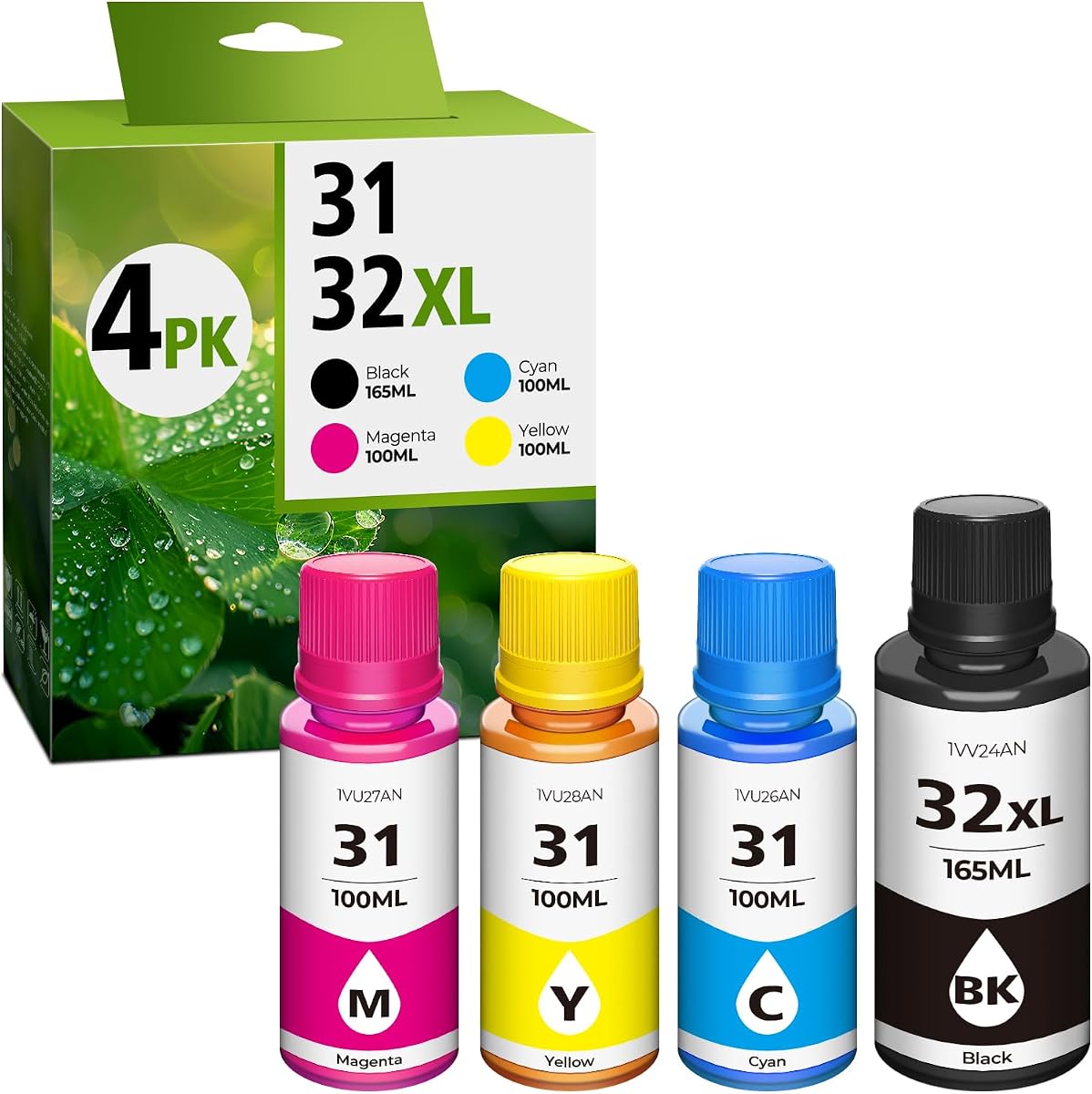
This 31 Ink 32XL set is a top accessory for Ink Tank Printer owners looking to save further. With a 4.4 rating it provides high yield refills compatible with many HP Smart Tank models.
We may earn a commission when you buy through this link, at no additional cost to you.
It offers higher page yields and vibrant colors. The easy refill bottles reduce waste compared to traditional cartridges. However, the dye ink may need head cleaning before refilling to avoid issues.
Dye ink fades faster than pigment but is ideal for color documents. Users should not mix with OEM pigment ink to protect the printer heads and maintain performance.
Buy this to extend savings when your included ink runs low. It suits budget-conscious users willing to follow simple cleaning steps for consistent output quality.
Third party refills lower your per-page cost significantly while maintaining good print quality for daily documents and photos.
Supports a wide range of HP Smart Tank models so you do not need different bottles for different printer versions in one office.
We may earn a commission when you buy through this link, at no additional cost to you.
The Epson EcoTank ET-2980 delivers reliable performance with its 3-year ink supply. Rated 4.0 stars it focuses on simplicity and cost-effectiveness for everyday home printing needs.
We may earn a commission when you buy through this link, at no additional cost to you.
Its strengths include EcoFit bottles that prevent mixing and spill. mobile printing support ensures convenience. The design promotes zero cartridge waste making it eco-friendly for households concerned with sustainability.
Lacking a touchscreen means relying on physical buttons or apps. Speed is average but acceptable for regular use. The trade-off is clear savings and ease of maintenance.
Choose this for a dependable unit that minimizes fuss and waste. It suits users who prioritize long-term ink savings over advanced interfaces or high speed needs.
Cartridge-free operation reduces plastic landfill contribution while still delivering sharp quality for documents and family photos.
Print from any device using the Smart Panel app so you can handle tasks quickly without being near the printer.
We may earn a commission when you buy through this link, at no additional cost to you.
The Epson EcoTank ET-2800 offers a compact entry point into Ink Tank Printer technology. Rated 4.0 stars it provides essential features for home users needing cost-efficient and reliable printing.
We may earn a commission when you buy through this link, at no additional cost to you.
Its standout traits include Micro Piezo Heat-Free Technology which keeps energy use low and heat minimal. You get 2 years of ink and zero waste design for simple eco-friendly operation.
The interface is basic with fewer advanced options. Speed is modest at 10 PPM which suits light to moderate usage. It balances performance and value effectively for small households.
Buy this for a straightforward reliable machine that handles daily tasks well. It is a great starting point for those seeking savings without complex workflows or large sizes.
Its space-saving design fits on small desks or shelves so you keep workspace tidy even in limited room environments.
Heat-Free technology means less energy consumption and safer operation around children or in hot rooms without overheating risks.
We may earn a commission when you buy through this link, at no additional cost to you.
Selecting the right Ink Tank Printer depends on your volume needs features and budget. Here are key factors to consider before you buy.
Check how many pages each ink bottle can produce. Higher yield means fewer refills and lower costs per page over time. Look for models promising two or three years of included ink to minimize early expenses.
Prioritize printers with large tanks if you print hundreds of pages monthly.
Print speed varies by model. Aim for at least 10 pages per minute for black text to avoid waiting during large jobs. Check resolution for photos to ensure sharp details in images.
Balance speed needs with quality expectations based on your primary print types.
Modern Ink Tank Printers support wireless, USB and mobile printing. Ensure Wi-Fi is present to print from devices anywhere in the home or office. Voice control and AirPrint support add convenience.
Choose models with robust connectivity to fit your device ecosystem.
Automatic two-sided printing saves paper and time. While not all budget models include it, mid to high range Ink Tank Printers often offer this. Consider if you print double-sided documents regularly.
Auto duplexing is a valuable feature for reducing long-term supply costs.
Most Ink Tank Printers use dye ink for vibrant colors but pigment may be better for water resistance. Verify if the printer supports genuine or third-party ink. Using non-genuine ink can void warranties.
Stick to recommended ink types to maintain print head health and warranty coverage.
Measure your desk space before buying. Ink Tank Printers can be larger than cartridge models. Look for compact designs if space is limited or consider wall-mounted options if available.
Choose a size that fits your workspace without causing clutter.
All-in-One models include scanning and copying. Check resolution and automatic document feeders for scanning multiple pages quickly. If you only print, single function may suffice, but AIO adds versatility.
Select an All-in-One if you need to scan documents regularly.
Check warranty length and what it covers especially printheads. Some brands offer longer coverage for Ink Tank Printers. Read reviews on customer support responsiveness to avoid long downtimes.
Prioritize brands with strong support to protect your investment.
Begin by placing the printer on a stable flat surface away from heat. Connect it to power and Wi-Fi using the on-screen menu or mobile app. Follow the setup wizard to install ink bottles carefully.
Print a test page to check alignment and ink levels. Adjust settings like paper size and type before each job to ensure quality. Use genuine ink to avoid clogs and warranty issues.
Clean print heads monthly and cover the printer when not in use to prevent dust. Run cleaning cycles only when needed to save ink. Keep firmware updated for best performance and security.
Most models include enough ink for one to three years depending on usage. High volume users may need to replace bottles sooner while casual print will enjoy the full term. Check page yield ratings to estimate your lifespan accurately.
Some brands allow third-party ink but using non-genuine ink may void the warranty. Ensure the third-party ink matches the printer's type like dye or pigment. Check manufacturer guidelines to avoid damage or print quality issues.
Ink Tank Printers offer lower cost per page and higher page yields. They reduce waste by eliminating small cartridges and include long-term ink. This makes them ideal for families and small offices needing high volume.
Yes many Ink Tank Printers produce sharp vivid photos thanks to high resolution and dye inks. Look for borderless support and photo paper compatibility. Regular maintenance ensures consistent color accuracy over time.
Run a cleaning cycle only when you notice faded prints or banding. Frequent cleaning wastes ink and can damage heads. Most printers offer automated maintenance modes. Keep using the printer regularly to prevent drying.
They are excellent for home offices due to low running costs and reliability. Wireless features allow printing from multiple devices. The included ink reduces early expenses. Choose models with duplexing for professional documents.
If leakage occurs, remove the bottle gently and clean spilled ink immediately. Use paper towels to dry the area. Ensure bottles are inserted correctly. Avoid overfilling and check caps before storage to prevent drips.
Standard office paper works well for documents but use glossy photo paper for best results. Check manufacturer recommendations for paper weight and type. Avoid thick cardstock unless specified. High quality paper ensures crisp output and less jamming.
We reviewed ten Ink Tank Printer models offering savings and reliability. The Canon MegaTank G3270 and Epson EcoTank ET-2903 top value with generous ink and solid features for homes.
Prioritize ink capacity and wireless features for best long-term use. Duplexing and quality matter for professional tasks. Match the model to your volume to avoid overspending or underperforming.
Check current prices before buying as deals change often. Compare these picks against your needs to find the perfect fit for your workspace.