
Inwa Computer Speakers for Desktop PC
4.2Editor score
Affordable pricing option
Simple USB connectivity
Compact clip-on design
This guide compares the best clip on speakers for laptop to help you find compact audio that saves space and delivers clear sound for work or gaming.
Finding the right audio solution for your laptop can be challenging. Clip on speakers offer a space-saving design that attaches directly to your monitor or laptop screen. They provide improved sound quality without cluttering your desk with bulky equipment.
We evaluated ten top models based on connectivity, sound quality, ease of use, and build quality. Each product was analyzed for compatibility with various operating systems and its ability to deliver clear audio across different tasks like meetings and media consumption.
Each pick highlights specific strengths and ideal use cases for different users. While we strive for accuracy, product availability and specifications may change over time. Always verify current details before making a purchase decision.
4.2Editor score

4.5Editor score

4.2Editor score
This side-by-side comparison highlights key specifications across all ten selected models to help you quickly identify which speaker best fits your specific needs.


This OHAYO model stands out with its innovative G-Sensor technology that automatically adjusts audio channels based on mounting position. It holds a strong rating among users seeking versatile audio solutions for both work and entertainment purposes.
We may earn a commission when you buy through this link, at no additional cost to you.
The dual-mode capability allows seamless switching between wired USB connection for stable performance and Bluetooth for wireless flexibility. The integrated microphone ensures clear communication during conferences while the 16W output delivers rich sound with deep bass.
While the Bluetooth mode requires continuous USB power which limits true portability the sound quality remains consistent. The RGB lighting adds a personal touch to your workspace without affecting audio performance or power consumption significantly.
Ideal for professionals and gamers who need reliable stereo sound and clear call quality. The smart sensor technology ensures you always get correct left and right audio separation regardless of how you clip the speaker.
The G-Sensor detects orientation changes in under half a second to maintain accurate stereo imaging for any mounting configuration.
Built-in microphone offers a pickup range of up to 1.5 meters for clear voice transmission during virtual meetings.
We may earn a commission when you buy through this link, at no additional cost to you.
Inwa offers a straightforward solution for users needing basic audio enhancement without breaking the budget. This model delivers solid sound quality through dual speakers and a passive radiator making it a practical choice for everyday tasks.
We may earn a commission when you buy through this link, at no additional cost to you.
The single USB cable handles both power and audio transmission eliminating the need for separate connections. Volume up down and mute buttons are conveniently located on top ensuring quick access during use without reaching for system settings.
While it lacks smart sensors or wireless connectivity the core audio performance is reliable. The spring clip design accommodates most monitor thicknesses securely while the silicone pads protect your screen from scratches during attachment.
Best suited for students or office workers seeking functional audio on a tight budget. It provides a noticeable upgrade from built-in laptop speakers with minimal setup effort or desk space requirements.
Single USB connection simplifies cable management while providing consistent power delivery for steady audio output.
Silicone pads on the clip prevent scratches and ensure a secure grip on various monitor surfaces.
We may earn a commission when you buy through this link, at no additional cost to you.
This speaker combines premium build quality with advanced audio technologies to deliver exceptional sound performance. Its adaptive channel switching ensures correct stereo positioning while touch controls provide a modern user experience for volume and mute adjustments.
We may earn a commission when you buy through this link, at no additional cost to you.
The dual ultra-magnetic drivers paired with passive radiators create a wide soundstage with pronounced bass response. This makes it well-suited for media consumption where depth and clarity are essential for an immersive listening experience.
While the touch interface is sleek it may require a learning curve compared to physical buttons. Ensuring your computer audio drivers are updated maximizes compatibility and performance across different operating systems and devices.
Recommended for users who prioritize audio fidelity and modern design. The included USB-C adapter ensures compatibility with latest laptops and tablets making it a versatile choice for evolving tech setups.
G-Sensor technology automatically adjusts left and right channels based on whether speaker is mounted top or bottom.
Included USB-C adapter enables seamless connection to newer devices lacking traditional USB-A ports.
We may earn a commission when you buy through this link, at no additional cost to you.
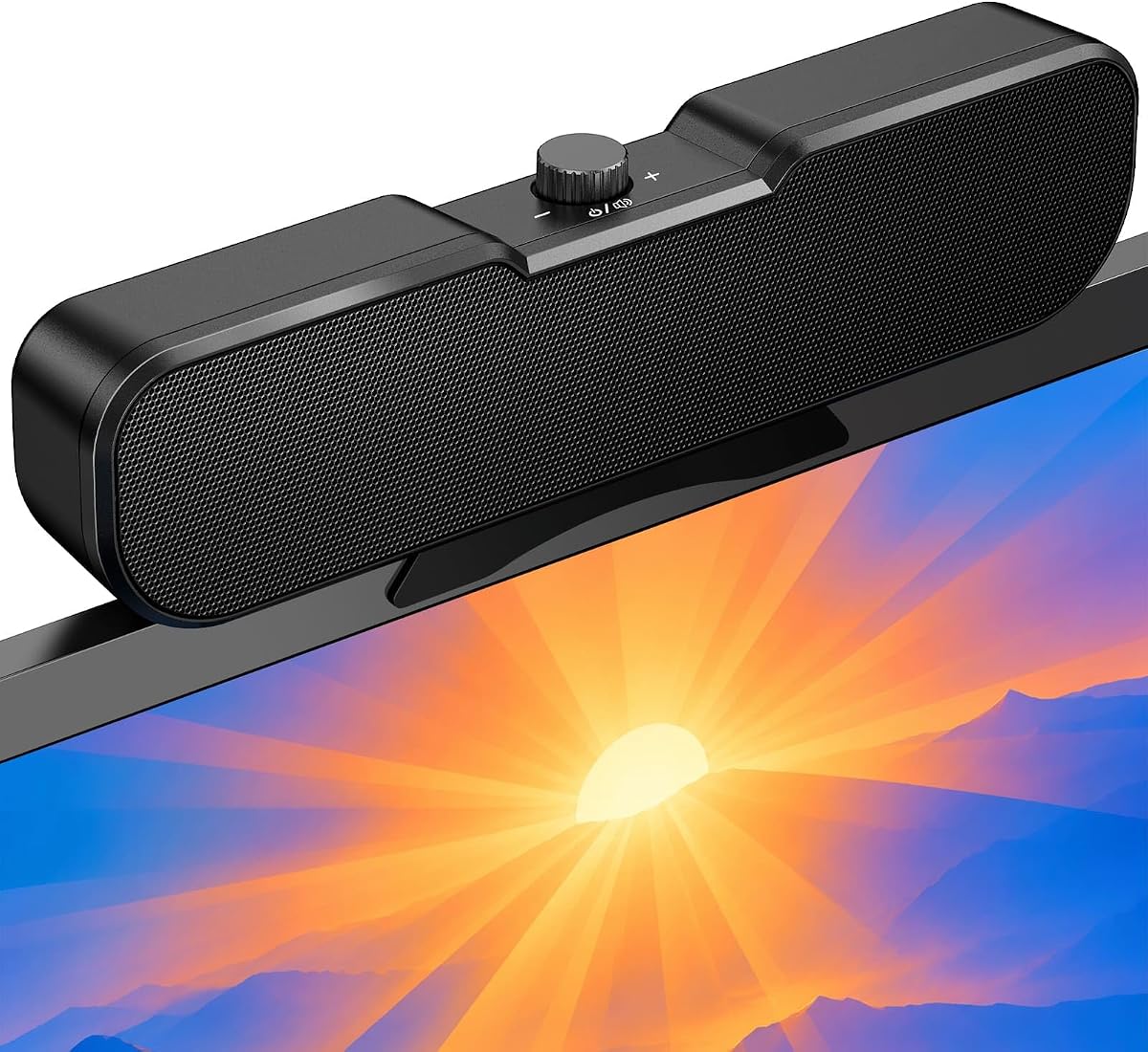
Cirqon focuses on simplicity with its innovative single-knob design that handles power and volume adjustments in one intuitive control. The sturdy clamp ensures secure attachment to most monitor edges without risk of slipping during use.
We may earn a commission when you buy through this link, at no additional cost to you.
Audio quality remains clear even at high volumes thanks to optimized driver tuning. The included USB-C adapter expands compatibility across devices making it easy to integrate with modern laptops and tablets that lack traditional ports.
While the single knob is convenient it means you cannot mute audio quickly without system controls. Volume access may be slightly restricted if mounted on the side of a monitor requiring you to reach around to adjust settings.
Perfect for minimalists who prefer straightforward controls and clean aesthetics. It delivers solid performance for daily office tasks and casual media consumption with a reliable build that withstands regular handling.
Single knob reduces clutter and makes power on off and volume adjustments accessible from any position.
Upgraded non-slip design fits screen thicknesses from 0.1 to 0.98 inches ensuring stable mounting.
We may earn a commission when you buy through this link, at no additional cost to you.
This model emphasizes simplicity by removing physical volume buttons and relying on your system controls for audio management. This reduces complexity and keeps the design sleek while still delivering powerful sound with deep bass through dual drivers.
We may earn a commission when you buy through this link, at no additional cost to you.
The patented clamp design allows smooth placement on your desk or secure attachment to monitor edges up to one inch thick. It works reliably across Windows macOS and Linux systems ensuring broad compatibility for diverse users.
While system volume control saves space it may require switching focus from active work to adjust audio levels. The absence of a dedicated mute button means you must use system shortcuts or settings to silence audio quickly.
Ideal for users who prefer minimal hardware controls and prioritize sound quality. It provides a clutter-free setup that integrates seamlessly into your existing workflow without requiring extra configuration steps.
Eliminating speaker buttons reduces desk clutter and relies on familiar system volume settings for adjustments.
Clip design accommodates top side or bottom placement while also standing smoothly on desktop surfaces.
We may earn a commission when you buy through this link, at no additional cost to you.
This speaker stands out with its unique M-Button and tactile volume wheel that provide quick access to essential functions without system navigation. The spring-loaded clip ensures a secure grip on monitors up to 1.26 inches thick for stable use.
We may earn a commission when you buy through this link, at no additional cost to you.
Dual high-performance drivers and a passive bass radiator deliver immersive sound suitable for gaming and video streaming. The included USB-C adapter extends compatibility to iPhones iPads and Android phones beyond just computers.
While the wheel offers smooth control it may require multiple turns for full volume range. The mute button is convenient but accessibility depends on where you clip the speaker potentially requiring you to reach around during tasks.
Best for power users who value quick audio adjustments and broad device support. It bridges the gap between desktop and mobile audio needs with a compact form that fits various work environments.
M-Button and volume wheel allow instant adjustments without leaving your current application or window.
Soft silicone protection prevents scratches while the spring mechanism ensures firm attachment to monitor edges.
We may earn a commission when you buy through this link, at no additional cost to you.
Inwa delivers clear and balanced audio with dual 5W high-sensitive drivers that upgrade built-in laptop sound significantly. The adjustable clip angle lets you direct sound precisely toward your listening position for an optimized audio experience.
We may earn a commission when you buy through this link, at no additional cost to you.
One-touch controls for power volume and mute are conveniently located on the top panel. The included USB-A to USB-C adapter ensures compatibility with newer devices while maintaining the simplicity of a single cable connection.
While the adjustable angle is a standout feature button access may be limited when mounted tightly on the monitor top. Users might need to adjust their posture to reach controls comfortably depending on the installation angle chosen.
Recommended for users who want directional sound control and easy setup. It provides a practical audio upgrade for home offices or study spaces where clear communication and media playback are priorities.
Adjustable clip angle allows you to point sound directly at your position for better clarity and focus.
Three buttons for power volume and mute offer quick access without needing external software or settings.
We may earn a commission when you buy through this link, at no additional cost to you.
This model features adaptive channel switching that uses a G-Sensor to correct audio positioning based on where you mount it. Dual ultra-magnetic drivers produce loud sound with deep bass that enhances both music and video playback quality.
We may earn a commission when you buy through this link, at no additional cost to you.
Touch controls on the front allow intuitive muting and volume adjustment without physical knobs. The USB-C adapter ensures compatibility with modern laptops and tablets while the clip design keeps your desktop organized and clutter free.
Touch sensitivity may occasionally register unintended inputs if your hand brushes the surface. Ensuring your system audio drivers are up to date prevents compatibility issues and ensures consistent stereo performance across different applications.
Great for users seeking a balance of sound quality and smart features. It adapts to your setup effortlessly while providing rich audio that makes a noticeable difference in daily computer use.
G-Sensor technology automatically swaps channels when mounting position changes to maintain correct stereo imaging.
Front panel buttons offer silent intuitive operation for quick volume changes or muting during calls.
We may earn a commission when you buy through this link, at no additional cost to you.
Cirqon prioritizes user-friendly design with an easy-to-reach volume knob that handles power and adjustments in one motion. The sturdy non-slip clamp accommodates screen thicknesses from 0.1 to 0.98 inches ensuring the speaker stays firmly in place.
We may earn a commission when you buy through this link, at no additional cost to you.
Audio clarity remains strong even at maximum volume with minimal distortion. The included USB-C adapter allows connection to tablets and laptops that lack standard USB ports expanding the range of compatible devices for this speaker.
The lack of a dedicated mute button means you must use system controls to silence audio quickly. Access to the knob may require slight repositioning if the speaker is clipped to the side of your monitor rather than the top.
Best for users who value simplicity and reliable build quality. It provides a hassle-free audio upgrade that integrates easily into any workspace without requiring complex setup or additional cables.
One knob simplifies adjustments by combining power on off and precise volume tuning in a single interface.
Upgraded clamp design prevents movement during use while protecting your monitor from surface damage.
We may earn a commission when you buy through this link, at no additional cost to you.
This speaker excels at saving desk space with a slim profile that clips cleanly onto monitors of various thicknesses. Dual super-magnetic drivers and a passive radiator deliver surprisingly loud sound with rich bass for its compact size.
We may earn a commission when you buy through this link, at no additional cost to you.
System volume control removes the need for extra buttons keeping the design minimal and unobtrusive. It works seamlessly across Windows macOS Chrome OS and Linux making it an accessible choice for users across different platforms.
Adjusting volume requires interacting with your computer interface rather than the speaker itself. While this simplifies hardware it may interrupt your workflow if you frequently need to change audio levels during tasks.
Ideal for compact workspaces where desk real estate is limited. It delivers powerful audio without adding visual clutter making it a practical solution for laptops and small monitor setups.
Slim clip design attaches securely to monitor edges leaving your desktop completely clear for other tools.
Plug-and-play compatibility across major operating systems ensures quick setup without driver installation.
We may earn a commission when you buy through this link, at no additional cost to you.
Selecting the right clip-on speakers involves evaluating compatibility connectivity sound quality and ease of use to match your specific workflow needs.
Ensure the speaker supports your laptop's available ports such as USB-A or USB-C. Many models include adapters to work with newer devices lacking traditional ports. Check for operating system support across Windows macOS and Linux if you use multiple platforms.
Look for speakers with built-in adapters to maximize compatibility with current and future devices.
Dual drivers with passive radiators typically deliver richer bass and clearer audio than single driver units. Consider the wattage output if you need louder volume for larger rooms or multimedia tasks. Balanced frequency response is essential for both voice calls and music.
Prioritize models with dual drivers and passive radiators for immersive sound across different media types.
Clip-on speakers should accommodate various monitor thicknesses securely without slipping. Adjustable angles allow you to direct sound toward your position for optimal clarity. Check if the mount includes protective padding to avoid scratching your device.
Choose clips that fit your monitor thickness and offer stable attachment with protective materials.
Physical knobs tactile wheels or touch buttons determine how easily you adjust volume or mute audio. Direct controls on the speaker save time compared to navigating system settings. Consider whether you need dedicated mute functions for quick silencing.
Select control types that match your preference for quick access during active work or calls.
USB-powered speakers draw power from your laptop eliminating the need for wall outlets. Verify that the USB port can supply sufficient power especially for higher wattage models. Some Bluetooth modes may still require USB power for stable operation.
Ensure your laptop USB port can support the speaker's power needs for consistent performance.
Sturdy construction ensures the speaker withstands regular clamping and movement. Silicone or rubber pads protect your monitor from scratches and provide grip. Lightweight designs reduce strain on thinner monitor frames.
Look for durable materials and protective features that prevent damage to your device over time.
Smart features like G-Sensor channel switching or RGB lighting can enhance user experience and aesthetics. Built-in microphones facilitate clearer communication during virtual meetings. Extra features should support your primary use cases without adding unnecessary complexity.
Pick models with useful extras like G-Sensors or microphones that align with your workflow requirements.
Balance cost against essential features to find the best return on investment. Basic models may suffice for office tasks while advanced audio features justify higher prices for creative work. Avoid overpaying for features you will not use regularly.
Focus on core audio performance and reliability to ensure long-term satisfaction with your purchase.
Attach the clip securely to the top or side of your monitor ensuring it grips tightly without slipping. Make sure the clip padding is clean to prevent scratches on your screen surface.
Connect the USB cable to your laptop and select the speaker as the default playback device in system settings. Adjust volume using the speaker controls or your operating system as preferred.
Regularly wipe the speakers and clip with a soft dry cloth to remove dust. Avoid exposing the unit to moisture or extreme temperatures to maintain long performance.
Most modern clip-on speakers are plug-and-play devices that do not require driver installation. Simply connect the USB cable and select the speaker in your audio settings. Some features may work better with updated system drivers.
Many models support tablets and phones if they have USB-C or USB ports. An included adapter often enables compatibility with mobile devices. Verify the specific product details for mobile support before purchasing.
Proper use with protective padding typically does not void monitor warranties. Ensure the clip does not exert excessive pressure or scratch the screen. Always check the manufacturer guidelines regarding external attachments.
Some speakers feature G-Sensor technology that automatically corrects channels when you change mounting positions. If channels are reversed manually swap them in your system settings or reposition the speaker to trigger adjustment.
Yes many models deliver clear stereo sound and deep bass suitable for gaming. Look for low-latency USB connections and responsive volume controls to enhance gameplay immersion. Gaming-specific features like RGB lighting can improve the experience.
Check that the USB connection is secure and the correct playback device is selected. Ensure volume is not muted either on the speaker or in your system settings. Restarting your computer can resolve temporary audio conflicts.
Our top picks include the OHAYO model for its smart G-Sensor technology the Inwa for budget-conscious buyers and the premium option with adaptive channel switching for audio enthusiasts.
Prioritize connectivity and mounting flexibility to ensure the speaker fits your workspace seamlessly. Sound quality and ease of use are equally important for daily satisfaction.
Always check current availability and product specifications before purchasing as features may vary over time. Selecting the right speaker will elevate your audio experience significantly.