
ASUS Dual GeForce RTX 5060 Ti 16GB GDDR7 OC Edition Gaming Graphics Card
4.7Editor score
Affordable high performance value
Strong AI processing capability
Compact efficient cooling design
This guide compares the top GPUs for DaVinci Resolve including performance, memory, and features to help editors choose the right card for their workflow.
Selecting the right GPU for DaVinci Resolve is crucial for smooth playback, efficient rendering, and powerful AI tools. Modern editing demands hardware that handles 4K and 8K timelines without stuttering or dropping frames during complex color grading sessions.
We evaluated ten top models based on architecture, memory capacity, cooling efficiency, and compatibility with professional software. Each entry offers distinct advantages for different budgets and project scales. Our analysis focuses on real-world performance metrics relevant to video editors and colorists today.
Each pick highlights specific strengths such as ray tracing support or AI acceleration capabilities tailored to Resolve. Prices fluctuate frequently so verify current listings before purchasing. These recommendations reflect the latest available data from trusted sources and user feedback within the creative community.
4.7Editor score

4.6Editor score
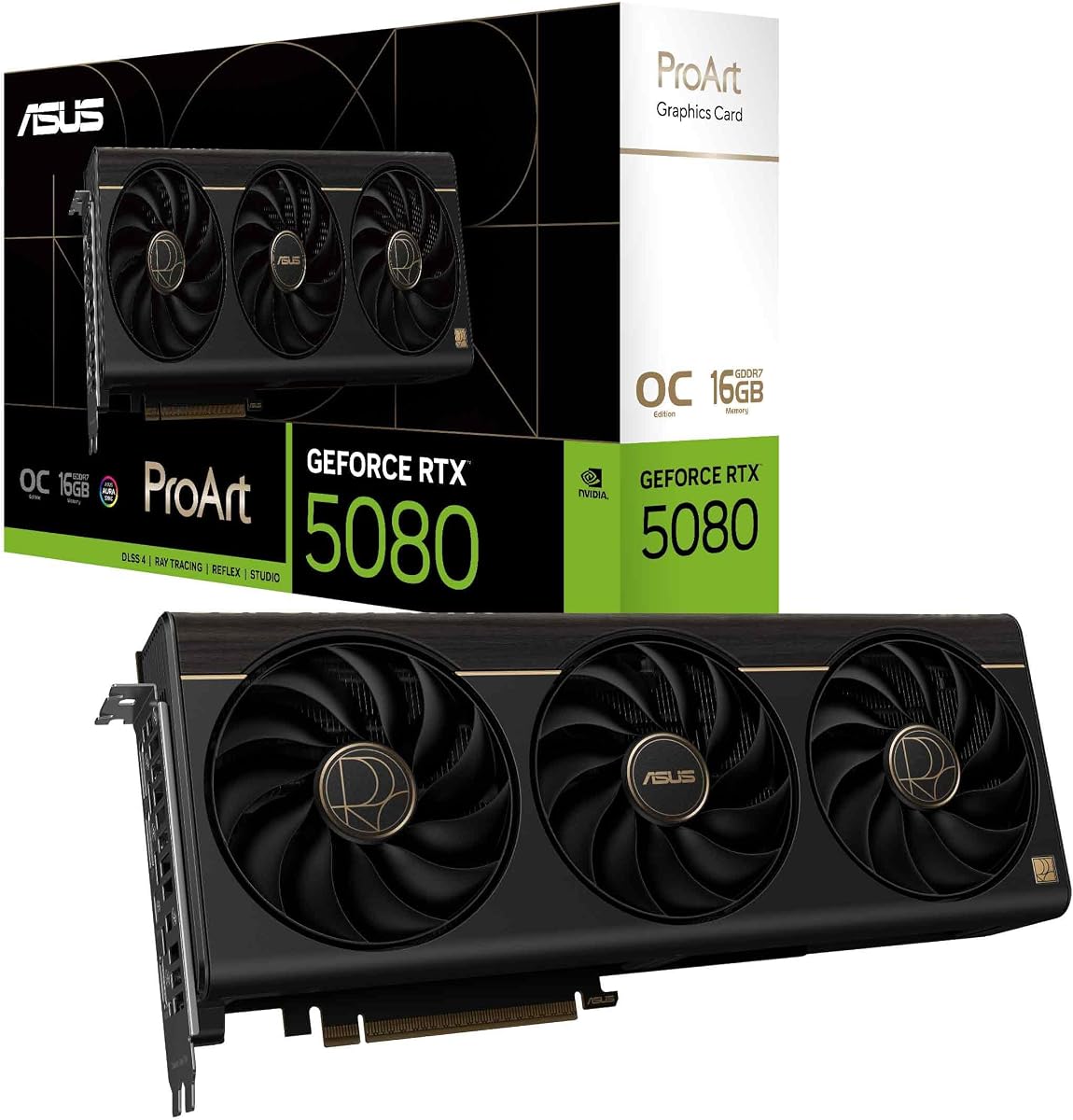
4.9Editor score
The following table presents a side-by-side comparison of all ten selected graphics cards highlighting key specifications and unique attributes relevant to DaVinci Resolve workflows.




This graphics card stands out as a top performer for professional editing tasks. Its rating reflects consistent reliability across various demanding applications. The combination of new architecture and ample memory delivers smooth playback even with complex effects.
We may earn a commission when you buy through this link, at no additional cost to you.
The WINDFORCE cooling system ensures sustained performance without throttling during long rendering sessions. NVIDIA Blackwell architecture enhances both standard video processing and advanced neural engine tasks. Memory bandwidth supports high resolution timelines with minimal lag or stuttering.
One trade-off is the premium pricing which might exceed budget builds. However the investment pays off through faster render times and stable system performance. The power requirements demand a quality supply but standard setups can handle it well.
Editors seeking balance between power and compatibility should consider this model first. It handles both consumer and professional software efficiently. The choice offers significant upgrades for users upgrading from older mid-range options.
The cooling design prevents overheating during extended grading sessions ensuring consistent frame rates.
GDDR7 memory provides the speed needed for 8K editing and heavy effect pipelines.
We may earn a commission when you buy through this link, at no additional cost to you.
This card delivers exceptional value for entry-level professional users. It offers modern architecture at a lower cost than flagship models. The high rating indicates reliable performance for 1080p and 4K workflows effectively.
We may earn a commission when you buy through this link, at no additional cost to you.
Its 16GB memory buffer handles most color grading tasks without constant disk usage. The silent mode reduces noise during focused editing sessions significantly. Dual BIOS allows switching between quiet and performance profiles easily.
While not suited for heavy 8K rendering it excels in common production tasks. The compact design fits in smaller chassis which saves desk space. Buyers should verify system compatibility for full functionality.
Ideal for students or freelancers needing reliable power without overspending. This model bridges the gap between gaming and professional needs. It provides enough headroom for growing project requirements.
Pricing makes modern architecture accessible to smaller studios or independent editors.
Small footprint allows integration into diverse workstation builds effortlessly.
We may earn a commission when you buy through this link, at no additional cost to you.
This model targets professionals requiring top-tier accuracy and reliability. Its rating reflects high satisfaction among colorists and creators. The design prioritizes performance stability for critical workflows.
We may earn a commission when you buy through this link, at no additional cost to you.
The integrated USB Type-C port simplifies connections for monitors or peripherals. MaxContact heatsink ensures efficient heat dissipation under heavy loads. AI performance metrics support fast neural rendering tasks in Resolve.
Investment costs are higher but justified for commercial production environments. The aesthetic trim blends well with studio setups professionally. Availability might be limited so checking stock regularly is recommended.
Recommended for high-end studios where precision and uptime are paramount. It complements calibrated displays perfectly for accurate grading. This choice represents the upper limit of current consumer GPU tech.
Design elements like the USB-C port improve workflow efficiency directly.
Advanced heatsink design maintains clock speeds during long export processes.
We may earn a commission when you buy through this link, at no additional cost to you.
This is a professional-grade card aimed at enterprise workloads. It offers unmatched memory capacity for massive 8K or VR projects. The rating shows solid performance though targeted at specific users.
We may earn a commission when you buy through this link, at no additional cost to you.
96GB memory handles complex scenes without needing swap files. MIG technology allows dividing the card for multi-user environments. ECC memory prevents errors during critical data processing tasks.
The cost is prohibitive for most individuals but ideal for server farms. OEM packaging means limited support compared to retail. Cooling requires specific case airflow to function properly.
Best for large studios or research facilities needing maximum compute power. It supports workflows that consumer cards cannot manage. This option prioritizes stability and memory over raw cost efficiency.
ECC memory ensures data integrity during long rendering jobs.
MIG allows running multiple virtual instances on one physical card.
We may earn a commission when you buy through this link, at no additional cost to you.
This card emphasizes durability alongside performance for demanding users. The military-grade components promise longevity under stress. Its rating highlights stability in continuous operation scenarios.
We may earn a commission when you buy through this link, at no additional cost to you.
Phase-change pads maintain thermal efficiency longer than traditional pastes. Axial-tech fans provide strong airflow to prevent throttling. Protective coating guards against dust and moisture ingress.
The physical dimensions require a spacious case for proper installation. Power needs are high so verify PSU compatibility before purchase. Durability features make it ideal for harsh environments.
Recommended for professionals who need hardware that lasts under heavy use. It handles high loads without frequent failures. This choice balances gaming features with workstation reliability.
Protective coatings and components extend card life in dusty studios.
Advanced thermal pads ensure stable boost clocks during rendering.
We may earn a commission when you buy through this link, at no additional cost to you.
This card brings AMD's latest architecture to professional workflows. It offers 32GB memory for heavy data tasks efficiently. The rating suggests good performance in supported applications.
We may earn a commission when you buy through this link, at no additional cost to you.
RDNA 4 architecture includes dedicated AI accelerators for faster rendering. Blower cooling suits multi-GPU setups in tight spaces. DisplayPort 2.1a supports high resolution monitor configurations.
Blower fans can be loud but exhaust heat directly out. Driver updates continue to improve Resolve compatibility steadily. Users should check software support for specific features.
Ideal for multi-GPU builds or AMD-based systems needing high RAM. It provides an alternative to NVIDIA for certain workflows. This option offers significant memory at competitive prices.
32GB memory supports large textures and complex timelines easily.
Blower design prevents heat buildup in rack-mounted systems.
We may earn a commission when you buy through this link, at no additional cost to you.
This card offers strong performance at an accessible price point. It balances gaming features with editing capabilities well. The high rating indicates user satisfaction with general utility.
We may earn a commission when you buy through this link, at no additional cost to you.
WINDFORCE cooling keeps the card quiet under load. PCIe 5.0 ensures future compatibility with modern motherboards. 16GB memory handles typical 4K grading tasks effectively.
AI processing might lag behind newer dedicated AI chips but still works. RGB lighting allows customization for studio aesthetics. It suits users wanting one card for work and play.
Recommended for hybrid setups requiring both work and leisure power. It provides excellent bang for buck in its range. Users should verify Resolve specific optimizations before buying.
Balances gaming frame rates with editing efficiency effectively.
PCIe 5.0 readiness ensures compatibility with next-gen hardware.
We may earn a commission when you buy through this link, at no additional cost to you.
This card remains a powerful choice despite its age in the market. It offers professional features usually found in Quadro models. The rating reflects reliability among long-term users.
We may earn a commission when you buy through this link, at no additional cost to you.
Tensor cores accelerate AI effects in modern software. CUDA cores ensure broad software support across platforms. High boost clocks maintain performance even when thermals rise.
Being older it uses more power than newer equivalents. However its mature drivers ensure stability. It remains a good choice for those needing specific legacy features.
Recommended for users upgrading from older high-end GPUs. It provides solid performance without needing latest generation hardware. Check availability as stock is limited now.
Older architecture still handles complex rendering tasks well.
Stable drivers ensure fewer compatibility issues over time.
We may earn a commission when you buy through this link, at no additional cost to you.
This card targets professionals needing certified stability and reliability. It brings ray tracing to entry-level professional builds effectively. The rating shows consistent user satisfaction for stability.
We may earn a commission when you buy through this link, at no additional cost to you.
Quadro drivers are optimized for creative applications ensuring no crashes. 36 RT cores handle basic ray tracing effects smoothly. It supports VR environments which is rare at this level.
Memory bandwidth is lower than modern consumer cards which limits 4K performance. It suits simpler projects or 1080p editing. Check if your software requires certified cards specifically.
Recommended for users needing guaranteed compatibility over raw speed. It offers professional peace of mind for client work. Verify software needs before switching from consumer GPUs.
Certified drivers ensure stability during critical client projects.
Entry-level access to real-time lighting effects in renderers.
We may earn a commission when you buy through this link, at no additional cost to you.
This card introduces Intel's newer workstation architecture to the market. It offers substantial memory at a low price point. The rating reflects mixed reviews due to software compatibility.
We may earn a commission when you buy through this link, at no additional cost to you.
Media transcoders support AV1 and H.264 for fast exports. ISV certified drivers aim for stability in production apps. It supports four displays which is useful for multitasking.
Drivers may still improve with updates so testing is advised. It suits specific workflows or multi-monitor setups well. Check Resolve version support before purchase to avoid issues.
Recommended for tech-savvy users willing to test new hardware. It offers high memory for low cost which is rare. Verify specific features needed before committing to this option.
24GB memory provides ample space for moderate projects.
Four DisplayPort outputs enable extensive multitasking setups.
We may earn a commission when you buy through this link, at no additional cost to you.
Selecting the correct graphics card requires balancing memory, architecture, and software compatibility.
VRAM determines how many effects and timelines you can handle simultaneously. 16GB is a safe minimum for 4K while 32GB or more supports 8K work.
Always choose more memory than you think you need for future proofing.
Modern architectures offer better performance and AI features. CUDA cores are heavily used by Resolve for rendering and AI effects.
Prioritize newer generations for faster processing speeds.
Continuous rendering generates heat. Efficient cooling prevents throttling during long exports.
Look for cards with robust fans and heatsinks.
Check if Resolve supports your GPU brand and drivers. Some features require NVIDIA hardware specifically.
Verify certifications if using a professional workstation.
High-end cards need powerful PSUs. Check wattage and connector types before buying.
Ensure your system can handle the load without instability.
Large cards need spacious cases. Measure your case slots and clearance.
Compact cards are better for small form factor builds.
Newer interfaces like PCIe 5.0 offer better bandwidth. Consider your motherboard compatibility.
Future-proof your build with modern I/O support.
Determine your spending limit relative to performance needs. Balance cost against essential features.
Don't overspend for features you won't use.
Update your drivers regularly to ensure compatibility with the latest Resolve version. Use manufacturer tools to update firmware and check performance.
Keep your case airflow clean by periodically dusting fans and heatsinks. Dust accumulation restricts cooling leading to overheating.
Monitor temperatures during renders to detect potential cooling issues early. Use software tools to track real-time performance metrics.
NVIDIA is generally preferred due to CUDA core support and better integration with AI tools. AMD works well for many users but check specific feature support.
At least 12GB to 16GB is recommended for smooth 4K editing. More VRAM helps with complex effects and timelines.
Not necessarily. Consumer cards often outperform pro cards at lower costs. Check if your workflow needs specific certification.
The software will use system RAM or disk swap causing slowdowns. Avoid filling memory limits during complex grading.
DaVinci Resolve can utilize multiple GPUs for decoding but scaling is limited. Most workflows benefit from a single powerful card.
Yes always install the latest stable drivers from the manufacturer. Studio drivers provide better stability for creative apps.
Not for standard editing but useful for 3D compositing and rendering. It enhances lighting effects in integrated projects.
Check the card specifications usually 750W is sufficient for most. Ensure connectors match the card requirements.
Our top picks range from budget-friendly options to high-end workstations. Each offers unique advantages depending on your specific project needs and budget constraints.
Prioritize memory capacity and architectural generation to ensure longevity. Avoid choosing solely on price as performance stability matters more in professional work.
Always verify current pricing and stock before purchasing to get the best deal. These recommendations remain relevant through November 2026.