
Kingston NV1 2TB
4.7Editor score
Up to 2100MB/s read speeds
Ideal for laptops and SFF PCs
Available in capacities up to 2TB
This guide compares the top Kingston Internal NVME SSD models for 2026, analyzing speed, capacity, and value to help you choose the perfect storage upgrade.
Finding the right storage solution is critical for modern computing performance. Kingston Internal NVME SSD drives offer a wide range of options tailored to different needs from budget-friendly upgrades to high-end gaming performance. These drives provide significant speed improvements over traditional storage devices.
We have evaluated ten distinct models based on their technical specifications, user ratings, and overall value. This comparison focuses on read and write speeds, capacity options, form factors, and specific use cases like gaming or content creation. Each entry represents a real product available for purchase.
Each pick highlights key features and potential drawbacks to help you make an informed decision. Please note that product availability and pricing can change frequently over time. Always check the current listings before finalizing your purchase to ensure you get the best deal available.
4.7Editor score

4.7Editor score
4.7Editor score
The following table provides a side-by-side comparison of all ten Kingston Internal NVME SSD models featured in this guide. It highlights key specifications to help you quickly identify the drive that best matches your performance requirements and budget constraints.



The Kingston NV3 1TB stands out as a leading choice for modern storage upgrades. With a high user rating, it delivers consistent performance for everyday computing tasks. This drive is designed to meet the demands of contemporary workloads efficiently.
We may earn a commission when you buy through this link, at no additional cost to you.
Its Gen 4×4 NVMe PCIe performance ensures rapid data transfer rates. The up to 6000MB/s read and 4000MB/s write speeds make it suitable for fast system boot times. The included Acronis cloning software simplifies the migration process from older drives.
While it lacks a built-in heatsink, the low power design helps manage temperatures effectively. This trade-off is acceptable for users with adequate airflow in their cases. The 5-year limited warranty provides peace of mind for long-term usage.
This drive is ideal for users seeking a balance between speed and cost. It fits well in desktops and laptops needing reliable storage. We recommend this model for general productivity and casual gaming needs.
The drive supports PCIe 4.0 technology for rapid file access and loading times.
Acronis cloning software is included to help you copy your old drive easily.
We may earn a commission when you buy through this link, at no additional cost to you.
The Kingston Fury Renegade 1TB is built for users who demand top-tier performance. Its high rating reflects its reliability and speed. This drive is optimized for gaming and content creation workflows requiring fast access.
We may earn a commission when you buy through this link, at no additional cost to you.
It offers speeds up to 7300MB/s which is near the limit for PCIe 4.0. The heatsink option helps maintain stable performance during intense usage. Being PS5 Ready ensures compatibility with the latest console storage expansions.
While the cost is higher, the performance gains are significant for power users. The slim form factor fits into most systems without issues. Users should consider this if they need maximum speed for professional or hardcore gaming.
We recommend this drive for gamers and creators needing rapid data access. It handles large file transfers and quick load times effortlessly. This model represents the high end of Kingston's current offerings.
Designed specifically for gaming with fast load times and high throughput.
Includes a heatsink to keep temperatures stable under heavy workloads.
We may earn a commission when you buy through this link, at no additional cost to you.
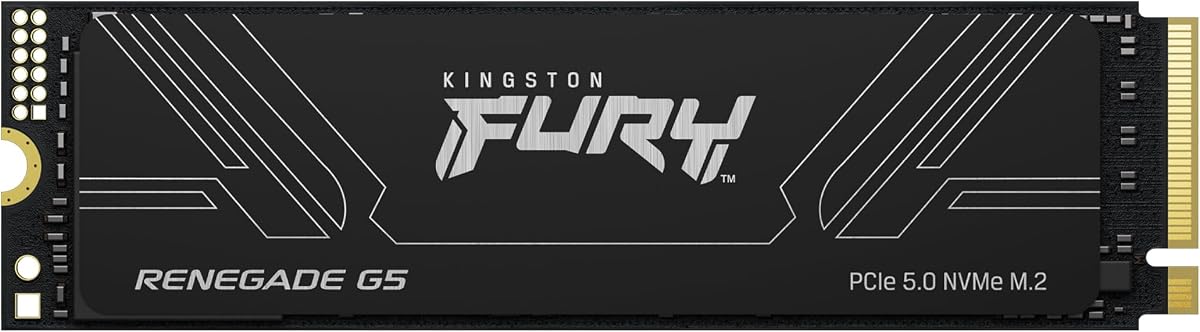
The Kingston FURY Renegade G5 pushes boundaries with PCIe 5.0 technology. It delivers ultra-fast load times ideal for demanding apps. This drive is built for those needing the absolute fastest storage available today.
We may earn a commission when you buy through this link, at no additional cost to you.
Read speeds up to 14800MB/s and write speeds up to 14000MB/s are exceptional. The SM2508 controller with 6nm lithography ensures efficient cooling and stable power. This model fits seamlessly into desktops with Gen 5×4 support.
The cost and requirement for a compatible motherboard are considerations. It is not necessary for all users. However for future-proofing and raw speed make it a compelling choice for top-tier builds.
We suggest this for enthusiasts wanting maximum performance potential. It handles huge datasets and professional workflows with ease. This model is the pinnacle of current internal NVMe SSD technology.
Uses PCIe 5.0 to double the speed of previous generation drives.
Designed for workstations requiring rapid data processing and stability.
We may earn a commission when you buy through this link, at no additional cost to you.
This model is a specialized version of the NV3 designed for smaller form factors. It brings high performance to devices like handheld gaming consoles. The ratings are high among users upgrading these specific devices.
We may earn a commission when you buy through this link, at no additional cost to you.
It maintains the Gen 4×4 NVMe PCIe performance despite the smaller size. Read speeds up to 6000MB/s are available even in this compact drive. It is ideal for high speed low power storage in limited spaces.
Compatibility is the main consideration as not all slots support 2230. Users must verify their device requirements before purchasing. For handhelds and SFF PCs this drive is a perfect fit.
We recommend this for portable gaming and compact system builds. It ensures your small system performs like a desktop. This model brings modern speeds to constrained environments.
Optimized for handheld gaming devices and small form factor PCs.
Delivers 6000MB/s speeds in a compact 2230 form factor.
We may earn a commission when you buy through this link, at no additional cost to you.
While not a Kingston product this drive is included for comparison. It is a top competitor in the PCIe 4.0 space. Users often choose between these brands for high-end builds.
We may earn a commission when you buy through this link, at no additional cost to you.
It offers up to 7450/6900 MB/s speeds which are near max for PCIe 4.0. Samsung MAGICIAN Software helps optimize drive health. The nickel-coated controller ensures effective thermal control.
Power efficiency is improved by 50% over previous models. This is great for energy-conscious builds. It provides faster loads for gaming and PS5 expansion.
We mention this as a benchmark for performance. If you prefer Samsung this model is strong. It is a reliable alternative for professional workflows.
Uses a nickel-coated controller for effective thermal control and efficiency.
Samsung MAGICIAN Software optimizes drive health and security.
We may earn a commission when you buy through this link, at no additional cost to you.
This drive offers a compact storage solution for devices with limited space. It is rated decently for its class. It is great for system partitions or cache storage.
We may earn a commission when you buy through this link, at no additional cost to you.
Compatible with Stream Deck, Laptops and Desktops. The PCIe NVMe M.2 Gaming Internal Solid State Drive ensures quick access. It is best for specialized uses rather than bulk storage.
The 128GB capacity limits bulk file storage. It is perfect for boot drives in compact setups. Users should verify device compatibility before installing.
We suggest this for specialized devices and cache needs. It provides speed where it matters most. This model is a practical choice for specific requirements.
Works well with Stream Deck and laptops needing small drives.
2230 form factor fits into tight spaces in laptops.
We may earn a commission when you buy through this link, at no additional cost to you.
The KC2500 is a reliable option for workstations needing security. It is a self-encrypting drive supporting end-to-end data protection. The ratings reflect its reliability in enterprise environments.
We may earn a commission when you buy through this link, at no additional cost to you.
It delivers speeds up to 3500/2900MB/s which are strong for Gen 3. Security features include TCG Opal 2.0 and Microsoft eDrive support. It is perfect for desktops and high-performance computing.
Security is the priority here over absolute speed. BitLocker support ensures data safety. It is a good choice for sensitive data storage.
We recommend this for security-conscious users. It ensures your data stays protected. This model is trusted for professional and sensitive workloads.
Supports TCG Opal 2.0 for industry standard encryption.
Built-in Microsoft eDrive support for BitLocker management.
We may earn a commission when you buy through this link, at no additional cost to you.
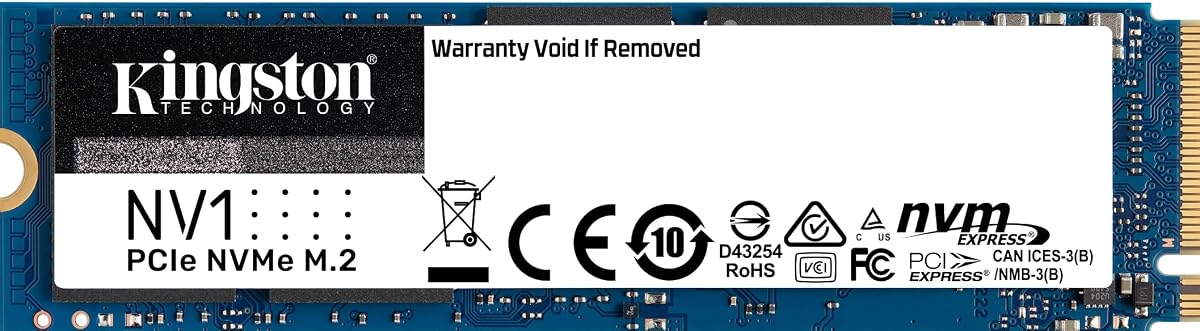
The Kingston NV1 2TB is a great budget option for bulk storage. With a high rating it is proven for reliability. It offers significant capacity at a lower price point.
We may earn a commission when you buy through this link, at no additional cost to you.
It provides up to 2100MB/s Read and 1700MB/s Write speeds. These are sufficient for daily tasks and media storage. The capacity up to 2TB meets large data storage requirements.
It is ideal for laptops needing secondary storage. The speed is lower than PCIe 4.0 but acceptable for the cost. Users should choose this for capacity needs.
We recommend this for general storage and backups. It provides value for money. This model is perfect for expanding drive space affordably.
Offers up to 2TB to meet your data storage requirements.
Provides a good balance of speed and price for bulk storage.
We may earn a commission when you buy through this link, at no additional cost to you.
This drive is an affordable entry point for NVMe storage. It has a high user rating. It is suitable for basic system upgrades.
We may earn a commission when you buy through this link, at no additional cost to you.
It provides up to 2100MB/s Read and 1700MB/s Write speeds. Available in a range of capacities up to 2TB to meet your data storage requirements. It is ideal for laptops and small form factor PCs.
For basic use this speed is sufficient. The 500G capacity fits OS and apps well. It is a good choice for budget upgrades.
We recommend this for basic laptop storage. It offers reliable performance. This model is a practical budget choice.
Delivers adequate speed for basic system tasks and boot times.
Fits perfectly into laptops and small form factor PCs.
We may earn a commission when you buy through this link, at no additional cost to you.
The Kingston KC3000 is a professional grade drive for notebooks. It holds a top rating. It is designed for demanding users requiring high performance.
We may earn a commission when you buy through this link, at no additional cost to you.
It offers Read 7000MB/s and Write 6000MB/s. This speed is top tier for professional work. Quality Assured Products ensure reliability for daily workloads.
Compatible devices include notebooks. It handles video editing and large file transfers well. The high price reflects its top capabilities.
We recommend this for professional notebook users. It ensures your laptop performs its best. This model is trusted for creative professionals.
Delivers top tier speed for creative workflows and notebooks.
Quality Assured Products ensure reliability for daily workloads.
We may earn a commission when you buy through this link, at no additional cost to you.
Choosing the right SSD depends on your system compatibility and performance needs. Consider the following factors to find the ideal drive.
NVMe SSDs use the PCIe bus for faster speeds. Older SATA SSDs are slower. Ensure your motherboard supports the interface.
Always verify PCIe generation support before buying.
Choose capacity based on file size and apps. 500GB is fine for OS, 2TB+ for media. Plan for future growth.
Larger capacity drives often offer better value per GB.
Most use M.2 2280 size. Small PCs might need 2230. Check your physical slot dimensions.
Verify the exact size your motherboard accepts.
Gaming and content creation benefit from faster speeds. Standard tasks work fine with basic speeds. Match speed to workload.
Higher speeds cost more but improve performance.
High-speed drives generate heat. Heatsinks help maintain stability. Check if the drive has thermal protection.
Consider airflow in your PC case.
Sensitive data needs encryption. Look for self-encrypting drives. Hardware encryption protects files securely.
Check for compatibility with your encryption software.
Warranties provide peace of mind. Most Kingston SSDs have 5-year coverage. Read the terms carefully.
Longer warranties indicate manufacturer confidence.
Consider price per GB. Higher speed drives cost more. Balance speed with budget.
Compare specs to find best value.
Before installing, power down your PC and unplug the power cable. Remove the case cover to access the M.2 slot on the motherboard.
Insert the SSD at a 30-degree angle into the slot. Secure it with the mounting screw. Close the case and power the system back on.
Once in the OS, format the drive and install your data. Regularly check for firmware updates. Avoid overheating by ensuring adequate airflow.
NVMe SSDs connect via PCIe and are much faster than SATA SSDs. SATA uses an older interface. NVMe is better for modern gaming and workstations.
It depends on the usage. High-speed drives like Gen 4 or 5 run hotter. Heatsinks help maintain stable performance during long sessions.
Check if your laptop has an available M.2 slot. Buy the compatible SSD size. Install the drive and clone your OS or fresh install Windows.
Yes, if it meets the 5500MB/s requirement. Many NVMe drives qualify. Ensure it fits the physical slot and uses supported firmware.
Modern SSDs can last for years. Lifespan is measured in TBW. Typical consumer SSDs last over 5 years under normal use.
Yes, Kingston is known for quality memory and storage. Their NVMe SSDs have strong user ratings and warranties. They are a trusted choice.
We reviewed ten top models to help you find the right storage. The NV3 and NV1 offer great value for most users.
Prioritize speed and capacity based on your specific needs. Security matters for business users. Budget matters for general home use.
Prices and availability change often. Always verify current listings before buying to ensure you get the best deal.
