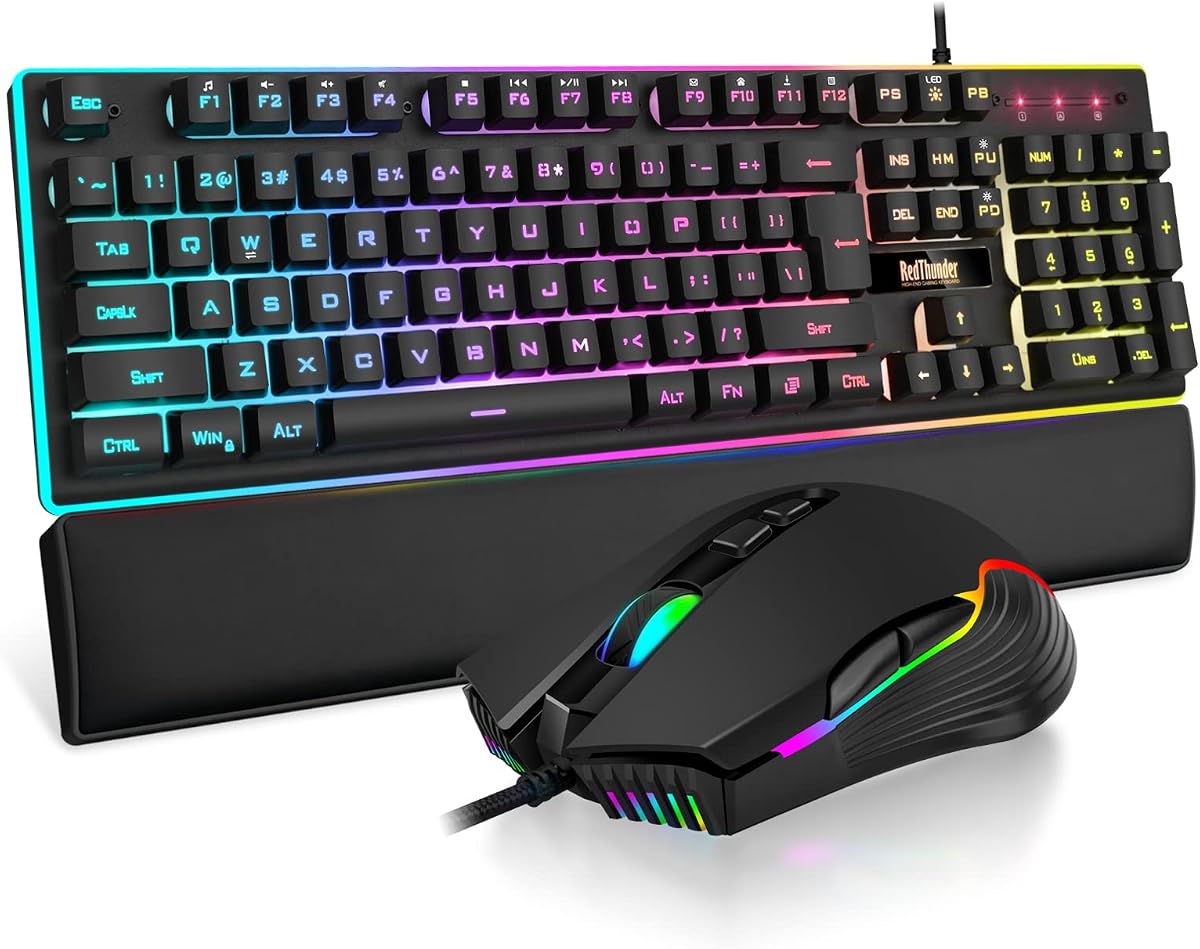
RedThunder K10 Wired Gaming Keyboard and Mouse
4.4Editor score
Mechanical feel key switches
High DPI optical sensor mouse
Full RGB lighting effects
This guide compares the top ten keyboard and mouse combos optimized for Baldurs Gate 3 performance comfort and durability to help gamers choose the right
Finding the right peripherals for Baldurs Gate 3 can transform your gaming experience significantly. A responsive keyboard and precise mouse ensure you cast spells and aim attacks without delay. This guide highlights combos designed to handle long RPG sessions comfortably.
We evaluated ten keyboard and mouse sets based on build quality comfort and gaming features. Each product offers unique strengths whether you need wireless freedom or budget-friendly durability. Our comparison focuses on performance metrics that matter most during intense gameplay moments.
Every pick includes detailed insights into key layout lighting and ergonomic design. You will see pros cons and specifications to guide your decision. Keep in mind that availability and pricing may shift so check current listings before purchasing.
4.4Editor score

4.5Editor score

4.5Editor score
The following table provides a side by side overview of all ten products. It highlights key specifications like connectivity type lighting options and special features to help you quickly compare differences between each set.
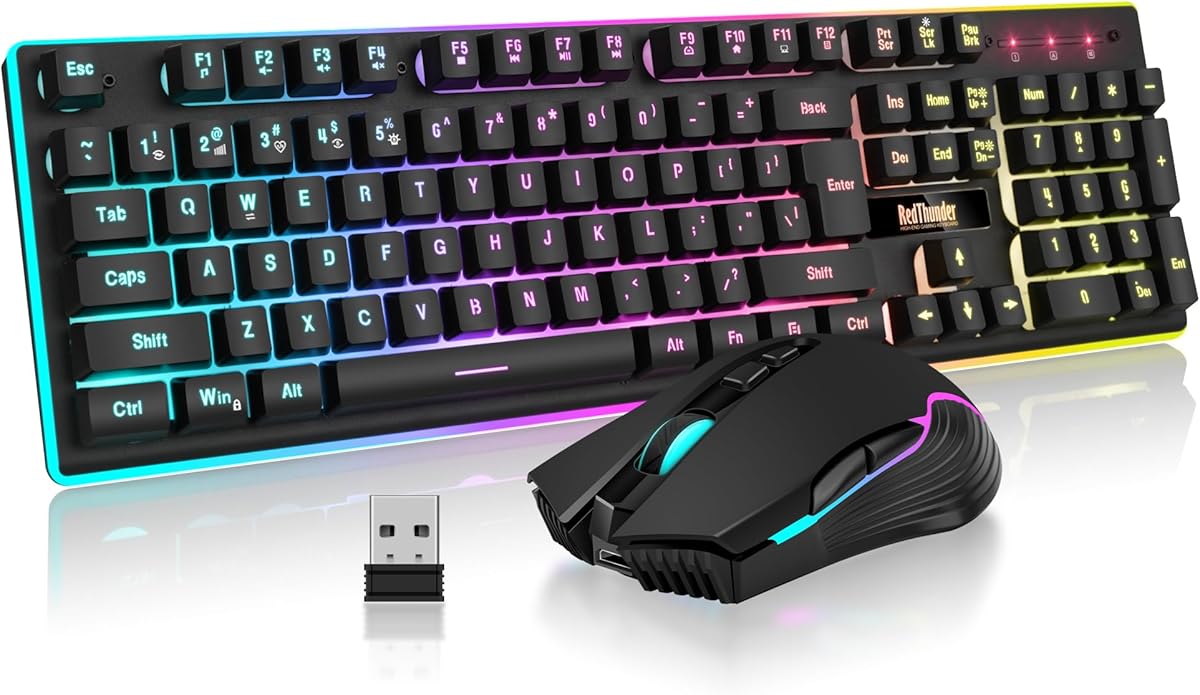


This keyboard and mouse combo stands out for its all in one value and responsive design. Rated highly by users it offers premium features at a budget friendly price point. The RGB backlighting and macro keys make it ideal for Baldurs Gate 3 gameplay.
We may earn a commission when you buy through this link, at no additional cost to you.
The keyboard features 6 vibrant backlight modes while the mouse offers 10 lighting effects. You can customize colors and patterns using intuitive software to match your setup. Macro keys allow you to record complex command sequences for a competitive edge.
Soft touch membrane keys provide satisfying feedback while remaining quiet for shared spaces. The anti ghosting technology ensures every key press registers instantly during intense action. An ergonomic wrist rest helps reduce fatigue during long gaming sessions.
If you want a reliable and feature packed kit for gaming or work this is a top choice. It works seamlessly with Windows 10 and 11 for easy setup. Consider this if you need a responsive upgrade without spending too much.
The five dedicated macro keys let you save complex spell sequences for quick access. This feature is particularly useful for RPGs where timing matters.
The included wrist rest and quiet keys make extended play more comfortable. You will feel less strain after hours of use.
We may earn a commission when you buy through this link, at no additional cost to you.
This set delivers mechanical feel keys without the high cost. It is designed for gamers who want responsive feedback and durability on a budget. The 3 in 1 combo includes a wrist rest for added comfort during play.
We may earn a commission when you buy through this link, at no additional cost to you.
The keyboard has a built in steel plate that makes it sturdy and durable. You get 26 anti ghosting keys to press multiple keys simultaneously without issues. The mouse offers a 7200 DPI sensor for precise tracking and fast responses.
RGB lighting covers the keyboard keys bottom bar and mouse sides for a cool look. The floating keycaps provide a unique aesthetic and are easy to clean. Adjustable legs help you find the perfect typing angle.
Choose this if you want a professional gaming look and feel for less money. It works well for fast browsing and game requirements alike. The included wrist rest adds extra relaxation while you game.
The steel plate and ABS keycaps ensure longevity. You can rely on this setup for daily use.
The mouse sensor supports high acceleration and tracking speeds. This helps in fast-paced gameplay scenarios.
We may earn a commission when you buy through this link, at no additional cost to you.
This wireless combo balances work and gaming with stable 2.4G transmission. It offers rechargeable batteries for continuous use without constant replacements. The mechanical feel keys provide satisfying feedback similar to traditional switches.
We may earn a commission when you buy through this link, at no additional cost to you.
The keyboard holds a 3000 mAh battery while the mouse has 800 mAh. You can use them for hours with light on before needing a charge. Smart energy saving features turn them off when idle to extend battery life.
The keyboard has three groups of rainbow backlight effects with breathing and static modes. The mouse includes a 7 color cyclic light that adds style to your desk. The thick metal cover ensures the device never deforms.
Ideal for those who hate cables but still want gaming performance. Plug and play setup makes it easy to start. You will appreciate the freedom to move without wires.
Rechargeable batteries mean you do not buy disposables. The long run time supports marathon gaming sessions.
The 2.4G wireless ensures stable transmission even in intense battles. You will not experience lag or dropouts.
We may earn a commission when you buy through this link, at no additional cost to you.
This set focuses on comfort and visual appeal for everyday use. The 3 LED backlight and 7 color breathing light create a gorgeous look. It is designed to release hand fatigue with ergonomic design.
We may earn a commission when you buy through this link, at no additional cost to you.
Professional mechanical feeling keys give you a cool usage experience. Whether working or gaming you will appreciate the quality. The durability is enhanced with 5 million click keys for the keyboard.
Laser carved characters ensure the key markings never fade over time. It supports Windows Android and Mac OS for wide versatility. You do not need drivers to start using it immediately.
Perfect for those who want a stylish setup that works everywhere. The high DPI options let you adjust speed for different tasks. Expect a reliable experience from a trusted service team.
The cool visual effects make the setup stand out. You can use it in dark rooms easily.
It works with many devices including TVs and laptops. You get versatility without buying extra gear.
We may earn a commission when you buy through this link, at no additional cost to you.
This full size keyboard offers efficient typing with a standard layout. The K1 design fits naturally with your hands for maximum comfort. It is a great choice for modern offices or gaming desks.
We may earn a commission when you buy through this link, at no additional cost to you.
RGB backlight features 8 colors and 5 modes to customize your look. Double shot injection molding ensures letters never fade. The mouse has 6 speed levels for quick response and accurate movement.
Non-slip pads keep the keyboard stable during intense use. The waterproof USB cable protects against spills. It works with Windows and Mac systems seamlessly.
Use this for a reliable and comfortable setup. You can adjust brightness and speed easily via shortcuts. It is perfect for daily typing and gaming needs.
The ergonomic layout reduces hand fatigue. You can type for long periods comfortably.
High speed transmission helps in fast scenarios. The mouse moves exactly where you want.
We may earn a commission when you buy through this link, at no additional cost to you.
This combo helps those who have trouble seeing standard keyboards. High-contrast keys and large characters make typing accurate and easy. It is perfect for seniors or visually impaired users.
We may earn a commission when you buy through this link, at no additional cost to you.
The keyboard features colorful backlighting with 3 brightness levels. You can choose from 7 colors to match your preferences. The ergonomic design reduces hand fatigue for long hours of playing.
Unfoldable feet help you find a comfortable typing angle. The full QWERTY layout includes a numeric keypad. Setup is simple with no drivers required.
Choose this for ease of use and clear visibility. It works with Windows and Mac systems well. This is a thoughtful gift for families needing accessibility.
Large keys and high contrast improve accuracy. You will not struggle with key locations.
The ergonomic layout and wrist rest support your hands. You can work without relearning how to type.
We may earn a commission when you buy through this link, at no additional cost to you.
This set is a complete solution for gaming and work. The rainbow backlight lets you see letters clearly in dark rooms. It includes a mouse pad which adds value to the package.
We may earn a commission when you buy through this link, at no additional cost to you.
The keyboard has a built-in steel plate to prevent falling. 19 non-conflict keys allow you to press multiple keys simultaneously. The mouse has adjustable DPI for different needs.
LED breathing light on the mouse changes automatically. You can turn the mouse backlight on or off with a key combo. The braided wires are durable and long.
Pick this for a budget-friendly complete gaming kit. It works with Windows Mac and game consoles. You will appreciate the extra mouse pad.
The mouse pad provides a large space for movement. It ensures your setup is ready to use.
The steel plate ensures the keyboard is robust. It resists falls and damage.
We may earn a commission when you buy through this link, at no additional cost to you.
This combo is ideal for seniors and office workers. Keys are printed 3 times larger for better visibility. It supports extended use with an integrated wrist rest.
We may earn a commission when you buy through this link, at no additional cost to you.
Quiet low-profile keys reduce noise during office work. The keyboard is spill-resistant and durable for 10 million keystrokes. The mouse has dynamic RGB lighting and adjustable DPI.
Multimedia hotkeys adjust audio and email quickly. It works with Windows Mac and Chrome OS devices. You get a reliable set for daily tasks.
Choose this for comfort and clarity. It is a thoughtful choice for students and families. Expect a quiet and smooth experience.
Silent keys let you concentrate without distraction. Ideal for shared office spaces.
High durability rating ensures longevity. You will not need to replace it often.
We may earn a commission when you buy through this link, at no additional cost to you.
This set helps students and office workers identify keys quickly. 4X larger characters make typing more accurate. The adjustable palm rest reduces wrist fatigue.
We may earn a commission when you buy through this link, at no additional cost to you.
You can choose from 7 colors and 4 lighting modes. The ergonomic mouse reduces misclicks during daily use. It is compatible with Windows Mac and ChromeOS.
Foldable stands provide a comfortable typing angle. The 5.2 ft cable connects easily. You do not need drivers or batteries.
Perfect for online classes and daily tasks. The lighting helps in dim environments. It is a practical gift for students.
The palm rest and angle reduce fatigue. You can work for long hours.
Larger characters help avoid mistakes. It is great for quick identification.
We may earn a commission when you buy through this link, at no additional cost to you.
This wireless set helps maintain a cleaner workspace. It offers RGB lighting to match your mood. The phone holder adds convenience for multitasking.
We may earn a commission when you buy through this link, at no additional cost to you.
Silent keys optimize responsiveness without noise. You can type from a distance with 2.4G connection. The wrist rest and legs help keep hands cramp-free.
Mouse noise reduction is 99.99 percent so you do not annoy others. It works with Windows Mac and Chromebook. You get ergonomic support for precision.
Ideal for hybrid work and home use. The rechargeable feature saves battery costs. It enhances productivity and comfort.
Wireless design reduces cable clutter. You can type comfortably from afar.
Noise reduction ensures focus. You will not disturb colleagues.
We may earn a commission when you buy through this link, at no additional cost to you.
Selecting the right peripherals involves considering factors like connectivity, ergonomics, and key response. This guide helps you evaluate features that enhance your gameplay experience.
Decide between wired and wireless setups. Wired options offer stable connections without battery concerns. Wireless setups reduce cable clutter but require charging or batteries.
Choose wired for competitive stability or wireless for a tidy desk.
Look for mechanical or membrane switches. Mechanical switches provide tactile feedback. Membrane switches are quieter and affordable.
Mechanical switches suit gaming while membrane suits office use.
Consider wrist rests and adjustable feet. Ergonomic designs reduce fatigue. Ensure the keyboard fits your hand size.
Prioritize comfort to avoid pain during long sessions.
RGB lighting helps visibility in dark rooms. Choose customizable lighting for style. Some sets offer simple backlighting.
Select lighting that matches your aesthetic needs.
Check key lifespan ratings. Steel plates or reinforced frames last longer. Look for anti-ghosting features.
Durable materials ensure longevity for gaming.
Ensure adjustable DPI for different speeds. High-quality sensors improve tracking. Look for comfortable shapes.
A good mouse improves accuracy during combat.
Verify support for your operating system. Most work with Windows and Mac. Check for driver requirements.
Ensure it works with your specific hardware setup.
Set a spending limit. Affordable sets may lack premium features. Higher cost often means better build quality.
Balance features with what you can afford.
Connect your keyboard and mouse to available USB ports. Ensure all connections are secure before powering on. If wireless, insert the receiver and charge batteries fully.
Install any required software for customizing lighting or macros. Use the provided apps to create shortcuts for spells. Adjust DPI settings to match your gameplay style.
Clean the keys regularly with a soft cloth. Avoid spills by using liquid guards. Store the devices in a dry place to prevent damage over time.
Yes these combos are suitable for Baldurs Gate 3 as they offer responsive keys and anti-ghosting features. These allow you to cast spells quickly without conflicts during combat.
Most keyboards support plug and play without drivers. Some models have optional software for customization. Check the product details before purchasing.
Wireless models typically last several hours on a single charge. Energy-saving features help extend runtime. Check specific battery specs for details.
Many of these combos support Mac OS. However some multimedia keys may not work fully. Verify compatibility before buying for Mac users.
Higher DPI helps with faster movements and precision. Adjust it based on screen size and personal comfort. Most mice offer adjustable ranges.
Yes most sets are designed with durable materials. Steel plates or reinforced frames add strength. They can withstand intense daily usage.
Some models include an integrated or detachable wrist rest. This feature helps reduce fatigue during long sessions. Check the product description for details.
Many models offer customizable RGB or LED lighting. You can change colors and modes to suit your preference. Software or keys often enable this.
We reviewed ten top options for Baldurs Gate 3 players offering value and performance. The Redragon S101-3 PRO leads for overall features and durability. Wireless sets provide freedom while wired ones offer stability.
Prioritize ergonomic comfort and key responsiveness to avoid fatigue. Choose lighting and customizations that fit your play style. Ensure the set matches your operating system.
Remember that availability and prices may change over time. Check current listings before purchasing to confirm the best deal. This guide helps you pick confidently for your gaming needs.