
Canon PIXMA TR4720
3.8Editor score
Wireless connectivity
Built-in fax function
Auto document feeder
This comprehensive guide compares the top ten affordable fax solutions for 2026 to help you find the cheapest reliable machine with essential features like
Finding a reliable fax machine that fits your budget can be challenging in today's digital landscape. Many businesses and home offices still require secure document transmission for legal or compliance reasons.
We evaluated ten top-rated models based on performance, features, and value to ensure you get the most functionality for your investment. This list covers both dedicated fax units and versatile all-in-one printers.
Each selection highlights key specifications and real-world usability to help you make an informed decision quickly. Please note that pricing and availability may fluctuate depending on current market conditions and retailer promotions.
3.8Editor score

4.0Editor score
3.9Editor score
The following table provides a side-by-side overview of all ten selected machines to help you compare key specifications at a glance before making your final purchase decision.


The Canon PIXMA TR8620a stands out as the top pick for users seeking a balance of features and affordability. With a solid rating and comprehensive connectivity options it handles document tasks efficiently.
We may earn a commission when you buy through this link, at no additional cost to you.
Its standout capabilities include voice control integration via Alexa and a generous 200 sheet paper capacity that reduces frequent reloading. The auto two-sided printing saves paper and makes professional presentations easier.
While ink prices can vary depending on usage volume the smart reorder feature helps prevent interruptions by monitoring supply levels. Some users find the initial setup slightly complex but it is manageable with the provided instructions.
This model is ideal for home offices needing reliable faxing plus versatile printing and scanning. We recommend it for those who want modern convenience without sacrificing essential fax functionality.
Using Alexa allows you to check ink levels or reorder supplies hands free which is perfect for busy work environments.
The dual feed system supports larger batches of paper reducing downtime during critical work hours or busy seasons.
We may earn a commission when you buy through this link, at no additional cost to you.
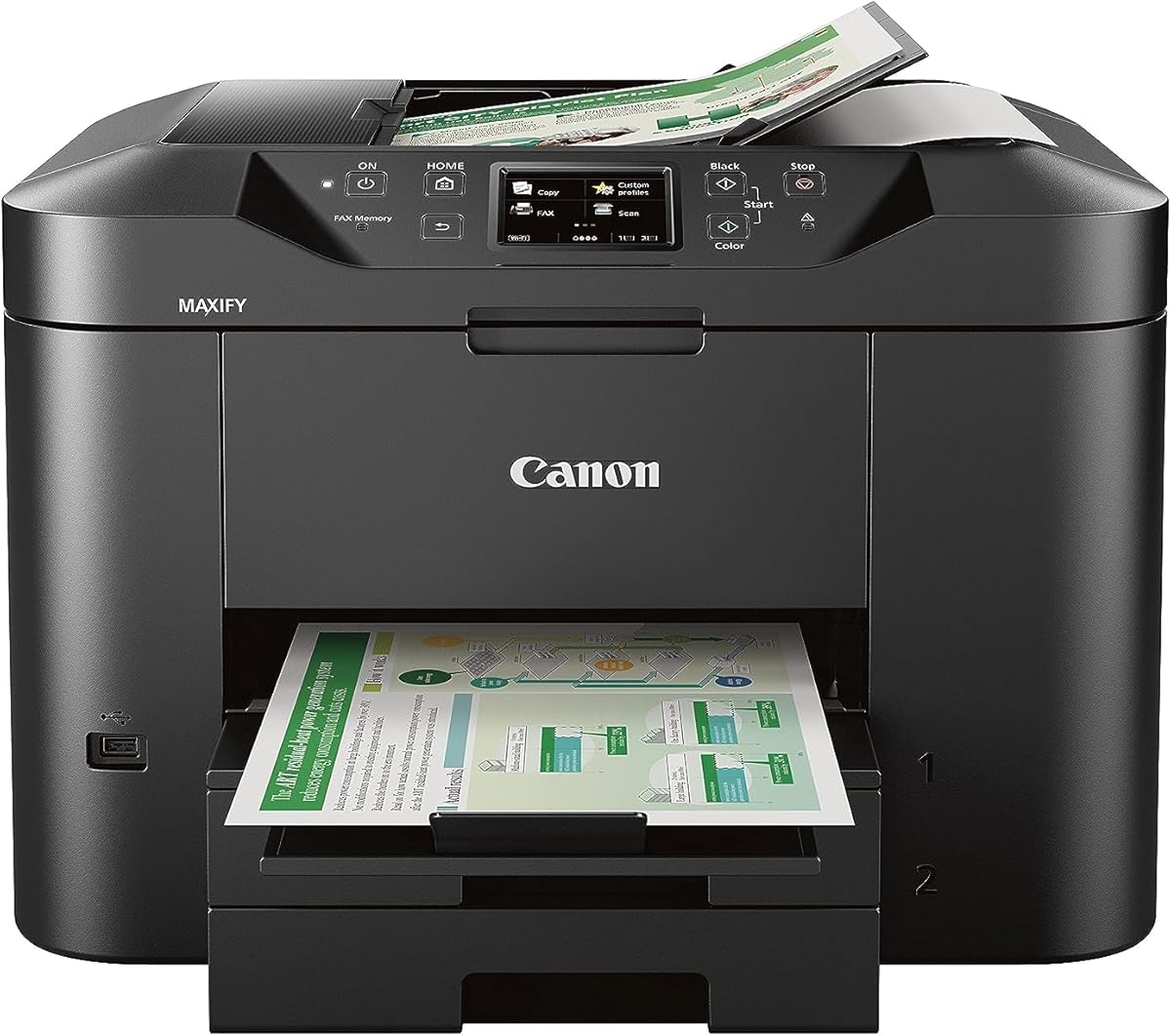
The Canon PIXMA TR4720 offers exceptional value for those prioritizing cost without compromising on essential fax capabilities. Its versatile design supports multiple tasks in a single compact unit for small spaces.
We may earn a commission when you buy through this link, at no additional cost to you.
Key strengths include wireless connectivity and mobile printing which allow seamless integration with smartphones and tablets. The auto document feeder simplifies scanning and faxing multi page documents efficiently without manual intervention.
While it may lack advanced speed features the straightforward interface makes it user friendly for casual users. Ink cartridges are easy to replace ensuring minimal downtime when supplies run low during work tasks.
We suggest this model for budget conscious buyers needing a reliable fax solution with printing and scanning. It remains a strong choice for home users managing occasional business correspondence.
Connect your phone or tablet easily to print or fax directly from your device without needing a computer connection.
Designed for low initial cost and simple maintenance this unit keeps overheads manageable for small business budgets.
We may earn a commission when you buy through this link, at no additional cost to you.
The Canon MAXIFY MB2720 delivers robust performance suitable for demanding business environments needing reliable faxing. Its durable construction ensures it can handle high volume workloads with consistent quality output.
We may earn a commission when you buy through this link, at no additional cost to you.
Its most impressive feature is the 500 sheet paper capacity and 20000 page duty cycle which reduces maintenance interruptions. The dual resistant inks produce smudge and highlighter resistant text perfect for official documents.
Although it carries a higher price point the longevity and efficiency justify the investment for active users. Mobile app integration allows scanning and copying from devices which streamlines office workflows significantly.
We recommend this model for small businesses needing a fax capable machine that withstands heavy use. It balances professional output quality with essential connectivity options for modern offices.
Built to handle thousands of pages monthly this printer maintains performance over years of continuous office use.
Laser sharp text ensures documents look crisp and clean which enhances credibility for client facing materials.
We may earn a commission when you buy through this link, at no additional cost to you.
The Brother FAX-575 is a reliable dedicated unit combining fax phone and copying functions into one easy to use device. It has earned high marks for its straightforward interface and consistent transmission quality.
We may earn a commission when you buy through this link, at no additional cost to you.
Key strengths include a 50 sheet paper capacity and built-in handset that makes handling calls and faxes simple without extra hardware. The 400 by 400 dpi resolution ensures copy quality remains clear and readable for documents.
While memory capacity is limited to 25 pages it suffices for occasional fax tasks without needing advanced features. The older design may lack modern connectivity but it remains a practical choice for basic needs.
We suggest this model for those needing a standalone fax solution with minimal setup requirements. Its simplicity makes it ideal for environments where advanced features are unnecessary for daily operations.
The built-in handset allows you to make and receive calls directly eliminating the need for a separate telephone line.
Designed for ease of use the control panel is intuitive and requires little training for all staff members to operate.
We may earn a commission when you buy through this link, at no additional cost to you.
The HP DeskJet 2955 is an affordable all-in-one unit perfect for basic printing scanning and copying needs at home. It offers wireless connectivity and smart features to streamline everyday document tasks efficiently.
We may earn a commission when you buy through this link, at no additional cost to you.
Its standout features include HP AI capabilities that optimize print formatting to reduce waste and improve layout quality. The included Instant Ink trial provides convenient delivery ensuring you rarely run out of supplies unexpectedly.
While fax functionality is limited through the app it suits users needing occasional digital transmission rather than traditional faxing. Speeds are moderate so it works best for low volume printing environments at home.
We recommend this model for home users needing a compact multi function printer with modern app integration. It balances cost and performance well for casual document management tasks.
The Instant Ink service tracks usage and ships cartridges automatically which helps avoid interruptions during important tasks.
HP AI helps remove unwanted content from web pages so prints are cleaner and require fewer reprints overall.
We may earn a commission when you buy through this link, at no additional cost to you.
The Sharp UXB20 is a dedicated fax machine offering reliable inkjet quality for documents and copies in home offices. It includes essential features like speed dial and caller ID to manage communication effectively.
We may earn a commission when you buy through this link, at no additional cost to you.
Its standout feature is the multi-copy function allowing up to 99 copies of a document which saves time for batch tasks. The corded handset with distinctive ring detection helps manage incoming calls and fax signals easily.
While it carries a lower rating compared to newer models it remains a functional choice for basic fax requirements. The 24 page memory capacity ensures documents are stored securely if the machine is temporarily unavailable.
We suggest this model for users seeking a straightforward fax device without advanced connectivity. It works well for environments where simplicity and cost-effectiveness are top priorities.
Making multiple copies quickly reduces manual effort when duplicating invoices or contracts for record keeping purposes.
Storing up to 30 numbers allows quick dialing to frequent contacts without typing codes repeatedly each time.
We may earn a commission when you buy through this link, at no additional cost to you.
The Brother IntelliFAX-2840 uses laser technology to deliver fast and sharp document quality for high-volume faxing needs. It is designed to handle demanding workflows with consistent reliability for business use.
We may earn a commission when you buy through this link, at no additional cost to you.
Its key strength is the 21 pages per minute speed which reduces wait times when processing large batches of documents. The laser output produces crisp text that remains clear and professional on all standard paper types.
While it lacks network ready features it remains efficient for direct line connections in smaller environments. Toner costs may be higher than inkjet but the volume capacity often balances this over time for heavy users.
We recommend this model for businesses needing speed and durability without complex networking. It balances performance and cost well for dedicated fax environments.
Laser printing ensures text is sharp and smudge resistant which is vital for formal business contracts and reports.
With robust handling it manages large jobs without overheating which is essential for offices sending daily documents.
We may earn a commission when you buy through this link, at no additional cost to you.
The Panasonic KX-FHD331 is a straightforward plain paper fax unit suitable for essential communication needs without specialized paper costs. It includes caller ID compatibility to manage incoming calls more effectively than basic units.
We may earn a commission when you buy through this link, at no additional cost to you.
Its main advantage is the use of standard plain paper which eliminates the need for expensive thermal rolls found in older models. The answering machine interface allows seamless integration with existing phone systems for better call handling.
While it carries a lower user rating due to slower modem speeds it remains functional for occasional use where speed is not critical. The six month warranty provides exchange assurance if defects occur early in usage.
We suggest this model for budget focused users needing a basic fax machine. It works well where simplicity and standard paper use are preferred over advanced features.
Using standard office paper reduces ongoing costs and ensures documents are easy to file without special handling.
Identifying incoming callers helps you prioritize urgent faxes and manage communications efficiently at a glance.
We may earn a commission when you buy through this link, at no additional cost to you.
The Brother IntelliFax 575 Renewed provides a sustainable and cost effective option for users needing reliable faxing without new equipment costs. It features energy efficiency ratings which help minimize power consumption during operation.
We may earn a commission when you buy through this link, at no additional cost to you.
Key strengths include thermal transfer technology which works with specific paper types for clear outputs and a small footprint for tight spaces. The 10 sheet auto feed tray simplifies sending multi page documents manually without interruptions.
While thermal paper may cost more over time the low purchase price offsets this for limited users. It is a solid choice for environmentally conscious buyers seeking a functional and efficient fax machine.
We recommend this model for those prioritizing sustainability and lower upfront costs. It fits well in home offices needing basic fax capabilities without complex setups.
Energy Star compliance helps reduce electricity usage which contributes to lower utility bills over time of use.
The small auto feed slot allows quick transmission of multi page documents without requiring manual sheet feeding.
We may earn a commission when you buy through this link, at no additional cost to you.
The Brother FAX-575 Renewed offers a cost effective entry into dedicated faxing for those who prefer tested refurbished units. It retains all essential features including phone copier and fax functions in one compact design.
We may earn a commission when you buy through this link, at no additional cost to you.
Its main advantage is the reduced price point while still providing reliable performance for standard fax and copy needs. The 400 by 400 dpi resolution ensures outputs remain legible and professional for daily documents.
While it is a renewed unit it typically includes warranties for peace of mind compared to other used options. It works well for small businesses needing reliable tools without the premium price of new equipment.
We suggest this model for budget focused buyers who want proven functionality. It balances cost and reliability well for routine fax operations.
Choosing renewed hardware helps reduce electronic waste while offering significant savings compared to brand new models.
Combining three functions into one unit saves desk space and simplifies your workspace for better workflow efficiency.
We may earn a commission when you buy through this link, at no additional cost to you.
Selecting the right fax machine involves balancing cost with the features you actually need for your daily tasks and volume.
Transmission speed determines how fast a document is sent to another machine measured in pages per minute or seconds. Faster modems reduce wait times for urgent documents and improve efficiency in busy environments.
Look for modems rated at least 9.6 Kbps for acceptable speed and avoid older slower models if time matters.
Paper capacity refers to the number of sheets a machine can hold before reloading is needed. Larger capacities mean less frequent interruptions during workdays especially when sending bulk documents.
Choose units with at least 50 sheets to ensure uninterrupted operation during typical office tasks.
Memory storage allows the fax to store outgoing documents temporarily if the line is busy or paper runs out. This feature prevents document loss and allows later transmission automatically.
Ensure the model has enough memory to hold at least 25 pages for practical batch sending workflows.
Connectivity options determine how the fax integrates with your office network or phones. Wireless and mobile options provide flexibility while traditional corded models offer reliability without setup issues.
Pick a model that matches your office setup whether you need modern wireless or traditional analog connections.
Copy quality is measured in dots per inch which affects how clear text and images appear. Higher resolution ensures documents look professional and legible when printed or scanned.
Look for at least 400 by 400 dpi for sharp text that meets standard business document expectations.
The long-term cost includes ink toner or paper needed to operate the machine. Some cheaper models may have higher ongoing costs which can outweigh the initial savings over time.
Compare ink or toner prices before purchasing to understand the true cost of ownership for your usage.
Multifunction machines combine printing scanning and copying with faxing to save space and cost. These units often provide better value if you need multiple document tools in one compact footprint.
Prioritize all-in-one units if you want flexibility beyond just faxing to streamline your office desk setup.
A good warranty protects your investment against defects or premature failures that can happen with complex electronics. Check the coverage duration and support availability before finalizing your purchase decision.
Always choose units with at least a six month warranty and accessible customer support channels for peace of mind.
To use a fax machine start by connecting the power cord and telephone line to ensure stable communication with other machines.
Place documents in the feeder tray facing down or as instructed and dial the recipient number before pressing send to transmit.
Clean the glass and rollers regularly with a soft cloth to avoid smudges or paper jams during daily operation.
Yes most dedicated fax machines require an analog telephone line to transmit signals correctly. However many modern all-in-one printers allow faxing via internet services if landlines are unavailable.
Many modern fax units support mobile apps that enable sending faxes directly from a smartphone. This feature is common on all-in-one printers but less frequent on standalone dedicated fax models.
Laser fax machines produce sharper text and faster speeds but cost more upfront. Inkjet models are generally cheaper and handle color well but may have higher long-term ink costs.
Open the covers gently and remove the paper without tearing it inside the mechanism. Always turn the rollers by hand to ensure debris is removed before closing the unit back up.
Many legal and medical fields still require faxing due to security compliance standards. Even with email options some regulations mandate physical fax transmission for certain document types.
A standard single page fax takes around 15 seconds on a 9.6 Kbps modem. Larger documents will take longer depending on file size and modem quality of the recipient.
Some internet fax services allow sending faxes without traditional phone lines. These services convert your document to email but may require monthly subscriptions to use.
Regular cleaning of the glass and paper rollers prevents jams and smudges. Store the machine in a dust free area to ensure longevity and reliable performance over years.
We hope this guide helps you find the ideal fax machine that balances cost with the essential features your workspace requires.
Prioritize reliability and paper capacity if you send documents daily or ensure wireless options are present for modern flexibility.
Remember to check current availability and warranty details before buying to secure the best value for your specific situation.