
VAYDEER Volume Control Knob
4.5Editor score
One-Click Mute Function
Driver Free Installation
Sturdy Metal Construction
Discover the top Bluetooth volume control knobs for 2026. Our expert guide compares features, connectivity, and build quality to help you choose the perfect
Finding the right Bluetooth volume control knob can transform how you interact with your digital devices daily. These compact dials offer tactile precision that touchscreens simply cannot match. Whether you are a professional editor or a casual music listener, having a dedicated physical control for audio levels adds a layer of convenience and efficiency to your workflow. The market has evolved significantly, offering various connectivity options and customization features to suit different needs.
We have carefully analyzed ten top-rated models available this month to bring you this comprehensive roundup. Our evaluation process focused on connectivity stability, build quality, and the versatility of programmable functions. We considered how each device integrates with major operating systems like Windows and macOS. Additionally, we looked at battery life and ergonomic design to ensure long-term usability without frequent interruptions or discomfort during extended sessions.
Each selection in this list highlights specific strengths that cater to distinct user preferences and budget ranges. Some models excel in premium build quality while others focus on extensive programmability for power users. Please note that product availability and pricing can fluctuate rapidly due to market demand and seasonal promotions. We recommend verifying the current details on the retailer site before making your final purchase decision to ensure you get the best value available today.
4.5Editor score

4.7Editor score

3.8Editor score
This side-by-side comparison allows you to quickly assess the key specifications and capabilities of each model. We have organized the data to highlight differences in connectivity, material quality, and unique features. This overview helps you narrow down your choices based on the most critical factors for your specific setup.


The LICAEVEY Volume Control Knob stands out as a top contender in the current market due to its robust feature set and reliable performance. With a high user rating of 4.7 stars, it reflects strong satisfaction among owners who value versatility and build quality. Its ability to switch seamlessly between Bluetooth, 2.4G, and USB-C wired modes makes it a universal solution for diverse devices including phones, tablets, and PCs.
We may earn a commission when you buy through this link, at no additional cost to you.
One of the most compelling aspects of this model is its deep customization capability. Users can map complex keyboard shortcuts to a single key press or specific rotations, significantly streamlining workflows for content creators and power users. The 360-degree infinite rotation shaft ensures smooth adjustments without end stops, while the 400mAh battery provides ample power for extended periods of use without frequent recharging.
While the device offers exceptional functionality, there are minor trade-offs to consider. The initial setup for custom shortcuts might require a learning curve for those unfamiliar with macro software. Additionally, the presence of RGB lighting adds to the aesthetic appeal but may not be necessary for users seeking a minimalist desk setup. These factors are generally acceptable given the overall utility provided.
This control knob is ideally suited for professionals and enthusiasts who demand precise audio control and want to automate repetitive tasks. Whether you are editing video, managing spreadsheets, or simply listening to music, this device integrates well into your daily routine. We recommend it for anyone looking to enhance their desk ergonomics and efficiency with a high-quality tactile controller.
The ability to connect via Bluetooth, 2.4G wireless, and USB-C ensures that this knob works with almost any device you own. This flexibility means you can switch between your laptop and tablet without needing different accessories.
By mapping complex key combinations to the knob, you can save time on repetitive tasks. This feature is particularly useful for streamers and editors who need quick access to shortcuts during active sessions.
We may earn a commission when you buy through this link, at no additional cost to you.
The Anticater VK-01 brings a premium touch to the budget category with its CNC aluminum construction. Despite a rating of 3.7 stars, the device offers a high-quality tactile experience that rivals more expensive models. Its triple-mode connectivity ensures you can use it wirelessly via Bluetooth or 2.4GHz, or connect directly via USB-C for zero-latency control.
We may earn a commission when you buy through this link, at no additional cost to you.
What sets this model apart is the inclusion of custom macro software that allows for deep functionality mapping. Users can assign specific functions to the dial, making it a powerful tool for creative professionals. The anodized silver finish adds a sophisticated look to any desk setup, appealing to those who prioritize aesthetics alongside functionality. It is designed to work seamlessly across both Windows and macOS environments.
However, the lower rating suggests that some users may face challenges with software installation or connectivity stability. The reliance on external software for full customization might be a hurdle for those seeking plug-and-play simplicity. Additionally, the build quality while premium might not be as robust in high-impact environments compared to heavier industrial designs.
We recommend this product for users who appreciate premium materials and are comfortable with software configuration. If you need a stylish volume controller that fits into a professional workflow and offers advanced macro capabilities, this is a strong contender. It balances cost and quality effectively for those willing to invest a bit of time in setup.
The CNC aluminum body provides a solid and durable feel that prevents unwanted movement on your desk. The anodized finish resists scratches and adds a modern aesthetic to your workspace.
With dedicated software, you can program complex actions to the dial. This turns a simple volume control into a versatile tool for managing your computer tasks efficiently.
We may earn a commission when you buy through this link, at no additional cost to you.
The Jiawu USB Volume Control Knob is designed with tech enthusiasts in mind who want modern connectivity and visual flair. While the rating is currently N/A, the feature set suggests a strong appeal to users who value the latest Bluetooth standards. With Bluetooth 5.1, it offers improved range and stability compared to older models, ensuring a smooth connection to your PC.
We may earn a commission when you buy through this link, at no additional cost to you.
This device allows for significant customization through its programmable capabilities. You can adjust volume, mute, and manage playback tracks with ease. The customizable RGB lighting adds a dynamic visual element that can be tailored to match your setup theme. The aluminum alloy construction ensures a sleek and durable form factor that fits well in modern office environments.
One consideration is the reliance on an app to unlock the full range of programmable features. Users who prefer hardware-only configurations might find this limiting. Additionally, without a significant number of user reviews, long-term reliability remains somewhat unproven. These factors should be weighed against the attractive design and connectivity benefits.
For tech-savvy individuals who enjoy customizing their peripherals, this knob offers a compelling package. It is a great choice for those who want to integrate a stylish controller into their gaming or work setup. We suggest it for users who prioritize modern specs and visual customization over extensive review history.
Bluetooth 5.1 provides a more stable connection with less latency than previous versions. This ensures that your volume adjustments are immediate and reliable during use.
The ability to customize RGB lighting allows you to match the controller to your other desk peripherals. This adds a personalized touch to your overall workspace aesthetic.
We may earn a commission when you buy through this link, at no additional cost to you.
The Razer Wireless Control Pod is a specialized accessory designed to enhance the experience with Razer Nommo V2 and Leviathan V2 speakers. With a rating of 3.8 stars, it offers a robust way to manage audio and lighting without touching your computer. The integration with Razer Chroma allows for synchronized lighting effects that match your gaming setup perfectly.
We may earn a commission when you buy through this link, at no additional cost to you.
Key features include a rotatable and clickable dial that provides precise control over volume and EQ settings. The source button makes it easy to switch between connected devices or change connection modes without complex menus. Built with a durable aluminum alloy, it is designed to withstand daily use and maintain a premium look over time.
However, the device is specifically optimized for Razer speaker systems, which might limit its utility for general desktop audio control. It runs on two AAA batteries which can last up to 8 months, but this adds recurring maintenance compared to rechargeable units. Users must weigh the specific ecosystem benefits against the cost of batteries.
This product is best suited for gamers who already use Razer audio equipment and want deep integration with their setup. It offers a convenient way to manage audio and lighting in one place. We recommend it primarily for those invested in the Razer ecosystem who value synchronized visual effects.
The control pod connects seamlessly with Razer Chroma to allow synchronized lighting. This creates a cohesive visual experience across your gaming hardware.
Constructed from aluminum alloy, the unit is built to resist wear and tear. The textured grip on the dial ensures precise adjustments without slipping.
We may earn a commission when you buy through this link, at no additional cost to you.
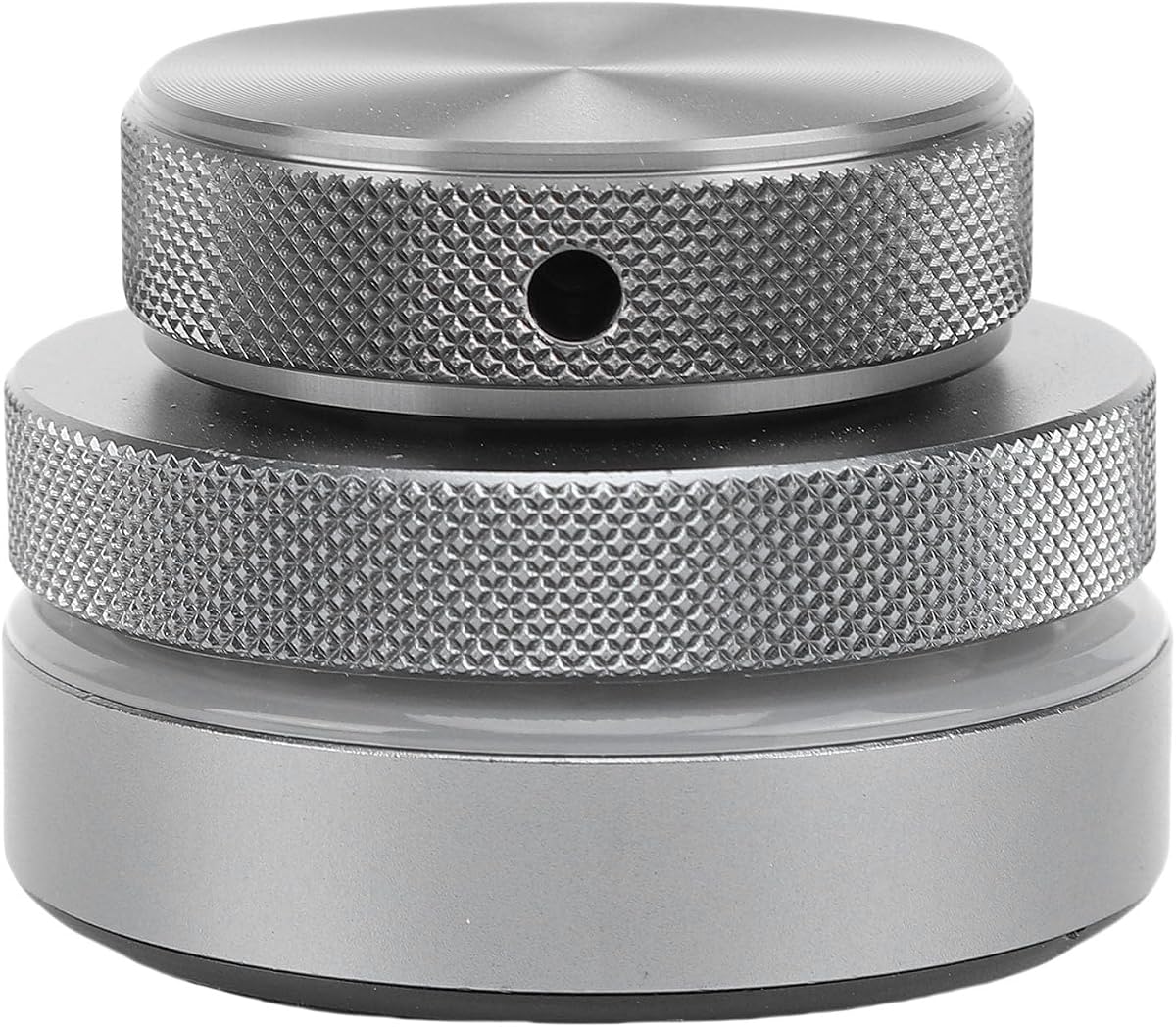
This silver Bluetooth Volume Control Knob features an upgraded Bluetooth 5.3 chip for instant pairing with various devices. While the rating is 3.5 stars, the specifications highlight strong connectivity and build quality. The zinc alloy construction gives it a solid feel, and the weighted base ensures it stays in place during rotation. It supports a wide range of functions from volume to track switching.
We may earn a commission when you buy through this link, at no additional cost to you.
One of the standout features is the impressive battery standby time of up to 90 days. This means you can use the device regularly without worrying about frequent charging. The 16.8 million RGB colors allow for extensive customization to match your desk setup. It is designed to be a plug-and-play solution without needing extra drivers.
The lower rating might indicate issues with pairing stability or software compatibility for some users. While the standby time is excellent, actual usage time may vary based on intensity. Users should ensure their operating system is compatible with the Bluetooth implementation before purchase to avoid potential connectivity hurdles.
We recommend this model for users who prioritize battery efficiency and modern connectivity standards. It is a good choice for offices where a reliable and long-lasting control is needed. If you value a premium metal finish and extended battery life, this knob is a solid option to consider.
Using Bluetooth 5.3 ensures a stable connection with reduced latency. This means your volume adjustments are felt instantly without lag or dropouts.
With up to 90 days of standby, you can rely on this device for weeks without recharging. This reduces the maintenance needed for daily desk accessories.
We may earn a commission when you buy through this link, at no additional cost to you.
The VAYDEER Volume Control Knob is highly rated at 4.5 stars, reflecting strong user satisfaction with its simplicity and durability. It offers a straightforward solution for volume control with a dedicated one-click mute function. The high-quality metal shell ensures it feels premium despite the budget-friendly price point. Its non-slip design keeps it stable on any desktop surface.
We may earn a commission when you buy through this link, at no additional cost to you.
Installation is a breeze as it requires no drivers. Simply plug it into a USB port and it begins working immediately. This makes it accessible for anyone without technical expertise. The sturdy construction and removable USB cable add to its longevity and portability. It is often recommended as a gift for music fans and tech enthusiasts.
The primary limitation is that it relies on a wired USB connection, which means there is no Bluetooth capability. This might be a drawback for users who need wireless flexibility. Additionally, it supports up to three volume modes but lacks advanced programmable features. These trade-offs are acceptable for users seeking basic control.
We recommend this product for users who need a reliable and simple volume controller. It is perfect for those who want to avoid software complexity and just want to adjust audio quickly. If you value stability and ease of use over wireless connectivity, this is an excellent choice.
You can start using this knob immediately without installing any software. Just connect it to your computer and it is ready to adjust your audio.
A quick press of the knob instantly mutes the sound. This is incredibly useful for quick meetings or calls where you need immediate silence.
We may earn a commission when you buy through this link, at no additional cost to you.
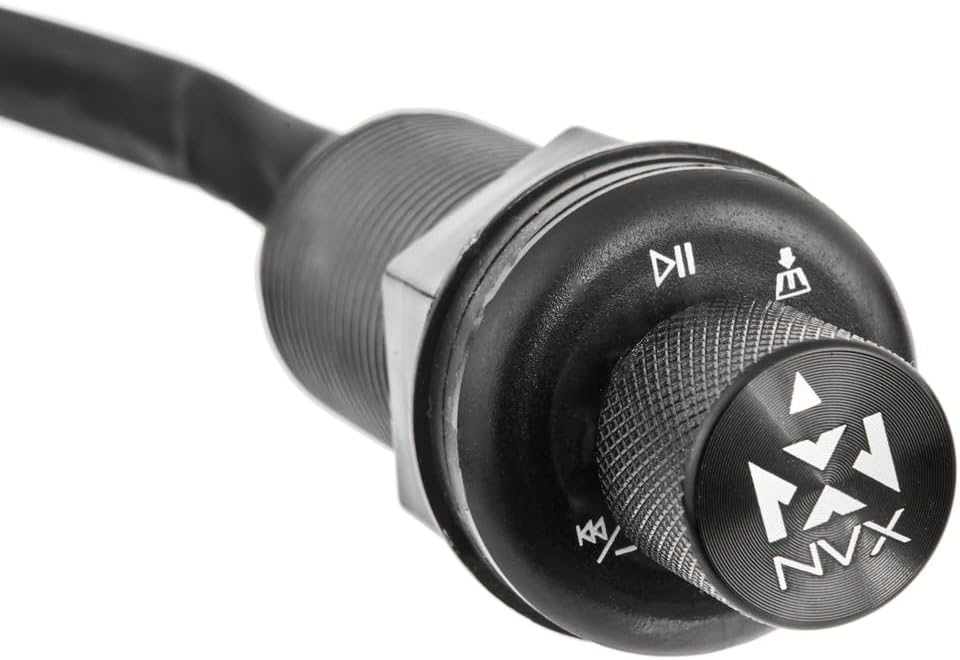
The NVX Universal Bluetooth Audio Receiver is designed to upgrade older car audio systems with modern Bluetooth capabilities. With a 4-star rating, it allows you to stream music from your smartphone and control it via a physical knob. The device can be flush mounted in a dash or under it to fit various vehicle interiors. It supports AUX input for a wide range of radios.
We may earn a commission when you buy through this link, at no additional cost to you.
This controller provides track and volume control, making it safer to use while driving compared to reaching for a phone. The installation options ensure it can integrate cleanly into existing dashboards without looking like an afterthought. It works with iPhone and Android devices to offer a hands-free experience. This is ideal for cars without built-in Bluetooth.
The main limitation is that it requires an AUX input on the car stereo to function. Older radios without this port may need an additional FM transmitter adapter. Additionally, it is designed for automotive use so it may not be as portable as desktop models. These factors make it specific to car audio upgrades.
We recommend this product for drivers who want to add Bluetooth streaming to their older vehicle. It offers a safer way to manage media while on the road. If you need a physical control for music in a car without modern features, this is a strong solution.
The dash mounting options allow this unit to blend into your car's interior. This ensures a clean look while adding modern streaming capabilities.
Having physical controls for tracks and volume keeps your eyes on the road. This safety feature is essential for safe driving practices.
We may earn a commission when you buy through this link, at no additional cost to you.
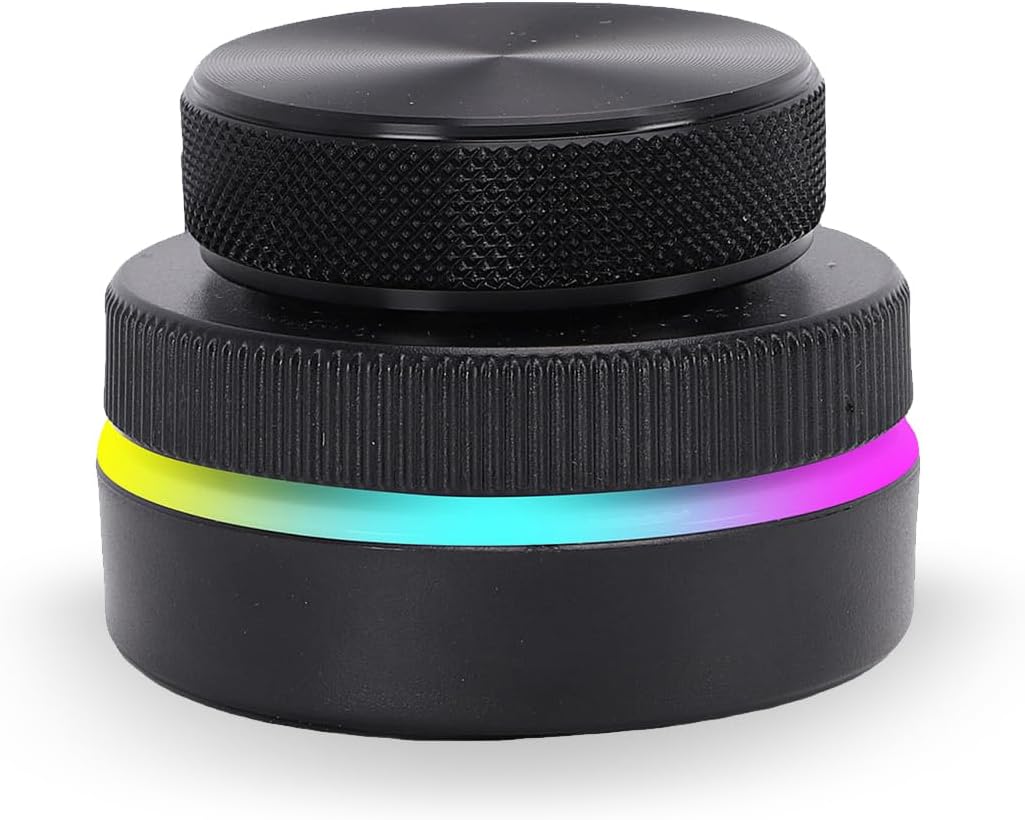
The Volume Control Knob RGB offers a combination of utility and visual flair with its vibrant light effects. It connects via 2.4G wireless or Bluetooth to provide a stable connection up to 33 feet. The aluminum alloy knob ensures a comfortable grip for all-day use. This model works with Windows, macOS, Android, and iOS for broad compatibility across your devices.
We may earn a commission when you buy through this link, at no additional cost to you.
Beyond volume, it supports play, pause, and mute functions to manage media easily. The RGB lighting adds an immersive atmosphere to your setup. Its compact design saves desk space and is portable for travel. The ergonomic shape ensures you can use it without fatigue even during long sessions.
Users may find that the customization is limited compared to programmable models. The focus is more on aesthetics and basic control rather than complex macro mapping. Additionally, the lack of user ratings makes it harder to gauge long-term reliability. These are considerations for those needing advanced features.
We recommend this model for users who value aesthetics and standard audio control. It is great for creating a visually appealing desk setup. If you want a stylish controller that works across devices, this is a worthy option to explore.
The RGB lighting enhances the look of your workspace. This adds a personalized touch that reflects your style.
The 2.4G wireless mode ensures low latency performance. This means your controls are responsive without lag.
We may earn a commission when you buy through this link, at no additional cost to you.
This Bluetooth 5.1 Volume Knob is designed for users who want to customize their control experience. It allows programming via an app to assign specific functions to rotations and presses. The aluminum alloy build gives it a sophisticated look while keeping it portable. It supports Bluetooth and USB connectivity for flexible usage across different scenarios.
We may earn a commission when you buy through this link, at no additional cost to you.
The programmable nature allows you to map functions like output characters or combos. This is useful for power users who need shortcuts. The customizable RGB lighting adds a unique touch to your setup. It also offers basic sound control like volume, mute, and track switching seamlessly.
Users should be aware that full functionality requires installing the companion app. Those who prefer simple hardware controls might find this step unnecessary. Additionally, the lack of user ratings means real-world performance is less documented. These factors are trade-offs for the added flexibility of programming.
We recommend this product for users who enjoy tinkering with their peripherals. It is ideal for those who want to automate tasks and adjust settings deeply. If you like having control over how your device behaves, this knob offers significant value.
With app programming, you can assign unique actions to the knob. This turns a simple dial into a smart tool.
Bluetooth 5.1 provides a reliable and stable connection. This ensures smooth interaction with your device.
We may earn a commission when you buy through this link, at no additional cost to you.
The VBESTLIFE USB Volume Control Knob supports three connection modes to offer flexibility for various setups. With a rating of 3.4 stars, it provides a versatile tool for multimedia control and page turning. The built-in memory stores customized mappings for easy access. Its compact design makes it easy to carry and use anywhere.
We may earn a commission when you buy through this link, at no additional cost to you.
One of the standout features is the page turning capability which is perfect for readers and presenters. The RGB lighting adds a personalized touch to your workspace. It works across Windows, macOS, Android, HarmonyOS, and iOS for universal compatibility. The 400mAh battery supports continuous work without frequent replacement.
The lower rating may suggest issues with software mapping or build consistency. Users should be prepared to spend time configuring the mappings for the best experience. Additionally, managing the battery adds a maintenance step compared to wired only options. These are acceptable trade-offs for the advanced features offered.
We recommend this model for users who need a portable and versatile controller. It is great for presentations and reading workflows. If you value flexibility and customization, this knob is a solid choice for your desk.
The page turning function allows you to manage slides without reaching for a keyboard. This improves flow during presentations.
It works with almost every major operating system. This ensures it can be used across different devices.
We may earn a commission when you buy through this link, at no additional cost to you.
Choosing the right volume control knob involves considering connectivity, build quality, and customization options. This guide breaks down the key factors to help you make an informed decision.
Bluetooth, 2.4G wireless, and wired USB-C options each offer distinct advantages. Wireless modes provide flexibility to place the knob anywhere on your desk without cables. Wired connections offer zero latency which is crucial for precision tasks. Some models support multiple modes to give you the best of both worlds.
Look for a model that supports the connectivity type your devices prioritize for optimal performance.
Materials like aluminum alloy and zinc offer durability and a premium feel. A solid base prevents the knob from sliding during use. The quality of the rotary shaft affects how smooth the adjustments feel. Higher quality builds tend to last longer under daily wear and tear.
Invest in a unit with metal construction for a sturdy and reliable experience.
Some knobs allow you to assign custom shortcuts to the dial or button. This can streamline workflows by reducing clicks on repetitive tasks. Check if the software is intuitive and supports your operating system. Advanced users often prioritize this feature over simple volume control.
If you need complex shortcuts, ensure the software supports your specific OS and tasks.
Battery life varies significantly between models with some offering months of standby and others needing weekly charging. Wireless units depend on battery capacity to function without wires. Rechargeable batteries are convenient but add to the maintenance cycle. Check the capacity in mAh to estimate usage time.
Opt for longer standby times to reduce the frequency of recharging.
Ensure the knob supports your specific operating system like Windows or macOS. Some models are limited to specific versions and may not work on tablets. Cross-platform support adds versatility if you switch between devices. Compatibility issues can render the device useless if not verified.
Verify the product supports your exact OS version before purchasing to avoid frustration.
RGB lighting adds aesthetic value to your desk setup but may require extra configuration. Some models offer extensive color customization while others have fixed modes. Visual features do not impact performance but enhance the look of your workspace. Consider if you want these lights or prefer a minimalist look.
Choose RGB if visual customization is important to your desk theme.
Prices range significantly based on features and build quality. Budget options might lack wireless capabilities but still provide solid performance. Premium models often include advanced software and better materials. Determine which features are essential for your workflow to justify the cost.
Focus on essential features to get the best value for your budget.
Reading user reviews helps gauge real-world reliability and customer support. High ratings generally indicate satisfaction with the product. Low ratings may signal connectivity or software issues. A device with many reviews provides more confidence than one without a rating.
Prioritize models with positive feedback and proven track records.
To get started, connect the knob to your device via the supported method such as Bluetooth or USB. Follow the pairing instructions in the manual to establish the connection. Ensure your device has the necessary drivers if required for specific features.
Once connected, test the basic functions like volume up and down to confirm it works correctly. If you plan to use macros, install the provided software and map the functions you use most often. This step maximizes the utility of the controller for your specific tasks.
For long-term care, keep the device in a dry environment to avoid moisture damage. Avoid heavy impacts to protect the internal mechanism. Clean the surface regularly with a dry cloth to maintain the finish. If it is battery operated, remove batteries if not using for long periods to prevent leakage.
Yes, many models support Bluetooth connectivity which works with tablets. Ensure the tablet has the necessary Bluetooth capabilities and operating system support. Check compatibility details before purchase to confirm functionality with your specific tablet model.
Many models allow customization through companion software. You can map macros and shortcuts to the knob depending on the brand. Some advanced units let you assign complex actions to make your workflow more efficient.
Most modern knobs are plug and play and do not require drivers. However, advanced features often need a companion app or software to configure macros. Basic volume control usually works immediately after connection.
Wireless models vary from daily recharging to months of standby depending on usage. Some premium units offer up to eight months on a single charge. Look for models with larger capacity batteries if you need extended usage without charging.
Many options explicitly list macOS compatibility. Check the product description for support details regarding your specific OS version. Some models may require additional software for full feature support on Mac systems.
Yes, some knobs are designed specifically for gaming with features like RGB lighting and quick mute. They can be useful for managing game audio or muting quickly during streaming. Compatibility depends on the specific model features and your gaming setup.
Warranty terms vary by manufacturer and typically range from one to two years. Check the retailer site for specific warranty details before buying. Most reputable brands offer customer support for defects or issues.
Bluetooth models connect directly without a receiver. However, 2.4G wireless models usually come with a USB dongle. Wired USB-C models do not need any additional hardware for connection.
We have reviewed ten top Bluetooth volume control knobs to help you find the perfect fit for your setup. From the LICAEVEY for overall value to the Razer Pod for gaming, there is a model for every need. Each offers unique strengths in connectivity and customization to enhance your workflow.
When making your decision prioritize features that match your daily tasks. Whether it is programmability for productivity or battery life for convenience, focus on what matters most. Consider the build quality and compatibility to ensure a seamless integration with your existing devices.
Prices and availability can change quickly so verify the details before you buy. We hope this guide has provided the insights you need to make a confident choice. Enjoy better audio control and a more efficient desk experience with the right volume knob.