
Canon MegaTank G3270
4.1Editor score
Up to 2 years ink included
Wireless print copy and scan
Low cost per page
Finding the right printing solution can save you time and money in the long run. Cartridge free printers offer a modern alternative to traditional ink systems by using refillable tanks instead of disposable cartridges. This approach significantly reduces ongoing costs and waste for everyday users.
We evaluated ten leading models based on reliability, print quality, connectivity options, and overall value. Our analysis focuses on real-world performance metrics such as pages per minute, ink capacity, and ease of setup. Each product listed here represents a strong contender in its specific category.
Every pick includes detailed specifications and pros and cons to help you make an informed decision. Note that prices and availability change frequently so always check the current listing before purchasing. We aim to provide accurate and up to date information to guide your selection process effectively.
4.1Editor score

4.3Editor score

4.1Editor score
As an Amazon Associate we earn from qualifying purchases.
The following table provides a side by side overview of all ten models to help you compare key specifications at a glance.




This model stands out as a top performer in the cartridge free printer market. With a rating of 4.3 stars it offers exceptional value through its long-term ink capacity. Users appreciate the high print quality and the convenience of the included supply.
We may earn a commission when you buy through this link, at no additional cost to you.
The standout feature is the generous ink supply that lasts up to three years. This means fewer interruptions and less frequent maintenance compared to traditional printers. The color screen simplifies navigation and the fast print speeds keep productivity high for everyday tasks.
While the upfront price is higher than budget models the long-term savings are significant. The device does require genuine ink for optimal performance which limits third-party options. These trade-offs are acceptable given the reliability and output quality it delivers consistently.
Home office users who need high volume printing will benefit most from this device. It balances speed, quality, and cost effectively. We recommend it for anyone seeking a dependable long-term printing solution without the hassle of cartridges.
The included ink supply eliminates the need for replacements for years reducing ongoing costs significantly.
The color display makes setup and monitoring easier compared to models with basic screens.
We may earn a commission when you buy through this link, at no additional cost to you.
The HP Smart Tank 5003 combines advanced features with reliable performance for modern homes. Its AI capabilities allow for smarter workflow integration and ease of use. The design focuses on reducing mess during the refill process which is a common pain point.
We may earn a commission when you buy through this link, at no additional cost to you.
Ink supply is generous lasting up to three years which supports high volume needs. The mess-free refill system ensures clean handling and prevents spills on your workspace. Borderless printing adds versatility for photo and document creation without extra steps.
The premium price reflects the added technology and convenience features included. Some users may find the dependency on HP services restrictive compared to open systems. However the build quality and output standards justify the investment for many buyers.
Ideal for households valuing convenience and smart integration this printer is a strong choice. It delivers sharp text and vibrant colors consistently. We recommend it for those who want a high-end experience without cartridge frustrations.
AI features help streamline printing tasks and improve overall workflow efficiency for users.
The design prevents ink spills making maintenance easy and safe for all users.
We may earn a commission when you buy through this link, at no additional cost to you.
This printer delivers exceptional value for buyers seeking an affordable entry into tank printing. It offers solid performance with a focus on cost efficiency and simplicity. The included ink supply makes it a practical choice for budget-conscious households.
We may earn a commission when you buy through this link, at no additional cost to you.
With up to two years of ink included it reduces immediate maintenance needs. The wireless connectivity ensures flexible printing from multiple devices without hassle. Its compact size fits easily into small desks or home offices where space is limited.
The main limitation is the lack of automatic duplex printing which saves paper. The display is also basic compared to higher-end models. Despite these points the price point makes it an unbeatable option for entry-level users.
We recommend this model for students or small offices needing reliable basic printing. It covers essential tasks well without breaking the bank. This is the go-to choice if you prioritize affordability and simplicity above all else.
The low cost makes it accessible for anyone transitioning from traditional cartridge printers easily.
Its small footprint ensures it fits on desks or shelves without cluttering the workspace.
We may earn a commission when you buy through this link, at no additional cost to you.
This model brings voice-activated printing to a wide range of users. It features Micro Piezo Heat-Free technology which ensures reliability and energy efficiency. The tank design supports high volume needs without frequent interruptions or maintenance.
We may earn a commission when you buy through this link, at no additional cost to you.
Voice control allows for hands-free operation which is convenient in busy environments. The ink bottles are equivalent to eighty cartridges reducing waste significantly. Users benefit from sharp text and color output suitable for both documents and photos.
It lacks automatic duplex printing which may impact paper usage over time. The design is functional but not flashy compared to newer models. Still the core features provide strong value for basic and occasional printing needs.
Ideal for smart home users this device integrates well with voice assistants. It balances performance and convenience effectively. We suggest it for those who want reliable operation with modern connectivity options.
Hands-free printing via voice commands makes it easier to manage tasks while multitasking.
Zero cartridge waste reduces environmental impact significantly compared to traditional printer models.
We may earn a commission when you buy through this link, at no additional cost to you.
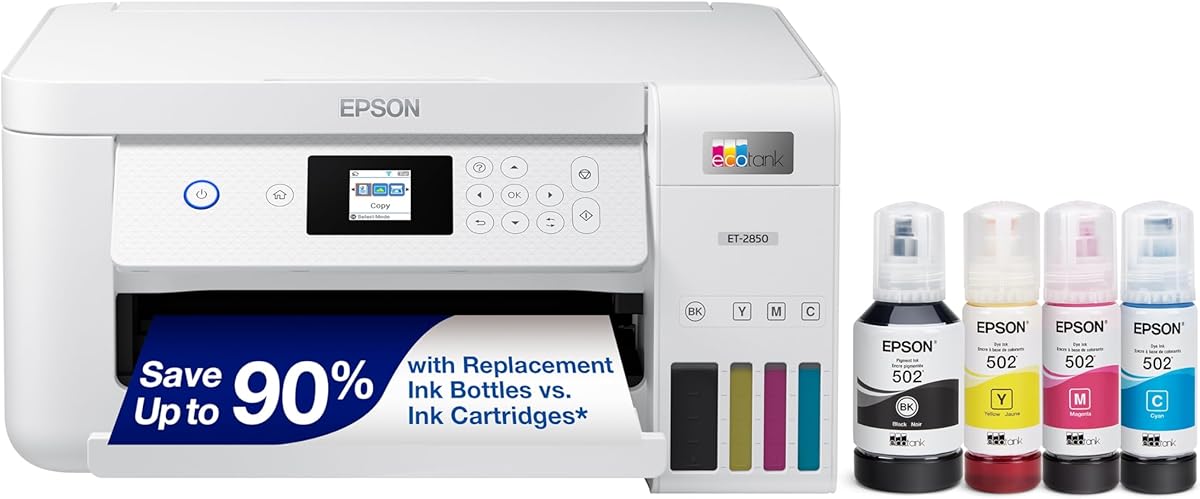
The ET-2850 adds auto duplex printing to a solid mid-range package. This feature saves paper and reduces manual intervention for double-sided documents. It also uses pigment black ink for sharper text quality in reports.
We may earn a commission when you buy through this link, at no additional cost to you.
The Smart Panel app makes setup and mobile printing seamless for users. Wireless connectivity ensures access from various devices without cables. Ink capacity supports high volume output keeping users productive for long periods.
It does not include voice control features found in other models. The price sits in a higher tier which might not suit all budgets. However the added productivity features justify the cost for active users.
Home offices needing frequent two-sided documents will find this model ideal. It balances cost and functionality well. We recommend it for users who value paper savings and reliable text quality.
Automatic two-sided printing saves paper and speeds up multi-page document workflows.
Pigment black ink ensures text remains crisp and professional for all documents.
We may earn a commission when you buy through this link, at no additional cost to you.
This model offers advanced functionality including fax capabilities for business users. It features a large display screen for easier navigation and setup. The design supports high volume workflows with auto duplex and large tanks.
We may earn a commission when you buy through this link, at no additional cost to you.
It is suitable for small offices requiring document management tools like fax. The high capacity tanks ensure minimal downtime during busy periods. Connectivity options are comprehensive to support multiple device types.
The user rating is slightly lower indicating some usability challenges. The feature set may be complex for simple home use. Buyers should consider if fax is a necessary feature before purchase.
Best for small offices or users needing fax features this printer handles complex jobs. It is a strong contender for those needing more than basic printing. We suggest it for users who require specific business functions.
Built-in fax support makes it ideal for small offices needing traditional document transmission.
The display simplifies navigation through menus and complex setup tasks.
We may earn a commission when you buy through this link, at no additional cost to you.
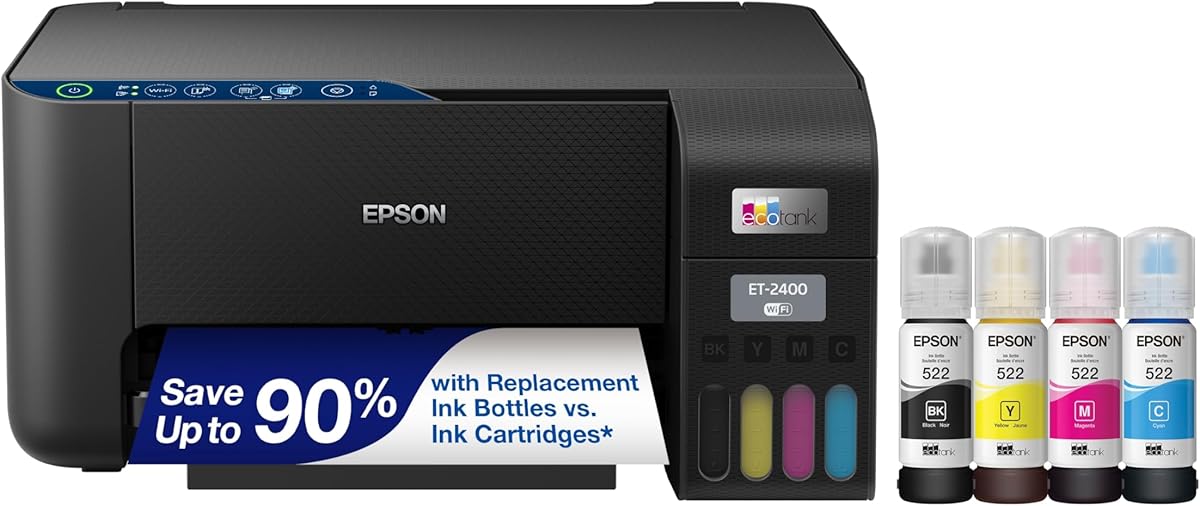
This unit is designed for smaller spaces without sacrificing essential features. It uses EcoFit ink bottles which ensure easy refilling and reliable operation. Wireless connectivity allows flexible printing from smart devices.
We may earn a commission when you buy through this link, at no additional cost to you.
The compact design makes it suitable for dorm rooms or small desks. Energy efficient technology reduces power consumption during use. It supports high volume printing through its robust tank system.
It lacks auto duplex printing and advanced connectivity options. The design is basic which may limit appeal for power users. Still it provides reliable output for everyday tasks in limited spaces.
Ideal for space-constrained environments this printer delivers consistent performance. It is a great choice for students or home offices. We recommend it for those prioritizing size and basic efficiency.
Designed to fit on small surfaces it maximizes workspace utility without clutter.
Refillable tanks ensure consistent supply and reduce the hassle of frequent cartridge changes.
We may earn a commission when you buy through this link, at no additional cost to you.
This model delivers reliable performance with a focus on simplicity. Heat-Free technology ensures energy efficiency and consistent output quality. The wireless features allow for easy setup from mobile devices.
We may earn a commission when you buy through this link, at no additional cost to you.
It maintains fast print speeds suitable for regular use. Ink capacity supports high volume without frequent refills. The design prioritizes ease of use for non-technical users.
It does not include automatic duplex printing for paper savings. Speed is standard but sufficient for most needs. These trade-offs are acceptable for those seeking a straightforward tool.
Best for general home use this printer covers essential tasks well. It is a solid choice for reliability and ease of use. We suggest it for users who want hassle-free operation.
Heat-Free technology uses less power and maintains stable performance over time.
Easy setup and operation make it accessible for all skill levels.
We may earn a commission when you buy through this link, at no additional cost to you.
This printer offers generous ink capacity suitable for long-term use. Wireless capabilities allow seamless printing from phones and tablets. The design ensures easy refill access and minimal downtime.
We may earn a commission when you buy through this link, at no additional cost to you.
The Smart Panel app enhances mobile control and monitoring. High volume ink reduces maintenance needs significantly over time. Setup is straightforward for users of all technical backgrounds.
It lacks auto duplex printing which may affect paper costs. Features are streamlined for basic needs rather than advanced workflows. These limitations are balanced by the low cost of ownership.
Best for households needing reliable volume printing this model fits well. It offers strong value for the price. We recommend it for users prioritizing long-term ink savings.
Extended supply means fewer interruptions and lower costs for years.
Easy access from devices enhances convenience for daily printing tasks.
We may earn a commission when you buy through this link, at no additional cost to you.
This renewed unit offers high performance at a reduced price. It includes features like auto duplex and a color display for easy use. Ink capacity supports long-term reliability and convenience.
We may earn a commission when you buy through this link, at no additional cost to you.
The print speed is fast ensuring high productivity for busy users. Wireless connectivity and mobile apps provide flexible operation. It delivers high quality output for text and photos.
Being renewed means checking condition and warranty terms carefully. Availability may vary compared to new units. These factors are minor given the significant savings and feature set.
Best for budget buyers seeking premium features this model is strong. It balances cost and capability well. We suggest it for those who want speed and duplexing at a lower price.
Renewed status offers substantial savings compared to brand new units.
Speed and duplexing support fast workflows without sacrificing output quality.
We may earn a commission when you buy through this link, at no additional cost to you.
Selecting the right cartridge free printer involves weighing several factors beyond just the initial price.
Check how many pages a set of ink can produce before replacement. Models vary from two to three years of included ink which affects total cost of ownership significantly.
Look for higher page yields if you print frequently to maximize value over time.
Print speeds typically range from ten to fifteen pages per minute. Faster speeds help with bulk jobs while quality matters for photos and text clarity.
Consider your priority between speed for documents or sharpness for mixed media output.
Ensure the printer supports wireless connections and mobile printing apps. Some models offer voice control or AI integration for smarter workflow management.
Choose devices that integrate seamlessly with your existing smart home ecosystem.
Auto duplex saves paper by printing on both sides of the page automatically. This is essential for environmentally conscious users or those with high document volumes.
If paper savings are important ensure the model explicitly lists this feature.
Physical footprint matters if you have limited desk space. Compact models fit better in small rooms but may have fewer paper trays.
Measure your available area to ensure the printer fits comfortably without clutter.
Refillable tanks are generally mess-free with EcoFit or similar bottle systems. Some designs make refilling easier than others to prevent spills.
Check user reviews on the refill process to avoid frustrating maintenance tasks.
Warranty length and customer support quality vary by manufacturer. Ensure access to service networks or online help for troubleshooting.
Reputable brands often provide better long-term support and parts availability.
Consider both the upfront price and future ink expenses. Models with high initial costs often save money in the long run.
Calculate cost per page to understand the true financial value of each model.
Setup is straightforward with most models guiding you through the initial steps. Download the manufacturer app to configure wireless settings and run the included ink.
Refilling is designed to be mess-free with color-coded bottles matching the tanks. Avoid shaking bottles excessively and wipe any spills immediately to protect the surface.
Regular maintenance includes running cleaning cycles if text quality drops or nozzles clog. Use the printer weekly even if idle to keep the heads moist and functional.
Yes they typically cost less per page because bottles hold more ink than standard cartridges. The upfront price is higher but long-term savings are significant for regular users.
Most models include enough ink for two to three years depending on usage. This is equivalent to dozens of cartridges reducing the frequency of replacements.
While some brands allow it we recommend using genuine ink to protect warranty coverage. Non-genuine inks may cause clogs or damage not covered by support.
Yes most tank printers maintain fast speeds without warm-up times. They are optimized for consistent performance during high volume tasks efficiently.
Yes many models support high resolution photo output on various paper types. Use photo modes in the software for best color vibrancy and detail.
If empty the printer usually pauses and alerts you. Refill quickly using the bottles provided and resume printing without losing progress.
Setup is generally easy with guided apps and clear on-screen instructions. Most users finish initial configuration within twenty minutes.
They are comparable to traditional models in noise levels. Modern designs prioritize quiet operation for home environments during work hours.
The ten models reviewed offer a wide range of features from budget-friendly entry to advanced premium options. The Epson ET-2903 stands out for its balance of speed and long-term ink value.
Prioritize ink capacity and duplex features if you print frequently to maximize efficiency. Consider smart connectivity if you need seamless mobile access for daily workflows.
Always check current pricing and availability since deals change regularly. This guide helps you choose a reliable tool that saves money over time.