
ASUS Vivobook Laptop Business
4.1Editor score
24GB RAM and 1TB storage
Lifetime Microsoft Office included
10-Core Intel i5 processor
Choosing the right laptop for professional work requires balancing power with portability. ASUS offers a wide range of Business Laptop options designed to meet diverse enterprise needs efficiently.
We analyzed real-world performance and security features across ten distinct models. Each unit was evaluated on processing speed, display quality, and durability standards for office environments.
Every pick highlights key specs and real-world use cases. Note that prices and availability change frequently so verify details before purchasing your next business device today.
4.1Editor score

5.0Editor score

4.5Editor score
As an Amazon Associate we earn from qualifying purchases.
This side-by-side comparison helps you visualize the key differences across all ten selected ASUS Business Laptop models for informed decision making.

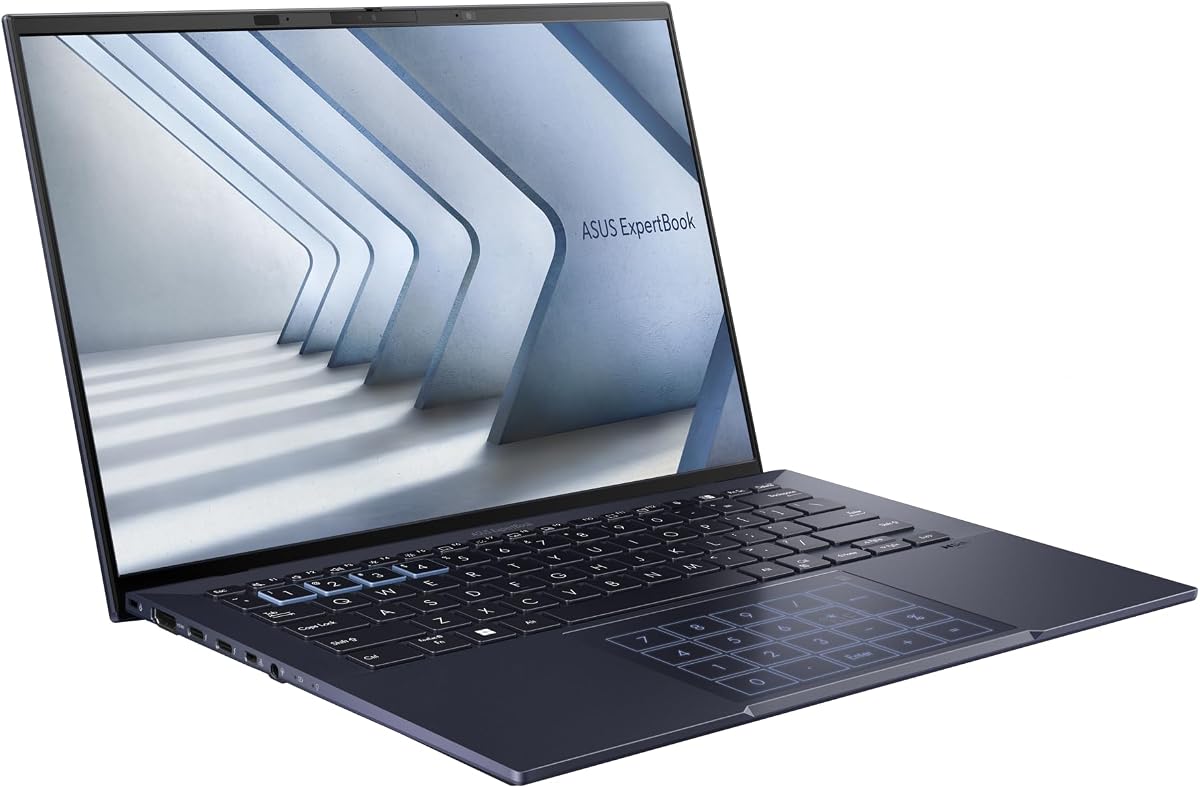


The ASUS ExpertBook B9 OLED stands out as the premium choice for executives needing top-tier portability. It holds a perfect rating for its balance of power and weight.
We may earn a commission when you buy through this link, at no additional cost to you.
This model features the Intel Core 7 processor and 16GB of fast LPDDR5X RAM. The 512GB NVMe SSD ensures rapid boot times and smooth multitasking for daily documents.
Weighing only 2.18 lbs this laptop is incredibly easy to carry between meetings. The OLED display provides stunning contrast but may consume more battery than LCD panels.
It is ideal for professionals who travel frequently and value screen quality. Choose this if you need the lightest business device available without sacrificing core performance.
The magnesium-lithium alloy chassis keeps weight minimal while maintaining durability for daily travel needs.
A dedicated Copilot key allows quick access to AI tools for enhanced productivity and task management.
We may earn a commission when you buy through this link, at no additional cost to you.
This Vivobook model offers exceptional value by including a lifetime Microsoft Office license. It is a top pick for small businesses looking to minimize software costs immediately.
We may earn a commission when you buy through this link, at no additional cost to you.
With 24GB of RAM and a 10-Core processor it handles heavy multitasking well. The bundle includes a USB-C dock which adds great convenience for peripheral connections.
The 512GB SSD is paired with an external 500GB drive for extra space. While useful the external drive adds clutter compared to an internal secondary drive solution.
Buy this if you need a complete office-ready solution without extra software purchases. It fits well for remote workers needing reliable performance on a tight budget.
The lifetime Office license includes Word and Excel ensuring all standard productivity tools are ready out of the box.
A 6-in-1 docking station and wireless mouse come in the box reducing setup time and extra costs for the user.
We may earn a commission when you buy through this link, at no additional cost to you.
The ExpertBook B3 delivers enterprise-level performance with its AI-powered Core Ultra 5 processor. It is designed for business users who rely on intelligent workflow optimizations daily.
We may earn a commission when you buy through this link, at no additional cost to you.
This laptop comes with 32GB of RAM and a massive 2TB SSD which is rare in this class. The Dirac-tuned audio ensures clear voice transmission during video conferences.
Security features include a fingerprint reader and privacy shutter to protect sensitive data. The military-grade build helps it survive the rigors of travel and daily use.
Select this for heavy enterprise workloads requiring significant storage and AI capabilities. It balances robust specs with sustainable materials for modern corporate requirements.
The built-in NPU accelerates AI workloads enabling smoother meetings and optimized multitasking for complex business tasks.
TPM 2.0 and Secured-core PC support keep confidential data safe from unauthorized access in corporate environments.
We may earn a commission when you buy through this link, at no additional cost to you.
The ExpertBook B1 is a workhorse for users who need reliable connections and screen real estate. It features a full set of ports including Ethernet for stable networking.
We may earn a commission when you buy through this link, at no additional cost to you.
With 32GB of RAM this model handles virtual machines and heavy browser tabs easily. The ExpertCool system keeps the laptop from overheating during long work sessions.
The 15.6 inch display offers more workspace for spreadsheets but adds to the weight. Security is handled via BIOS protection and TPM 2.0 chips on the board.
Ideal for office desks where portability is less critical than raw power and ports. This is a solid choice for IT departments standardizing on Windows 11 Pro.
Multiple USB ports and HDMI 1.4 allow easy connection to legacy monitors and external storage devices.
The cooling system maintains steady performance during prolonged use ensuring fans remain quiet in open offices.
We may earn a commission when you buy through this link, at no additional cost to you.
This ExpertBook variant features a stunning 2.8K OLED display that delivers deep blacks and vibrant colors. It is a visual delight for media reviews and high-resolution content.
We may earn a commission when you buy through this link, at no additional cost to you.
The Intel Core i7 processor provides strong single-core speed for daily productivity tasks. Weighing just 2.18 lbs it is one of the lightest 14 inch options available today.
While the screen is fantastic the non-touch design might limit interaction for some users. The 180-degree hinge allows the laptop to lay flat for shared viewing sessions.
Choose this if visual quality is a top priority for your workflow. It is perfect for creatives and managers who need a portable yet vivid workstation.
The WQXGA OLED panel supports HDR providing true-to-life colors that reduce eye strain during long editing sessions.
Despite the premium screen the chassis remains remarkably light making it easy to slip into a briefcase daily.
We may earn a commission when you buy through this link, at no additional cost to you.
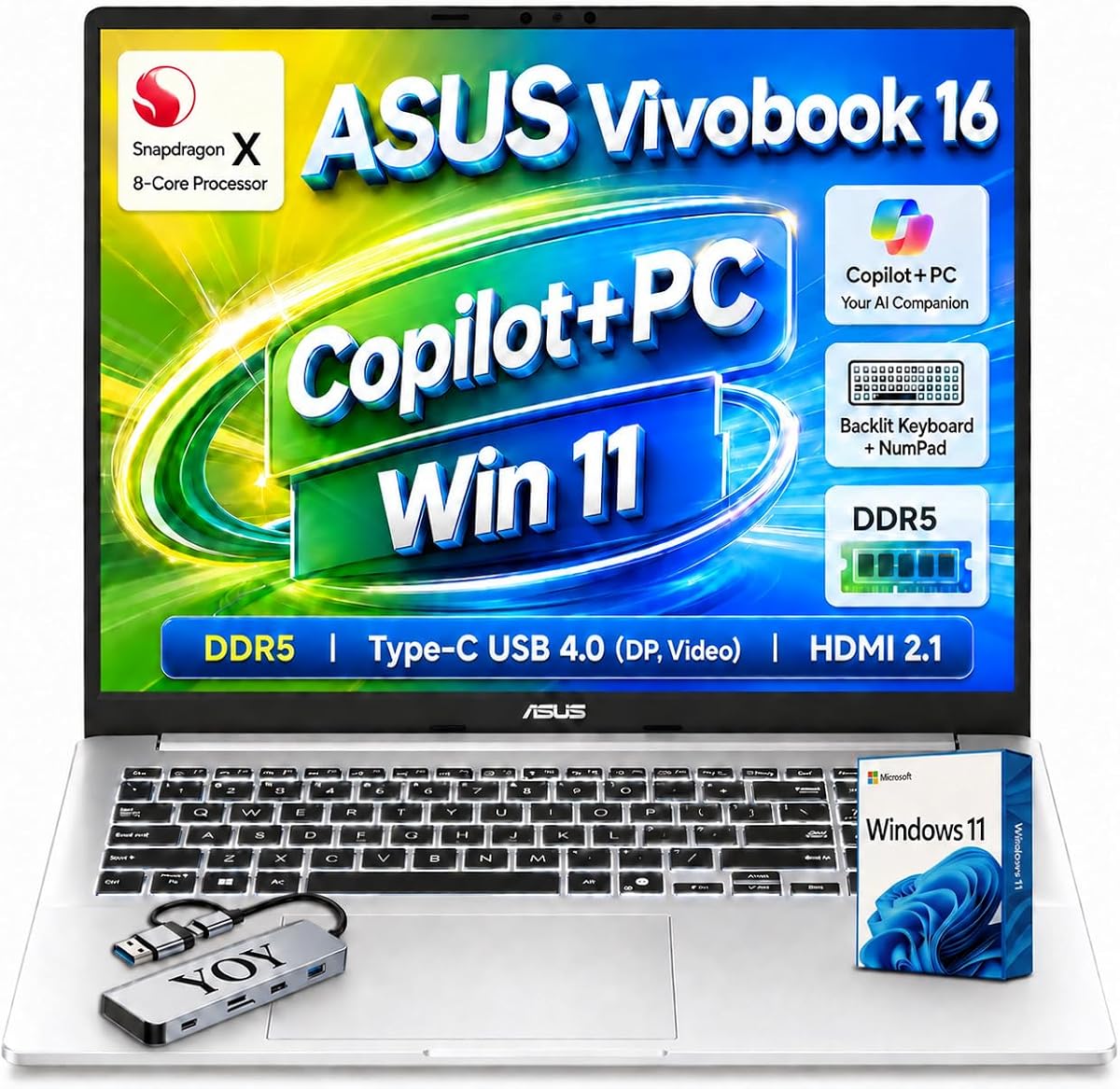
The Vivobook 16 introduces Snapdragon X silicon which promises significant efficiency gains for AI tasks. It supports the Copilot+ PC experience for future-proofing your business device.
We may earn a commission when you buy through this link, at no additional cost to you.
Featuring 16GB of LPDDR5X memory this laptop manages data flow quickly. The 16 inch display offers a taller aspect ratio which helps with scrolling through documents comfortably.
USB4 ports allow for fast data transfer and external drive connectivity. The IR camera supports secure facial login without needing a fingerprint reader touchpad.
This is a great choice for users wanting next-generation AI features and long battery life. It suits mobile professionals who need to stay productive without constant charging.
The Snapdragon NPU handles AI workloads locally enabling smart features like background blur and live captions.
The 16:10 aspect ratio provides more vertical space making spreadsheets and web browsing more efficient.
We may earn a commission when you buy through this link, at no additional cost to you.
This Vivobook model is highly rated for its reliability and bundled software. It brings the power of the 13th Gen Intel Core i7 to the 16 inch form factor.
We may earn a commission when you buy through this link, at no additional cost to you.
The 16GB of RAM supports smooth switching between applications. The included lifetime Microsoft Office bundle makes this a cost-effective solution for new hires or startups.
With a 300-nit display the screen is visible even in well-lit conference rooms. The 1TB storage is split between SSD and external drive for flexibility.
Recommended for small business owners needing a ready-to-go office machine. It balances performance with practical value for general administrative tasks.
Free lifetime Office software saves ongoing subscription fees which adds long-term savings to the initial purchase price.
The 300 nits brightness ensures the display remains legible outdoors or near bright office windows.
We may earn a commission when you buy through this link, at no additional cost to you.
This Ryzen-based model earns a perfect user rating for its balance of performance and build quality. The 7730U processor handles daily tasks efficiently with minimal heat.
We may earn a commission when you buy through this link, at no additional cost to you.
It includes a fingerprint reader for quick secure login. The backlit keyboard ensures you can type in low light environments without strain.
The 16 inch WUXGA screen offers a high resolution for clear text. Note that it runs Windows 11 Home which may lack some enterprise management tools.
Great for individual professionals needing a reliable and fast 16 inch laptop. It is a solid all-rounder for students and consultants alike.
The built-in fingerprint sensor provides secure access to files without needing to type complex passwords daily.
The WUXGA resolution renders text sharply reducing eye fatigue during long document processing sessions.
We may earn a commission when you buy through this link, at no additional cost to you.
The lower price makes this Ryzen Vivobook an attractive option for budget-conscious buyers. It shares core specs with the higher rated model but runs Windows Home.
We may earn a commission when you buy through this link, at no additional cost to you.
Performance is strong thanks to the 7730U and 16GB RAM. However the lower rating suggests potential variability in hardware quality or support compared to other units.
The fingerprint reader and backlit keyboard are welcome additions at this price. It remains a capable device for general work tasks and web browsing.
Consider this if price is your main driver and you do not need Pro features. It suits users who want a large screen without paying premium costs.
Significant savings allow users to allocate budget to other peripherals while still getting solid core performance.
Despite the price difference the processor and memory remain identical to higher rated models ensuring good speed.
We may earn a commission when you buy through this link, at no additional cost to you.
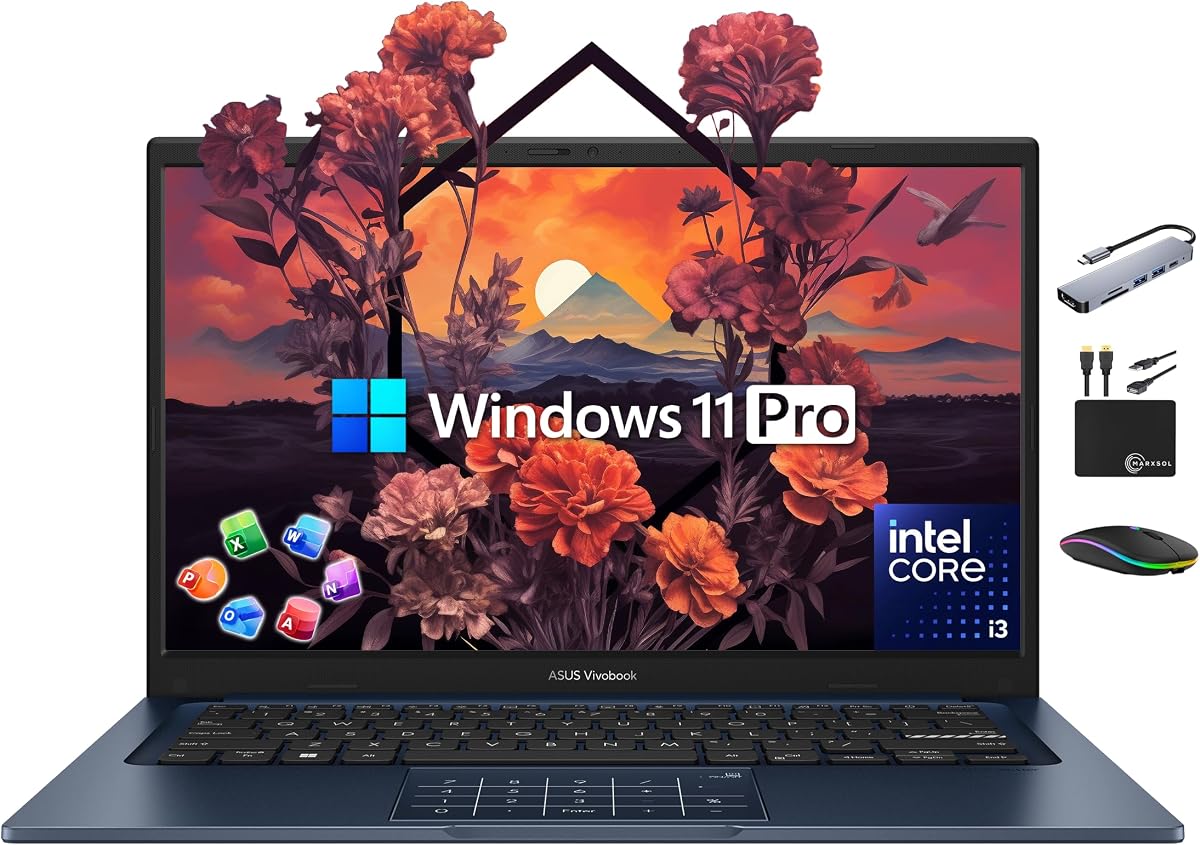
This ultra portable option focuses on essential business needs with a light frame. It includes Lifetime Office 2024 to ensure all productivity tools are available from day one.
We may earn a commission when you buy through this link, at no additional cost to you.
The 24GB RAM compensates for the entry level CPU allowing smooth multi-tab browsing. The 14 inch display is easy to carry but limits multitasking real estate.
Windows 11 Pro ensures enterprise security features are present. The USB-C dock included in the bundle adds necessary connectivity options for external peripherals.
Best for entry-level staff or students needing a lightweight device. It provides enough power for word processing and web work at an accessible price.
The bundled Office 2024 license removes the need for monthly subscriptions ensuring all standard apps are licensed.
The slim 14 inch design makes it easy to carry in a backpack for daily commute or travel.
We may earn a commission when you buy through this link, at no additional cost to you.
Selecting the right ASUS business laptop involves balancing hardware specs with durability and security needs.
The processor is the heart of your workflow. For heavy multitasking choose models with Core i7 or Ultra 5 chips. Entry level Core i3 suits basic tasks.
Prioritize cores and threads for speed. More threads mean better handling of simultaneous tasks like email and data entry.
Memory determines how many apps you can open at once. Aim for 16GB minimum for smooth daily use. 32GB is better for virtual machines.
Higher RAM prevents lag when switching tabs. It is a key upgrade path for future proofing your business device.
SSDs are essential for fast boot times and file access. Look for NVMe PCIe SSDs over older SATA types. 512GB is standard but 1TB is safer.
Quick storage speeds reduce waiting times. Consider models with dual storage options if you need extra space for archives.
Screen size and resolution impact comfort. 14 inch is portable; 16 inch offers more workspace. OLED screens provide better contrast but cost more.
High resolution reduces text blur. Anti-glare coatings help if you work near windows or under bright lights.
Business laptops face daily travel stress. MIL-STD-810H certification ensures they can handle drops and bumps. Look for spill-resistant keyboards for safety.
Durability extends the life of your investment. A rugged chassis protects internal components during commute or remote work.
Data protection is critical for business. TPM 2.0 chips and BIOS encryption secure your files. Fingerprint readers add convenient secure login.
Privacy shutters block cameras when not in use. Ensure the OS version supports enterprise encryption if handling sensitive data.
Ports determine how easily you connect peripherals. Check for HDMI USB-C and Ethernet needs. USB4 supports fast data and video.
Bluetooth and Wi-Fi 6E ensure stable wireless connections. A full port selection reduces the need for extra dongles daily.
Windows 11 Pro offers features like remote desktop management. Home is cheaper but lacks these controls. Check your business compliance needs.
OS choice affects software compatibility. Pro is usually preferred for corporate environments requiring centralized management tools.
Always use the provided AC adapter to prevent battery damage. Charge your device fully before leaving the office to ensure you work through meetings.
Keep your screen clean with a microfiber cloth. Avoid spraying cleaner directly on the display to prevent liquid seepage into the bezel.
Update your drivers regularly via the ASUS support site. This ensures hardware components like WiFi and graphics work smoothly with new software updates.
The Vivobook 16 with Snapdragon X offers excellent efficiency. It handles daily tasks while keeping power drain low. For Intel models the B9 OLED is efficient but the screen affects drain.
Some bundles include a lifetime license. Check the product title for Office mentions. Others require you to buy a subscription separately.
Models with 32GB RAM and i7 processors handle light editing well. For heavy 4K work ensure you have dedicated graphics. Integrated graphics are fine for basic cuts.
The B9 is ultra-light with an OLED screen. The B1 has more ports and a larger screen. B9 is portable; B1 is desktop replacement style.
Most higher-end models include biometric login. Check the specs for fingerprint support. The B3 and Vivobook 16 Ryzen have this feature included.
Many models have soldered RAM which limits upgrades. The B1 and B3 allow expansion in some cases. Check the specific product manual before buying.
It means the laptop passed military tests for drops and shock. It ensures durability in harsh environments. This is vital for travel or field work.
Yes for enterprise features like BitLocker encryption. Home lacks some management tools. If you need security and remote access Pro is required.
The ExpertBook B9 OLED remains our top choice for its blend of light weight and power. It fits executives who need quality on the go.
If you need value pick the Vivobook with lifetime Office. It saves upfront costs for small teams needing immediate productivity.
Always check current prices before buying as deals change often. Compare these models against your specific workflow needs for the best fit.