
CrowPi 3 with 16GB Board
4.5Editor score
16GB RAM onboard
41 integrated sensors
Touchscreen interface built-in
This guide compares the top AI Raspberry Pi kits for 2026, evaluating performance, sensors, software support, and value to help you choose the right AI
AI Raspberry Pi kits transform single-board computers into powerful learning stations for machine learning and robotics. These kits bundle essential sensors, cameras, and AI accelerators to simplify setup for students and makers starting their journey.
We evaluated ten leading kits based on hardware compatibility, software ecosystem, sensor variety, and educational resources. Our analysis prioritizes ease of use, processing power for models, and comprehensive documentation for effective learning outcomes.
Each pick highlights key strengths and ideal user profiles to match your specific project needs. Prices and availability change frequently, so verify current listings on the product pages before making your final purchase decision today.
4.5Editor score

4.6Editor score

4.3Editor score
The following table compares technical specifications and key features across all ten kits to help you evaluate hardware capabilities, included components, and software support at a glance.

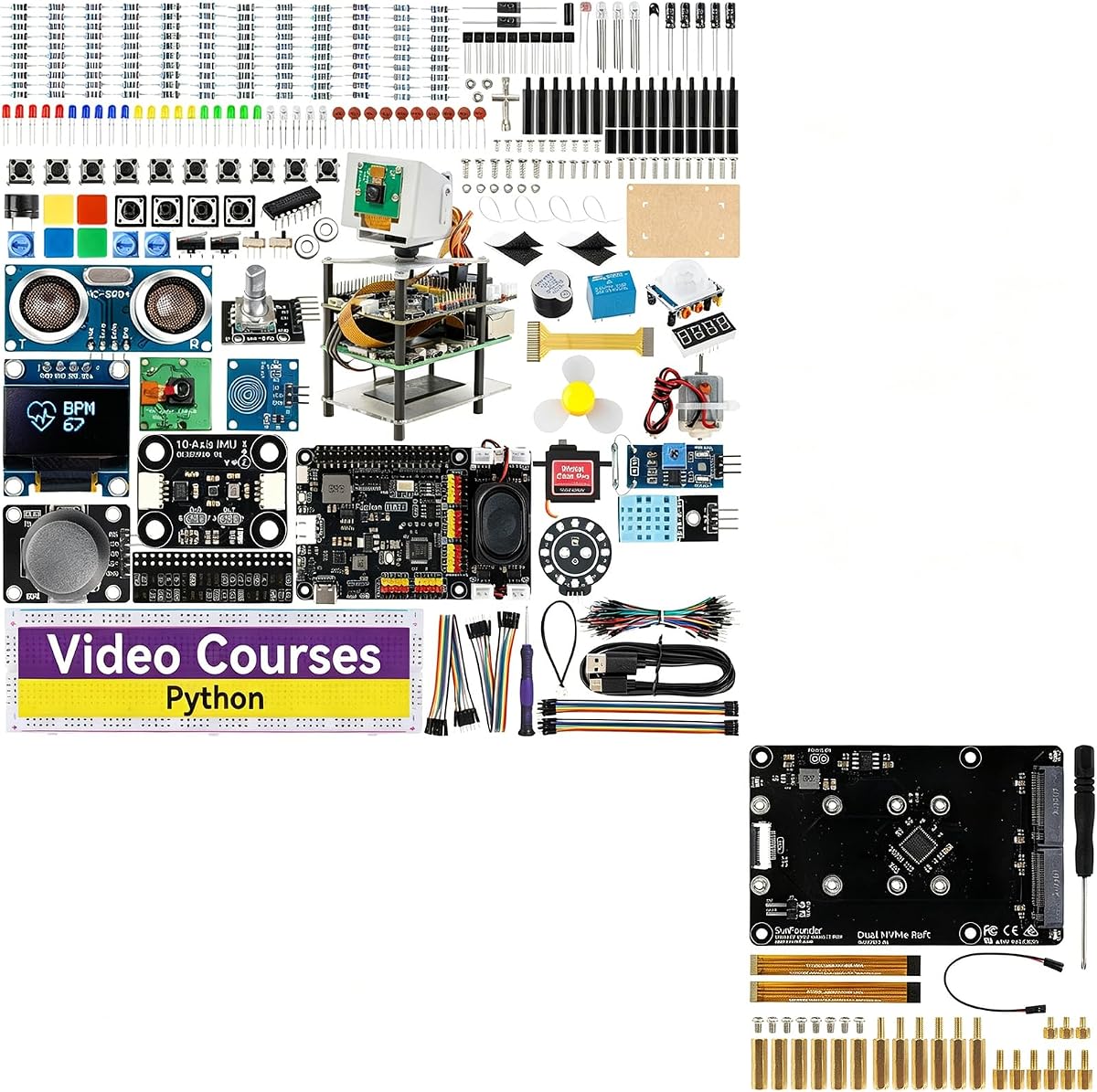


The SunFounder AI Fusion Lab Kit stands out as a complete educational solution for those entering artificial intelligence. With a strong 4.6 rating, it integrates hardware and software to streamline the learning curve for beginners.
We may earn a commission when you buy through this link, at no additional cost to you.
It supports multiple Large Language Models like ChatGPT, Gemini, and Grok, allowing users to experiment with diverse AI capabilities. The included Pan-Tilt HAT enhances vision projects by enabling active tracking, while structured video lessons guide students through complex concepts step by step.
The kit requires purchasing a Raspberry Pi separately, which adds to the initial investment, but this flexibility ensures compatibility with preferred models. High-quality components and responsive technical support make it a reliable choice for serious learners despite the cost.
Buy this kit if you seek a structured path from Python basics to advanced AI projects. It suits students and educators needing a well-documented system that turns abstract theories into interactive, real-world applications effectively.
Combining voice, vision, and sensor data into unified projects helps learners understand AI complexity. The Fusion HAT+ provides built-in audio capabilities for seamless STT and TTS integration.
Supporting boards from Zero 2 W to Pi 5 ensures the kit grows with your skills. This adaptability allows users to start small and upgrade processing power as projects become more demanding.
We may earn a commission when you buy through this link, at no additional cost to you.
The Vilros Raspberry Pi 5 AI Kit delivers top-tier hardware for demanding vision tasks with a 5.0 rating. Its inclusion of the Hailo-8 accelerator provides 26 TOPS of power, enabling real-time processing that standard Pi boards cannot match alone.
We may earn a commission when you buy through this link, at no additional cost to you.
This bundle offers a complete hardware solution including an active cooler and preloaded OS, reducing setup friction significantly. Users can focus immediately on running neural networks for object detection and segmentation without troubleshooting power or thermal issues.
However, the kit lacks extensive educational content compared to others, requiring users to source software guides independently. The high price reflects the premium components, which may not suit casual learners just exploring basic AI concepts.
Choose this kit for professional or serious hobbyist projects requiring maximum computational efficiency. It is ideal for developers who need raw performance for edge AI applications and already have coding proficiency.
The 26 TOPS Hailo-8 accelerator enables complex models like semantic segmentation to run smoothly. This level of performance is critical for real-time applications such as autonomous navigation or video analysis.
Providing a case, SD card, and power supply ensures a single-purchase start. The active cooler maintains stability during intensive workloads, preventing throttling that could compromise AI inference accuracy.
We may earn a commission when you buy through this link, at no additional cost to you.
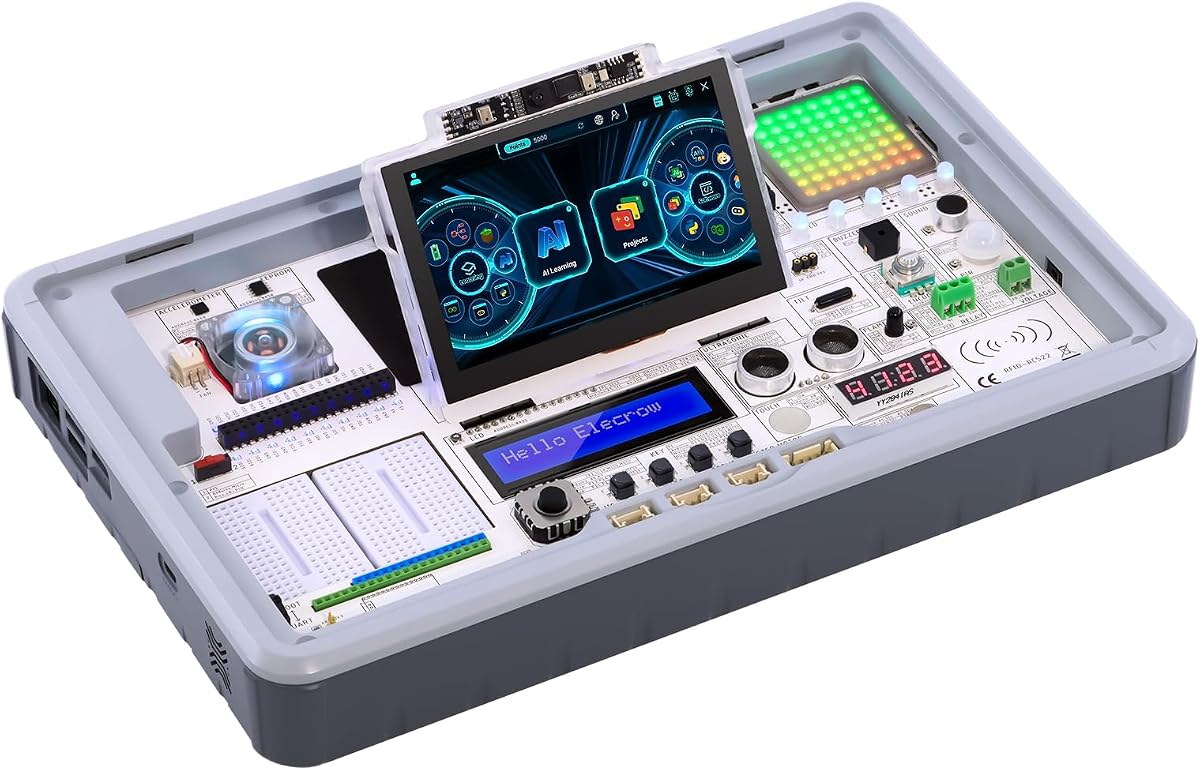
The ELECROW CrowPi3 Basic Kit offers an all-in-one interface with a 4.3-inch capacitive touch display, rated at 4.3. This screen enables intuitive interaction for projects without needing external monitors, making it perfect for portable AI demonstrations.
We may earn a commission when you buy through this link, at no additional cost to you.
It comes packed with 41 sensors and modules, reducing the need for separate component purchases. With 200 step-by-step lessons, it supports a gradual learning curve, guiding users from basic electronics to advanced Python programming and AI recognition tasks.
While the sensor count is impressive, the layout may appear crowded to absolute beginners, requiring careful attention during assembly. The kit also excludes the Raspberry Pi board, meaning additional hardware costs must be factored into the budget.
Buy this if you prefer a laptop-style experience for learning AI and electronics. It suits educators or students wanting a self-contained system with built-in inputs and a rich curriculum for hands-on practice.
The capacitive touchscreen simplifies input for AI projects, replacing complex keyboard commands with direct taps. This feature enhances usability for visual tasks like facial recognition or gesture control setups.
Forty-one sensors allow diverse experiments involving temperature, motion, and light in one unit. This variety fosters creative project ideas without needing to source external modules individually for each sensor type.
We may earn a commission when you buy through this link, at no additional cost to you.
This bundle combines the Fusion Lab with a Dual NVMe Raft for rapid storage speeds and flexible data management. Although it lacks a specific rating, the inclusion of RAID capabilities and PCIe support makes it a robust option for data-heavy AI tasks.
We may earn a commission when you buy through this link, at no additional cost to you.
The Dual NVMe Raft enables up to 500MB/s transfer speeds, significantly faster than microSD cards. This setup supports running local models or databases efficiently, which is crucial when processing large video datasets or streaming live feeds.
Users must purchase a compatible Raspberry Pi 5 separately to utilize the NVMe slots fully. The focus on storage and power management means it is best suited for those prioritizing system reliability over basic learning modules.
Buy this bundle if you need a server-grade setup for AI storage requirements. It fits home lab builders who want to host media servers or AI applications with fast, reliable disk access on a Raspberry Pi platform.
Dual M.2 slots allow for RAID 0 or 1 configurations to maximize speed or redundancy. This feature ensures data integrity for critical AI logs or backup storage without compromising performance.
The rechargeable power pack ensures operation during power outages or mobile projects. This reliability is essential for field experiments where continuous power might be unavailable or unstable.
We may earn a commission when you buy through this link, at no additional cost to you.
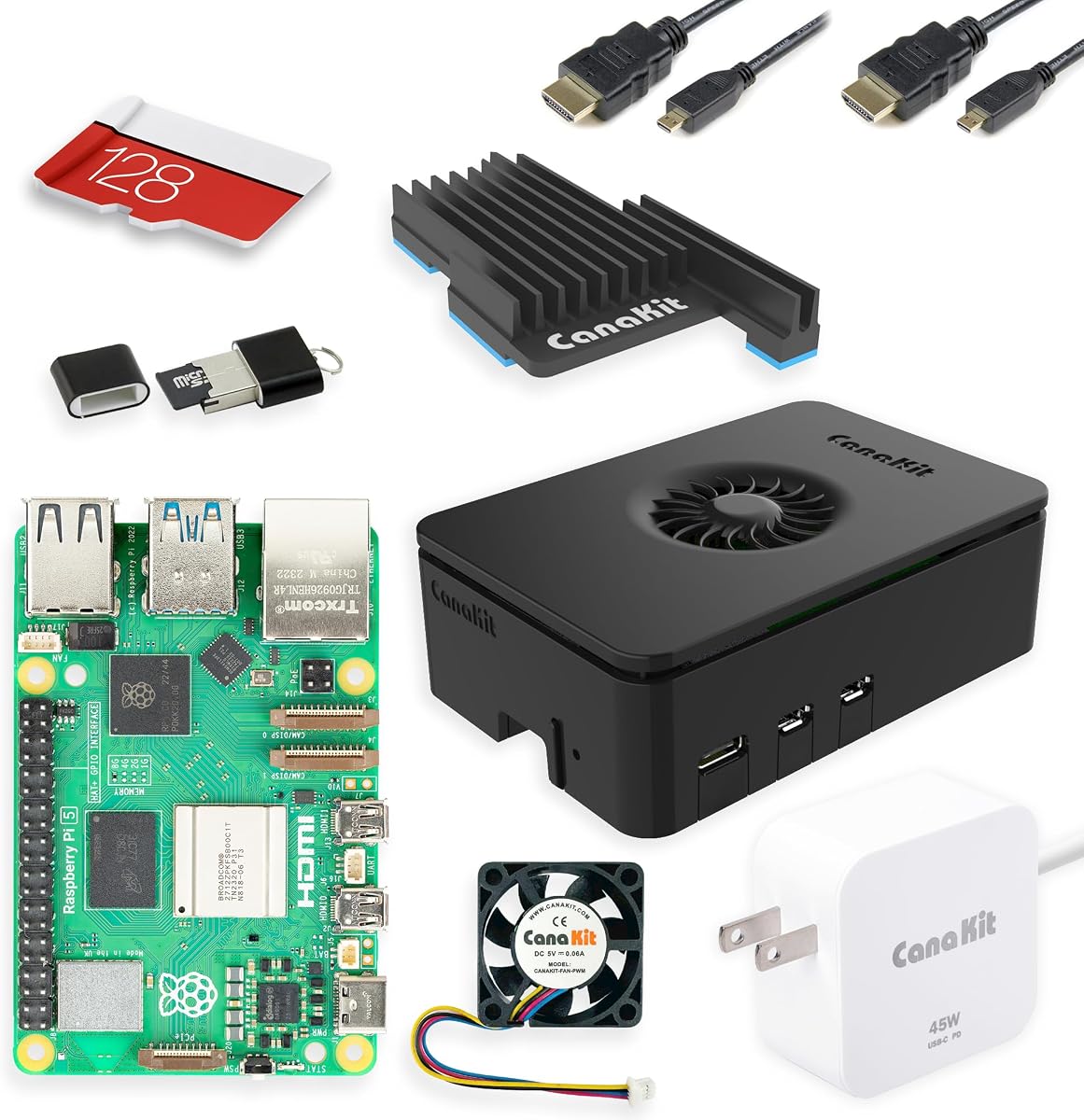
The CanaKit Raspberry Pi 5 Starter Kit PRO provides a solid foundation with 8GB RAM and a 4.7 user rating. It includes essential hardware like a Turbine case and high-wattage power supply, ensuring the board runs reliably under standard conditions.
We may earn a commission when you buy through this link, at no additional cost to you.
While it lacks dedicated AI sensors or accelerators, its high processing power makes it an excellent base to build upon. Users can add specific modules later, benefiting from the strong thermal management and official support included in the bundle.
The 128GB SD card offers ample space for OS and basic projects without immediate expansion. However, its generic nature means beginners might need to seek third-party tutorials for specialized AI setup and configuration details.
Choose this if you want a premium, reliable core system to customize over time. It suits those who already have some technical knowledge and prefer to select specific AI add-ons rather than buying a pre-bundled kit.
The 8GB RAM configuration handles multitasking and local AI model loading more effectively. This allows users to run multiple services like home automation and learning environments simultaneously.
The Turbine case and low-noise fan maintain safe temperatures during extended use. This stability is crucial when running sustained CPU loads typical of training or inference processes.
We may earn a commission when you buy through this link, at no additional cost to you.
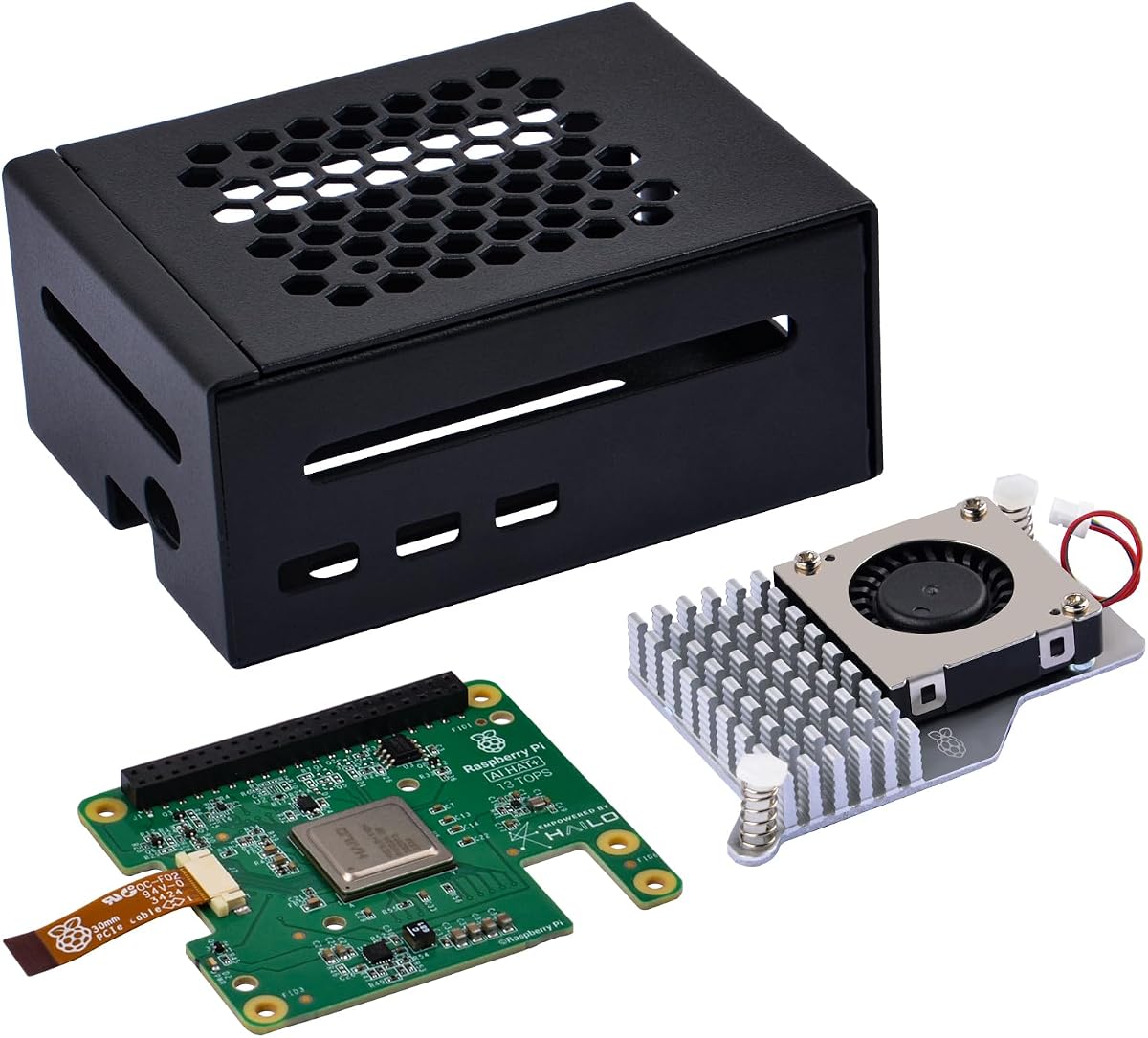
The GeeekPi AI HAT+ Kit delivers dedicated hardware acceleration with a 13 TOPS NPU, rated at 4.5. It plugs directly into the Pi 5 via PCIe, offloading AI tasks from the main CPU to improve efficiency and response times.
We may earn a commission when you buy through this link, at no additional cost to you.
This setup includes a metal case and active cooler to manage heat during intensive computation. The hardware is designed to work seamlessly with standard OS tools, simplifying the transition from CPU-based to accelerated processing tasks.
It is strictly compatible with the Raspberry Pi 5, limiting reuse with older boards. Users must also ensure their OS is updated to support the automatic detection of the accelerator for full functionality without manual configuration.
Buy this for Pi 5 owners seeking to boost AI performance without complex wiring. It suits developers wanting a plug-and-play solution for object detection or video analysis on the latest board model.
The Hailo accelerator handles neural network tasks independently, freeing up system resources. This separation ensures smoother operation when running background processes alongside real-time AI tasks.
The metal case shields sensitive components from physical damage and static. Combined with an active cooler, it maintains optimal temperatures during prolonged use of the NPU.
We may earn a commission when you buy through this link, at no additional cost to you.
The Essentials Starter Kit PRO from Seeed Studio offers a reliable base with 8GB RAM and a 4.6 rating. It includes official Raspberry Pi components like the active cooling case and power supply, ensuring stability right out of the box.
We may earn a commission when you buy through this link, at no additional cost to you.
While it lacks dedicated AI sensors, the official cooling solution supports sustained performance for Docker containers or Edge AI workloads. The preloaded OS reduces setup time, allowing users to start projects immediately without manual flashing.
This kit focuses on core computing power rather than AI peripherals. Users interested in robotics or vision will need to purchase additional HATs separately, which might increase total project costs significantly.
Buy this if you prioritize stability and official support for general-purpose computing. It is ideal for users needing a robust server or workstation foundation to which they can attach custom AI modules later.
Using official hardware ensures compatibility and long-term stability for critical tasks. This reliability is essential for users needing continuous uptime for home automation or local servers.
The integrated fan maintains low temperatures even under heavy computational loads. This prevents thermal throttling during extended AI inference sessions or Docker workloads.
We may earn a commission when you buy through this link, at no additional cost to you.
The SunFounder AI Robot Kit offers a fun entry point into robotics with a 4.3 rating and built-in ChatGPT-4o support. It includes 12 servos for movement and a camera for vision, allowing users to control and interact with a physical robot.
We may earn a commission when you buy through this link, at no additional cost to you.
Its voice interaction capabilities make it stand out among simple hobby kits, enabling complex queries and responses directly on the device. The app control and FPV features provide an engaging interface for managing actions remotely from a phone.
Performance is limited by the Zero 2 W processor, which may struggle with heavy local models. However, the kit offloads complex processing to cloud APIs, balancing hardware constraints with smart interactive features effectively.
Buy this if you want an engaging robotics project with AI features. It suits students or families wanting a ready-to-assemble robot that responds to voice commands and moves autonomously without needing complex coding.
ChatGPT-4o enables natural language commands to control robot behaviors like walking or stopping. This integration simplifies programming by allowing text-based instructions instead of complex logic loops.
Twelve servos provide enough freedom of motion for walking and trick actions. The included chassis and tools ensure users can focus on code rather than mechanical assembly details.
We may earn a commission when you buy through this link, at no additional cost to you.
The CrowPi 3 Basic provides a streamlined development environment with 41 integrated sensors and a touchscreen interface. Rated at 4.1, it simplifies setup by eliminating the need for external breadboards and complex wiring for basic tests.
We may earn a commission when you buy through this link, at no additional cost to you.
It supports multiple development boards beyond just the Pi, making it versatile for cross-platform learning. The included 200 courses cover essential skills like Python programming and Node-RED projects for IoT applications.
Despite the hardware advantages, the lack of a board means additional investment is needed to run it fully. Advanced users might find the documentation too basic, requiring external resources for specialized customization.
Buy this if you prefer a compact lab-style setup. It suits beginners needing a guided start with built-in components that reduce frustration during the initial learning phases.
Built-in sensors reduce the risk of loose connections common in breadboard setups. This reliability ensures projects run consistently without debugging wiring errors first.
The touchscreen allows direct interaction with code and visual outputs. This feedback loop enhances understanding of how inputs affect program behavior in real time.
We may earn a commission when you buy through this link, at no additional cost to you.
The CrowPi 3 with 16GB Board stands as the premium choice with a 4.5 rating, offering massive memory capacity for complex tasks. It combines the all-in-one sensor panel with the most powerful Pi 5 variant available in a single package.
We may earn a commission when you buy through this link, at no additional cost to you.
With 16GB RAM, this kit can handle heavy multitasking and local LLMs with ease. The inclusion of over 200 courses and voice hardware provides a professional-grade platform suitable for both education and serious prototyping.
Its high cost reflects the comprehensive nature of the bundle, making it less accessible for casual hobbyists. The unit also requires physical space due to its size, which may not fit smaller desk setups easily.
Choose this if you need maximum performance and a full suite of features. It suits advanced students or developers looking for a one-stop solution without worrying about component compatibility or hardware limits.
Sixteen gigabytes of RAM support running multiple containers and models concurrently. This ensures smooth operation when running local language models alongside sensor data processing.
The complete setup includes everything needed for advanced development without extra purchases. This integration reduces compatibility issues and simplifies deployment for professional educational environments.
We may earn a commission when you buy through this link, at no additional cost to you.
Selecting the right AI kit requires balancing hardware specs, software resources, and your specific project goals.
For AI tasks, standard CPU performance may not suffice. Look for kits that include NPUs like Hailo-8 to offload vision tasks, or opt for boards with high RAM counts like 16GB to handle local models efficiently.
Prioritize kits with accelerators if you need real-time processing for robotics or video analysis projects.
Software compatibility is crucial for smooth operation. Choose kits that support major LLMs like ChatGPT or open-source alternatives and offer documented APIs for sensors and HATs.
Check if the kit provides active community support or forums to resolve technical issues quickly during development.
A good AI kit should include diverse sensors like cameras, microphones, and motion detectors to enable multi-modal projects. Ensure there are available GPIO pins for future hardware expansions.
Avoid bundles that limit expansion ports if you plan to add more advanced peripherals like displays or specialized cameras later.
Structured learning materials accelerate progress. Look for kits offering video tutorials, step-by-step guides, or access to educators for learning coding and electronics basics.
Prioritize options with 200+ lessons if you are a beginner needing a guided path to mastery.
AI tasks often stress the system, leading to heat buildup. Choose kits with active cooling fans or metal cases to maintain stability during long workloads.
Ensure the power supply provides sufficient wattage for the board and any connected peripherals to avoid unstable operation.
Select a kit compatible with the latest Raspberry Pi 5 model for better performance and compatibility with new software updates. Older boards like Zero 2 W are good for entry but may lack power for complex tasks.
Check if the hardware supports future upgrades like NVMe storage to extend the kit's usability over time.
Evaluate whether the kit includes the Raspberry Pi board or requires a separate purchase. Bundles with boards save effort but cost more upfront, while modular kits allow buying only what you need.
Consider the total cost including shipping and any additional accessories required to run the software fully.
Identify if you need a robot kit with servos or a stationary development station. Robotics kits offer physical interaction, while development stations focus on coding and vision without physical movement.
Choose a kit that aligns with your primary interest to avoid unnecessary features that increase cost without utility.
Start by installing the official operating system or the preloaded OS image provided with your kit. Use the documentation to verify all sensors are detected correctly before running any AI code.
Run sample code examples provided in the curriculum to test camera and microphone inputs. Adjust settings in the terminal to ensure the neural accelerator is utilized for faster processing speeds.
Keep your unit in a well-ventilated area to prevent overheating during long sessions. Clean dust regularly from fans and vents using a soft brush to maintain consistent cooling performance.
Yes, many kits support advanced LLMs and offer sufficient RAM for complex tasks. However, for enterprise-grade reliability, ensure you upgrade to professional-grade components like SSDs where possible. Most are excellent for prototyping and development phases.
Not necessarily. Several kits like SunFounder include beginner-friendly video lessons to teach Python basics. However, understanding basic syntax helps you debug errors faster during AI model implementation.
TOPS measures processing power for neural networks. A 26 TOPS unit handles more complex models faster than a 13 TOPS unit. Choose higher TOPS if you need real-time inference for video or robotics.
Yes, many kits support local model running without internet. However, features like ChatGPT require connectivity. You can run offline models using Llama or similar frameworks for privacy-focused projects.
Absolutely. Most come with structured lessons and curriculum designed for classrooms. Teachers can use the modular components to teach hardware, software, and ethics in AI effectively.
Most kits support external SSDs or NVMe drives via expansion slots. Use a compatible NVMe Raft to increase storage speed and capacity significantly over standard SD cards.
The SunFounder AI Fusion Lab Kit stands out as a top all-rounder for its balanced approach to hardware and education. It offers a comprehensive starting point for most users entering the AI space.
For high-performance needs, the Vilros or CrowPi 3 Premium options provide superior processing and memory. Choose these if you plan to run heavy models or need maximum reliability for long projects.
Always check current listings for pricing and component availability before buying. The AI landscape evolves rapidly, and verifying compatibility ensures you invest in a system that meets your future needs.