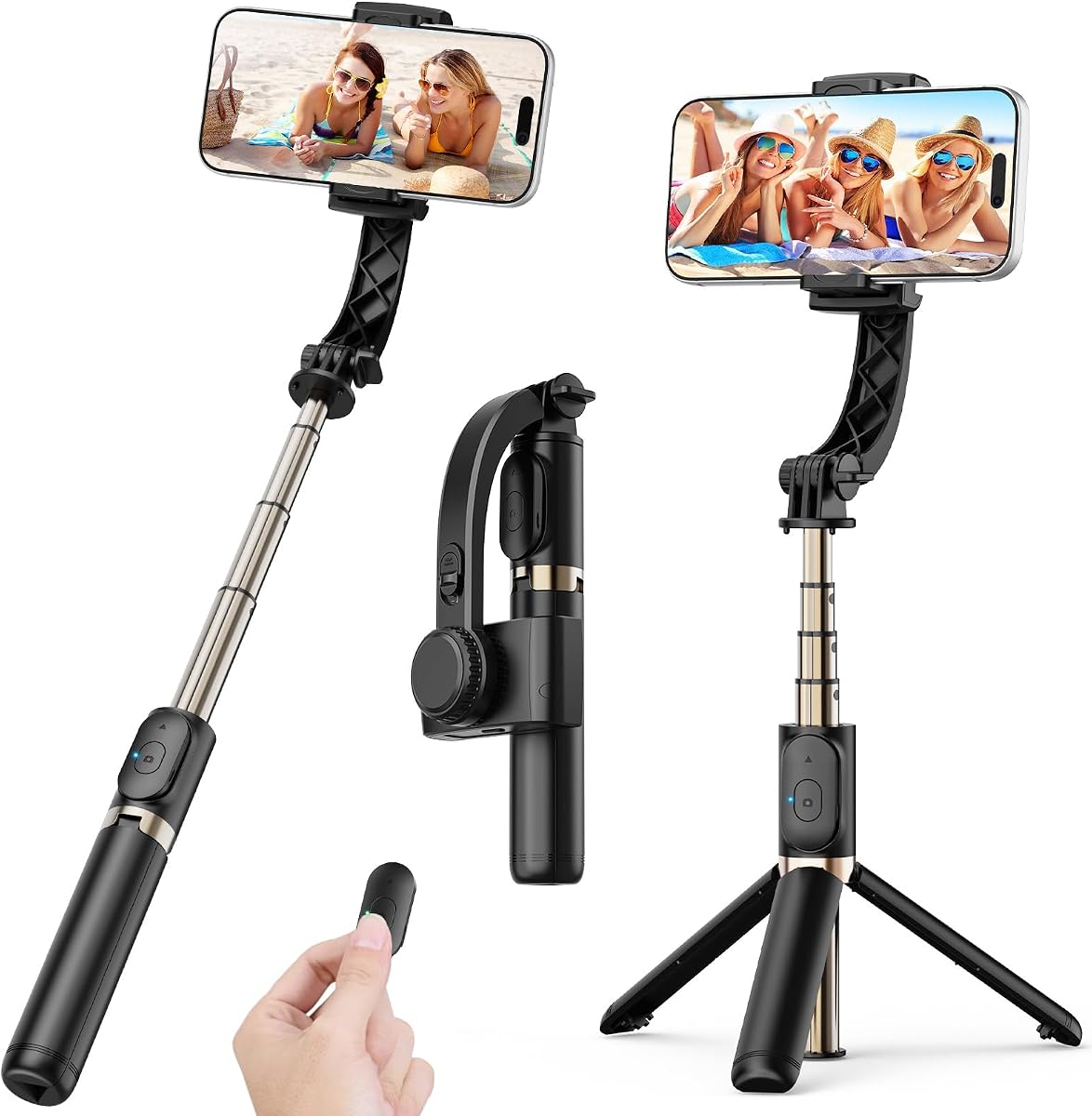
Gimbal Stabilizer 1-Axis
4.7Editor score
App-free one-button control
Lightweight portable design
Includes wireless remote
This guide compares the top 10 gimbals for beginners focusing on stabilization, ease of use, battery life, and smart tracking features for smooth mobile video.
Choosing the right gimbal can transform your mobile filming from shaky amateur clips to smooth professional-looking content. Beginners need devices that offer intuitive controls without sacrificing performance or stability during movement.
We evaluated ten top-rated stabilizers based on ease of setup, image stabilization quality, battery endurance, and smart features like tracking and app integration. Our analysis focuses on real-world usability for new creators.
Each pick highlights key strengths and trade-offs to help you find the perfect match for your style. Keep in mind that prices and availability may fluctuate so check current listings before purchasing your gear.
4.7Editor score

4.5Editor score

4.4Editor score
This side-by-side comparison highlights the core specifications and unique features of each top-ranked gimbal to help you quickly identify the best fit for your specific needs and budget.



The DJI Osmo Mobile 7P stands out as a top pick for beginners seeking professional results without complex setup. With a solid 4.5 rating users praise its robust 3-axis stabilization and intuitive magnetic phone clamp.
We may earn a commission when you buy through this link, at no additional cost to you.
Its standout feature is the Multifunctional Module which integrates intelligent tracking and lighting directly into the gimbal. This means you can shoot well-lit videos in low light without additional gear while enjoying seamless tracking via the DJI Mimo app.
While the app is necessary for full functionality the One-Tap Edit feature significantly reduces post-production time. The built-in extension rod also allows for creative angles and group shots without needing extra accessories.
This gimbal is ideal for vloggers and content creators who want reliability and smart features. Its balance of performance and ease of use makes it a strong recommendation for anyone starting their video journey.
The module adds built-in lighting and mic reception allowing for higher quality audio and visuals even in challenging environments.
Save time by using the app to automatically edit clips into polished videos with just a few taps on your screen.
We may earn a commission when you buy through this link, at no additional cost to you.
The hohem iSteady X3 SE offers a compelling package for beginners who value flexibility and remote operation. Its detachable magnetic remote allows you to control shots from a distance making solo travel easier.
We may earn a commission when you buy through this link, at no additional cost to you.
With advanced iSteady 8.0 technology it delivers smooth footage even during dynamic movements like jogging. The 11-hour battery life ensures you can film all day without worrying about power running out mid-shoot.
While it requires the Hohem Joy app for advanced modes the interface is designed to be beginner-friendly. The foldable design makes it easy to carry in a pocket or small bag for spontaneous recording.
This gimbal is perfect for those who prioritize ease of use and long sessions. It strikes a great balance between features and cost making it accessible for new creators on a budget.
Use the remote to capture group selfies or set up shots from afar without needing to constantly adjust the gimbal manually.
Shoot continuously for over 11 hours on a single charge ensuring you never miss a moment during travel or events.
We may earn a commission when you buy through this link, at no additional cost to you.
The DJI Osmo Mobile 8 represents the pinnacle of mobile stabilization with native tracking and audio features. Its robust 3-axis stabilization ensures professional footage regardless of movement intensity or environment.
We may earn a commission when you buy through this link, at no additional cost to you.
A standout capability is the native tracking with audio and lighting which elevates the quality of your shots significantly. The built-in extension rod adds versatility for wide angles without extra gear.
Despite needing the app for full functionality the ease of setup and editing tools make it worthwhile. The 10-hour battery life supports long filming sessions whether you are at an event or traveling.
This model is ideal for serious beginners willing to invest in top-tier tools. Its comprehensive feature set makes it a future-proof choice for growing content creators.
Experience seamless subject tracking paired with built-in audio reception for clear sound and sharp focus in your videos.
Capture immersive shots with full horizontal rotation allowing for dynamic angles that enhance storytelling.
We may earn a commission when you buy through this link, at no additional cost to you.
The DJI Osmo Mobile 7 is designed for portability without compromising on performance. Weighing only 300 grams it is easy to carry and use for extended periods without wrist strain.
We may earn a commission when you buy through this link, at no additional cost to you.
Its ActiveTrack 7.0 technology ensures your subject remains in focus even during rapid movement. The foldable design with built-in tripod allows for quick setup and creative low-angle shots.
While it shares the app requirement with other DJI models the One-Tap Edit simplifies the editing process. The ergonomic handle and comfortable grip make it suitable for long vlogging sessions.
This gimbal is perfect for those who prioritize weight and ease of transport. It offers a premium experience in a compact form factor ideal for travel and daily use.
Carry this gimbal effortlessly in your bag thanks to its lightweight build that reduces fatigue during long shoots.
Use the dual-lens system for smarter tracking that keeps subjects sharp even in complex or busy environments.
We may earn a commission when you buy through this link, at no additional cost to you.
The 1-Axis Auto Balance Gimbal is an excellent entry point for beginners who want simplicity and affordability. Its app-free operation means you can start shooting immediately without downloading extra software.
We may earn a commission when you buy through this link, at no additional cost to you.
Equipped with a built-in sports gyroscope it reduces hand shake effectively for vlogging and social media. The wireless remote control allows you to trigger shots from a distance for hands-free convenience.
While it only offers 1-axis stabilization and has a shorter battery life it remains a reliable choice for basic video needs. The foldable design makes it easy to carry in any pocket or bag.
This gimbal is best for casual users and those on a strict budget. Its straightforward design removes barriers to entry making it easy to get started with smooth video.
Skip the hassle of app downloads and enjoy one-button controls that switch between modes instantly for quick shooting.
Extend the selfie stick up to 31.5 inches for wide-angle shots and group photos without needing another accessory.
We may earn a commission when you buy through this link, at no additional cost to you.
The AOCHUAN Smart XE combines practical features like a focus wheel with robust 3-axis stabilization. It is designed for creators who want more manual control without professional complexity.
We may earn a commission when you buy through this link, at no additional cost to you.
Its AI Face Track 4.0 ensures subjects remain in focus during movement. The focus wheel and zoom slide allow for adjustments that mimic professional filmmaking workflows.
While it requires the AOCHUAN app for advanced modes the interface is user-friendly and supports a variety of shooting modes. The 10-hour battery life ensures you can shoot long events without interruptions.
This gimbal suits those looking for extra control and features at a reasonable price. Its balanced design makes it a solid choice for daily vlogging and travel videos.
Adjust focus and zoom easily with the control wheel giving you professional-level adjustments right from the handle.
Keep your face or subject sharp with intelligent tracking that follows movement smoothly and accurately.
We may earn a commission when you buy through this link, at no additional cost to you.
The DJI RS 3 Mini is designed for those who want to stabilize mirrorless cameras without bulk. Weighing just 1.75 lbs it remains portable while supporting up to 2 kg payload capacity.
We may earn a commission when you buy through this link, at no additional cost to you.
Its touchscreen interface simplifies settings access allowing quick adjustments without digging through menus. Bluetooth shutter control ensures your camera connects and works seamlessly with the gimbal.
While it is larger than phone gimbals it remains compact enough for travel and everyday use. The vertical shooting feature makes it ideal for creating social media content effortlessly.
This gimbal is perfect for creators upgrading from phones to cameras. Its balance of power and portability makes it a versatile tool for high-quality video.
Capture content directly for social media by rotating the arm vertically without needing extra accessories or complex setups.
Adjust settings easily with a full-color touchscreen that provides a modern and intuitive user experience.
We may earn a commission when you buy through this link, at no additional cost to you.
The hohem iSteady Mobile Plus introduces unique creative modes like 3D Fantasy that rotate your phone 360 degrees. This adds cinematic flair to videos without complex editing or post-production.
We may earn a commission when you buy through this link, at no additional cost to you.
Its ultra-wide-angle mode ensures motor interference does not block your view. The enhanced stabilization and high torque allow it to handle larger phones like the iPhone 15 Pro Max smoothly.
Battery life is exceptional at 13 hours and it can even charge your phone via USB. The app offers one-click templates to streamline your editing process.
This gimbal is ideal for creators who want to experiment with unique angles. It offers powerful features for storytelling while maintaining solid stabilization.
Use the Inception mode to create mesmerizing rotating shots that captivate viewers without manual input.
Never run out of power mid-shoot by using the gimbal to charge your phone on the go.
We may earn a commission when you buy through this link, at no additional cost to you.
The FeiyuTech SCORP Mini 2 is a versatile hybrid gimbal that supports mirrorless cameras and smartphones alike. Its payload capacity allows for a wide range of setups without sacrificing portability.
We may earn a commission when you buy through this link, at no additional cost to you.
A standout feature is the built-in AI tracker which works independently of any app. This ensures stable tracking even if you prefer not to use the FeiyuTech software.
The touchscreen and joystick design offer intuitive control for advanced users. The kit includes a carrying case and extension rod making it ready for various filming scenarios.
This gimbal suits creators who need flexibility across multiple devices. It balances professional features with a compact form factor for diverse workflows.
Track subjects without relying on app connectivity for consistent results in any environment.
Switch between phone and camera easily with a high payload capacity that handles various gear types.
We may earn a commission when you buy through this link, at no additional cost to you.
The Hohem iSteady M6 Kit stands out with its OLED display that visualizes all gimbal parameters clearly. This real-time feedback ensures you never lose track of battery or connection status.
We may earn a commission when you buy through this link, at no additional cost to you.
It features a magnetic fill light offering multiple lighting options to enhance your video quality. The control wheel allows precise adjustments for focus and color temperature on the fly.
While it requires the Hohem Joy app for full functionality the universal tracking feature works across various apps. Its robust build supports heavier smartphones without compromising stability.
This gimbal is ideal for creators who value detailed control and lighting options. It offers a professional toolkit in a handheld package.
Monitor battery and mode settings clearly with an OLED screen that provides essential data at a glance.
Adjust lighting with cold warm and RGB options to match any scene or creative requirement.
We may earn a commission when you buy through this link, at no additional cost to you.
Choosing a gimbal requires understanding your needs and budget to find the right balance of features and usability.
Three-axis gimbals provide the smoothest footage by correcting movement across all directions. Look for models with strong motors and stable algorithms to ensure your videos remain level even during active motion.
Prioritize models with proven stabilization tech for consistent results across different shooting scenarios.
Beginners should look for gimbals with simple setup like magnetic mounts and intuitive app controls. Features like automatic balancing or one-button controls reduce the learning curve significantly.
Choose a model that allows you to start recording quickly without complex calibration steps.
Long battery life ensures you can film extended sessions without interruption. Models offering 10 hours or more of continuous use are ideal for travel and events.
Opt for gimbals with high-capacity batteries to avoid missing moments due to power loss.
Tracking and auto-edit modes can significantly enhance your content quality. Look for features like ActiveTrack or AI tracking that keep your subject in focus without manual adjustments.
Select a gimbal with smart features that match your creative goals and workflow.
Lightweight and foldable designs are crucial for on-the-go creators. A gimbal that fits in a pocket or small bag encourages more spontaneous shooting opportunities.
Prioritize compact models if you travel frequently or want to carry gear easily.
Ensure the gimbal supports your phone model and weight. Some models may not work well with larger phones or cases which can affect balance and performance.
Check compatibility lists and weight limits before purchasing to avoid issues.
Consider your budget while looking for the best value. Entry-level options provide basic stabilization while premium models add advanced features like lighting and audio integration.
Invest in a model that offers the features you need without unnecessary extras.
Start by calibrating the gimbal on a flat surface and ensure your phone is balanced securely in the clamp. Use the app to update firmware and familiarize yourself with key modes like follow or lock mode.
When shooting, hold the gimbal firmly and move smoothly to minimize stress on the motors. Avoid exposing the device to water or extreme temperatures which can damage internal components and motors.
Charge the gimbal after each use and store it in a cool dry place. Regularly clean the gimbal with a soft cloth to remove dust and prevent mechanical issues over time.
Most modern gimbals require an app for advanced features like tracking and editing though basic stabilization works without it. Some budget models offer app-free operation via physical buttons for simpler use.
Loosen the locks on each axis and slide your phone until the gimbal stays level without support. Tighten the locks once balanced to prevent movement during recording.
Yes most gimbals work with cases as long as the total weight is within the payload limit. Heavy or thick cases may require additional balancing to maintain stability.
A 1-axis gimbal corrects tilt only while a 3-axis gimbal corrects tilt roll and pitch for full stabilization. Three-axis models provide smoother video especially during movement.
Use a soft dry cloth to wipe the exterior and avoid using liquids directly on the gimbal. Ensure the motors are dry and free of debris before storing it.
Most gimbals are not waterproof so avoid using them in rain unless specified by the manufacturer. Moisture can damage motors and electronics leading to potential failure.
Our top picks highlight the DJI Osmo Mobile 7P as the best all-rounder with smart features and reliable performance. The hohem iSteady X3 SE offers excellent value for those needing remote control options.
Prioritize ease of use and battery life when selecting a gimbal to ensure you can focus on creating content. Consider your specific shooting style and device compatibility before making a decision.
Remember to check current prices and availability as deals may change over time. Investing in the right tool early will significantly improve your video quality and confidence.