
NexiGo N60
4.3Editor score
Full HD 1080p
Noise cancelling mic
Privacy cover included
Choosing the right external webcam for your Mac is essential for clear video calls and streaming. With so many options available, finding a model that integrates seamlessly with macOS can be challenging for many users today.
We have analyzed the top-rated webcams based on image resolution, microphone quality, privacy features, and Mac compatibility. This list covers a range of budgets to ensure you find a camera that fits your specific needs and setup.
Each pick highlights key strengths and potential trade-offs to help you make an informed decision. Please note that prices and availability can change frequently, so verify current details before purchasing your next webcam.
4.3Editor score

4.6Editor score

4.6Editor score
As an Amazon Associate we earn from qualifying purchases.
The following table provides a side-by-side comparison of the top 10 external webcams for Mac, highlighting key specifications and features to help you quickly identify the best option for your setup.




The Acer 4K Webcam stands out as a top choice for Mac users seeking high-quality video. With a 4.6 rating, it delivers exceptional clarity through its Sony sensor and PDAF technology.
We may earn a commission when you buy through this link, at no additional cost to you.
Its all-metal unibody design ensures durability while maintaining a sleek look. Phase Detection Autofocus keeps your image sharp during movement, and dual noise reduction microphones capture clear audio.
While it requires a USB-C to A adapter for older Macs, the plug-and-play simplicity is a major plus. The magnetic privacy cover adds a secure touch for those concerned about privacy.
This webcam is ideal for professionals and creators who need reliable 4K video. Its compatibility with Mac and major platforms makes it a versatile choice for any setup.
The Sony 1/2 inch sensor captures balanced, true-to-life visuals with exceptional low-light performance.
Crafted from aerospace-grade aluminum, this webcam features a seamless unibody design for a premium feel.
We may earn a commission when you buy through this link, at no additional cost to you.
The Anker PowerConf C200 offers a compelling 2K resolution for those who want sharp video without the 4K price tag. It scores well with a 4.4 rating for its clarity and audio features.
We may earn a commission when you buy through this link, at no additional cost to you.
Advanced AI noise cancellation ensures your voice is clear even in noisy environments. You can choose from three viewing angles via software to frame your shot perfectly.
The integrated privacy cover slides easily for quick access to security. Low-light correction helps you look your best in dim settings without extra lighting.
This model is a solid pick for remote workers needing reliable video. Its compatibility with macOS and software control make it easy to use.
Dual mics with AI noise cancellation capture voices clearly even in noisy environments.
Choose from 65, 78, or 95 degrees via software to frame your perfect shot.
We may earn a commission when you buy through this link, at no additional cost to you.
The EMEET C960 delivers true 4K resolution without upscaling, offering a cost-effective option for high-quality video. With a 4.5 rating, it stands out for its autofocus and audio performance.
We may earn a commission when you buy through this link, at no additional cost to you.
PDAF technology ensures clear, stable focusing in various scenarios. Dual omnidirectional microphones capture natural audio, perfect for remote teaching or conferences.
Note that the video resolution defaults to 1080p; you must switch to 4K via software. It includes a privacy cover and flexible mounting options.
This webcam is great for educators and professionals needing clarity. Its versatility and software control make it a practical choice for many Mac users.
Experience ultra-clear video conferencing with a genuine 4K CMOS sensor and no upscaling.
Adjustable horizontal and vertical axis with a 1/4-inch tripod thread for versatile setup.
We may earn a commission when you buy through this link, at no additional cost to you.
The NexiGo N60 is an excellent budget-friendly option for basic video calls on Mac. With a 4.3 rating, it delivers sharp 1080p video and essential features for everyday use.
We may earn a commission when you buy through this link, at no additional cost to you.
Its built-in noise-cancelling microphone reduces ambient noise for clear audio. A privacy cover blocks the lens when not in use for added peace of mind.
The fixed focus is optimized for typical indoor distances, though it lacks autofocus. It works with USB 2.0 or 3.0 without extra drivers.
This model is perfect for those needing a reliable camera without high costs. Its simplicity and broad compatibility make it a strong value pick.
Produces exceptionally sharp and clear videos up to 1920 x 1080 at 30fps.
Works with USB 2.0 or 3.0 with no additional drivers required for quick setup.
We may earn a commission when you buy through this link, at no additional cost to you.
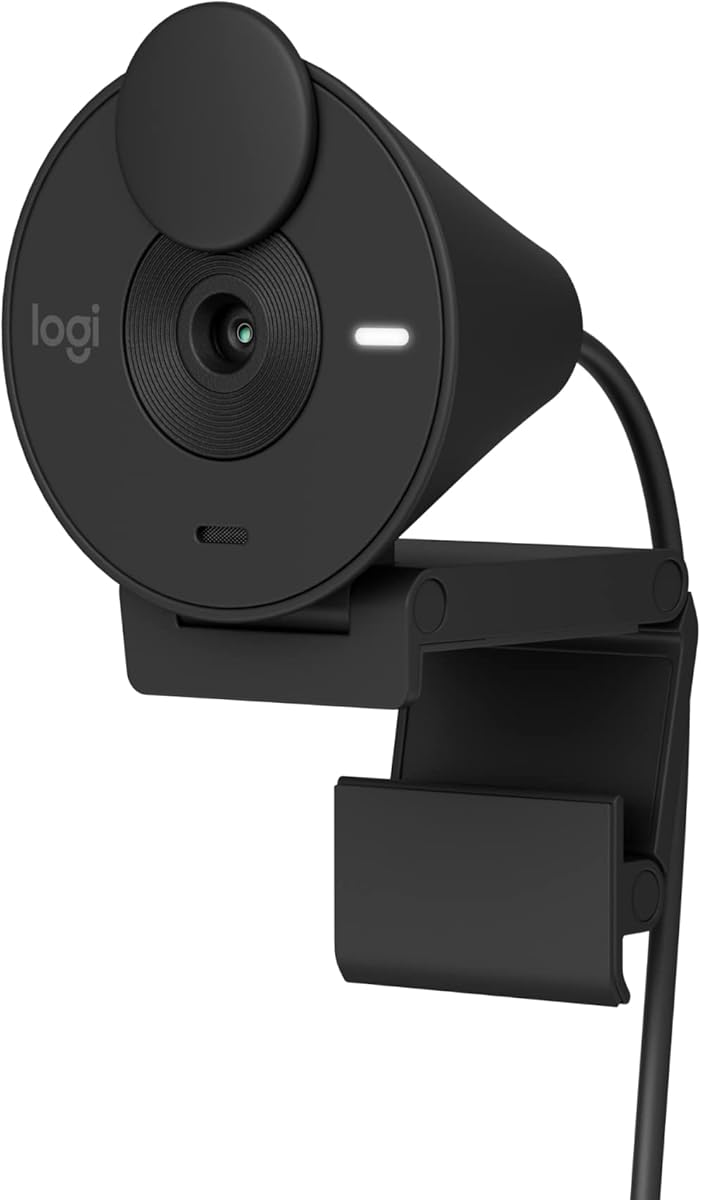
The Logitech Brio 100 offers Full HD clarity with RightLight balance to reduce shadows. Rated 4.4, it is a solid choice for everyday video calls on Mac.
We may earn a commission when you buy through this link, at no additional cost to you.
RightLight boosts brightness by up to 50 percent, ensuring you look your best in poor lighting. You can choose from fun colors to coordinate with your setup.
An integrated privacy cover provides total privacy when not in use. It includes a built-in mic and supports major video calling platforms.
This webcam is good for home users wanting simplicity and style. Its compatibility with Nintendo Switch and Mac makes it versatile for casual use.
RightLight boosts brightness by up to 50 percent to reduce shadows and show you clearly.
The webcam is made with a minimum of 34 percent post-consumer recycled plastic.
We may earn a commission when you buy through this link, at no additional cost to you.
The Logitech Brio 301 provides natural image quality with RightLight 2 for poor lighting. It holds a 4.4 rating for its reliability and meeting-focused features.
We may earn a commission when you buy through this link, at no additional cost to you.
Spin the webcam privacy shutter for instant privacy when not on screen. The mono noise reduction mic suppresses background sound so you are heard easily.
Logi Tune app allows customization of video experiences like color and quality. It is certified for Zoom and Microsoft Teams.
This webcam is ideal for meeting professionals on a budget. Its focus on clarity and privacy makes it a practical choice for work.
RightLight 2 technology automatically compensates for poor video lighting conditions.
Logi Tune app lets you customize video experiences like adjusting color and image quality.
We may earn a commission when you buy through this link, at no additional cost to you.
The Logitech C920e is certified for Zoom and Microsoft Teams, making it a top business choice. With a 4.6 rating, it offers balanced framing and clear audio.
We may earn a commission when you buy through this link, at no additional cost to you.
Its 78-degree fixed field of view displays users well-balanced. Built-in HD autofocus ensures clarity during calls, and two microphones capture audio naturally.
An attachable privacy screen flips up and down to cover the lens. It includes sturdy clip mounting and tripod threads.
This webcam is designed for secure workplace use. Its certifications and privacy features make it suitable for enterprise environments.
Certified for Zoom and Microsoft Teams to ensure compatibility and seamless integration.
Sturdy adjustable clip makes mounting easy plus 1/4-inch threads for tripod use.
We may earn a commission when you buy through this link, at no additional cost to you.
The Logitech C922x is a premium option for streaming and high-quality calls. With a 4.6 rating, it delivers detailed video and flexible frame rate options.
We may earn a commission when you buy through this link, at no additional cost to you.
HD lighting adjustment and autofocus ensure bright, razor-sharp images. It offers Full HD 1080p at 30fps or 720p at 60fps for smoother motion.
Stereo audio with dual mics captures natural sound. It includes a 3-month XSplit VCam license for background removal.
This webcam is best for streamers and creators. Its advanced capture software and high-quality image make it a professional choice.
Choose Full HD 1080p at 30fps or 720p at 60fps depending on your needs.
Includes 3-month XSplit VCam license to remove or blur backgrounds without a green screen.
We may earn a commission when you buy through this link, at no additional cost to you.
The Logitech C920S is a classic choice for Full HD video calls. It earns a 4.6 rating for its razor-sharp image and clear stereo audio.
We may earn a commission when you buy through this link, at no additional cost to you.
HD autofocus and light correction deliver high definition in every environment. It includes a privacy shutter to put you in control of your video.
Glass lens and full HD mean your recorded videos are crisp. It captures natural sound with dual mics.
This webcam is ideal for general users seeking reliability. Its proven performance and privacy features make it a solid pick.
Enjoy razor-sharp high definition in every environment with HD autofocus and light correction.
A glass lens and full HD mean your recorded videos are crisp and vibrantly colored.
We may earn a commission when you buy through this link, at no additional cost to you.
This Acer 4K Webcam model offers a compact alternative with True 4K quality. It holds a 4.4 rating and delivers exceptional low-light performance.
We may earn a commission when you buy through this link, at no additional cost to you.
At just 57 grams, it is ultra-portable for mobile workers. The magnetic privacy cover keeps your privacy safe when not in use.
It connects via USB-A and includes an adapter for compatibility. Phase Detection Autofocus ensures stable, crisp video.
This webcam is great for travelers needing portable high quality. Its lightweight design and premium features make it a versatile option.
At just 57 grams, this webcam is ultra-portable for mobile workers.
All-aluminum body ensures fast heat dissipation for reliable 24/7 video performance.
We may earn a commission when you buy through this link, at no additional cost to you.
Choosing the right external webcam involves balancing resolution, audio, and compatibility with your Mac setup. This guide helps you navigate key factors.
Resolution determines the sharpness of your video. For professional calls, aim for at least 1080p, while streamers may prefer 4K for clarity.
Higher resolution demands more bandwidth and processing power, so check your Mac specs before upgrading.
Audio is just as critical as video for effective meetings. Look for dual microphones with noise cancellation to filter out background distractions.
If you use a headset, you might not need a built-in mic, but clear audio remains a priority.
Many webcams now include physical privacy covers or shutters to block the lens when not in use. This adds a layer of security against potential hacking.
Always check for a cover before purchasing to ensure you can control your privacy easily.
Modern Macs mostly use USB-C ports, so ensure the webcam is compatible or comes with an adapter. USB 3.0 provides faster data transfer for high resolution.
Verify cable length and type to avoid extra dongles or adapters.
The field of view (FOV) affects how much of your room is captured. A standard 78-degree view is great for single users, while wider angles suit group calls.
Choose based on your background needs and seating distance.
If you often work in dim environments, look for sensors or software features that correct low light. This prevents grainy images during evening calls.
Technology like RightLight helps you look your best without extra lighting.
Ensure the webcam works seamlessly with macOS and apps like Zoom or Teams. Some models offer proprietary software for fine-tuning settings.
Drivers should be plug-and-play to avoid setup hassles.
Most webcams clip to monitors, but tripod threads offer flexibility for other setups. Check the mounting stability and clip adjustability.
A secure mount ensures the camera stays steady during long sessions.
Connect your webcam to a USB port and grant camera permissions in System Settings to ensure proper functionality on your Mac.
Use the included privacy cover when not in use to protect the lens from dust and maintain privacy from prying eyes.
Clean the lens gently with a microfiber cloth to avoid scratches and keep your video clear over time.
External webcams typically offer higher resolution and better audio than built-in cameras. They also provide more flexibility in positioning and privacy controls.
Most external webcams are plug-and-play and do not require special software. However, some brands offer apps for advanced settings customization.
Full HD 1080p is the sweet spot for Zoom calls, providing clarity without overloading bandwidth. Higher resolutions like 4K are optional for streaming.
Yes, external webcams are compatible with MacBook Air. You may need a USB-C adapter if the webcam uses a traditional USB-A connector.
Many modern external webcams feature light correction technology to improve low-light performance significantly compared to older built-in models.
Look for physical privacy covers or shutters that block the lens when not in use. This is the most reliable way to ensure visual privacy.
We have reviewed the top 10 webcams, ranging from budget options to premium models that deliver exceptional clarity and performance.
Prioritize your specific needs, such as resolution, audio, or privacy, to narrow down the best model for your daily use.
Always check current prices and compatibility details before purchasing to ensure you get the best value for your setup.