
Nano V3.0
4.6Editor score
ATmega328P Chip
USB Connectivity
Breadboard Friendly
This guide compares the top ten Arduino Nano Board options for makers, highlighting specs, compatibility, and value to help you choose the right microcontroller
The Arduino Nano Board remains a staple for hobbyists and engineers needing compact power. These microcontrollers fit on breadboards and support countless sensors. Selecting the right model ensures reliable performance for your specific electronic design goals.
We evaluated ten top rated boards based on compatibility, connectivity, and build quality. Our analysis covers classic designs and modern upgrades to help you find the best fit. Each entry includes verified specs to guide your purchasing decision effectively.
Every pick shows key strengths like memory size and USB type for easy setup. We also note trade-offs to manage expectations before you buy. Prices change often so check current listings for the most accurate deals today.
4.6Editor score
4.6Editor score

4.6Editor score
The following table provides a side by side comparison of all ten products. It highlights essential specs like memory, connectivity, and unique features to help you differentiate between models quickly and efficiently.


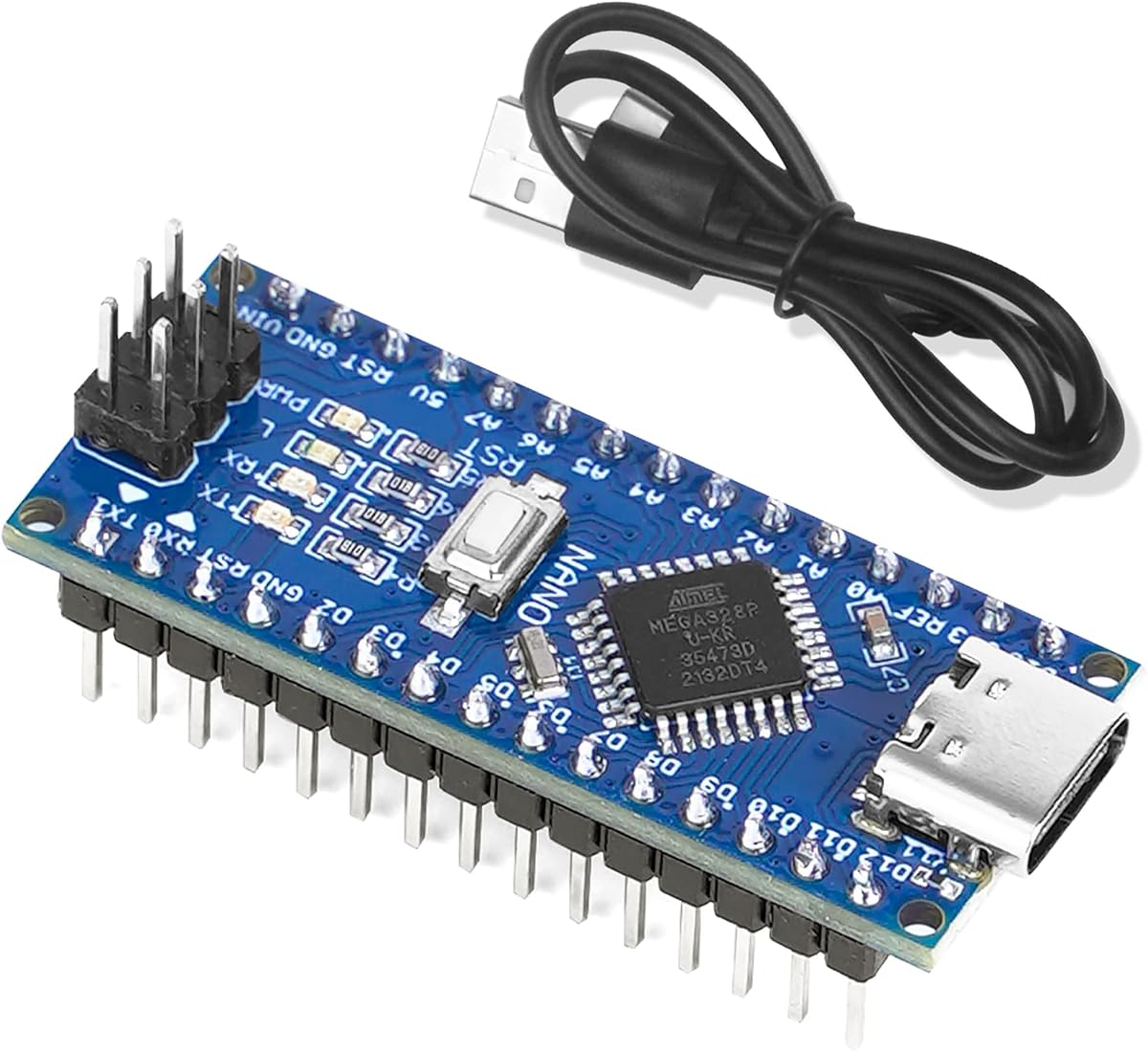
This Nano V3.0 offers a reliable entry point for beginners seeking an Arduino Nano Board. With a solid 4.6 rating it delivers the core performance needed for standard projects without a premium price tag.
We may earn a commission when you buy through this link, at no additional cost to you.
It uses the Atmel Atmega328P MCU and CH340 chip which ensures smooth programming via USB. The board runs perfectly on Windows Mac and Linux systems making it versatile for most developers.
While the third party branding means it is not official Arduino it still maintains full IDE compatibility. The small size fits easily into tight spaces and breadboards for prototyping various electronic circuits.
Buy this if you need multiple boards for testing or class projects where budget matters. It provides the essential features of a classic Nano in a cost effective package for learners.
The low price point makes it easy to stock up for multiple experiments without breaking the bank.
Works seamlessly with existing libraries and shields designed for the classic Nano V3 design.
We may earn a commission when you buy through this link, at no additional cost to you.
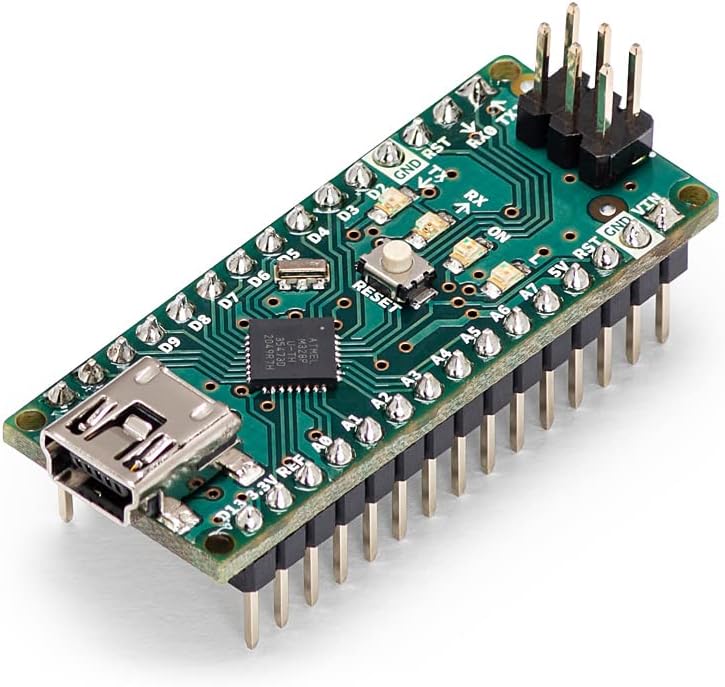
The official Arduino Nano stands out as the gold standard for the Nano series. It offers verified reliability and seamless integration with the Arduino ecosystem which is vital for professional projects.
We may earn a commission when you buy through this link, at no additional cost to you.
Its compact design packs 14 digital I/O pins and 8 analog inputs for versatile sensor control. The mini USB port ensures stable power and data transfer for uploading sketches efficiently.
While it costs more than clones the build quality justifies the expense for critical applications. You avoid potential driver issues often found with unofficial boards during development.
Choose this when quality and support are priorities over cost. It remains the best choice for educational institutions or makers who need guaranteed compatibility.
Official boards undergo strict testing to ensure they meet Arduino standards for consistency.
Benefit from the vast library of community projects specifically built for the official Nano.
We may earn a commission when you buy through this link, at no additional cost to you.
This ELEGOO pack brings modern USB-C connectivity to the classic Nano form factor. It saves time by shipping with pre-soldered headers ready for immediate breadboard use.
We may earn a commission when you buy through this link, at no additional cost to you.
With three boards included you can dedicate one to prototyping another to testing and the last to permanent projects. The CH340 driver allows easy setup on major operating systems.
The upgrade to USB-C future proofs your setup for newer cables though host support requires care. It balances performance and convenience well for general hobbyist needs.
Buy this set if you want the latest connection standard without soldering pins yourself. It is a practical choice for users who prefer ready to use tools.
Headers come soldered so you can start connecting components immediately upon arrival.
Uses USB-C for better power delivery and durability compared to older micro USB types.
We may earn a commission when you buy through this link, at no additional cost to you.
The Arduino Nano Every improves on the classic with a newer ATmega4809 microcontroller. This chip offers double the flash memory and faster speeds for complex embedded projects.
We may earn a commission when you buy through this link, at no additional cost to you.
It retains the compact size but adds modern USB-C for power and programming. The extra RAM allows handling larger datasets or more sophisticated logic without running out of space.
While it uses a different chip you can still run most standard libraries with minimal changes. The upgrade path is smooth for those needing more power in the same footprint.
Select this if your code exceeds the memory limits of the classic Nano. It is a robust solution for advanced makers looking for better efficiency and speed.
48KB flash lets you store more code for advanced automation tasks and logging.
The newer processor handles instructions faster while maintaining low power consumption.
We may earn a commission when you buy through this link, at no additional cost to you.
This Nano ESP32 transforms the form factor into a smart hub with built-in Wi-Fi and Bluetooth. It runs on a powerful dual-core ESP32-S3 chip for high performance tasks.
We may earn a commission when you buy through this link, at no additional cost to you.
It supports MicroPython for those who prefer Python over C++ making rapid prototyping faster. The HID support allows it to act as a keyboard or mouse for unique interaction designs.
While it consumes more power than classic ATmega boards the connectivity options are unmatched. It bridges the gap between microcontrollers and full IoT devices seamlessly.
Buy this for smart home projects or remote sensing where wiring is impractical. It is the best premium choice for modern wireless connectivity.
Eliminates the need for extra modules by including Wi-Fi and Bluetooth directly on board.
Supports MicroPython for faster coding cycles compared to traditional C++ environments.
We may earn a commission when you buy through this link, at no additional cost to you.
This bundle provides two boards with USB-C ports for a very affordable price. It keeps the classic ATmega328P power but updates the connection for modern computers.
We may earn a commission when you buy through this link, at no additional cost to you.
The included cables reduce setup time so you can start coding immediately. It maintains full compatibility with the Arduino IDE for standard sketches and examples.
While it is a third party design it works reliably for most daily projects. The USB-C addition is a welcome upgrade for durability and cable management.
Choose this if you need backups or multiple nodes without spending much. It offers a balance of modern features and classic reliability.
Comes with necessary USB-C cables to avoid extra purchases or search time.
Retains the popular ATmega328P which has immense community support and examples.
We may earn a commission when you buy through this link, at no additional cost to you.
This pack offers three boards to support multiple development stations or projects. It includes automatic power switching which simplifies wiring for external power sources.
We may earn a commission when you buy through this link, at no additional cost to you.
The CH340G chip ensures broad support across Windows Mac and Linux systems. It is designed to be easy to handle with connections that fit standard breadboards well.
While the rating is slightly lower than official options it still delivers consistent performance. The value of getting three boards makes it a practical choice for groups.
Buy this for classroom labs or collaborative workspaces. The quantity ensures everyone has a working board for testing ideas.
Switches to higher voltage sources automatically removing the need for jumper selection.
Standard USB-C connections make it simple to plug in and start programming quickly.
We may earn a commission when you buy through this link, at no additional cost to you.
The Nano R4 brings a robust Renesas RA4M1 microcontroller with 256KB flash and fast clock speeds. It is designed for rapid prototyping with pre-soldered headers included.
We may earn a commission when you buy through this link, at no additional cost to you.
A Qwiic connector simplifies adding sensors without soldering wires. The programmable RGB LED provides visual feedback for debugging and user interaction in apps.
This model represents a significant shift from traditional AVR architecture but offers better performance for new projects. It supports existing IDE workflows for a smooth transition.
Choose this for advanced embedded applications where speed and connectivity matter. It is ready for production use in educational or small-scale production settings.
Supports I2C sensors easily without complex wiring using the included connector.
Programmable RGB LED helps users identify states or debug errors visually.
We may earn a commission when you buy through this link, at no additional cost to you.
This version allows direct PCB mounting via castellated edges for custom designs. It is perfect for embedding the microcontroller into a permanent circuit without headers.
We may earn a commission when you buy through this link, at no additional cost to you.
Loose pins are included for breadboard use if needed. The RA4M1 core ensures high speed execution and plenty of memory for complex logic.
Soldering is required which might deter absolute beginners but gives flexibility for engineers. The Qwiic connector remains accessible for external sensor connections.
Buy this if you are creating a custom product or want to save space. It offers professional features for production-grade electronics.
Castellated edges allow the board to be integrated directly into a custom PCB.
Runs at 48MHz for faster operations and better handling of data.
We may earn a commission when you buy through this link, at no additional cost to you.
The OSOYOO Nano Module provides basic Arduino Nano V3.0 functionality at a low price. It features USB-C and supports automatic switching for power sources.
We may earn a commission when you buy through this link, at no additional cost to you.
It is fully compatible with Windows Mac and Linux systems. The ATmega328P MCU ensures standard performance for most hobby electronics needs.
While it lacks advanced features it covers the essentials well. The compact design fits in tight spaces for custom projects or portable devices.
Choose this if you want a cheap replacement board for testing. It is a solid single unit for budget constrained projects.
Delivers standard Nano specs for minimal cost making it a great spare option.
Detects voltage sources automatically so you do not need jumper settings.
We may earn a commission when you buy through this link, at no additional cost to you.
Selecting the right board depends on your project needs and skill level. We break down key factors to help you find the ideal match.
The microcontroller chip defines processing power and memory. Options range from the classic ATmega328P to the newer ATmega4809 and ESP32-S3. Consider how much memory your code needs.
Prioritize the latest chips if you expect complex logic or more storage requirements.
USB ports determine how you connect to a computer. Older models use micro USB while newer ones use USB-C. USB-C offers better durability and future proofing.
Choose USB-C if you want to use modern cables and avoid legacy adapters.
Official boards guarantee quality and support while clones offer lower prices. Clones are cost effective but may have driver issues. Official boards ensure consistency for professional work.
Opt for official boards if reliability is critical for your project timeline.
Memory affects how large your sketches can be. Flash and SRAM vary across models significantly. Faster clocks help run tasks more efficiently.
Check memory specs if you plan to store data or run multiple services.
Some boards like the ESP32 include Wi-Fi and Bluetooth. This eliminates extra modules for IoT projects. It adds complexity but enables remote control.
Get wireless boards if your project needs internet connectivity or remote sensors.
Buying a pack often provides better value than single boards. Bundles include cables which saves extra cost. They are great for classrooms or multiple prototypes.
Select bundles if you need multiple units or want to share with others.
Soldered headers save time while loose pins allow custom fits. Some models come with headers ready to plug. Others require you to solder them yourself.
Pick pre-soldered boards if you want to start coding immediately.
Popular models have more libraries and tutorials online. Clones may lack full support for all libraries. Official boards ensure the widest community help.
Stick with popular architectures to find easy solutions to coding problems.
Connect the board to a computer using a USB cable to power it and upload code. Install the necessary drivers such as CH340 if your system does not recognize it automatically.
Use the Arduino IDE to write and compile sketches. Select the correct board and COM port in the Tools menu before uploading to ensure a successful transfer.
Store your board in a dry place away from static electricity. If using external power always ensure voltage levels match the recommended range to avoid damage.
The classic Arduino Nano or affordable V3.0 clones are ideal for beginners. They have vast community support and tutorials making it easy to find help. The low cost allows you to make mistakes without losing money.
Most models use micro USB but newer ones use USB-C. Check the port type before purchasing cables. Using the wrong connector will not work for programming or power.
Official boards come directly from Arduino and ensure quality control. Clones are cheaper and may have minor variations. For simple projects clones work well but official boards are safer for long term use.
Yes you can power them with external batteries or DC adapters. Once the code is uploaded they run independently. This makes them great for portable projects.
The classic Nano typically has 32KB of flash memory and 2KB of SRAM. This is enough for most basic projects like sensor readings or LED control. Complex data logging might require more memory.
It is usually automatic on modern operating systems. If it fails you can download the driver manually from the chip manufacturer site. Most systems recognize it without user intervention.
The top three picks cover budget, official, and premium needs effectively. You can choose based on whether value quality or connectivity matters most. Each option delivers the core power expected from this form factor.
Consider your specific project requirements like memory and wireless features. Advanced needs may push you toward the ESP32 or Every models. Standard tasks will run smoothly on the classic boards.
Always check current prices before making a final decision. Markets fluctuate so the best deal may change over time. We hope this guide helps you find the perfect fit.