
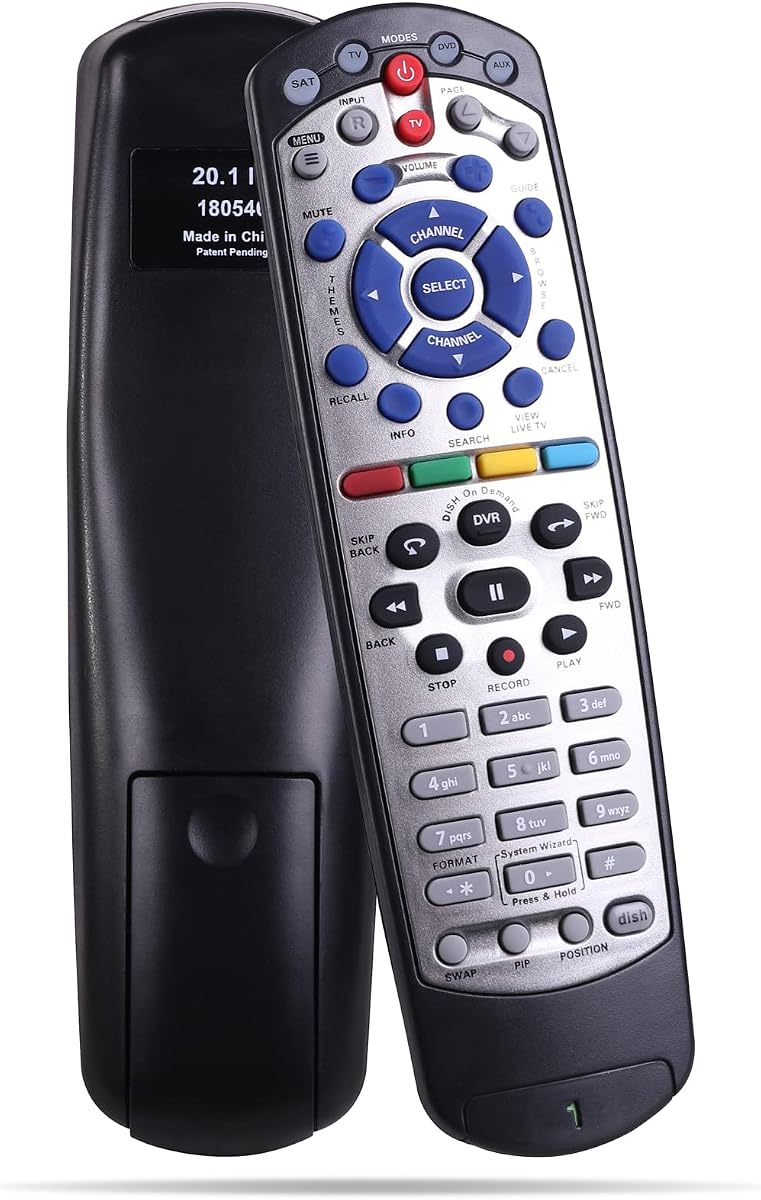
New IR Remote Control Replecement for Dish Network 20.1 IR Satellite Receiver TV DVD VCR
3.7Editor score
Affordable infrared replacement option
Works with 20.1 receivers
Simple battery installation process
This guide compares the top Dish Network Replacement Remote options to help you find a reliable device for your Hopper or older satellite receivers.
Finding a reliable Dish Network Replacement Remote can restore full control to your home theater setup without needing to call support. Whether your original unit broke or you need a spare for another room, choosing the right model ensures seamless navigation and comfort.
We analyzed ten highly rated remotes based on compatibility, ease of pairing, battery life, and user feedback. Our team examined features like voice search, backlit keys, and infrared versus UHF capabilities to determine which devices offer the best value and performance.
Each pick in this list highlights specific strengths and potential limitations to help you decide quickly. Remember that prices and stock levels change frequently, so verify availability before purchasing to ensure you get the exact model you need.
3.7Editor score

4.5Editor score

4.6Editor score
The following comparison table outlines key specifications and features for each of the ten top-rated Dish Network Replacement Remote models available this month.

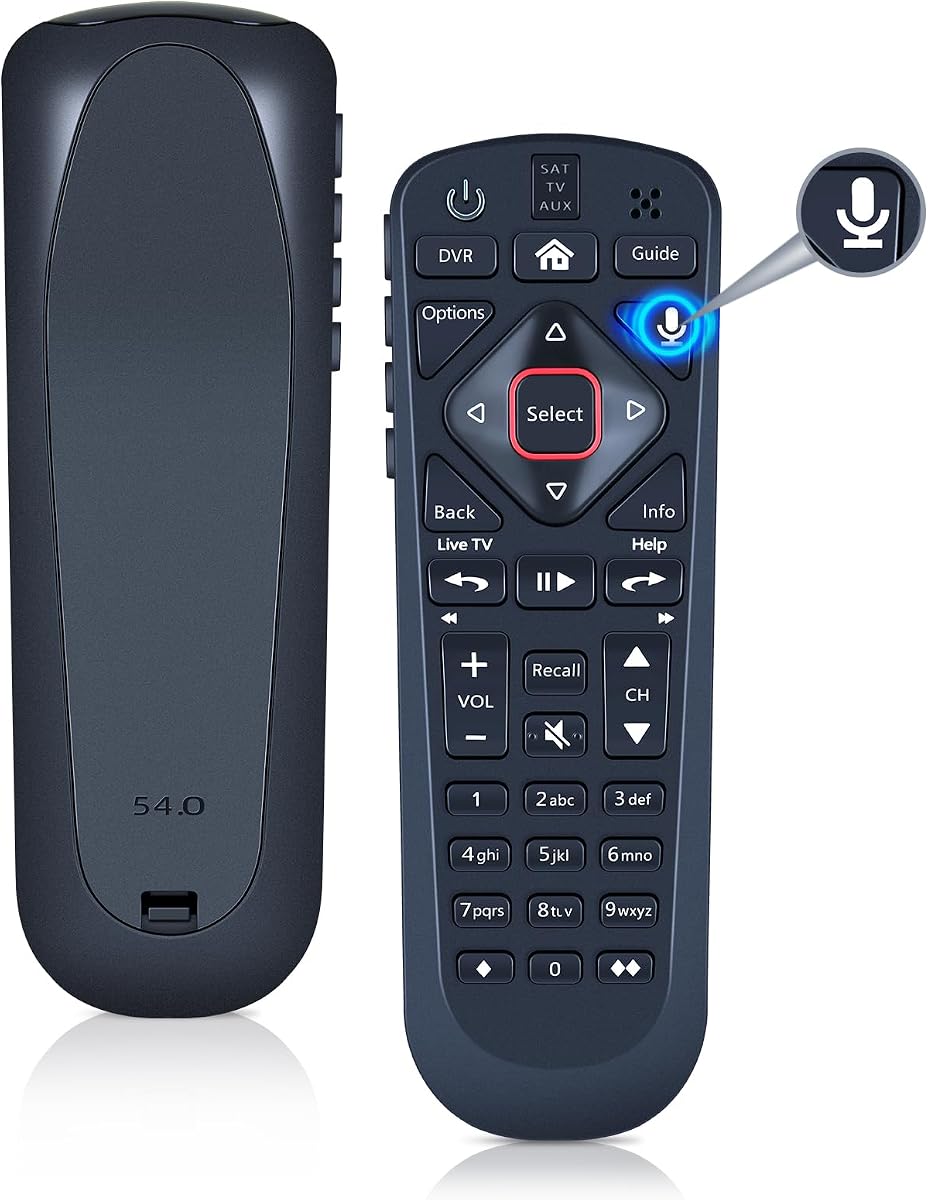



This replacement remote offers excellent compatibility for Dish Upgraded Network 54 series receivers. With a 4.5 rating, users appreciate its voice search and reliable UHF connection.
We may earn a commission when you buy through this link, at no additional cost to you.
The pairing process is straightforward using the SYS INFO button on your receiver. Once paired, the remote functions seamlessly for navigation and auxiliary devices like Blu-ray players.
While the unpairing method requires holding specific buttons, this ensures stable connections without accidental re-pairing. Some users note that Hopper 3 is not supported.
Ideal for households with 54 series equipment, this remote delivers the reliability needed for daily use without compromising on essential features like voice control.
Find shows faster using built-in voice search without typing with arrow keys.
Experience stronger signals through UHF technology for better control range.
We may earn a commission when you buy through this link, at no additional cost to you.
The Dish 54.0 Remote Control provides premium features like backlit keys and a remote locator for easy tracking. Users rate it highly for its comfort and functionality with Hopper receivers.
We may earn a commission when you buy through this link, at no additional cost to you.
Backlit keys illuminate automatically in dark settings, enhancing usability. The remote locator button helps you find misplaced remotes quickly by beeping and blinking.
Personalization allows you to program hot keys for apps or closed captioning. However, full search functionality relies on internet connectivity which may vary.
For Hopper users seeking a high-quality replacement, this remote offers the most advanced features including locator tech and customizable shortcuts.
Automatic illumination ensures visibility in low-light environments.
A dedicated button triggers sound and light to locate the device.
We may earn a commission when you buy through this link, at no additional cost to you.
This IR remote is an affordable option for those needing a quick replacement for 20.1 receivers. With a 3.7 rating, it offers basic functionality at a budget-friendly price.
We may earn a commission when you buy through this link, at no additional cost to you.
Setup requires pairing and choosing the correct code for your TV brand. The included manual helps guide you through the process to ensure proper functionality.
Since it lacks learning capabilities, it does not learn codes from other remotes. This limitation is acceptable for users only needing Dish satellite control.
For tight budgets where advanced features aren't necessary, this remote provides a practical solution for basic satellite control needs.
Focuses on essential remote functions without extra cost.
Comes with instructions to assist with setup and pairing.
We may earn a commission when you buy through this link, at no additional cost to you.
This remote offers voice search for Dish Upgraded 54 series devices. Users note it works well for specific models but lacks Hopper 3 support.
We may earn a commission when you buy through this link, at no additional cost to you.
Pairing follows standard steps with the SYS INFO button. Unpairing is simple using the SAT and Home buttons together if issues arise.
While it supports voice commands, the lower rating suggests some variability in performance. Check model compatibility before purchasing.
Suitable for 54 series owners needing voice control, this remote balances features and compatibility at a reasonable price.
Built-in microphone allows for quicker content search.
Ensure your receiver model is supported before purchase.
We may earn a commission when you buy through this link, at no additional cost to you.
This remote provides voice search and pairing for 54 series systems. Its 4.2 rating reflects satisfaction with its voice commands and general usability.
We may earn a commission when you buy through this link, at no additional cost to you.
The microphone helps locate shows without typing. You can also pair it with auxiliary devices like Blu-ray players for better control.
Instructions emphasize pairing steps clearly. Ensure batteries are added before attempting setup for best results.
A solid choice for 54 series owners, this remote offers useful voice features and auxiliary support.
Search content quickly using the built-in microphone.
Pair with other devices for expanded control options.
We may earn a commission when you buy through this link, at no additional cost to you.
This universal remote supports TV1 and TV2 locations. With a 4.4 rating, it is appreciated for its IR/UHF capabilities.
We may earn a commission when you buy through this link, at no additional cost to you.
It provides flexible control options for Dish receivers. This makes it useful for setups requiring multiple signal types.
Ideal for managing multiple receiver zones. Check specs for full compatibility before purchase.
A versatile option for multi-zone setups needing IR and UHF capabilities.
IR and UHF technology for flexible control.
We may earn a commission when you buy through this link, at no additional cost to you.
This remote requires no programming, allowing immediate use. Rated 4.1, it focuses on ease of setup for 20.1 receivers.
We may earn a commission when you buy through this link, at no additional cost to you.
Installation involves just two AAA batteries. It stores receiver settings for convenient operation.
Perfect for quick swaps without technical steps. Check model compatibility for best results.
An easy setup option for 20.1 receivers needing basic control.
Immediate use with simple battery installation.
We may earn a commission when you buy through this link, at no additional cost to you.
This 2 pack offers value for multiple rooms. With a 4.3 rating, users like the compact size and testing quality.
We may earn a commission when you buy through this link, at no additional cost to you.
It comes in black and includes instructions. Perfect for families needing spares.
Ideal for stocking up without high costs. Check receiver compatibility before buying.
A cost-effective way to have multiple remotes for your home.
Two units for shared usage across rooms.
We may earn a commission when you buy through this link, at no additional cost to you.
This remote matches original functions for 20.1 receivers. Rated 4.0, it offers simple performance.
We may earn a commission when you buy through this link, at no additional cost to you.
Setup requires pairing via the manual. Ensure correct codes for your TV.
It comes with a one-year warranty. Ideal for basic replacement.
A reliable simple option for those needing standard remote functions.
Provides essential functions without complexity.
We may earn a commission when you buy through this link, at no additional cost to you.
This 52.0 remote features backlit keys and a remote finder. Its 4.6 rating highlights high user satisfaction.
We may earn a commission when you buy through this link, at no additional cost to you.
Personalization supports hot keys for Netflix. Useful for Hopper users.
It simplifies control for multiple devices. Check model compatibility before purchase.
A high-rated option with useful features for dark viewing.
Illumination assists in low-light conditions.
We may earn a commission when you buy through this link, at no additional cost to you.
Choosing the right replacement remote requires evaluating compatibility and features.
Ensure the remote matches your receiver model like Hopper or 20.1.
Mismatched models may fail to pair or function correctly.
Decide between IR and UHF based on your needs.
UHF offers more flexibility while IR is simpler.
Look for voice-enabled remotes for faster search.
Useful for streaming services and channel finding.
Choose backlit keys for dark room viewing.
Illumination improves usability at night.
Check battery requirements and life expectations.
Standard AAA batteries are usually sufficient.
Verify warranty coverage for peace of mind.
One year warranties are common replacements.
Compare prices to find the best value.
Higher cost often brings more features.
Check the pairing process in the product description.
Simple steps save time and frustration.
To pair your remote, open the receiver panel and press the SYS INFO button.
Next press the SAT button on the remote side and wait for beeps.
Insert batteries and follow menu prompts to finish setup.
Keep batteries dry and check for damage regularly.
Replace batteries when response slows or indicator lights fade.
Avoid dropping to maintain sensor alignment and durability.
Yes most require pairing via the SYS INFO button. Follow receiver prompts to complete this step.
No compatibility is model specific. Older remotes are needed for 20.1 or 21.1 units.
No voice features are found in newer 54 series models. Check product details before purchase.
Most use 2x AAA batteries. These are typically not included in the package.
Hold the SAT button for three seconds or press Home and Guide together to unpair.
Some remotes do not support Hopper 3. Verify compatibility in the description.
Most sellers offer one year warranties. Check return policies for details.
Yes Dish has specific universal remotes. Check supported models before buying.
We reviewed ten remotes for the Dish Network Replacement Remote including top choices with voice search and backlit keys.
Prioritize compatibility and features like UHF connectivity or voice to match your setup.
Always check prices on Amazon to ensure you secure the best deal for your needs.