
HP 17.3 Touchscreen HD+ Business Laptop
5.0Editor score
Intel Core i7-1355U Processor
Large 17.3 Inch Display
32GB RAM for Multitasking
Finding the right laptop with a keypad and touchscreen can significantly enhance your productivity and user experience. These devices combine traditional typing comfort with modern touch interactions, making them ideal for professionals, students, and creative users alike.
We have carefully evaluated ten top models based on processor power, memory capacity, display quality, and overall value. Each product offers unique strengths, from budget-friendly options to high-performance machines designed for demanding workflows and multitasking needs.
Every pick in this list highlights key specifications and real-world performance traits to help you make an informed decision. Please note that prices and availability may change frequently, so we recommend checking current listings before finalizing your purchase.
5.0Editor score

4.0Editor score

4.3Editor score
As an Amazon Associate we earn from qualifying purchases.
This side-by-side comparison highlights the core specifications of all ten selected laptops to help you quickly identify which model best fits your specific needs and budget constraints.


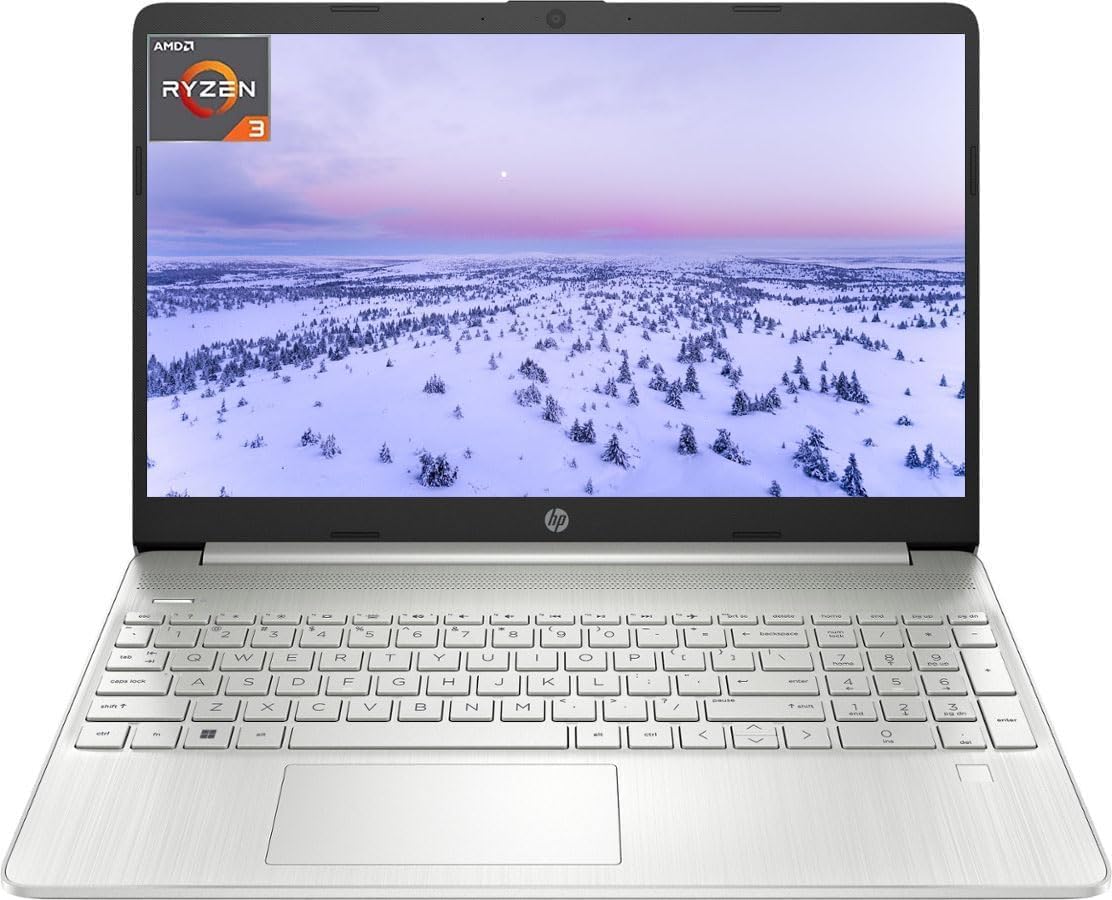



This HP laptop stands out with its impressive 32GB RAM and 1TB SSD, making it a powerhouse for demanding workflows. The AMD Ryzen 7 7730U processor ensures smooth performance across multiple applications without slowdowns.
We may earn a commission when you buy through this link, at no additional cost to you.
The 15.6-inch Full HD touchscreen offers vibrant visuals and responsive touch control, perfect for presentations and media consumption. Connectivity options include Wi-Fi 6, Bluetooth, USB-C, and HDMI, covering most daily needs.
While the weight is noticeable compared to ultrabooks, the performance trade-off is worth it for professionals needing robust multitasking. The full-size keyboard with numeric keypad enhances productivity for data entry tasks.
Ideal for students, remote workers, and professionals who need reliable speed and storage. If your priority is raw performance and memory, this model delivers exceptional value in its class.
With 32GB RAM, you can run dozens of browser tabs, spreadsheets, and video meetings simultaneously without lag or system slowdowns.
The IPS touchscreen provides wide viewing angles and clear details, enhancing interaction with touch-enabled apps and digital documents.
We may earn a commission when you buy through this link, at no additional cost to you.
This model features a spacious 17.3-inch display ideal for users who need screen real estate for complex spreadsheets or design work. The Intel Core i7-1355U delivers fast responsiveness and seamless multitasking capabilities.
We may earn a commission when you buy through this link, at no additional cost to you.
The 32GB RAM and 1TB SSD ensure you can handle heavy workloads and store large files without compromise. Windows 11 Home with Copilot integration enhances productivity with AI-powered assistance.
Its quantum-optimized battery claims promise extended uptime, though actual life may vary. The upgraded components come with additional warranty coverage, offering peace of mind for long-term use.
Best suited for stationary workspaces or users who prioritize screen size over portability. If you need a desktop replacement with touch functionality, this is a strong contender.
The 17.3 HD+ screen provides expansive visuals, making it easier to view multiple windows side-by-side during work.
Built-in AI capabilities streamline workflows, offering smart suggestions and optimizations for everyday tasks and applications.
We may earn a commission when you buy through this link, at no additional cost to you.
The Dell Inspiron 15 3000 offers a balanced package with Windows 11 Pro and solid specs at an accessible price. Its 11th Gen Intel i5 processor handles daily tasks efficiently for students and home office users.
We may earn a commission when you buy through this link, at no additional cost to you.
Features like Express Charge allow rapid battery replenishment, while the 16GB RAM supports smooth multitasking. The Full HD touchscreen and numeric keypad cater to productivity needs without extra costs.
While not the newest processor, it remains competent for general office work and media consumption. The stable hinge design ensures durability during regular use.
A smart choice for budget-conscious buyers who still want professional features. If you need reliability without overspending, this model delivers excellent value.
Windows 11 Pro provides enhanced security and business tools compared to the Home edition included in other models.
Express Charge capability recharges the battery to 80% in just 60 minutes, minimizing downtime during busy days.
We may earn a commission when you buy through this link, at no additional cost to you.
This HP laptop is designed for casual home users needing basic browsing and media consumption. The 17.3-inch touchscreen and Microsoft 365 inclusion make it ready for productivity out of the box.
We may earn a commission when you buy through this link, at no additional cost to you.
Fast Charge technology provides quick power replenishment, and the fingerprint reader offers secure login without typing passwords. The full-size backlit keyboard enhances comfort during evening sessions.
However, the 128GB storage is limited for large media libraries. Upgrades are available but may affect warranty terms. The N100 processor suits light tasks but struggles with heavy multitasking.
Best for users who prioritize screen size and simplicity over raw power. If you mainly need a large display for web browsing and streaming, this fits the bill.
The fingerprint reader allows quick and secure access, reducing reliance on memory-heavy passwords.
Multiple ports including USB-C and HDMI ensure compatibility with external devices and peripherals.
We may earn a commission when you buy through this link, at no additional cost to you.
Featuring a 10-core Intel i5 processor, this Dell model delivers robust performance for office tasks and light creative work. The Full HD touchscreen and AI Copilot support streamline productivity workflows.
We may earn a commission when you buy through this link, at no additional cost to you.
Ports include USB-C 3.2, SD card reader, and HDMI, ensuring versatile connectivity. The numeric keypad and Express Charge further enhance usability for business professionals.
While RAM and storage are modest, the processor compensates with efficiency. The high rating reflects strong user satisfaction with its reliability and responsiveness.
Ideal for professionals seeking a balanced device for daily tasks. If you need speed and connectivity without bloat, this Dell laptop is a reliable choice.
The 10-core design handles multitasking smoothly, maintaining speed even when multiple apps are active simultaneously.
Windows 11 AI Copilot offers smart suggestions and task optimization to save time on routine workflows.
We may earn a commission when you buy through this link, at no additional cost to you.
This budget-friendly option is perfect for students needing basic computing for web browsing and document editing. The 15.6-inch touchscreen and 8GB RAM ensure smooth everyday interactions.
We may earn a commission when you buy through this link, at no additional cost to you.
Windows 11 S Mode offers security but can be switched to full mode for more flexibility. The privacy shutter on the camera adds a layer of safety during video calls.
While the processor is entry-level, it beats older i5 models in efficiency. The included USB-C and HDMI ports support external monitors for extended workspace.
Recommended for learners on a tight budget who need a functional touchscreen device. If you need simplicity and portability, this HP model is a solid starting point.
The physical privacy shutter lets you securely cover the webcam when not in use to prevent unwanted viewing.
HD resolution delivers clear visuals for reading documents and videos, though it lacks the sharpness of FHD panels.
We may earn a commission when you buy through this link, at no additional cost to you.
The 16-inch 2K IPS touchscreen provides crisp visuals ideal for photo editing and media. AMD Ryzen 5 7640U balances performance and efficiency for everyday tasks.
We may earn a commission when you buy through this link, at no additional cost to you.
FreeSync technology ensures smooth visuals during video playback. The lightweight chassis and GaN adapter make it convenient for commuters and travel.
Noise reduction AI improves call quality, and Windows 11 Pro offers business features. While brightness is modest, color accuracy suits content creators.
Great for users who prioritize display quality and portability. If you need a sharp screen for creative work without bulk, this is a strong option.
The 2K resolution offers high pixel density, making text and images look sharp and detailed on the screen.
AI noise reduction filters background sounds during calls, ensuring your voice stays clear in meetings.
We may earn a commission when you buy through this link, at no additional cost to you.
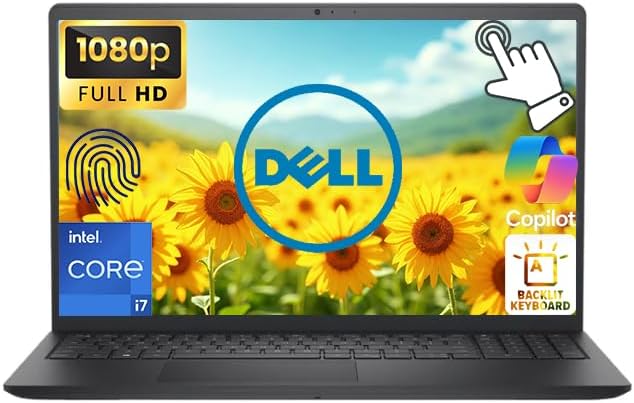
This Dell model combines high-end specs with premium features like a fingerprint reader and backlit keyboard. The 10-core i7 processor and 16GB RAM handle demanding apps effortlessly.
We may earn a commission when you buy through this link, at no additional cost to you.
MaxxAudio Pro enhances sound quality, and AI Copilot aids in workflow optimization. The FHD touchscreen and numeric keypad support versatile use cases.
Its 5.0 rating highlights exceptional reliability and user satisfaction. Connectivity includes Wi-Fi 6 and multiple ports for external devices.
Ideal for professionals seeking top-tier specs and polish. If you value performance and security features, this Dell stands out in its class.
MaxxAudio Pro delivers enhanced audio clarity, making media consumption and calls more immersive.
The fingerprint reader offers quick biometric login, reducing reliance on passwords and increasing security.
We may earn a commission when you buy through this link, at no additional cost to you.
With 32GB RAM and 1TB SSD, this Dell offers substantial internal resources at a competitive price. The Full HD IPS display and Windows 11 Pro cater to business and educational users.
We may earn a commission when you buy through this link, at no additional cost to you.
Ports include USB 3.2, HDMI, and SD card reader for versatile connectivity. The numeric keypad supports efficient data entry.
While it uses older Wi-Fi 5 and 11th Gen CPU, it performs well for general multitasking. Great value for those prioritizing memory over speed.
Perfect for users needing large memory and storage without premium costs. If your workloads are RAM-heavy, this model delivers without breaking the bank.
32GB RAM allows extensive multitasking, handling heavy browsers and applications without slowdown.
Windows 11 Pro provides advanced management and security features for business environments.
We may earn a commission when you buy through this link, at no additional cost to you.
This HP model stands out with latest Bluetooth 5.4 and WiFi 6 for seamless connectivity. The 8-Core i3-N305 balances efficiency for daily tasks effectively.
We may earn a commission when you buy through this link, at no additional cost to you.
FHD IPS display ensures consistent colors, and the Moonlight Blue finish offers style. Includes USB hub support for expanded ports.
High user rating reflects strong performance for light workloads and streaming. Ideal for users prioritizing modern wireless features.
Best for those needing modern connectivity and a stylish look. If you want a sleek laptop with current standards, this HP is a top pick.
Bluetooth 5.4 and WiFi 6 offer faster and more stable connections for modern peripherals and networks.
IPS technology ensures colors stay accurate across different viewing angles, improving visual comfort.
We may earn a commission when you buy through this link, at no additional cost to you.
Choosing a laptop with both a keypad and touchscreen requires balancing performance, display quality, and specific feature needs. Consider these factors to find the right fit.
The processor determines how well the laptop handles multitasking and heavy applications. Look for recent Intel Core or AMD Ryzen chips with at least 6 cores to ensure smooth operation during demanding tasks.
A stronger processor ensures longevity and efficiency, especially when running virtual machines or video editing software.
Memory (RAM) affects how many programs you can run simultaneously without slowdowns. 16GB is ideal for general productivity, while 32GB is recommended for heavy multitasking and professional workflows.
Storage speed and capacity are equally important. PCIe SSDs provide fast boot times and data access, and a minimum of 512GB ensures room for files and applications.
Since this category emphasizes touchscreens, look for IPS panels that offer wide viewing angles and accurate colors. Full HD (1920×1080) or higher resolution ensures sharp text and media.
Touch responsiveness and brightness levels also impact usability, especially in different lighting conditions or outdoor use.
A full-size keyboard with a numeric keypad is essential for data entry and productivity tasks. Check for key travel and backlighting to ensure comfort during long typing sessions.
The layout should match your typing habits, with dedicated arrow keys and function keys for efficient navigation.
Modern laptops should include USB-C for versatile connectivity, HDMI for external displays, and SD card readers if needed. Wi-Fi 6 and Bluetooth 5.0 or later ensure fast wireless performance.
Having enough ports reduces the need for dongles and adapters, simplifying your workspace setup.
For mobility, battery life is crucial. Look for models that promise at least 8 to 10 hours of usage to get through a workday without constant recharging.
Express charge features allow quick top-ups when needed, ensuring you stay productive even if you forget to charge overnight.
Larger screens like 17.3 inches are great for home offices but may be bulky for travel. Weigh the device if you plan to commute or carry it frequently.
Durable construction with sturdy hinges ensures longevity, especially for daily use in varied environments.
Windows 11 Home is standard, but Professional versions offer extra security and management features for business users. Verify if you need features like BitLocker or Remote Desktop.
Some models ship in S Mode, which limits app installations but can be switched to full mode for more flexibility.
To maximize touchscreen longevity, avoid pressing too hard on the screen. Use a soft microfiber cloth to clean fingerprints and dust regularly to prevent scratches and maintain clarity.
Protect your keyboard and numeric keypad from spills by avoiding drinks nearby. Clean keys periodically with compressed air or a soft brush to remove debris that could affect typing responsiveness.
Adjust brightness and enable blue light filters to reduce eye strain during long work sessions. Use power-saving settings and keep the laptop on a hard surface to prevent overheating during intensive tasks.
Not all touchscreen laptops include a numeric keypad. Many ultra-thin models omit it for portability, so check product specifications carefully. Look for 'full-size keyboard' or 'numeric keypad' in the description to confirm.
Most of these laptops support basic capacitive stylus use, but active stylus support depends on the model. For precise drawing, verify if the device supports specific pen types or accessories.
Windows 11 Pro offers enhanced security, encryption, and management tools suited for business. Home is sufficient for personal use and basic productivity unless you need advanced enterprise features.
RAM primarily affects overall multitasking and app responsiveness rather than touchscreen interaction. However, having 16GB or more ensures smooth performance when running multiple touch-enabled apps simultaneously.
Yes, SSDs offer significantly faster boot times, data access, and application loading compared to traditional hard drives. They also improve durability and reduce power consumption in laptops.
Some models allow upgrades while others have soldered components that prevent changes. Check if the laptop has accessible RAM slots or SSD ports before purchasing if future upgrades are a priority.
These ten laptops offer diverse options ranging from budget-friendly to high-performance models. Each combines touch convenience with numeric keypad efficiency, catering to varied professional and personal needs.
Prioritize processor power and memory for long-term productivity, while considering display quality and battery life for daily use. The right balance depends on your specific workflow and mobility requirements.
Always verify current prices and availability before purchasing, as deals fluctuate frequently. By choosing wisely, you can enjoy a seamless blend of touch interactivity and traditional typing comfort.