
SOYO GeForce GT 740 4GB
4.5Editor score
4GB DDR3 Memory
Triple Display Outputs
Low Power Design
This guide compares the top Linux graphics cards for gaming and workstations, highlighting compatibility, performance, and value for open-source systems.
Finding the right Linux graphics cards can be tricky since driver support varies significantly across manufacturers. This guide highlights top picks for smooth gaming and professional workflows.
We compared ten real products based on architecture, memory, and community driver feedback. The list covers entry-level options to high-end workstation GPUs for diverse needs.
Each pick shows key specs and ideal use cases. Prices change often so check current listings before buying to ensure you get the best deal available today.
4.5Editor score

4.7Editor score

3.9Editor score
The following table offers a side-by-side look at key specifications and features for all ten graphics cards reviewed in this guide.




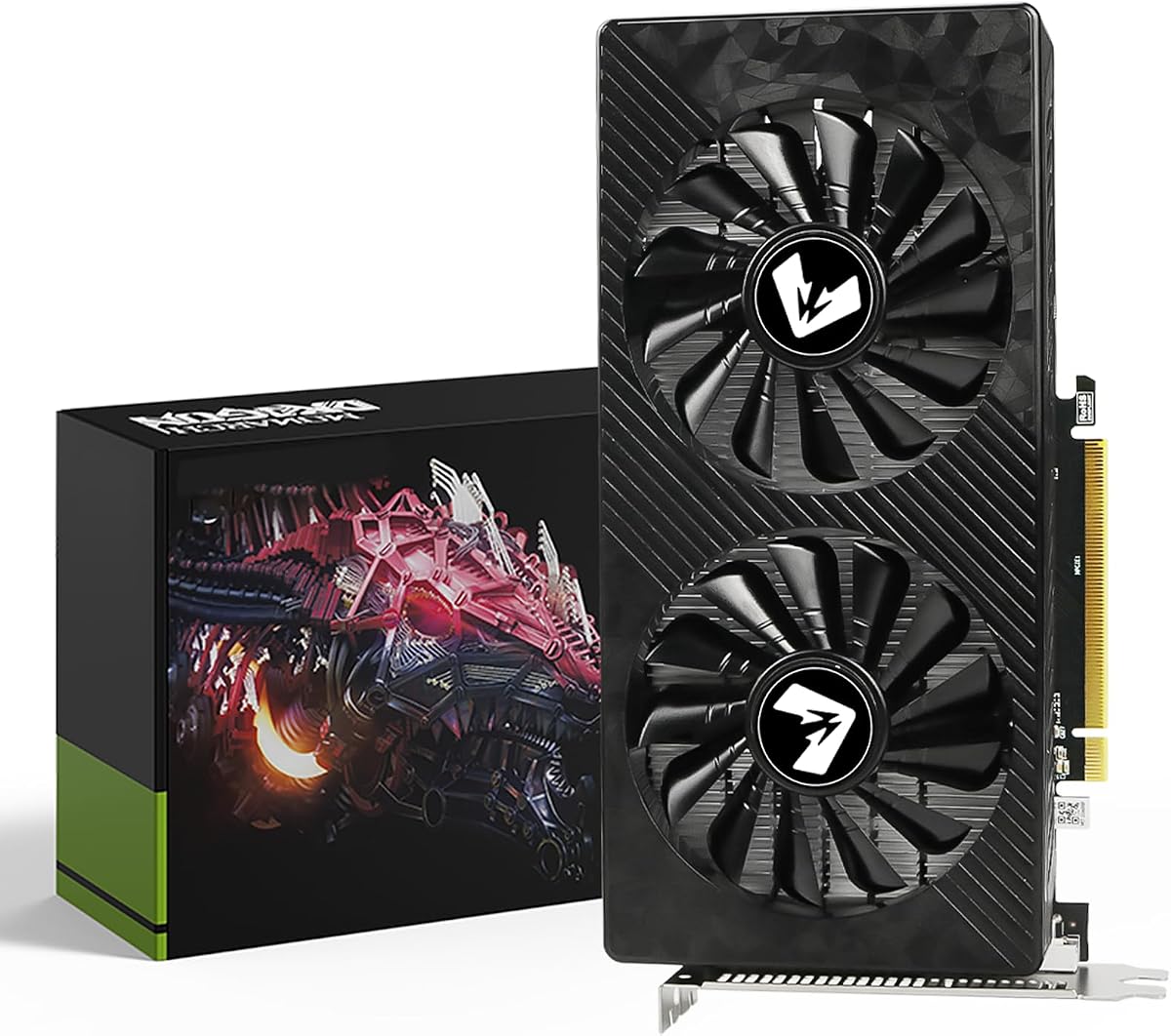
The ASUS Dual GeForce RTX 3050 6GB stands out as a top choice for Linux users seeking reliable gaming and productivity performance. With a 4.7 rating, it offers robust NVIDIA Ampere architecture that integrates smoothly with open-source drivers like Nouveau or proprietary NVIDIA drivers on most distros.
We may earn a commission when you buy through this link, at no additional cost to you.
Its key strengths include the 2nd Generation RT Cores which enable faster ray tracing, and the Axial-tech fan design that keeps noise low even under load. The 6GB GDDR6 memory is sufficient for 1080p gaming and moderate creative work without overheating.
While the 6GB VRAM might limit 4K gaming or heavy 3D rendering, the card's efficiency and compact size make it acceptable for small builds. Linux users appreciate the stable driver stack and IP5X dust resistance for long-term reliability in varied environments.
Buyers looking for a balanced GPU that works out-of-the-box on Ubuntu or Fedora should choose this model. It delivers high value with minimal setup friction making it our editor choice for the best overall Linux graphics card today.
Proprietary NVIDIA drivers on this card are well-maintained across major distributions ensuring stable performance for gaming and professional tools.
The Axial-tech fan design ensures quiet operation which is ideal for office environments or home theaters where noise matters.
We may earn a commission when you buy through this link, at no additional cost to you.
This GIGABYTE model mirrors the ASUS option with similar core specs but features the WINDFORCE cooling solution. It is a solid pick for Linux users who want consistent frame rates and stable thermal performance without breaking the bank.
We may earn a commission when you buy through this link, at no additional cost to you.
The dual fan setup helps maintain lower temperatures during extended sessions. Linux drivers perform well here as NVIDIA ensures broad support for the RTX 3050 series across various kernel versions and desktop environments.
However the fans can become audible when pushing the GPU to limits. For users prioritizing silence this might be a minor drawback but the performance remains steady for 1080p gaming and video editing tasks.
If you want a dependable mid-range GPU that handles daily Linux workflows smoothly this card is a safe bet. It balances cost and capability effectively for most home and office setups.
The WINDFORCE 2X fan design provides sufficient airflow to keep the card cool even during long rendering or gaming sessions.
NVIDIA provides consistent updates for this card ensuring compatibility with professional tools like Blender and AutoCAD on Linux.
We may earn a commission when you buy through this link, at no additional cost to you.
The PNY NVIDIA T1000 targets professionals needing reliable graphics for CAD and design. It features Turing architecture with official certification for over 100 ISV applications which ensures stability on Linux workstations.
We may earn a commission when you buy through this link, at no additional cost to you.
Its standout quality is support for up to four 5K displays making it perfect for multi-screen setups. Linux users in engineering or design appreciate the stable OpenGL and Vulkan support provided by NVIDIA drivers for this card.
While it lacks the gaming focus of RTX cards the dedicated video engines and ISV certification justify the cost for businesses. The trade-off is less raw 3D performance compared to consumer GPUs but stability is paramount here.
Buyers needing a GPU for 24/7 professional use on Linux should choose this model. It delivers consistent performance and minimal downtime which is critical for workstation environments.
ISV certification means this card is tested and approved for major industry software ensuring fewer crashes during critical work.
Support for multiple 5K displays allows users to maximize screen real estate for complex project management or trading setups.
We may earn a commission when you buy through this link, at no additional cost to you.
The ASRock Intel Arc Pro B60 Creator 24GB is a powerhouse for AI and large-scale rendering. It features 24GB of GDDR6 memory which is rare at this price point and supports multi-GPU scaling on Linux.
We may earn a commission when you buy through this link, at no additional cost to you.
With Intel Xe2-HPG architecture and PCIe 5.0, this card offers future-ready bandwidth. Linux users working on LLMs or generative design will find the memory capacity ideal for handling large models without swapping.
However the blower-style cooling can be loud under load and the power draw is high. This is a trade-off for the massive memory and bandwidth. It is best suited for workstation chassis with good airflow.
Buyers needing maximum VRAM for Linux-based AI inference should consider this card. It provides a unique advantage over competitors with similar memory at a competitive price range.
24GB memory allows for training or inference on larger language models locally without cloud dependency.
PCIe 5.0 ensures the card stays relevant as motherboard technology advances over the next few years.
We may earn a commission when you buy through this link, at no additional cost to you.
This GT 740 is designed for office environments needing multiple screens. It comes with four HDMI ports making it easy to connect four monitors without extra cables or adapters on Linux.
We may earn a commission when you buy through this link, at no additional cost to you.
The low profile design and silent fan make it perfect for small office PCs. Linux support is stable for basic display management and 2D acceleration though it lacks modern gaming features.
Performance is limited to 1080p video and light tasks. For users focused on productivity rather than speed this card offers unmatched connectivity at an affordable price point.
Buyers wanting a simple four-monitor setup on a Linux thin client should choose this model. It is practical and hassle-free for administrative tasks.
Quad HDMI outputs allow seamless multi-tasking across four screens which boosts productivity in data entry or trading desks.
Low profile bracket ensures it fits in small office PCs or SFF cases without requiring extra space.
We may earn a commission when you buy through this link, at no additional cost to you.
The SOYO GT 740 is a fantastic budget upgrade for older PCs running Linux. It adds dedicated graphics performance over integrated solutions for free light gaming and smoother video playback.
We may earn a commission when you buy through this link, at no additional cost to you.
It features HDMI DVI and VGA ports providing flexibility for legacy and modern monitors. Linux users appreciate that it requires no external power making installation straightforward without PSU changes.
DDR3 memory limits performance compared to GDDR5 models but for basic desktop use it is sufficient. The trade-off is acceptable given the low cost and plug-and-play convenience.
Buyers on a tight budget needing basic graphics on Linux will find this card valuable. It is an excellent entry-level option for home offices or media PCs.
At a very low price point this card offers reliable 1080p video decoding and office productivity tools.
No external power connectors mean you can install it in any PC with a PCIe slot immediately.
We may earn a commission when you buy through this link, at no additional cost to you.
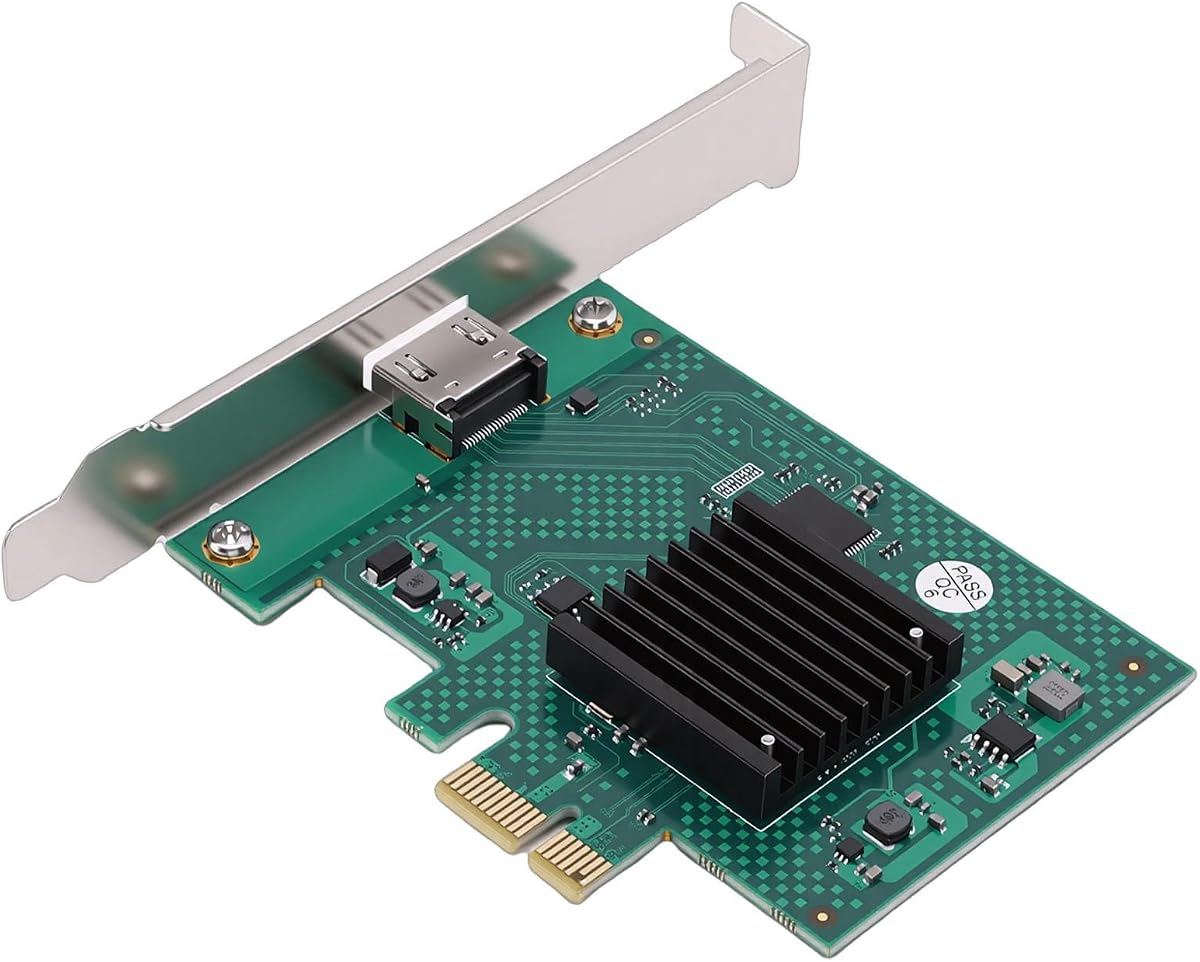
The Gugxiom PCIe x1 SM750 is designed for industrial machines and embedded systems. It focuses on 2D graphics acceleration which is ideal for POS systems or control panels running Linux.
We may earn a commission when you buy through this link, at no additional cost to you.
Its wide operating temperature range ensures reliability in harsh environments. Linux users building industrial PCs will appreciate the robust design and single HDMI output for display control.
This card is not for gaming or 3D rendering. The limitation is acceptable for its target use case where stability and temperature tolerance matter more than graphical performance.
Buyers needing a GPU for specialized Linux hardware should choose this model. It fills a niche for reliable 2D output in non-consumer settings.
Support for temperatures from -40C to +85C ensures the card survives in factories or outdoor kiosks.
PCIe x1 interface allows installation in systems that lack full x16 slots common in industrial PCs.
We may earn a commission when you buy through this link, at no additional cost to you.
AMD GPUs often have better open-source support on Linux and this RX 550 proves that. It is a solid choice for users who prefer community drivers without proprietary setup.
We may earn a commission when you buy through this link, at no additional cost to you.
The 4GB GDDR5 memory handles 1080p media well and the card fits small cases with its ITX design. Linux users enjoy smooth video playback and light gaming with zero configuration hassle.
While not powerful enough for modern AAA gaming it is perfect for desktop use and media centers. The trade-off is minimal for those prioritizing stability over raw performance.
Buyers seeking a reliable AMD card for Linux media PCs should choose this model. It combines performance with open-source ease of use.
AMD Radeon drivers are fully integrated into most Linux kernels ensuring immediate functionality after installation.
Low profile and quiet design make it ideal for home theater PCs where noise and space are concerns.
We may earn a commission when you buy through this link, at no additional cost to you.
The MSI GT 1030 offers a step up from integrated graphics for casual gamers on Linux. It handles light titles well and features a compact design suitable for small chassis.
We may earn a commission when you buy through this link, at no additional cost to you.
With both HDMI and DisplayPort outputs it connects to most modern monitors. Linux support is excellent for NVIDIA cards and this model works smoothly with standard proprietary drivers.
DDR4 memory is slower than GDDR5 but acceptable for entry-level tasks. The trade-off is worth it for the low power and small footprint this card provides.
Buyers looking for a cheap GPU for casual gaming on Linux will find this model useful. It balances cost and performance for basic 1080p play.
The single fan design keeps the card small and quiet perfect for gaming PCs in living rooms or offices.
NVIDIA drivers on this card are stable across versions reducing friction when updating the Linux system.
We may earn a commission when you buy through this link, at no additional cost to you.
The MOUGOL RX 580 is a budget powerhouse for Linux gaming. It offers 8GB of VRAM which is rare at this price and handles modern games at 1080p decently.
We may earn a commission when you buy through this link, at no additional cost to you.
AMD drivers are robust and community supported making this card a top pick for open-source users. The dual fan cooling ensures it stays within safe temps during extended play sessions.
Power consumption is high requiring a decent PSU. The trade-off is significant performance gains for a low cost. It is ideal for users who want value over efficiency.
Buyers wanting solid gaming on Linux for a low price should choose this card. It is one of the best budget options available for desktop use.
8GB memory allows playing newer games at higher textures which is uncommon for budget cards.
AMD drivers are well supported on most distros ensuring quick setup and stable performance for daily use.
We may earn a commission when you buy through this link, at no additional cost to you.
Selecting the right graphics card for Linux requires checking compatibility factors beyond raw specs.
NVIDIA offers proprietary drivers that work well on most distros but AMD provides excellent open-source drivers out-of-the-box. Check if the card is supported by your distribution's kernel and desktop environment.
Prioritize vendors with active community support to ensure smooth updates and minimal glitches.
For gaming and creative work, aim for at least 6GB to 8GB VRAM to handle textures and large projects. For professional rendering, higher VRAM like 24GB helps avoid bottlenecks.
Match VRAM to your typical tasks to ensure long-term viability of the card.
Check the TDP of the card and ensure your power supply can handle it without external connectors if using low-profile PCs. Some cards draw all power from the PCIe slot.
Efficient cards reduce heat and noise in small cases and are better for low-power setups.
Choose between full-size or low-profile cards based on your case size. Small form factor PCs require compact GPUs with single fan or passive cooling solutions.
Ensure the card fits physically in your chassis before purchase to avoid compatibility issues.
Verify the card has enough HDMI or DisplayPort connectors for your monitor setup. Some cards offer four HDMI ports ideal for multi-monitor workstations.
Check port versions to ensure support for your monitor resolution and refresh rate.
Blower-style fans are loud but allow multi-GPU setups while standard fans run quieter. Consider noise tolerance and airflow in your case when selecting cooling.
Good cooling ensures stable performance and prevents thermal throttling during heavy tasks.
Newer architectures like Ampere or RDNA offer better performance per watt and modern features like ray tracing. Older cards may lack support for new APIs.
Balance age with cost to find a card that fits your budget while supporting current software.
Determine if you need the card for gaming, work, or media centers. Gaming cards offer raw speed while workstation cards offer stability and certification.
Align the card's strengths with your primary workflows to avoid overbuying or underbuying.
Install the recommended drivers for your distribution using official repositories or vendor tools. Reboot your system to ensure the new drivers load correctly.
Monitor temperatures using tools like htop or nvtop to keep the GPU healthy. Adjust fan curves if needed to balance noise and cooling.
Update your system regularly to maintain driver compatibility and security patches. Avoid physical stress on the card by ensuring it is properly seated.
AMD is often preferred for open-source support and works out-of-the-box on most distros. NVIDIA provides strong performance and proprietary drivers but may require extra setup. Your choice depends on if you prioritize community drivers or raw speed.
Most modern cards work but driver support varies. AMD and Intel cards usually have native open-source drivers. NVIDIA requires proprietary drivers for full performance. Check community forums for specific card compatibility.
Yes Linux supports multi-GPU setups using SLI or NVLink for NVIDIA and similar for AMD. You may need specific drivers and configurations. Ensure your motherboard and PSU support multiple cards.
The GT 740 or RX 550 are excellent budget options offering reliable performance at low cost. They fit well in small PCs and support open-source drivers. Choose based on your case size and display needs.
Most cards work without extra settings but some may need driver installation or kernel updates. Check your distro's hardware support list before buying to ensure smooth operation.
Yes using compatibility layers like Steam Proton or Wine you can run many Windows titles on Linux. NVIDIA and AMD cards both support Vulkan for smooth gameplay. Check compatibility databases for specific games.
We recommend the ASUS Dual RTX 3050 for overall performance and the GT 740 for budget setups. Each pick balances value and compatibility for Linux users.
Prioritize driver support and VRAM to ensure the card handles your tasks without glitches. Match the GPU to your power and form factor limits.
Always check current listings to find the best deals available today. Prices change often so stay updated to get the most value.