
UPPERCASE NimbleGrip
4.6Editor score
Premium silicone material
Dual-sided exterior grip
Reduced hand fatigue
This guide compares the top Apple Pencil Grips for comfort and control, evaluating ergonomic designs, material quality, and compatibility across all pencil
Finding the right grip for your stylus can transform your digital drawing and writing experience. A good Apple Pencil grip reduces hand fatigue, improves control, and adds a layer of protection to your device. We have selected ten top options to help you choose the best fit for your needs.
We compared these products based on ergonomic design, material quality, ease of installation, and compatibility with various iPad models. Our analysis focuses on how each grip enhances functionality without interfering with features like magnetic charging or double-tap gestures. This ensures you get value without sacrificing performance.
Each pick below highlights specific strengths, from budget-friendly options to premium ergonomic solutions. We include detailed pros and cons to help you decide quickly. Please note that product availability and prices change frequently, so check the latest details before purchasing to ensure the best deal for your setup.
4.6Editor score

4.3Editor score

4.5Editor score
The following table provides a side-by-side comparison of all ten selected grips. It highlights key specifications and compatibility to help you quickly identify which option aligns with your specific iPad and Pencil model requirements.




This grip stands out as a top contender for artists and students alike. With a 4.3 rating, it balances comfort and functionality effectively. The design focuses on reducing hand fatigue during long sessions.
We may earn a commission when you buy through this link, at no additional cost to you.
The ergonomic shape is crafted to provide a natural hold. It allows full access to features like double-tap gestures and haptic feedback. The ultra-thin silicone zones ensure responsiveness remains intact while you draw.
While it is priced higher than basic silicone sleeves, the build quality justifies the cost. It fits most iPad cases due to angled sidewalls. This prevents interference when charging your pencil while it is attached.
Ideal for professionals who need reliable grip without losing features. If you value comfort and durability over the lowest price, this is a strong choice. It offers a premium experience that supports extended creative work.
The ergonomic shape reduces fatigue and gives you better control during long writing or drawing sessions.
Enjoy magnetic charging and double-tap gestures with the grip on thanks to ultra-thin silicone zones.
We may earn a commission when you buy through this link, at no additional cost to you.
This grip offers a high rating of 4.5 at a budget-friendly price. It is designed to relieve hand pain through an ergonomic shape that matches the curvature of your hand. Users appreciate its simplicity and effectiveness.
We may earn a commission when you buy through this link, at no additional cost to you.
Made of high-quality silicon, it ensures your stylus stays in place without slipping. The internal grooves add extra security during use. You can move the adjustable sleeve to find the most suitable position for your grip.
The trade-off is that it may add more bulk than premium options. However, for those prioritizing function over form, it performs well. It protects the pen from slipping easily while maintaining easy access to the tip.
Recommended for students or casual users needing a reliable grip. It is easy to install and does not interfere with writing. The value proposition is strong given the low cost and solid performance metrics.
The ergonomic design provides maximum grip for hand and relieves your hand pain during extended use.
Anti-slip grooves ensure the pencil sleeve holds the stylus firmly without slipping when using.
We may earn a commission when you buy through this link, at no additional cost to you.
This option is designed with the Apple Pencil 2nd generation in mind, offering full access to features. It features a split-back design that makes it easy to remove for charging if you use a case. It provides significant comfort benefits.
We may earn a commission when you buy through this link, at no additional cost to you.
The edges of the grip wrap around the iPad, offering a more secure fit. This design adds stability when you are working on a flat surface. It is compatible with both Gen 1 and Gen 2 models effectively.
A potential drawback is the reliance on a case for easy removal. If you do not use a case, you need to twist the pencil edge to align with the opening. This adds a small step to your workflow.
Best for users who want a secure fit and better control. The ergonomic shape supports long sessions without fatigue. It is a solid mid-range choice that balances features with durability and ease of use.
The split-back design allows you to attach the grip and easily remove it when it is time to charge.
Edges wrap around the iPad offering a more secure fit than ever before for stability.
We may earn a commission when you buy through this link, at no additional cost to you.
With the highest rating in our list at 4.6, this premium grip offers superior comfort. It is crafted from soft yet supportive silicone that nestles comfortably in your hands for extended periods. The dust-free coating prevents lint attraction.
We may earn a commission when you buy through this link, at no additional cost to you.
The interior ribbed design ensures the grip stays firmly on your Apple Pencil. The exterior offers both round and hexagonal grips, allowing users to choose based on their preference. It is designed to stay put without shifting.
Removing it for wireless charging requires grabbing the top edge and pulling down. You also need to leave half an inch exposed for double-tapping features on Gen 2 models. This adds a small step to setup.
Ideal for users who prioritize material quality and comfort. It significantly reduces hand fatigue and aches during drawing. The dual-sided design provides versatility for different writing styles and preferences.
The dual-sided exterior offers both round and hexagonal grips, allowing users to choose based on their preference.
Crafted from premium silicone that is soft yet supportive, nestling comfortably in your hands.
We may earn a commission when you buy through this link, at no additional cost to you.
This package offers three grips in different colors for the price of one. It is perfect for sharing or keeping spares. The 0.35mm thickness ensures compatibility with magnetic charging and double-click functions when aligned correctly.
We may earn a commission when you buy through this link, at no additional cost to you.
Soft silicone and threaded design provide a non-slip and anti-sweat surface. This is beneficial for long-term writing without worrying about sweaty hands. It provides maximum comfort and grip for extended sessions effectively.
You must ensure no obstruction exists between the charging position of iPad and the grip. Otherwise, wireless charging will not work properly. Proper alignment is critical for full functionality with your iPad setup.
Best for users needing multiple grips at a low cost. The variety of colors allows you to match different setups. It is a practical choice for families or students with multiple devices.
Non-slip and anti-sweat design provides you with maximum comfort and grip for long-term writing.
Package includes three pencil holder grips in White, Pink, and Purple for versatile use.
We may earn a commission when you buy through this link, at no additional cost to you.
elago is known for high-quality design, and this grip reflects that reputation. It is designed in-house from scratch to ensure a perfect fit. The ergonomic shape allows it to sit comfortably in your hand, boosting grip.
We may earn a commission when you buy through this link, at no additional cost to you.
Premium silicone is used to ensure the product lasts a lifetime. This prevents scratches on the surface the pencil rests on, protecting your device. It is a thoughtful gift option for birthday presents or stocking stuffers.
The only downside is that it comes as a single unit. If you need multiple grips, you may need to buy more. However, the durability and design quality justify the investment for single-device users.
Recommended for those who value craftsmanship and fit. It reduces fatigue over continued use effectively. The simple sophistication of the design makes it a stylish accessory for your stylus.
All aspects of creating the product are done in-house to ensure a case that will fit perfectly.
Premium silicone prevents scratches on the surface it rests on helping protect your Pencil from damage.
We may earn a commission when you buy through this link, at no additional cost to you.
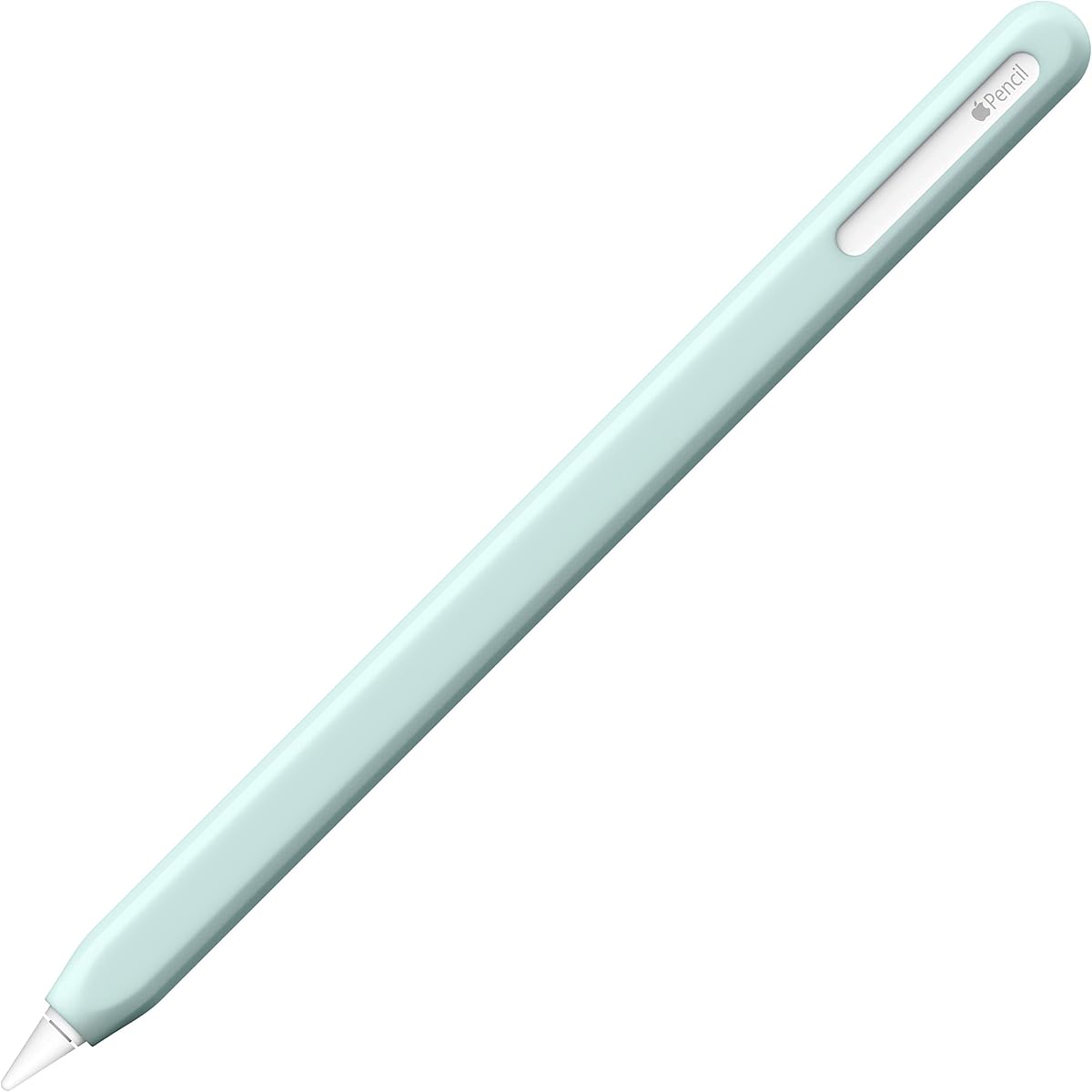
This sleeve provides a sleek and stylish impression with its elegant faceted look. It offers added comfort with a soft silicone case that covers the entire pencil. This makes it easier to grip and control while protecting against drops.
We may earn a commission when you buy through this link, at no additional cost to you.
The faceted design resists rolling after you have set it down. The interior finish keeps it secured onto your Apple Pencil firmly. It is made with premium silicone and a dust-free coating for a premium experience.
A warning is that third-party iPad cases need an Apple Pencil cutout to wirelessly charge with this sleeve. You must ensure your case supports this feature to avoid issues. Proper planning is needed before use.
Ideal for users who want full protection and style. It maintains magnetic charging compatibility and double tap features. The slim profile ensures effortless iPad and Apple Pencil experience when compatible.
Provides a sleek and stylish impression with its elegant faceted look while offering soft silicone comfort.
Complete coverage makes it easier to grip and control while protecting against dust and accidental drops.
We may earn a commission when you buy through this link, at no additional cost to you.
This grip features a unique square and circle design for comfortable holding. It supports magnetic charging with an ultra-thin cross-sectional design. You get two colors and a mini buckle storage box in the package.
We may earn a commission when you buy through this link, at no additional cost to you.
The design prevents your pencil from rolling and falling. It is anti-sweat and non-slip, making it suitable for long-term design and writing. However, you must ensure the cross-section corresponds to the charging section for best results.
The lower rating suggests some users face alignment issues with charging. You must make sure there is nothing between the charging position and the ultra-thin side. Careful setup is required to avoid charging problems.
Best for users who want style and variety. The storage box helps keep your pencils safe. It is a decent option if you can manage the alignment requirements effectively.
The square and circle in one design provides you many different comfortable ways to hold the Apple Pencil.
Package includes two color grips and a mini buckle storage box for organized access.
We may earn a commission when you buy through this link, at no additional cost to you.
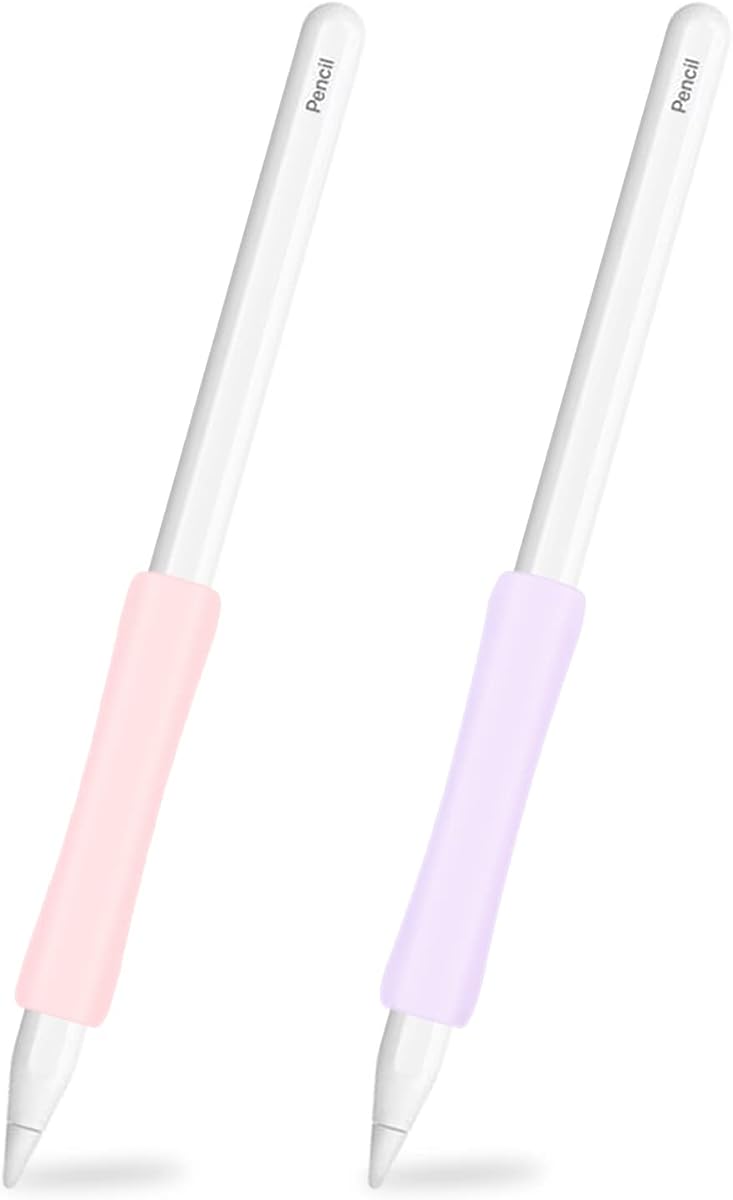
This two-pack offers ergonomic design for multiple users or devices. The concave middle design lines up with the curvature of your hand to relieve pain. It is made of high-quality silicon for easy installation and removal.
We may earn a commission when you buy through this link, at no additional cost to you.
The anti-slip design ensures the sleeve holds the stylus firmly without slipping. You can move the adjustable sleeve to the most suitable position for your writing style. This flexibility enhances usability across different tasks.
The simple design focuses on function rather than aesthetics. While it looks basic, the performance is strong. It is a reliable choice for families needing multiple grips without spending too much.
Best for households with multiple iPads and Pencil. The two-pack provides immediate value. It is an affordable choice that delivers comfort and secure grip for daily use.
The design that the middle of pencil sleeve is more concave than both ends can be better in line with the curvature of our hand.
If you want to hold another position of stylus pen, you can move the adjustable sleeve to most suitable position.
We may earn a commission when you buy through this link, at no additional cost to you.
This two-pack is specifically for Apple Pencil Pro, 2nd Gen, and USB-C models. It features ergonomic design that aligns with the curvature of your hand. The ultra-thin sleeve skin does not influence wireless charging for pencil 2nd gen.
We may earn a commission when you buy through this link, at no additional cost to you.
Made of high-quality silicon, it ensures installing smoothly and prevents sliding left and right. The anti-slip design holds firmly so it will not fall down when you move speedily. It protects from scratches and dirt effectively.
Important to note: it is not fit for Apple Pencil 1st Gen. You must check your model before buying to ensure compatibility. This specificity ensures a perfect fit for newer models but limits universality.
Best for Pro and USB-C users needing ergonomic comfort. The two-pack offers good value. It balances easy installation with secure protection and reliable charging performance.
Attention: NOT FIT FOR Apple Pencil 1st Gen, so ensure your model matches before purchasing.
Ultra thin sleeve skin won't influence the wireless charging for pencil 2nd gen allowing seamless power.
We may earn a commission when you buy through this link, at no additional cost to you.
Selecting the right grip requires considering your specific needs and device compatibility. This section outlines key factors to help you make an informed choice.
Look for grips that match the natural curvature of your hand to reduce fatigue during long sessions.
A good ergonomic shape relieves hand pain and improves overall control over the stylus.
Premium silicone offers a soft-touch feel that is durable and resistant to stretching over time.
High-quality materials prevent lint attraction and provide a grippy texture without being sticky.
Ensure the grip fits your specific Apple Pencil model (1st Gen, 2nd Gen, USB-C, or Pro).
Verify that it supports necessary features like magnetic charging and double-tap gestures.
Ultra-thin grips ensure the pencil stays slim and fits into tight iPad cases.
Thicker grips might offer more cushioning but could interfere with wireless charging if not aligned.
Choose designs that are easy to install and remove without damaging your pencil.
Simple installation saves time and allows you to adjust the grip position as needed.
Durable materials hold up to daily use without stretching or slipping over time.
Long-lasting grips reduce the need for frequent replacements and save money.
Multiple color options allow you to match your grip with your personal style or devices.
Color variety can also help distinguish between different pencils in a shared environment.
Compare prices to find the best balance between cost and features for your needs.
Budget-friendly options exist without sacrificing core comfort or functionality benefits.
Install the grip by stretching it over the barrel of your Apple Pencil, ensuring it sits evenly without air pockets. Check that it does not block the tip or charging contacts if applicable.
Clean the grip regularly with a damp cloth to remove dust and oils that can affect grip texture. Avoid harsh chemicals that might degrade the silicone material over time.
Remove the grip before charging if your model requires direct contact with the charger. Align ultra-thin sections properly to ensure wireless charging functions smoothly.
Most modern grips are designed to allow magnetic charging if aligned correctly. Ultra-thin models ensure charging happens without removing the grip. Always check product specs for specific compatibility notes before purchasing.
Yes, many grips fit the 1st Gen as they have a similar diameter. However, you must verify compatibility on the product page since some are designed only for newer models like USB-C or Pro.
Ergonomic grips add cushioning and surface area which can reduce pressure on your fingers. This is particularly helpful for artists who draw for long periods. Choosing a soft silicone material enhances this benefit.
Use a soft damp cloth to wipe away dust and oils. Avoid using solvents or abrasive cleaners that may damage the silicone surface. Regular cleaning keeps the texture effective and hygienic.
Ultra-thin grips add minimal thickness so the pencil still fits most iPad cases. Some thicker models may interfere with case slots but offer more comfort. Check thickness specs to ensure case compatibility.
Most grips leave the double-tap area exposed or are thin enough not to interfere. Check for specific instructions on leaving space for touch zones. Adjust placement if needed for functionality.
Yes, many grips are compatible with newer iPad Pro models and their Pencils. Verify the specific model compatibility listed in the product data to ensure a perfect fit for your setup.
We have reviewed ten top options ranging from budget packs to premium ergonomic solutions. The Paperlike and UPPERCASE options stand out for comfort and material quality respectively.
Prioritize ergonomic design and compatibility with your specific pencil model. Ensure the grip supports features like magnetic charging to avoid future issues with your workflow.
Prices and availability change often so check current details before purchasing. The best choice depends on your needs and device configuration.