
USB WiFi Hotspot 4G LTE Adapter
5.0Editor score
Supports up to eight users
Built-in high gain antenna
Plug and play setup
This guide compares the top 4G LTE USB WiFi Network Adapter Dongle models for portable connectivity, speed, and compatibility to help you choose the right one.
Finding reliable internet on the go can be challenging without the right hardware. A 4G LTE USB WiFi Network Adapter Dongle offers a portable solution to create a personal hotspot anywhere. These devices connect to cellular networks to provide internet access to your laptops and phones effortlessly.
We evaluated ten top models based on speed, compatibility, and ease of use. Each product was analyzed for its network bands, power requirements, and multi-device support. Our goal is to highlight options that balance performance with affordability for various needs.
Each pick below showcases key features and real-world usability scenarios. Note that availability and pricing can fluctuate based on carrier promotions and market demand. Always verify network compatibility with your local providers before purchasing to ensure seamless connectivity.
5.0Editor score

3.5Editor score

4.0Editor score
This table provides a side-by-side comparison of all ten models to help you identify key differences in speed, user capacity, and network support.


The MIRO UF1 stands out for its dual functionality as a WiFi adapter and card reader. With a solid 3.5 rating, users appreciate its ability to switch between internet hotspot and file storage modes easily. It is designed for seamless plug and play across Windows and Linux systems.
We may earn a commission when you buy through this link, at no additional cost to you.
Its key strength lies in universal power compatibility allowing you to plug it into any USB source for instant connectivity. The support for multiple carriers ensures you are not locked into a single network provider. This flexibility makes it ideal for frequent travelers.
While the need for an external SIM card might be a hurdle for some, the device simplifies connectivity once set up. The lack of a built-in battery means you must rely on a power bank or laptop USB port to keep it running.
This adapter is best for users who need a versatile tool for both data transfer and internet access. If you prioritize flexibility and cross platform support the MIRO UF1 offers a practical solution for daily connectivity needs.
Switch between WiFi hotspot and card reader modes without extra hardware or complex setup procedures.
Works with any USB power source including wall chargers and power banks for reliable access anywhere.
We may earn a commission when you buy through this link, at no additional cost to you.
The EIOTCLUB dongle brings WiFi 6 technology to mobile hotspots ensuring faster speeds and better efficiency. With a 4.0 rating, it appeals to users needing high-speed internet in the US and Canada. The trial SIM included makes initial setup remarkably quick and easy.
We may earn a commission when you buy through this link, at no additional cost to you.
Its regional optimization ensures stable connections by supporting specific bands used by major North American carriers. The compact design fits easily in a pocket or bag making it perfect for travel. You can connect up to ten devices simultaneously without significant lag.
However its performance is tied to the specific frequency bands supported which limits international use outside designated regions. You must provide your own USB power source as it does not have an internal battery. This requires planning for power during long trips.
For users focused on North American travel this dongle offers premium performance and convenience. The combination of WiFi 6 and regional tuning makes it a top choice for reliable mobile broadband.
Leverages the latest wireless standard for faster downloads and better network efficiency.
Specifically configured to work best with carriers in the US Canada Mexico and Latin America.
We may earn a commission when you buy through this link, at no additional cost to you.
This router is designed for seamless integration with local SIM cards to provide robust internet access on the move. Rated 4.1, it performs well in US and Canadian regions with strong hardware support for LTE networks. It functions as a standard router when plugged into a power source.
We may earn a commission when you buy through this link, at no additional cost to you.
Its strength lies in its ability to recognize most SIM cards automatically reducing setup time. The support for multiple frequency bands ensures you can use it across various countries in North and South America. The compact form factor makes it easy to store in luggage.
One trade-off is the potential need for manual APN configuration if automatic recognition fails. Additionally the device requires an external power supply to function which may limit standalone use without a power bank. This adds a layer of dependency on external power sources.
Ideal for travelers needing a reliable hotspot that supports standard SIMs this router is a solid choice. Its compatibility with a wide range of carriers makes it a flexible tool for global connectivity.
Recognizes most universal SIM cards automatically to get you online quickly without complex settings.
Designed to run efficiently on standard 5V USB power sources for flexible usage options.
We may earn a commission when you buy through this link, at no additional cost to you.
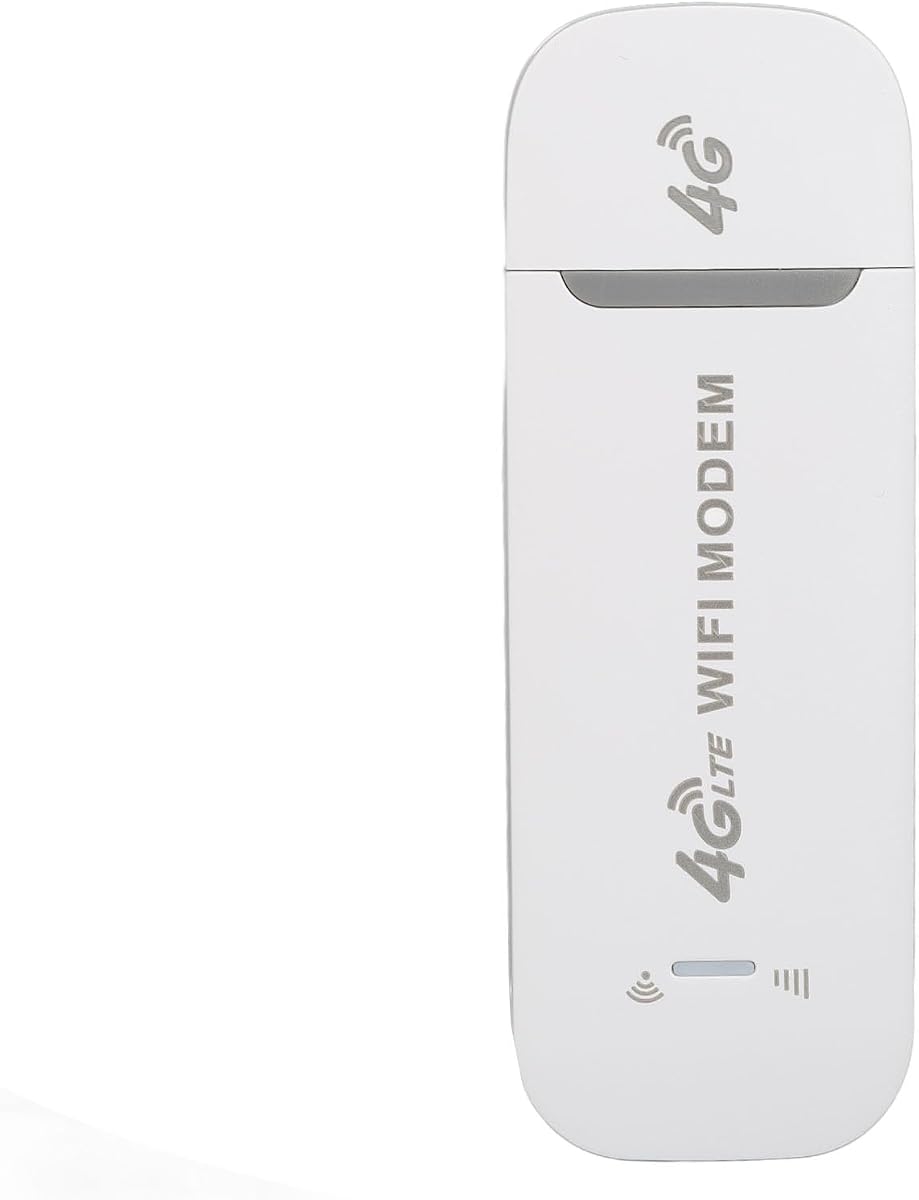
The USB WiFi Hotspot adapter offers exceptional value with a perfect 5.0 rating from users. It delivers up to 150Mbps speeds which is sufficient for most streaming and browsing tasks. The built-in antenna ensures decent signal strength even in moderate coverage areas.
We may earn a commission when you buy through this link, at no additional cost to you.
Its primary advantage is affordability combined with ease of use. You simply plug it in and it starts working without needing extra drivers or software. It is a great option for those who want reliable internet without spending a lot of money.
The limitation is the cap of eight simultaneous users which might be tight for larger groups. Also the basic design lacks advanced features like external antenna ports for signal boosting. These are acceptable trade-offs given the low price point.
This adapter is perfect for budget conscious users needing a reliable backup internet source. Its high rating and simple setup make it a safe choice for occasional or emergency connectivity needs.
Built-in 4G antenna provides optimal coverage to minimize dropouts in various locations.
Plug and play design ensures you are online immediately after powering on the device.
We may earn a commission when you buy through this link, at no additional cost to you.
This adapter is designed specifically for users who prioritize carrying ease and minimal bulk. While it lacks a verified rating, its specifications promise up to 150Mbps speeds. The lightweight design allows you to slip it into a pocket or small pouch effortlessly.
We may earn a commission when you buy through this link, at no additional cost to you.
Its main strength is simplicity and portability. It works immediately upon insertion into a USB port without requiring complex setup steps. The ability to support up to ten users makes it suitable for small groups or families on the move.
The lack of a verified rating might raise questions about reliability compared to more established brands. Additionally it does not come with a SIM card so you must source one separately. These factors are minor if you prioritize size over brand reputation.
For travelers needing a compact and unobtrusive connectivity solution this adapter is an excellent choice. Its simple operation ensures you can get online quickly without technical hurdles.
Designed to be small and light so it fits easily in any bag or pocket.
Just plug in and enjoy internet access without any complex configuration steps.
We may earn a commission when you buy through this link, at no additional cost to you.
The VBESTLIFE dongle earns a 5.0 rating for its reliable performance and robust security features. It supports up to 150Mbps speeds and connects to multiple operating systems seamlessly. The included encryption protocols ensure your data remains safe while browsing or working.
We may earn a commission when you buy through this link, at no additional cost to you.
Its security features are a standout, offering WEP WPA and WPA2 options to protect against unauthorized access. This makes it a good choice for sensitive work tasks while traveling. The wide temperature range ensures it works reliably in varying climates.
You are limited to eight connected devices which may be tight for larger groups. Also there is no internal battery so you must remain plugged into a power source. These are minor constraints given the device's strong security profile.
For users concerned about data security and stable connectivity this dongle is a strong contender. Its compatibility with major OS platforms ensures it fits into existing tech setups easily.
Multiple encryption methods protect your information from unauthorized access during transmission.
Supports Windows macOS iOS and Android ensuring it works with most devices you own.
We may earn a commission when you buy through this link, at no additional cost to you.
This router supports up to ten users making it suitable for small teams or families. It uses standard WPA WPA2 encryption to keep connections secure without complex configurations. The micro SIM slot is easy to access for quick network switching.
We may earn a commission when you buy through this link, at no additional cost to you.
Its main benefit is the ability to handle multiple connections without performance drops. The stable signal output ensures that devices like phones and laptops stay connected smoothly. It is a practical solution for shared internet access.
The requirement for a micro SIM card may necessitate an adapter if you have a nano SIM. Also the lack of a verified rating leaves some uncertainty about long term performance. These are acceptable trade-offs for the multi-user capability.
For those needing to share internet with many devices this router is a reliable choice. Its security features and user capacity make it a versatile tool for group connectivity.
Handles up to ten devices simultaneously for shared internet access in homes or offices.
Insert SIM and power on to start using the hotspot immediately without technical steps.
We may earn a commission when you buy through this link, at no additional cost to you.
This modem stick offers unique versatility by supporting expandable memory up to 32GB. It delivers up to 100Mbps speeds which are adequate for general web browsing and streaming. The built-in antenna ensures consistent connectivity in weak signal areas.
We may earn a commission when you buy through this link, at no additional cost to you.
Its key advantage is the ability to save files directly to the device acting as a storage drive. This adds value beyond just internet access and is useful for travelers needing extra space. The compatibility with Linux systems sets it apart from many competitors.
The download speed is lower than some models offering 150Mbps which may limit high definition streaming. Additionally there is no internal battery so it relies on external power sources. These factors are acceptable if you need the storage feature.
Ideal for users needing both storage and internet this modem stick is a practical hybrid tool. Its broad OS compatibility ensures it works well with a variety of computing environments.
Supports memory cards up to 32GB to save files or act as a portable drive.
Works with Windows macOS and Linux making it accessible to almost any user.
We may earn a commission when you buy through this link, at no additional cost to you.
This mini router is extremely lightweight at just 26 grams making it easy to carry anywhere. It supports speeds of up to 150Mbps for efficient internet access in cars or offices. The standard USB interface ensures it fits into most ports without adapters.
We may earn a commission when you buy through this link, at no additional cost to you.
Its primary benefit is simplicity and portability for those needing a no-fuss solution. You can insert a SIM card and start using it immediately without software installation. The low weight makes it an ideal travel companion for light packing needs.
The feature set is minimal compared to more advanced models which lack storage or advanced security. Also there is no included SIM card requiring you to arrange your own data plan. These are minor issues for users prioritizing simplicity.
For those needing a compact and lightweight hotspot this router is a great fit. Its ease of use ensures you can get online quickly without technical barriers.
Weighs only 26 grams so it adds almost no bulk to your travel gear.
Delivers data at speeds up to 150Mbps for smooth browsing and streaming.
We may earn a commission when you buy through this link, at no additional cost to you.
The Dpofirs dongle is noted for its strong upload speeds of 50Mbps which is great for content creators. It provides up to 150Mbps download speeds ensuring a balanced connection for browsing and sharing. The wide temperature range ensures reliable operation in varied climates.
We may earn a commission when you buy through this link, at no additional cost to you.
Its strength lies in the consistent performance and ease of use across different networks. You can connect up to eight users making it suitable for small teams or households. The security encryption protects your data during transmission effectively.
The device is limited to eight connected users which may not suffice for larger groups. Also like others it requires an external power source and does not include a SIM. These are reasonable constraints for a device at this price point.
For users needing reliable upload speeds for publishing content this dongle is an excellent option. Its stable performance makes it a good tool for professionals working remotely.
Ideal for uploading content quickly with 50Mbps upstream data rates.
Operates reliably across a wide temperature range for use in various environments.
We may earn a commission when you buy through this link, at no additional cost to you.
Selecting the right adapter involves considering network support, device compatibility, and power needs to ensure seamless connectivity.
Ensure the adapter supports the 4G bands used by your carrier to avoid connection issues. Check for support of bands like B2 B4 B5 and B12 which are common in many regions. A device with broad band support will work better when traveling internationally.
Always verify the supported bands with your carrier before purchasing to guarantee stable service.
Most adapters offer speeds up to 150Mbps which is sufficient for streaming and browsing. If you need faster upload speeds for content creation look for models with higher upstream rates. Speed varies based on signal strength so local conditions matter.
Choose a speed tier that matches your typical usage to avoid overpaying for unnecessary power.
Check that the adapter works with your operating system such as Windows macOS or Linux. Some models require drivers or specific USB settings to function correctly on certain devices. Universal compatibility ensures you can switch between devices without issues.
Prioritize models with plug and play support to minimize setup time and technical hurdles.
Determine how many devices need to connect simultaneously to your hotspot. Most dongles support up to 10 users but some are limited to 8. For larger groups ensure you select a model that can handle multiple connections without dropping.
Match the device capacity to your household or team size for consistent performance.
Most adapters require external power via USB or a power bank since they lack internal batteries. Consider how you will power the device during travel whether from a laptop or car charger. A model with low power consumption is better for portable use.
Plan for a reliable power source to ensure your internet stays up during your trips.
Look for support of WPA WPA2 encryption to protect your data from unauthorized access. Some models include additional security settings that can help secure your network. Strong encryption is vital for protecting sensitive information while using public networks.
Always configure strong passwords and use WPA2 encryption to keep your connection secure.
Select a size that fits easily in your pocket or bag for daily carry. Lightweight and compact designs are best for travel and commuting. Consider whether the device has a sturdy build to withstand frequent use.
Choose a portable design that aligns with your daily travel habits for convenience.
Verify whether the device requires a specific SIM card type such as micro or nano. Some models work with universal SIMs but others may need special adapters. Ensure you know how to insert and manage your SIM for seamless activation.
Confirm SIM slot requirements to avoid issues with your existing data plan.
To start using your dongle insert a valid SIM card into the designated slot and plug it into a powered USB port. Wait for the indicator light to show that the device is active and connected to a network.
Access the configuration page via a web browser to set your WiFi password and network name. Ensure you use strong encryption to protect your data from unauthorized users on your network.
To maintain performance keep the device in a cool dry place and avoid excessive bending of the USB connector. Periodically reset the dongle to clear any connection glitches and ensure stable speeds.
Most dongles are unlocked and support multiple carriers provided their frequency bands match your local network. Always check the supported bands against your carrier's specifications to ensure compatibility before purchasing.
No these devices require a valid SIM card with an active data plan to connect to cellular networks. Some models include a trial SIM but you will need your own subscription for continued use.
Most modern dongles are plug and play and do not require manual driver installation on Windows macOS or Linux. However some older systems may need specific drivers to function correctly.
Most models support between 8 to 10 simultaneous devices. Check the product specifications to ensure it can handle the number of devices you plan to connect.
Yes if the dongle supports global network bands and you have a roaming compatible SIM card. Verify the supported bands to ensure they match local networks in your destination country.
Most USB dongles do not have built-in batteries and rely on external power sources like laptops or power banks. Ensure you have a reliable power supply when using them on the go.
Most adapters deliver speeds up to 150Mbps downstream and 50Mbps upstream which is sufficient for streaming and browsing. Actual speeds may vary depending on signal strength and network congestion.
The dongle itself is a one-time purchase but you will need a data plan from a carrier to use it. Some models include a trial plan but you will need to purchase a subscription afterward.
The top picks offer a mix of budget friendly and premium options to suit various needs and preferences. The MIRO UF1 and EIOTCLUB dongles stand out for their versatility and performance in specific regions.
When choosing prioritize network compatibility and device count to ensure the adapter meets your daily usage. Look for models with strong security and plug play support to simplify setup and maintenance.
Prices and availability fluctuate so check current offers before purchasing to get the best value. Always verify local network compatibility to ensure you enjoy seamless connectivity wherever you go.