
Acer Nitro KG271U N3bmiipx
4.5Editor score
180Hz Refresh Rate
0.5ms Response Time
95% DCI-P3
Selecting the right display is crucial for immersive gaming experiences. A 27 Inch WQHD 1440p Gaming Monitor offers the perfect balance between screen real estate and pixel density for sharp visuals without excessive strain on hardware.
We evaluated ten leading models based on refresh rates, response times, panel types, and connectivity options. Our analysis focuses on delivering smooth gameplay, accurate colors, and ergonomic features essential for long gaming sessions.
Each pick highlights specific strengths like competitive refresh rates or color fidelity. Note that availability and pricing fluctuate frequently, so verify current details before making your final purchase decision.
4.5Editor score

4.6Editor score

4.6Editor score
As an Amazon Associate we earn from qualifying purchases.
Here is a side-by-side look at the ten selected models to help you compare their core specifications and features at a glance.


The ASUS TUF Gaming VG27AQ3A stands out as a top contender for gamers seeking a balance between performance and visual fidelity. With a rating of 4.6 stars, users praise its ability to deliver smooth motion and vibrant colors across various game genres. This model integrates advanced synchronization technologies to ensure your visuals remain crisp and free from tearing during intense gameplay sessions.
We may earn a commission when you buy through this link, at no additional cost to you.
At the heart of this monitor is a Fast IPS panel capable of reaching 180Hz refresh rates. This high refresh rate is paired with a 1ms response time, ensuring that fast-paced shooters and racing games feel responsive. The inclusion of ELMB Sync technology allows users to activate motion blur reduction while maintaining variable refresh rate support, which is a significant advantage over older implementations of motion blur tech.
While the stand is sturdy, it occupies more desk space than ultra-slim alternatives. The on-screen menu controls are functional but can be slightly tedious to navigate without a joystick controller. These minor ergonomic inconveniences are generally outweighed by the exceptional panel quality and the value added by the included Adobe Creative Cloud subscription, making it a strong choice for creative professionals who game.
This monitor is ideal for players who want a versatile display for both gaming and content creation. The 130% sRGB gamut ensures that your media looks vibrant and true to life. If you are looking for a reliable all-rounder that handles high frame rates well without breaking the bank, the VG27AQ3A should be at the top of your shortlist.
ELMB Sync allows gamers to use motion blur reduction simultaneously with variable refresh rates, providing the best of both worlds without compromising smoothness.
The 130% sRGB coverage and included Adobe subscription make this monitor suitable for graphic design and photo editing tasks alongside gaming.
We may earn a commission when you buy through this link, at no additional cost to you.
The Acer Nitro KG271U offers impressive specifications at a competitive price point. It delivers a 180Hz refresh rate and an incredibly fast 0.5ms response time, which helps eliminate ghosting in fast-moving scenes. Gamers have noted that the visual quality remains sharp and detailed, making it a strong candidate for budget-conscious buyers who refuse to compromise on performance.
We may earn a commission when you buy through this link, at no additional cost to you.
This model features a zero-frame design that enhances immersion by minimizing distractions around the edges of the screen. The IPS panel supports DCI-P3 95% color coverage, ensuring rich and accurate colors for both gaming and multimedia consumption. AMD FreeSync technology works seamlessly to synchronize the monitor with your graphics card, preventing screen tearing without needing expensive proprietary technology.
The stand is stable but does not offer height adjustment, which might be a limitation for users seeking a fully ergonomic setup. Additionally, while the monitor includes built-in speakers, they are better suited for system sounds rather than immersive audio experiences. These limitations are minor considering the performance metrics and the overall build quality provided at this price segment.
If you need a high-refresh-rate monitor that looks great and performs well without a premium price tag, the KG271U is an excellent choice. It is particularly well-suited for competitive gamers who prioritize responsiveness and screen real estate over advanced ergonomic features. For those setting up a dual-monitor station, the thin bezels also make it a visually pleasing option.
With a 0.5ms response time, the KG271U ensures that your inputs translate instantly to on-screen actions, reducing the delay between mouse clicks and game reactions.
The support for 95% DCI-P3 color space means that content looks vibrant and detailed, offering a cinematic experience even in competitive titles.
We may earn a commission when you buy through this link, at no additional cost to you.
The ASUS TUF Gaming VG27AQL1A is designed for gamers who demand the best performance and reliability. It boasts a 170Hz overclock refresh rate, pushing beyond standard 144Hz monitors to offer smoother motion in compatible games. With a 4.6-star rating, this model is highly regarded for its consistent performance and premium features like G-SYNC compatibility and HDR400 support.
We may earn a commission when you buy through this link, at no additional cost to you.
This monitor stands out with its Extreme Low Motion Blur Sync technology, which allows users to combine motion blur reduction with variable refresh rates. This feature is crucial for competitive players who need clear visuals during rapid movements without screen tearing. The HDR400 certification ensures that bright highlights and deep shadows are rendered with good contrast, enhancing the overall visual fidelity.
The price point is higher than many other options on this list, reflecting the advanced technology and build quality included. Some users might find the initial setup and calibration slightly involved to get the best out of HDR content. However, for those who spend long hours gaming or editing, the investment pays off in the form of reduced eye strain and superior image clarity.
We recommend this monitor for serious gamers and content creators who need a display that can handle both high-speed action and color-critical work. The inclusion of the Adobe Creative Cloud subscription adds further value, making it a versatile tool for your workstation. If you want a screen that feels like a long-term upgrade to your setup, the VG27AQL1A is a solid investment.
ELMB Sync technology ensures that motion blur is minimized without sacrificing the smoothness provided by G-SYNC compatibility, giving you a clear advantage in ranked matches.
HDR400 certification means you can enjoy high dynamic range content with better brightness and contrast, making games and movies look more lifelike.
We may earn a commission when you buy through this link, at no additional cost to you.
The Acer Nitro XV271U M3bmiiprx is a fantastic choice for users who prioritize ergonomic adjustability. With a 4.5-star rating, it satisfies gamers who need to customize their viewing angle to avoid neck strain during long sessions. The stand allows for tilt, swivel, pivot, and height adjustments, which is a premium feature often missing in budget monitors.
We may earn a commission when you buy through this link, at no additional cost to you.
Performance-wise, this monitor delivers a 180Hz refresh rate and 0.5ms response time when connected via DisplayPort. It supports AMD FreeSync Premium to ensure smooth visuals and reduce tearing. The IPS panel provides wide viewing angles and accurate colors, making it a versatile display for both gaming and productivity tasks that require color precision.
While the display supports 180Hz, HDMI inputs are capped at 144Hz, meaning you must use DisplayPort to access the full speed. The base of the stand is sturdy but requires a decent amount of desk depth. These trade-offs are generally acceptable given the high level of adjustability and the quality of the panel provided.
This monitor is ideal for users who need to adjust their screen height frequently or share the display for different content types. The pivot feature is particularly useful for reading code or documents in portrait mode. If you need a reliable 27-inch screen that adapts to your physical setup, the XV271U M3bmiiprx is a strong contender.
The ability to pivot and tilt the screen helps reduce fatigue during long work or gaming sessions by allowing you to find the perfect viewing position.
A 180Hz refresh rate ensures that your gameplay feels fluid and responsive, giving you a competitive edge in fast-paced titles.
We may earn a commission when you buy through this link, at no additional cost to you.
The Samsung Odyssey G5 G51F brings a curved design to the 27-inch QHD market, enhancing immersion by matching the natural curve of your eyes. With a 4.7-star rating, it is highly praised for its ability to make games feel more enveloping. The 180Hz refresh rate and 1ms response time ensure that motion remains sharp and clear even in the most chaotic scenes.
We may earn a commission when you buy through this link, at no additional cost to you.
This monitor features HDR10 support, which brightens highlights and deepens shadows for better visual depth. The Black Equalizer feature allows you to adjust the brightness of dark areas without affecting the rest of the screen, helping you spot enemies in shadows. These features make it a top choice for players who enjoy RPGs and adventure games.
The curved screen may take some getting used to if you switch between gaming and flat productivity tasks. It might also be less ideal for non-gaming content like spreadsheets where a flat monitor offers less distortion. However, the visual impact during gaming sessions is significant enough to justify this choice for dedicated gamers.
We recommend this model for those who want a more cinematic gaming experience at home. The stand supports tilt and height adjustments, ensuring you can find a comfortable position. If you want a monitor that prioritizes immersion and visual depth without breaking the bank, the Odyssey G5 is a fantastic option to consider.
The curved panel wraps around your peripheral vision, creating a more focused and immersive environment for competitive and single-player games.
Black Equalizer adjusts dark areas to reveal details that might otherwise be hidden, giving you a tactical advantage in shadowy game environments.
We may earn a commission when you buy through this link, at no additional cost to you.
The SANSUI 27 Inch QHD offers an impressive 200Hz refresh rate at a very affordable price point. With a 4.4-star rating, it is a favorite for budget gamers who need high-speed performance. The IPS panel ensures wide viewing angles and good color reproduction, making it a versatile option for both gaming and general use.
We may earn a commission when you buy through this link, at no additional cost to you.
This monitor includes eye care technologies like low blue light and anti-flicker to reduce strain during long sessions. The metal stand adds a touch of durability and premium feel to the build. Additional features like crosshair overlays and game timers help players optimize their performance in specific genres like FPS or strategy games.
Lack of built-in speakers means you will need external audio or a headset for sound. The tilt range is somewhat limited compared to premium models, which might affect ergonomic comfort. However, for the performance it offers at this price, it remains an exceptional value proposition for most users.
We suggest this monitor for budget-conscious buyers who need high refresh rates for competitive gaming. The metal build and high refresh rate make it a reliable choice for those starting a new setup or upgrading from an older display. If performance per dollar is your priority, the SANSUI 27 Inch QHD delivers.
With a 200Hz refresh rate, this monitor pushes out frames faster than standard 144Hz screens, providing smoother motion and reduced input lag.
Anti-flicker and low blue light features protect your eyes from strain, allowing you to game for longer periods without discomfort.
We may earn a commission when you buy through this link, at no additional cost to you.
The SANSUI 27 Inch Rotating model brings high-end ergonomic features to a budget-friendly package. With a 4.4-star rating, it appeals to users who need a screen that can adapt to different work and play scenarios. The stand allows for height, pivot, and swivel adjustments, giving you full control over your viewing angle.
We may earn a commission when you buy through this link, at no additional cost to you.
Performance is strong with a 200Hz refresh rate and 1ms response time. The Fast IPS panel supports 95% DCI-P3 color space, ensuring that colors are vivid and accurate for creative tasks. Low motion blur technology helps keep images sharp during rapid movement, which is crucial for competitive gaming.
While the feature set is rich, the on-screen menu can be slow to navigate. The stand is sturdy but requires careful assembly to ensure stability. For most users, these minor issues do not outweigh the benefits of having a versatile display that supports both gaming and professional workflows.
This monitor is perfect for users who need to switch between landscape and portrait orientations for productivity. The color accuracy and refresh rate make it suitable for a hybrid setup. If you want a flexible screen that handles both work and play well, the SANSUI Rotating is a smart choice.
Pivot and height adjustments allow you to position the screen perfectly for different tasks, reducing strain during long work or gaming sessions.
The 95% DCI-P3 coverage ensures rich colors for creative work while the 200Hz refresh rate provides the speed needed for competitive gaming.
We may earn a commission when you buy through this link, at no additional cost to you.
The KOORUI G2721P is a reliable choice for gamers seeking speed and color accuracy without breaking the bank. It features a 200Hz refresh rate and a 1ms response time, ensuring that your gameplay is smooth and responsive. The display supports HDR400, adding a layer of contrast and brightness to your visual experience.
We may earn a commission when you buy through this link, at no additional cost to you.
Its design is minimalistic with thin bezels that look great in multi-monitor setups. The IPS panel delivers 16.7 million colors with good accuracy from different angles. Connectivity options include HDMI and DisplayPort, allowing you to switch between PCs and consoles easily. The monitor also offers VESA mounting for flexible placement.
The stand does not offer height adjustment, which might be a limitation for some users. Additionally, there are no built-in speakers, though an audio out port is available for headsets. These constraints are acceptable given the high performance and affordable pricing of the unit.
We recommend this model for players who need a straightforward, high-speed display. It is particularly good for those who already have a desk stand or VESA arm. If you value high refresh rates and clean design over advanced stand features, the G2721P is a solid pick.
The 200Hz refresh rate provides smooth motion and reduced blur, giving you a competitive edge in fast-paced games.
Slim bezels and multiple ports make this monitor easy to integrate into existing setups and versatile for multiple devices.
We may earn a commission when you buy through this link, at no additional cost to you.
The Acer Nitro EDA270U brings a curved screen to the budget-friendly QHD category. With a 4.4-star rating, it offers an immersive experience for gamers looking for a wraparound visual feel. The 180Hz refresh rate ensures that motion remains fluid, while the 1500R curvature helps keep focus on the center of the screen.
We may earn a commission when you buy through this link, at no additional cost to you.
This monitor features a zero-frame design that maximizes screen real estate and reduces distractions. AMD FreeSync Premium technology helps minimize stutter and tearing. The screen also supports HDR, which enhances visual depth for compatible content. Built-in speakers provide basic audio functionality without extra cables.
The stand does not support height adjustment, limiting ergonomic flexibility compared to flat alternatives. Color gamut is narrower than premium IPS models, which may affect professional creative work. However, for general gaming and media consumption, it remains a strong value proposition.
We suggest this monitor for budget gamers who want a curved screen. It is ideal for those who prioritize speed and immersion over advanced ergonomic adjustments. If you want a stylish and fast display that fits well in smaller desks, the EDA270U is worth considering.
The 1500R curve wraps the screen around your field of view, increasing focus and immersion in games and media.
180Hz refresh rate keeps gameplay fluid and responsive, reducing motion blur in competitive and fast-paced titles.
We may earn a commission when you buy through this link, at no additional cost to you.
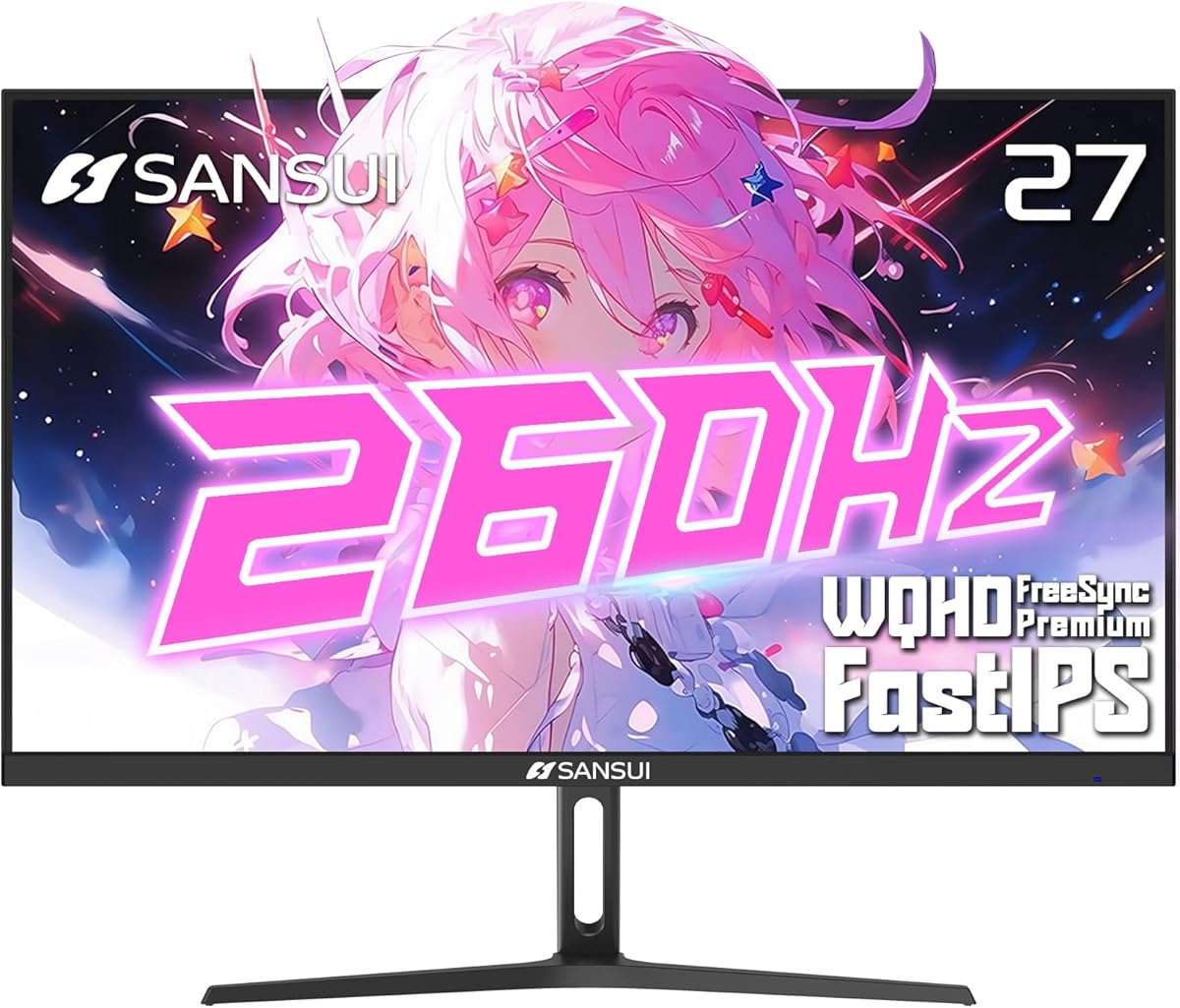
The SANSUI 27 Inch 260Hz is a speed-focused monitor for competitive gamers. With a 4.4-star rating, it offers up to 260Hz refresh rates that are significantly faster than standard 144Hz panels. The Fast IPS panel ensures rapid pixel transitions, reducing blur and ghosting during high-speed action.
We may earn a commission when you buy through this link, at no additional cost to you.
This monitor supports 98% DCI-P3 color space and 10-bit color depth, delivering rich and accurate visuals. HDR10 support enhances brightness and contrast. Game assist tools like crosshairs and timers help optimize performance in shooter and strategy games. It uses DisplayPort 1.4 for maximum bandwidth.
To fully utilize the 260Hz refresh rate, you need a powerful graphics card capable of pushing high frame rates at 1440p. The stand is basic with limited tilt adjustments. However, for users with high-end PCs, the performance advantages are substantial.
We recommend this model for serious competitive players who need every advantage. It is ideal for FPS games where split-second reactions matter. If you have the hardware to support the high refresh rate and want a cost-effective option, the SANSUI 260Hz is a powerful tool.
With a 260Hz refresh rate, this monitor offers ultra-smooth motion and minimal latency for serious competitive gaming.
98% DCI-P3 coverage and 10-bit color provide vibrant, detailed visuals that enhance immersion and clarity.
We may earn a commission when you buy through this link, at no additional cost to you.
Choosing the right monitor involves understanding several key factors that impact your gaming experience and setup comfort.
The refresh rate, measured in Hertz (Hz), indicates how many times the screen updates per second. Higher rates like 144Hz or 200Hz result in smoother motion and reduced blur. Competitive gamers benefit significantly from higher refresh rates as it improves responsiveness.
For most players, 144Hz is a great baseline, while 240Hz+ is reserved for pros who need every millisecond.
Response time refers to how quickly a pixel can change color. A lower response time reduces ghosting and trailing effects. Look for models with 1ms or lower for the best results in fast-paced games.
A 0.5ms or 1ms response time ensures that your inputs are reflected on screen almost instantly.
IPS panels offer the best color accuracy and viewing angles, making them ideal for games with rich visuals. VA panels offer better contrast but may suffer from ghosting. TN panels are fastest but have poor color quality.
IPS is generally the best all-around choice for 1440p gaming monitors.
Ensure the monitor has the ports you need for your GPU and peripherals. DisplayPort is often required for higher refresh rates at 1440p. HDMI is useful for consoles.
Check for USB ports or audio jacks if you need to connect peripherals directly to the screen.
Adjustable stands help you position the monitor at eye level to prevent neck strain. Look for tilt, swivel, and height adjustments. VESA mounting options provide flexibility for arm mounts.
Height adjustability is essential for long gaming sessions and a healthy posture.
FreeSync and G-SYNC technology synchronize the monitor with your GPU to prevent screen tearing. AMD FreeSync is widely supported and cost-effective. G-SYNC offers similar benefits for NVIDIA users.
Always choose a monitor with adaptive sync to ensure smooth gameplay without stuttering.
HDR enhances contrast and brightness for more lifelike images. Look for HDR400 or higher certification. Not all monitors with HDR support deliver good results without high brightness.
Real HDR requires high brightness and contrast capabilities for the best visual impact.
Always use the DisplayPort cable to ensure you get the full refresh rate available on your monitor. HDMI might be limited to lower speeds. Connect the power and video cables securely before turning on your PC.
Clean the screen gently with a microfiber cloth and a screen-safe cleaning solution. Avoid using household cleaners that might damage the coating. Dust and dirt can reduce image clarity over time.
Calibrate your monitor for better colors using software or manual settings. Adjust brightness and contrast based on your room lighting to reduce eye strain. Proper calibration improves visual comfort and image quality.
For most gamers, 144Hz is an excellent balance of smoothness and performance. Competitive players may prefer 200Hz or higher for even smoother motion. Higher refresh rates reduce motion blur and improve response times significantly.
1440p is more demanding than 1080p, so you need a decent GPU to run modern games smoothly. Aim for a mid-range or high-end graphics card to get the most out of high refresh rates at this resolution.
Curved monitors can provide a more immersive experience by wrapping the screen around your field of view. They are great for gaming and media but might be less ideal for productivity. Flat panels offer better color accuracy.
It depends on the HDMI version. Some monitors limit HDMI to 144Hz, so DisplayPort is usually required for higher rates. Check your specific model's specs to confirm which port supports the desired refresh rate.
HDR adds contrast and brightness but requires high-quality panels to look good. Budget HDR monitors may not deliver significant visual improvements. Use HDR for supported content if your monitor has strong brightness.
Check if your monitor supports VESA mounting, typically 75x75mm or 100x100mm. Use a compatible VESA arm or wall mount to attach the screen securely. Follow the instructions for safe installation.
Choosing the right 27 Inch WQHD 1440p Gaming Monitor depends on your specific needs and budget. Top picks like the ASUS TUF VG27AQ3A offer premium features for versatile gaming, while options like the Acer Nitro KG271U provide exceptional value for budget gamers.
Prioritize refresh rate and panel type to match your gaming style. Competitive players should look for higher refresh rates and lower response times. Those focused on visuals might prefer IPS panels with wider color gamuts.
Keep in mind that availability and features can change, so always verify current details before purchasing. A well-chosen monitor enhances your gaming experience for years to come.