
Asustor Drivestor 4 Gen 2
4.0Editor score
Realtek Quad-Core CPU
2.5GbE Network Port
Affordable Home Cloud Solution
This guide compares the top 4 Bay NAS devices for home and office use, evaluating performance storage capacity software features and reliability to help you
A 4 Bay NAS offers a powerful solution for centralized storage backup and media streaming. These devices provide flexibility for growing data needs while ensuring security and accessibility across multiple users.
We analyzed ten leading models based on processor power memory capacity network connectivity and software ecosystems. Each product was evaluated for real-world performance in home media and professional workflows.
Every selection highlights unique strengths from budget-friendly entry points to high-performance servers. Remember that availability and specifications may vary over time so verify details before purchasing.
4.0Editor score

4.6Editor score

4.4Editor score
The following table provides a side-by-side overview of all ten models reviewed in this guide. Compare core specifications to find the unit that matches your specific storage and processing requirements.





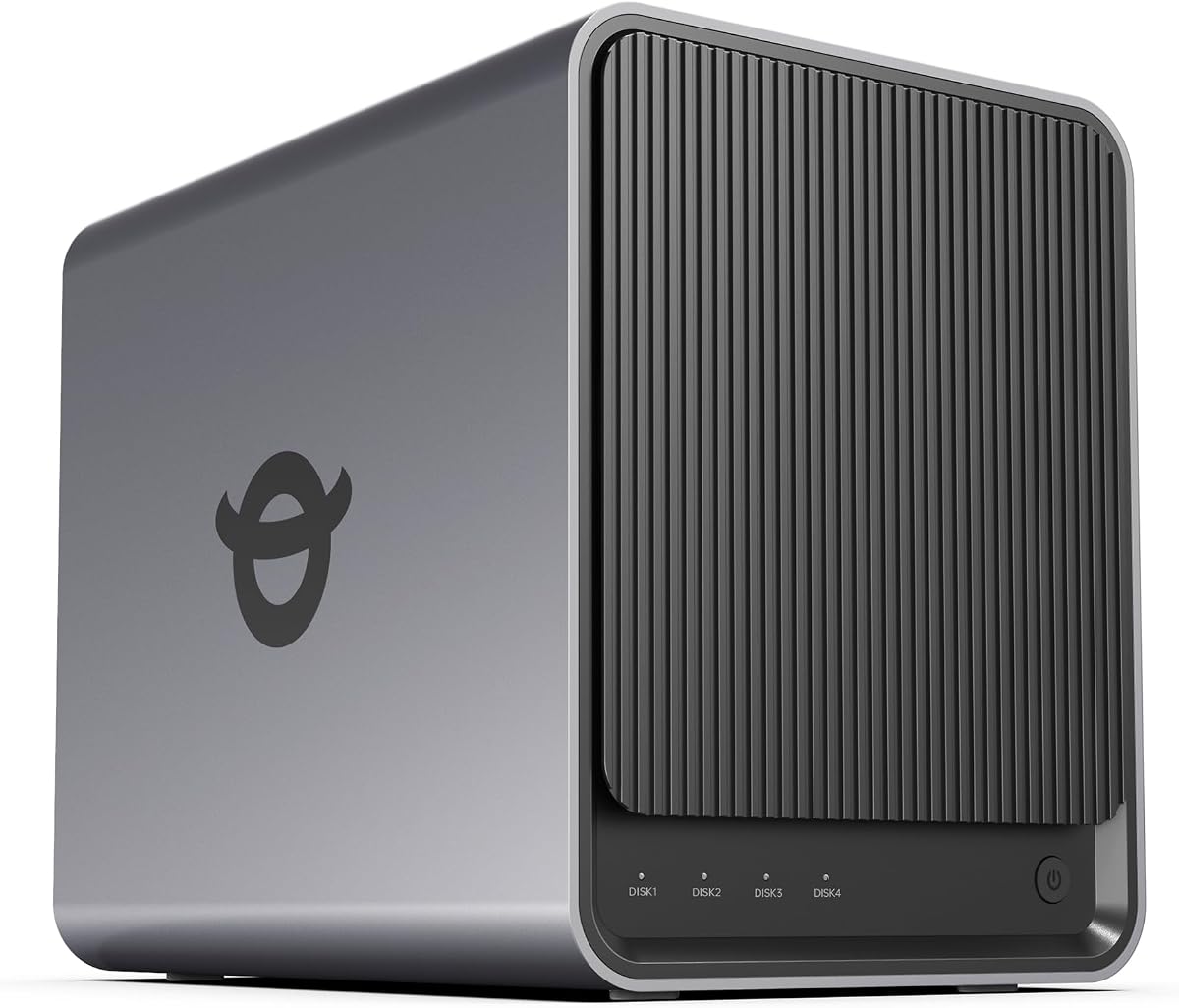

The TERRAMASTER F4-425 delivers solid entry-level performance for users seeking a straightforward 4 Bay NAS solution. With its Intel x86 quad-core processor and 4GB of RAM, it handles basic multitasking and media transcoding efficiently without breaking the bank.
We may earn a commission when you buy through this link, at no additional cost to you.
Its standout quality is the balance of power and silence. Operating at just 21dB, it fits quietly into living spaces or bedrooms. The 2.5GbE port ensures fast file transfers, making it a capable hub for home media streaming via Plex or Emby.
While the software is functional, it lacks the polish of premium competitors. The TNAS Mobile app works well for backups but doesn't offer advanced enterprise features. However, for users prioritizing hardware specs over complex software tools, this trade-off is acceptable.
This device is ideal for home users or small offices needing reliable centralized storage. If you want a quiet and affordable unit that handles 4K media and basic backups well, the F4-425 is a strong recommendation for your setup.
The Intel quad-core CPU handles 4K H.265 decoding smoothly, ensuring high-quality media playback across multiple devices simultaneously.
Tool-free Push-Lock HDD trays allow for drive installation in seconds, simplifying maintenance and upgrades without needing special tools.
We may earn a commission when you buy through this link, at no additional cost to you.
The UGREEN NAS DXP4800 GT stands out as the top choice for creators and power users. Its AMD Ryzen Embedded processor and 8GB RAM provide ample headroom for Docker apps, virtual machines, and heavy multitasking tasks.
We may earn a commission when you buy through this link, at no additional cost to you.
Key strengths include its dual 10GbE networking, which delivers blazing-fast transfer speeds ideal for 4K/8K video editing directly from the NAS. The UG Pro OS simplifies management while supporting robust features like SAN Manager and flexible permissions.
One minor limitation is that ECC RAM must be added manually for error correction, though this is rare for home use. Plex also requires Docker setup, adding a slight learning curve but offering full control over the media server environment.
Buy this if you need a private cloud with serious performance capabilities. It balances price and power better than most competitors, making it the best overall 4 Bay NAS for tech enthusiasts and small teams in 2026.
Dual 10GbE ports offer theoretical throughput up to 2.5GB/s, enabling rapid file transfers and seamless streaming of high-resolution content.
UGOS Pro supports Docker and virtual machines, allowing users to run custom tools like Home Assistant or web hosting locally on the device.
We may earn a commission when you buy through this link, at no additional cost to you.
The Synology DS425+ is designed for professional environments requiring secure and reliable data management. It excels in team productivity with speeds up to 278 MB/s and centralized repository features for documents and media assets.
We may earn a commission when you buy through this link, at no additional cost to you.
Its data protection capabilities are industry-leading, combining RAID redundancy with automated backups and snapshot technology. This multi-layered approach ensures files remain safe from accidental deletion or ransomware attacks effectively.
While the unit carries a premium price tag, the dedicated technical support and warranty justify the cost for business-critical production. Users may need time to master the interface, but the granular access controls are worth the effort.
This model is the perfect pick for offices needing enterprise-grade security and support. If your priority is secure file sharing and robust backup strategies, the DS425+ delivers peace of mind for professional workflows.
Granular access controls and audit logs keep team files organized and secure while ensuring only authorized users access sensitive company data.
With support for 30 IP cameras, the DS425+ doubles as a comprehensive monitoring center for home or business security needs.
We may earn a commission when you buy through this link, at no additional cost to you.
The UGREEN DXP4800 Plus offers a robust solution for families and creators managing large digital libraries. Its powerful processor and massive 144TB capacity ensure you never worry about running out of space again.
We may earn a commission when you buy through this link, at no additional cost to you.
Key strengths include its AI-powered photo album that organizes images by faces and scenes automatically. This feature saves time and keeps memories accessible while the private cloud functionality secures your data locally.
The device is wired Ethernet only which limits wireless flexibility but enhances stability. Users needing wireless connectivity might find this a downside, but for most home networks, the speed and security outweigh this limitation significantly.
Choose this unit if you want a private cloud with smart organization tools. It strikes a great balance between performance and ease of use, making it an excellent choice for modern families and small creative teams.
AI algorithms recognize faces and objects to categorize photos instantly, helping you find memories quickly without manual tagging.
10GbE network and USB ports allow rapid backups and file sharing, reducing wait times when moving large media files.
We may earn a commission when you buy through this link, at no additional cost to you.
The UGREEN DH4300 Plus is tailored for users transitioning from external drives or cloud subscriptions to a private NAS. It focuses on simplicity and ease of use for home media and family photo backups.
We may earn a commission when you buy through this link, at no additional cost to you.
Its smart photo backup and AI album features help organize growing collections effortlessly. Real-time syncing ensures devices stay backed up while duplicate removal keeps the library tidy without manual intervention.
While it lacks virtual machine support, the Docker compatibility provides ample flexibility for home users. The magnetic dust cover and 2.5GbE network port add thoughtful design touches that improve daily usability and performance.
This device is perfect for beginners wanting control over their data. If you seek a secure and private cloud alternative with intuitive software, the DH4300 Plus simplifies the transition to home storage effectively.
With TRUSTe certification and advanced encryption, your files remain secure on local drives without third-party cloud access risks.
A one-time purchase replaces recurring cloud fees, offering significant long-term savings for families with large media collections.
We may earn a commission when you buy through this link, at no additional cost to you.
The Synology DS925+ combines high performance with versatile built-in tools for both media and professional use. Its dual 2.5GbE ports ensure fast transfers while maintaining network redundancy for uninterrupted access.
We may earn a commission when you buy through this link, at no additional cost to you.
Key strengths lie in its comprehensive software suite. From file and photo management to virtualization and surveillance, this NAS offers everything needed to run a home or small business server smoothly.
While it costs more than entry-level models, the stability and feature depth justify the price. Users may need to configure settings initially, but the long-term reliability makes it worth the effort for critical data.
Select this unit if you value stability and integrated tools. The DS925+ is ideal for users needing a dependable private cloud that supports diverse workloads without requiring external hardware add-ons.
Built-in virtualization capabilities allow users to run lightweight virtual machines for testing or isolated services locally.
Dual network ports provide redundancy and speed ensuring consistent access to media and files even during peak usage times.
We may earn a commission when you buy through this link, at no additional cost to you.
The Yxk Zero1 Pro brings unique home theater capabilities to the 4 Bay NAS market. Powered by an Intel N100 processor, it handles media playback smoothly while offering direct HDMI output for TV connections.
We may earn a commission when you buy through this link, at no additional cost to you.
Its aluminum housing provides effective cooling during heavy use like overnight backups. The guided mobile app setup makes it easy for first-time users to register and start storing files without complex configurations.
Advanced users appreciate the flexibility to install third-party operating systems like TrueNAS or OMV. This customization opens up extensive possibilities for those who enjoy tinkering with software environments and custom setups.
Choose this device if you want a direct TV connection for media streaming. The Zero1 Pro is perfect for home theater setups and small offices needing straightforward storage with powerful hardware.
The 4K HDMI port allows direct connection to TVs, enabling local playback of movies without needing a separate player.
Support for third-party operating systems lets experienced users tailor the device to their specific technical requirements and workflows.
We may earn a commission when you buy through this link, at no additional cost to you.
The Asustor Drivestor 4 Gen 2 offers a compelling entry point for budget-conscious users seeking modern features. Its Realtek processor and 2.5GbE network upgrade provide efficient performance without excessive power consumption.
We may earn a commission when you buy through this link, at no additional cost to you.
Enterprise-grade data protection is included via Btrfs snapshots and WORM technology. This ensures critical documents and family memories stay safe from ransomware or accidental deletion even on an affordable device.
However, the 1GB RAM limits multitasking capabilities compared to higher-end models. Users should avoid heavy virtualization tasks, but for basic file sharing and media streaming, this budget option works surprisingly well.
This NAS is ideal for small offices or homes on a budget. If you want reliable backup and storage with strong protection features at a low price, the Drivestor 4 Gen 2 delivers solid value.
Btrfs snapshots allow instant restoration of previous file versions, protecting against accidental edits or malicious software attacks.
The 2.5GbE port significantly speeds up transfers compared to older Gigabit systems, improving streaming and backup performance.
We may earn a commission when you buy through this link, at no additional cost to you.
The Synology DS423 prioritizes security and reliability for families and businesses alike. Its ransomware-resistant backup strategies using immutable snapshots ensure data integrity even during a cyberattack.
We may earn a commission when you buy through this link, at no additional cost to you.
Comprehensive protection includes versioned files and multi-destination backups. This approach safeguards against various risks, from hardware failures to external threats, giving users confidence in their digital safety.
While camera licenses must be bought separately, the hardware supports up to 30 IP cameras effectively. The unit is not designed for heavy processing but excels as a secure storage vault for sensitive assets.
Pick this model if data protection is your top priority. The DS423 offers robust safeguards and regular updates, making it an excellent choice for securing valuable files and home surveillance footage.
Immutable snapshots ensure that backups cannot be altered or deleted, protecting against ransomware attacks that target backup systems.
Support for up to 30 IP cameras turns the NAS into a centralized monitoring solution for home and business security needs.
We may earn a commission when you buy through this link, at no additional cost to you.
The UGREEN NAS DXP4800 Pro is engineered for demanding workflows requiring serious computing power. With an Intel Core i3 processor and DDR5 RAM, it handles virtual machines and Docker containers with ease.
We may earn a commission when you buy through this link, at no additional cost to you.
Its massive 144TB capacity supports large photo and video libraries without bottlenecks. Local AI processing ensures privacy while organizing millions of photos, making it ideal for developers and media professionals.
While the price is high, the enterprise-grade security and Data Vault encryption justify the investment for critical data. The granular user permissions and flexible RAID options offer the control power users demand daily.
Choose this NAS if you need a private workstation. It delivers high performance and security for professionals managing complex workflows, offering unmatched flexibility for serious computing tasks.
The Intel Core i3 processor with DDR5 RAM ensures smooth multitasking and rapid data processing for development and editing work.
Local AI processing keeps data private while organizing libraries, supported by encryption tools that protect sensitive files from unauthorized access.
We may earn a commission when you buy through this link, at no additional cost to you.
Selecting the right 4 Bay NAS requires understanding your specific needs and technical requirements. This guide outlines the key factors to consider before making a purchase.
The CPU and memory determine how smoothly your NAS runs apps and handles multitasking. Look for quad-core processors and at least 8GB RAM for heavy media processing or virtual machines.
Prioritize models with expandable RAM if you plan to run complex workflows in the future.
Network ports dictate transfer speeds. 2.5GbE ports are standard now, but 10GbE offers faster performance for large file transfers and editing directly from the NAS.
Ensure your router supports the same speeds to avoid bottlenecks when connecting your NAS.
Consider future storage needs when choosing bays and drive sizes. A 4-bay setup allows up to 144TB total capacity with modern 30TB+ drives.
Selecting flexible RAID configurations helps protect data while maximizing usable space effectively.
The operating system impacts usability and features. Some brands offer polished mobile apps and photo tools, while others support extensive third-party Docker apps.
Check if the software supports your specific needs like media transcoding or surveillance systems.
Future-proofing matters for long-term use. Look for M.2 NVMe slots for caching or dedicated expansion units to increase drive bays later.
USB ports for quick backups and external drives add useful versatility to your setup.
Ransomware protection and encryption are essential for securing sensitive data. Features like immutable snapshots help recover files after malicious attacks.
Strong user permissions and two-factor authentication add extra layers of protection against unauthorized access.
Since a NAS runs 24/7, power consumption affects electricity bills. Efficient processors help minimize costs while maintaining reliable operation.
Models with eco modes or sleep schedules can save energy during idle periods effectively.
Reliable customer support and warranty terms reflect product quality. Some brands offer 3-year warranties and dedicated technical account management.
Check community forums for active user support which is valuable for troubleshooting complex issues.
Start by installing compatible hard drives into the drive bays securely. Ensure the trays lock properly to prevent accidental dislodging during operation.
Connect the NAS to your router via Ethernet and access the setup wizard through a web browser. Follow on-screen prompts to initialize storage and create admin accounts.
Regularly update the firmware and run maintenance tasks like disk checks. Keep the unit in a well-ventilated area to avoid overheating issues over time.
Most NAS units listed are sold diskless, meaning you must purchase hard drives separately. This allows you to choose drive capacities and brands that suit your specific needs.
Yes, you can access files locally over your home network without internet. Remote access requires internet connectivity to reach your NAS from outside your home.
Most models support RAID 0, 1, 5, 6, and 10. RAID 5 and 6 are recommended for balancing storage space with data redundancy and safety.
Install the manufacturer's mobile app or desktop sync tool. Enable automatic backup settings to ensure photos upload to your NAS whenever you connect.
Yes, if the NAS supports hardware transcoding or direct playback. Ensure your streaming app like Plex is configured correctly for smooth 4K streaming.
Yes, you can usually add drives by replacing empty bays or using expansion units. Check compatibility with your specific model before purchasing additional drives.
We reviewed ten exceptional models ranging from budget-friendly options to high-performance servers. Each unit offers unique strengths tailored to different user needs and technical requirements.
Prioritize processor speed, network connectivity, and software features based on your usage. Home users may prefer ease of use while professionals need expansion capabilities.
Remember to check current availability and verify specifications before purchasing. Your ideal NAS setup will grow with your storage needs over the coming years.