
Epson Workforce Pro WF-7310
3.8Editor score
500-sheet paper capacity
PrecisionCore Heat-Free Technology
Wi-Fi Direct connectivity
This guide compares the top ten A3 printers for 2026, evaluating speed, quality, and value to help you find the best wide format device for your needs.
Finding the right A3 printer can transform your workflow by enabling larger format prints for projects and creative work without needing professional services.
We compared ten top models based on print speed, ink efficiency, connectivity options, and overall reliability to ensure you make an informed decision for your setup.
Each pick below highlights key strengths and potential drawbacks so you can choose the best fit, keeping in mind that prices and availability may change over time.
3.8Editor score

4.0Editor score

3.9Editor score
The table below provides a side-by-side comparison of all ten selected A3 printers, highlighting their core specifications and key capabilities to help you narrow down your choices quickly.



The Epson EcoTank Photo ET-8550 stands out as a top contender for those needing high-quality A3 prints with cost efficiency. Its cartridge-free system allows for vibrant colors and sharp text without frequent replacements.
We may earn a commission when you buy through this link, at no additional cost to you.
This model uses Claria ET Premium 6-color inks to produce lab-quality photos and graphics. The ability to print up to 6200 color pages on a single set of bottles makes it ideal for high-volume creative work.
While the upfront cost is higher, the long-term savings on ink are substantial compared to traditional cartridge printers. The wireless features also ensure easy integration into modern home or office networks.
If you need a reliable A3 printer for creative projects and photos, the ET-8550 offers the best balance of quality and value. It is a smart investment for professionals seeking reduced waste and consistent output.
Ink bottles save significantly compared to cartridges with one set equal to about 100 individual cartridges.
Print lab-quality photos and graphics up to 13×19 inches with vibrant colors and sharp text.
We may earn a commission when you buy through this link, at no additional cost to you.
The Epson Workforce Pro WF-7820 is designed for heavy workloads requiring fast and reliable A3 printing. It delivers professional-quality prints with instant-dry pigment inks to prevent smudging.
We may earn a commission when you buy through this link, at no additional cost to you.
Its high-speed PrecisionCore Heat-Free Technology ensures quick page-out times and efficient workflows. The large paper capacity allows for extended use without constant refilling, making it suitable for busy offices.
Users should note that this printer is designed for genuine cartridges to avoid potential damage. However, the complete duplex solution including fax and scan adds significant convenience for business tasks.
For offices needing a robust wide-format solution with fax capabilities, the WF-7820 is a strong choice. It balances speed and reliability effectively for daily business document printing.
Heat-Free Technology delivers high-speed prints with fast first-page-out and reduced downtime.
Includes 250-sheet capacity and 50-sheet ADF for efficient handling of large print jobs.
We may earn a commission when you buy through this link, at no additional cost to you.
The Epson Workforce Pro WF-7310 offers an accessible entry point for A3 printing without sacrificing performance. Its large paper capacity and fast speeds make it practical for varied workloads.
We may earn a commission when you buy through this link, at no additional cost to you.
PrecisionCore Heat-Free Technology ensures zero warmup time and low energy consumption. This model is engineered for durability and reliability, supporting consistent output over extended periods.
While it relies on cartridges, the value proposition remains strong due to the low initial cost. The compact design fits well in smaller offices or home setups needing wide-format capabilities.
If budget is a priority but you still require reliable A3 output, the WF-7310 is an excellent option. It provides essential business features at a competitive price.
Two 250-sheet trays and a rear feed provide 500-sheet capacity for efficient printing.
Stay connected with Wi-Fi 5 compatibility and network-free Wi-Fi Direct for easy setup.
We may earn a commission when you buy through this link, at no additional cost to you.
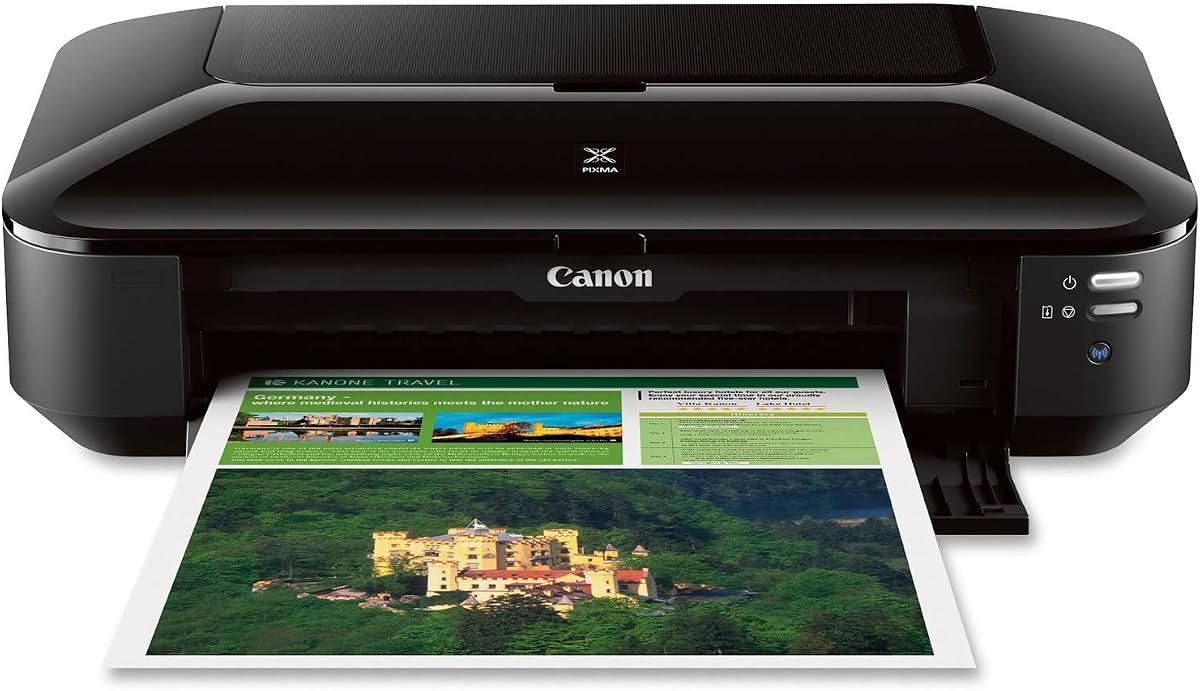
The Canon Pixma iX6820 is a reliable business printer with strong cloud integration for seamless workflows. Its high resolution ensures sharp and clear text and graphics.
We may earn a commission when you buy through this link, at no additional cost to you.
Support for AirPrint and Google Cloud Print allows printing from various devices effortlessly. The five individual ink tanks let you replace only the colors you need, saving costs.
Though it lacks auto duplex printing, the high performance and connectivity options are appealing for many users. It is particularly suitable for home offices needing versatile connectivity.
For those prioritizing cloud connectivity and high print quality, the iX6820 delivers solid performance. It remains a viable option for businesses needing flexible printing solutions.
Utilizes AirPrint, Google Cloud Print, and Pixma Printing Solutions for flexible printing.
High resolution up to 9600×2400 dpi ensures detailed and crisp print output.
We may earn a commission when you buy through this link, at no additional cost to you.
The Epson EcoTank ET-15000 brings tank printing to wide-format needs with impressive efficiency. Its high duty cycle supports extensive use without compromising print quality.
We may earn a commission when you buy through this link, at no additional cost to you.
Featuring 4800×2400 dpi resolution, it delivers readable and professional documents easily. With 17 ppm black printing, it keeps workflows smooth even during busy periods.
Users should be prepared for initial setup and occasional maintenance typical of large tank systems. However, the cost savings on ink justify the effort for frequent users.
If you need a high-volume wireless A3 printer with tank convenience, the ET-15000 is a great fit. It combines speed and capacity for demanding work environments.
Supertank system reduces costs with high capacity and long print life per bottle.
USB 2.0, LAN, and Wi-Fi connectivity options enhance productivity and flexibility.
We may earn a commission when you buy through this link, at no additional cost to you.
The Epson Workforce Pro WF-7840 is built to meet the demands of modern office environments. Its large capacity and quick speeds ensure minimal interruptions in daily tasks.
We may earn a commission when you buy through this link, at no additional cost to you.
DURABrite Ultra ink dries quickly to prevent smudging on various media. PrecisionCore Heat-Free Technology provides fast printouts while remaining energy efficient.
Although it uses cartridges, the performance and convenience of an all-in-one unit are valuable. It handles copy, scan, fax, and print seamlessly for comprehensive office support.
For offices prioritizing speed and reliability, the WF-7840 is a solid investment. It supports productivity with robust features and quality prints.
DURABrite Ultra ink ensures smudge-free results and vibrant color output.
Built-in wireless and large paper capacity keep workflows uninterrupted and efficient.
We may earn a commission when you buy through this link, at no additional cost to you.
The HP OfficeJet Pro 9135 integrates smart technology to optimize printing tasks efficiently. HP AI ensures web pages print cleanly without wasting ink or paper.
We may earn a commission when you buy through this link, at no additional cost to you.
Security features like Wolf Pro Security protect your network from cyber threats. Fast printing speeds and auto duplex capabilities make it ideal for office productivity.
Subscribing to Instant Ink can save money but requires a commitment to their service. Users should consider ink policies before purchase to align with their preferences.
If security and smart features matter to your office, the 9135 is a compelling choice. It balances performance with intelligent management tools.
HP AI removes unwanted content and optimizes formatting for precise and clean prints.
Wolf Pro Security bolsters protection and keeps your network safe from threats.
We may earn a commission when you buy through this link, at no additional cost to you.
The Brother INKvestment 6960 delivers exceptional speed and efficiency for small businesses. Its MAXIDRIVE Technology supports rapid printing speeds that keep tasks moving quickly.
We may earn a commission when you buy through this link, at no additional cost to you.
With large ink yields, you spend less time refilling and more time working. The 500-sheet capacity handles busy days without needing constant monitoring or refills.
While it handles up to 11×17 inches rather than full A3, it meets many wide-format needs easily. Mobile connectivity options ensure printing from anywhere is simple.
For small businesses seeking fast and efficient printing, the 6960 is a strong option. It combines speed, capacity, and convenience effectively.
MAXIDRIVE Technology supports speeds up to 31 ppm for high productivity output.
Wi-Fi Direct and mobile apps allow easy printing and management from any device.
We may earn a commission when you buy through this link, at no additional cost to you.
The Epson Workforce WF-7710 is designed for professionals needing borderless wide-format prints. Its PrecisionCore Technology supports reliable output and efficient operations.
We may earn a commission when you buy through this link, at no additional cost to you.
Amazon Dash Replenishment helps keep you stocked with ink automatically. This reduces interruptions and ensures continuous work without manual tracking of supplies.
Color speeds are slower but acceptable for most professional needs. The versatility in handling photos and envelopes adds further value for creative projects.
If you need professional borderless A3 prints with smart features, the WF-7710 is ideal. It balances quality with convenience for steady performance.
Create borderless prints up to 13×19 inches with PrecisionCore Technology.
Amazon Dash Replenishment Ready helps manage ink levels automatically.
We may earn a commission when you buy through this link, at no additional cost to you.
The HP OfficeJet Pro 9730 stands out with its P3 wide color gamut for vibrant prints. It ensures screen-accurate colors ideal for design and creative workflows.
We may earn a commission when you buy through this link, at no additional cost to you.
Single-pass duplex scanning speeds up document processing and increases productivity. HP AI helps format web pages perfectly, reducing wasted paper and improving results.
Users should be aware of the Instant Ink subscription and firmware limitations. However, the color accuracy and features offer significant value for creative professionals.
If color fidelity is your priority for A3 printing, the 9730 is unmatched. It delivers professional-quality prints with smart productivity features.
P3 wide color gamut delivers wider color range than standard sRGB.
Single-pass duplex scanning improves speed and workflow for office tasks.
We may earn a commission when you buy through this link, at no additional cost to you.
Choosing an A3 printer involves balancing your budget with the features needed for your workflow. Understanding key factors ensures you select a device that performs well over time.
A3 printers use inkjet or laser technology with inkjet offering better color and laser providing speed. Consider your typical document type to decide which suits your needs.
Ink costs can add up quickly so look for models with high-yield cartridges or tank systems. Efficient ink usage lowers long-term expenses and reduces frequent replacements.
Print speed affects how quickly you get results so choose a model matching your volume. Faster speeds improve productivity during busy periods and reduce waiting time.
Wireless options like Wi-Fi and Ethernet allow flexible printing from multiple devices. Ensure the printer supports your network setup and mobile operating system easily.
A large paper capacity reduces interruptions from frequent refills. Models with multiple trays can handle different paper types without constant switching.
Many A3 printers include scanning and faxing features for convenience. Decide which functions you need to avoid paying for unnecessary capabilities.
Check supported paper sizes and types including envelopes and photo paper. Versatile media handling expands creative options without additional hardware costs.
For offices, secure wireless and data erase protect sensitive information. Choose models with strong security protocols to safeguard your network and data.
To ensure best results, load paper properly in trays aligned with guides to prevent jams and misfeeds.
Keep firmware updated to access new features and security patches that improve performance and safety.
Perform regular maintenance like cleaning print heads to avoid clogs and ensure consistent print quality.
A3 printers typically print up to 13×19 inches or 11×17 inches depending on model. They also support smaller sizes like letter and legal easily.
Prices vary based on features with basic models starting around $170 and advanced ones reaching $1100 or more. Tank models often cost more upfront but save on ink.
Inkjets offer superior color quality ideal for photos and graphics. Lasers are faster and better for high-volume text documents.
Yes, cleaning heads and aligning nozzles prevent clogs and ensure print quality. Regular use also helps keep ink flowing smoothly.
Yes, many A3 printers support photo paper for borderless prints. Some models have six-color ink systems for superior color accuracy.
Duty cycle indicates max monthly pages a printer can handle. Exceeding this may reduce lifespan so choose based on expected workload.
We hope this guide helps you find the right A3 printer for your creative or office needs efficiently.
Prioritize factors like ink cost and connectivity based on your specific workflow and budget constraints.
Always check current prices and availability before purchasing as deals change frequently on online platforms.