
Alienware 34 240Hz QD-OLED Curved Gaming Monitor – AW3425DW
4.5Editor score
QD-OLED panel
240Hz refresh rate
TrueBlack 400
Finding the right curved gaming monitor can transform your entire gaming experience by immersing you deeper into the virtual worlds you love to explore. Alienware has established itself as a leader in this space, offering displays that combine stunning visuals with high performance metrics like fast refresh rates and low response times.
To compile this list, we analyzed technical specifications, user feedback, and real-world performance data for the most popular Alienware curved monitors available today. We focused on aspects like panel technology, refresh rate capabilities, color accuracy, and ergonomic features to ensure every recommendation meets the demands of modern gamers and creators.
Each pick in this guide highlights specific strengths, whether you need ultra-fast refresh rates for competitive play or superior color fidelity for content creation. Keep in mind that pricing and availability can fluctuate regularly, so checking the current details on the product pages is always a smart move before making your final purchase decision.
4.5Editor score

4.6Editor score

4.6Editor score
As an Amazon Associate we earn from qualifying purchases.
The following table provides a side-by-side comparison of the top Alienware curved gaming monitors, highlighting key specifications like resolution, refresh rate, and panel technology to help you quickly identify the model that fits your specific needs.





This model stands out as a top choice for gamers seeking a balance between visual fidelity and responsiveness. With a rating of 4.6, it delivers WQHD resolution on a 34-inch ultrawide panel, bringing virtual worlds to life with fluid visuals. The 1500R curve provides an immersive field of view without feeling overly distorted for daily tasks.
We may earn a commission when you buy through this link, at no additional cost to you.
Performance is where this monitor shines, offering a smooth 180Hz refresh rate and a 1ms gray to gray response time. AMD FreeSync Premium and VESA Adaptive Sync ensure tear-free gameplay across different systems. The DCI-P3 95% color coverage and VESA DisplayHDR 400 certification mean vibrant colors and bright highlights are consistently accurate.
While the curve is less aggressive than some OLED options, it remains comfortable for long sessions. The dedicated console mode and hardware-based low blue light solution help reduce eye strain, making it suitable for marathon gaming. Some users might prefer deeper curves for total immersion, but this model offers a versatile experience for various genres.
Ideal for competitive gamers and casual players alike, this monitor provides the speed and clarity needed to dominate the competition or enjoy cinematic adventures. If you value reliable performance and eye comfort, this model is a strong recommendation for your next desktop upgrade.
The WQHD resolution ensures that details in expansive open worlds are sharp and clear, enhancing your overall engagement with the game environment.
AMD FreeSync Premium and VESA Adaptive Sync work together to synchronize your GPU and monitor, eliminating screen tearing and stuttering for fluid motion.
We may earn a commission when you buy through this link, at no additional cost to you.
This premium option delivers elite gameplay with its sweeping visuals and super smooth motion capabilities. The QD-OLED panel provides an incredible color range and clarity that easily immerses you in any world. With a 240Hz refresh rate and 0.03ms response time, it is built for those who demand the absolute fastest reaction speeds available today.
We may earn a commission when you buy through this link, at no additional cost to you.
Color accuracy is superb, offering DCI-P3 99.3% coverage and Delta E<2 accuracy for faithful reproduction. The VESA DisplayHDR TrueBlack 400 certification brings deep blacks and bright highlights, creating a cinematic look. NVIDIA G-SYNC Compatible and AMD FreeSync Premium Pro ensure that even the most intense action scenes remain tear-free.
The main trade-off is the cost, which places it out of reach for some budgets. Additionally, maximizing this monitor requires a powerful GPU to feed it at high frame rates. However, for enthusiasts who want the best picture quality and speed, these compromises are often worth the investment for a truly high-end setup.
If you are looking for the ultimate in immersion and performance, this model is the definitive choice. It excels in competitive shooters and visually rich single-player games, offering a level of detail and smoothness that standard panels simply cannot match.
The full spectrum of color as intended with DCI-P3 99.3% coverage ensures that every hue is rendered precisely, enhancing the visual fidelity of your games.
Adaptive sync technologies make games feel effortlessly smooth, reducing motion blur and allowing you to track moving targets with greater precision.
We may earn a commission when you buy through this link, at no additional cost to you.
This monitor boasts a sleek QD-OLED curved 1800R panel that delivers stutter-free speed and cinematic color. The Quantum Dot OLED technology enables a slim panel design with superior color performance and greater color gamut range. With NVIDIA G-SYNC ULTIMATE certification and a 175Hz high refresh rate, it offers ultra-low latency gameplay for immersive experiences.
We may earn a commission when you buy through this link, at no additional cost to you.
Creator Mode provides precise color-critical work for content creators and gamers, allowing choice between native DCI-P3 and sRGB color spaces. The customizable stadium loop OLED AlienFX lighting adds a futuristic touch to any setup. Height adjustment and swivel and tilt adjustments ensure personalized viewing comfort for any desk configuration.
While the contrast ratio is infinite, some users might find the peak brightness lower than expected for bright HDR scenes. The OSD menu can also be complex to navigate initially due to the number of features available. However, the overall performance and visual quality make it a top-tier choice for demanding users.
Ideal for gamers who also create content, this monitor bridges the gap between high-speed performance and accurate color reproduction. Whether you are editing videos or playing competitive titles, the combination of speed and color fidelity makes it a versatile tool for your workspace.
Quantum Dot Display Technology offers higher peak luminance and wider color gamut compared to standard white OLED panels, enhancing visual depth.
AlienFX lighting allows gamers to set the mood with customizable zones, adding a unique aesthetic element to the gaming environment.
We may earn a commission when you buy through this link, at no additional cost to you.
This model features a combination of immersive features with a 1900R curved, wide 21:9 display that maximizes the field of view. The WQHD resolution delivers sharp and detailed images, providing an immersive experience for various tasks. With a 120Hz refresh rate and NVIDIA G-SYNC, gameplay is buttery smooth and realistic, minimizing distortions and artifacts.
We may earn a commission when you buy through this link, at no additional cost to you.
Adopting IPS Nano color technology, it exceeds the sRGB color spectrum and offers 98% DCI-P3 coverage for accurate color depth. The screen coating features anti-glare with 3H hardness, which helps reduce reflections in bright rooms. Alienfx customizable lighting allows gamers to set the mood with full RGB value across multiple zones.
The 120Hz refresh rate is slower than newer models, which might limit peak performance for competitive esports titles. It is also an older model compared to the OLED options, meaning it lacks the infinite contrast ratio. However, it remains a solid choice for those prioritizing color accuracy and reliability over cutting-edge panel tech.
Perfect for users who want a reliable wide screen for gaming and productivity, this monitor delivers consistent performance. If you value vibrant color and smooth motion without needing the absolute highest refresh rate, it is a dependable option for your gaming setup.
The IPS Nano color technology ensures incredible accuracy and color depth so that game colors are experienced exactly as the designers intended.
G-sync technology synchronizes the GPU and monitor to display full frames only when capable, reducing screen tearing and improving visual fluidity.
We may earn a commission when you buy through this link, at no additional cost to you.
This bundle includes the Alienware AW3423DW monitor along with premium cables and a cleaning kit for a complete solution. The QD-OLED panel delivers exceptional color purity and deep blacks, making open-world games and cinematic content feel more lifelike. Built for competitive play, it provides up to 175Hz refresh rate via DisplayPort and 0.1ms response time.
We may earn a commission when you buy through this link, at no additional cost to you.
Enjoy breathtaking contrast with a 1,000,000:1 ratio and peak brightness up to 1000 nits. The included DisplayPort to DisplayPort cable ensures high-quality signal transmission right out of the box. Creator Mode allows switching between native DCI-P3 and sRGB color spaces for precise color-critical work and content creation.
The bundle price is higher than the monitor alone, but the included accessories offer convenience and value. It simplifies setup by ensuring you have the necessary cables without needing extra purchases. Some users might prefer buying components separately if they already own high-quality cables, but the all-in-one approach is efficient.
Ideal for users looking for a hassle-free experience, this bundle saves time and ensures all necessary tools are ready for high-performance use. If you want to jump straight into gaming with a reliable setup and premium visuals, this option provides excellent convenience.
The inclusion of high-quality cables and cleaning tools ensures you are ready to use the monitor immediately without additional accessory purchases.
QD-OLED technology provides exceptional color purity and deep blacks, making open-world games and cinematic content feel more lifelike and engaging.
We may earn a commission when you buy through this link, at no additional cost to you.
This bundle item includes the monitor alongside a Display Port cable, headphone extender, HDMI cable, and cleaning kit. The 34-inch QD-OLED curved display produces lifelike color accuracy and cinematic HDR contrast. The ultra-wide 1800R curvature wraps your field of vision for maximum engagement during gameplay or creative work.
We may earn a commission when you buy through this link, at no additional cost to you.
Take your gaming to the next level with a 175Hz refresh rate and 0.1ms response time with NVIDIA G-SYNC Ultimate for smooth visuals. Built with premium materials and AlienFX RGB lighting, the monitor offers both futuristic design and ergonomic comfort. The stand allows tilt, swivel, and height adjustments to match any setup.
The inclusion of a headphone extender is a nice touch for users who connect multiple audio devices. However, the higher cost compared to buying individual items might not be worth it for everyone. Verify the bundle contents before purchase as they can vary and might include items you do not need.
Best suited for gamers who want all connectivity solutions ready at home, this bundle ensures a complete setup. If you value convenience and high-quality accessories alongside a premium display, this option delivers immediate utility and comfort.
The stand allows tilt, swivel, and height adjustments to match any gaming or editing setup, ensuring comfortable viewing positions for long sessions.
Including a headphone extender provides flexibility for connecting multiple audio devices easily, enhancing your multimedia and gaming experience.
We may earn a commission when you buy through this link, at no additional cost to you.
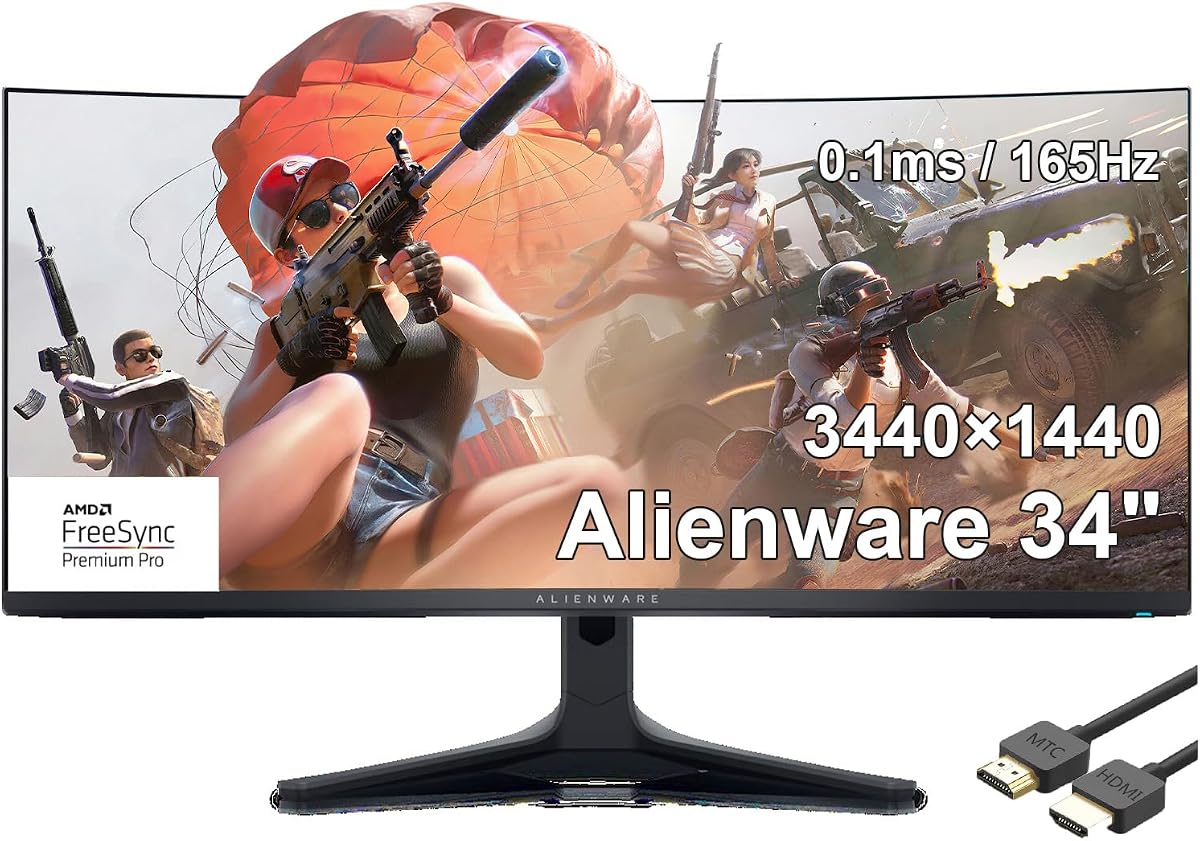
This model features a QD-OLED panel with a 165Hz display and 0.1ms gray-to-gray response time for fast action. It delivers 1.07 billion colors and supports AMD FreeSync Premium Pro for smooth gameplay. The display includes DisplayPort/HDMI connectivity and comes with an MTC HDMI cable for easy setup right out of the box.
We may earn a commission when you buy through this link, at no additional cost to you.
The QD-OLED technology offers deep blacks and vibrant colors that enhance the visual experience. With a wide color gamut, you can enjoy accurate representations in both gaming and media consumption. The curve helps immerse you in the game world, providing a consistent field of view across the screen.
Some users may find the lower refresh rate less appealing compared to newer models. Additionally, limited details on G-Sync compatibility might be a drawback for NVIDIA card users. It is always recommended to check user reviews before purchase to understand specific performance nuances and potential issues.
Suitable for AMD users looking for OLED quality without the highest refresh rates, this monitor provides solid performance. If you prioritize color accuracy and immersion over competitive speed, it offers an attractive balance for your desktop setup.
AMD FreeSync Premium Pro ensures smooth, tear-free visuals by synchronizing the refresh rate with your GPU's output for responsive gameplay.
With 1.07 billion colors, this display delivers rich detail and vibrancy, making images appear lifelike and engaging during use.
We may earn a commission when you buy through this link, at no additional cost to you.
This model features a 3840 x 2160 pixel resolution with a QD-OLED panel for crisp visuals and deep blacks. The 32-inch size provides a compact option for those who want high resolution without a massive footprint. The black and white aesthetic adds a unique touch to your setup while maintaining the premium build quality Alienware is known for.
We may earn a commission when you buy through this link, at no additional cost to you.
With UHD clarity, you can enjoy sharp details in both gaming and productivity tasks. The QD-OLED technology ensures vibrant colors and excellent contrast ratios, making content pop. Although detailed specs are limited in the title, the high resolution suggests it is designed for immersive and clear viewing experiences.
Some users might prefer curved screens for gaming immersion, but the 32-inch UHD panel offers flexibility. Verify the refresh rate and connectivity options before purchasing to ensure it meets your specific needs. The high resolution is ideal for tasks requiring precise details and clarity.
Best for users seeking a high-resolution display with QD-OLED benefits in a manageable size, this monitor offers crisp visuals. If you need a balance of resolution and desktop space efficiency, it is a strong option to consider for your next upgrade.
The 3840 x 2160 pixels provide UHD clarity, allowing for sharp details in both gaming and productivity tasks on a compact 32-inch screen.
The black and white style offers a unique look that complements modern setups while maintaining the premium build quality expected from the brand.
We may earn a commission when you buy through this link, at no additional cost to you.
Unleash powerful performance with this 27-inch IPS panel offering 1.07 billion colors and 95% DCI-P3 coverage for vivid immersion. Connect effortlessly via DisplayPort and HDMI interfaces with the included USB printer cable and HDMI cable. The integrated USB hub featuring four USB-A 3.2 Gen 1 ports keeps your devices powered up and connected easily.
We may earn a commission when you buy through this link, at no additional cost to you.
Dominate the competition with unparalleled visuals and refresh rates up to 280Hz via DisplayPort. AlienVision overlays allow for real-time visual enhancement, boosting clarity and contrast in dark scenes. The iconic Legend 2.0 design and AlienFX lighting signature make it a bold addition to any setup with 360° ventilation keeping it cool.
The 27-inch size means it is not curved, which may be a trade-off for those seeking immersion. However, the high speed and overlays provide a competitive edge for esports titles. The bundle ensures you have all necessary connectivity tools and a cleaning kit for maintenance from day one.
Ideal for competitive gamers who prefer smaller screens with extreme speed, this monitor delivers exceptional performance. If you value refresh rate and overlays over wide immersion, it is a top choice for esports-focused setups.
AlienVision overlays allow you to choose from four hardware-based options for real-time visual enhancement, improving visibility in dark scenes.
The integrated USB hub featuring four USB-A 3.2 Gen 1 ports keeps your devices powered up and connected easily during intense gaming sessions.
We may earn a commission when you buy through this link, at no additional cost to you.
Samsung’s 40” Odyssey G7 provides breathtaking realism for epic gameplay with a 1000R curved display. The 21:9 screen and Ultrawide 4K resolution wraps around the field of vision for next-level gaming. VESA DisplayHDR 600 delivers more contrast with deeper blacks and brighter whites for greater clarity even in dark scenes.
We may earn a commission when you buy through this link, at no additional cost to you.
The 180Hz refresh rate and near-instant 1ms response time minimizes lag for ultra-smooth gameplay. This deep curve offers a more immersive experience than standard monitors. The high resolution ensures that every detail is sharp and clear for competitive play or casual viewing.
The brand is Samsung rather than Alienware, which might matter to enthusiasts loyal to the Alienware ecosystem. While it offers high resolution, it lacks the infinite contrast ratio of OLED panels. Still, the curve and size make it a compelling option for those wanting a larger screen.
Best for gamers seeking a deep curve and high resolution without OLED, this monitor offers immersive visuals. If you prioritize screen real estate and curvature for immersion, it provides a strong alternative to standard flat monitors.
The 1000R curved display wraps around the field of vision for next-level gaming, providing an immersive experience that flat monitors cannot match.
VESA DisplayHDR 600 delivers more contrast with deeper blacks and brighter whites for greater clarity even in dark scenes.
We may earn a commission when you buy through this link, at no additional cost to you.
Selecting the right curved gaming monitor involves weighing several critical factors like panel type, refresh rate, and connectivity options to match your gaming habits and setup constraints.
Panel technology determines color accuracy and contrast. OLED panels like QD-OLED offer infinite contrast and deep blacks, making them ideal for dark room gaming. IPS panels provide consistent viewing angles and color but lack the infinite contrast of OLED. Consider your preference for black levels versus longevity and cost when choosing.
For immersive gaming, OLED panels are superior. For general use, IPS may suffice.
Refresh rate measures how many times per second the screen updates. Higher refresh rates like 180Hz or 240Hz reduce motion blur and provide smoother gameplay essential for competitive titles. Ensure your graphics card can support the refresh rate you choose to fully utilize the monitor.
Prioritize higher refresh rates for competitive esports.
Response time indicates how quickly pixels can change color. Lower response times like 1ms or 0.03ms reduce ghosting and blur during fast movement. This is crucial for shooters where tracking enemies quickly is necessary. Check the gray-to-gray response time specified in the monitor details.
Look for response times of 1ms or lower for fast-paced games.
Curvature determines how much the screen wraps around your field of view. A 1000R curve is deeper and more immersive than a 1800R curve. Consider your desk depth and sitting position as deeper curves might cause distortion if you are too far back. Match the curvature to your room setup.
Deeper curves like 1000R offer more immersion.
Adaptive Sync technologies like G-SYNC or FreeSync match the monitor refresh rate to the GPU output to eliminate screen tearing. G-SYNC Certified monitors offer stricter performance guarantees. FreeSync is often free or supported across many cards. Check compatibility with your specific graphics card brand.
Always ensure the monitor supports your GPU's sync technology.
Color accuracy is measured by coverage of color spaces like DCI-P3. Higher percentages mean more vibrant and true-to-life colors which are important for creators and gamers. Look for monitors with 95% or higher DCI-P3 coverage. Delta E values below 2 indicate professional grade color fidelity.
Choose 95%+ DCI-P3 for accurate visuals.
Adjustable stands allow you to tilt swivel or change height for comfortable viewing angles. Poor ergonomics lead to neck strain during long sessions. Check if the monitor supports VESA mounting for third-party arms if you need specific positioning. A good stand improves overall usability.
Prioritize adjustable stands for long term comfort.
Connectivity options determine how you plug in devices. Ensure the monitor has enough HDMI and DisplayPort inputs for your consoles and PC. Some models include USB hubs or audio out for better setup organization. Check if cables are included to avoid extra purchases.
Verify ports match your device needs.
To ensure optimal performance, calibrate your display settings using the built-in OSD menu for brightness and contrast that match your room lighting conditions. Avoid setting brightness too high in dark environments to reduce eye strain and preserve the monitor longevity.
Clean the screen regularly with a soft dry microfiber cloth to remove dust without leaving streaks. Avoid using harsh chemicals or compressed air which can damage the delicate OLED or IPS panels. Store the monitor in a dry and cool place when not in use to prevent moisture damage.
Manage cables properly to avoid tripping or strain on ports. Use the built-in cable management on the stand if available to keep wires tidy. Regularly check firmware updates from the manufacturer to maintain compatibility with new hardware and improve overall functionality.
OLED monitors generally offer better contrast and faster response times which are ideal for gaming. However, they may be prone to burn-in over time. IPS offers longer lifespan and consistent colors which might be better for mixed use. Choose based on your priorities.
For competitive gaming, look for 144Hz or higher. For casual gaming, 60Hz to 100Hz is often sufficient. Higher refresh rates require powerful GPUs to deliver smooth frames. Check your graphics card capabilities before purchasing.
Yes, many Alienware monitors support HDMI inputs suitable for consoles. Ensure the model supports the refresh rate and resolution your console outputs. Some models have a dedicated console mode to optimize settings for game systems.
Curved monitors can cause minor distortion at extreme viewing angles. Sitting centrally ensures the best experience. Most gamers find the immersion outweighs the distortion. Test in a store if possible to see the curve comfort.
Check your cable connections and ensure you are using certified high bandwidth cables. Update your graphics drivers and refresh rate settings in your operating system. Disable overclocking options in the monitor menu if enabled and restart your PC.
Calibration helps achieve accurate colors which is important for content creation. Many monitors come factory calibrated. For best results use a calibration tool or software to adjust gamma and color. This ensures consistency across your workflow.
Warranty coverage is crucial for expensive electronics as it protects against defects. Check the terms for OLED panels specifically regarding burn-in. A longer warranty gives peace of mind and reduces risk of out of pocket repairs.
We highlighted top choices ranging from OLED speed to value IPS options ensuring there is a model for every preference. Each monitor offers distinct advantages for speed or immersion.
Prioritize panel technology and refresh rate when selecting to match your gaming style and performance needs. Consider your room layout and budget for the best fit.
Remember to check current prices and availability as they fluctuate frequently to ensure you get the best value for your setup.