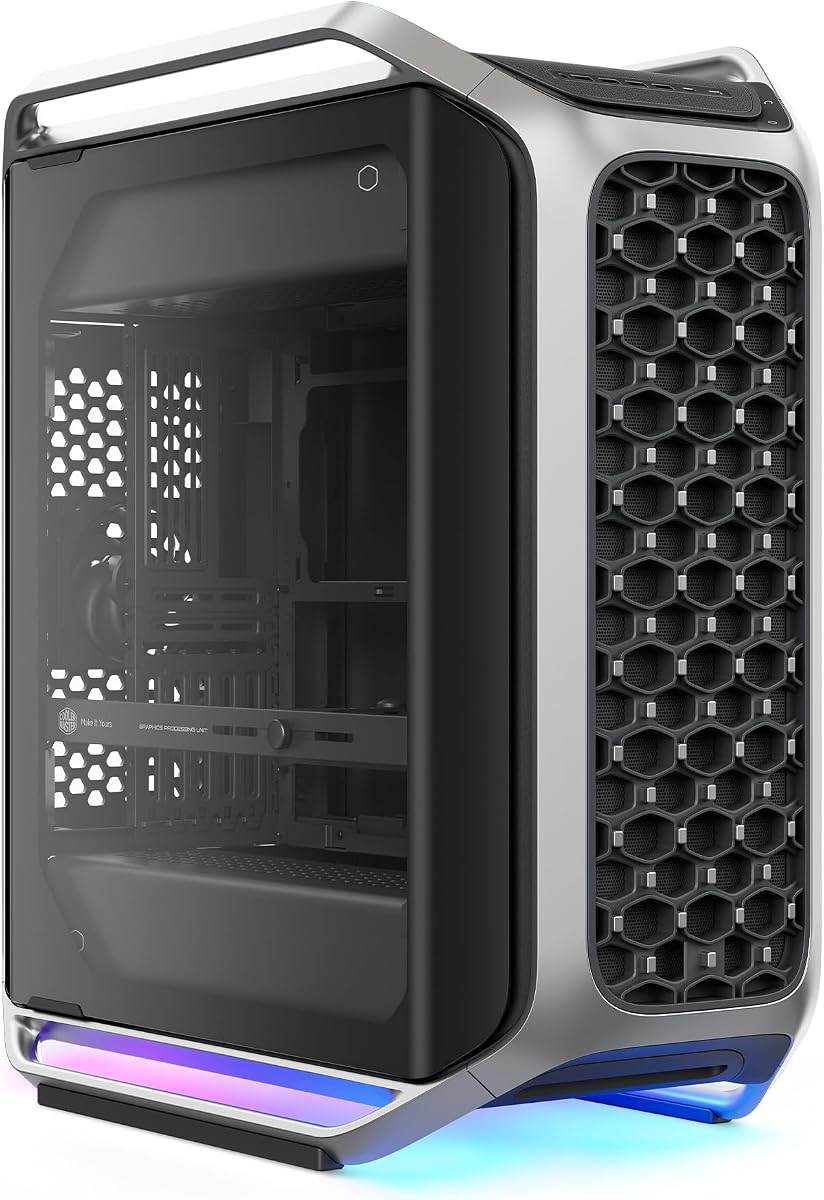
Cooler Master Cosmos Alpha Full Tower PC Case
4.4Editor score
Curved aluminum frame design
Supports E-ATX boards
Rotatable internal layout
Explore the top ten aluminum PC cases for performance and style. This guide compares airflow, build quality, and compatibility to help you select the perfect
Choosing the right enclosure is critical for any computer build. Aluminum cases offer superior heat dissipation and a sleek aesthetic that stands out. They protect your expensive components while allowing airflow to keep temperatures low during intense workloads or gaming sessions.
We analyzed ten leading models to find the best options for different needs. Our comparison looks at material thickness, internal layout, and cooling support. Each product was evaluated based on manufacturer specifications and user feedback to ensure reliability.
Each pick highlights unique strengths like portability or extreme compatibility. Remember that availability can shift and prices change frequently. Check current listings before buying to ensure you get the best deal for your specific setup requirements.
4.4Editor score

4.6Editor score

5.0Editor score
This table provides a side-by-side look at the key specifications of each aluminum case. Use it to quickly compare dimensions, compatibility, and unique features before making your decision.


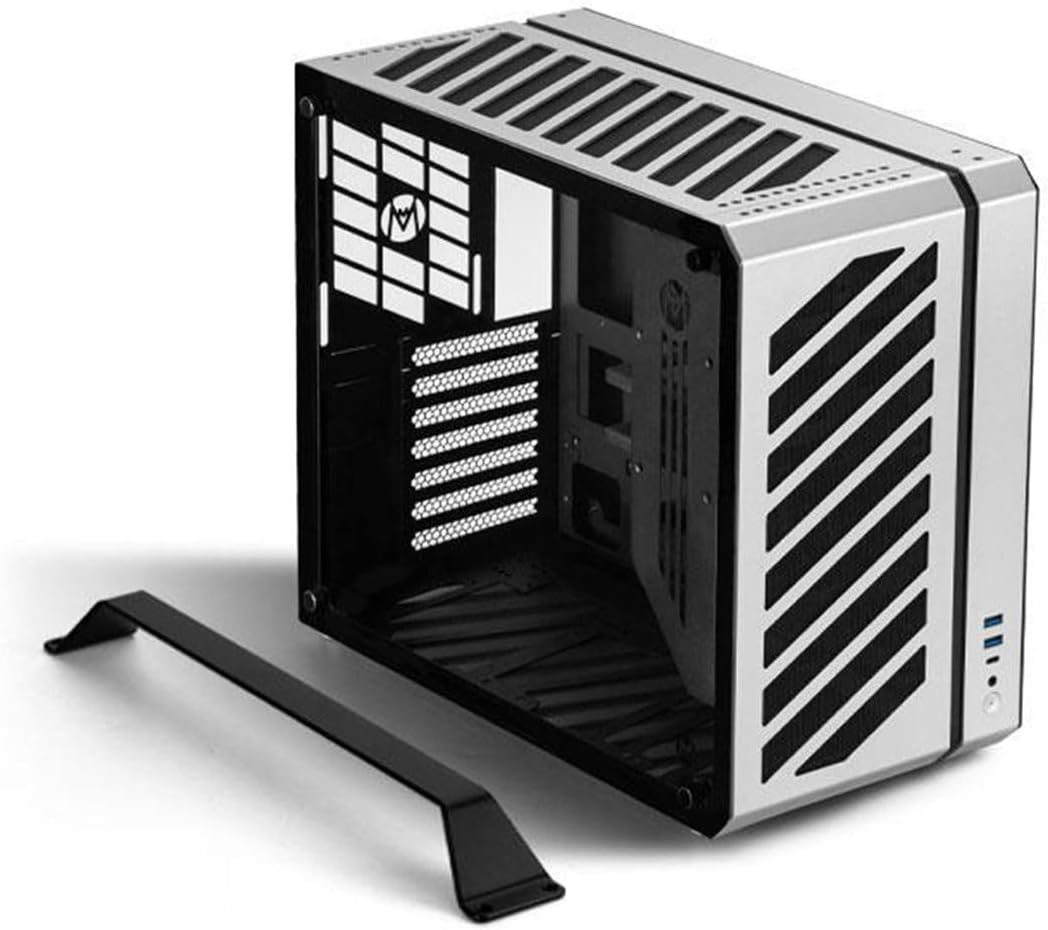



The Cooler Master Cosmos Alpha stands as a flagship choice for enthusiasts seeking premium materials. It features a distinctive curved aluminum frame that preserves an iconic look while offering modern functionality. This case earns high marks for its build quality and unique design elements.
We may earn a commission when you buy through this link, at no additional cost to you.
Its internal layout is incredibly flexible with a rotatable motherboard tray that allows for custom orientations. This feature helps optimize airflow and visual presentation based on your specific desk placement. It supports massive hardware including E-ATX motherboards and long graphics cards easily.
The trade-off is the sheer size which requires a dedicated space on your desk or floor. Not every room can accommodate such a large tower. However the thermal performance and component compatibility make it worth the space for power users.
Buy this if you want a showpiece build with top tier cooling and cable management. It is ideal for custom loops and extreme configurations where space is not a constraint. The quality justifies the investment for those who value aesthetics and performance equally.
The Freeform 2.0 layout lets you rotate components left or right for better flow.
Front I/O includes multiple USB-C ports for ultra-fast data transfer speeds.
We may earn a commission when you buy through this link, at no additional cost to you.
This case offers incredible value with a full aluminum frame that is rare at this price point. It maintains a compact size perfect for desks while delivering robust thermal performance. The silver anodized finish looks premium and resists corrosion over time.
We may earn a commission when you buy through this link, at no additional cost to you.
The side panels use a mesh design that allows air to flow freely through the chassis. This passive ventilation helps keep components cool without relying solely on case fans. The handle and foot stands add convenience for moving the system around easily.
It is limited to Micro ATX boards which might restrict upgrades later on. You will need to measure your GPU and PSU carefully to ensure they fit within the tight dimensions. Still the build quality exceeds expectations for a budget friendly option.
Choose this if you need a reliable small form factor build without spending much. It is great for office PCs or entry level gaming rigs where heat management matters. The aluminum construction ensures it lasts longer than thinner steel alternatives.
Three millimeter thick frame provides rigidity and acts as a heatsink.
Fits easily on desktops due to the small 17.8L volume.
We may earn a commission when you buy through this link, at no additional cost to you.
The Mechanic Master C34 brings portability to a full ATX chassis which is a rare combination. It allows you to carry your powerful PC to events or move it between rooms effortlessly. The handle is integrated into the design rather than being an afterthought.
We may earn a commission when you buy through this link, at no additional cost to you.
Internally it supports standard motherboards and power supplies without needing proprietary adapters. You can fit decent sized graphics cards while keeping the footprint small enough for most desks. The front panel includes modern ports like USB-C for current devices.
Building inside can be tricky due to limited space for cable routing. Using a smaller power supply helps significantly with clearance and airflow. It is not the easiest case for first time builders but the result is worth the effort.
This is perfect for enthusiasts who travel with their systems or want a clean desk. It balances size and performance better than many competitors in this segment. The solid feel and practical design make it a top pick for many users.
The sturdy handle makes transporting your rig safe and easy.
Supports both air coolers and 240mm liquid radiators for heat control.
We may earn a commission when you buy through this link, at no additional cost to you.
This open frame case is designed for builders who prioritize airflow and ease of access. Made from aerospace magnesium aluminum it offers a lightweight yet sturdy structure. It is ideal for testing systems or showcasing custom water cooling loops without obstruction.
We may earn a commission when you buy through this link, at no additional cost to you.
The lack of solid panels means heat dissipates quickly into the surrounding air. This makes it a great choice for high performance builds that run hot under load. The anti-slip pads on the bottom keep the case stable on flat surfaces.
You must be prepared to build and install the case yourself as it ships unassembled. Dust will settle on components more easily so cleaning is required more often. It is not suitable for environments with pets or high dust levels.
Opt for this if you love custom cooling and want unobstructed views of your parts. It simplifies troubleshooting and upgrades since everything is exposed and reachable. The material quality ensures it holds up well during repeated hardware swaps.
Open design allows air to circulate freely around every component.
Supports various radiator sizes from 120mm up to 360mm easily.
We may earn a commission when you buy through this link, at no additional cost to you.
The MasterFrame 500 uses an open exo-structure to maximize ventilation and customization. It ships with two large 200mm fans that move a lot of air right out of the box. This setup ensures your components stay cool even during demanding tasks.
We may earn a commission when you buy through this link, at no additional cost to you.
The aluminum frame is rigid and supports a wide range of motherboards up to E-ATX. You can swap panels to change the look or airflow path as needed. This flexibility is great for modders who want to tweak their setup over time.
The open nature means cables can look messy if not carefully managed during assembly. Dust filters are present but may need frequent cleaning in dusty environments. It is less protective than enclosed cases but better for cooling.
This case suits users who want strong cooling without liquid solutions. It is also a good platform for experimenting with different layouts. The pre-installed fans save time and money compared to buying them separately.
Large fans provide significant airflow for effective heat dissipation.
Interchangeable panels let you customize the case for specific needs.
We may earn a commission when you buy through this link, at no additional cost to you.
The C34Pro extends the compact series to support E-ATX motherboards for high end systems. It keeps the portable form factor with a handle for easy transport. The aluminum shell adds durability and premium feel to the exterior.
We may earn a commission when you buy through this link, at no additional cost to you.
Thermal design is optimized with multiple fan mounts and filters for stable performance. You can fit large radiators and GPUs despite the smaller external dimensions. This makes it attractive for those needing power in a portable package.
Assembly can be detailed and may require patience to get cables right. The mix of aluminum and steel frame might look inconsistent to some users. Still the internal capacity for flagship parts is impressive for the size.
Choose this if you need a mobile workstation or high performance LAN machine. It balances size and capability well for builders who want E-ATX power. Ensure you have the tools ready to manage the detailed installation process.
Fits large GPUs and radiators while keeping the case compact.
Multi-zone fan mounts ensure air flows where it is needed most.
We may earn a commission when you buy through this link, at no additional cost to you.
The Define 7 XL is a silent tower designed for large storage or custom cooling. Its brushed aluminum front panel adds a refined look to any setup. The interior layout is flexible and supports a vast number of drives.
We may earn a commission when you buy through this link, at no additional cost to you.
You can switch between storage and open layouts depending on your needs. This modularity allows for custom water loops with large radiators easily. The sound dampening materials help keep noise levels low during operation.
It is a heavy case due to the solid materials and size. Dust filters are accessible and easy to maintain for long term use. The quality of construction ensures it will last for many years of use.
Ideal for workstation users or storage servers that need to stay quiet. It also serves well for builders who prioritize clean cable routing and silence. The aluminum finish and robust design make it a premium choice.
Special panels reduce noise to keep your system silent.
Convert fan positions into storage mounts for extreme flexibility.
We may earn a commission when you buy through this link, at no additional cost to you.
This case comes loaded with ARGB fans that create vibrant lighting right out of the box. It supports a wide range of boards and offers tool-less panels for quick access. The build quality and attention to detail stand out here.
We may earn a commission when you buy through this link, at no additional cost to you.
The integrated ARGB strip and fans synchronize with motherboard software for easy control. This reduces the need for extra controllers or software. You can easily see inside with a handle access to components for maintenance.
Managing the cables and light synchronization might take a bit of time initially. The default fan speeds are set and may need adjustment for specific cooling needs. These are minor issues compared to the aesthetic benefits.
Buy this if you want a colorful build without buying extra fans separately. It suits gamers who want lighting and good airflow in a standard tower. The tool-less design makes it user friendly for most builders.
Full spectrum RGB strip enhances the visual appeal of your build.
Tool-less side panels let you reach internals in seconds.
We may earn a commission when you buy through this link, at no additional cost to you.
The O11D EVO allows for an uninterrupted view by removing the front support pillar. This design change improves aesthetics without hurting structural integrity. It supports massive radiators and GPUs for top performance setups.
We may earn a commission when you buy through this link, at no additional cost to you.
Adjustable motherboard heights let you change fan placement for better cooling. Cable management is facilitated by a PSU bracket that creates extra room. This helps keep wires organized and out of the main view.
Glass panels attract fingerprints and dust so frequent cleaning is necessary. The layout may require careful planning to avoid clutter. However the visual payoff is a clear look at your custom components.
Perfect for those who prioritize looks and custom cooling. It is a solid choice for builders who want to show off their hardware. The design encourages creative layouts and cable management solutions.
Removable pillars allow a totally clear view of the interior.
PSU bracket creates space to hide cables neatly behind the plate.
We may earn a commission when you buy through this link, at no additional cost to you.
This case is one of the smallest options for building a mini PC. It is made of 2mm aluminum which aids in heat dissipation for tight spaces. The riser cable included makes installation easier for vertical GPU setups.
We may earn a commission when you buy through this link, at no additional cost to you.
It supports standard mini ITX boards and flex power supplies which are common in SFF builds. The dimensions are compact enough to fit in tight spots or carry with you. This makes it a good choice for portable gaming rigs.
You must keep GPU and cooler sizes small to fit inside. The thermal limits mean you cannot use the most powerful components here. But for basic gaming or media use it is a capable shell.
Get this if you need a tiny PC for travel or limited desk space. It works well for budget builds where size is the primary constraint. The aluminum body helps keep things cool in a small volume.
Just 4.3L volume lets it fit almost anywhere.
PCIe 3.0 riser cable saves you extra cost and hassle.
We may earn a commission when you buy through this link, at no additional cost to you.
Selecting the right aluminum case involves understanding several key factors that affect performance and fit. This guide outlines what to consider before making your purchase.
Aluminum cases range from open frames to full towers. Measure your desk space and consider how portable you need the unit to be. Ensure the footprint matches your room setup to avoid clutter.
Choose a size that accommodates your components comfortably while fitting your available space.
Check if the case supports your motherboard form factor like ATX or Mini ITX. Some aluminum cases are designed for smaller boards to save weight and space. This limits future upgrades if you plan to swap boards later.
Match the case dimensions to your current and potential future motherboard.
Aluminum dissipates heat well but airflow matters. Look for mesh panels or large fan mounts to ensure proper ventilation. Consider if you plan to use liquid cooling which needs radiator support.
Prioritize cases with mesh panels for best thermal performance.
Thicker aluminum feels more solid and provides better heat conduction. Aim for cases with at least 2mm to 3mm thickness for durability. Thinner shells might feel flimsy and dent easily during transport.
Select a case with thicker gauge aluminum for better build quality.
Modular interiors allow you to adjust layouts for storage or cooling. Look for removable trays or adjustable brackets that add flexibility. This helps you optimize the space for your specific workflow needs.
Opt for modular designs to adapt to changing hardware needs.
Aluminum cases with solid panels filter dust better than open frames. If you have pets or dust in your room this matters. Ensure filters are easy to remove for cleaning maintenance.
Pick a case with good dust filters if you want a cleaner interior.
Some aluminum cases include handles for transport. This is useful for LAN parties or moving offices. Check the weight to ensure you can lift it easily.
Look for integrated handles if you need to move the PC often.
Aluminum cases vary in price based on features and build quality. Set a realistic budget that matches your component value. Higher cost usually means better materials and design.
Balance the price with the features you truly need.
Keep dust filters clean to maintain optimal airflow and cooling efficiency. Dust can clog intake and exhaust points quickly so check them monthly. Use a soft brush or compressed air to clean the aluminum mesh gently.
Avoid placing the case on carpets if possible to reduce static electricity risks. Aluminum can conduct static if it is not grounded properly. Place it on a hard surface or use an anti-static mat.
Check screws and panels occasionally for tightening over time. Transport or vibration might loosen connections in the frame. A quick monthly check ensures your case stays rigid and stable.
Aluminum dissipates heat better and is lighter than steel. It looks more premium and resists rust well. However it is often more expensive and softer so it dents easier. Choose based on your priority for weight versus durability.
Use a microfiber cloth to wipe the outside to avoid scratches. For filters use compressed air to blow out dust. Avoid harsh chemicals that could damage the anodized finish.
Check the internal length limit in the product specs. Some support 400mm plus while others stop around 300mm. Always measure your GPU before buying to ensure a proper fit.
Many do support radiators up to 360mm or 420mm. Check the internal depth for top mounts to ensure clearance. The material helps conduct heat from the radiator efficiently.
Look for Mini ITX or Micro ATX options like the B2Pro or JOYJOM case. These are compact and fit easily on desktops. They save floor space while still offering decent performance.
Most support standard ATX but some favor SFX for size. Verify the length limit to ensure your PSU fits. Larger cases are more forgiving with standard power supplies.
We reviewed ten top aluminum cases that balance style and function for different needs. The Cosmos Alpha leads for premium enthusiasts while the B2Pro offers great value for budget builds.
Prioritize airflow and motherboard compatibility to ensure your system runs cool. Consider portability if you move your rig often for work or events.
Check current availability as stock changes frequently for these models. Ensure the dimensions match your setup before finalizing your purchase.