
Garmin Dash Cam Mini 3
4.2Editor score
Compact and Discreet Design
1080p Video with 140 Degree View
Voice Control and Parking Guard
Protecting your vessel requires reliable monitoring tools that can withstand harsh marine environments. A quality dash camera provides essential evidence and peace of mind during every journey on the water.
We have carefully evaluated ten leading models based on image quality, durability, and specialized features. Each product offers unique advantages tailored to different boating needs and budget constraints.
Our detailed reviews highlight standout capabilities and potential limitations for every option. Keep in mind that availability and pricing may vary over time, so verify current details before purchasing.
4.2Editor score

4.5Editor score

4.3Editor score
As an Amazon Associate we earn from qualifying purchases.
The following table provides a side-by-side overview of the key specifications and capabilities for each of the ten models we reviewed to help you make an informed decision.

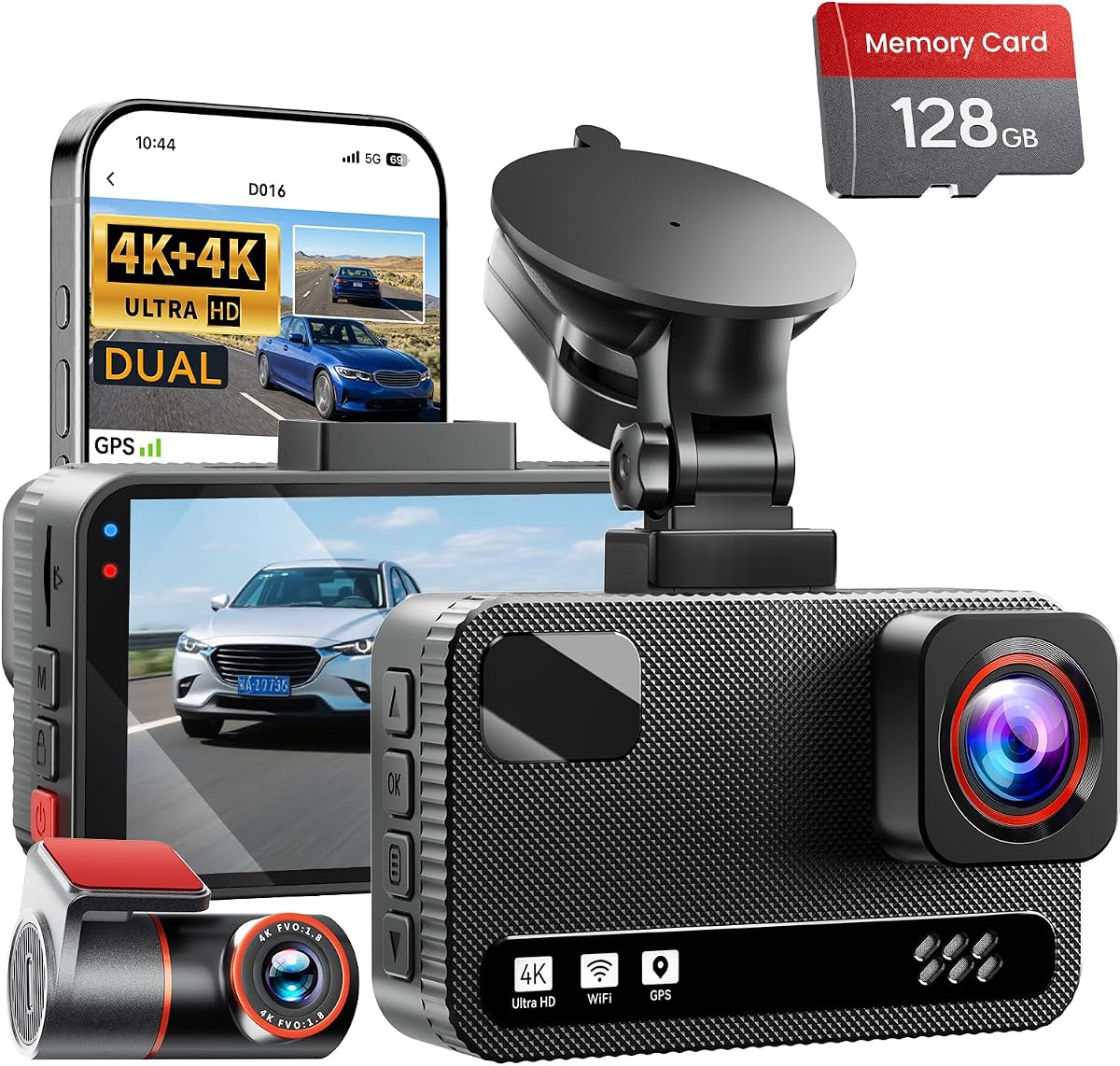



The ROVE R2-4K Dual stands out as a top performer with its impressive recording capabilities and advanced sensor technology. It receives a strong rating for its ability to capture detailed footage even in challenging lighting conditions.
We may earn a commission when you buy through this link, at no additional cost to you.
Its front camera features a Sony STARVIS 2 sensor that excels at night vision, ensuring license plates and signs are readable after dark. The built-in GPS adds valuable context to your recordings, while the fast WiFi allows for quick video downloads to your smartphone.
While the system requires a separate hardwire kit for full parking mode functionality, the included accessories cover standard installation needs. The supercapacitor design ensures the unit remains durable in high heat environments common in vehicles.
This camera is ideal for drivers who need reliable dual-channel protection without sacrificing image quality. Its comprehensive feature set makes it a smart investment for anyone seeking peace of mind on the road.
The STARVIS 2 sensor with F1.5 aperture pulls in ample light, ensuring clear footage even during dusk or in tunnels.
You can manage settings and download clips via the app at speeds up to 20MB/s for instant sharing.
We may earn a commission when you buy through this link, at no additional cost to you.
This model offers a unique solution for those who need full vehicle visibility by recording from four angles at once. It is designed to eliminate blind spots completely by covering front, rear, left, and right sides.
We may earn a commission when you buy through this link, at no additional cost to you.
The integration of wide dynamic range technology ensures balanced exposure across varying light conditions. The system supports time-lapse recording to save storage space while maintaining continuous coverage when parking.
Installation involves more cables than standard two-camera setups, which may require patience. However the included memory card and support team help streamline the process for users.
Drivers looking for comprehensive fleet monitoring or ride-share protection will find this unit particularly useful. Its wide angle lenses ensure nothing significant goes unrecorded during transit.
With adjustable side cameras, you can customize angles to cover critical areas often missed by traditional dash cams.
The time-lapse feature compresses long periods of footage, allowing you to review hours of activity in minutes.
We may earn a commission when you buy through this link, at no additional cost to you.
True native 4K resolution on both front and rear cameras is a rare feature that sets this model apart. The incredibly high rating reflects its ability to capture crisp details from both directions simultaneously.
We may earn a commission when you buy through this link, at no additional cost to you.
The starlight night vision technology handles low light situations effectively, ensuring safety and visibility during evening drives. Wide angle lenses provide expansive coverage that helps document lane changes and nearby traffic accurately.
Managing 4K footage requires substantial storage space, but the included card provides a good starting point. You may need to upgrade the card for extended use given the high data rate.
Enthusiasts who prioritize image quality above all else will appreciate this dual recording capability. It is an excellent choice for documenting road trips or protecting high value vehicles.
Both lenses record at 3840×2160 resolution, ensuring text and plates are sharp even in the rear view.
The front 170 degree and rear 150 degree lenses capture more of the road than standard 120 degree cams.
We may earn a commission when you buy through this link, at no additional cost to you.
This dash cam delivers a balanced mix of high resolution recording and reliable performance for daily driving. It features a strong front camera that captures detailed footage while maintaining a standard rear resolution for clarity.
We may earn a commission when you buy through this link, at no additional cost to you.
The use of a supercapacitor instead of a battery improves longevity in extreme temperatures, which is vital for long parked hours. The app integration allows for convenient file management and speed tracking during drives.
While the rear camera is not 4K, it still provides sufficient detail for most safety needs. The automatic loop recording ensures you never run out of space without manual intervention.
It is a solid choice for commuters who want a proven brand with good support. The included warranty and responsive team add confidence to the purchase decision.
The supercapacitor component avoids battery degradation risks in hot climates, ensuring consistent operation year round.
Connect via WiFi to quickly check route data and manage video files directly from your mobile device.
We may earn a commission when you buy through this link, at no additional cost to you.
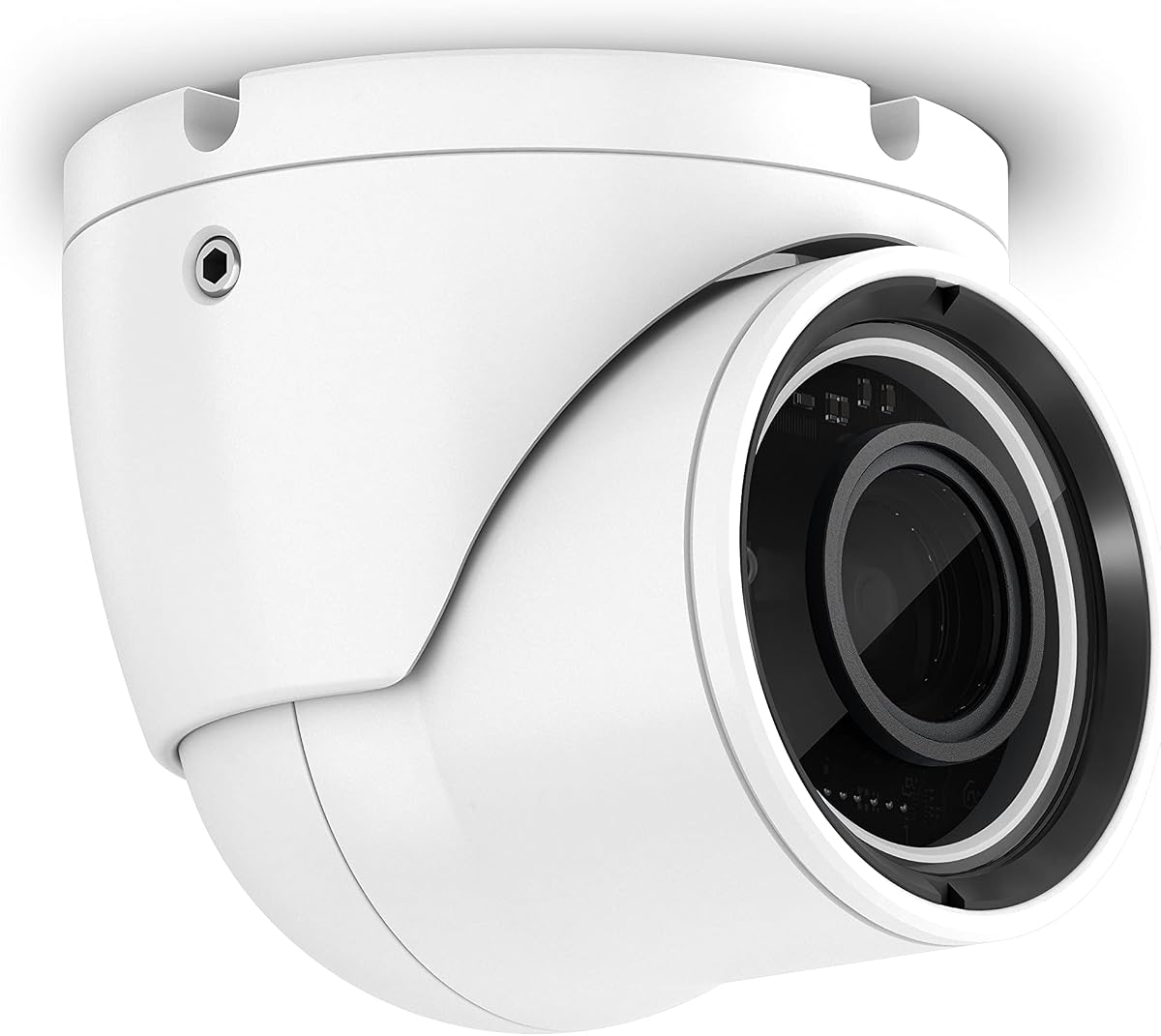
This camera is designed specifically for marine environments rather than standard automotive use. It provides a robust way to monitor engine rooms or decks on boats where visibility can be difficult.
We may earn a commission when you buy through this link, at no additional cost to you.
The ability to broadcast images to multiple networked chartplotters makes it versatile for larger vessels. Its reverse image setting helps with navigating tight marina spaces by flipping the view automatically.
It operates on an analog signal which is standard for marine electronics but lacks the high definition of modern digital dash cams. It works best as part of a larger existing marine electronics setup.
Boaters needing specific monitoring solutions will find this unit fits their unique needs well. It is not a general purpose dash cam but a specialized tool for vessel safety.
Compatible with many marine network displays allowing you to view feeds directly on your navigation screen.
Visibility extends up to fifteen meters in low light ensuring engine rooms remain visible at night.
We may earn a commission when you buy through this link, at no additional cost to you.
This renewed model offers a compact solution for drivers who prefer not to obstruct their view with large screens. The voice control feature allows hands-free operation to save clips or start audio recording safely.
We may earn a commission when you buy through this link, at no additional cost to you.
The integrated clarity polarizer is a standout feature that reduces glare and reflections from the windshield for clearer footage. This optical improvement helps ensure details remain visible even in bright sunlight.
While it lacks a rear camera, the front view is sufficient for many standard driving scenarios. The GPS data adds location context to recordings which can be helpful for navigation review.
It is an excellent pick for those valuing simplicity and compact design. The voice controls make it a convenient option for drivers who want minimal distractions.
The built-in polarizer filter helps cut reflections, ensuring your video stays clear even in direct sun.
Simple voice commands let you save videos or record audio without taking your eyes off the road.
We may earn a commission when you buy through this link, at no additional cost to you.
This miniature camera is designed to be virtually invisible on the windshield while still capturing quality footage. Its key-sized design is perfect for those who want security without cluttering the dashboard.
We may earn a commission when you buy through this link, at no additional cost to you.
Voice control features allow you to manage recordings efficiently without touching the device. The polarizing lens helps reduce glare to ensure the footage remains clear during day and night driving.
Remote access features rely on a paid subscription plan which adds a recurring cost for full functionality. However the basic recording capabilities are robust and reliable for daily protection.
Urban drivers looking for a discreet and easy to use option will find this unit appealing. Its small footprint makes it easy to transfer between vehicles if needed.
The tiny form factor keeps the unit hidden from plain sight reducing the risk of theft or distraction.
Spoken commands enable quick clip saving and audio recording so you can focus on driving safely.
We may earn a commission when you buy through this link, at no additional cost to you.
This 360 degree system provides a complete view of the vehicle and its immediate surroundings for maximum security. The four channels work together to ensure no angle is left unrecorded during driving events.
We may earn a commission when you buy through this link, at no additional cost to you.
Enhanced night vision is supported by eight infrared lights that improve visibility in dark conditions. The fast Wi-Fi 6 connectivity allows for quick video transfers and smooth app interactions on your phone.
The device relies on a wired power connection which ensures consistent operation but limits portable use. It is best suited for permanent installation where continuous power is available.
For ride-share drivers or those needing extensive evidence coverage this model is a strong contender. Its comprehensive view helps resolve disputes by showing exactly what happened from all sides.
With cameras on all four sides you capture events that happen to the left or right of your vehicle.
The infrared lights enhance clarity when lights are low ensuring faces and details remain visible at night.
We may earn a commission when you buy through this link, at no additional cost to you.
Replacing your rearview mirror with this dash cam offers a large display that enhances visibility and convenience. The screen is significantly larger than standard units providing a clearer view of both front and rear cameras.
We may earn a commission when you buy through this link, at no additional cost to you.
The front camera delivers high definition 4K video ensuring that fine details are captured on the road ahead. Built-in GPS tracking adds an extra layer of safety and route logging for every trip.
The split screen feature lets you monitor both feeds simultaneously which is helpful for reversing or parking. However installation requires adjusting the mirror angle to suit your driving position.
This unit is ideal for drivers who want an all in one solution for visibility and recording. The large screen makes it easy to check the rear view without turning around.
The large screen acts as a backup camera display improving safety when reversing or backing into tight spots.
View front and rear feeds at once to keep track of traffic and obstacles around your vehicle.
We may earn a commission when you buy through this link, at no additional cost to you.
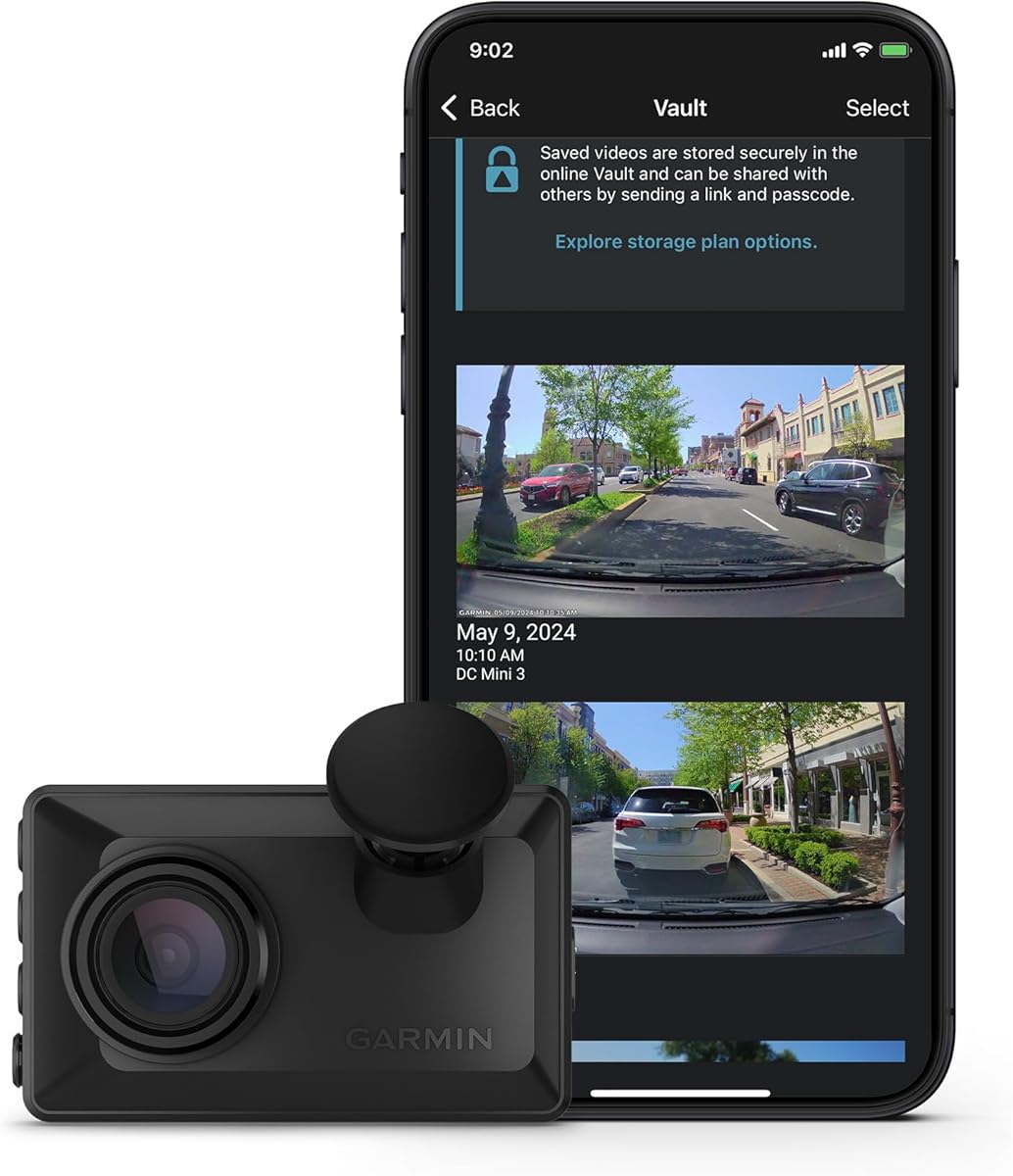
This variant emphasizes cloud storage and connectivity features for drivers who prefer digital management. The online vault allows you to store important clips remotely so they are not lost if the device is damaged.
We may earn a commission when you buy through this link, at no additional cost to you.
Voice commands support easy operation for saving videos or starting audio recordings on the fly. The polarizer lens continues to be a key feature for reducing glare and maintaining image quality in bright light.
Remote access capabilities depend on an active Wi-Fi connection and paid plan which may be a consideration for long term use. It is designed to work seamlessly with other Garmin cameras for a multi-angle setup.
For tech savvy users who value convenience and cloud access this model offers a modern experience. It works well as a single unit or part of a larger camera system for full coverage.
The vault feature saves critical videos online protecting them from being overwritten or lost due to device damage.
You can view synchronized clips from up to four cameras in one app for a complete view of events.
We may earn a commission when you buy through this link, at no additional cost to you.
Selecting the right camera requires understanding key features like resolution, sensor type, and connectivity options for your specific vessel needs.
Resolution determines how clear and detailed your footage will be. Higher resolutions like 4K provide better evidence for identifying details such as license plates or markings even in challenging lighting.
Look for at least 1080p rear with 4K front for the best balance of clarity and storage usage.
The image sensor controls how well the camera handles low light and high contrast scenes. Advanced sensors like STARVIS 2 capture more light and produce less noise in dark environments.
Prioritize models with wide aperture lenses and high-quality sensors if you often drive at night or in tunnels.
Wi-Fi and GPS connectivity enable you to manage recordings and view location data directly on your smartphone. Fast Wi-Fi bands ensure quick downloads so you do not wait long to save important clips.
Choose units with 5GHz Wi-Fi support for faster transfer speeds and integrated GPS for route tracking features.
A wide field of view ensures that more of the road or waterway is captured in the recording. Angles around 140 to 170 degrees are ideal for covering multiple lanes or surroundings.
Select cameras with wider lenses to reduce blind spots and ensure comprehensive coverage during your travels.
Some models use lithium batteries while others use supercapacitors for power storage. Capacitors are generally safer and more durable in extreme temperatures as they do not degrade as quickly.
Opt for supercapacitor models if you plan to leave the camera in hot climates or high heat environments.
Storage capacity affects how much footage you can save before the camera starts overwriting old files. Higher resolutions require more space so ensure the unit supports large memory cards.
Check that the camera supports at least 256GB or higher to ensure long recording periods without constant management.
Effective night vision is crucial for safety during low light conditions. Features like WDR help balance shadows and highlights so details remain visible even at night.
Look for cameras with infrared capabilities or sensors designed specifically for night performance if you operate after dark.
A unit that is easy to install saves you time and hassle. Consider models that come with all necessary cables and clear mounting instructions for a smooth setup.
Choose systems that offer adhesive mounts and standard power connectors to simplify the process without extra tools.
Ensure the lens is clean and free from any protective films before operation. A dirty lens can cause glare or blur that reduces the quality of your recorded footage significantly.
Mount the device securely using the included adhesive or suction mounts. It should be positioned to avoid obstructing your view of the water or road while keeping it close to the power source.
Regularly check the memory card for errors and empty old files as needed. Updating firmware through the app keeps the device running smoothly and ensures all features are functioning correctly.
Yes, most parking modes require a hardwire kit to connect to your vessel's fuse box for constant power. This allows the camera to monitor surroundings even when the engine is off.
Most models are designed to withstand a wide temperature range. However, extreme cold may affect battery life in units with lithium packs so check the operating specs before use.
Connect your phone to the camera's Wi-Fi network using the companion app. From there, you can preview and download clips instantly without needing to remove the memory card.
Marine specific models are better sealed against salt spray but standard units may need extra protection. If using a standard cam on a boat ensure it is stored properly when not in use.
Yes, many models have built-in microphones for audio recording. Ensure your local laws permit audio recording before enabling this feature to avoid legal issues.
It is good practice to check for firmware updates every few months. Updates often fix bugs and improve performance so keeping your device current is recommended for safety.
Most units with GPS embed location data directly into the video files. You can view this data using the manufacturer's player software or mobile app after downloading.
When the card is full, the camera automatically deletes the oldest files to record new ones. Important events are locked so they are not overwritten during this process.
We have reviewed ten top models ranging from compact units to advanced multi-camera systems to suit various needs. The ROVE R2-4K leads the list with its balance of resolution and features for general use.
When making your choice prioritize resolution and sensor quality for reliable evidence. Consider connectivity options like Wi-Fi and GPS to ensure you can access footage easily when needed.
Prices and availability fluctuate frequently so verify the current status on the retailer site before finalizing your purchase. This ensures you get the best value and performance for your specific requirements.