
NETGEAR Nighthawk C7000
4.2Editor score
AC1900 WiFi Speed
DOCSIS 3.0 Standard
Low Monthly Savings
This guide compares the top 10 Cable Modem WiFi Router Combo units for 2026, evaluating speed, coverage, and compatibility to help you choose the best network
Finding the right Cable Modem WiFi Router Combo can transform your home internet experience. These all-in-one devices combine modem and router functions to streamline setup and often reduce monthly rental costs. Choosing the best model means balancing speed, coverage, and compatibility with your service provider.
We evaluated ten leading Cable Modem WiFi Router Combo units based on real-world performance data and expert reviews. Our analysis covers DOCSIS standards, Wi-Fi generation, device capacity, and provider compatibility. This list helps you identify which unit matches your internet plan and household needs effectively.
Each pick highlights specific strengths like gaming optimization, whole-home coverage, or budget friendliness. You will see detailed breakdowns of features and technical specs for every model. Keep in mind that availability and pricing can change quickly on retail platforms.
4.2Editor score

4.1Editor score

3.9Editor score
The following table provides a side-by-side comparison of all ten Cable Modem WiFi Router Combo units reviewed in this guide. Each entry highlights key specifications and capabilities to help you make an informed decision for your home network setup.





The NETGEAR Nighthawk CAX30 stands out as a top choice for modern cable internet needs. It combines DOCSIS 3.1 modem technology with efficient WiFi 6 routing. This model scores well for households seeking reliable performance without excessive cost.
We may earn a commission when you buy through this link, at no additional cost to you.
Key strengths include OFDMA technology which handles multiple devices smoothly during peak hours. The coverage reaches up to 2000 square feet comfortably. Four gigabit ethernet ports ensure wired devices get stable connections with low latency.
While the price is higher than DOCSIS 3.0 units, the future-proofing is worth it for upgrades. It is not compatible with bundled voice services from major ISPs. This limitation is acceptable for most standard internet subscribers.
Anyone needing a fast, reliable combo unit should consider this model. It works well for Xfinity and Spectrum plans up to 1Gbps. The app management tools make monitoring easy for non technical users.
OFDMA technology improves response times when the whole family is online simultaneously.
This unit is explicitly approved for Xfinity plans up to 800Mbps and Spectrum plans up to 1Gbps.
We may earn a commission when you buy through this link, at no additional cost to you.
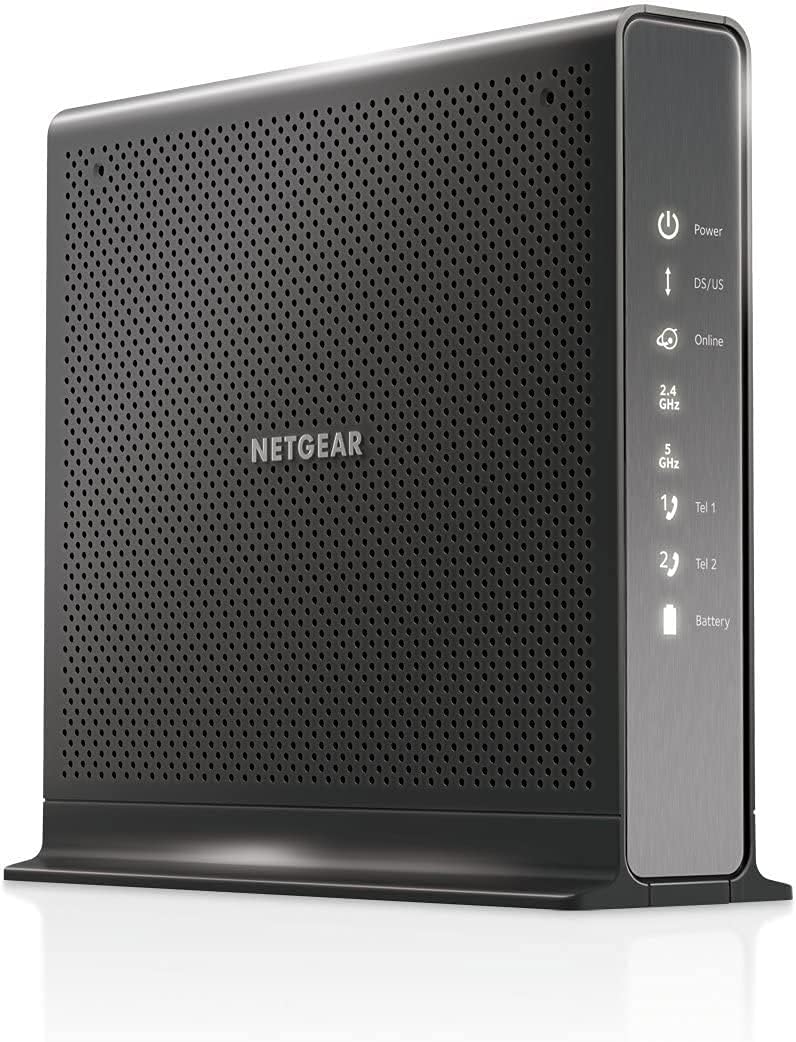
The NETGEAR Nighthawk C7000 is an excellent option for those on a tighter budget. It delivers reliable AC1900 speeds with solid coverage for average homes. This model is a great way to save on monthly rental fees.
We may earn a commission when you buy through this link, at no additional cost to you.
It features Beamforming+ which boosts range and reduces dead spots effectively. The setup process is straightforward via the Nighthawk app. Four gigabit ports handle wired devices well for gaming or streaming.
The trade-off is older DOCSIS 3.0 technology which may limit future speed upgrades. It does not support the latest WiFi 6 standards. These limitations are acceptable if your internet plan is below 800Mbps.
Buyers looking for value will find this unit hard to beat. It works well for Xfinity and Cox plans. The savings on equipment rental fees often pay for the device quickly.
Replacing your rental equipment saves money and often provides better performance than ISP gear.
The Nighthawk app simplifies connecting and managing devices without advanced technical skills.
We may earn a commission when you buy through this link, at no additional cost to you.
The Renewed version of the CAX30 offers the same core features at a lower cost. It brings WiFi 6 and DOCSIS 3.1 to your network efficiently. This unit is ideal for cost conscious buyers who still want modern tech.
We may earn a commission when you buy through this link, at no additional cost to you.
It supports 1Gbps plus internet speeds and improves connection stability. Link aggregation allows for faster throughput on wired devices. The renewed status ensures it has been tested for functionality.
The main risk is the shorter warranty compared to a brand new unit. You might not get the same level of support as a full retail purchase. These factors are acceptable for those comfortable with refurbished goods.
If you want the performance of a high end modem without the full price this is a solid choice. It matches the specs of the top pick perfectly. Just ensure you check the specific seller details before buying.
This renewed unit retains the DOCSIS 3.1 and WiFi 6 features for high speed performance.
Opting for renewed hardware allows you to access premium features at a reduced investment.
We may earn a commission when you buy through this link, at no additional cost to you.
This listing of the CAX30 highlights specific connectivity options like the USB 3.0 port. It offers the same robust performance found in other listings of this model. The device balances cost and features well for most users.
We may earn a commission when you buy through this link, at no additional cost to you.
The USB port allows for easy storage sharing or printer connections. Security measures are built into the firmware to protect your family. It supports Xfinity plans up to 2Gbps in many cases.
While similar to other CAX30 units, pricing might differ based on the seller. It lacks the 2.5G port found in premium models. This is a minor trade-off for general home usage scenarios.
Households needing reliable speeds and standard security features will appreciate this model. It simplifies setup by replacing two devices with one. The app makes management easy for any user.
The USB 3.0 port provides fast wired connections for external storage devices.
Built-in WPA3 encryption helps keep your network secure from unauthorized access.
We may earn a commission when you buy through this link, at no additional cost to you.
The ARRIS Surfboard G34 is a strong contender for those preferring a compact design. It supports cable internet plans up to 2.5 Gbps. The AX3000 WiFi delivers solid performance for whole home coverage.
We may earn a commission when you buy through this link, at no additional cost to you.
Setup involves connecting the cable and power. Then you join the default network or personalize it. The LED indicators make checking status simple and clear. It works well with major ISPs like Xfinity.
The lower rating suggests some users have faced minor issues or limited support. It may not have the advanced software features of NETGEAR devices. These limitations are acceptable for those wanting basic high speed internet.
Anyone looking for a clean setup without complex software might like this unit. It saves rental fees effectively and offers fast speeds. The design is space saving for modern home networks.
The compact footprint fits easily on shelves or desks without taking much room.
DOCSIS 3.1 technology ensures ultrafast streaming and downloads for heavy users.
We may earn a commission when you buy through this link, at no additional cost to you.
This renewed C7000 brings affordable WiFi 5 performance to your network. It supports plans up to 800Mbps with solid coverage for smaller homes. Buying renewed is a great way to save money immediately.
We may earn a commission when you buy through this link, at no additional cost to you.
It provides the same beamforming and app control as new units. The savings on rental fees can pay for the device quickly. It is easy to manage using the free Nighthawk app.
The warranty is typically shorter than a brand new product. Older technology means it is not future proof for very fast plans. This is fine for most current standard users.
Budget focused buyers will find excellent value in this model. It handles streaming and gaming well for average households. Just check the seller terms for details on returns.
Choosing a renewed unit cuts costs while maintaining core networking functionality.
This unit works with major providers like Xfinity for plans up to 800Mbps.
We may earn a commission when you buy through this link, at no additional cost to you.
The CAX80 is the powerhouse of the lineup with AX6000 speeds and a 2.5G Ethernet port. It covers up to 2500 square feet effectively. This model is built for power users and large homes.
We may earn a commission when you buy through this link, at no additional cost to you.
The 2.5G port ensures gaming consoles and desktops get the fastest wired connection. OFDMA technology keeps the network steady even with many devices online. It supports 2Gbps internet plans easily.
The price is high which might not fit every budget. The setup and features can be more complex than entry level units. These trade-offs are acceptable for those needing maximum speed.
Premium buyers needing a fast and reliable solution should consider this model. It offers excellent future proofing for network upgrades. The coverage and wired ports are standout features.
The 2.5 Gigabit port allows for faster wired connections for gaming or high speed devices.
With coverage up to 2500 square feet, it handles larger floor plans without extra gear.
We may earn a commission when you buy through this link, at no additional cost to you.
The C7100V stands out by supporting Xfinity Voice plans directly. It has two phone lines and optional battery backup for power outages. This feature is vital for households that rely on home phone service.
We may earn a commission when you buy through this link, at no additional cost to you.
It offers AC1900 WiFi speeds which are sufficient for streaming and gaming. The setup is simple to connect coax and power. It supports USB ports for extra device connections.
The cost is higher than data only models but justified by voice features. It is not compatible with other ISPs for voice plans. This limitation restricts it to Xfinity cable and voice users.
Users needing home phone service will find this unit essential. It simplifies cabling by merging modem and phone into one box. Just ensure your provider supports this specific model for voice.
The included ports support two phone lines directly from the modem unit.
Optional battery backup ensures you stay connected during power outages for talk time.
We may earn a commission when you buy through this link, at no additional cost to you.
The C6250 is an entry level unit designed for smaller needs. It supports plans up to 300Mbps with reliable AC1600 WiFi. This model is great for light users or smaller apartments.
We may earn a commission when you buy through this link, at no additional cost to you.
It includes parental controls to manage access effectively. The USB port allows for basic storage sharing. It covers up to 1500 square feet which is adequate for small homes.
The slower speed makes it less suitable for modern 4K streaming demands. It does not support high speed plans like 1Gbps. This trade-off is acceptable for cost focused buyers.
Buyers with limited bandwidth needs will find this unit practical. It saves rental fees without breaking the bank. Just verify your plan speed before purchasing this unit.
This unit saves up to 168 dollars a year in rental fees for eligible plans.
Built-in parental controls help manage internet access for children and guests.
We may earn a commission when you buy through this link, at no additional cost to you.
The ARRIS SBG7600AC2 is a trusted option with a strong rating. It offers AC2350 speed which is impressive for a DOCSIS 3.0 unit. This model works well for plans up to 800Mbps.
We may earn a commission when you buy through this link, at no additional cost to you.
Setup is simple using the SURFboard Central App. It allows for real-time monitoring and parental controls easily. The coverage handles average homes well without dead spots.
Compatibility should be checked carefully before buying. It supports major ISPs but varies by region. This is a minor hurdle compared to the value it offers.
Users wanting a proven brand with strong support will appreciate this unit. It balances speed and cost effectively. Just verify with your ISP to ensure full compatibility.
ARRIS is a trusted name with over 260 million modems sold historically.
The app simplifies setup and monitoring with real-time device information.
We may earn a commission when you buy through this link, at no additional cost to you.
Selecting the right unit requires understanding your internet plan and household needs. This guide outlines the key factors to consider for a seamless upgrade.
DOCSIS 3.1 is the current standard for high speed cable internet. It supports faster speeds and better efficiency than older DOCSIS 3.0 models. If you have a gigabit plan or plan to upgrade, ensure your unit supports DOCSIS 3.1.
DOCSIS 3.0 units are still viable for speeds under 800Mbps. They offer good value but may limit future upgrades. Choose the standard that matches your current and anticipated speed needs.
Modern units often feature WiFi 6 which improves capacity and speed. This is ideal for homes with many connected devices like phones and tablets. WiFi 6 ensures smoother performance during peak usage times.
WiFi 5 units are cheaper and still provide decent performance. They are suitable for households with fewer devices. Consider the number of devices you connect to decide on the generation.
Not all units work with every ISP. Some are specifically approved for Xfinity or Cox. Always check the providers compatibility list before buying to avoid activation issues.
Most models support major cable providers but exclude fiber or DSL. Bundled voice services often require specific models. Ensure the unit matches your service plan type.
Look at the coverage rating in square feet. A larger home needs a unit with better range to avoid dead spots. Beamforming technology helps direct signal to specific devices.
Coverage depends on your home layout and building materials. If you have a multi story home you might need a mesh system. For single floors the rated coverage is usually sufficient.
Many units include Gigabit Ethernet ports for stable connections. Some premium models offer 2.5G ports for even faster wired speeds. These are useful for gaming consoles or desktops.
Ensure you have enough ports for your wired needs. If you need more ports you may need a switch. Check for USB ports if you want to share storage devices.
Modern units include WPA3 encryption for better security. Built-in firewalls help protect against online threats. Some brands offer security suites with free trials.
Strong security is vital for smart homes. Ensure the unit has automatic firmware updates. This keeps your network safe without manual intervention.
Owning a modem saves monthly rental fees. Over a few years this adds up to significant savings. The cost of the unit is often recovered quickly.
Check with your ISP to confirm they allow your own equipment. Some providers charge activation fees. However the long term savings are usually worth the initial cost.
User friendly apps simplify setup and management. They allow you to pause devices or run speed tests easily. Look for models with intuitive interfaces.
Some units require specific apps for full control. Ensure the app is available for your mobile device. Simple setup saves time and frustration.
Connect the coaxial cable to the modem port and power on the unit. Wait for the status lights to turn green before connecting devices. This ensures proper activation with your ISP.
Use the mobile app to set up your network name and password. This helps secure your home network from unauthorized access. Keep your login credentials safe for future changes.
Place the unit in a central open area for best coverage. Avoid placing it inside cabinets or near thick walls. Regularly update firmware to maintain security and performance.
No, most combo units are designed for cable providers like Xfinity or Spectrum. They are not compatible with DSL or fiber services. Always check the compatibility list on the product page.
Yes, owning your modem can save up to 168 dollars per year in rental fees. This cost saving often offsets the purchase price quickly. It is a smart financial move for most households.
DOCSIS 3.1 supports faster speeds and more efficient data handling. It is better for gigabit plans compared to DOCSIS 3.0. Older 3.0 units are fine for slower plans but lack future proofing.
Combo units simplify setup and reduce cabling needs. They often cost less than buying two separate devices. However separate units allow for easier upgrades if one component fails.
You will need to activate the device with your ISP after setup. Most manufacturers provide a guide for this process. It usually involves calling the ISP or using their online portal.
Yes, if you have a modern internet plan and WiFi 6 devices. WiFi 6 handles multiple devices more efficiently than older standards. This results in smoother performance during peak times.
Renewed units often come with the same performance at a lower cost. They are good for budget conscious buyers. Just check the warranty and return policies carefully before purchasing.
If you upgrade your plan ensure your combo supports the new speeds. DOCSIS 3.1 units handle faster plans better. If your unit is outdated you may need to replace it.
Choosing the right unit depends on your specific internet plan and budget. The NETGEAR Nighthawk CAX30 offers the best balance of speed and value. For budget needs the C7000 remains a reliable choice.
Prioritize DOCSIS standards and provider compatibility when making your decision. Ensure the unit supports the speeds you need for streaming and gaming. Security and coverage are also important factors.
Remember that prices and availability change often on retail platforms. Check current offers before finalizing your purchase. These steps help you secure the best network solution for your home.