10 Best Cheap Drawing Tablet with Screen (November 2026) Expert Guide
Written by Elena · Updated November 2026
Finding an affordable creative tool is essential for aspiring artists and students who want to start digital art without breaking the bank. A cheap drawing tablet with screen offers a direct interface for sketching and painting, making it easier to transition from traditional media. This guide highlights top models that balance performance and cost effectively.
We compared ten leading pen displays based on screen quality, pressure sensitivity, build durability, and software compatibility. Each product was evaluated for its value proposition in the budget category. Our analysis ensures you find a device that supports your workflow whether you are drawing, designing, or teaching online.
Each pick includes detailed specs, pros, cons, and real-world usage insights to help you make an informed decision. Prices and availability change frequently so please check the latest offers before purchasing. This list represents the most reliable options currently available for creators seeking high quality at low prices.
Top 3 Picks for Best Cheap Drawing Tablet with Screen
Best Budget
Refurbished Tablet – Artisul D16 15.6 Inch Graphic Drawing Tablet with Screen Pen Display Full Laminated with Battery-Free Stylus 8192 Levels 7 Shortcut Keys A Dial for Windows, Mac
As an Amazon Associate we earn from qualifying purchases.
Top 10 Best Cheap Drawing Tablet with Screen in 2026 Compared
This side-by-side comparison highlights the key specifications and unique features of each model to help you identify the right tool for your creative needs.
The XP-PEN Artist12 stands out as a reliable entry-level pen display for artists seeking high quality without high costs. With a 4.4 rating from users it has proven itself capable of handling diverse creative tasks from illustration to photo editing.
Pros
Affordable price point
Battery-free stylus
Universal software support
Includes extra nibs
Pre-installed screen protector
Cons
Requires computer connection
Basic stand included
We may earn a commission when you buy through this link, at no additional cost to you.
Its 11.6 inch HD IPS display delivers vivid colors thanks to a 72% NTSC color gamut. The battery-free P06 pen offers natural paper-like feel with 8192 pressure levels. Six customizable shortcut keys streamline your workflow across various digital art applications.
While the stand is basic the screen protector reduces glare effectively. The device requires connection to a computer via HDMI and USB-A ports so verify your system compatibility before buying. Overall it remains a top choice for beginners and students.
If you need a budget-friendly display for digital art or online teaching the XP-PEN Artist12 is a solid investment. It balances performance and affordability better than most competitors in this price range.
Color Accuracy for Beginners
The 72% NTSC color gamut ensures your digital art appears vibrant and true to life on screen.
Battery-Free Pen Convenience
The P06 pen never needs charging so you can draw continuously without interruptions during creative sessions.
The Artisul D16 offers a massive 15.6 inch workspace that is rare in budget categories. With a perfect 5 rating it provides exceptional value for artists needing more screen real estate without breaking the bank.
Pros
Largest screen size
Full laminated design
Includes quick dial
Adjustable monitor stand
Strong compatibility
Cons
Refurbished units vary
Driver support limited
We may earn a commission when you buy through this link, at no additional cost to you.
Its full-laminated screen reduces parallax ensuring your pen tip aligns precisely with the cursor. The P58B stylus supports 8192 pressure levels and a quick dial adjusts brush size or scroll speed efficiently. Adjustable stand supports 6 angles for comfort.
Since it is refurbished check the condition carefully before purchase. While it may lack some premium features the large active area and laminated technology make it ideal for detailed work and animation projects on a tight budget.
For artists needing a larger display at a low price the Artisul D16 is unmatched. It brings professional-grade screen technology to beginners who want more space for complex illustrations.
Large Workspace Advantage
The 15.6 inch screen provides ample room for toolbars and canvases simultaneously improving productivity during long sessions.
Parallax Reduction
Full-lamination technology minimizes gap between pen and pixels for a more accurate drawing experience.
The HUION Kamvas 13 Gen 3 introduces advanced features typically found in higher-priced models. With 16384 pressure levels and 99% sRGB coverage it delivers professional-grade accuracy for serious illustrators and designers.
Pros
Factory calibrated color
16K pressure sensitivity
Single USB-C cable
Canvas Glass 2.0
Adjustable stand
Cons
Slightly higher cost
Limited Android support
We may earn a commission when you buy through this link, at no additional cost to you.
Its fully laminated screen with Canvas Glass 2.0 reduces glare and improves accuracy significantly. The dual dial buttons allow intuitive control over brush sizes or layer opacity. A factory calibration report ensures colors are consistent out of the box.
While it costs slightly more the improvements in color accuracy and workflow efficiency justify the expense. The single cable USB-C connection simplifies setup compared to older multi-cable models. This device is a smart upgrade for growing artists.
If you seek premium performance in a portable 13.3 inch form factor the HUION Kamvas 13 is the top choice. It balances affordability with high-end specs that support long-term professional growth.
Factory Color Calibration
Each unit comes with a report verifying color accuracy so your digital work matches print results reliably.
Workflow Efficiency
Dual dial buttons let you control multiple functions without reaching for menus keeping your focus on creativity.
The VEIKK VK1200 V2 features a stylish frameless design with full-laminated technology that minimizes parallax. Its compact build makes it easy to carry for students or digital nomads who need portability without sacrificing screen quality.
Pros
Full-laminated screen
Two battery-free pens
Single-cable USB-C
Frameless infinity design
Anti-slip back
Cons
Driver updates required
No tilt on pen
We may earn a commission when you buy through this link, at no additional cost to you.
It includes two battery-free pens ensuring you always have a backup during work. The 11.6 inch IPS display offers 72% NTSC color gamut for vibrant visuals. Six programmable shortcut keys improve efficiency across different drawing software applications.
While tilt function is absent the pressure sensitivity is robust for detailed work. The single-cable USB-C connection reduces desk clutter significantly. Check driver support before purchase as updates are essential for optimal performance on newer OS versions.
For those prioritizing portability and modern design the VK1200 V2 is an excellent candidate. It offers premium screen tech in a small package suitable for daily creative tasks and travel.
Modern Infinity Design
The frameless all-screen display maximizes active area while providing a sleek aesthetic for your workspace.
Simplified Connectivity
Single-cable USB-C transmission simplifies setup allowing faster access to your creative applications.
GAOMON PD1161 focuses on ergonomic workflow with 8 programmable shortcut keys and a tilt-sensitive pen. The pre-installed matte film reduces glare giving you a natural paper-like drawing experience for long sessions.
Pros
Tilt function support
8 press keys
Matte film included
Wide software support
Power adapter included
Cons
Requires power adapter
Stand angle limited
We may earn a commission when you buy through this link, at no additional cost to you.
With 16.7 million display colors the screen shows smooth gradations ideal for coloring and shading. The AP50 battery-free pen offers 8192 pressure levels ensuring precise control. It supports Windows and Mac with most popular creative software packages.
The device requires a power adapter so ensure you have access to a USB port for power if your system cannot supply enough power. This is a small trade-off for the stability it provides. Ideal for beginners needing reliability.
If you need a reliable display with tilt support and extensive shortcut customization the GAOMON PD1161 fits the bill. It is a solid choice for students and artists prioritizing ease of use over sleek design.
Tilt for Shading
Tilt support lets you vary stroke width by angling the pen enabling realistic shading without switching tools.
Shortcut Efficiency
Eight side keys provide quick access to undo, brush size, or zoom keeping your hands on the pen.
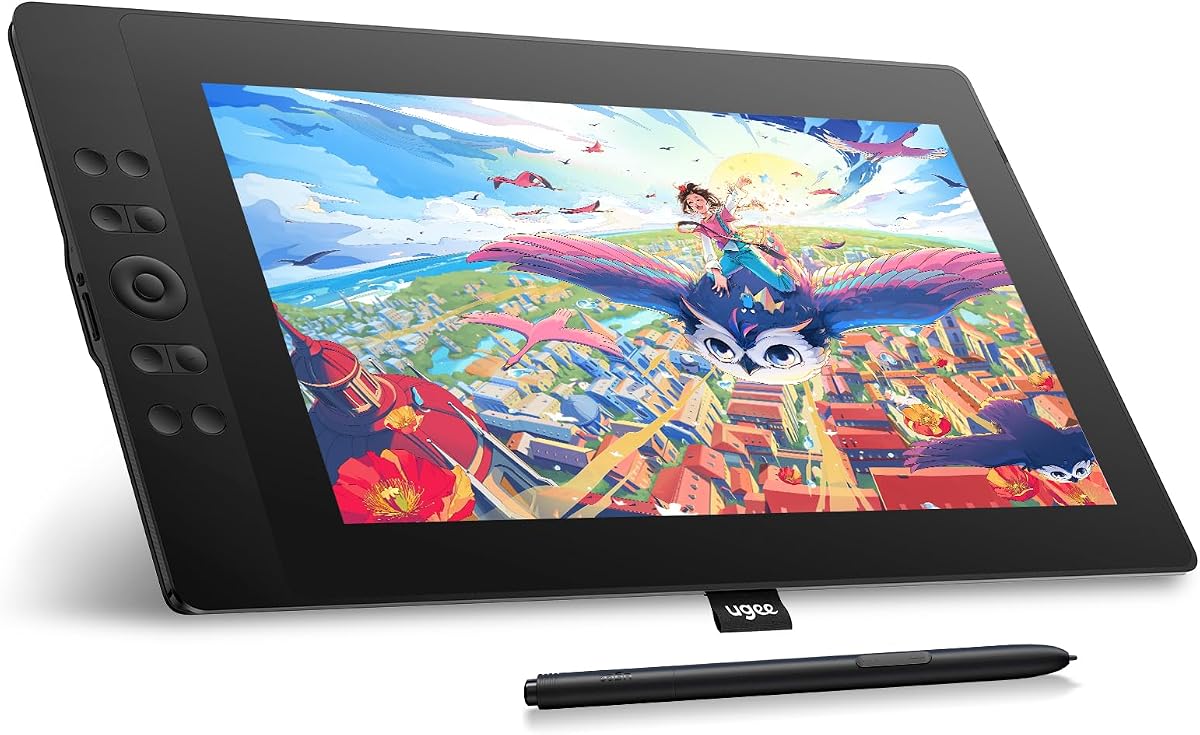
The UGEE UE16 stands out with an impressive 143% sRGB color gamut allowing you to reproduce millions of colors accurately. Its 15.4 inch screen offers ample space for detailed work while maintaining a slim body for comfortable use.
Pros
143% sRGB Gamut
16K pressure sensitivity
Four color spaces
Android compatible
Pencil-like grip
Cons
3-in-1 cable separate
Larger footprint
We may earn a commission when you buy through this link, at no additional cost to you.
With 16K pressure sensitivity each stroke translates precisely onto the screen. Four color spaces including sRGB Adobe RGB and DCI-P3 let you transition seamlessly between different visual modes. It supports Android devices which adds versatility.
Note that the 3-in-1 cable is packed separately so check your parcel carefully upon delivery. This is a minor inconvenience given the broad OS compatibility. The pencil-like grip pen includes custom hotkeys for enhanced control during design work.
For creators who demand color accuracy and high resolution the UGEE UE16 is a strong contender. It bridges the gap between budget options and professional monitors effectively for designers and illustrators.
High Color Fidelity
The 143% sRGB coverage ensures vibrant colors that match professional standards for digital art and design.
Android Compatibility
Support for Android allows mobile creators to use a large screen display with their tablets or laptops.
VEIKK VK1200 is a budget-friendly option that includes essential accessories like two pens and an artist glove. It is designed to make the learning curve easier for students or beginners starting digital art without extra purchases.
Pros
Tilt function pen
Two pens included
28 replacement nibs
Artist glove included
Lightweight design
Cons
Basic resolution
Driver quirks
We may earn a commission when you buy through this link, at no additional cost to you.
The pen supports tilt function for natural shading and 8192 pressure levels for control. Six shortcut keys provide essential tools like zoom and brush selection. The LED monitor ensures clear visibility in most lighting conditions.
Accessories like 28 replacement nibs extend the life of your setup without needing new pens. While resolution is standard for the price point it meets daily creative needs. Always update drivers for best compatibility.
If you are a student needing a complete package with extra accessories the VEIKK VK1200 is a great choice. It delivers reliability and value for those just entering the world of digital illustration.
Accessory Bundle
Included pens nibs and gloves save money and ensure you can start drawing immediately after purchase.
Learning Friendly
Tilt function and shortcut keys help beginners learn professional techniques faster than with basic tablets.
RubensTab T11 Pro offers a unique standalone experience allowing you to draw without connecting to a computer. With a built-in 5800mAh battery it supports up to 5 hours of continuous use perfect for travel or outdoor sketching.
Pros
No computer needed
Built-in battery
Wi-Fi enabled
Pre-installed apps
Portable case
Cons
Limited OS support
Lower resolution than others
We may earn a commission when you buy through this link, at no additional cost to you.
It runs on its own OS with pre-installed professional-grade drawing apps so you can start immediately. The 10.1 inch Full HD screen provides vibrant colors and wide viewing angles. Multi-touch features enhance workflow with easy zooming.
Since it lacks standard PC compatibility check your workflow needs carefully. It is ideal for note-taking or casual art but may not support industry standard software like Photoshop. Always verify app availability before buying.
For travelers or teachers needing a self-contained device the RubensTab T11 Pro is a smart choice. It simplifies setup while providing essential tools for creativity anywhere without extra hardware.
True Portability
Built-in battery and standalone design let you create anywhere without carrying a laptop or extra cables.
Instant Setup
Pre-installed apps remove the need for external software installation saving time and technical setup.
VEIKK VK1200V2 upgrades pressure sensitivity to 16384 levels which doubles the detail potential of standard models. The full-laminated IPS screen reduces parallax for a more precise drawing experience on its 11.6 inch active area.
Pros
16384 pressure levels
Full laminated screen
Two styluses included
60 degree tilt
Lightweight 1.78 lbs
Cons
Driver updates needed
Basic stand
We may earn a commission when you buy through this link, at no additional cost to you.
It includes two passive styluses with 60 degree tilt support ensuring you never run out of pen tips during work. The 120% sRGB color gamut provides vivid visuals for rich artwork. Weighing only 1.78 lbs it is highly portable.
While the driver updates are necessary for best performance the hardware quality is excellent for the price. The metal anti-slip back cover ensures stability on your desk. Always install latest drivers for optimal performance on new OS.
If you need high sensitivity and portability in one affordable unit the VK1200V2 is a strong pick. It balances technical specs and convenience effectively for daily illustration tasks.
High Sensitivity
16384 pressure levels allow subtle variation in line thickness which is crucial for detailed illustration work.
Dual Pen Utility
Two pens included mean you can keep one in your pocket and one on the desk for constant access.
XPPen Artist 12 Pro Lite features a fully-laminated display eliminating parallax for a natural drawing feel. The 3-in-1 cable design simplifies connection without needing adapters so you can start drawing immediately on any compatible laptop.
Pros
Full-laminated display
3-in-1 cable design
Customizable red dial
Wide software support
Tilt for shading
Cons
No standalone mode
Basic stand included
We may earn a commission when you buy through this link, at no additional cost to you.
A customizable red dial offers quick access to brush size or zoom. Its 8192 pressure levels and tilt support ensure smooth transitions between strokes. It supports Windows Mac ChromeOS and Linux making it highly versatile for different work environments.
While it lacks standalone capabilities it excels as a second screen for creative software. The full-laminated display reduces reflections so you can work in varied lighting. Check your ports before purchase as HDMI and USB are required.
If you need a reliable and versatile pen display with easy connectivity the XPPen Artist 12 Pro Lite is ideal. It offers premium features at a competitive price for general digital art and design work.
Cable Simplification
The 3-in-1 cable combines power and data transmission reducing clutter and simplifying desk setup.
Red Dial Control
Customizable red dial allows quick access to key functions keeping your workflow uninterrupted during sessions.
We may earn a commission when you buy through this link, at no additional cost to you.
Buying Guide – How to Choose the Best Cheap Drawing Tablet with Screen
Choosing the right pen display depends on your workflow needs budget and technical requirements. We break down the most critical factors to help you select the perfect device for your creative goals.
Screen Size and Resolution
Screen size determines how much canvas space you have while resolution impacts detail clarity. For beginners 11 to 13 inches offers a balance between workspace and portability. Higher resolution like 1080p ensures lines appear sharp and smooth.
Consider how large your projects typically are before choosing. A larger screen reduces eye strain during long sessions while smaller screens fit easily into travel bags for remote work.
Pressure Sensitivity Levels
Pressure sensitivity ranges from 4096 to 16384 levels affecting how accurately the pen captures stroke variation. Higher levels allow subtle control over line thickness and opacity which is vital for shading and texture.
Look for at least 8192 levels for professional results. While higher counts are beneficial 8192 is often sufficient for most digital painting and illustration tasks without adding unnecessary cost.
Color Accuracy and Gamut
Color gamut indicates how many colors the screen can display. Most budget tablets offer 72% NTSC or 100% sRGB which is standard for digital work. Higher values like 120% sRGB or Adobe RGB provide better fidelity for print work.
Ensure the device supports color calibration if you work with print. A wide color gamut ensures your digital artwork matches physical media accurately reducing the need for external monitors.
Connection and Compatibility
Check if the tablet supports your operating system and connection ports. Most require HDMI and USB ports but newer models offer single USB-C connections for simplified setup. Android support adds flexibility for mobile users.
Verify you have the right cables for your laptop. If using a Mac with Thunderbolt you may need adapters unless the display supports native USB-C signal transmission for plug-and-play functionality.
Pen Technology and Ergonomics
Battery-free pens are standard and preferred because they never need charging. Tilt recognition adds another layer of control for shading without switching tools. Ergonomic design reduces hand fatigue during long drawing sessions.
Check if the pen includes customizable buttons and a natural grip. A comfortable pen ensures you can focus on art rather than fighting equipment which is vital for maintaining productivity.
Shortcut Keys and Workflow
Shortcut keys on the side of the display allow quick access to common tools like undo brush size and layers. More keys mean less time searching for tools in menus which speeds up your workflow significantly.
Ensure these keys are customizable via drivers to fit your preferred software. Efficient workflows rely on quick access to functions without breaking your creative flow.
Build Quality and Durability
Full-laminated screens reduce parallax and increase durability compared to air-gapped displays. Metal bodies provide better stability and heat dissipation. Ensure the stand is sturdy enough to support the screen at comfortable angles.
Look for models with anti-glare coatings or screen protectors. These reduce reflections and scratches which protect your investment over time and improve visibility in bright environments.
Warranty and Support
Warranty length and technical support availability vary by brand. Reliable companies offer 1-year warranties and lifetime driver updates. Check community forums for driver stability before buying a less known brand.
Always verify the support process before purchasing. Good customer service can save you time if issues arise during setup or driver installation.
How to Use and Care for Your Cheap Drawing Tablet with Screen
Begin by installing the latest drivers from the manufacturer's website. Connect the HDMI and USB cables to your computer and power the device using the adapter or USB port. Adjust the brightness and tilt settings to your preference before launching your creative software.
Calibrate the pen in the driver settings to ensure the cursor aligns perfectly with the pen tip. Assign shortcut keys to frequently used tools like eraser and brush to speed up your workflow. Always keep your screen clean using the included microfiber cloth.
Store the tablet in a cool dry place away from direct sunlight to prevent screen degradation. If you use the device frequently replace the pen nibs when they feel too smooth. Proper maintenance extends the lifespan and keeps performance consistent over time.
Frequently Asked Questions
Can I use a cheap drawing tablet with screen on Mac?
Yes most tablets in this guide support macOS. However you must install the specific driver provided by the manufacturer for your OS version. Check the product page for compatibility notes before purchasing to avoid connectivity issues.
Do I need a computer to use these tablets?
Most models require connection to a laptop or desktop computer. Only standalone models like RubensTab T11 Pro work independently. Always verify if the device needs external processing power before purchase.
What is the difference between laminated and non-laminated screens?
Laminated screens fuse glass directly to the display reducing the gap between pen and image. This minimizes parallax and improves accuracy. Non-laminated screens have a visible gap which can feel less natural during precise work.
How do I clean the screen safely?
Use a soft dry microfiber cloth to remove dust and smudges. Avoid harsh chemicals or paper towels that can scratch the surface. For stubborn marks slightly dampen the cloth with water but never spray liquid directly onto the screen.
Are these tablets good for online teaching?
Yes these devices work well with Zoom Teams and other educational platforms. Their direct drawing interface allows you to annotate slides and explain concepts visually in real time making them ideal for digital classrooms.
How often should I replace pen nibs?
Replace nibs when they feel too smooth or scratchy which usually happens after months of use. Most kits include multiple replacement nibs so you can swap them out easily without buying new pens.
Final Thoughts on Choosing the Best Cheap Drawing Tablet with Screen
Choosing the right pen display helps you create quality work without overspending. The XP-PEN Artist12 and Artisul D16 offer excellent value while the HUION Kamvas 13 brings premium features to budget buyers.
Consider your specific needs like screen size color accuracy and portability before deciding. A larger screen helps with detailed projects while a portable model suits mobile artists. Always check driver support for long-term reliability.
Prices and stock levels change often so review current listings before finalizing your purchase. This guide highlights the best options available to help you find a reliable tool for your creative journey.