
CE249A Transfer Kit for HP Color LaserJet
5.0Editor score
High-quality raw materials
Factory tested for quality
Includes rollers and gloves
Compare the top computer printer transfer belts for 2026. We analyze durability, yield, and compatibility to help you choose the right belt for your printer.
Transfer belts are critical components that ensure high-quality prints across your office or home setup. Choosing the right one can significantly extend your printer life and reduce downtime caused by mechanical failures or poor print quality.
We evaluated ten top-rated transfer belts based on compatibility, material quality, and user feedback. Our comparison highlights key differences in yield, installation ease, and overall performance to help you find the best fit for your needs.
Each pick below showcases specific strengths and ideal use cases for different printer models. Please note that product availability and pricing can change frequently, so verify details before making your final purchase decision.
5.0Editor score

4.6Editor score

4.3Editor score
This side-by-side comparison lists all ten transfer belts we reviewed. It highlights their primary compatibility, yield capabilities, and key material specs so you can quickly identify the right part for your machine.




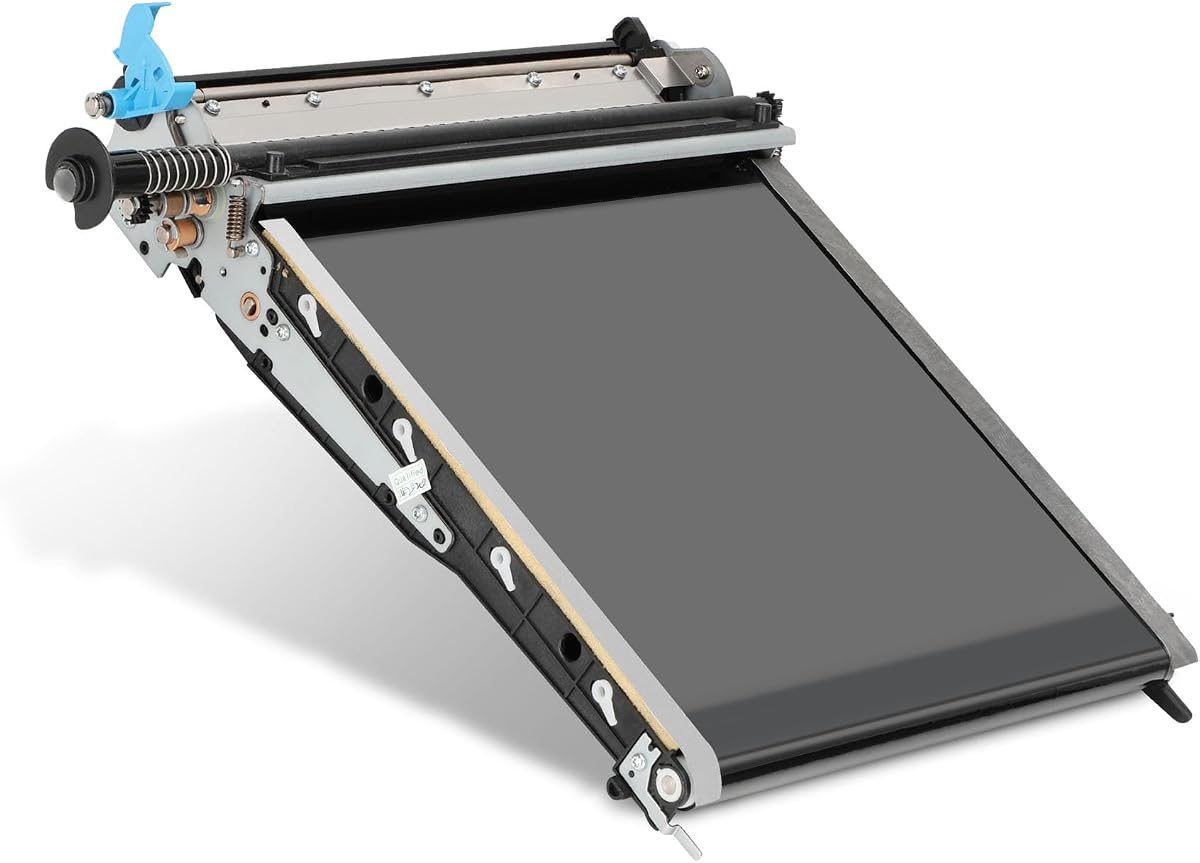

This main drive belt is designed specifically for Zebra ZT series thermal printers. It holds a solid rating of 4.6 from users who appreciate its durability. The composite material is built to withstand continuous operation without cracking.
We may earn a commission when you buy through this link, at no additional cost to you.
Its standout quality is the industrial-grade wear resistance. It uses high-strength reinforced composite that handles heat and aging well. This ensures your printer keeps running during long printing sessions without permanent deformation.
The trade-off is that it only fits 203dpi models. If you have a 300dpi version, this belt will not work. This specificity is expected for thermal parts but requires checking your printer model before purchase.
If you own a Zebra ZT410 or ZT420, this belt is an excellent choice to restore performance. It combines durability with reliable service support. We recommend it for industrial or high-volume thermal printing needs.
The belt avoids cracking and deformation under heavy-duty conditions. This means fewer interruptions in busy environments like warehouses or shipping centers.
The anti-aging performance helps the belt last longer under heat. This is vital for thermal printers that generate significant warmth during operation.
We may earn a commission when you buy through this link, at no additional cost to you.
This unit is made for Brother color laser printers and integrates seamlessly with the system. It is rated 4.2 and offers sharp prints that last over time. The packaging includes instructions for safe disposal.
We may earn a commission when you buy through this link, at no additional cost to you.
Its intelligent engineering ensures it works exactly with the printer system. This leads to consistent results without color shifts or misalignment. You can rely on it for up to 50000 pages.
The main drawback is the price point. Third-party options might be cheaper but could lack the same precision. However, for critical business printing, the genuine unit is often worth the extra cost.
Buy this if you want guaranteed compatibility and professional quality. It is ideal for offices using HL or MFC models listed. It provides peace of mind for your color printing workflow.
The belt unit delivers sharp prints that resist fading. This ensures your documents look professional and credible for years.
Engineered to work with your printer as one unit. This reduces errors and keeps the printer running smoothly.
We may earn a commission when you buy through this link, at no additional cost to you.
This belt unit offers a balance of quality and cost for Brother owners. It holds a 4.3 rating and comes in retail packaging. It is suitable for specific models like HLL8260CDW and MFCL8610CDW.
We may earn a commission when you buy through this link, at no additional cost to you.
Its main strength is the 50000 approximate page yield. This makes it a reliable choice for medium-volume printing. The retail packaging ensures the part arrives in good condition for installation.
Be sure to check your model before buying. It does not fit all Brother printers. However, if you need a genuine part for these models, it is a solid value.
We recommend this for cost-conscious users needing reliable performance. It restores printer function without compromising on print quality. Check your model compatibility to ensure the fit is correct.
This unit provides genuine quality at a reasonable price. It is cheaper than some high-end kits while maintaining reliability.
It comes in retail packaging that protects it during shipping. This ensures you get a fresh part ready for use.
We may earn a commission when you buy through this link, at no additional cost to you.
This transfer kit is highly rated with a perfect 5.0 score. It works with HP Color LaserJet models like CP4025 and M651. It includes the belt, secondary transfer roller, and pickup rollers.
We may earn a commission when you buy through this link, at no additional cost to you.
Its high-quality raw materials and factory testing ensure peak performance. The anti-drop packaging keeps everything safe. This kit is great for those who want a complete replacement to fix multiple issues at once.
Installation can be tricky if you are not experienced. The package includes gloves to help with handling. Still, you might want a technician if you are unsure about the process.
Buy this if you need a full replacement solution for your HP printer. It offers comprehensive coverage and reliable parts. It is an excellent choice to restore your printer to its original state.
The kit includes the belt and multiple rollers. This allows you to address several wear issues in one go.
Every part is factory tested for function. This ensures you receive a kit that works right out of the box.
We may earn a commission when you buy through this link, at no additional cost to you.
This belt is a genuine OEM part for specific Brother HL and MFC models. It rates 4.6 and is designed to match the exact specs of your printer. It comes without retail packaging to save costs.
We may earn a commission when you buy through this link, at no additional cost to you.
Its precise engineering ensures it fits HL-3140CW and MFC-9130CW perfectly. This reduces the risk of print defects caused by mismatched parts. The weight and dimensions are well documented for shipping.
The lack of retail packaging might mean it looks less premium. However, it functions as well as the boxed version. If you just need the part, this is a smart purchase.
We suggest this for users who know their exact model. It restores performance and ensures compatibility. Keep the unit safe during unpacking since it is not in a box.
Without retail packaging, this option is cheaper. You still get genuine quality without the extra cost of a box.
Designed specifically for HL-3140CW and MFC models. This ensures optimal performance and long-term reliability.
We may earn a commission when you buy through this link, at no additional cost to you.
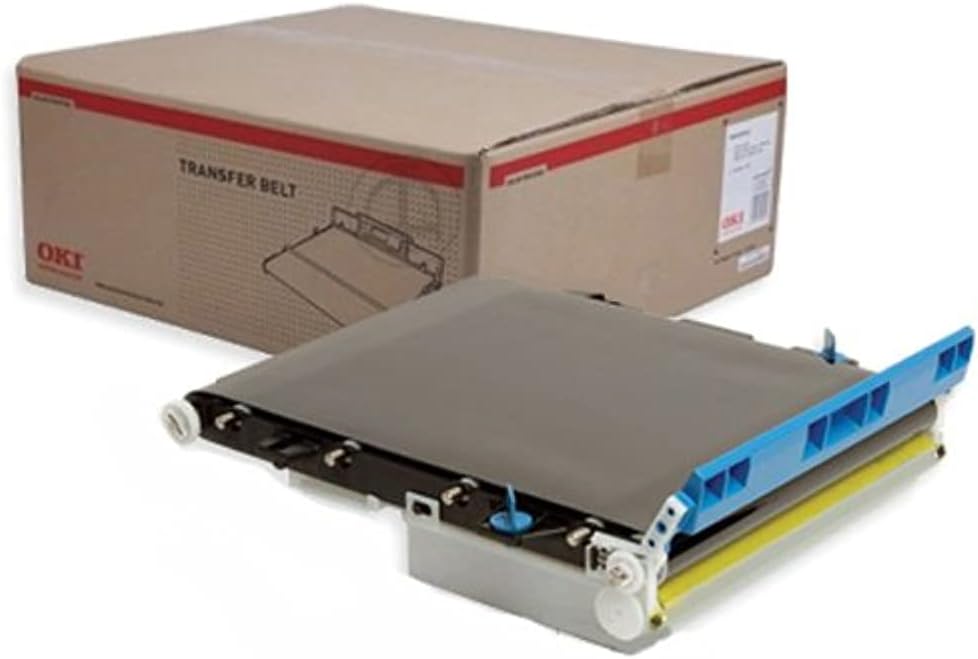
This Oki transfer belt offers a high yield of 60000 pages. It is rated 5.0 and is made to reduce downtime in busy offices. Regular replacement ensures your machine runs longer.
We may earn a commission when you buy through this link, at no additional cost to you.
Its design reduces downtime and increases productivity. You can print more before needing a change. It is manufactured to strict standards to ensure it fits and performs correctly.
While the upfront price is higher, it lasts longer. This balances out the cost over time. For high-volume users, this is often the better long-term choice.
Buy this if you have a high volume of printing. It keeps your office running smoothly with fewer interruptions. Ensure it matches your Oki model before ordering to avoid issues.
With 60000 pages, you print more between changes. This lowers maintenance costs for frequent printing.
Regular replacement keeps productivity up. Avoid unexpected stops by changing the belt on schedule.
We may earn a commission when you buy through this link, at no additional cost to you.
This OEM kit for HP Color LJ offers a massive 150000 yield. It is rated 3.3 which suggests some users found installation tricky. It is guaranteed authentic and made for CM3530 series.
We may earn a commission when you buy through this link, at no additional cost to you.
The 150000 yield is a major advantage for large offices. It ensures fewer changes. However, experienced installation is needed. This reduces the risk of damage during replacement.
Installation complexity is the main trade-off. If you are not tech-savvy, you might want help. Also, the lower rating reflects some challenges users faced.
Choose this if you need a long-lasting genuine belt. It is perfect for high-volume enterprise settings. Always confirm the part number matches your printer exactly before purchase.
With 150000 pages, it handles heavy workloads. This reduces maintenance frequency in busy environments.
The kit is genuine and guaranteed. This ensures it matches the original printer specs for safety.
We may earn a commission when you buy through this link, at no additional cost to you.
This kit is designed for Color LaserJet Enterprise M652 printers. It includes the belt, secondary transfer roller, and pickup rollers. The plastic quality is high to ensure smooth operation.
We may earn a commission when you buy through this link, at no additional cost to you.
Its smooth belt runs without hindrance. The kit brings your printer back to life. It is tested for performance so you get reliable prints.
The main con is the lack of a rating. It is a newer product so user feedback is limited. Still, the package contents show a thorough solution.
We recommend this for M652 owners looking for a replacement. It includes all key parts for a full fix. Contact the seller for help if you have questions.
The belt is smooth and runs without hindrance. This prevents jams and ensures consistent prints.
It includes multiple rollers. This ensures all parts work together for better efficiency.
We may earn a commission when you buy through this link, at no additional cost to you.
This Lexmark transfer assembly offers a 150000 yield. It is crafted from premium materials and tested at the factory. It is designed for CS720 and XC4140 printers.
We may earn a commission when you buy through this link, at no additional cost to you.
Its secure anti-drop packaging keeps it safe. The quality ensures optimal performance. You can rely on it to maintain your printer functions.
There is no rating yet so we cannot verify user feedback. However, the specs indicate it is a premium part. It is worth trying if you need a reliable assembly.
Buy this for Lexmark CS720 or XC4150 models. It provides a durable replacement for your machine. Check your printer model to ensure it matches before you buy.
With 150000 pages, it lasts long. This reduces costs in high-volume setups.
It is tested for quality and performance. This ensures it works well when installed.
We may earn a commission when you buy through this link, at no additional cost to you.
This assembly works with multiple Lexmark CS720de and XC4140 models. It offers a 150000 yield and uses high-quality materials. The service team is ready to help with any issues.
We may earn a commission when you buy through this link, at no additional cost to you.
Its broad compatibility makes it a safe choice. You do not need to search for a specific SKU. The support ensures you get help quickly if needed.
The downside is the lack of a rating. Still, the support team offers confidence. If you need a compatible part for your model, it is worth considering.
We recommend this for Lexmark users who need quick support. It offers a solid yield and fits well. Check the list of models to ensure it is the right one for you.
It works with many CS and XC models. This simplifies finding a replacement for your printer.
The team replies within 24 hours. This ensures you get answers to any questions quickly.
We may earn a commission when you buy through this link, at no additional cost to you.
Choosing the right transfer belt depends on your printer model and printing needs. This guide breaks down the key factors to consider before you buy.
Always check your printer model number before purchasing a transfer belt. Many belts are designed for specific models like Zebra ZT410 or Brother HL3140CW. Using a belt that does not match can cause print defects or machine errors.
Verify the part number on your current belt matches the new one. This ensures the belt fits the internal rollers and guides correctly. A proper fit prevents jams and maintains consistent print quality.
Page yield tells you how many prints the belt can handle before needing replacement. Some belts offer 50000 pages while others reach 150000 pages. Higher yield belts save money over time for busy printers.
If you print frequently, choose a belt with a higher yield. This reduces maintenance interruptions. For home use, standard yield belts may be more cost-effective initially.
Transfer belts are made of different materials like rubber or composite. High-quality materials resist heat and cracking. This is vital for thermal or high-volume printers that generate significant heat.
Look for belts made with reinforced composites. These materials withstand heavy-duty conditions better. Good materials also reduce issues like powder shedding or permanent deformation.
Original Equipment Manufacturer (OEM) belts are made by your printer brand. They guarantee compatibility and performance. Aftermarket belts can be cheaper but may vary in quality and fit.
If you prioritize reliability, choose OEM. If budget is key, check reviews for aftermarket options. Ensure the aftermarket belt meets the same quality standards as the original.
Some kits include rollers and gloves for easier installation. Others may require technical skills to replace. Check if the kit includes instructions or extra parts like pickup rollers.
If you are not tech-savvy, choose a kit with clear parts. Some brands offer service support. This can save you time and prevent damage during installation.
Transfer belts are delicate parts. Secure anti-drop packaging ensures they arrive undamaged. Multi-layer protection prevents cracks or tears during transit.
Check if the product uses professional packaging. Poor packaging can ruin a new belt before it is even opened. Reliable packaging ensures you get a fully functional part.
Good sellers offer quick support within 24 hours. This is helpful if you have questions or issues with fit. Look for companies that provide refunds or replacements.
Customer service can help you confirm compatibility. It also ensures you get a refund if the belt is defective. Prioritize sellers with positive feedback on service.
Before installation, read the manual included in the package. Ensure the printer is turned off and cooled down. Wear gloves to avoid touching the belt surface with oils from your hands.
Remove the old belt by gently releasing the tension rollers. Align the new belt with the internal guides and rollers. Check that it sits straight to avoid print lines or smearing.
Once installed, run a test print to check quality. Keep your printer clean to prevent dust from damaging the belt. Regular maintenance helps the belt last its full page yield.
Using a mismatched belt can cause print defects like streaks or smudges. It might also jam the machine or damage the rollers. Always check your model number and part number to ensure a correct fit.
Replacement depends on page yield. For example, a 50000 page belt should be changed after that count. If prints show fading or lines, it may need earlier replacement. Check your printer warning messages.
Cleaning may help if the belt is dirty. But if it has cracks or tears, it must be replaced. Use a soft lint-free cloth to wipe the belt. Avoid harsh chemicals that can damage the material.
OEM belts are made by the printer brand and guarantee quality. They often perform better. Aftermarket belts can work well too. Choose based on your budget and reliability needs.
Transfer belts sit inside tight rollers and guides. Aligning them correctly takes patience. Some kits include rollers that add steps. Follow instructions carefully to avoid misalignment.
Contact the seller immediately. Most offer refunds or replacements for damaged parts. Keep the packaging as proof. Check the product description for return policies.
The 79866M Zebra Belt and CE249A HP Kit stand out for their build and reliability. Our top picks cover various needs from budget-friendly options to premium solutions.
Prioritize model compatibility and page yield when buying. If you print heavily, invest in high-yield belts to save time. OEM parts offer security while aftermarket kits can save money.
Prices and stock change daily. Always check the current details before you buy. This guide helps you make an informed decision for your printer needs.