
Creality Falcon 10W Laser Engraver Machine
4.2Editor score
72W effective power output
0.06mm high precision
Compatible with LightBurn
Finding the right laser engraver can transform your creative projects into professional-quality products. Creality offers a diverse range of machines suitable for hobbyists and professionals alike. Understanding the key features helps you choose a model that fits your workspace and budget perfectly.
We analyzed ten top-rated Creality laser engravers based on precision, speed, safety features, and ease of use. Our comparison covers everything from compact desktop units to powerful enclosed systems. Each product was evaluated against real-world usage scenarios to ensure practical relevance for buyers.
Every pick in this list highlights unique strengths and ideal use cases for different types of creators. Prices and availability change frequently so always verify the latest details before purchasing. Use this guide to navigate the options and invest in the right tool for your creative journey.
4.2Editor score

4.1Editor score

4.2Editor score
As an Amazon Associate we earn from qualifying purchases.
This side-by-side comparison highlights the key specifications and capabilities of each Creality laser engraver to help you make an informed decision based on your specific project requirements.



The Creality Falcon A1 stands out as a top choice for its balance of safety and speed. With a 4.1 rating it offers 80W power output and a fully enclosed Class 1 design. This makes it safe for home use without extra goggles while delivering professional results.
We may earn a commission when you buy through this link, at no additional cost to you.
Its CoreXY system enables speeds up to 600mm/s which is three times faster than traditional models. The HD camera auto positioning ensures precise alignment without manual tweaking. Smart material recognition adjusts settings automatically so users skip trial and error.
While it excels in most areas the machine is limited to specific honeycomb panels. It also cannot engrave highly reflective materials like mirror finished metals. These constraints are acceptable given the safety and ease of use it provides for most users.
Ideal for hobbyists and small businesses the Falcon A1 delivers sharp detailed results on wood and metal. Its ease of use and robust safety features make it a reliable investment. This model sets a high standard for desktop laser engravers today.
The fully enclosed design blocks 99% of laser light ensuring eye safety without goggles. Emergency stop and lid open pause features add extra peace of mind during operation.
Falcon Design Space simplifies design creation with intuitive editing tools. Compatibility with LightBurn and LaserGRBL gives advanced users more flexibility for complex projects.
We may earn a commission when you buy through this link, at no additional cost to you.
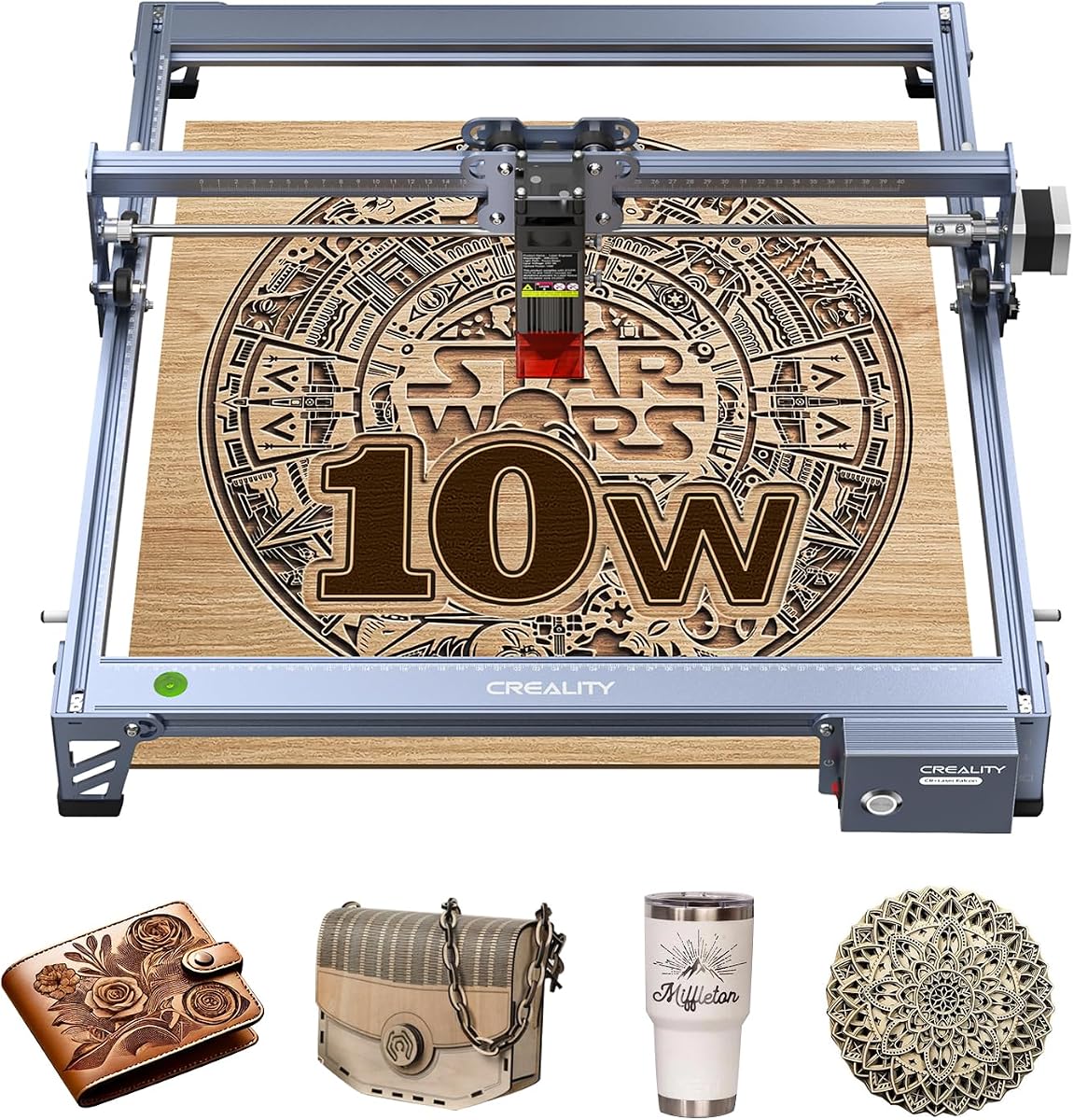
The Creality Falcon 10W offers exceptional value with a 72W laser cutter and 0.06mm precision. It handles wood and acrylic easily with a large workspace for bigger projects. The 4.2 rating reflects its reliability and performance for budget conscious buyers.
We may earn a commission when you buy through this link, at no additional cost to you.
Its high precision spot size ensures crisp details on intricate designs. The rapid 10000mm/min speed makes efficient short work of batches. Ant UV filter and included goggles provide adequate safety without the bulk of full enclosures.
Users should note the open design requires careful handling and safety precautions. Manual focusing adds a small step compared to auto focus models. These trade-offs are manageable for those prioritizing cost and workspace size.
This machine suits beginners and makers needing versatility without breaking the bank. It works with popular software and supports offline SD card use. For entry level engraving it delivers impressive quality and features.
This model works with over 200 materials including leather and fabrics. Its powerful output cuts through 12mm wood and 5mm acrylic in one pass.
Connect via USB or SD card for offline creation anywhere. Compatible with Windows and Mac systems for broad software integration.
We may earn a commission when you buy through this link, at no additional cost to you.
The Falcon A1 Pro 20W delivers premium performance with 180W output and a sleek touchscreen interface. Its 4.2 rating highlights advanced features like APP control and auto focus. This machine is ideal for professionals needing speed and precision.
We may earn a commission when you buy through this link, at no additional cost to you.
Three times faster than peers it reaches 600mm/s for efficient batch production. The high definition camera and AI vision system enable precise positioning. You can monitor progress from anywhere via the mobile app.
The main trade-off is the higher investment compared to basic models. Optional IR modules for fine metal engraving are not included. However the built in features justify the cost for serious creators.
Perfect for small studios this model combines power with user friendly design. Pre-assembled setup minimizes downtime so you start projects quickly. It represents the top tier of desktop laser engravers available.
Dual protective covers filter 99% of light while enclosed design blocks smoke. Emergency stop and lid-open halt features ensure user safety during operation.
Supports optional 2W infrared modules for jewelry and fine metal work. Falcon Design Space software simplifies model management and monitoring.
We may earn a commission when you buy through this link, at no additional cost to you.
This Falcon A1 variant adds air assist for cleaner cuts and includes pre-set parameters. A 4.2 rating indicates strong performance for users wanting ready to use features. The smart camera simplifies alignment and setup significantly.
We may earn a commission when you buy through this link, at no additional cost to you.
Graphic outline extraction turns images into detailed engraving paths easily. The enclosed design ensures safety while reducing noise and smoke. Its speed matches the standard A1 at 600mm/s for fast results.
The absence of standard honeycomb panel support limits some material options. Cutting acrylic is not fully supported without surface coating. These limitations do not outweigh the added convenience for many buyers.
Great for hobbyists the air assist improves edge quality on cuts. Software flexibility allows use with popular engraving tools. This model balances performance and ease of use well.
Ready to use straight out of the box with optimal preset settings. Falcon Design Space integrates design and control seamlessly.
CoreXY motion system enables three times faster speeds than traditional models. Auto lock and emergency stop features enhance safety.
We may earn a commission when you buy through this link, at no additional cost to you.
This model features a robust aluminum alloy structure and precise 0.06mm spot focus. A 4.2 rating reflects its reliable performance for DIY projects. The large 17×16 workspace accommodates bigger items comfortably.
We may earn a commission when you buy through this link, at no additional cost to you.
Assembly takes 10 to 20 minutes and the new laser head includes a focusing plate. Wi-Fi data transfer adds convenience for file management. Anti-UV filters protect eyes while working on various materials.
The open frame requires more vigilance regarding safety and exposure. Manual focusing steps slow down setup slightly compared to auto models. However the build quality is solid for the price range.
Suits hobbyists who value customization and durability. It supports common engraving software and provides one-button management. This machine delivers professional results for home workshops.
Strong belt tension adjustment and steel shaft wheel rails ensure stability. This design enhances accuracy and longevity over time.
Includes 1-year free parts replacement and technical support. Easy adjustments allow quick focus changes without extra tools.
We may earn a commission when you buy through this link, at no additional cost to you.
The Falcon2 Pro S 22W delivers high power output with advanced auto focus and cut compensation. A 3.8 rating suggests performance variability but strong features for batch production. Its integrated enclosure and debris drawer aid in clean operation.
We may earn a commission when you buy through this link, at no additional cost to you.
One-pass cutting of 15mm wood and 10mm acrylic demonstrates significant power. The camera provides precise positioning to improve success rates. Built-in debris collection simplifies maintenance and cleaning.
Some users find the auto focus system occasionally inconsistent on uneven materials. The lower rating reflects learning curve and setup nuances. Still it is powerful for professional studio needs.
Ideal for sole traders seeking reliable batch production. The setup is quick and safety features like flame detection add protection. This machine excels in demanding cutting tasks.
Auto Cut Through path compensation adjusts for material thickness automatically. Upgraded cutting speeds enable high-speed batch processing.
Five safety features include safety lock and emergency stop button. The frame and fiber cover isolate smoke and noise effectively.
We may earn a commission when you buy through this link, at no additional cost to you.
The Falcon A1C 10W AI leads with intelligent workflows like AI One-Tap Engraving. A 4.7 rating highlights user satisfaction with its smart features. The interchangeable laser platform allows adaptation to different tasks easily.
We may earn a commission when you buy through this link, at no additional cost to you.
AI tools simplify design conversion and layout optimization for beginners. Auto focus and 0.1mm positioning ensure precision. It runs up to 15000mm/min for quick project turnaround.
The 5.9 inch workspace limits large scale projects. Users must engage with software for full functionality. However the speed and safety make up for size limits.
Perfect for home or classroom use where space is tight. It supports rotary attachments for expanding capabilities. This model brings advanced AI to desktop engraving.
AI Background Removal and Assistant recommend optimal settings quickly. Visual positioning aligns designs precisely before engraving.
Expandable with smoke purifiers and additional modules. Compact design fits any workspace including retail counters.
We may earn a commission when you buy through this link, at no additional cost to you.
This Pro model features a smart touchscreen for cable-free operation and history access. A 4.0 rating reflects solid performance with convenient interface features. Air assist ensures cleaner cuts on wood and acrylic materials.
We may earn a commission when you buy through this link, at no additional cost to you.
Auto focus takes about three seconds with full-bed preview for accuracy. You can reopen projects with a single tap saving time. The enclosed design blocks smoke and noise effectively.
Users note occasional delays in auto focus under varying light. IR module for metal engraving requires separate purchase. Still the user experience is smooth for most tasks.
Recommended for makers wanting seamless operation. The touchscreen simplifies daily tasks compared to PC-only setups. It offers high performance for workshop environments.
Touchscreen simplifies access to files and history. Real-time previews ensure precise placement before engraving.
Handles 10mm wood and 8mm acrylic with fewer passes. Air assist reduces effort and improves edge quality.
We may earn a commission when you buy through this link, at no additional cost to you.
The Falcon A1C Mini enables 15-second laser module swaps for versatile tasks. A 4.6 rating praises its speed and ease of use. It supports 300+ materials with 15000mm/min engraving speeds.
We may earn a commission when you buy through this link, at no additional cost to you.
Auto focus and smart camera reduce setup time significantly. The portable design fits in various spaces from classrooms to retail. Flame detection stops operation instantly for safety.
Limited workspace restricts large projects compared to bigger models. IR modules are sold separately for metal work. Still its modularity is great for evolving needs.
Ideal for mobile makers or classrooms needing safety. Software offers AI image generation for easy design. This model combines portability with powerful features.
Swap compatible modules without tools for different tasks. Supports Diode and IR options for varied materials.
AI image generation and auto focus simplify workflow. Visual positioning and material library support beginners.
We may earn a commission when you buy through this link, at no additional cost to you.
This compact Falcon A1 is 47% more efficient in footprint than similar models. A 4.5 rating reflects strong user trust in its safety and precision. Zero assembly means you can start engraving immediately after unboxing.
We may earn a commission when you buy through this link, at no additional cost to you.
Aerospace grade aluminum ensures durability and strength. The smart HD camera enhances usability with live drag-and-drop preview. Precision reaches 0.01mm for intricate detailed designs.
Fixed assembly limits repairs or upgrades by users. Standard modules may not suit specialized metal engraving. However the build quality and safety are robust.
Perfect for home offices and beginners needing reliability. The six safety protections include safety lock and smoke extraction. This model is a trusted choice for quality engraving.
Space-saving design fits on shelves or desks easily. Dual windows allow real-time progress monitoring.
Includes laser leak protection and emergency stop button. Eye protection covers and smoke extraction ensure safety.
We may earn a commission when you buy through this link, at no additional cost to you.
Selecting the right laser engraver involves balancing power, safety, and ease of use to match your specific creative goals and workspace needs.
Laser power determines cutting depth and engraving speed. Models range from 10W to 20W outputs with higher wattage allowing faster cuts on thicker materials.
Look for effective output ratings like 72W or 180W machine power to ensure capability.
Class 1 enclosed designs provide maximum safety by filtering 99% of laser light and smoke. Open frame models require extra precautions like goggles and careful handling.
Choose an enclosure if using the machine in shared or family spaces for peace of mind.
Software affects how you design and control engraving. Support for LightBurn and LaserGRBL offers flexibility for beginners and pros alike.
Ensure the machine works with your preferred OS and offers intuitive tools like design spaces.
Spot sizes like 0.06mm enable sharp details for intricate designs and fine text. Higher precision is key for jewelry or detailed artwork.
Check repositioning accuracy to ensure consistent results across multiple projects.
Larger workspaces accommodate bigger materials like panels or signs while compact models suit desktops. Consider project dimensions before choosing a machine.
Adequate workspace reduces the need for multiple passes on large items.
Features like Wi-Fi, SD card, and auto focus streamline operation. Air assist improves edge quality on cuts while cameras help alignment.
Look for features that reduce setup time for smoother workflow.
Start by placing the material on the honeycomb or bed surface and ensure it is flat and secure. Use the camera or focus plate to align the laser correctly with the design.
Select the appropriate settings in software or auto recognition tools before running a test. Keep the workspace well ventilated or use smoke extraction to avoid buildup.
Clean lenses and mirrors regularly with soft cloths and inspect belts for tension. Store the machine in a dry place when not in use to maintain longevity.
Yes models with Class 1 enclosed designs are safe for home use. They filter most laser light and smoke so goggles are not needed. Always follow safety guidelines like using emergency stops.
Standard blue diode lasers work on dark anodized metals but polished metals need IR modules. Check compatibility before purchasing for metal engraving needs.
Most support LightBurn and LaserGRBL plus their own Falcon Design Space. You can also use third-party tools compatible with GrBL controllers.
Pre-assembled models like the A1 take minutes while DIY ones need 10-20 minutes. Follow manuals to calibrate focus and belts correctly.
They typically plug into standard US 110V outlets. Ensure your space has stable power to avoid interruptions during long jobs.
Wood, leather, acrylic, and cardboard work well. Avoid PVC or vinyl due to toxic fumes during engraving.
The Creality Falcon A1 models lead in safety and speed while the 10W options suit budgets. Each machine offers unique strengths for different project types and user skill levels.
Prioritize features like auto focus and enclosure if you value convenience and safety. Matching your needs with the right model ensures a smooth creative experience.
Prices and stock change often so check current listings before purchasing. Use this guide to find the perfect tool for your engraving journey.