
Embedded Desk Wireless Charger
4.3Editor score
Fits standard grommet holes
Aluminum alloy construction
Breathing LED indicators
This guide compares the top desk embedded wireless charger models for seamless power integration, evaluating charging speed, design, compatibility, and
Modern workspaces demand clean aesthetics and efficient functionality. An embedded wireless charger hides power beneath surfaces, eliminating clutter while keeping devices ready for use throughout the day.
We analyzed ten leading models based on charging distance, material compatibility, magnetic alignment, and installation requirements. Each pick balances performance with design to suit home offices and commercial settings.
Every selection highlights key strengths, trade-offs, and ideal use cases. Prices and availability fluctuate, so verify current details before purchasing to ensure you get the best value for your setup.
4.3Editor score

4.3Editor score

5.0Editor score
The following table offers a side-by-side view of all ten selected models, highlighting core specifications, charging capabilities, and unique features to help you make an informed decision.
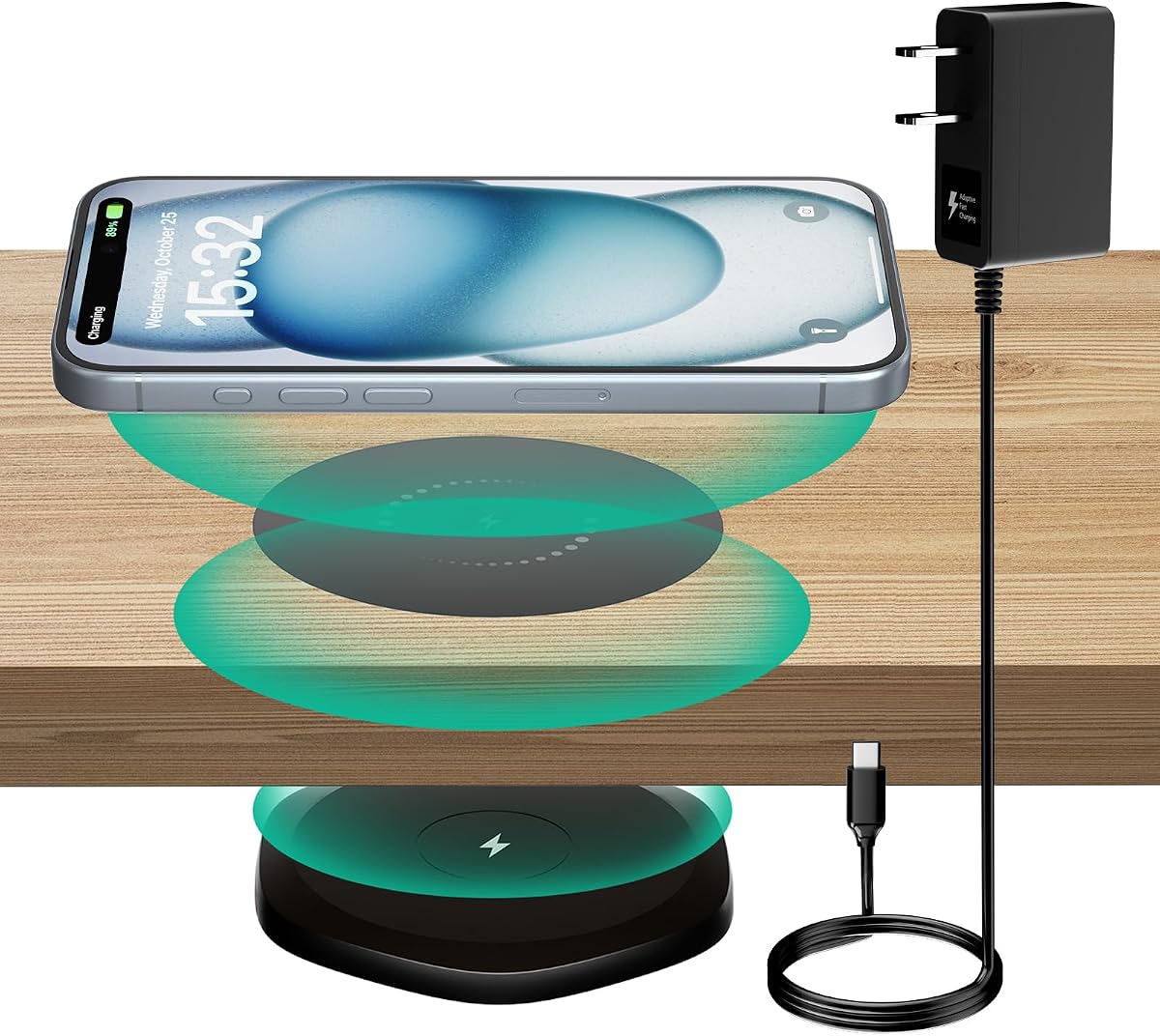




The KPON Invisible Wireless Charger stands out for its ability to charge through table surfaces up to 1.18 inches thick. It transforms any furniture into a hidden charging station without drilling.
We may earn a commission when you buy through this link, at no additional cost to you.
Its universal compatibility supports iPhones, Samsungs, and Google Pixels with varying wattages. The safety features prevent overheating and overcharging, ensuring device longevity during regular use.
While the rating is moderate, the convenience of a cord-free desk often outweighs minor drawbacks. Users appreciate the clean look and simple setup process using adhesive backing.
Ideal for home offices or nightstands where clutter reduction matters most. Buy this if you want to charge without moving your phone off the desk surface.
Works through wood, glass, granite and marble without losing power efficiency.
Eliminates cables and stands for a minimalist workspace aesthetic.
We may earn a commission when you buy through this link, at no additional cost to you.
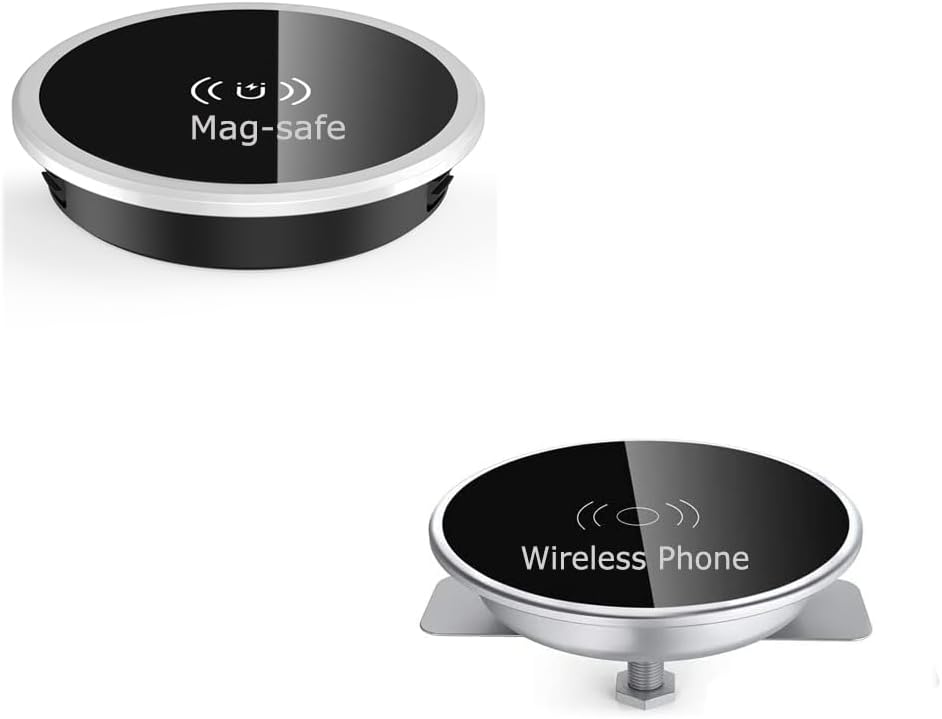
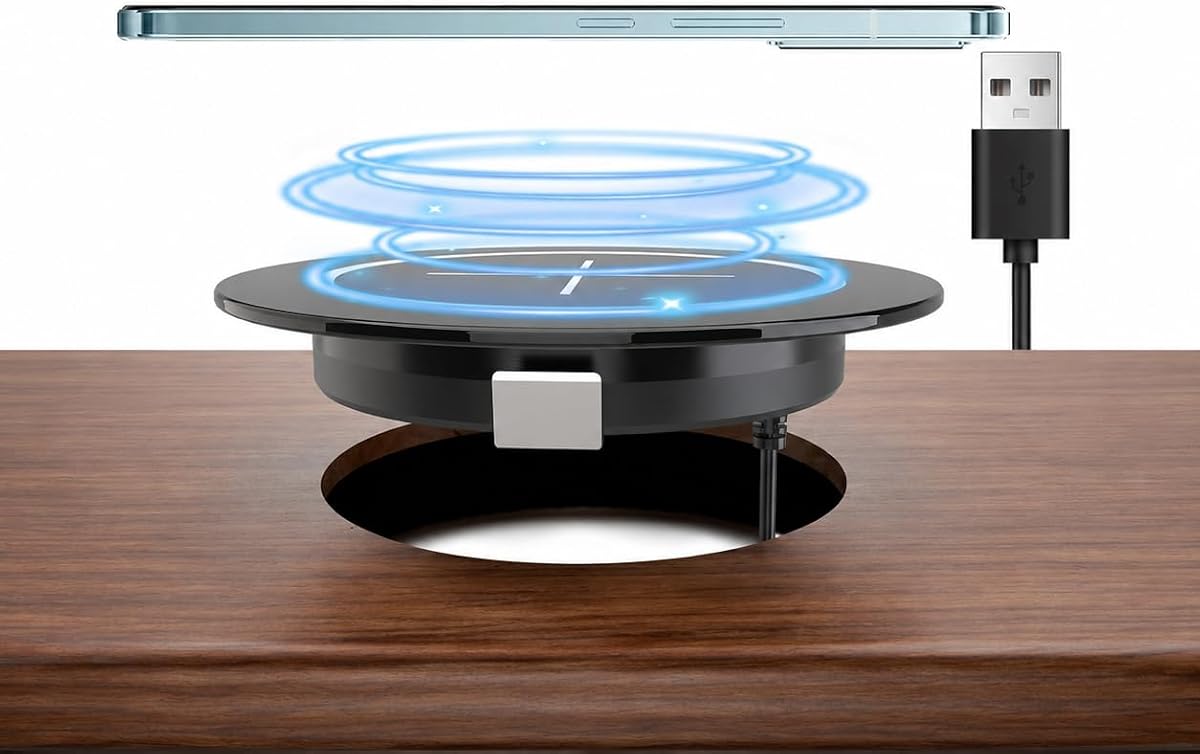
This model excels for existing desks with standard grommet holes. It recesses flush into the surface for a seamless look while providing fast Qi charging for phones.
We may earn a commission when you buy through this link, at no additional cost to you.
The aluminum alloy build feels durable and modern. LED indicators show charging status clearly, preventing guesswork during busy work sessions or meetings.
Though it needs a hole cut if not present, the hardware kit simplifies installation. Budget-friendly without sacrificing essential performance for most smartphone models.
Perfect for conference tables or coffee shops needing discreet power. Choose this if your desk already has a cable hole or you can drill one easily.
Designed to match standard 2.36 inch openings found in many office desks.
Breathing LEDs indicate power connection and charging progress visibly.
We may earn a commission when you buy through this link, at no additional cost to you.
Tailored for iPhone 12 to 18 series, this charger uses strong magnets to align devices instantly. It installs flush into a desk hole for a clean, hidden aesthetic.
We may earn a commission when you buy through this link, at no additional cost to you.
The 15W output ensures quick power-ups between tasks. N52 magnets hold phones firmly, reducing accidental slips and maintaining charging efficiency during use.
It is important to note that non-MagSafe cases reduce hold strength. But for standard users, this balance of speed and design is hard to beat.
Best for Apple-focused offices or homes. Select this if you prioritize magnetic snap-on convenience with embedded installation.
Automatic snap-on alignment ensures precise coil positioning every time.
Sits parallel to table surface for a seamless built-in look.
We may earn a commission when you buy through this link, at no additional cost to you.
This unique charger offers dual modes: hidden under table or visible on top. It adapts to different needs without sacrificing a clean look when tucked away.
We may earn a commission when you buy through this link, at no additional cost to you.
It works with 0-30mm thickness, handling thick phone cases well. An included metal ring ensures stable charging whether used flat or mounted underneath.
The portability aspect stands out for temporary setups. You can move it between desks easily, making it flexible for hybrid work environments.
Great for shared workspaces or flexible desks. Pick this if you need versatility between hidden and visible charging styles.
Switches between under desk hidden and top desk visible seamlessly.
Handles thicker phone cases without losing charging signal quality.
We may earn a commission when you buy through this link, at no additional cost to you.
Rated at 25W, this charger delivers near-wired speed for compatible iPhones. It uses high-strength magnets to keep devices aligned during rapid charging sessions.
We may earn a commission when you buy through this link, at no additional cost to you.
Built with thermal safety certifications to prevent overheating. The aluminum housing dissipates heat, extending component life while maintaining charging performance.
Installation requires a standard grommet hole but ensures stability. Users report minimal interference when used with proper MagSafe cases or bare phones.
Best for power users needing quick top-ups. Choose this if speed and secure alignment are top priorities.
Delivers up to 25W for significantly faster battery replenishment.
Aluminum build actively manages heat to protect device and charger.
We may earn a commission when you buy through this link, at no additional cost to you.
This charger fits standard holes to hide power completely. It supports both Android and iPhone models via Qi, making it versatile for mixed-device households.
We may earn a commission when you buy through this link, at no additional cost to you.
Minimalism is the key benefit here. Once installed, only the phone surface above glows faintly, keeping your workspace completely clutter-free and focused.
Though specs are sparse, it serves basic needs well. It is a straightforward option for those wanting invisible power without complex magnetic features.
Ideal for clean desks where simplicity wins. Buy this if you want hidden charging without extra bells and whistles.
Hides entirely under desktop for zero visible wires or pads.
Works broadly across iPhone and Samsung Galaxy wireless standards.
We may earn a commission when you buy through this link, at no additional cost to you.
This premium unit boasts a perfect rating thanks to its reliable touchless experience. Place your phone near the marked area and power begins without physical contact.
We may earn a commission when you buy through this link, at no additional cost to you.
The compact design fits many desk surfaces. Installation uses a simple sticker alignment, making it easy to deploy in home offices or commercial spaces.
At 10W it provides steady power rather than rapid speed. But the focus is on clean operation and consistent availability all day.
Best for offices wanting zero-friction power. Select this if reliability and seamless design outweigh speed needs.
Charges when phone is placed on surface above mark without plugs.
Mounted under table to keep tops completely free of gear.
We may earn a commission when you buy through this link, at no additional cost to you.
NeatCharge focuses on keeping workspaces tidy. It mounts discreetly under tables to provide all-day charging for mobile devices without taking visible space.
We may earn a commission when you buy through this link, at no additional cost to you.
The minimalist design blends into modern furniture. It is built for reliability, maintaining charging throughout work hours so devices stay powered when needed.
Installation is straightforward with underdesk attachment. Though data is limited, the Humanscale brand implies quality and consistency.
Ideal for corporate or home office use. Pick this if aesthetics and consistent power supply matter most.
Attaches under table to remain invisible from user perspective.
Sleek black finish complements contemporary desk styles well.
We may earn a commission when you buy through this link, at no additional cost to you.
This model extends beyond phones to include AirPods and other Qi buds. It flush mounts into standard holes for a seamless furniture integration.
We may earn a commission when you buy through this link, at no additional cost to you.
Smart protection features adjust power output by device type. This ensures safety and efficiency whether charging a phone or earbuds.
Although some users report mixed experiences, the flexibility is appealing. A strong magnet holds phones, reducing movement and misalignment issues.
Best for multi-gear households. Select this if you need to charge both phones and accessories on one mount.
Supports wireless earbuds like AirPods alongside smartphones.
Overvoltage and overheat safeguards protect connected devices.
We may earn a commission when you buy through this link, at no additional cost to you.
Unique for its pop-up USB ports, this charger adds wired options alongside wireless. It sits flush when idle and rises to offer full connectivity.
We may earn a commission when you buy through this link, at no additional cost to you.
The retractable mechanism saves space on busy desks. Users report it is ideal for cafes or shared offices where wired cables are often needed.
It requires tables under 1.1 inches thick but fits standard holes well. The 15W wireless matches the USB speed for quick multi-device charging.
Perfect for hybrid charging needs. Choose this if you need both wireless and USB-C or A ports in one place.
Hidden USB-C and USB-A ports pop up only when needed.
Stays flush with surface when not actively in use.
We may earn a commission when you buy through this link, at no additional cost to you.
Selecting the right embedded charger requires attention to thickness, hole size, and device compatibility. This section explains critical factors to consider.
Chargers vary in how much material they can penetrate. Some work through thick stone, others only thin wood. Check the max thickness rating before buying.
Match the charger to your table surface to ensure reliable signal transfer.
Many models fit standard grommet holes like 60mm. Others may need drilling. Measure your desk before purchasing to avoid installation issues.
Verify hole size early to save time and materials during setup.
Wi-Fi Qi standards differ. Some offer 15W, others 10W. Magnetic chargers require specific phone models for alignment and speed.
Pick a standard that matches your phone's native capabilities for best speed.
Magnetic models provide stronger alignment and faster charge for compatible phones. Standard Qi works more broadly but requires careful placement.
Choose magnetic if you use MagSafe devices for best experience.
Some use adhesive mounts that need no drilling. Others need screws or hole cutting. Consider if you own tools or prefer non-destructive options.
Non-destructive installation suits rented spaces or shared furniture.
Ensure the charger supports your specific phone brand. Apple, Samsung, and Google may need different outputs for optimal performance.
Review the compatibility list to avoid partial charging or errors.
Look for overheat and overcharge protection features. Certification labels like WPC ensure the unit passed safety tests before sale.
Safety certifications protect your expensive devices from damage.
Prices range from affordable to premium. Higher cost often means better build and extra ports. Balance needs with your available budget.
Higher price usually brings better build quality and reliability.
Install the unit under the desk following the provided steps. Ensure the charging surface aligns with the phone placement mark above.
Keep the surface clean and dry for best signal. Dust or liquid can interrupt charging performance or damage internal components.
Regularly check connections to ensure cables remain secure. Tighten loose fittings and replace adapters if charging slows down over time.
Yes, models like Eazpower use adhesive mounts that stick to the underside without drilling. Others may require a hole cut. Check installation specs before purchase.
Most work with standard plastic cases. Thick or metal cases may block signals. MagSafe models work best with compatible magnetic cases.
A QC 3.0 or USB-PD adapter ensures maximum speed. Some include one, but many do not. Use an adapter matching the charger's voltage rating.
Standard single pads charge one device. Pop-up chargers add USB ports for additional devices. For multiple wireless devices, consider separate units.
Yes, reputable brands include overheat and overcharge protection. Built-in chips prevent damage to your phone. Always use certified adapters with the units.
With proper care they last years. Heat and moisture can shorten life. Avoid placing liquids near the charging zone to maintain durability.
Any Qi-enabled Android phone works. Charging speed may vary by model. Check the specific wattage supported by your phone for best results.
No, most Qi pads do not charge Apple Watch. You need a dedicated magnetic charger. Some models support AirPods but not Apple Watch.
The KPON Invisible and Recessed Magnetic models lead for flexibility and alignment. Each offers distinct benefits depending on your phone and setup.
Prioritize compatibility and hole fit to avoid installation issues. Safety certifications and material strength matter just as much as speed.
Verify current prices and stock before purchasing. Deals shift often and selecting the right adapter ensures you get maximum performance.