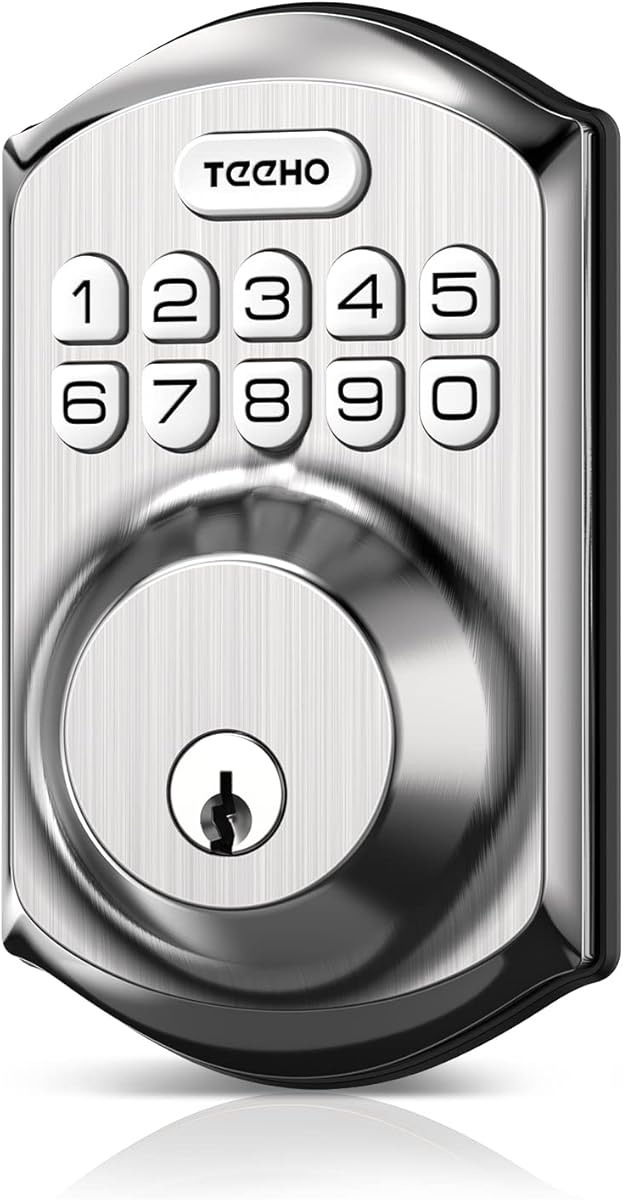
TEEHO TE001 Keyless Entry Deadbolt with Keypad for Front Door, Satin Nickel
4.5Editor score
20 access codes included
Auto lock in 10-99 seconds
Long battery life up to 365 days
This guide compares the top rated digital door locks for home security featuring fingerprint, keypad, and wifi options to help you choose the right model.
Securing your home has never been easier with modern digital door locks. These smart devices offer keyless entry, remote access, and enhanced security features. Whether you need a budget-friendly option or a premium model, there is a solution for every household today.
We evaluated ten top-rated models based on ease of installation, battery life, and smart home integration. Our comparison covers various unlocking methods like fingerprints, codes, and voice control. This list helps you find the most reliable lock for your front door needs.
Each pick highlights specific strengths such as app control, weather resistance, and user management. Note that prices and availability may change frequently. Check the latest details before making your final decision to ensure you get the best value and performance for your money.
4.5Editor score
4.3Editor score
4.2Editor score
This table provides a side-by-side overview of all ten models to help you compare key specifications at a glance.





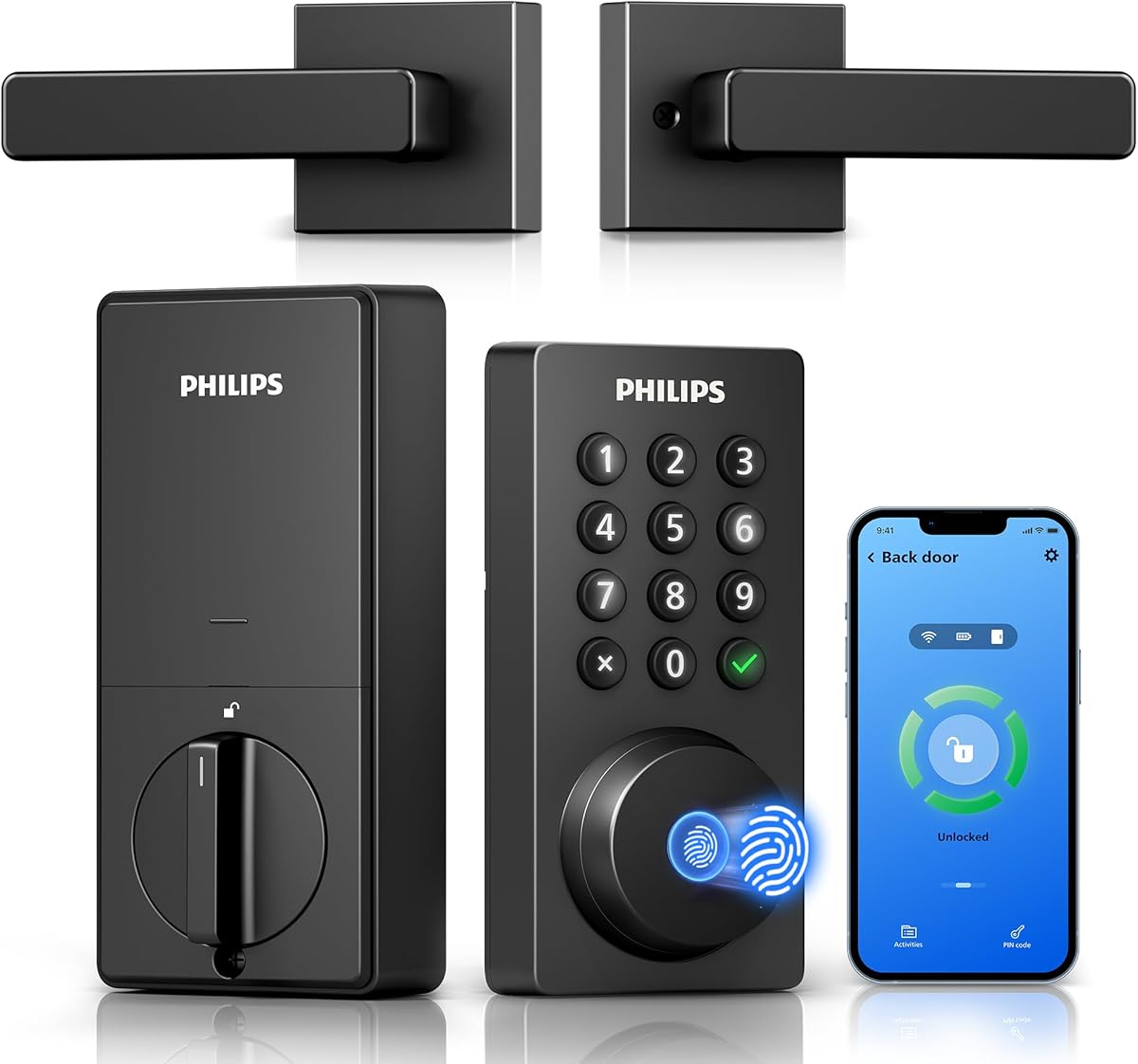
The Philips WiFi Keypad Deadbolt offers reliable keyless entry with built-in connectivity. It has a solid 4.3 rating from users who appreciate its ease of setup and control.
We may earn a commission when you buy through this link, at no additional cost to you.
Its standout feature is the direct WiFi connection that eliminates the need for extra hubs. The 0.3 second fingerprint scan ensures quick access while the app provides real-time status updates and history logs.
While the auto-lock is off by default requiring manual setup the flexibility is useful for varied needs. The included handle set simplifies installation so you do not need extra hardware.
This lock is ideal for homeowners seeking a balance of smart features and straightforward design. It delivers consistent performance for daily use and remote management.
The Philips Home Access App lets you manage codes and view status remotely without extra hardware.
Store multiple fingerprints for family and guests to unlock the door instantly every time.
We may earn a commission when you buy through this link, at no additional cost to you.
This Philips model focuses on flexible entry methods including app codes and physical keys. It holds a 4.2 rating for its straightforward smart features and reliable connectivity.
We may earn a commission when you buy through this link, at no additional cost to you.
You can lock and unlock the door from anywhere using the built-in WiFi. The Away Mode adds security by restricting access to the master code only which is perfect for travel.
It lacks a door sensor which might limit some advanced automation options. The battery life depends on usage frequency so plan for regular replacements to maintain performance.
Choose this lock if you want a budget-friendly smart option with strong remote capabilities. It works well for standard residential doors needing keyless convenience.
Activate Away Mode to simplify access control while you are on a long trip.
Family members can choose between app passcodes or fingerprints based on preference.
We may earn a commission when you buy through this link, at no additional cost to you.
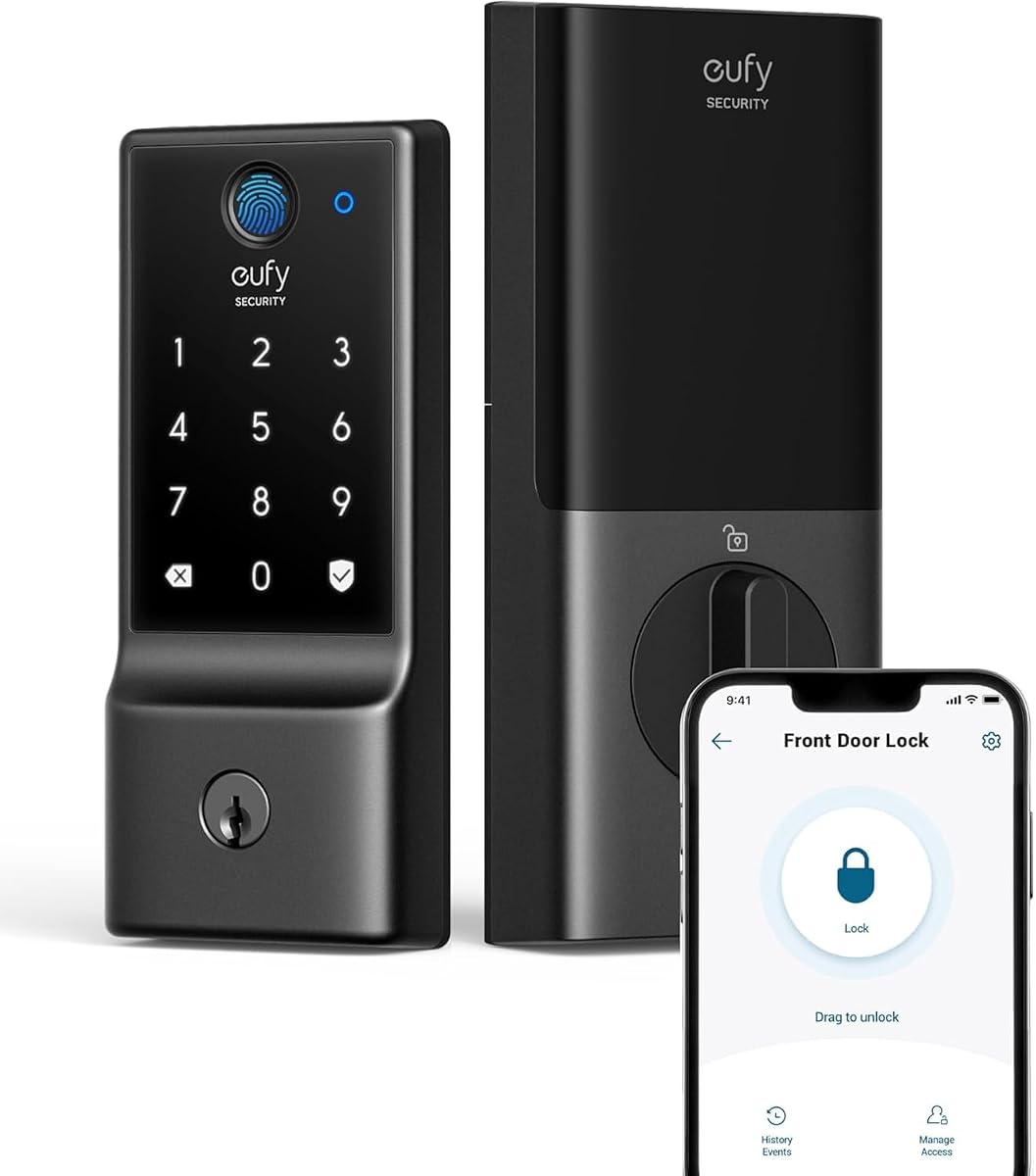
The eufy C220 stands out for its self-learning AI and impressive battery duration. Users rate it highly for convenience and smooth integration with other smart home devices.
We may earn a commission when you buy through this link, at no additional cost to you.
Its fingerprint sensor improves accuracy over time reducing failed attempts. The 8 month battery life means fewer interruptions for replacements compared to other models.
While it is IP53 rated it may not be the best for extreme exposure. The need to remove the spacer for some bores might require checking door compatibility first.
This lock is best for eufy ecosystem users who want extended power and AI features. It fits standard deadbolts well and offers versatile entry options.
The lock learns fingerprint patterns to improve recognition speed with every use.
Pair with eufy doorbells to create unified routines for keyless entry.
We may earn a commission when you buy through this link, at no additional cost to you.
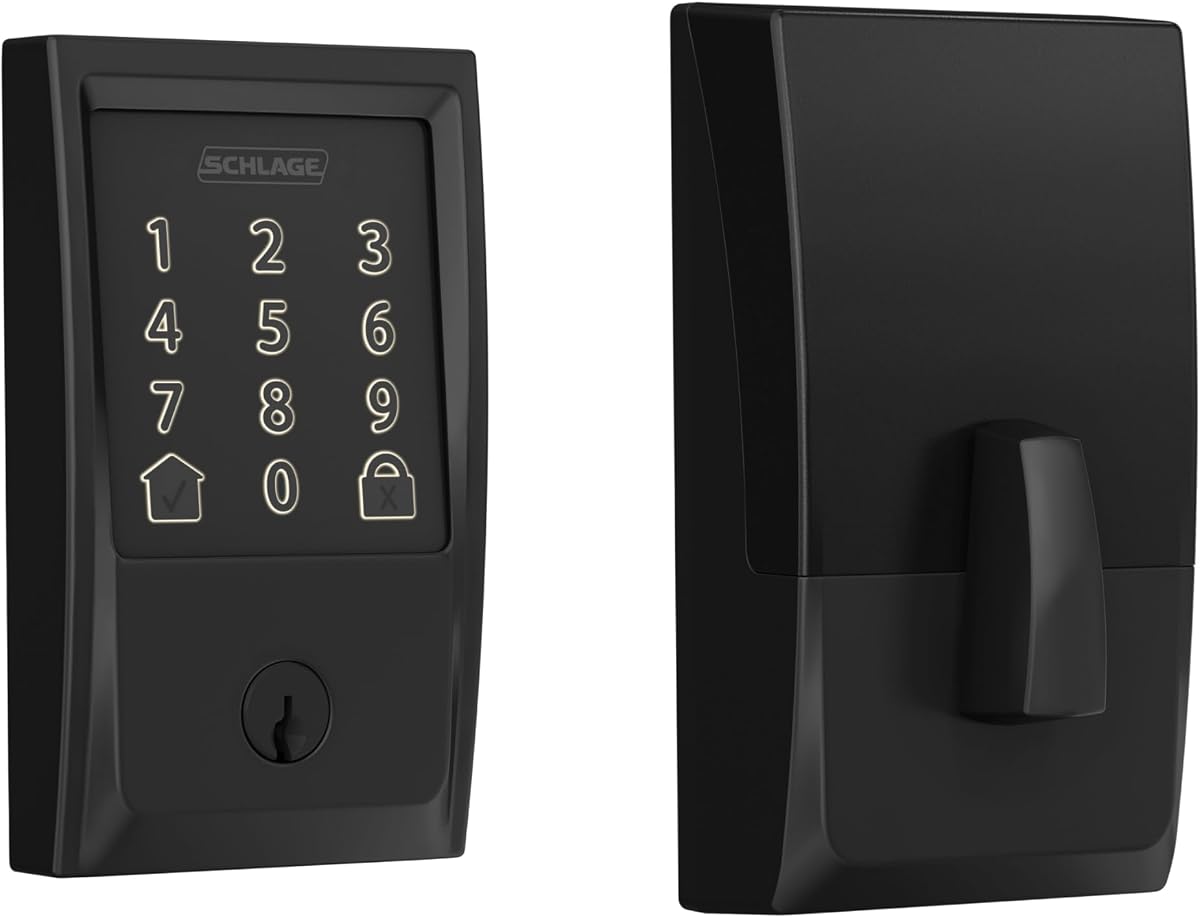
Schlage Encode delivers top tier security with BHMA certified ratings and robust encryption. It earns a 4.2 rating for its build quality and advanced alarm features.
We may earn a commission when you buy through this link, at no additional cost to you.
The customizable alarm alerts you to forced entry attempts which adds a safety layer. One-touch locking from the touchscreen makes securing the door effortless when leaving.
Its higher cost reflects premium materials and reliability. Installation uses a snap design that keeps the lock in place while you align it easily.
Select this model if you prioritize industry leading standards and durability. It is a solid long term investment for high security needs.
Built-in secure connections keep your access data safe from external threats.
Touch the keypad to lock the door quickly without searching for a key.
We may earn a commission when you buy through this link, at no additional cost to you.
This Yamiry model combines a handle and smart lock into one unit for easy installs. It rates 4.3 for users wanting a complete set replacement without buying parts separately.
We may earn a commission when you buy through this link, at no additional cost to you.
You get six unlocking methods including fingerprint and voice with a gateway. The reversible handle fits both left and right opening doors saving installation time.
Remote access requires buying a separate WiFi gateway which adds to the total. It is perfect for property managers who need to share access without physical keys.
Choose this for quick upgrades on standard wooden doors. It balances smart features with simple mechanical convenience.
Grant temporary access to guests or tenants without handing out spare keys.
The matching handle set gives a sleek finish to your front entry.
We may earn a commission when you buy through this link, at no additional cost to you.
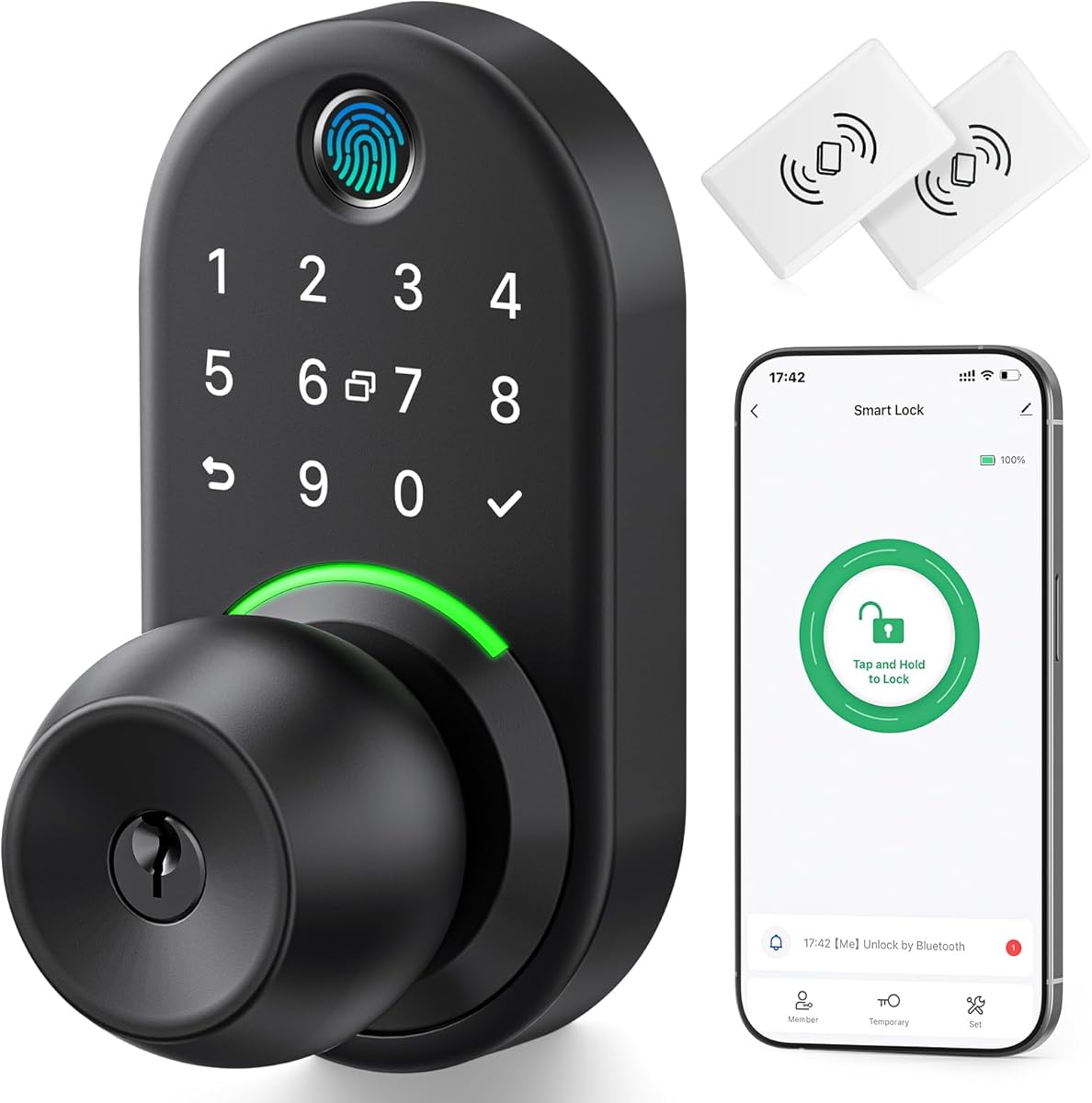
TEEHO TE001 provides a reliable keyless deadbolt at an affordable price point. With a 4.5 rating it is known for durability and simple keypad functionality.
We may earn a commission when you buy through this link, at no additional cost to you.
It offers up to 20 access codes and a one-time guest code feature. The auto lock timer ensures the door locks automatically so you never leave it open.
Without WiFi it is less smart but very stable. The low battery alert prevents unexpected lockouts and the warranty adds peace of mind.
This is a great entry level choice for secure homes without complex needs. It works well where keyless convenience is the primary goal.
Generate temporary codes for deliveries or visitors without leaving your house.
Set a timer so the door locks itself every time you enter.
We may earn a commission when you buy through this link, at no additional cost to you.
This Yamiry knob lock focuses on easy setup and clear keypad access. Users give it a 4.4 rating for its straightforward design and quick installation process.
We may earn a commission when you buy through this link, at no additional cost to you.
The backlit keypad helps you enter codes in low light. You can set auto lock from 5 to 99 seconds to secure the door automatically.
It is water resistant for outdoor use but lacks advanced remote features. The one-time codes help manage access for guests without needing a smart hub.
Choose this for simple keyless entry on standard doors. It balances functionality with ease of use at a moderate cost.
The backlit keypad makes entering codes easy even in dark entryways.
Adjust the auto lock delay to suit your daily routine perfectly.
We may earn a commission when you buy through this link, at no additional cost to you.
Yamiry adds fingerprint scanning to its handle design for quick access. It holds a 4.3 rating for blending biometric tech with traditional lock functions.
We may earn a commission when you buy through this link, at no additional cost to you.
Store up to 50 passwords and fingerprints to accommodate family and guests. The auto lock feature ensures security while the app lets you program codes easily.
Without a gateway remote access is limited. The aluminum body offers corrosion resistance which keeps it looking good outdoors.
This model suits homes needing biometric convenience without full smart features. It fits standard doors and supports both manual and digital entry.
Unlock with a touch to avoid carrying keys or remembering codes.
The aluminum body resists corrosion and handles daily wear and tear.
We may earn a commission when you buy through this link, at no additional cost to you.
The Veise VE017 uses on-device AI to store data locally and ensure privacy. It rates 4.3 for its fast recognition and robust user management features.
We may earn a commission when you buy through this link, at no additional cost to you.
Unlock in 0.2 seconds with AI that improves over time. You can track activity logs and enable Away Mode to restrict access during travel.
Data stays on the lock so there is no cloud leak risk. Battery life reaches 12 months on alkaline batteries which reduces maintenance.
This is ideal for privacy-conscious users wanting smart features. It balances speed with secure local storage for family access.
Local AES128 encryption keeps your credentials safe from cloud breaches.
The AI chip recognizes fingerprints in a blink to skip keys.
We may earn a commission when you buy through this link, at no additional cost to you.
Veise offers a complete WiFi deadbolt set with strong battery life. It holds a 4.5 rating for its extensive feature set and reliable app management.
We may earn a commission when you buy through this link, at no additional cost to you.
Get direct 2.4GHz connectivity without needing a hub. The 0.2s fingerprint sensor and 100+ code support handle busy household schedules easily.
The kit includes two knobs which simplifies replacement. Weather resistance ensures it withstands rain or sun without degradation.
Choose this for families needing a full smart lock solution. It provides comprehensive control and long-term durability for daily entry.
Receive both knobs and the lock for a complete front door upgrade.
Connect to your home network directly for real-time alerts.
We may earn a commission when you buy through this link, at no additional cost to you.
Selecting the right digital door lock depends on your home security needs and smart preferences.
Choose between WiFi models for direct remote access or Bluetooth ones needing a gateway. WiFi locks let you monitor status from anywhere but use more power. Bluetooth is cheaper but requires a separate hub for remote features.
For full remote control pick a model with built-in WiFi or plan to buy a gateway.
Look for locks offering multiple ways to unlock like fingerprints codes or physical keys. More methods mean better flexibility for family and guests. Ensure the lock stores enough codes for all users.
Select a lock that supports at least three entry types for convenience.
Battery life varies from 6 months to over a year depending on usage. Check if the lock includes low battery alerts to prevent lockouts. Alkaline batteries often perform better than rechargeable ones.
Choose a model with a clear alert system to avoid unexpected outages.
Measure your door thickness and bore hole size before buying. Most locks fit standard doors but some need specific backsets or adjustments. Reversible handles help match your door opening direction.
Always verify dimensions against the product specs before purchasing.
Check if the lock works with voice assistants like Alexa or Google. Integration allows hands-free control and routine automation. Ensure you have the right ecosystem to support these features.
Pick a lock compatible with your existing smart devices for seamless use.
Look for BHMA or ANSI certifications to ensure reliable security. Higher grades mean better resistance to forced entry. Alarm features add extra protection for sensitive entry points.
Prioritize locks with industry recognized security ratings.
Install the lock by following the provided manual to ensure proper alignment. Use a screwdriver and check that the door swing direction matches the setup.
Register your fingerprints and access codes immediately after installation. Test multiple entry methods to confirm they work before relying on the lock daily.
Replace batteries when the low alert appears and clean the keypad regularly. Avoid harsh chemicals to protect the surface and sensors from damage.
Yes most modern digital door locks offer app control to unlock your door. You can use the companion app to lock or unlock remotely if the lock has WiFi or a connected gateway. This allows you to grant access to guests without handing out physical keys.
Most digital door locks provide a low battery alert before they lose power. If the battery dies completely you can usually use a physical key or a USB-C port to provide emergency power. Keep a spare physical key in a safe place for these situations.
Many models are compatible with Alexa or Google Assistant for voice control. You need to link the lock to your assistant app to issue commands like lock or unlock. Check the product details to confirm specific voice integration requirements.
The number of stored codes varies by model ranging from 20 to over 100. High capacity locks are great for families or properties with frequent guest access. Review the specs to ensure it meets your user management needs.
Most digital locks are designed for DIY installation using a screwdriver. The process involves replacing your existing deadbolt or knob and aligning the latch. Follow the included video guides to complete the setup in about 10 to 15 minutes.
Yes many digital door locks feature waterproof ratings like IP53 or IP65. This ensures they can withstand rain and dust for outdoor entry. Check the rating to confirm it suits your climate conditions.
We reviewed ten top models offering diverse features from fingerprint access to direct WiFi control. The Philips and Veise models stand out for smart integration while TEEHO provides a budget-friendly reliable option.
Prioritize connection type and door compatibility when making your choice. Ensure the lock supports enough users and offers the battery life you need for daily use.
Remember that prices and stock change often so check the latest details on Amazon. Select the lock that fits your security needs and budget for a secure entry.