
Redragon M612 Wired RGB Optical Gaming Mouse
4.6Editor score
5 adjustable DPI levels
9 programmable buttons
Ergonomic claw grip design
Discover the top ten drag click mice for gaming and productivity. This guide compares sensors, durability, and ergonomic designs to help you choose the right
Drag click mice are essential tools for gamers and professionals who need rapid input speeds. These devices allow users to register multiple clicks with a single finger motion, enhancing performance in competitive environments.
We evaluated ten top-rated models based on sensor precision, build quality, and user feedback. Our analysis covers wired and wireless options to ensure you find the perfect match for your setup.
Each pick highlights unique strengths like customizable buttons or lightweight frames. Prices fluctuate frequently so check current listings before purchasing to secure the best value for your needs.
4.6Editor score

4.6Editor score

4.6Editor score
This side-by-side comparison highlights key specifications across all ten models to help you evaluate performance features and design elements quickly.

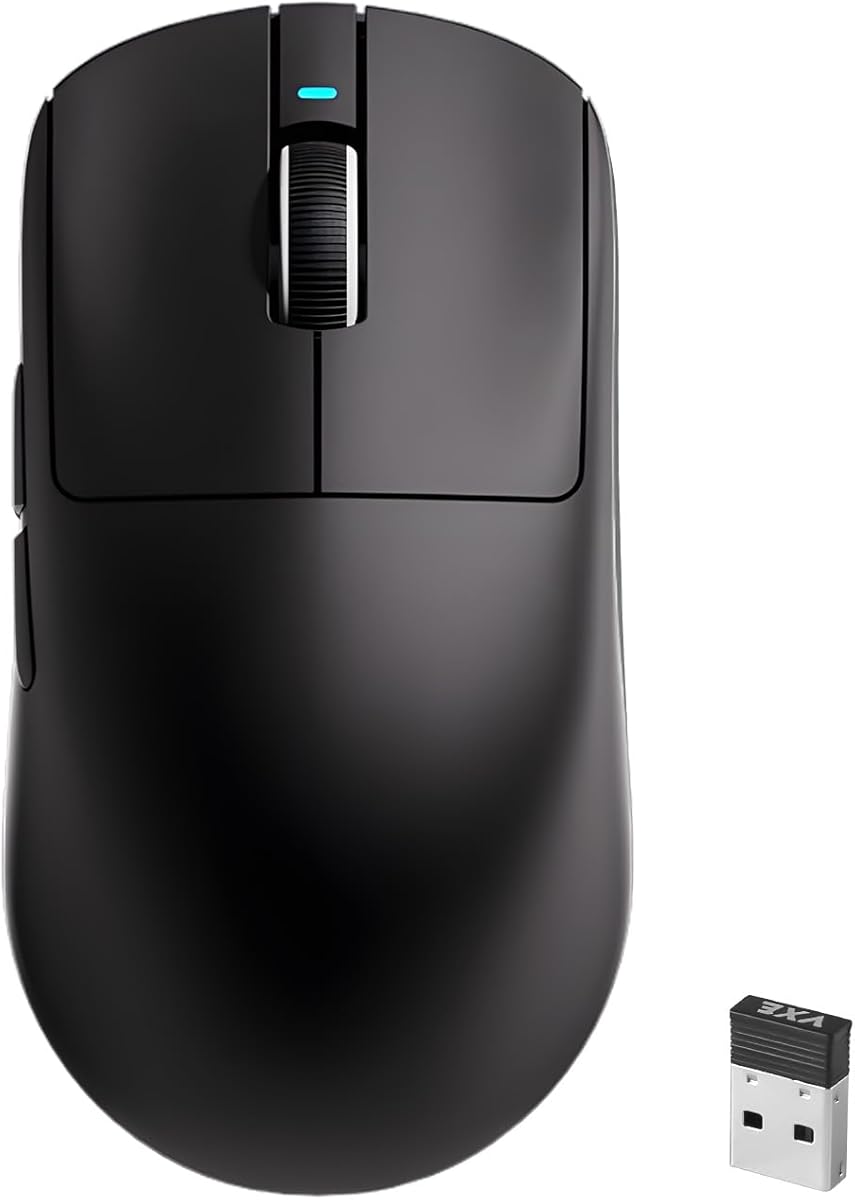



The Redragon M612 stands out as a top contender for budget-conscious gamers seeking reliable drag click performance. With a solid 4.6 rating it delivers consistent input accuracy suitable for competitive play and daily tasks.
We may earn a commission when you buy through this link, at no additional cost to you.
Its 8000 DPI optical sensor ensures precise tracking across various surfaces while the nine programmable buttons allow extensive customization. The frosted coating provides a secure grip that reduces fatigue during extended sessions.
While it lacks wireless freedom the wired design ensures zero latency which is critical for fast-paced games. The RGB lighting adds a touch of style though it remains simple compared to premium models.
This mouse is ideal for entry-level players or those needing a secondary device. Its balance of features and cost makes it a practical choice for anyone looking to upgrade without overspending.
The nine programmable buttons let you assign macros and keybinds for complex commands effortlessly.
Ergonomic contours and a skin-friendly surface minimize hand strain during long gaming marathons.
We may earn a commission when you buy through this link, at no additional cost to you.
The Redragon M923 PRO offers exceptional versatility with its triple mode connectivity supporting Bluetooth and 2.4G wireless. Its 24K DPI sensor provides the precision needed for high-speed drag clicking and detailed aiming tasks.
We may earn a commission when you buy through this link, at no additional cost to you.
Eight programmable buttons can be fully customized via dedicated software allowing you to tailor every aspect of the experience. The ergonomic design ensures a natural grip that supports extended use without discomfort.
Users may find the software interface slightly overwhelming at first but it unlocks powerful potential. Battery performance depends on usage patterns yet it remains reliable for most daily gaming scenarios.
This model is perfect for users wanting wireless flexibility without breaking the bank. It bridges the gap between budget and mid-range options with robust feature sets.
Switch seamlessly between Bluetooth and 2.4G wireless to match your device setup instantly.
The high DPI sensor adapts to different surfaces ensuring smooth tracking during intense play.
We may earn a commission when you buy through this link, at no additional cost to you.
The Razer Viper V3 Pro is engineered for elite competitive play with an ultra lightweight 54g frame. It features a Focus Pro 35K optical sensor that tracks flawlessly even on glass surfaces.
We may earn a commission when you buy through this link, at no additional cost to you.
With an 8000 Hz polling rate it delivers instantaneous response times critical for drag clicking and fast flicks. Optical mouse switches guarantee zero double-clicking issues and offer a blistering 0.2 ms actuation.
The nine5-hour battery life ensures uninterrupted gameplay during tournaments or long sessions. Its sleek design may lack extensive side buttons but prioritizes speed and efficiency above all.
This mouse is the top choice for serious esports athletes and enthusiasts. The investment is justified by its unmatched performance and reliability in high-stakes environments.
The 8000 Hz polling rate reduces input lag to near zero for split-second reactions.
Long battery life and durable optical switches ensure consistent performance over years of use.
We may earn a commission when you buy through this link, at no additional cost to you.
The ATK R1 SE+ distinguishes itself with web-driven software that simplifies customization without heavy installs. Its 55g lightweight build supports swift movements ideal for competitive drag clicking scenarios.
We may earn a commission when you buy through this link, at no additional cost to you.
A PAW3395SE sensor provides accurate tracking with adjustable polling rates between 125 and 1000Hz. Tri-mode connectivity allows stable wired wireless or Bluetooth connections across various devices easily.
The ergonomic shape fits natural hand curves reducing soreness during marathon sessions. While the software is convenient it does require an internet connection which might limit offline adjustments.
This mouse is great for users valuing convenience and portability. It offers strong performance metrics at a competitive price appealing to modern gamers.
Web-driven settings let you adjust DPI and buttons without installing bulky driver software.
A 55g design ensures effortless control and reduced wrist fatigue during extended use.
We may earn a commission when you buy through this link, at no additional cost to you.
The Redragon M910-K features a dedicated fire button that enhances rapid clicking capabilities for competitive games. With eight redefinable DPI levels it adapts easily to different gaming scenarios.
We may earn a commission when you buy through this link, at no additional cost to you.
Nine programmable buttons offer extensive macro editing allowing tailored keybinds for complex tasks. The ergonomic contour fits various hand sizes providing long-lasting comfort without fatigue.
While it lacks wireless freedom the wired connection ensures stability during intense gameplay. The five RGB modes add visual flair though the sensor is standard compared to newer tech.
This mouse suits players needing quick access to fire commands without premium costs. Its feature-rich design makes it a strong contender in the budget category.
The dedicated fire button lets you execute rapid clicks with a single press for tactical advantage.
Five user profiles store different settings so you can switch between games instantly.
We may earn a commission when you buy through this link, at no additional cost to you.
The MOJO Pro Performance combines precision with silent clicks making it ideal for shared spaces or late-night gaming. Its PMW3336 sensor ensures flawless tracking up to 12000 DPI.
We may earn a commission when you buy through this link, at no additional cost to you.
Nine programmable buttons can be customized via software to set up macros and adjust LED settings. The hand-sculpted ergonomic design fits naturally to reduce strain during long sessions.
Weighing 127g it is heavier than ultra-light models but offers stability. The silent switches effectively reduce noise though they may feel less tactile to some users.
This mouse is best for users prioritizing quiet operation without sacrificing performance. It delivers reliability and comfort for diverse gaming needs.
Silent buttons eliminate audible clicks so you can play without disturbing others nearby.
Hand-sculpted curves provide a natural grip that supports your hand throughout extended use.
We may earn a commission when you buy through this link, at no additional cost to you.
The Redragon M913 Impact Elite boasts twelve side buttons making it perfect for MMOs and drag clicking scenarios requiring many inputs. Its optical Pixart 3335 sensor offers improved tracking precision.
We may earn a commission when you buy through this link, at no additional cost to you.
With sixteen programmable buttons you can assign complex macros for enhanced gameplay efficiency. Dual mode wireless provides flexibility via 2.4G or USB wired connections for stable performance.
The forty-five hour battery life supports long gaming sessions though recharging is needed periodically. Its bulkier shape might feel heavy for FPS players but excels in role-playing games.
This mouse is tailored for MMO enthusiasts needing extensive button access. It delivers robust functionality tailored for complex gaming requirements.
Twelve side buttons give you quick access to spells and commands without keyboard switching.
Dual mode connectivity ensures you can switch between wired and wireless setups seamlessly.
We may earn a commission when you buy through this link, at no additional cost to you.
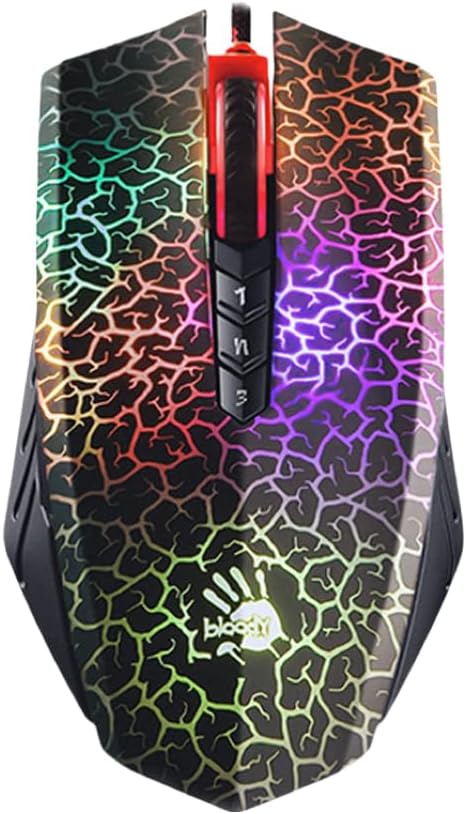
The Bloody A70 II utilizes Light Strike switches for a lightning fast 0.2ms response time without metal bouncing noise. It features a high-performance optical engine ensuring precision across different surfaces.
We may earn a commission when you buy through this link, at no additional cost to you.
Fully programmable buttons allow advanced macro setups tailored to specific game needs. The X'GLIDE armor feet enhance durability and glide performance on various mouse pads.
With over twenty million clicks lifespan it offers exceptional longevity. The design might be unconventional but the performance justifies the unique aesthetic for competitive players.
This mouse is ideal for gamers seeking speed and durability. Its innovative switches make it a standout for rapid input tasks.
Light Strike switches deliver instant response with zero debounce delay for competitive play.
X'GLIDE armor feet ensure smooth movement and longevity across multiple mouse pad surfaces.
We may earn a commission when you buy through this link, at no additional cost to you.
The Logitech G PRO X2 SUPERSTRIKE features a breakthrough haptic feedback system providing real-time immersion during gameplay. Designed with esports pros it delivers fully customizable clicks 30ms faster.
We may earn a commission when you buy through this link, at no additional cost to you.
Its HERO 2 sensor supports up to 44000 DPI ensuring pinpoint accuracy. LIGHTSPEED wireless and eight kHz polling deliver lag-free performance even in noisy environments.
The ultra-durable thin-wall case keeps weight low without sacrificing longevity. Battery life spans 60 to 90 hours supported by POWERPLAY compatibility for endless wireless play.
This mouse is for pros wanting every advantage. The haptic feedback and speed justify its premium status in high-end gaming.
Haptic feedback gives real-time tactile cues that enhance situational awareness in any game.
Advanced polling and optimized wireless ensure zero input lag during critical competitive moments.
We may earn a commission when you buy through this link, at no additional cost to you.
The Razer Basilisk V3 features an ergonomic thumb rest that supports natural hand positioning comfortably. Its Focus Plus 26K optical sensor tracks flawlessly without smoothing for pixel-precise accuracy.
We may earn a commission when you buy through this link, at no additional cost to you.
Eleven programmable buttons allow extensive macro assignments while the HyperScroll tilt wheel enables free-spin scrolling. Optical switches provide crisp execution with zero unintended misclicks.
While wired the connection remains stable and durable. Its heavier weight may suit palm grip users but could hinder quick flicks compared to lighter models.
This mouse is best for those prioritizing ergonomics and customization. It balances style and function effectively for diverse gaming styles.
The thumb rest and ergonomic shape reduce strain during extended gaming sessions.
HyperScroll tilt wheel switches between free-spin and tactile mode for various use cases.
We may earn a commission when you buy through this link, at no additional cost to you.
Selecting the right drag click mouse involves evaluating several key factors that impact performance and comfort during use.
The sensor determines how accurately your movements are tracked. Look for optical sensors with high DPI and polling rates to ensure responsive clicks and smooth aiming across various surfaces.
Prioritize models with adjustable DPI settings so you can fine-tune sensitivity for different games and tasks.
Drag clicking often benefits from extra programmable buttons for macros and quick commands. Check how many buttons are available and if software allows deep customization for your workflow.
Ensure the layout supports easy access without accidental presses during fast movements.
Decide between wired and wireless based on your need for stability versus freedom. Wired mice guarantee zero latency whereas wireless models offer convenience with modern Bluetooth or 2.4G connections.
If choosing wireless verify battery life meets your typical usage duration to avoid interruptions.
A durable mouse withstands the mechanical stress of drag clicking and frequent use. Look for reinforced switches and robust materials that resist wear and double-clicking issues over time.
Invest in a mouse with optical switches if you want extended lifespan and faster actuation.
Comfort is critical since gaming sessions can last hours. Choose a design that fits your hand size and grip style to prevent strain or fatigue.
An ergonomic shape with textured surfaces ensures a secure hold and better control.
Lighter mice allow quicker movements but some prefer heavier ones for stability. Aim for a weight that balances speed with control based on your personal preference.
Modern gaming mice often range from 50g to 120g depending on the build and features.
Set a realistic budget before shopping since prices vary widely between basic and premium models. High-end mice offer advanced sensors and materials but entry-level options can still perform well.
Compare features within your price range to get the most value for your money.
Quality software allows you to adjust DPI assign macros and update firmware easily. Check if the brand provides intuitive tools compatible with your operating system.
Avoid mice with limited software support as this restricts customization potential and future updates.
Start by customizing your mouse settings through the provided software. Adjust DPI levels and assign macros to buttons that match your gaming style for maximum efficiency.
Keep the mouse surface clean using a dry microfiber cloth to prevent dust buildup. A clean surface ensures optimal tracking and prolongs the life of your equipment.
For wireless models charge the battery regularly to avoid unexpected power loss during sessions. Store the mouse in a safe place when not in use to protect it from accidental damage.
Drag clicking is a technique where you slide your finger across the mouse button to register multiple clicks rapidly. It works by using friction to create rapid depressions that the sensor interprets as separate clicks boosting your clicks per second rate.
Many games allow drag clicking as it relies on mechanical input rather than software macros. However some competitive leagues ban high CPS techniques so always check the rules before using drag click features in tournaments.
Double clicking can be prevented by using optical switches or mice designed for high CPS. Regularly update firmware and ensure proper software settings can also reduce mechanical strain and improve switch longevity.
Yes drag click mice function like standard mice for everyday computing. The only difference is the potential to trigger multiple clicks which may require care when using standard applications to avoid unintended actions.
A lower DPI setting often helps control the friction needed for drag clicking effectively. Experiment with values between 400 and 800 to find the sweet spot that balances speed and precision for your hand.
Wireless mice can support drag clicking but latency might be slightly higher than wired models. Choose a high-quality wireless mouse with low latency technology to ensure responsiveness during competitive play.
Standard mechanical switches usually last around 20 million clicks while optical switches can exceed 90 million clicks. Proper usage and avoiding excessive force will help extend the life of your mouse.
The top three picks include the Redragon M612 for budget users the Razer Viper V3 Pro for premium performance and the Logitech G PRO X2 for advanced features.
Prioritize sensor precision and ergonomics to ensure long-term comfort and accuracy during intense gaming sessions.
Remember to check current listings as prices and availability change frequently for the best deals on these models.