
TP-Link ER605
4.4Editor score
Five Gigabit ports for flexible WAN LAN setup
Supports 20 LAN to LAN IPsec VPN connections
Includes USB port for mobile broadband backup
This guide compares the top ten dual wan router models for enterprise and home use, evaluating features like load balancing, security, and WAN failover
A dual wan router provides essential redundancy by allowing two internet connections to work together. This setup ensures your network stays online even if one provider fails. It is crucial for businesses that cannot afford downtime.
We evaluated ten top models based on port speed, security features, and ease of management. Each product offers unique strengths for different network sizes and needs. Our analysis focuses on reliability and performance metrics.
Each pick highlights specific benefits like speed, cost, or advanced security options. Prices fluctuate often so check current listings before buying. This list helps you find the right fit for your connectivity needs.
4.4Editor score

4.2Editor score

4.4Editor score
This side-by-side comparison highlights the key specifications and capabilities of each model. It helps you quickly identify which router matches your network bandwidth and security needs.



The TP-Link ER605 is a highly affordable option that delivers robust dual WAN capabilities for small businesses and home offices. It holds a strong rating for its reliability and straightforward configuration process.
We may earn a commission when you buy through this link, at no additional cost to you.
Its standout feature is the flexibility in port configuration which includes up to three WAN ports and a USB port for mobile broadband backup. The advanced firewall and VPN support ensure secure connections across multiple devices.
While it lacks built-in Wi-Fi and requires a separate access point, this is acceptable for users needing dedicated wired connectivity. The interface is functional but may feel dated compared to modern cloud-managed systems.
This router is ideal for budget-conscious users who need redundancy without spending heavily. It provides excellent value for money while maintaining strong security and failover performance.
Provides reliable backup internet connectivity without breaking the bank.
Flexible port setup allows for multiple ISP connections simultaneously.
We may earn a commission when you buy through this link, at no additional cost to you.
The Peplink B-One is a high-end dual WAN router designed for enterprise branches needing constant uptime. It boasts exceptional stability and seamless failover capabilities that keep critical operations running smoothly.
We may earn a commission when you buy through this link, at no additional cost to you.
Its SpeedFusion technology ensures smooth video calls and data transmission even during connection drops. The ability to integrate Starlink with cable or fiber makes it unique for remote or hybrid setups.
While the price is steep for home users, the investment pays off in resilience and support. The interface is powerful but may require some networking knowledge to fully utilize.
This router is perfect for businesses where downtime is not an option. It delivers premium performance and connectivity options that justify the cost.
Built for business environments requiring uninterrupted internet access.
Simplified setup for hybrid satellite and terrestrial connections.
We may earn a commission when you buy through this link, at no additional cost to you.
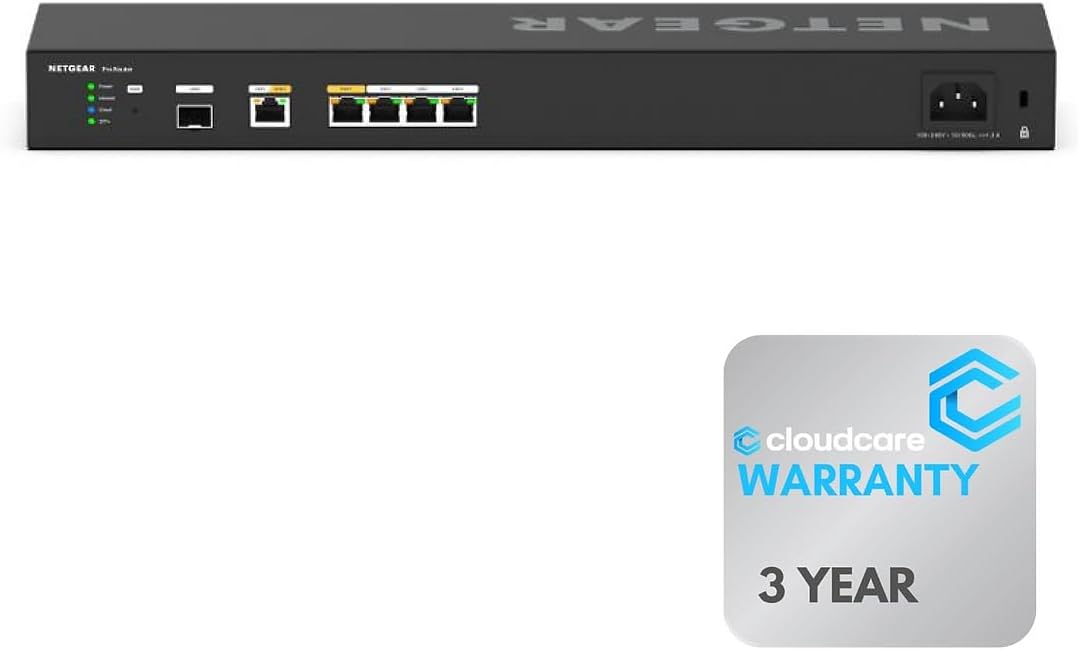
The NETGEAR PR60X offers high-performance dual WAN features tailored for SMEs requiring robust network management. It balances speed and security effectively through cloud management and advanced VLAN support.
We may earn a commission when you buy through this link, at no additional cost to you.
Its 10G port enables ultra-fast connections for large file transfers while dual WAN ensures continuity. The Insight platform simplifies remote management allowing admins to monitor networks from anywhere.
While advanced, the system might overwhelm smaller networks without IT support. The price reflects its enterprise-grade capabilities which may be overkill for casual users.
This router is ideal for growing businesses needing scalable and secure connectivity. It stands out for its blend of speed and manageability.
Remote management ensures network visibility and control.
Combines high-speed ports with secure tunneling protocols.
We may earn a commission when you buy through this link, at no additional cost to you.
The Cudy R700 is a versatile router that supports up to five ISPs with automatic failover and load balancing. It is well-regarded for offering OpenWRT support which unlocks advanced network control.
We may earn a commission when you buy through this link, at no additional cost to you.
Its VPN suite including WireGuard and OpenVPN makes it a solid choice for remote access. The professional security stack ensures your perimeter remains protected against DoS attacks.
However, leveraging OpenWRT fully may require technical expertise and custom configuration. The interface is functional but lacks the polish of premium brands.
This router suits tech-savvy users needing extensive customization at a budget price. It offers great value for advanced networking needs.
Maximize uptime by connecting multiple internet providers.
OpenWRT support enables deep customization of settings.
We may earn a commission when you buy through this link, at no additional cost to you.
The Omada ER707-M2 provides flexible port configuration including 2.5Gigabit WAN and LAN ports for high bandwidth aggregation. It is designed for networks requiring high session capacity and cloud management.
We may earn a commission when you buy through this link, at no additional cost to you.
Its cloud access allows remote network control from anywhere making it ideal for distributed teams. The robust VPN support secures connections for site-to-site and remote access effectively.
However, full benefits depend on using Omada access points or switches which can add to costs. The warranty is long but support is limited to business hours.
This router is excellent for growing businesses needing high throughput and centralized control. It integrates well within the Omada ecosystem.
2.5G ports ensure fast data transfer for busy networks.
Manage multiple sites from a single cloud interface.
We may earn a commission when you buy through this link, at no additional cost to you.
The ASUS RT-BE88U brings blazing-fast WiFi 7 technology with dual 10G wired ports to the dual WAN market. It is a top choice for users wanting the latest wireless standards and high-speed wired connections.
We may earn a commission when you buy through this link, at no additional cost to you.
Its AI WAN detection ensures always-on internet through versatile configuration options and mobile tethering. The whole-home mesh network feature helps maintain seamless connectivity across large properties.
The price is high and power consumption is greater than standard routers. It is also overkill for smaller homes without 10G internet plans.
This router is perfect for enthusiasts and power users needing extreme performance. It combines cutting-edge WiFi with robust dual WAN capabilities.
Delivers next-gen wireless throughput for demanding applications.
Automatically detects and manages internet connections efficiently.
We may earn a commission when you buy through this link, at no additional cost to you.
The ASUS ExpertWiFi EBG15 is a commercial-grade router designed to offer security and versatility for small offices. It provides up to three WAN Ethernet ports to optimize broadband usage effectively.
We may earn a commission when you buy through this link, at no additional cost to you.
Its IPS intrusion prevention and Layer 7 firewall ensure robust protection against malicious traffic. The app makes setup easier and VLAN support adds an extra security layer.
However, it is a wired router meaning you may need additional access points for Wi-Fi. The rating is lower than others which may indicate minor reliability issues.
This router is suitable for businesses needing secure wired networking with failover. It offers good value for commercial-grade features.
IPS and Layer 7 firewall protect sensitive business data.
Multiple WAN ports support balanced bandwidth usage.
We may earn a commission when you buy through this link, at no additional cost to you.
The D-Link DSR-250V2 is designed for remote and hybrid work with enterprise-grade security and encryption. It stands out for following government standards which is vital for regulated industries.
We may earn a commission when you buy through this link, at no additional cost to you.
Its dual WAN failover ensures continuous connectivity if the primary source drops. The router supports multiple VPN tunnels allowing secure access for traveling users.
However, the low rating and older design may concern some buyers. It requires more technical setup compared to modern cloud-managed devices.
This router is best for agencies needing compliance and security over modern features. It offers reliability for specific regulatory environments.
Meets TAA and NDAA standards for secure use.
Supports multiple secure tunnels for various users.
We may earn a commission when you buy through this link, at no additional cost to you.
The NETGEAR PR60X Cloud version offers six 10G Multi-Gig ports for maximum speed in professional setups. It is ideal for rack-mount environments where space and organization matter.
We may earn a commission when you buy through this link, at no additional cost to you.
Its Insight cloud management allows remote monitoring and control which simplifies IT tasks. The high rating reflects reliability and performance in demanding conditions.
The price is high and it is tailored for professional networks rather than home use. You may need extra cabling to utilize all ports.
This router is perfect for offices needing high-speed and scalable connectivity. It provides enterprise-grade features in a compact design.
Six 10G ports ensure top-tier network throughput.
Rack-mountable structure organizes equipment efficiently.
We may earn a commission when you buy through this link, at no additional cost to you.
The Linksys LRT224 is a reliable business router offering load balancing and robust VPN support. It is a straightforward choice for small businesses needing basic redundancy without complex features.
We may earn a commission when you buy through this link, at no additional cost to you.
Its firewall throughput ensures secure data flow while IPsec tunnels allow site-to-site connections. The interface is user-friendly which reduces the learning curve.
However, it lacks modern cloud management and is an older model with fewer advanced features. It may not support multi-gigabit speeds.
This router is ideal for small offices needing cost-effective redundancy. It delivers solid performance for standard business requirements.
Load balancing ensures optimal bandwidth use.
Strong IPsec tunnel support for remote access.
We may earn a commission when you buy through this link, at no additional cost to you.
Selecting the right router depends on specific network needs and budget. Below are key factors to evaluate before making a purchase.
Check the number of WAN and LAN ports available. More WAN ports allow for more redundancy options.
Ensure the router supports your needed number of ISPs.
Failover ensures connectivity during outages while load balancing distributes traffic efficiently.
Look for automatic switching capabilities.
For remote access, the router must support protocols like IPsec or OpenVPN.
Check how many tunnels are supported simultaneously.
Cloud management simplifies remote control and monitoring.
Consider if you need local web interface or cloud-based tools.
Advanced firewalls and intrusion prevention systems protect your network.
Ensure it meets your security compliance needs.
Longer warranties provide peace of mind for hardware failures.
Check support availability and hours.
Connect both internet cables to the WAN ports and configure the settings via the web interface.
Keep firmware updated to maintain security and performance.
Regularly check logs for connection issues and reboot if necessary.
A dual WAN router allows two internet connections to be used simultaneously. It provides redundancy and load balancing to keep your network running even if one fails.
Yes, dual WAN typically requires two active ISP connections. However, one can be a mobile backup via USB if needed.
Most modern routers have guided setup wizards. Follow the on-screen steps to configure each WAN connection.
Some models have built-in WiFi while others require separate access points. Check specifications for wireless capabilities.
Many routers now support Starlink integration. Ensure compatibility before connecting satellite internet.
Main benefits include uptime redundancy and speed optimization. Your internet stays online and load is shared efficiently.
The TP-Link ER605 offers budget-friendly reliability for small setups while the Peplink B-One leads in premium stability.
Prioritize failover features and management tools that fit your team size.
Prices change often so check current listings before purchasing.