
HUION Note Digital Notebook
4.2Editor score
Battery-Free Pen
Real-Time Sync
Offline Mode Support
Discover the top electronic sketch pad models for artists and students. This guide compares features, pressure sensitivity, and portability to help you choose.
Electronic sketch pads have revolutionized how creators capture ideas, blending tactile pen feel with digital versatility. Whether you need a portable tool for students or a professional device for illustrators, these gadgets offer endless possibilities without paper waste. Finding the right one depends on your specific workflow needs and budget constraints.
We evaluated ten standout models based on screen quality, pressure sensitivity, battery life, and software compatibility. Our analysis covers standalone tablets, LCD writing boards for kids, and connected graphic tablets. Each product was scrutinized for real-world usability, durability, and value to ensure you get the most reliable option available today.
Each pick highlights key strengths, potential drawbacks, and ideal use cases to guide your decision. While prices fluctuate based on market demand, our selections represent the best balance of performance and affordability. Always verify current deals before purchasing to secure the best value for your creative investment.
4.2Editor score

4.4Editor score

4.4Editor score
This side-by-side comparison highlights the core specifications of each model to help you quickly identify the right fit for your creative needs and budget.




The XPPen Magic Note Pad stands out as a top-tier electronic sketch pad for artists seeking a dedicated creative tool. It combines a stunning color screen with natural tactile feel. The device delivers exceptional accuracy and smooth performance for both sketching and note-taking workflows.
We may earn a commission when you buy through this link, at no additional cost to you.
Its 16,84 pressure levels allow for nuanced shading and line work that rivals traditional tools. The AG nano-etching technology creates friction similar to paper, reducing slippage. With Android 14 built-in, you can run full apps like concepts directly on the tablet without needing a PC.
Trade-offs include the higher cost compared to standard writing tablets. It may be overkill for simple doodling but justified for serious creatives. The battery life is robust, and the lightweight design ensures portability for travel or commuting between classes.
This tablet is ideal for professionals and students who want a single device for art and study. If you value a high-quality display and standalone functionality, this model offers the best balance of performance and usability available today.
The X-Paper display mimics traditional media with textured friction and precise pressure response.
Android 14 allows direct app access for advanced workflows without extra hardware.
We may earn a commission when you buy through this link, at no additional cost to you.
HUION Note offers a unique hybrid approach by merging physical paper with digital capture technology. It uses a special pen to digitize handwritten notes on standard paper. This method ensures a truly natural writing experience while providing digital backups for organization.
We may earn a commission when you buy through this link, at no additional cost to you.
The app captures vector lines and syncs via Bluetooth to your phone or tablet. You can record audio alongside your notes, which is perfect for meetings or lectures. The battery-free pen means you never need to charge it, keeping the workflow simple and uninterrupted.
You still need to replace physical paper pages periodically which adds minor ongoing costs. The pen lacks pressure sensitivity for artistic shading but excels for handwriting capture. It is an economical way to go paperless without sacrificing the tactile feel of writing.
Choose this if you prioritize handwriting notes over drawing art. It fits students and professionals who want quick, low-cost digitization of physical notes. The ease of use and reliability make it a top pick for everyday note-taking needs.
Digitizes standard paper notes to keep the natural feel while enabling digital storage.
Audio sync and easy sharing tools make it great for capturing spoken context.
We may earn a commission when you buy through this link, at no additional cost to you.
The XP-PEN Artist12 is a premium pen display that bridges the gap between traditional monitors and drawing tablets. It features an 11.6-inch Full HD screen with excellent color gamut coverage. The pen feels balanced and supports eight thousand pressure levels for precise control.
We may earn a commission when you buy through this link, at no additional cost to you.
Its compact size and vibrant display make it ideal for detailed photo editing or 3D sculpting work. The included multi-function pen holder adds versatility with extra nibs and an eraser tip. Compatibility with major software ensures it fits seamlessly into professional creative suites.
You must connect it to a PC or Mac via HDMI so it is not fully portable. Cables can be cumbersome if you need frequent setup changes between rooms. Despite this, the visual fidelity and performance justify the setup for stationary workspaces or studios.
Select this model if you need accurate colors and a screen to draw on directly. It suits illustrators and designers who want professional tools in a compact form. The value and reliability make it a top choice for growing creative teams.
High-quality IPS panel ensures accurate hues for editing and design tasks.
Hexagonal grip and extra nibs offer customizable comfort and durability for daily use.
We may earn a commission when you buy through this link, at no additional cost to you.
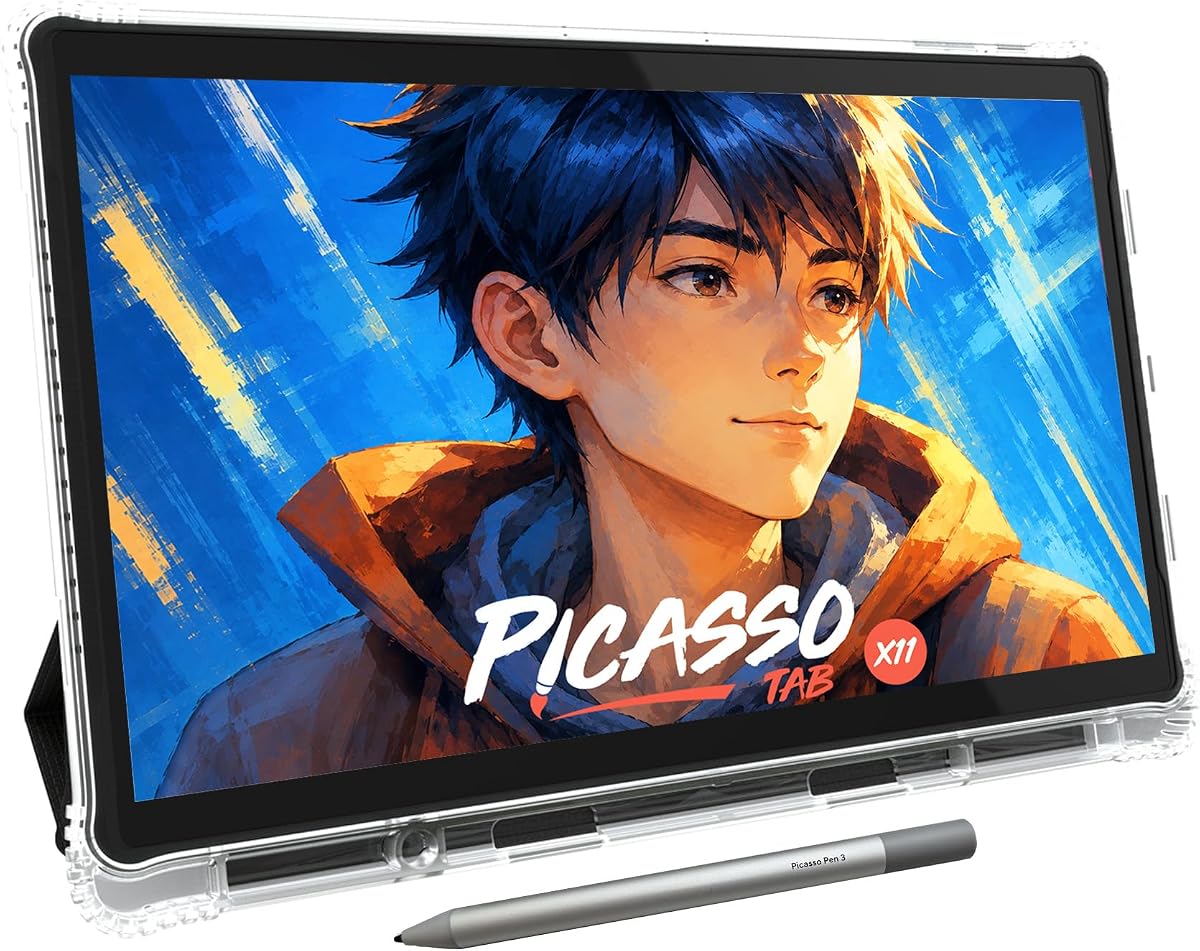
The PicassoTab X11 is a versatile standalone device designed specifically for digital art creation without external hardware. It boasts an 11-inch laminated screen with reduced parallax for accurate drawing. The included app upgrades provide robust tools for beginners to advanced users.
We may earn a commission when you buy through this link, at no additional cost to you.
Performance is smooth thanks to the octa-core processor and 6GB RAM allowing seamless multitasking. You can expand storage up to 1TB to save large files without worry. The lifetime VIP tutorials offer structured learning to improve skills over time.
Battery life varies based on app usage but generally holds up for standard sessions. The initial setup might require installing extra apps for optimal performance. However the value proposition is strong when considering the bundled software and hardware extras.
Ideal for artists who want a full Android tablet experience with drawing focus. It works well for students and hobbyists wanting a budget-friendly alternative to premium models. The all-in-one nature simplifies workflow significantly.
Preloaded lessons help new users master drawing techniques quickly without extra cost.
Expandable memory ensures you can save extensive projects without running out of space.
We may earn a commission when you buy through this link, at no additional cost to you.
The Kayoubi LCD Writing Tablet offers a generous canvas for young artists to explore creativity freely. Its 14.5-inch screen provides ample room for detailed drawings and storytelling. The zero blue light feature ensures eye comfort during long play sessions.
We may earn a commission when you buy through this link, at no additional cost to you.
The one-click erase button makes cleaning up simple without physical mess. It is perfect for travel or quiet time when paper waste is a concern. The locking function protects artwork from accidental deletion during creative bursts.
Storage is not supported so you must sketch and clear repeatedly. The plastic casing is sturdy but not as advanced as higher-end tablets. However for its price and purpose it delivers high satisfaction for daily use.
This tablet is perfect for children who need a mess-free outlet for energy. It encourages imaginative play without digital distractions or expensive apps. Great for parents looking for a safe and engaging travel toy.
Lack of harsh light makes it suitable for young eyes during extended use.
Erasable surface keeps homes clean while keeping kids engaged in creative tasks.
We may earn a commission when you buy through this link, at no additional cost to you.
Bravokids delivers a colorful and durable solution for toddlers to explore digital creativity. The screen displays vibrant colors that keep children engaged without harsh blue light. Its lightweight design makes it easy for small hands to carry and use.
We may earn a commission when you buy through this link, at no additional cost to you.
With over 100,000 rewrite cycles the device saves paper and reduces environmental impact. The screw-fixed battery door prevents accidental access by children for safety. It is a reliable choice for quiet times during long car rides or meals.
The size is suitable for young kids but may feel cramped for teens. It lacks advanced features but excels at basic drawing and writing. The value is high for the price point and durability.
Select this for early education and travel entertainment. It is a practical gift that keeps kids occupied and learning. The simplicity and safety features make it a trusted option for parents.
Battery compartment design ensures no child can access batteries unsupervised.
Color screen sparks imagination and encourages diverse drawing and scribbling activities.
We may earn a commission when you buy through this link, at no additional cost to you.
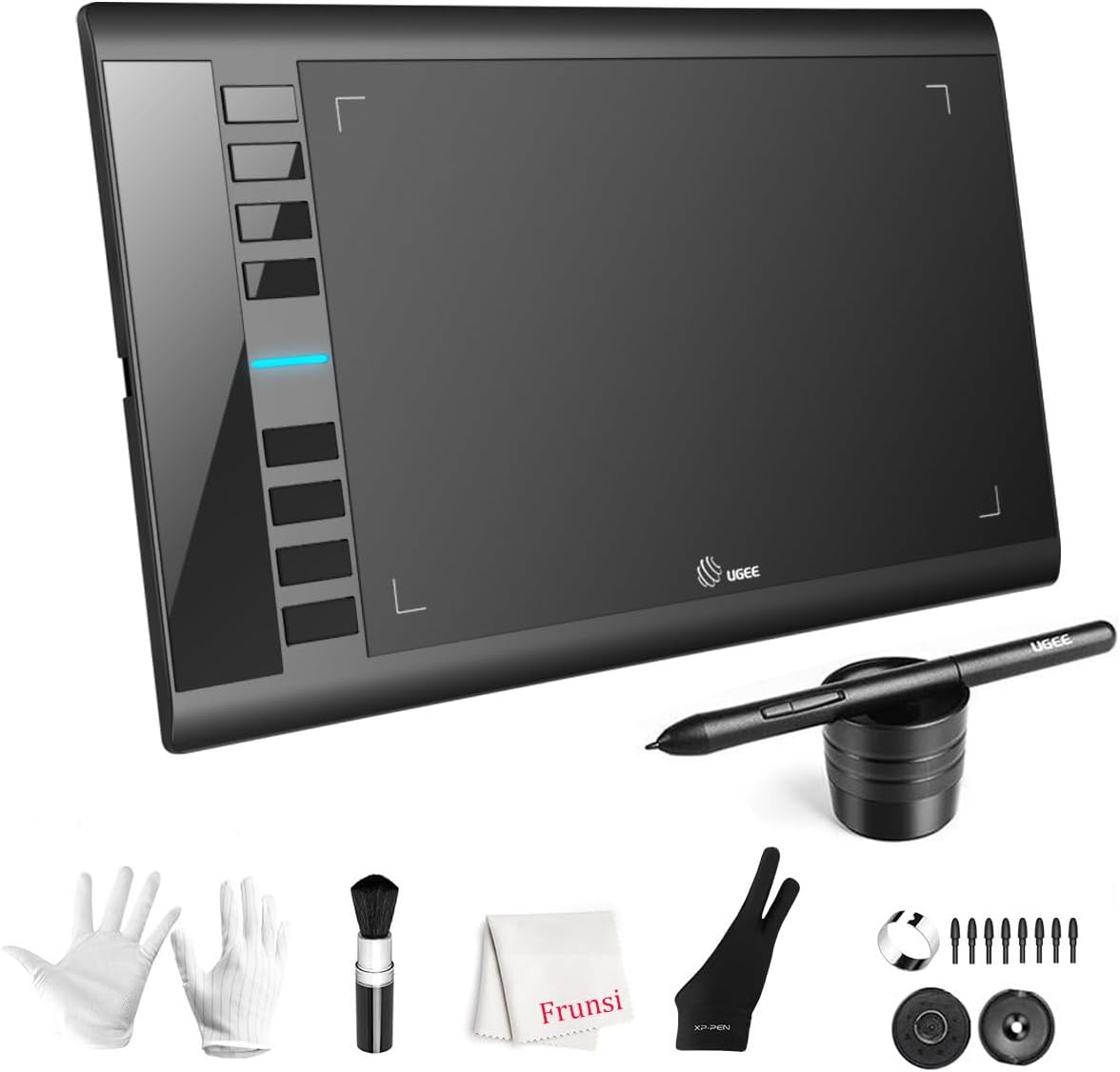
The UGEE M708 provides an affordable entry into professional graphic design on a computer. Its 10×6 inch active area allows natural hand movement while drawing. The 16,384 pressure levels enable nuanced strokes for shading and inking tasks.
We may earn a commission when you buy through this link, at no additional cost to you.
Eight customizable express shortcuts streamline workflow by reducing mouse reliance. Compatibility with major software like Photoshop ensures it works for various professional tasks. The USB-C connectivity makes setup straightforward for modern laptops.
You need a computer to use it which reduces portability compared to standalone tablets. Driver installation might be tricky for non-tech users initially. Yet the cost and performance balance well for hobbyists starting digital art.
Ideal for beginners on a budget who want serious tools. It bridges the gap between toy tablets and professional gear. This model helps users grow skills without a large financial commitment.
Eight customizable keys reduce repetitive mouse movements and speed up editing.
Supports Windows, Mac, Android, and Linux ensuring broad software and OS options.
We may earn a commission when you buy through this link, at no additional cost to you.
Mafiti offers a compact and ultra-thin solution for quick notes and simple doodles. The 8.5-inch screen is enough for basic text or sketches. Its kickstand feature allows you to prop it up for viewing messages or lists.
We may earn a commission when you buy through this link, at no additional cost to you.
The battery is user-replaceable ensuring long-term use without replacing the whole unit. It is perfect for adults and kids needing a portable writing surface. The writing depth is enhanced compared to older versions for better visibility.
The small size limits detailed drawing or complex layouts. It lacks advanced digital features like connectivity or storage. However for a low-cost memo pad it performs reliably and lasts long.
Use this for shopping lists, quick reminders, or kid scribbles. It fits easily in bags and is ready whenever inspiration strikes. A practical tool for daily organization and light creativity.
Built-in kickstand turns the pad into a visible display for messages.
Replaceable battery ensures the pad lasts for years without electronic waste.
We may earn a commission when you buy through this link, at no additional cost to you.
TEKFUN delivers a rugged and colorful option designed for active young users. The 10-inch screen supports pressure-sensitive inputs for varied line thickness. Its waterproof and anti-fall design ensures it survives drops and spills easily.
We may earn a commission when you buy through this link, at no additional cost to you.
The one-click erase button allows quick cleaning to start fresh immediately. With six months of battery life it offers reliable performance without frequent changes. The lock function prevents accidental clearing when children are focused on art.
The pressure sensitivity is basic but sufficient for scribbling and coloring. It does not support advanced software or cloud storage features. Still it is a practical tool for travel and home entertainment.
Select this for kids who need a resilient drawing board. It supports creative play without risk of breakage. A reliable gift for birthdays or road trips that keeps everyone happy.
Waterproof and sturdy casing ensures reliability on planes and car rides.
Reduces paper waste by allowing infinite reuse of the drawing surface.
We may earn a commission when you buy through this link, at no additional cost to you.
Wacom Intuos Small provides the trusted performance expected from industry-leading hardware. Its pen offers precise control and natural feel without batteries to charge. The compact size fits well on desks for focused digital tasks.
We may earn a commission when you buy through this link, at no additional cost to you.
Included software and online training make onboarding smooth for new users. Compatibility across all major creative platforms ensures seamless integration with existing workflows. The reliability and quality support professional use over many years.
The small surface area limits hand freedom for large gestures. Wired connection restricts portability compared to wireless alternatives. Despite these limits it remains a top choice for accuracy and support.
Perfect for illustrators and designers wanting a reliable small desktop tool. It builds a solid foundation for learning digital art basics. A strong investment for consistent professional results.
Battery-free stylus feels like pen on paper for consistent pressure control.
Software bundle and tutorials help new users build skills quickly without extra cost.
We may earn a commission when you buy through this link, at no additional cost to you.
Choosing the right electronic sketch pad requires evaluating specific features that match your workflow and needs.
Larger screens offer more space for drawing and reduce strain. Look for high-resolution IPS panels for accurate colors.
Higher pressure levels allow nuanced line weight changes. Aim for at least 4096 levels for detailed illustration.
Standalone tablets work without computers but cost more. Connected tablets offer performance but need a PC setup.
Battery-free pens reduce maintenance and ensure constant availability. Check device battery life if running standalone apps.
Ensure the device supports your preferred creative apps. Android or Windows options vary based on software needs.
Lightweight designs help travel and desk use. Thin profiles fit easily in backpacks or travel bags.
Texture and friction affect natural feeling. Some models feature etched screens for traditional pen grip.
Included cases and nibs add value. Consider future expansion or app support when selecting models.
Start by installing the required drivers or apps on your device. Ensure the screen protector remains clean for smooth drawing. Calibrate the pen to match your hand and screen sensitivity accurately.
Keep your device in a safe, dry place to avoid damage. Regularly update software to access new features and fixes. Store styluses properly to maintain tip integrity and pressure response.
Use the provided cases when transporting to prevent scratches. Clean the screen gently with a soft cloth. Avoid dropping the tablet or placing heavy objects on the display surface.
Beginners often benefit from the XPPen Magic Note Pad or HUION Note for balance of features and cost. These models offer intuitive interfaces and natural pen feel without complex setup. They support learning basic art skills effectively.
Not always. Standalone tablets like XPPen and PicassoTab work without computers. Some require PC connection for full features. Check the product specs for standalone capability before purchasing.
Use a soft microfiber cloth to wipe dust gently. Avoid harsh chemicals that damage anti-glare coatings. For LCD boards simple dry wiping is sufficient to maintain clarity and function.
Battery-free pens often have durable tips lasting many hours. Keep spare nibs in the holder for quick swaps. Inspect tips regularly for wear to maintain drawing accuracy.
Most models support popular apps like Photoshop and Procreate. Standalone Android tablets run mobile apps directly. PC models rely on driver support for desktop software integration.
Basic models like LCD boards are easy to learn. Advanced tablets may need driver setup and software familiarity. Training bundles included in many products help beginners get started.
Most are built with shock-resistant materials and cases. LCD boards are very rugged for kids. Professional tablets need protective sleeves to prevent damage during transport.
Most brands offer one-year limited warranties on hardware. Check specific model details for support policies. Registration after purchase often extends access to online training resources.
Our top picks highlight standout models like XPPen Magic Note Pad and HUION Note for versatility and value. Each offers unique benefits depending on your creative workflow and budget constraints. Evaluate the pros and cons carefully before deciding.
Prioritize features like pressure sensitivity and standalone capability based on your work. Ensure battery life and compatibility meet your daily demands. Choosing a model with strong software support ensures long-term usability.
Always verify current pricing and deals before purchasing to maximize value. Prices fluctuate often so timing matters for budget shoppers. Use our guide to secure the best electronic sketch pad that fits your needs today.