
Brother HL-L2460DW
4.0Editor score
Up to 36 ppm speed
Dual-band wireless and Ethernet
Automatic duplex printing included
This guide compares the top Ethernet laser printers for office reliability and network speed, analyzing features like duplex printing, security, and connectivit
Ethernet laser printers remain essential for businesses needing stable network connections without wireless interruptions. They offer consistent performance for high-volume tasks while keeping your data secure within a wired infrastructure. Choosing the right model ensures your team stays productive with reliable document output every single day.
We evaluated ten top models based on speed, security features, and network reliability. Our analysis focuses on how well each printer integrates into existing office setups and handles daily workloads efficiently. The list covers various price points and sizes to suit different operational needs.
Each pick highlights specific strengths like duplex capabilities or advanced security protocols. You will find detailed insights into print quality and paper handling for every option listed. Please note that product prices and availability may change over time as we update this guide.
4.0Editor score

4.4Editor score

4.2Editor score
This comparison table outlines key specifications for all ten models so you can quickly identify which device matches your network requirements and volume needs.



The Brother HL-L2460DW earns a solid rating for its balance of speed and connectivity. It offers Ethernet ports alongside wireless options ensuring you can maintain a wired connection when needed for stability.
We may earn a commission when you buy through this link, at no additional cost to you.
Its standout feature is the consistent 36 pages per minute throughput which keeps workflows moving quickly. The automatic duplex printing helps reduce paper waste significantly while maintaining high quality output for documents.
While it lacks color capabilities its monochrome quality is crisp and professional for all text based tasks. Some users note the small output capacity requires frequent emptying during high volume print jobs.
This printer is ideal for home offices or small teams needing reliable network access. We recommend it for users who prioritize speed and connectivity options over advanced finishing features.
Built-in Ethernet ensures stable connections without relying on Wi-Fi signals.
Subscription services can help avoid unexpected toner shortages.
We may earn a commission when you buy through this link, at no additional cost to you.
The HP LaserJet M207dw provides an affordable entry point for Ethernet capable laser printing. It includes essential wired connectivity while offering wireless convenience for mobile devices.
We may earn a commission when you buy through this link, at no additional cost to you.
Its 28 pages per minute speed is adequate for light office use though it trails some competitors. The self-reset Wi-Fi feature adds resilience to network hiccups during operation.
Users should expect a simpler paper handling system compared to higher end models. This makes it suitable for environments where volume remains moderate rather than intensive.
We suggest this model for small startups or home users needing a reliable workhorse. It delivers strong value without compromising on core connectivity requirements.
Built-in security helps protect network data during print tasks.
Flexible connection options suit diverse office environments.
We may earn a commission when you buy through this link, at no additional cost to you.
The HP LaserJet Pro 4001dn stands out with exceptional speed and robust wired connectivity. It delivers up to 42 pages per minute making it a strong choice for busy teams.
We may earn a commission when you buy through this link, at no additional cost to you.
Its Ethernet only design ensures maximum stability for network environments prioritizing security over flexibility. HP Wolf Pro Security adds significant protection for sensitive data within the device.
While the lack of wireless limits some flexibility users gain consistent performance without signal interference. The price point is higher but justified by enterprise grade features.
This printer suits medium sized offices requiring high volume reliable output. We recommend it for users who value speed and security above wireless convenience.
Fast print speeds reduce waiting times for large documents.
Advanced security measures safeguard printed and stored information.
We may earn a commission when you buy through this link, at no additional cost to you.
The Brother DCP-L2640DW combines printing with scanning and copying for versatile office use. It supports Ethernet connections ensuring stable network access for all functions.
We may earn a commission when you buy through this link, at no additional cost to you.
Its 36 pages per minute speed matches dedicated printers while offering additional scanning tools. The automatic document feeder streamlines multi-page scanning tasks efficiently.
Some users find initial setup more complex than simple printers but the functionality justifies it. It is ideal for teams needing to manage diverse tasks without multiple machines.
We recommend this model for offices seeking to consolidate device space and costs. It delivers reliable performance across all basic office document needs.
Three functions in one device reduce desk clutter.
Wired options ensure consistent connectivity across all tasks.
We may earn a commission when you buy through this link, at no additional cost to you.
The HP Laserjet Pro 3001dw offers extensive connectivity including Ethernet and Bluetooth for flexible use. This ensures your network setup can accommodate both wired and wireless preferences.
We may earn a commission when you buy through this link, at no additional cost to you.
Print speeds reach up to 35 pages per minute which is efficient for daily office workloads. Intelligent Wi-Fi helps maintain stable connections with minimal user intervention required.
While it provides a rich feature set it may be more than some users need. The higher price reflects the advanced connectivity and security protocols included.
We suggest this model for tech forward offices needing flexible network options. It delivers strong performance with robust security measures included.
Bluetooth adds another layer for direct device printing.
Integrated protection helps guard against unauthorized access.
We may earn a commission when you buy through this link, at no additional cost to you.
The Brother HL-L2405W provides a cost effective solution with essential wired connectivity. It maintains print speeds up to 30 pages per minute for standard office tasks.
We may earn a commission when you buy through this link, at no additional cost to you.
Its compact design fits easily into small home offices or cubicles without taking much space. Ethernet ports ensure stable connections without relying solely on wireless networks.
Users should note this model lacks automatic duplex printing which increases paper usage. The simple paper tray handles standard loads well but not heavy volumes.
We recommend this printer for small offices prioritizing affordability. It delivers consistent performance with reliable network capabilities.
Entry level price makes it accessible for tight budgets.
Small footprint fits well in limited workspaces.
We may earn a commission when you buy through this link, at no additional cost to you.
The HP LaserJet Pro M404dn is a trusted model known for long term reliability. Its built-in Ethernet ensures stable network integration for consistent office workflows.
We may earn a commission when you buy through this link, at no additional cost to you.
With speeds up to 40 pages per minute it handles heavy workloads efficiently. Automatic 2-sided printing reduces paper costs while maintaining high quality output.
This model is older than some competitors but still holds up well under pressure. The lack of wireless limits flexibility but keeps focus on wired stability.
We suggest this for offices needing a workhorse that minimizes downtime. It delivers consistent results with minimal administrative effort required.
Fast output keeps high volume tasks moving quickly.
Built to withstand daily commercial use over years.
We may earn a commission when you buy through this link, at no additional cost to you.
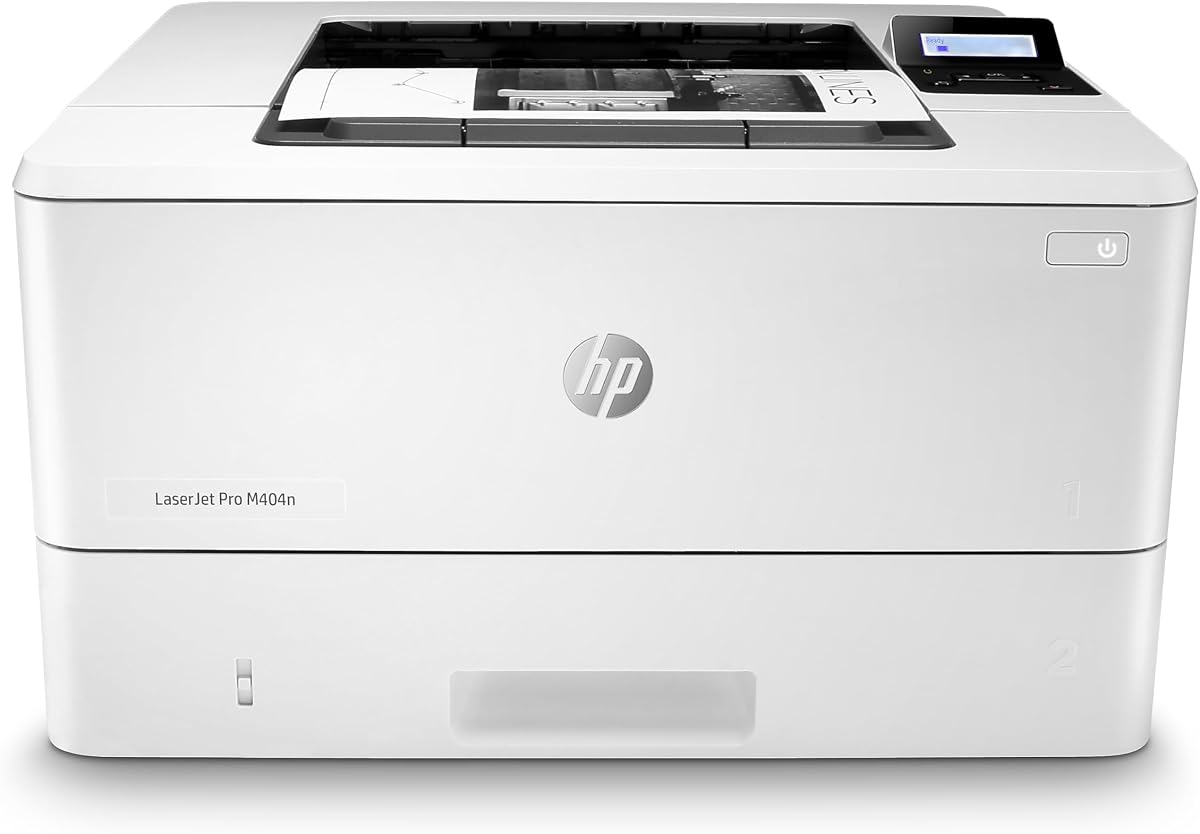
The HP LaserJet Pro M404n offers basic networking without extra features. It focuses purely on Ethernet connectivity for stable document output environments.
We may earn a commission when you buy through this link, at no additional cost to you.
Print speeds match the 404dn at up to 40 pages per minute ensuring efficiency. Energy efficiency technologies help reduce operational costs over time.
While it lacks duplex printing the fast speeds compensate for many simple tasks. The compact size fits well into shared work areas without clutter.
We recommend this model for budget conscious setups requiring wired access. It provides essential features without unnecessary complexity.
Optimized power usage lowers environmental impact.
Simple Ethernet connection ensures network stability.
We may earn a commission when you buy through this link, at no additional cost to you.
The Brother HL-L5100DN delivers high performance with up to 42 pages per minute. Ethernet network interface ensures stable connectivity for busy shared office environments.
We may earn a commission when you buy through this link, at no additional cost to you.
Its secure print features restrict unauthorized printing helping protect sensitive business documents. Expandable trays allow customization for different paper sizes or volumes.
While it lacks wireless options users gain focused reliability for critical print jobs. The size is larger but accommodates higher capacity needs effectively.
We suggest this for departments handling frequent confidential document output. It balances speed with security features effectively.
Restricted printing helps protect sensitive business data.
Expandable trays handle high volume needs easily.
We may earn a commission when you buy through this link, at no additional cost to you.
The Brother HL-6210DW leads in speed with up to 50 pages per minute output. Gigabit Ethernet provides the fastest wired network speeds available for data transfer.
We may earn a commission when you buy through this link, at no additional cost to you.
Its large paper capacity reduces refill frequency ensuring uninterrupted workflow. Triple Layer Security features offer comprehensive protection for network and print tasks.
This model is an investment suitable for high demand environments. The price reflects the superior throughput and advanced security measures included.
We recommend this for enterprises needing maximum performance and security. It delivers professional grade reliability for critical office needs.
Highest speeds available ensure maximum productivity.
Triple Layer Security safeguards sensitive documents.
We may earn a commission when you buy through this link, at no additional cost to you.
Selecting the right Ethernet laser printer requires understanding your specific network and volume needs. We have outlined key factors to consider before making a purchase.
Ensure the printer supports Ethernet connection standards used by your current office network. Check for Gigabit ports if high speed data transfer is required for large documents.
Verify compatibility with your network protocols to ensure seamless integration without setup issues.
Consider the pages per minute rating to match your team's daily volume. Higher speeds are essential for busy environments where waiting times impact productivity.
Choose a model that balances speed with cost to avoid overspending on unnecessary capacity.
Look for adjustable paper trays that support standard and legal sizes. Expandable options allow for growth as your printing needs increase over time.
Ensure the tray capacity matches your refill frequency preferences to reduce maintenance tasks.
Automatic duplex printing saves paper and reduces costs significantly for high volume users. Check if this feature is included rather than requiring a manual process.
Opt for models with reliable duplex mechanisms to avoid paper jams during two-sided jobs.
Advanced security protocols protect sensitive data from unauthorized access on your network. Look for hardware encryption or secure print options that require authentication.
Ensure the printer firmware is regularly updated to address potential vulnerabilities in the system.
Beyond the initial purchase price consider toner costs and warranty coverage. Models with high yield toners often reduce long term expenses even if they cost more upfront.
Check availability of genuine supplies to avoid compatibility issues that increase operational costs.
While Ethernet is your primary choice ensure USB ports are available for local backups. Wireless features may still be useful for mobile devices even in wired setups.
Prioritize models that offer flexible connection options to adapt to changing office needs.
Evaluate how easy it is to access parts like rollers or toner cartridges. Devices designed for serviceability reduce downtime when issues arise unexpectedly.
Look for manufacturers offering good support resources to resolve setup or operation questions quickly.
Connect the Ethernet cable securely to both the printer and your network router. Verify the device obtains an IP address through the menu settings to ensure network access.
Install the necessary drivers on your computer following the manufacturer's instructions. Regularly update firmware through the web interface to maintain security and performance.
Clean the paper path occasionally to prevent dust buildup that causes jams. Replace toner cartridges before they are completely empty to avoid print quality issues.
Not all Ethernet printers support Gigabit speeds. Many older models only support 10/100Mbps ports which can limit large file transfers. Check the specifications before buying to ensure your network can utilize the full speed available.
Ethernet provides a stable connection less prone to interference or signal drops. This ensures consistent access even when the Wi-Fi network is congested. It is often preferred in secure environments where wired connections are required by policy.
Some models allow simultaneous use of Ethernet and Wi-Fi for different device types. However most prioritize one connection at a time to prevent IP conflicts. Check your specific model settings to manage multiple connection modes correctly.
You can change the IP address through the printer's menu settings or web interface. Assigning a static IP helps ensure devices always find the printer easily on the network. This is useful for avoiding conflicts when network settings change.
A damaged Ethernet cable will disrupt the network connection preventing remote printing. You will need to replace the cable immediately to restore full functionality. Some models will switch to USB if configured but not all do this automatically.
Budget models often include basic security like password protection or access controls. Advanced features like hardware encryption or secure print are usually found in higher end business models. Evaluate your risk tolerance when selecting a device for sensitive data.
We have reviewed ten top models ranging from budget friendly options to high performance units. Each offers reliable Ethernet connectivity to suit different office environments and demands.
Prioritize features that match your specific needs such as speed capacity or security protocols. Investing time in selecting the right printer ensures smoother operations and fewer interruptions.
Always verify current pricing and availability before making your final decision. Prices may vary based on sales or regional differences so check multiple retailers.