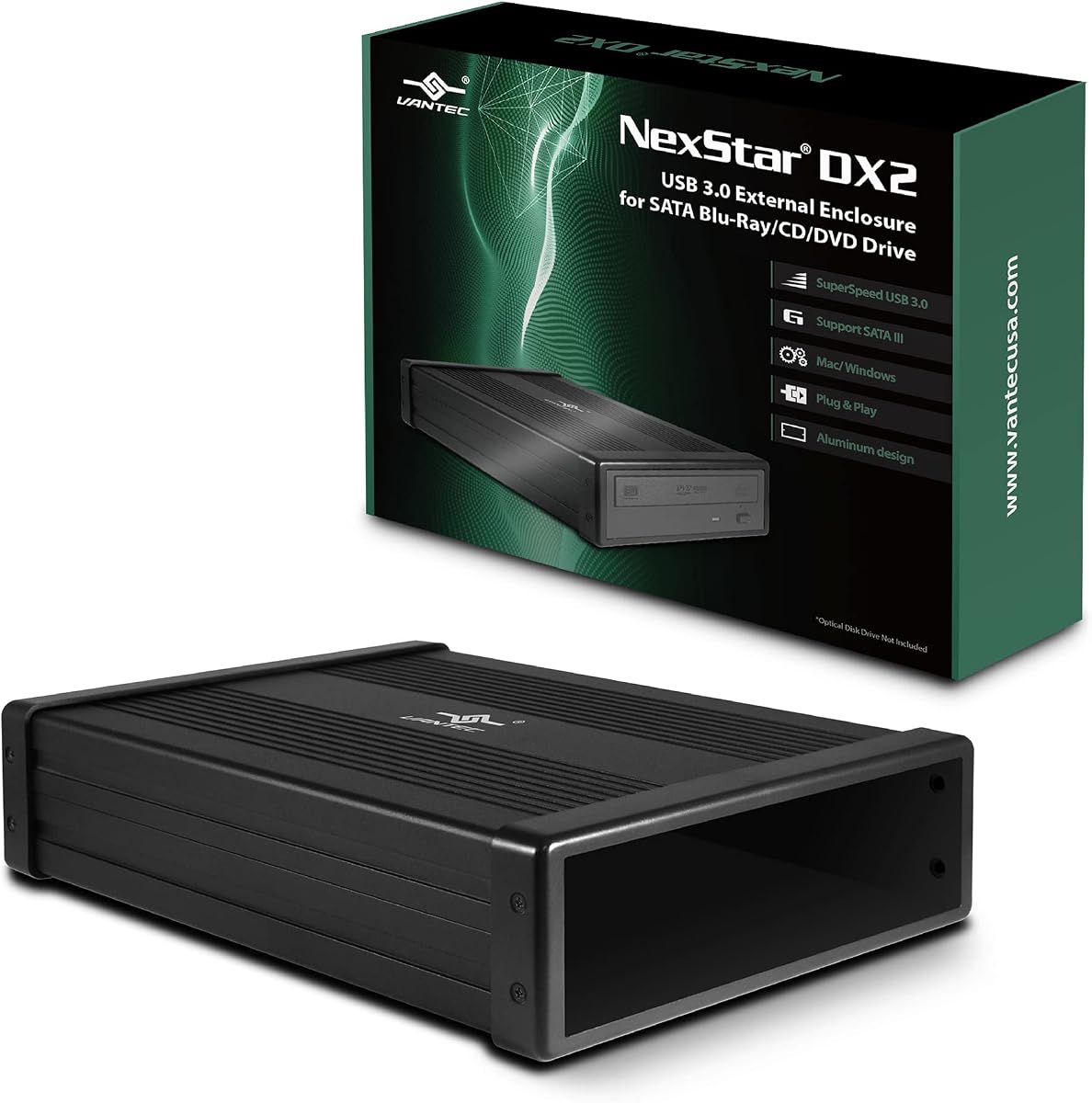
NexStar DX2 USB 3.0 External Enclosure
4.6Editor score
Supports 5.25 inch drive depth
USB 3.0 high speed transfer
Aluminum alloy noise reduction casing
Finding the right external optical drive enclosure can transform an old internal drive into a versatile tool for data recovery and media playback. A good enclosure offers reliable connectivity, durable construction, and compatibility with various drive types.
We analyzed ten top-rated models based on user feedback, technical specifications, and real-world performance. Our comparison covers USB 3.0 and Type-C options, different form factors, and ease of installation for every user.
Each pick highlights specific strengths like build quality, speed, or portability to match your unique needs. Please note that pricing and availability fluctuate frequently, so check current listings before making your final decision today.
4.6Editor score

4.6Editor score

4.5Editor score
As an Amazon Associate we earn from qualifying purchases.
The following table provides a side-by-side comparison of all ten enclosures, highlighting their key specifications, interface types, and unique features to help you quickly identify the best fit for your specific drive and usage scenario.


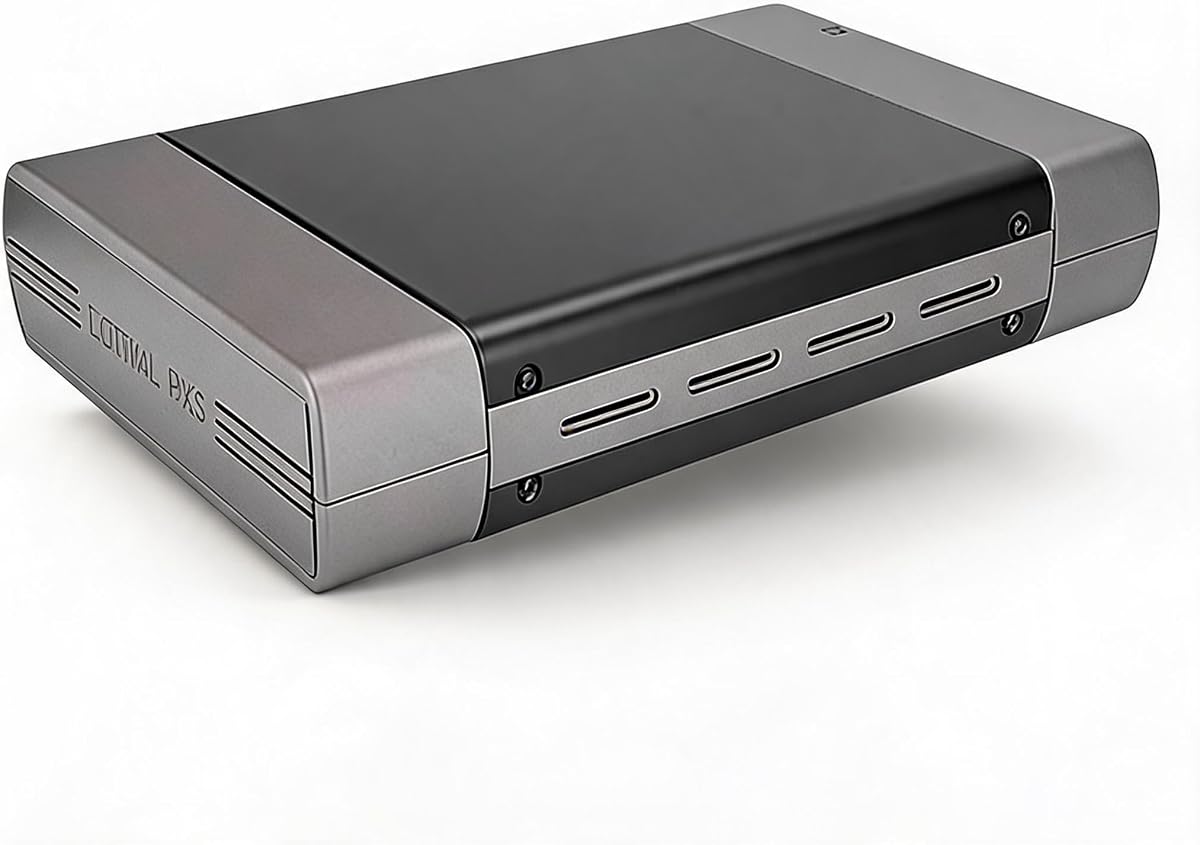


The NexStar DX2 stands out as the premier choice for professionals needing reliable access to 5.25 inch optical drives. With a strong rating and robust aluminum construction, it delivers high performance and durability. Its ability to fit any drive depth up to 185mm makes it incredibly versatile for various SATA optical units found in older workstations.
We may earn a commission when you buy through this link, at no additional cost to you.
Its standout feature is the flexible internal SATA cable, which allows you to connect drives regardless of interface position. This design choice eliminates frustration during installation. The USB 3.0 interface ensures smooth read/write speeds for media and backups. The aluminum casing effectively dampens noise and vibration, keeping your workspace quiet even during intense burning sessions.
While the DX2 is highly capable, it requires an external AC adapter, which can clutter desks if not managed well. Some users might find the price higher than simpler alternatives. However, the trade-off is justified by the superior build quality and universal depth compatibility that ensures you can reuse almost any spare drive you have lying around.
If you need a heavy-duty solution that guarantees compatibility with deep or odd-sized drives, this enclosure is the best investment. It is ideal for IT professionals or archivists who need consistent performance and durability. Its TAA compliance also makes it suitable for government procurement where standards are strict and reliability is non-negotiable for business continuity.
Unlike many enclosures that limit depth to standard sizes, this model accommodates drives up to 185mm ensuring maximum flexibility.
The aluminum alloy casing is not just for looks; it significantly reduces operational noise and vibration compared to plastic models.
We may earn a commission when you buy through this link, at no additional cost to you.
This enclosure offers an exceptional balance of features and cost, making it a top contender for budget-conscious buyers. It supports drive depths up to 171mm which covers most standard and deep optical drives. The dual USB A and C ports provide great flexibility for connecting to modern laptops or older desktops without needing extra adapters.
We may earn a commission when you buy through this link, at no additional cost to you.
Its aluminum alloy casing helps manage heat and vibration effectively during long data transfers. The hot-swappable design allows you to change drives quickly without shutting down your system. However, you must ensure your drive has side screw holes for secure mounting. The installation can be tricky if the holes do not align perfectly with the case.
The main drawback is the lack of an included power adapter, which some older drives may require to spin up. You might need to source a separate 12V power supply if your drive does not get enough power from the USB port. Despite this, the value proposition remains strong for those who already have the necessary power setup.
For users who want a reliable 5.25 inch enclosure without paying premium prices, this model is an excellent choice. It is suitable for home office use or casual media playback needs. Its compatibility with deep drives ensures you can salvage valuable data from old equipment without needing expensive proprietary adapters for every single drive type you encounter.
Both USB Type A and Type C options ensure you can connect to virtually any computer regardless of port availability.
The metal casing dissipates heat efficiently preventing overheating that could disrupt long burning sessions.
We may earn a commission when you buy through this link, at no additional cost to you.
The Zunate enclosure is specifically designed for ultra-slim 9mm SATA drives found in many laptops. Its compact and portable design makes it perfect for students or travelers who need to access optical media on the go. The lack of need for external power simplifies setup significantly, allowing you to just plug and play.
We may earn a commission when you buy through this link, at no additional cost to you.
Its standout feature is the integrated Type C and USB 3.0 cable that can be folded inside the case for easy storage. The woven data cable minimizes signal loss and adds durability to a product that travels frequently. An integrated eject button prevents discs from getting stuck, offering a safety net against jamming issues.
While this model is excellent for slim drives, it will not fit standard 12.7mm or 15mm laptop drives. You must confirm your drive thickness before purchasing. Additionally, the lack of detailed user reviews on some platforms might make buyers hesitate about long-term reliability despite its promising feature set and design quality.
If you have a spare slim laptop drive and want a sleek external solution, this is the ideal pick. It fits easily in a laptop bag or pocket without adding bulk. Its plug-and-play nature ensures you can connect to any modern computer instantly without needing drivers or additional cables for power. It is a great tool for mobile media access.
The integrated cable folds neatly inside the enclosure keeping your travel kit organized and preventing cable tangles.
Optimized specifically for 9mm drives ensuring a snug fit and stable connection for portable use cases.
We may earn a commission when you buy through this link, at no additional cost to you.
JOTEC offers a robust enclosure for standard 12.7mm SATA optical drives with strong heat dissipation thanks to its aluminum construction. It supports both USB 3.0 and Type-C connections providing flexibility for different computer setups. The INIC1618 chipset solution enables power-saving sleep mode which helps conserve energy during idle times.
We may earn a commission when you buy through this link, at no additional cost to you.
The enclosure comes with both USB 3.0 and Type-C data cables which is a convenient inclusion for most users. The four non-slip feet on the bottom ensure the drive stays stable during operation preventing accidental slips that could damage discs. Its ventilated design aids in keeping internal temperatures low during long operations.
However, the limitation to 12.7mm drives means it will not fit slim drives. You must check your drive dimensions carefully before purchase. Also, there is no dedicated eject button so you might have to rely on software commands for disc removal which some users may find inconvenient compared to physical buttons.
This model is a solid choice for desktop users who need a reliable adapter for standard thickness optical drives. The build quality and included cables make it a hassle-free option. If you are looking for a sturdy enclosure that keeps drives cool and stable on a desk, this JOTEC unit delivers consistent performance for everyday tasks.
Comes with both USB 3.0 and Type-C cables so you do not need to buy extra adapters for your ports.
Aluminum alloy casing and ventilated design work together to dissipate heat effectively during heavy usage.
We may earn a commission when you buy through this link, at no additional cost to you.
This enclosure supports both 12.7mm and 9.5mm drives which gives it versatility across different drive types. The USB 3.0 interface offers blazing 5Gbps speeds for quick data transfers and media playback. It works with various operating systems including Windows, Linux, and OS X providing broad compatibility for different user environments.
We may earn a commission when you buy through this link, at no additional cost to you.
The INIC3609 chipset solution includes automatic sleep mode which enhances energy efficiency when the drive is idle. This feature helps prevent overheating and extends the life of your optical drive. Its support for both SATA I and SATA II standards ensures it works with older and newer drive models without issues.
Users have noted mixed experiences with build quality so it may be best for light or occasional use. The lower rating suggests potential variability in manufacturing or reliability over time. Some reports mention difficulty with fitment or connection stability depending on the specific drive model used within the enclosure casing.
If you need a budget-friendly adapter that supports a range of drive thicknesses this model is worth considering. It offers good speed and broad OS compatibility at an affordable price point. Just ensure you have a compatible drive thickness and be prepared for potential variations in quality control when setting up your external optical solution.
Accommodates both 12.7mm and 9.5mm drives making it adaptable for various internal optical drives you might have.
The INIC3609 chipset enables automatic sleep mode to save power and reduce heat during periods of inactivity.
We may earn a commission when you buy through this link, at no additional cost to you.
The Vantec NexStar adapter is a versatile solution that works with both optical drives and SATA SSDs/HDDs. Its optimized support for SATA I II and III ensures compatibility with a wide range of storage devices. The inclusion of UASP support significantly boosts transfer speeds for compatible drives making it faster than standard USB bridges.
We may earn a commission when you buy through this link, at no additional cost to you.
Its anti-slip mat effectively dampens noise and vibration providing a quieter and more stable operation during use. The compact and lightweight design makes it easy to store or carry around when needed. Hot-swappable functionality allows you to change drives without rebooting your system which enhances workflow efficiency for tech users.
One limitation is the included 12VDC 2A adapter which may not be powerful enough for all optical drives requiring more power. You might need to source a stronger adapter if the drive fails to spin up reliably. Also the bridge controller may limit some SATA commands which could affect specific advanced operations or diagnostics tools.
This adapter is perfect for users who want one enclosure for both optical and storage devices. Its speed advantages and compact form factor make it a premium pick for power users. If you need reliable performance across multiple drive types and value speed and simplicity this Vantec NexStar model delivers high quality results.
UASP support provides faster transfer rates for compatible drives compared to standard USB to SATA bridge controllers.
Optimized for optical and storage drives so you can use one adapter for DVDs and SSDs alike.
We may earn a commission when you buy through this link, at no additional cost to you.
This enclosure provides a straightforward solution for connecting standard 5.25 inch optical drives to a computer. It includes an AC power adapter ensuring stable power for writing and backup tasks. The aluminum protective housing safeguards the drive from scratches and bumps while keeping the device lightweight and durable for office use.
We may earn a commission when you buy through this link, at no additional cost to you.
Its plug and play design simplifies setup allowing you to connect the drive and start reading or burning discs immediately. The included mounting kit with screws and cables makes installation quick and secure without needing additional tools. This reliability makes it a dependable choice for home or office workstations requiring consistent optical access.
However, the USB 2.0 interface limits data transfer speeds to 480 Mbps which is slower than USB 3.0 models. This may impact burning large discs or transferring data quickly. Also it is not compatible with slim laptop drives limiting its flexibility for portable optical hardware users.
If you have a desktop setup and value simple reliable operation over raw speed this model is a practical choice. It provides all essential components like power and mounting tools right out of the box. It is ideal for users who primarily use optical drives for occasional media playback or software installation tasks.
The included AC adapter ensures consistent power delivery essential for reliable writing and burning tasks.
All necessary screws and cables are included making setup easy without extra purchases.
We may earn a commission when you buy through this link, at no additional cost to you.
This enclosure is designed for 9.5mm slim drives and offers a portable detachable design ideal for travel. The woven data cable minimizes interference and ensures stable transfer speeds up to 5Gbps. Its brushed ABS material provides a stylish look that resists scratches and maintains a clean appearance over time.
We may earn a commission when you buy through this link, at no additional cost to you.
The detachable front panel allows for easy drive swapping without needing screws or tools for installation. Simply slide your old drive in and snap the cover back on for a quick setup. The integrated Type C and USB 3.0 cable folds neatly inside making it convenient for on-the-go use without tangled wires.
It supports wide system compatibility including various Windows versions and macOS X for universal functionality. The eject key prevents discs from getting trapped ensuring smooth operation. However it is strictly for 9.5mm drives so check your dimensions carefully before purchasing to avoid fitment issues with thicker optical units.
For those needing a stylish and reliable portable enclosure for slim laptop drives this Bewinner model is an excellent option. Its durable build and convenient cable management make it perfect for business travelers or students. If you want to turn an old slim drive into an external accessory without bulk this enclosure delivers great value.
The detachable panel allows you to swap drives quickly without tools making setup very user-friendly.
Brushed ABS material resists scratches and keeps the device looking professional even after regular use.
We may earn a commission when you buy through this link, at no additional cost to you.
This slim enclosure supports 9mm ultra-slim drives with a 5Gbps transfer rate for fast data access. Its premium brushed finish offers a stylish look that resists scratches and maintains a clean appearance. The detachable USB 3.0 and USB C connectors allow flexible connection options for modern laptops and desktop computers.
We may earn a commission when you buy through this link, at no additional cost to you.
Installation is straightforward with a front panel included to facilitate secure insertion of your old drive. The woven data cable minimizes signal loss and provides strong anti-interference capabilities for stable data transfer. It includes an eject button to prevent disc jamming ensuring smooth operation every time you use it.
However it is strictly limited to 9mm drives so you must verify your drive thickness before purchase. Also some users may wish for additional mounting accessories or extra power options. The lightweight design is excellent for portability but may feel less substantial than heavier aluminum enclosures for desktop use.
If you need a portable solution for slim optical drives this model offers excellent speed and style. It is ideal for users who want a reliable adapter that fits easily into a laptop bag. The combination of brushed finish and detachable cables makes it a convenient choice for travel or daily office use.
USB 3.0 interface supports 5Gbps speeds ensuring quick access to data on your optical discs.
The built-in woven cable reduces signal loss and interference for stable reliable connections.
We may earn a commission when you buy through this link, at no additional cost to you.
This enclosure features a tool-free detachable panel allowing you to swap drives quickly without any tools. The fold-away cable storage keeps your workspace clean and prevents cable tangles during use. Its reinforced woven cable reduces signal interference and ensures a reliable connection for burning discs or watching movies without interruptions.
We may earn a commission when you buy through this link, at no additional cost to you.
The scratch-proof brushed finish maintains a polished look even after regular handling. It supports 5Gbps transfer speeds via USB 3.0 and is fully backward compatible with USB 2.0 ports for broader compatibility. The dedicated eject key ensures discs are released smoothly preventing frustrating stuck-disc situations during operation.
While it is a great value option, it does not include an external power adapter which some users may require. It is best suited for thin drives that can be powered directly from the USB port. The compact and lightweight profile makes it ideal for portable use but may not be ideal for heavy-duty desktop applications.
If you want an affordable and convenient enclosure for thin optical drives this model delivers excellent value. Its tool-free design and included accessories make setup a breeze. For users seeking a reliable portable solution for occasional optical use this enclosure provides all the necessary features to keep your media accessible anytime.
Swap drives without tools using the detachable panel for quick and easy installation.
Fold-away cable storage keeps your workspace clean and your cables organized for travel.
We may earn a commission when you buy through this link, at no additional cost to you.
Choosing the right enclosure requires considering your drive type, speed needs, and budget. This guide outlines key factors to ensure you select a compatible and reliable adapter for your needs.
Verify if your drive is standard 5.25 inch or slim 9mm/9.5mm/12.7mm before purchasing. Some enclosures only support deep desktop drives while others are optimized for laptop drives. Always check your drive dimensions and SATA connector type to ensure a proper fit within the enclosure.
Choose an enclosure specifically designed for your drive size to avoid fitment issues and potential damage to the device.
USB 3.0 and Type-C interfaces provide significantly faster data transfer speeds compared to older USB 2.0 models. Faster speeds are essential for quick media playback and large file transfers. Ensure your computer has compatible ports to fully utilize the speed potential of your new enclosure.
Prioritize USB 3.0 or Type-C models to get better performance and future-proof your setup.
Enclosures come in plastic or metal (aluminum) builds which affect durability and heat dissipation. Metal enclosures help dissipate heat more effectively during long use and are generally more durable against impact. However they may be slightly heavier and cost more than plastic alternatives.
Select aluminum enclosures for better thermal management and longevity especially for frequent use scenarios.
Some optical drives require external power adapters to spin up properly while others draw enough power from the USB port. Check if the enclosure includes an AC adapter and if your specific drive needs external power for reliable operation. Using a model with a compatible power supply ensures stability.
Ensure the enclosure includes a power adapter if your drive needs external power to function correctly.
Most modern enclosures support plug-and-play functionality meaning they work without installing additional drivers. Look for models that support multiple operating systems including Windows, macOS, and Linux. This feature simplifies setup and ensures compatibility across different computers and environments.
Choose plug-and-play models to avoid driver installation hassles and ensure broad OS compatibility.
Hot-swappable enclosures allow you to connect and disconnect drives without shutting down your computer. This feature is useful for users who frequently change drives or need quick access to multiple optical units. It enhances workflow efficiency especially in shared or multi-drive environments.
Opt for hot-swappable support if you plan to change drives regularly without system reboots.
Look for features like detachable cables, eject buttons, and anti-interference designs that add convenience. An eject button prevents disc jamming while detachable cables improve portability. Anti-interference cables ensure stable data transfer and prevent connection dropouts during use.
Prioritize enclosures with convenience features like eject buttons and detachable cables for better user experience.
To install your drive, open the enclosure using the provided screws or tool-free latch. Carefully connect the SATA data and power cables to your drive before sliding it into place. Secure the cover and connect the USB cable to your computer to recognize the drive.
Ensure you eject discs safely through your operating system rather than pulling the cable to avoid data loss. Keep the enclosure clean and free of dust using a soft dry cloth to maintain cooling and performance. Avoid bending or stressing the USB cable which can lead to internal wire damage over time.
Not any drive. You must match the drive type and size to the enclosure. Standard 5.25 inch drives require a 5.25 inch enclosure while slim 9mm laptop drives need a slim enclosure. Also check if the interface is SATA or IDE since most modern enclosures only support SATA drives.
It depends on the drive. Slim laptop drives often draw enough power from USB 3.0 ports and do not need external power. However standard desktop 5.25 inch drives usually require a 12V power adapter. Check your drive requirements and the enclosure package before purchasing to ensure stable operation.
Most modern enclosures are plug-and-play and work with macOS without installing drivers. Ensure the product description lists macOS compatibility. For older Macs you might need a USB to FireWire adapter if your computer lacks USB ports.
This often happens due to insufficient power. Try a different USB port or add an external power adapter if one is available for your enclosure. Check if the SATA cable is connected properly inside the enclosure. If the drive needs more power than the USB port provides you will need an external adapter.
Yes USB 3.0 enclosures are backward compatible with USB 2.0 ports but speeds will be limited to 480 Mbps. For best performance use a USB 3.0 or Type-C port on your computer. This ensures you get the full data transfer speed intended by the enclosure design.
Open the enclosure by removing screws or unlatching the side panel. Align the SATA connectors with the drive's interface and gently plug them in. Slide the drive into the enclosure and secure it with the provided screws or latches. Close the panel and connect the USB cable to your computer.
We reviewed ten top models for 2026 ranging from desktop 5.25 inch adapters to portable slim enclosures. The NexStar DX2 offers premium build quality and universal depth compatibility for professionals while the Vantec NexStar delivers excellent speed with UASP support for power users.
For budget-conscious buyers the Zunate and Bewinner options provide portable slim solutions at affordable prices. If you need a standard desktop adapter with great value the 5.25 inch models like the JOTEC offer reliable performance. Always match your drive type and power needs before making your decision to ensure compatibility.
Prices and availability change frequently so check the latest listings on Amazon before purchasing. We hope this guide helps you find the perfect enclosure to extend the life of your old optical drives. Happy browsing and may your data recovery or media access be smooth and efficient today.