
Brother Sublimation Printer
4.4Editor score
Artspira app integration
Fast printing speeds
Vibrant color results
Finding the right fabric printing printer can transform your creative projects into professional-quality custom apparel. Whether you are a hobbyist or running a business, choosing a machine that balances speed, quality, and ease of use is essential for success in today's market.
We have carefully evaluated ten leading fabric printing printers based on their print quality, speed, connectivity options, and overall reliability. Our comparison covers direct-to-film sublimation and specialized fabric solutions to ensure you have all the information needed to make an informed decision.
Each pick highlights key strengths and potential trade-offs to help you match a printer to your specific workflow. Please note that availability and pricing can change frequently, so checking current listings is recommended before finalizing your purchase decision.
4.4Editor score

4.9Editor score

4.6Editor score
As an Amazon Associate we earn from qualifying purchases.
The following table provides a side-by-side comparison of the top ten fabric printing printers to help you quickly identify the model that best fits your specific printing requirements and budget constraints.





The DXZ 2026 14-inch A3 DTF Printer Bundle stands out as the top choice for serious apparel businesses seeking high performance and reliability. With a rating of 4.9 stars, users praise its ability to deliver professional quality results consistently while minimizing downtime through advanced maintenance features.
We may earn a commission when you buy through this link, at no additional cost to you.
Its standout feature is the high-performance F1080 printhead which supports ultra-sharp designs at speeds up to 500 mm/s. The vacation-proof auto maintenance system ensures the printhead remains protected even during extended periods of inactivity, making it ideal for seasonal businesses or users who print intermittently.
While the initial cost is higher than some competitors, the included two-year ink supply and 24/7 technical support significantly offset long-term expenses. The genuine 14-inch print width allows for larger designs without splicing, which is a major advantage for printing on hoodies and oversized items.
This printer is best suited for small to medium businesses aiming to scale production without sacrificing quality. Its versatility across cotton polyester and blends makes it a robust investment for anyone looking to expand their custom garment offerings efficiently.
The one-click print-to-bake and automated maintenance reduce manual intervention allowing users to focus on design and sales rather than machine upkeep.
Receiving a two-year supply of ink with purchase minimizes operational costs and ensures you always have the necessary materials ready for production.
We may earn a commission when you buy through this link, at no additional cost to you.
The Brother Sublimation Printer offers an accessible entry point for beginners interested in custom apparel creation without breaking the bank. With a solid 4.4-star rating it is praised for its ease of use and the vibrant results achievable through sublimation technology.
We may earn a commission when you buy through this link, at no additional cost to you.
Its integration with the Artspira app simplifies the design process allowing users to import save and edit images easily. This connectivity feature ensures that even those with limited graphic design experience can create professional-looking transfers quickly.
While it requires a separate heat press which adds to the total cost, the printer itself is reliable and produces results that withstand multiple wash cycles. This durability makes it a practical choice for selling custom gifts or promotional items.
Ideal for hobbyists or side businesses focusing on polyester-based items, this printer delivers consistent quality at a budget-friendly price point. It is a great starting tool for learning sublimation techniques before upgrading to more advanced equipment.
The Artspira app provides over 100 sublimation designs and tools to convert images into poster-style drawings for on-the-go creativity.
Sublimation ink bonds with polyester fibers to create bright rich colors that remain vibrant through repeated washing and wearing.
We may earn a commission when you buy through this link, at no additional cost to you.
The InkSonic A3 R1390 DTF Printer is designed for those who demand premium performance and reliable support for their custom apparel business. With a 4.6-star rating it excels in producing high-quality transfers on a wide variety of fabric types.
We may earn a commission when you buy through this link, at no additional cost to you.
Its standout feature is the 3-in-1 white ink protection system which includes circulation mixing and filtration to prevent pigment settling. This ensures consistent white layers on dark garments and significantly extends the life of the printhead.
InkSonic pairs the printer with 24/7 one-on-one technical guidance and detailed installation videos which is invaluable for users navigating DTF technology for the first time. The included curing oven and matched consumables simplify the startup process considerably.
This model is perfect for small businesses needing professional results and ongoing support. While the initial investment is substantial, the reliability and comprehensive support package make it a worthy choice for serious entrepreneurs.
The 3-in-1 system reduces maintenance needs and ensures smooth white ink flow for high-contrast designs on dark fabrics.
Lifetime assistance and detailed manuals help users overcome technical hurdles and maintain optimal printer performance over time.
We may earn a commission when you buy through this link, at no additional cost to you.
The Brother PrintModa Studio Fabric Printer is tailored for crafters interested in creating custom home decor and personal projects. It offers unique templates for banners quilt blocks and bags making it easy to start designing without extensive experience.
We may earn a commission when you buy through this link, at no additional cost to you.
It features built-in wireless connectivity which allows users to design on a laptop and print directly to the machine. This workflow is particularly useful for those who prefer digital design tools over standalone printer interfaces.
While it has a lower rating compared to other models due to potential reliability issues, it offers unique capabilities for home-based creators. The ability to switch between rich color and eco modes provides flexibility for different project needs.
This printer is best for hobbyists focusing on decorative items rather than high-volume apparel production. Its specialized features make it a niche option for those who prioritize design variety over raw speed.
Built-in templates simplify the design process for items like banners and quilt blocks saving time for creative projects.
Wireless connectivity enables seamless transitions between digital design work and physical printing for a streamlined workflow.
We may earn a commission when you buy through this link, at no additional cost to you.
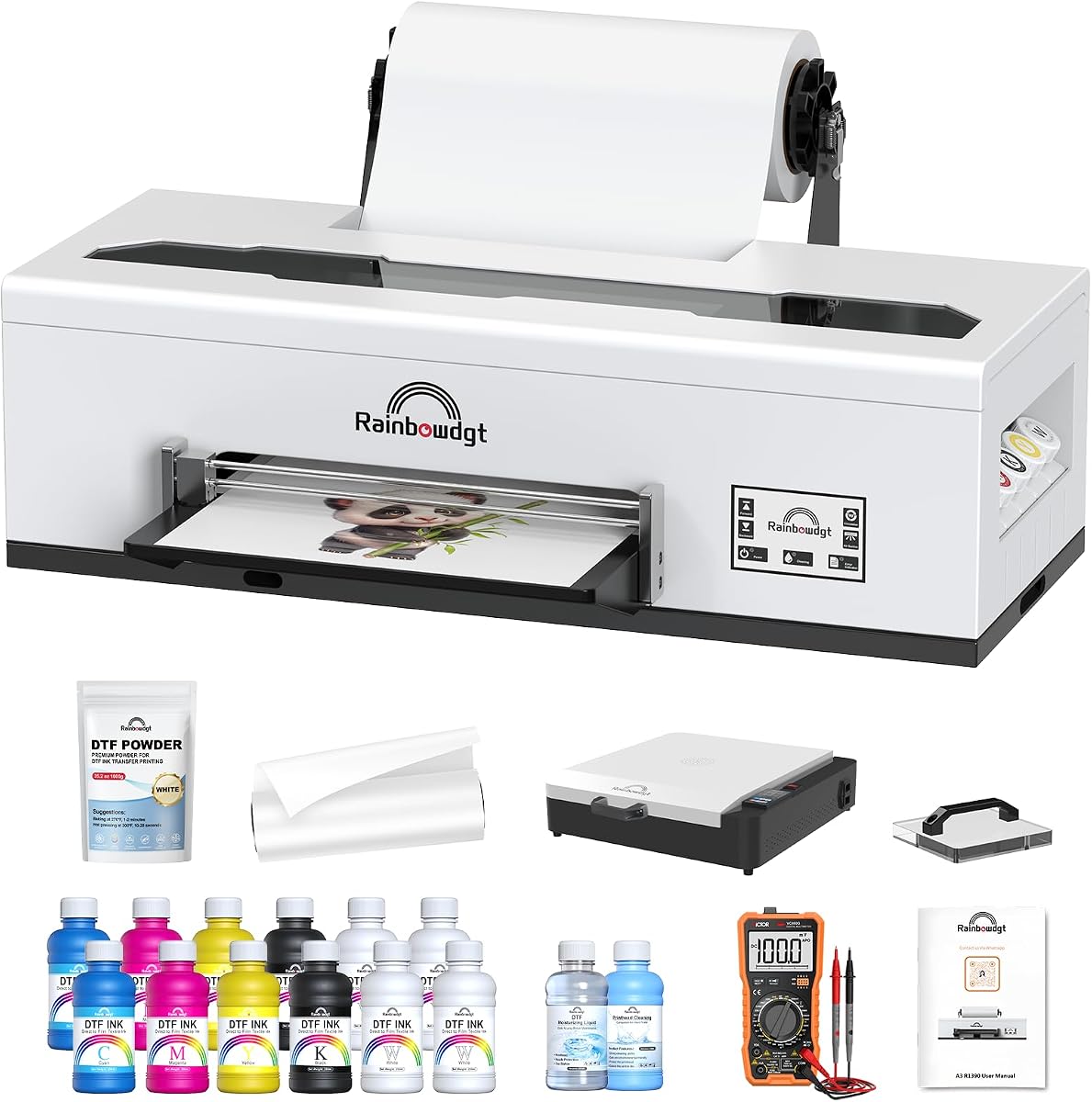
The RAINBOWDGT R1390 A3 DTF Printer Bundle boasts a perfect 5.0-star rating indicating high user satisfaction with its performance and included accessories. It is designed to provide a complete solution for launching a custom apparel business from scratch.
We may earn a commission when you buy through this link, at no additional cost to you.
Its smart adsorption vacuum system keeps the film flat during printing to prevent wrinkles and printhead scratches. This feature ensures consistent results and reduces waste caused by printing errors due to material misalignment.
The bundle includes a curing oven essential supplies and a two-year ink supply which significantly simplifies the startup process. Users appreciate the peace of mind offered by the 24/7 technical assistance and warranty coverage.
This printer is ideal for new business owners seeking a turnkey solution with proven reliability. The complete setup allows for immediate production after basic calibration making it a strong contender for serious entrepreneurs.
Built-in vacuum adsorption keeps film flat to prevent wrinkles and printhead scratches during the printing process.
The bundle includes essential supplies like ink film powder and a curing oven allowing immediate business launch.
We may earn a commission when you buy through this link, at no additional cost to you.
The Epson SureColor F170 Sublimation Printer Bundle is known for its outstanding image clarity driven by the PrecisionCore printhead technology. Users appreciate the consistent delivery of extraordinary color saturation that meets professional standards.
We may earn a commission when you buy through this link, at no additional cost to you.
It includes high-capacity sublimation ink bottles that reduce the frequency of refills and ensure consistent output. The 150-sheet auto-feed tray enhances efficiency by minimizing downtime during large print jobs.
The printer supports versatile Wi-Fi and USB connectivity making it easy to print from various devices and operating systems. However it does not support direct email printing which may limit some workflow preferences for tech-savvy users.
This model is well-suited for photographers and designers requiring high-fidelity color accuracy in their sublimation projects. The reliability and quality of output make it a trusted choice for demanding creative professionals.
The PrecisionCore printhead offers precise droplet control for outstanding image clarity unmatched by many competitors.
Compatible with the Epson iPrint app for sending designs directly from Android or iOS devices seamlessly.
We may earn a commission when you buy through this link, at no additional cost to you.
The Spark F13 A3 DTF Printer is designed specifically for home-based businesses seeking a balance between cost and performance. With a 4.0-star rating it is appreciated for its ability to handle real customer work without needing a full commercial setup.
We may earn a commission when you buy through this link, at no additional cost to you.
Its L1800 printhead delivers high-fidelity color and smooth gradients suitable for photos and custom artwork. The dense white underbase ensures vivid colors stand out clearly on dark garments which is crucial for quality apparel prints.
Features like 12-hour auto cleaning and platen vacuum help reduce wear on costly components and ensure consistent printing. Lifetime technical assistance is also available to support users as their business grows.
This printer is ideal for home sellers looking to scale operations efficiently. While it requires daily maintenance management, the cost-effectiveness and reliable output make it a solid option for dedicated creators.
The 12-hour auto cleaning helps limit clogs during downtime reducing the long-term cost of owning the printer.
G7-certified color performance keeps colors closer to the original design for accurate and professional results.
We may earn a commission when you buy through this link, at no additional cost to you.
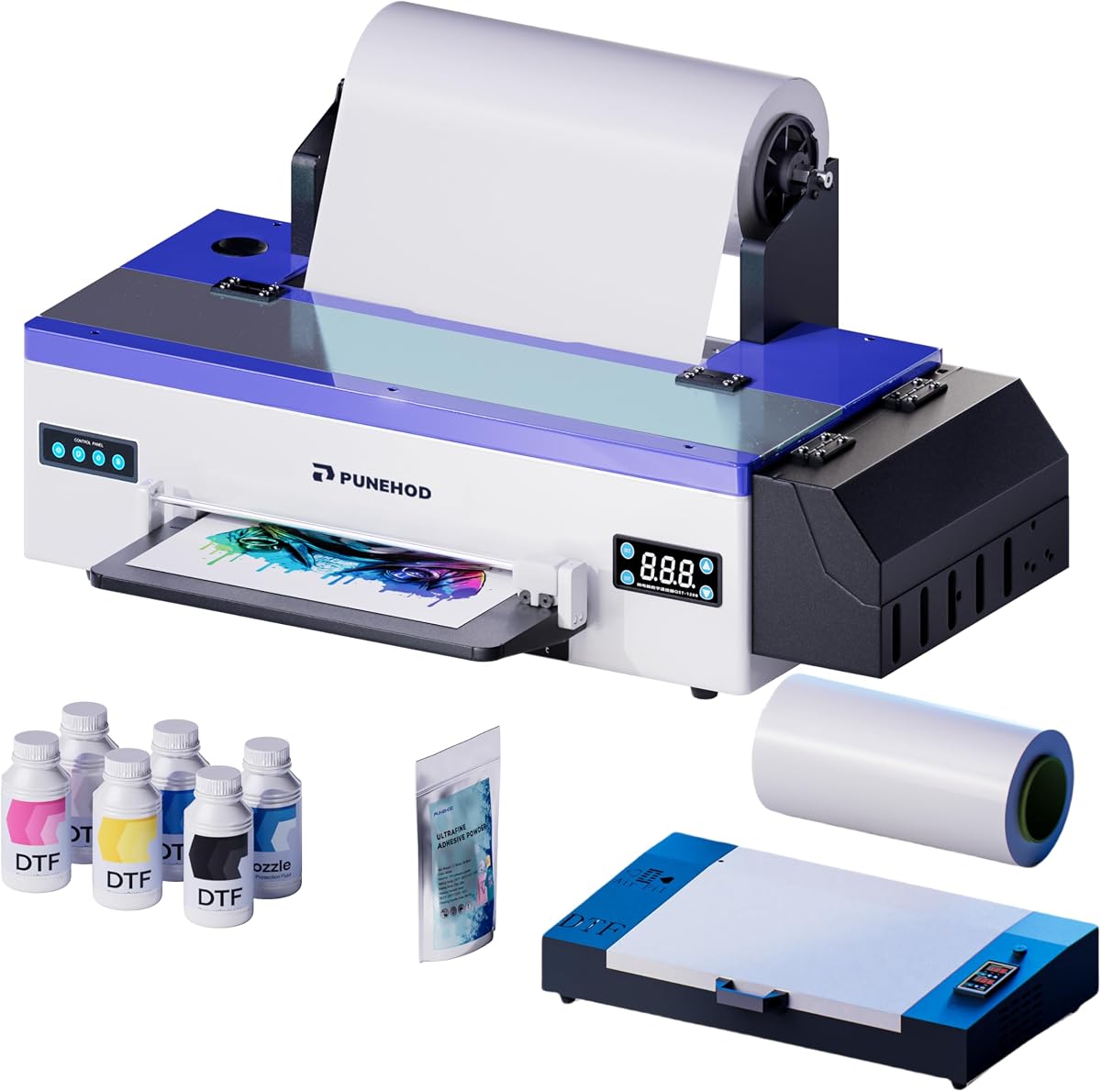
The PUNEHOD A3 L1800 DTF Printer features a roll-to-roll system that significantly improves efficiency for high-volume printing needs. With a 4.6-star rating it is praised for its ability to reduce waste and streamline production workflows.
We may earn a commission when you buy through this link, at no additional cost to you.
Its upgraded automatic cutter supports continuous long film printing allowing for precise cutting according to custom pattern sizes. This design cuts DTF film waste by approximately 30 percent compared to flat sheet-only printers.
The printer includes a double white ink configuration and advanced maintenance functions to ensure consistent solid white layers on fabrics. It works well on light and dark fabrics as well as leather and canvas materials.
This printer is best for small shops aiming to increase throughput without constant maintenance interruptions. Its versatility and efficiency make it a strong tool for commercial garment mass printing orders.
The roll-to-roll design cuts DTF film waste by 30 percent compared with flat sheet only printers to improve efficiency.
The all-round ink circulation system keeps white pigment evenly mixed to eliminate nozzle clogging issues.
We may earn a commission when you buy through this link, at no additional cost to you.
EQ Printables Inkjet Fabric Sheets provide a simple alternative for those who do not want to invest in a dedicated fabric printer. With a 4.7-star rating users find them easy to use for creating custom fabrics for small projects.
We may earn a commission when you buy through this link, at no additional cost to you.
These sheets allow you to print sharp photo-quality images onto soft fabric directly from an inkjet printer. The material feels natural and is not rubbery which makes it suitable for sewing and crafting various items.
They are ideal for one-off projects or quick gifts where a full printer investment is not justified. The ease of scanning and printing personal photos adds a personal touch to handmade items.
While not a printer itself this product is a practical solution for casual crafters. It simplifies the process of fabric printing without requiring technical knowledge or specialized equipment.
These soft fabric sheets allow you to print sharp photo-quality images directly from your inkjet printer.
You become a fabric designer as you scan in photos flowers love letters or whatever for custom results.
We may earn a commission when you buy through this link, at no additional cost to you.
TransOurDream Upgraded Iron on Heat Transfer Paper offers a convenient solution for applying custom designs to light-colored fabrics. With a 4.4-star rating it is appreciated for its ease of use and durability after transfer.
We may earn a commission when you buy through this link, at no additional cost to you.
The paper features a lower melting point which makes it easy to transfer using a standard iron or heat press. It includes reusable Teflon paper to protect the design during the heat process and ensure smooth results.
It is designed for light or white cotton fabrics and does not require mirror printing which simplifies the workflow. The stretchable and durable nature of the transfer ensures that designs last through multiple wash cycles.
This product is best for occasional users looking to create custom apparel without complex machinery. It provides a reliable and straightforward way to personalize t-shirts and bags for friends and family.
The low melting point and no mirror print requirement make this transfer paper exceptionally easy to use.
Extremely bright stretchable and durable transfers ensure your custom designs last through multiple wash cycles.
We may earn a commission when you buy through this link, at no additional cost to you.
Selecting the right fabric printing printer requires understanding several key factors that impact performance cost and ease of use.
The first decision involves choosing between direct-to-film (DTF) sublimation and specialized fabric inkjet printers. DTF printers allow you to print designs on a film that is then transferred to fabric making them versatile for cotton and dark garments. Sublimation printers work best on polyester or polyester-coated items offering vibrant colors that bond permanently with the fabric.
Consider how many items you plan to print regularly. High-speed models like those with F1080 printheads are ideal for businesses needing to fulfill large orders quickly. Slower printers may suffice for hobbyists who print occasionally and prioritize cost over throughput.
DTF printers often require regular maintenance such as cleaning printheads and agitating white ink to prevent clogging. Look for models with automated cleaning systems or features like auto-moisturizing to reduce manual work. This is crucial for users who may not print daily.
Check if the printer supports the design software you already use. Some models offer proprietary apps like Artspira that simplify the workflow for beginners while others require standard RIP software which offers more control for advanced users.
Reliable technical support is essential for troubleshooting setup and maintenance issues. Manufacturers offering 24/7 guidance and strong warranties on parts like printheads provide peace of mind for small businesses investing in expensive equipment.
Many printers come as bundles that include ink film powder and sometimes curing ovens. These packages can significantly reduce startup costs and simplify the initial learning curve by ensuring all necessary components are compatible.
Long-term operational costs depend heavily on ink prices and availability. Some models offer extended ink supplies or cost-effective consumables which can save money over time. Always check the cost per print before purchasing to understand the true value.
Ensure the printer supports the types of fabrics you intend to use. While some work best on cotton others excel on polyester or blends. Versatile machines that handle multiple materials offer more flexibility for diverse product lines.
Begin by setting up your printer according to the manufacturer's instructions ensuring all protective packaging is removed. Install the ink cartridges carefully and run the initial calibration test to align the printhead properly.
Design your artwork using compatible software keeping in mind resolution requirements for fabric printing. Export the design in the correct format and send it to the printer using the selected connectivity method such as USB or Wi-Fi.
After printing perform regular maintenance tasks like cleaning the printhead and checking ink levels to prevent clogs. For DTF models ensure the powder application and curing steps are followed precisely to achieve durable transfers.
DTF printers print on a film that is transferred to fabric using heat and adhesive powder making them suitable for cotton and dark colors. Sublimation printers transfer dye into polyester fabric directly requiring a heat press and producing vibrant results that feel like part of the fabric.
Most fabric printers work with standard design software but some come with proprietary apps for easier workflow. Advanced users may need RIP software for better color management and print control depending on the machine model.
White ink requires regular circulation and agitation to prevent settling and clogging. Look for models with built-in auto-cleaning and circulation systems to simplify this process and ensure consistent print quality over time.
Not all printers work on every fabric. Sublimation requires polyester content while DTF works well on cotton polyester and blends. Check the specifications of your chosen printer to ensure compatibility with your intended materials.
Sublimation printers require a heat press to transfer the image to fabric. DTF printers need a curing oven or heat press to bond the transfer to the fabric properly so a heat press is essential for most fabric printing methods.
With proper maintenance a quality fabric printer can last for several years. Regular cleaning and timely ink replacement help extend the lifespan of the printhead which is the most critical and expensive component of the machine.
Many fabric printers can also print on paper for labels or marketing materials but they are optimized for textile transfers. Using non-compatible media may lead to clogs or reduced print quality over time.
Most users can learn the basics within a few weeks with proper guidance. Manufacturers often provide detailed tutorials and support to help beginners understand setup printing and maintenance procedures efficiently.
Selecting the right fabric printing printer depends on your specific needs budget and technical expertise. The DXZ 2026 14-inch A3 DTF Printer Bundle offers exceptional speed and reliability making it the top pick for businesses aiming to scale.
For beginners or those on a tighter budget the Brother Sublimation Printer provides a solid entry point with easy app integration and vibrant results. Alternatively the InkSonic A3 R1390 delivers premium performance with advanced white ink systems for those prioritizing quality.
Remember that prices and availability can fluctuate so always check current listings before making a final decision. Investing in a reliable printer will pay dividends in the quality of your custom apparel and the efficiency of your production workflow.