
LinksTek X520-DA1 SFP+ Adapter
4.3Editor score
Intel 82599ES Controller
10GbE SFP+ Port
Full and Low Profile Brackets
This comprehensive guide compares the top ten Fiber Optic Network Interface Card models available in October 2026 for server, NAS, and desktop connectivity.
Fiber optic network interface cards provide high-speed connectivity essential for modern data centers and demanding home labs. These devices convert electrical signals to light for faster data transfer and greater immunity to interference.
We evaluated ten leading models based on chipset reliability, port configurations, and compatibility with various operating systems. Each product was selected for its ability to deliver stable gigabit and ten gigabit performance in diverse environments.
Each section details specific features and real-world use cases to help you make an informed decision. Please note that pricing and availability fluctuate frequently, so verify current details before purchasing.
4.3Editor score

5.0Editor score

4.9Editor score
The following table provides a side-by-side comparison of all ten selected network cards. Review the specifications to identify which model best suits your specific bandwidth and interface requirements.


The StarTech 2-Port GbE SFP Network Card stands out as a reliable solution for expanding network connectivity in desktops and servers. It features the proven Intel I350-AM2 chipset which ensures high performance and stability across various workloads. This card is specifically designed to add two gigabit open SFP slots, allowing you to choose between fiber optic or copper connectivity based on your needs.
We may earn a commission when you buy through this link, at no additional cost to you.
One of its most significant advantages is the unlocked SFP slots which work with any MSA-compliant modules. This flexibility means you are not locked into proprietary hardware and can use existing transceivers. It supports advanced features like IPv4 and IPv6 offloading, link aggregation, and VLAN tagging which are crucial for managing complex network environments efficiently. Additionally, the built-in heatsink maintains optimal operating temperatures during sustained high traffic periods.
While it is limited to gigabit speeds, this limitation is acceptable for most standard business and home server applications where 10GbE is not strictly required. The inclusion of PXE boot support facilitates centralized OS deployment, making it a great tool for IT administrators managing multiple machines. The low-profile bracket ensures compatibility with smaller server chassis without compromising on functionality.
This card is ideal for users needing a dependable second or third network port without breaking the bank. It is particularly suitable for small businesses or home labs requiring stable connectivity for NAS devices or virtualization hosts. The combination of reliability, flexibility, and broad OS support makes it the top choice for general fiber optic connectivity upgrades.
The open SFP slots allow you to use Singlemode or Multimode fiber modules or direct attach copper cables. This ensures you can adapt to different cabling standards without buying a new card.
With support for jumbo frames and Intel Virtualization Technology, this card handles heavy virtualization loads efficiently. Features like PXE boot streamline network boot processes for server maintenance.
We may earn a commission when you buy through this link, at no additional cost to you.
The LinksTek X520-DA1 offers an accessible entry point into 10GbE networking without the cost of branded enterprise hardware. Powered by the Intel 82599ES controller, it delivers stable and unified connectivity for data centers, NAS, and desktop PCs. This adapter is ideal for users looking to upgrade their home lab or small office network to 10 gigabit speeds for faster data transfers and media streaming.
We may earn a commission when you buy through this link, at no additional cost to you.
It supports essential virtualization features like VMDq and SR-IOV which help manage traffic efficiently in virtual machine environments. The card is compatible with a wide range of operating systems including Windows Server and various Linux distributions. However, note that Windows 10 and 11 require driver installation which might add a slight setup hurdle compared to plug-and-play server OS options.
Users should be aware that the passive heatsink can run warm during high load tasks, so adequate case airflow is necessary. Despite this, the value proposition remains strong given the performance it delivers relative to its price point. The inclusion of both full height and low profile brackets ensures it fits in various form factors from towers to rack mounts.
For enthusiasts and budget-conscious businesses needing high speed, this card provides excellent performance. It is particularly well-suited for storage servers where moving large files quickly is the primary goal. By avoiding vendor lock-in, you can choose third-party transceivers to further reduce total cost of ownership.
The Intel 82599ES controller includes on-chip QoS and traffic management. These features ensure that virtual machines share bandwidth efficiently without performance drops.
Ideal for iSCSI and FCoE storage protocols, this adapter facilitates fast access to network attached storage. It turns slow backup jobs into quick transfers for better productivity.
We may earn a commission when you buy through this link, at no additional cost to you.
The Asus XG-C100F is designed for users who demand blazing fast speeds to complete networking tasks efficiently. Capable of 10x the speeds of standard Gigabit Ethernet, it handles large file transfers and 4K video streaming without bottlenecks. The card features a stylish aluminum heatsink that keeps the controller cool even during intense performance tasks ensuring long-term reliability.
We may earn a commission when you buy through this link, at no additional cost to you.
A unique feature is the built-in QoS technology which automatically boosts bandwidth to important streams or games. This prioritization ensures that latency-sensitive applications get the resources they need even when the network is busy. The SFP+ cage supports both fiber optic and direct attach copper connections giving you flexibility in how you connect your device to the switch.
The operating temperature range is broad making it suitable for different environments though heat management remains critical for sustained performance. While it supports fiber optic technology for longer distances, you can also use copper cables for shorter runs to save on module costs. This versatility makes it a strong choice for hybrid network setups.
This card is perfect for gamers and content creators who need ultra-low latency and high throughput. The prioritization features make it stand out for applications where lag must be minimized. Investing in this adapter ensures your system can handle future bandwidth demands without needing another upgrade soon.
The sophisticated aluminum heatsink is designed to dissipate heat effectively. This prevents thermal throttling during extended periods of high data transfer rates.
Automatic prioritization technology ensures your video calls or gaming sessions do not get interrupted by background downloads. It optimizes bandwidth allocation dynamically.
We may earn a commission when you buy through this link, at no additional cost to you.
The 10Gtek 10Gb PCI-E NIC Card is equipped with a high quality original Intel 82599EN controller ensuring server stability and performance. It supports I/O virtualization which is critical for environments running multiple virtual machines. This card provides a single SFP+ port allowing you to connect to 10 Gigabit modules or direct attach cables for high-speed data center connectivity.
We may earn a commission when you buy through this link, at no additional cost to you.
It supports storage over Ethernet protocols like iSCSI and NFS making it suitable for NAS systems and file servers. The card fits in PCI-E X8 lanes but is compatible with x8 and x16 slots. It comes with both full profile and additional low profile brackets to facilitate easy installation in small form factor cases.
While it does not support hot swapping, its steady performance makes it a reliable choice for always-on servers. Users on Windows 11 need to ensure drivers are set up correctly but Linux users often find it works out of the box. The warranty and lifetime technology support provide peace of mind for business deployments.
This card is a solid choice for users migrating from copper to fiber optic without spending heavily. It offers the reliability of an Intel chipset at a competitive price. Ideal for storage clusters or virtualization hosts where consistent throughput is more important than maximum flexibility.
With support for iSCSI and FCoE, this card is optimized for network attached storage tasks. It reduces latency for database and file access operations significantly.
The package includes brackets for standard and low profile cases. This ensures the card can be mounted securely regardless of your chassis size.
We may earn a commission when you buy through this link, at no additional cost to you.
Equipped with the Realtek RTL8127 controller this network card supports wake-up and diagnostics functions to significantly enhance data transmission stability. It features a single 10G SFP+ port offering a dramatic speed increase over standard Gigabit adapters. The PCIe Gen4 x1 interface design ensures it works in various slots including x1 x4 x8 and x16 for broad installation flexibility.
We may earn a commission when you buy through this link, at no additional cost to you.
The card supports PXE WOL and Jumbo Frames meeting daily and professional network requirements efficiently. It also adapts to complex environments with VLAN tagging and flow control support. However, Linux compatibility is limited to kernel versions up to 6.15 which is a critical check for enterprise Linux users.
Users should note that it does not support FreeBSD or ESX systems so it is best suited for standard Windows or supported Linux setups. The ability to scan a QR code to download drivers simplifies the installation process on Windows and modern Linux systems. Brackets are included to ensure a secure fit in any chassis.
This card is a great option for those needing modern Gen4 performance on a budget. It is ideal for home labs or small offices where 10Gbps connectivity is needed without the complexity of older enterprise cards. The reliability of the Realtek controller ensures stable performance for daily tasks.
The PCIe Gen4 x1 lane provides sufficient bandwidth for 10Gbps data transfer. This modern interface ensures compatibility with newer motherboards and systems.
Advanced support for IEEE standards ensures interoperability with diverse network switches. This reduces configuration issues when integrating into existing infrastructure.
We may earn a commission when you buy through this link, at no additional cost to you.
This card features genuine INTEL 82599EN silicon providing sustained 10 Gigabit throughput for NAS transfers and VM migration. The SFP+ cage has no vendor lock allowing third-party DAC twinax AOC and various optics to link up freely. This is a significant advantage over branded cards that often reject modules they do not recognize.
We may earn a commission when you buy through this link, at no additional cost to you.
It is plug and play on Proxmox TrueNAS Unraid and ESXi which saves time on configuration. Linux systems detect it without driver steps ensuring quick deployment. The card fits in any x4 x8 or x16 slot leaving the rest of the board free for other expansion cards.
However the passive heatsink runs warm by design so case airflow or a small fan is recommended for silent builds. Jumbo frames up to 9KB run in hardware improving efficiency for large data packets. The full-height and low-profile brackets ensure compatibility with various rack and tower chassis.
This adapter is ideal for users who want enterprise performance without the premium price or proprietary restrictions. It excels in homelabs and small servers where flexibility and speed are key. Ensure your case has adequate ventilation to maintain stable operation during heavy loads.
Checksum offload runs in hardware to reduce CPU usage. This keeps the system processor free for other applications during network intensive tasks.
Detected by QNAP Synology Ubuntu Debian and CentOS. This broad compatibility makes it a safe choice for diverse operating system environments.
We may earn a commission when you buy through this link, at no additional cost to you.
The CX4121A offers dual 25GbE SFP28 fiber ports for a cost-effective and flexible solution for cloud and storage platforms. Based on the Mellanox ConnectX-4 Lx EN controller it provides intelligent RDMA Ethernet capabilities. This card delivers 64Gb/s bandwidth ensuring both ports achieve 25GbE simultaneously for maximum throughput.
We may earn a commission when you buy through this link, at no additional cost to you.
It supports RDMA over RoCE which is essential for storage networks requiring low latency and high bandwidth. The card is compatible with Windows Server and various Linux kernel-based systems. It also supports Open Fabrics Enterprise Distribution for broader integration with storage clusters.
Auto-negotiation allows it to switch between PCIe x8 and x4 lanes adapting to available slot capacity. While it requires an x8 slot for full performance it can adapt to lower slots. The auto-switch between PCIe Gen 3.0 and 2.0 ensures compatibility with older servers.
This adapter is best for high-performance computing and data center environments. It handles Web 2.0 and cloud analytics tasks with ease. Ensure your switch supports 25GbE optics to leverage its full potential.
Remote Direct Memory Access reduces CPU overhead during data transfers. This results in lower latency for storage applications and virtualization.
With two ports you can set up link aggregation for higher speeds. Or use one for storage and one for general network traffic.
We may earn a commission when you buy through this link, at no additional cost to you.
This card features the 82599EN chip providing fast speed and stable performance for network connections. It offloads TCP/UDP/IP checksum tasks freeing up CPU resources for other applications. The gold-plate fingers ensure reliable contact and reduce hardware faults for longer service life.
We may earn a commission when you buy through this link, at no additional cost to you.
The SFP+ optical port supports single mode multimode and active optical cables for versatility. It includes a low-profile and full-height bracket to fit most chassis sizes. A multimode optical module is included in the package ready to use with multimode fiber cables.
Because it uses PCIe X1 it may share bandwidth with other devices if the slot is shared. Ensure your motherboard slot is dedicated for best performance. It auto adapts transmission rates supporting half and full duplex modes for different switch configurations.
This product is great for users who need a plug-and-play solution for immediate network upgrades. The included module saves the hassle of sourcing one separately. It is suitable for industrial PCs and workstations needing fast optical connectivity without high-end features.
Gold-plate fingers effectively prevent oxidation on the connector. This maintains a steady connection over years of use.
The included multimode module allows immediate testing. Just insert the fiber cable and start transferring data at 10Gb speeds.
We may earn a commission when you buy through this link, at no additional cost to you.
The TP-Link TX401 delivers extreme speeds of up to 10 Gbps using 10GBase-T technology. It is backwards compatible with multiple data rates ensuring it works with any modern switch. This adapter is ideal for users who want 10G speeds without changing their existing copper cabling.
We may earn a commission when you buy through this link, at no additional cost to you.
QoS technology prioritizes performance for gamers and avoids network congestion during intensive usage. A 1.5 m CAT6A Ethernet cable is included to maximize performance out of the box. It offers comprehensive system support for Windows and Linux operating systems.
Since it uses copper rather than fiber it is best for shorter runs where EMI is not an issue. It is significantly cheaper than fiber options if your switch only has copper ports. The industry leading 2-year warranty provides assurance for your investment.
Choose this card if you need to upgrade to 10G over standard copper Ethernet. It is perfect for gaming rigs or home offices where existing Cat6A cables can be reused. For industrial fiber runs consider a fiber optic card instead.
Negotiates automatically between 10Gbps and lower speeds. This ensures you do not need a new switch to get started immediately.
The included CAT6A cable is rated for 10Gbps. Most regular cables cannot handle this speed so this adds immediate value.
We may earn a commission when you buy through this link, at no additional cost to you.
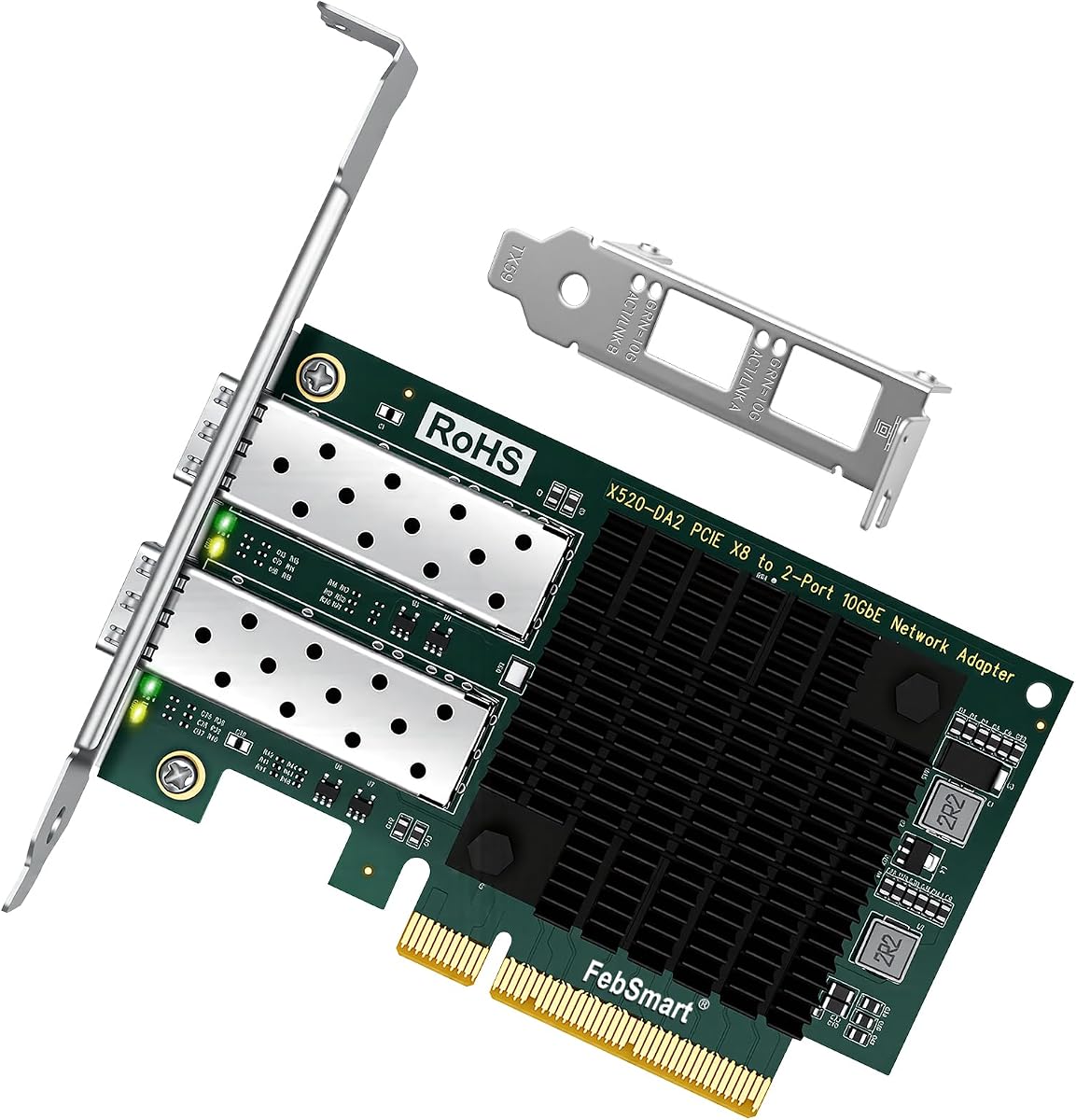
This adapter delivers stable 10Gb/s LAN and SAN connectivity powered by the Intel 82599ES 2x 10Gb/s Ethernet controller. It provides two SFP+ optical ports allowing for increased bandwidth or redundancy. This is ideal for virtualization and storage-intensive environments needing high throughput.
We may earn a commission when you buy through this link, at no additional cost to you.
It supports Intel Data Direct I/O Technology and Intelligent Offloads to maximize performance. The PCIe 2.0 x8 interface provides 40Gbps total bandwidth. It is compatible with various Linux distributions and Windows Server OS versions.
The low profile bracket is included for compatibility with small cases. Ensure your motherboard has a full x8 slot available for proper operation. It supports link aggregation and VLAN tagging for advanced network management.
This card is perfect for users needing dual 10G connections on a budget. It offers the reliability of Intel chips without the premium pricing. Great for home servers needing both network access and storage traffic management.
Two ports allow for higher aggregated bandwidth. You can also separate storage traffic from general network traffic easily.
Storage over Ethernet support includes iSCSI and FCoE. This reduces CPU usage when accessing network storage.
We may earn a commission when you buy through this link, at no additional cost to you.
Selecting the right card depends on your specific speed needs and existing infrastructure. Consider these factors to ensure compatibility and performance.
Determine if you need 1Gbps 10Gbps or higher speeds. Most users find 10Gbps sufficient for modern home labs and small businesses. Higher speeds like 25Gbps are reserved for enterprise data centers.
Match the card speed to your switch capabilities to avoid bottlenecks.
Check if your existing cabling is fiber or copper. Fiber uses SFP+ or SFP28 ports while copper uses RJ45 or 10GBase-T. Ensure the card matches the physical media you are using.
Choose fiber for long distances and copper for short cost-effective runs.
Verify driver availability for your OS. Linux servers often benefit from plug-and-play cards while Windows may need specific drivers. Ensure the card supports your current version of Linux or Windows.
Check the manufacturer site for the latest driver downloads.
Measure your PC case to ensure the card fits. Low profile brackets are essential for small cases or mini-towers. Standard full height brackets are common for regular desktops.
Always confirm if brackets are included in the package.
Check your motherboard for PCIe slots. High speed cards often require x8 or x16 slots for full bandwidth. Using a smaller slot may limit performance significantly.
Ensure the slot version like PCIe 3.0 or 4.0 matches the card.
If using virtual machines look for SR-IOV and VMDq support. These features allow VMs to share the NIC efficiently. This is critical for performance in virtualized environments.
Check the specifications list for virtualization keywords.
Install the card into a PCIe slot before powering on your computer. Secure it with the bracket screw to ensure a stable connection.
Connect your fiber optic cables carefully avoiding bending the fiber too sharply. Ensure the transceiver module is firmly seated in the slot.
Regularly update drivers to maintain compatibility with your OS. Monitor temperature via system tools to ensure adequate airflow around the card.
Most cards do not include modules unless specified. You will need to purchase compatible SFP or SFP+ transceivers separately. Ensure the module matches your fiber type such as single mode or multimode.
Fiber cards generally require optical modules. If you want copper support you need a specific RJ45 card or DAC cable. Check if the card supports Direct Attach Copper cables.
Yes most cards require drivers on Windows 10 or 11. Server operating systems like Windows Server often have built-in drivers. Check the manufacturer website for the latest drivers.
SFP supports 1Gbps speeds while SFP+ supports 10Gbps. Ensure your switch port matches the card speed. Using SFP modules in SFP+ slots often works but limits speed.
No these cards require desktop PCIe slots. Laptops use M.2 slots which are different. You would need a Thunderbolt external adapter for laptops.
Fiber cables can run much further than copper often up to kilometers. Multimode is typically shorter range while single mode extends for long distances. Check the module range before buying.
We reviewed ten top options for fiber optic network connectivity suitable for various needs. The StarTech 2-Port card offers the best overall value with reliable Intel performance.
Prioritize compatibility with your OS and switch when making your choice. Ensure your case supports the required PCIe slot size and airflow.
Prices fluctuate frequently so verify current deals before purchasing. Checking current prices helps you get the best deal on these high-speed cards.